


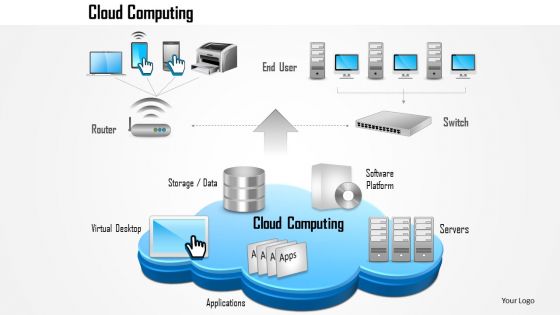
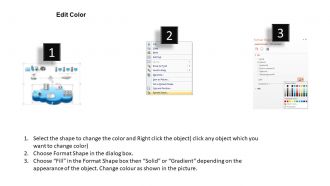
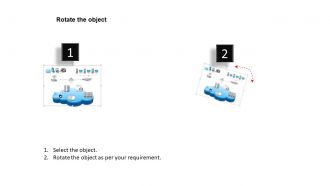
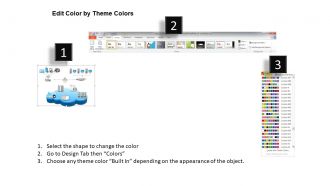
1114 entire cloud computing infrastructure with allications end users and office computers ppt slide




Try Before you Buy Download Free Sample Product
 Impress Your
 Audience
 100%
100% Editable
 Save Hours
 of Time


Our 1114 Entire Cloud Computing Infrastructure With Allications End Users And Office Computers Ppt Slide assist coordination. Your thoughts develop a cohesive approach.
People who downloaded this PowerPoint presentation also viewed the following :
1114 entire cloud computing infrastructure with allications end users and office computers ppt slide with all 6 slides:
Bowl them over with our 1114 Entire Cloud Computing Infrastructure With Allications End Users And Office Computers Ppt Slide. They will beg to bat again.
FAQs for 1114 entire cloud computing infrastructure with allications end users and office
So basically you've got three big buckets - compute stuff like VMs and containers, storage for your databases and files, plus networking with load balancers and CDNs. There's also all the management tools on top: monitoring, security, orchestration platforms. Honestly the physical servers are someone else's problem when you're in the cloud, which is nice. Most providers let you pick and choose services like building blocks. My advice? Figure out what you actually need first - I made the mistake of getting distracted by all the shiny features when I started. Way too easy to overcomplicate things.
So basically virtualization lets you chop up physical servers into multiple virtual machines. Game changer, honestly. You can scale resources up or down super fast without buying new hardware every time demand changes. Need more power when users spike? Spin up new VMs in minutes. Don't need them anymore? Shut them down. Way better than the old days of waiting weeks for new servers to arrive. Your cloud setup automatically adjusts to whatever workload you're dealing with. Best part? You only pay for what you actually use instead of having expensive hardware sitting there doing nothing most of the time.
So public cloud is like renting server space on AWS or Azure - you're sharing resources with other companies but it's cheap and easy. Private cloud means you get your own dedicated setup, either in your office or hosted somewhere, which gives you way more control but costs a fortune. Hybrid mixes both approaches. Honestly, most companies go hybrid these days because you can stick sensitive data on private infrastructure while running normal stuff on public cloud. Figure out what actually needs to be locked down versus what doesn't really matter security-wise - that'll help you decide.
So basically it's about how much stuff you have to manage yourself. IaaS means you're dealing with the OS, apps, data - everything except the actual hardware. PaaS handles the OS part for you, so you just worry about your app. SaaS is like using Gmail or Salesforce - you don't manage anything, just log in and use it. Honestly, I'd go with whatever lets you focus on what you actually care about. More control sounds cool until you're debugging server configs at 2am. Pick based on whether you want flexibility or you just want things to work without the headache.
Dude, your network setup is what makes or breaks everything in the cloud. Poor design? Your apps will crawl. Data has to flow smoothly between databases, applications, and users - kind of like traffic on highways. Geography plays a huge role since cross-country data transfers aren't instant. You'll want to plan bandwidth, reduce latency, and build backup routes. Honestly, most people skip this step and regret it later. Take time upfront mapping your topology or you'll be firefighting angry user complaints about slow performance. Trust me on this one.
Yeah, this stuff can literally make or break your business. One data breach and you're looking at huge fines plus customers fleeing. Different industries have their own rules too - HIPAA for healthcare, GDPR for anything EU-related, SOX if you're public. I've watched companies scramble to patch security holes after moving to cloud when they should've just planned it out properly from day one. Way more expensive that route. Check your cloud provider's certifications first - don't just trust their marketing pitch. Oh, and compliance isn't a one-time thing either.
Dude, first thing - rightsize those instances. Most people massively overpay for stuff they barely touch. Set up auto-scaling so you're not burning cash on idle resources. Budget alerts will save your ass, seriously. Reserved instances are clutch for anything predictable - the savings are actually insane. Oh and audit regularly! Those random dev environments everyone forgets about? Yeah, they add up quick. I learned that the hard way lol. Basically treat it like an ongoing thing, not just some one-off spring cleaning.
Cloud infrastructure gives you solid backup options - your data gets copied across different regions automatically. One data center fails? No problem, everything switches to another location while you sleep. The best part is instant scaling during emergencies instead of waiting forever for new hardware to ship. You only pay for disaster resources when you actually need them, which honestly beats having expensive equipment just sitting around. Oh, and definitely test your failover setup before disaster strikes - learned that one the hard way. Regular automated backups are a must too.
So edge computing is just moving processing power closer to where your data gets made, instead of sending everything back to those huge data centers. You're not ditching the cloud completely though - more like extending it out. The main cloud still does the heavy work, but edge handles the quick, real-time stuff that can't wait. Honestly, it's pretty smart when you think about it. Creates these little processing spots that stay connected to your main setup. You'll have to redesign things to be more spread out and plan for managing both local and cloud pieces together.
Redundancy is everything - spread your stuff across multiple data centers and regions. Load balancers help distribute traffic so nothing gets overwhelmed. Auto-scaling handles those random traffic spikes without you panicking at 3am (trust me on this one). Some companies actually do chaos engineering where they intentionally break things to find problems first. Automated failover systems jump in when something crashes. Oh, and get good monitoring dashboards set up early. You'll thank yourself later when you can catch issues before your users start complaining.
So there's basically three big ones you'll run into: microservices, serverless, and multi-tier stuff. Microservices split everything into tiny independent services - everyone's obsessed with them right now but honestly they can get messy fast if your team isn't ready. With serverless you just throw code at AWS Lambda and don't worry about servers. Multi-tier keeps your frontend, business logic, and database separate which is pretty clean. Oh and there's event-driven architectures for real-time things, plus Docker/Kubernetes if you want everything portable. Just pick what your team actually knows instead of chasing whatever's hot on Twitter.
Honestly, containers are a game changer for cloud stuff. They bundle your app with everything it needs, so no more "works fine on my laptop" headaches when you deploy. Docker and Kubernetes basically run the show now. Way lighter than VMs too - you'll get better performance and things boot up crazy fast. Plus scaling up or down is pretty seamless across different cloud platforms. I'd say start small though, maybe containerize just one app first to figure out the workflow. Once you get it, you'll probably want to containerize everything (I went a bit overboard myself).
Yeah, so cloud data centers are actually pretty brutal for the environment - they're eating up about 1% of all global electricity right now. Most of that goes to cooling and running servers 24/7. AWS, Google, and Microsoft are all racing to go carbon neutral though, which is cool. But honestly? Even with renewable energy, if you're running bloated workloads you're still wasting a ton of power. I'd just pick providers who actually care about this stuff and keep an eye on what you're using. Don't spin up servers you don't need.
Start with auditing what you've got - your infrastructure, apps, data flows, all that stuff. The skills gap issue is honestly brutal and catches everyone off guard. Check your team's technical chops, security needs, compliance requirements. Network bandwidth matters more than people think. Budget for both the move AND the ongoing costs because... yeah, that adds up fast. Oh, and definitely test with some non-critical workloads first. Way better to figure out the kinks on something that won't break everything if it goes sideways. You'll get real data on how your org actually handles change.
Dude, edge computing is huge right now - everyone's pushing stuff closer to users. Multi-cloud setups are pretty much standard at this point. Serverless is finally hitting its stride too, which is cool. Honestly, the AI/ML thing is kinda annoying because yeah, every company just slaps "AI-powered" on their marketing now, but some tools actually work well. Zero-trust security is becoming the default, and there's way more focus on green computing than before. Kubernetes keeps dominating the container space obviously. You should probably look at your current setup and see what needs updating based on this stuff.
-
Out of the box and creative design.
-
Editable templates with innovative design and color combination.