

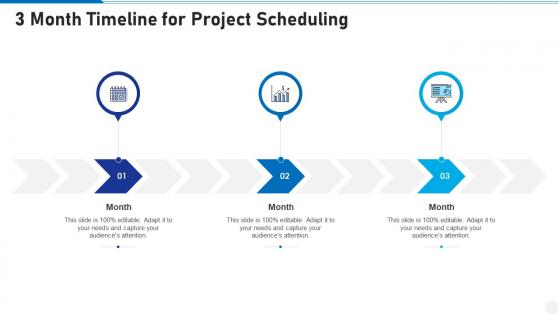
3 month timeline for project scheduling infographic template




Try Before you Buy Download Free Sample Product
 Impress Your
 Audience
 100%
100% Editable
 Save Hours
 of Time


Derive factual results using this 3 Month Timeline For Project Scheduling Infographic Template. Deploy this PowerPoint template to make and display prospective strategies using impressive graphics that enhance the visual quotient of the presentation. This infographic template also helps in elevating the aesthetic appeal of the presentation, making it useful for every organization. Apart from this, things and projects can be visualized from the onset using this PPT design. As this PowerPoint visual provides an abundance of information in a single layout, it can impress any viewer or higher managerial staff. It also boosts business actions by presenting flawless presentations. The biggest advantage of this slide is that it can be reproduced in various formats, including Google Slides. Therefore, download it now to present a unique presentation every time.
People who downloaded this PowerPoint presentation also viewed the following :
3 month timeline for project scheduling infographic template with all 9 slides:
Use our 3 Month Timeline For Project Scheduling Infographic Template to effectively help you save your valuable time. They are readymade to fit into any presentation structure.









FAQs for 3 month timeline for project
So you need the basics first - tasks, how long they'll take, who's doing what, and which ones depend on others. Break everything into actual deliverables you can check off. Then map out the order things need to happen. Don't assume your team can dedicate 100% time to this - that's where most schedules crash and burn, honestly. Build in some buffer time because stuff always goes sideways. Oh, and set clear milestones so you're not guessing where you stand. Start with a work breakdown structure and go from there.
Honestly, Gantt charts are a game changer for project scheduling. You get this bird's-eye view of everything instead of trying to remember what's due when. Dependencies become super obvious too - like you'll instantly see that Task B can't start until Task A wraps up. I used to hate them in school but they actually make sense now. Progress tracking is probably the best part since you can spot what's falling behind before it becomes a crisis. Your team will thank you for the clear timelines. Just start with your big milestones and fill in the smaller tasks after.
Think of critical path method as finding the longest chain of tasks that'll make or break your deadline. Map out everything that needs doing and their dependencies first. Then figure out which sequence takes the most time from start to finish - that's your critical path. Honestly, it's kind of like dominoes. Delay anything on this path and your whole project gets pushed back. Other tasks have some buffer time, but these don't. Once you know which activities are critical, you'll know exactly where to throw your energy when deadlines get crazy.
Figure out your critical path first - those tasks that'll determine how long everything takes. Can't mess with those. Dependencies are next: what's blocking other stuff? Honestly, this is where I always panic because it ALL feels urgent, but you gotta focus on what actually pushes things forward. Don't schedule your best developer for three things at once either - learned that the hard way. Oh, and pad time for risky tasks. Trust me, that "quick" integration will definitely take longer than you think.
You need something cloud-based for real-time updates - Monday.com, Asana, or Microsoft Project Online all sync instantly. Monday.com's visual boards are honestly pretty great right now. When someone updates a deadline or task status, everyone sees it immediately instead of waiting around for meetings. Skip the old desktop versions like regular MS Project - they're terrible for collaboration. Oh, and this might sound obvious but pick whatever your team will actually use consistently. The fanciest tool won't help if half your people just ignore it.
Dude, you absolutely need stakeholder input for realistic scheduling. They know constraints you'll totally miss otherwise. Get their insights early - resource availability, priorities, external factors that could mess with timing. I've watched so many schedules crash because people skipped this step! Honestly, their domain expertise catches bottlenecks you'd never see coming. Have them review key milestones and buffer time too. Oh, and keep checking back as things change - their feedback helps you catch small issues before they explode into major headaches. Trust me on this one.
Ugh, the classic mistakes - I've made them all! Time estimates are always way off. Add like 20-30% buffer because something *always* goes wrong. Back-to-back deadlines with zero wiggle room? Recipe for disaster. People forget that Sarah's going on vacation or Mike has three other projects. Also those review cycles take forever - especially when you need approval from higher-ups who take days to respond. My biggest tip is having backup plans for anything critical. Oh and honestly? Your first timeline is probably too aggressive anyway, so don't be afraid to pad it.
Honestly, most PMs mess this up by just assuming everyone's free when they're not. Check people's calendars first - I know it sounds basic but seriously, do it. Look at vacation time, other project commitments, all that stuff. Then actually set realistic availability in whatever tool you use. Like if Sarah's juggling two other projects and only has 60% bandwidth, don't pretend she's full-time available. Build in buffer time too because someone will definitely get sick at the worst possible moment. Oh and figure out who can cover for who skill-wise, just in case.
Honestly, you need a solid change control process - make people get approval before switching stuff around. Version control is your best friend here, because someone's always gonna ask what got changed. I'd throw in some buffer time on your critical path activities too. Keep a change log so you can track what moved and why (saves your butt later). The second something shifts, tell your stakeholders right away. Don't wait around hoping they won't notice. Being ahead of problems beats scrambling to fix them. Document everything and think through how one tweak affects your whole timeline.
So basically Waterfall is super rigid - you plan everything upfront with fixed deadlines and milestones. Works great if you know exactly what you want, but you're screwed if requirements change halfway through. Agile does the opposite with these short 2-4 week sprints where you can pivot constantly. Most teams I've worked with just do whatever mix makes sense for their project tbh. It really comes down to how much uncertainty you're dealing with. If your stakeholders are cool with moving targets, go Agile. Otherwise waterfall might save you some headaches.
Honestly, just focus on these four things: schedule variance (are you ahead or behind?), hitting your big milestones, whether your team's swamped or sitting around, and how many times you've changed scope. That last one's a killer - too many changes usually means you didn't plan well upfront. The trick is comparing what actually happened vs what you planned. Weekly check-ins are your best friend here. Way better to catch problems early than be that person frantically trying to fix everything the night before a deadline. Trust me on this one.
Just shoot them a quick message with the real deal - what changed, why, and how it affects their stuff. Honestly, people hate being left in the dark way more than hearing bad news upfront. Hit up your usual channels (Slack, email, whatever) unless this is like, company-restructuring huge. Let them fire back with questions if they need to. Oh and don't wait until you've got everything perfectly mapped out - speed matters here. Even a "hey timeline's shifting, still figuring out details but wanted you to know" works. People appreciate the heads up, even when it's messy.
Honestly, padding is everything - I learned this the hard way. Add like 15-20% extra time because stuff *will* break. Break big tasks down so you can actually track progress instead of just hoping for the best. Figure out your critical dependencies first (those are the ones that'll screw you if they're late). Daily check-ins help catch problems early. Oh, and tell stakeholders about risks the second you see them - they'd rather know now than get blindsided later. Nobody enjoys delivering bad news but last-minute panic is way worse.
Honestly, risk management is what saves your butt when scheduling goes sideways. You've gotta build in buffer time upfront - like, actually plan for things to break. I always put the riskiest stuff first so there's time to fix it later. Too many people create these perfect timelines with zero cushion, then act shocked when everything falls apart. Smart move is mapping out backup plans too. If task A fails, what's your plan B? Sounds paranoid maybe, but I've watched way too many projects implode because someone thought everything would go perfectly. Build in the uncertainty from the start.
Don't try to handle all the scheduling yourself - get everyone involved from the start. When your whole team sits in on planning, they'll actually tell you about dependencies and flag issues before they blow up. Shared project boards are honestly a game changer because people can update their own stuff and you won't get those awkward "oh wait, I thought Sarah was doing that" moments. Regular check-ins help too, but make them collaborative instead of just you announcing changes. And push people to give you real timelines, not just whatever sounds good in the moment.
-
Topic best represented with attractive design.