

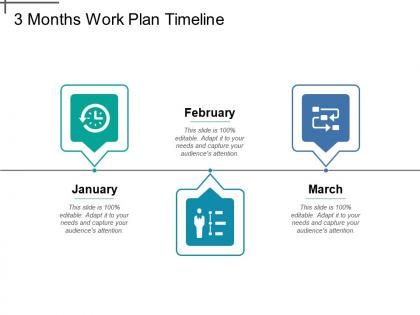
3 months work plan timeline




Try Before you Buy Download Free Sample Product
 Impress Your
 Audience
 100%
100% Editable
 Save Hours
 of Time


3 Month Work Plan presentation slide helps you in explaining how you and your team can plan the work. With the help of business work plan template, you can assign the task to an individual to accomplish the business goal. A business work schedule PowerPoint template will help you in showing all the tasks involved in a project, who is responsible for each task, when and how the tasks will get completed. Generally, a work plan incorporates a set of instructions or overview of a project and you can discuss all instruction and give an overview to your team by taking help of task plan PPT slide. A timeline business template is an effective tool for completion and cost protections for implementation of any plan. In term of marketing, you can take help of 3-month sales action plan to discuss the statistics of sale in three months. You can give a brief detail of business growth by using 90 days timeline template. Enjoyment is fuller with our 3 Months Work Plan Timeline. Add greater glee to every event.
People who downloaded this PowerPoint presentation also viewed the following :
3 months work plan timeline with all 5 slides:
Our 3 Months Work Plan Timeline will catch your fancy. They help you go after your dreams.
FAQs for 3 months
So you'll need the obvious stuff first - what tasks need doing, realistic deadlines for each chunk, and who's actually responsible for what. Dependencies are huge too since some things can't start until others finish. Always pad your timeline because honestly, everything takes way longer than you think it will. Set up milestone checkpoints where you can see if you're on track or completely screwed. Oh, and definitely map out what resources you'll need upfront and what could go wrong. Use whatever tool your team actually checks regularly - doesn't matter how pretty it is if nobody looks at it.
Honestly, Gantt charts are lifesavers for this stuff. Monday or Asana work great, but PowerPoint's fine too if you're already comfortable with it. Color-code different phases so it looks professional. Keep the big milestones and deliverables front and center - don't clutter it with every tiny task or people will zone out. Timeline charts are solid alternatives if your project's pretty straightforward. I learned this the hard way, but simple really does work better for presentations. You can always dive deeper if someone asks specific questions during the meeting.
Honestly, Microsoft Project is still the best if you need all the bells and whistles - those Gantt charts are pretty sweet. But Asana and Monday.com are way easier to use and your team won't hate you for picking them. Google Sheets works surprisingly well for basic stuff too, especially if you're already using Google everything. Smartsheet's nice because it feels like Excel but with timeline features built in. Oh, and here's the thing - just start with whatever your team knows already. You can always switch later if you need fancier features, but adoption matters more than having every possible tool.
First thing - break everything down into tiny tasks, then estimate how long each one *actually* takes (not your wishful thinking version). Complex phases should get priority since they usually mess up your whole timeline. I learned this the hard way, but always tack on 20-30% extra time because something will definitely break. Check your old projects for reality checks too. Dependencies are huge - if one phase can't start until another's totally finished, work that in. Oh, and definitely bounce your estimates off whoever's actually doing the work. They'll spot the stuff you missed way faster than you will.
Start by breaking your big tasks into smaller pieces - that's usually where timelines fall apart. Add buffer time because stuff always takes longer than you think (Murphy's Law is basically project management 101). Check your past projects to see how long things actually took vs. what you planned. Honestly assess your team's bandwidth and who you're depending on. This part's key - find someone who's done similar work and run it by them. They'll spot the unrealistic bits you can't see. Oh, and pad your final deadline by 15-20% minimum.
So basically, drop milestones into your timeline every 2-3 weeks as checkpoints. Make them super specific though - like "design mockups approved" instead of just "work on design stuff." I always use different colors so they actually stand out from regular tasks. Here's the thing - you should be able to look at each milestone and say yes or no immediately when you hit that date. No gray area. Map out your 3-4 main project chunks first, then figure out what the real decision points are between them. Those become your milestones. Trust me, it's way better than wondering if you're behind schedule.
So Gantt charts are basically your project's visual timeline - super helpful for seeing what needs to happen when. They show task dependencies, so you'll know if one delay screws everything up (spoiler: it usually does). I love how you can spot bottlenecks before they become disasters. Your stakeholders will actually get what's happening without you explaining spreadsheets for an hour. Honestly, they're way less intimidating than people think. Just start with your big milestones first, then fill in the smaller stuff. Makes planning feel way more manageable.
Dude, always pad your timeline by like 20-30% right from the beginning. Trust me on this one. When things go sideways, figure out what's actually critical vs what would just be "nice to have." Most delays aren't nearly as bad as they seem when you're panicking! Get ahead of it and tell people about new dates early - don't wait hoping you'll magically catch up. Look for stuff you can do at the same time instead of one after another. Oh, and nobody likes getting blindsided, but they'll respect honest updates way more than radio silence.
Ugh, the worst thing you can do is be super optimistic about timing. I always think something will take 2 hours and it ends up being like 6 - happens every time. Don't cram a million tasks together without buffer time for when stuff inevitably goes wrong. Map out dependencies too because if one thing can't start until another's finished, you need to actually plan for that. Oh and leave breathing room! I swear by adding 20-30% extra time to whatever I think each part will take. Build in milestone check-ins so you can catch problems early instead of scrambling at the end.
So basically, shared timelines stop your team from working in totally separate bubbles. Everyone can see what's due when and who needs what from who. Dependencies become obvious. You'll catch bottlenecks before they wreck everything. No more awkward "wait, you needed this yesterday?" conversations either. The timeline becomes where everyone checks for real deadlines instead of guessing. Oh, and here's the thing - people actually have to update their progress or you're just staring at pretty lies on a screen. I've seen too many teams skip that part and wonder why it doesn't work.
Honestly, figuring out what to tackle first is what'll make or break your timeline. I always start by dumping everything into a list, then sort by what's actually urgent vs. what just feels urgent (there's a difference, trust me). Look for your critical path stuff - the tasks that'll screw everything else up if they're late. Dependencies are huge too... like don't schedule your launch before the design's done. Been there, not fun. Once you've got your must-dos ranked by impact, the rest kind of falls into place around them.
So here's what I've figured out after messing up a few deadlines - you gotta match your timeline to the project size. Weekly check-ins work great for small stuff, but bigger projects need monthly phases with way more buffer time built in. Large projects? Break them into bite-sized pieces and add extra review rounds. Small ones can move fast since there's less chaos to manage. Oh, and this might be obvious but I always forget - actually check when your stakeholders are available before setting dates. Trust me on that one. Don't overthink the tiny projects though.
Track your milestone completion rates and budget variance first - those are your bread and butter. But honestly? Stakeholder satisfaction and team velocity matter way more than people think. Short, sweet dashboard updates weekly work best. Scope creep will absolutely murder your timeline if you're not watching it. I always throw in some quality metrics too since hitting deadlines means nothing if the work sucks. When you start seeing weird patterns pop up, that's your cue to pivot the approach.
You'll want to show different things to different people. Executives just care about big milestones and key dates - they don't want the nitty gritty. Your project team though? They need all the detailed task breakdowns. Visuals are your friend here - Gantt charts, simple roadmaps, whatever works. Spreadsheet rows make everyone's eyes glaze over. When you're presenting to clients, stick to deliverable dates and the checkpoints that actually affect them. Oh, and always pad your estimates with buffer time, but don't tell anyone you're doing it. Just bake it in quietly. The main thing is keeping your core timeline the same across all versions while highlighting what each group actually cares about.
Set up weekly or bi-weekly check-ins to compare where you actually are vs where you planned to be. When dates slip (and they will), write down why - scope creep, waiting on other teams, whatever. Your stakeholders need context or they'll just think you're bad at planning. Don't be that PM who quietly shuffles dates around hoping nobody notices - that's how you lose credibility fast. Update things right when you know they've changed, not three days before the original deadline. Oh, and definitely don't let people find out about delays through the project tracker. Tell them yourself first. I'd set a recurring reminder so you don't forget to do these reviews.
No Reviews