


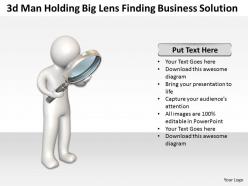
3d Man Holding Big Lens Finding Business Solution Ppt Graphic Icon

You must be logged in to download this presentation.




Try Before you Buy Download Free Sample Product
 Impress Your
 Audience
 100%
100% Editable
 Save Hours
 of Time


Are you looking forward to find out the business solutions? Then you are on the right path. To solve your problem we have come up with 3D man holding big lens presentation graphics that describes the strategy required for the prosperous business. Our PPT slides have explained about the methodology to compete in the primary market. After performing the SWOT analysis, selecting the appropriate competitive strategy is the major key factor for business solution. So, In our PowerPoint presentations we have described analytic tool that will point out the domain which should be focused. Best part is this that our presentations templates defines core and competitive competency required for the growth of the business. Above and all you can download the PPT templates to explore your knowledge and will also help you in business related presentations before the business professionals. Just click on our presentation visuals and cast spotlight on your knowledge. Your ideas deserve some plaudits. Our 3d man holding Big lens finding Business Solution Ppt Graphic Icon will generate applause.
People who downloaded this PowerPoint presentation also viewed the following :
3d Man Holding Big Lens Finding Business Solution Ppt Graphic Icon with all 3 slides:
Raise the hopes of your team with our 3d man holding Big lens finding Business Solution Ppt Graphic Icon. They will get closer to believing in your ideas.

FAQs for 3d Man Holding Big Lens Finding Business Solution
Honestly, 3D models are a game changer for presentations. People actually get what you're showing them instead of squinting at flat diagrams. You can spin things around, zoom in - basically let them see everything from every angle. The retention thing is real too. When people can visualize stuff properly, they remember it way better. Clients eat up the interactive part - makes them feel like they're part of the whole thing rather than just sitting there being talked at. I'd say start basic though. Even simple 3D mockups will make your pitches look so much more professional. Trust me on this one.
Dude, this stuff is honestly game-changing. Your clients can actually rotate and zoom around realistic 3D models on their phone instead of staring at flat drawings like "uh... what?" I've watched people go from totally confused to pumped in like 10 seconds. You can show different materials, configurations, even drop their product into their actual space with AR - which is pretty wild tbh. Just pick one main product to start with and build an interactive model. The engagement difference will basically sell itself, trust me.
Honestly, real estate's probably your best bet - developers love showing off buildings that don't even exist yet. Architecture's similar, letting clients walk through designs digitally. Manufacturing's huge too since you can demo products without shipping heavy stuff everywhere (saves them tons). Healthcare and education are picking up steam with medical device demos and interactive learning stuff. Oh, and retail's getting into it big time, especially furniture companies where people want to see how a couch actually looks in their living room. I'd start wherever you've got contacts though - that'll make everything way easier.
Dude, 3D animations are a total game changer compared to regular slides. People actually pay attention instead of zoning out on their phones. You can spin products around, break down complicated stuff step by step - it's way more engaging than flat PowerPoint decks. Honestly? The difference is huge. Your audience will remember more and actually stay focused. If you're doing anything technical or showing off products, I'd definitely go 3D. Though I guess it depends on your budget too - traditional slides are obviously cheaper to put together.
Blender's your best bet to start - totally free and way more capable than you'd expect. PowerPoint actually added some solid 3D stuff recently if you want to stick with familiar territory. Cinema 4D is where the magic happens though, that's what all the fancy agencies use, but it'll cost you. Oh and Canva has 3D tools now which honestly blew my mind when I first saw them. I'd say mess around with whatever you already have installed first, then upgrade once you figure out what kind of presentations you're actually making.
Honestly, 3D tech is a game changer for project management. Your team can finally see the exact same thing instead of playing telephone with descriptions. Conflicts get caught early, which saves your sanity later. Stakeholders love the realistic mockups too - way easier to get approval when they can actually visualize what you're building. Remote work gets less painful since people can mess around with 3D models rather than squinting at flat drawings trying to figure out what's what. I'd say start small with just one project and pick a platform everyone can jump into at once.
Dude, VR is a total game-changer for 3D stuff. Your clients can literally walk around inside the design before you build anything - way better than staring at some flat screen. Put the headset on and boom, they're standing in their future office going "oh wait, move that wall over there." Honestly, it's wild how fast they understand the space when they're actually *in* it. The best part? You catch all those "oh crap we need to change this" moments early, not when construction's already started and it'll cost a fortune. Definitely try it on your next big presentation.
Honestly, it's way cheaper to get into 3D presentations than you'd think. Canva has 3D stuff now, or try Visme. Blender's free but... yeah, good luck with that learning curve lol. Your phone + Polycam works great for basic product scans. Templates save you SO much time - seriously, don't try building everything from scratch like I did at first. Oh, and start small! Just throw one cool 3D element into your next presentation instead of going completely overboard. You'll get way better results that way.
Honestly, the money's gonna hit you first - hardware, software, training can easily reach six figures. Your team will probably push back too since most people hate learning new systems, especially 3D stuff. I'd say start small with a pilot program before going all-in. Integration with whatever you're using now? That's where things get messy. Oh, and you'll definitely need dedicated IT support because when this tech breaks, it breaks weird. Some employees might never fully adapt, but that's just reality.
Dude, 3D presentations are a game changer for closing deals. Clients can actually see and mess around with what they're buying instead of staring at boring flat drawings. It's honestly night and day - like trying to explain a movie vs just watching it, you know? They get the scale right away, understand how everything works, and can picture it in their actual space. Way less "wait, I thought it would look different" drama later. Plus they make decisions so much faster because there's no guesswork. I'd start with just one product if you're testing it out - you'll be shocked how quickly people start saying yes.
Honestly, you're gonna need both technical chops and design sense. Software-wise, pick something like Blender or Cinema 4D and really master it first - don't jump around between tools. The creative stuff matters way more than people think though. Good composition, lighting, color theory... that's what separates decent work from stuff that actually pops. Your 3D elements should tell a story, not just show off. I learned this the hard way - flashy effects mean nothing if your info doesn't flow logically. Oh, and PowerPoint has some decent 3D features now if you're doing simpler stuff.
Dude, 3D modeling is a game changer for training. Your employees can practice risky stuff without actually getting hurt or breaking expensive equipment. Medical procedures, assembly lines, safety drills - whatever you need really. The cool part? People actually retain what they learn when it's hands-on like that. You can track how everyone's doing too. Build it once, then roll it out everywhere. My advice would be to tackle your scariest or most expensive training situations first - that's where you'll see the biggest impact. Way better than sitting through another PowerPoint, honestly.
Oh dude, there are some pretty solid examples out there. Nike slashed their shoe prototype time in half with 3D design. Ford cut manufacturing screw-ups by 40% using 3D visualization - which honestly makes total sense when you think about it. Boeing's probably the biggest success story though, they saved crazy money by catching design problems in 3D before actually building anything. Even tiny jewelry shops are seeing 60% faster client approvals since people can visualize the final product. I'd definitely dig into case studies from your industry first since results vary like crazy depending on what you're doing.
Honestly, 3D graphics make everything so much clearer for people. You know how you'll have some crazy complex idea and try explaining it with boring bullet points? Skip that. Show them a 3D model instead - they get it instantly. People process visual stuff way faster than reading through slides anyway. Plus your audience actually stays awake, which is nice. Don't go overboard though. Only use 3D when it actually helps explain something tricky, not just to look cool. Start with your most confusing concepts and figure out what could work better as a model.
Honestly, AI-powered 3D content generation is where it's at right now - makes custom presentations way faster and way cheaper. WebXR is huge too since clients can view demos straight in their browser without IT hassles (you know how that goes). Real-time collaboration is blowing up, so teams can edit models together during calls. AR glasses for product demos are picking up steam, though still feels a bit early. Oh, and web-based 3D tools - start messing around with those now before everyone catches on.
-
Awesomely designed templates, Easy to understand.
-
Commendable slides with attractive designs. Extremely pleased with the fact that they are easy to modify. Great work!