

6 drill down ppt example




Try Before you Buy Download Free Sample Product
 Impress Your
 Audience
 100%
100% Editable
 Save Hours
 of Time


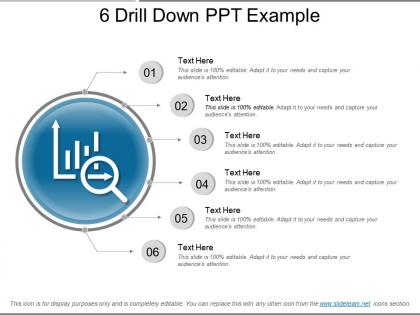
Track your company’s performance using 6 Drill Down PPT Example. This drill-down PPT can be used by any business operator to focus on any six important factors of the organization. Provide your audience with a deep understanding of the different activities of your organization. This drill down PowerPoint slide allows you to explore multidimensional data by focusing on one level down to a more detailed level. While planning a project, using the drill downslide find out the aggregated summary of the data of previously conducted tasks. With this drill down value slide template, you can hierarchically explore deeper levels of the information for a more specific analysis. Mention here about any six essential elements of your company and its performance over the last six years. This six-stage process graphical representation allows you to provide detailed information in a synchronized manner. Download this PPT now and create a comprehensive presentation for your spectators. Indulge in fruitful interaction with our 6 Drill Down Ppt Example. Highlight the direct benefits from it.
People who downloaded this PowerPoint presentation also viewed the following :
6 drill down ppt example with all 5 slides:
Our 6 Drill Down Ppt Example contain excellent graphics. Designed to enhance clarity of communication.
FAQs for 6 drill
Definitely need a solid story first - start with your big insights, then let people drill down into specifics. Build multiple layers: main dashboard, department views, then individual metrics. Navigation's where most people screw up tbh, but it's super important. Each level should answer "so what?" before going deeper. Always include a back button to the main view. Pro tip: test all your links beforehand! Nothing's worse than clicking through and hitting a dead end when you're trying to make a point. I learned that one the hard way lol. Focus on your story arc first, worry about the fancy data stuff after.
Honestly, visuals are what make drill down presentations actually work. Your audience can follow along way easier when you're using charts and graphs instead of just rattling off numbers. I learned this the hard way in my first few presentations - people's eyes just glaze over without something to look at! Keep your formatting consistent as you go from the big picture down to the details. Same colors, same style throughout. Start with a solid overview chart, then break it down step by step. Interactive dashboards are clutch too if you've got them. Makes the whole thing feel less like a data dump.
Definitely pause and check if everyone's still with you - just straight up ask "making sense?" Highlight stuff on screen as you go. The second phones come out, you've lost them! I throw in quick polls or have people chat with whoever's next to them for like 30 seconds. Works every time. Oh, and that "parking lot" thing for random questions is clutch - write them down to tackle later. But honestly? The biggest thing is tying each detail back to your main point. People get buried in data otherwise and zone out completely.
So instead of that boring linear slideshow everyone does, you build yours in layers. Start with your big picture stuff up front. Then stack all your detailed backup slides behind each main point - kinda like having your receipts ready, you know? Present the executive summary first. If someone pushes back or wants specifics, boom - you've got the deep dive material ready to go. Honestly, it saves so much time because you're not dragging everyone through details they don't care about. Just keep your main deck clean and organize those backup slides so you can jump around smoothly when people start asking questions.
Don't cram every detail onto your main slides - clean is better. Only build drill-downs for complicated stuff that'll probably get questions, not everything. I've watched people get completely lost in their own slide maze (awkward as hell). Test your flow first! Your drill-down slides shouldn't be walls of text either. Keep them visual. Stick to your main story and only go deeper when someone actually asks. Oh and practice jumping back to your main presentation smoothly - you don't want to kill the momentum you've built up.
Think of each drill-down level like chapters in a story. Your main slide needs a hook - some problem that grabs attention. Then each layer "reveals" more details, kinda like how Netflix does their episode previews (honestly brilliant). Make your data points into characters with actual relationships. Between levels, use phrases like "but here's what's really interesting" or "this led us to discover." Way better than just clicking through boring static dumps. Script your first few transitions ahead of time. Trust me on this one. Your audience follows the narrative thread instead of zoning out halfway through.
So it's all about knowing who you're talking to first. Executives? Start big picture with strategy stuff, then hit the important numbers. Technical people? Jump right into the weeds - they love that. Mixed crowds are honestly the worst though. I'd structure it so the newbies can follow along but still give the experts their detailed data to dig into. Oh, and definitely test your main points on whoever knows the least about this stuff. They'll catch what doesn't make sense way faster than you will.
Honestly, just start with the big picture story and let them pull you into details if they want. Like an inverted pyramid - main point first, then have backup slides ready for methodology, data breakdowns, whatever. I probably build too many slides but oh well, better to have them. The trick is watching their faces and only going deeper when you see real interest or someone asks specifics. Your main deck should work fine even if nobody wants the nitty-gritty stuff. Reading the room is everything.
Honestly, PowerPoint's hyperlinks are way more powerful than people think - you can build solid drill downs without learning anything new. Tableau and Power BI are obviously great for data stuff since that's literally what they're made for. Prezi works but gets kinda gimmicky in business meetings (learned that the hard way). Short sentences work. You could go nuts with Figma or custom web stuff if you've got time to burn. But seriously, just start with what you already know - basic PowerPoint action buttons can create surprisingly smooth navigation experiences.
So after each layer you dig into, pause and ask something specific like "What patterns are you seeing?" or "Does this match what you expected?" Quick polls work great too - honestly anything beats that dead silence after "any questions?" Build in space for pushback on your conclusions. I usually set up a parking lot for the deeper stuff that comes up, then circle back before moving to the next level. Oh and definitely don't make your questions too generic. Target them to whatever data you just showed them.
Okay so after you've gone through all the nitty-gritty stuff, you need to zoom back out. Hit them with your main point right up front - one clean sentence that sums up what you found. Pick maybe 2-3 of your strongest details that actually back up that conclusion (honestly, nobody needs to hear every data point again). The real trick is focusing on what it all means. Like, why should they care? What happens next? I always get tempted to over-explain but you'll lose people that way. Wrap up with concrete next steps so they know exactly what you want them to do.
Pick numbers that actually matter to the people making decisions - revenue, conversion rates, customer acquisition costs, stuff like that. Don't get caught up in vanity metrics that look cool but don't really change anything. I learned this the hard way after bombing a presentation with way too much data. Stick to 3-4 solid metrics that support your main point. You'll want backup details ready because someone always asks follow-ups. The key is being able to explain the "why" behind each number - that's what separates good presentations from forgettable ones.
Honestly, iterating on your drill-down presentations is a game changer. You get to see which data actually lands with people and which parts make them zone out completely. After a few rounds, you'll notice the same questions keep coming up - then you can build those answers right into your flow. I usually start super basic on version one, then layer in complexity only where it actually moves the needle. The visual hierarchy stuff matters too, but don't overthink it. Each time you present, you're basically A/B testing your story structure in real time.
So basically, drill down presentations are clutch because you start broad then get specific when people want details. Like, you'll show executives the big picture first, then boom - dive into the nitty-gritty when they're like "wait, how'd you get that number?" Honestly saved my butt so many times in meetings. Different people need different levels of detail, and this way nobody gets overwhelmed with data they don't care about. You can also pivot based on what they're actually interested in - which is huge. Oh, and build it in layers from the start. Summary up front, then stack your supporting details underneath.
Oh man, this stuff is way more important than people think! So basically, if you're presenting to Japanese audiences, you'll need tons of background context and slower reveals. Germans? Just hit them with all the data right away - they love that direct approach. Power distance is huge too - some cultures want formal hierarchy in how you structure everything, others prefer it more collaborative. Colors and symbols matter (seriously, I've seen people mess this up so badly). Your pacing needs tweaking too. Best thing? Just ask about their communication style when you're planning. Saves you from looking like a total amateur later.
-
Editable templates with innovative design and color combination.
-
Excellent products for quick understanding.