

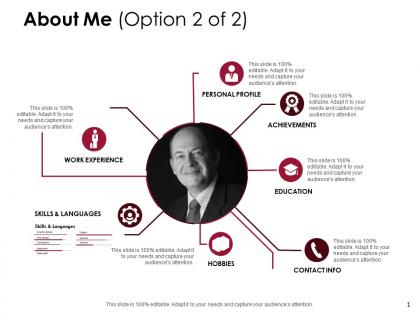
About me personal profile d214 ppt powerpoint presentation infographic template files




Try Before you Buy Download Free Sample Product
 Impress Your
 Audience
 100%
100% Editable
 Save Hours
 of Time


Acquire distinction with our About Me Personal Profile D214 Ppt Powerpoint Presentation Infographic Template Files. Earn the admiration of your colleagues.
People who downloaded this PowerPoint presentation also viewed the following :
About me personal profile d214 ppt powerpoint presentation infographic template files with all 5 slides:
Engender belief with our About Me Personal Profile D214 Ppt Powerpoint Presentation Infographic Template Files. Bolster their faith in your ability.
FAQs for About me personal profile d214 ppt powerpoint presentation
Ugh, I got so tired of wasting entire afternoons hunting for presentation templates that didn't suck. You find either boring corporate ones or super specific industry stuff that's useless for most people. Honestly, the template game is broken. So I decided to make a collection covering what people actually present - startup pitches, training stuff, project updates, all that. Now you don't have to dig through terrible options when you should be working on your content instead. Way better than fighting with slides that completely miss your vibe.
Honestly, stick with clean fonts and neutral colors that won't make you cringe in six months. I learned this the hard way after using some "trendy" design that looked awful pretty quickly lol. White space is your friend - don't cram everything together. Keep the hierarchy clear so people actually know what they're looking at. The goal is polished but not overdone, since the content should be doing the heavy lifting anyway. Oh and definitely test with real info, not just placeholder text. What looks perfect with "Lorem ipsum" can totally fall apart when you plug in actual client details.
Start with clean fonts and consistent spacing - that's your base. Then pick 2-3 colors max (seriously, rainbow slides are the worst). Make sure your headers actually look different from body text so there's clear hierarchy. White space is clutch - don't cram everything together. Oh, and create flexible layouts for different content types. Here's what I learned the hard way: test your template with actual content first, not just "lorem ipsum" garbage. It'll save you from realizing later that your beautiful design falls apart with real text.
Start by actually talking to users - what's frustrating them about current templates? I still sketch wireframes with pen and paper (way faster than Figma, fight me). Mobile-first is non-negotiable since everyone's on their phones anyway. Build your high-fidelity mockups, but don't fall in love with them yet. Test early with real people - they'll break your design in ways you never imagined. Here's the thing: pretty doesn't matter if it doesn't work. Base your next template on actual user quotes, not what you think looks cool.
Honestly? People keep telling me these templates are saving them crazy amounts of time. Like hours down to minutes, which is wild. The feedback I get most is how they can actually customize stuff without everything falling apart - apparently that's been a nightmare with other templates they've used. Clean designs that actually work seem to be the sweet spot. Oh, and some folks want more industry-specific options, which totally makes sense. The testimonials page has way more detail if you're curious, but yeah, response has been really solid overall.
So I'm always scrolling through Dribbble and Behance - honestly probably too much lol. But I grab the good stuff and adapt it for presentations. Bold fonts, clean layouts, those gradient overlays everyone's obsessed with. Half these "new" trends are just 2014 all over again though. The trick? Don't chase every shiny design thing. Pick what actually makes your content clearer, not just prettier. I always test new elements with real slides first - sometimes that trendy animation just makes everything harder to read. Sign up for a design newsletter or two, then try one new thing monthly. Way less overwhelming that way.
Honestly, the hardest part is that depth vs breadth thing - you can't master everything, so sometimes you're just skimming the surface on really niche stuff. I might get general quantum physics but totally bomb on the latest research papers, you know? Context switching is brutal too. Your brain's constantly jumping between topics, and occasionally you'll mix up info from different fields (super awkward). Short bursts work better than trying to go deep on everything at once. Just own up when you're out of your depth and send people to actual experts instead of pretending you've got it covered.
Function first, always. Make sure your template actually solves the problem before you worry about making it pretty. I've seen way too many beautiful templates that are completely unusable - total waste. Creative stuff should support what users need to do, not fight against it. Like using color to guide people through steps, or picking fonts that look good but are still easy to scan quickly. Short sentences work. Longer ones can flow nicely when they feel natural. My rule is simple: if a design choice doesn't help users reach their goal, cut it. Oh and test with real people early - you'll catch issues you'd never think of.
You're looking at busy professionals who present a lot but hate designing. Consultants, startup founders, sales teams - people scrambling to put together decks at midnight before big meetings. Been there, right? They'd rather pay for something polished than spend hours making it look decent themselves. Project managers especially love this stuff. Your ideal customer values their time more than saving money and absolutely cannot look amateur in front of clients or their boss. Honestly, focus on templates that fix their biggest presentation headaches and you'll do great.
Honestly, I just put everything right in the template - like step-by-step stuff so people don't get lost. You download it and boom, there's prompts telling you what goes where. Super clear visual hierarchy too. I stick with maybe 2 fonts max because people will definitely find a way to make Times New Roman look terrible if you give them the chance lol. Each section has examples so you're not staring at blank space wondering what to do. But here's the thing - I always test these with non-designers first. If they can figure it out without asking questions, then it actually works.
Dude, color theory is everything when I'm working on templates. Seriously makes or breaks whether people actually engage with the design. I'm obsessed with the 60-30-10 rule - dominant neutral, brand color for support, then that little pop of accent on your CTAs. Complementary colors are clutch for guiding the eye through your hierarchy. Warm tones get people energized, cool ones build trust. And honestly? I spend way too much time staring at hex codes, but the psychology stuff really works. Oh, and don't forget high contrast for accessibility. Next time you're stuck, just start with your main brand color and build out using triadic relationships. Works every time.
Oh totally! There's this designer Sarah I know who was all over the place with her portfolio - like zero focus. She grabbed my branding template and completely redid her online stuff. Honestly? The change was wild. Three months later she'd doubled her clients AND started charging way more. The template basically helped her figure out what made her different and actually show her work in a way that got people to hire her. I mean, if you're stuck with your brand right now, it might be worth checking out.
Honestly, Twitter's where I catch most updates first - the official accounts for Figma, Canva, Pitch are pretty good about announcing new stuff. ProductHunt's solid too since most presentation apps launch there initially. Design newsletters help a lot - Designer Hangout's probably my favorite. LinkedIn's decent if you follow the right presentation experts, though sometimes they can be a bit... much with the self-promotion. Oh, and this might sound random but I actually discovered some cool tools through Reddit threads when people complain about PowerPoint being terrible. Start with maybe 3-4 accounts on whatever platform you use most and you'll pick up on trends pretty quickly.
Yeah, resume templates are crushing it for us - like 60% more downloads than our other stuff. Makes total sense though. Job hunting sucks and everyone's constantly tweaking their resume for new roles or career changes. There's this whole stress thing around making it look professional without being boring, you know? Our templates basically solve that headache. Honestly, if you're looking to expand, I'd go heavy on more resume options. Maybe do industry-specific ones? Different experience levels could work too. People eat that stuff up.
Look, most templates are just pretty faces with zero substance. Ours actually work for real workflows - smart automation, customizable fields that don't waste your time. I was so tired of platforms that looked amazing but couldn't handle actual work. Users tell us they set up complex stuff 40% faster than other tools. The secret? We listen to people who use this daily, not just designers making things look cool. Next project, time yourself setting up. You'll notice the difference right away. Function beats fancy every time.
No Reviews