


Business plan report powerpoint presentation slides




Try Before you Buy Download Free Sample Product
 Impress Your
 Audience
 100%
100% Editable
 Save Hours
 of Time


Make an effective business strategy for new business by using this business plan report PowerPoint presentation slides. This content ready report for business strategy complete deck consists of 40 slides. You can edit the slides in terms of colors, fonts, text and diagrams, etc. This operating plan initiatives PPT template can be used to check the plan periodically to see if goals have been met or have changed and evolved. This operational highlights PPT deck contains a different set of slides like executive summary, our vision and mission, our goals and objectives, operational highlights, pitch deck slide roadmap for future, milestones achieved, key performance indicators, etc. The best part is that all the slides are fully editable, so you can make changes as per your needs. There are more slides like financial summary, business operational plan, operating plan initiatives, operational challenges etc. included in this company strategy plan PowerPoint slideshow. So just go ahead and download this amazing strategy planning report PowerPoint presentation now. Our Business Plan Report Powerpoint Presentation Slides help exhibit concern. They highlight the fact that you care.
People who downloaded this PowerPoint presentation also viewed the following :
Content of this Powerpoint Presentation
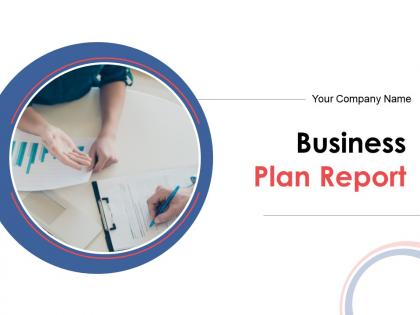
Slide 1: This slide introduces Business Plan Report. State Your Company Name and begin.
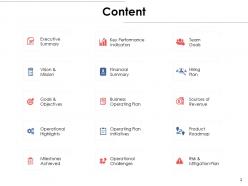
Slide 2: This slide shows Content of the presentation.
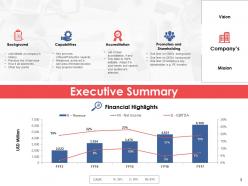
Slide 3: This slide presents Executive Summary describing- Background, Capabilities, Accreditation, Promoters and Shareholding.
Slide 4: This slide displays Our Vision and Mission with related imagery and text.
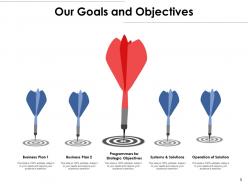
Slide 5: This slide presents Our Goals and Objectives with these of the following stages- Business Plan, System and Solutions, Programmers for Strategic Objectives, Business Plan, Operation of Solution.
Slide 6: This slide represents Operational Highlights in a timeline form.
Slide 7: This slide showcases Pitch Deck Slide Roadmap for Future.
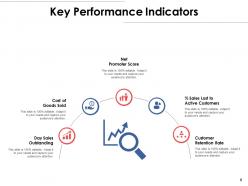
Slide 8: This slide presents Key Performance Indicators which further showcases- Cost of Goods Sold, Net Promoter Score, % Sales Lost to Active Customers, Customer Retention Rate, Day Sales Outstanding.
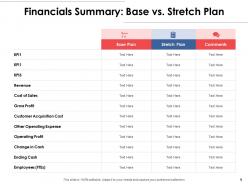
Slide 9: This slide shows Financials Summary: Base vs. Stretch Plan.
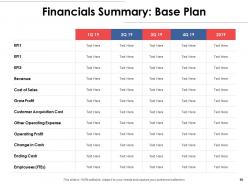
Slide 10: This slide presents Financials Summary: Base Plan.
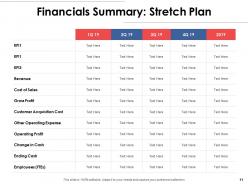
Slide 11: This slide represents Financials Summary: Stretch Plan.
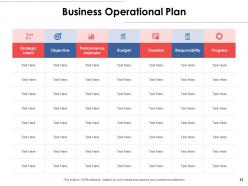
Slide 12: This slide displays Business Operational Plan with categories as- Strategic intent, Objective, performance indicator, Budget, Timeline etc.
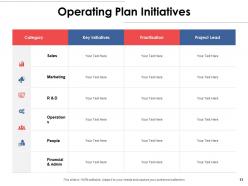
Slide 13: This slide showcases Operating Plan Initiatives in a tabular form with categories, Key initiatives, Prioritization and project leads.
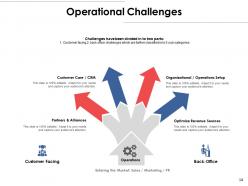
Slide 14: This slide is titled as Operational Challenges which further showcases- Customer Facing, Back-Office, Operations, Entering the Market, Sales / Marketing / PR, Customer Care / CRM, Partners & Alliances, Organizational / Operations Setup, Optimize Revenue Sources.
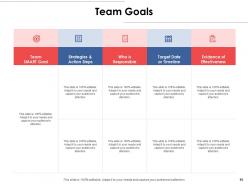
Slide 15: This slide shows Team Goals with a table for different areas.
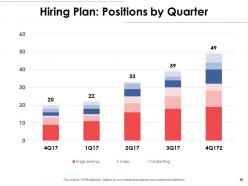
Slide 16: This slide presents Hiring Plan: Positions by Quarter in a graph form with categories as- Finance, support, product and marketing.
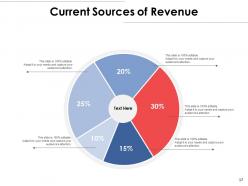
Slide 17: This slide shows Current Sources of Revenue with additional text boxes.
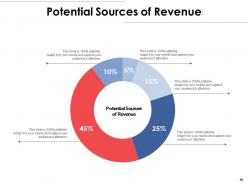
Slide 18: This slide presents Potential Sources of Revenue with the help of pie chart.
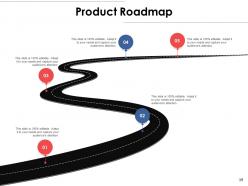
Slide 19: This slide displays Product Roadmap with text boxes to show information.
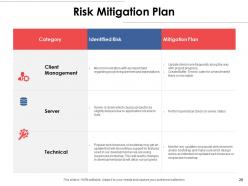
Slide 20: This slide represents Risk Mitigation Plan with Category, Identified risk and mitigation plan.
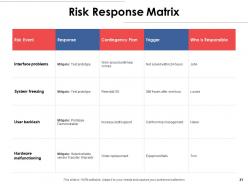
Slide 21: This slide showcases Risk Response Matrix with categories as- Risk event, response, trigger etc.
Slide 22: This slide displays icons for Business Plan Report.
Slide 23: This slide reminds about 15 minutes coffee break.
Slide 24: This slide is titled as Additional Slides for moving forward.
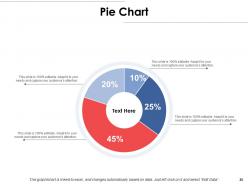
Slide 25: This slide displays Pie Chart with data in percentage.
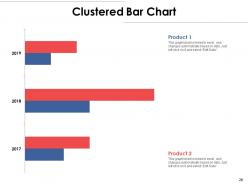
Slide 26: This slide shows Clustered Bar Chart with two products comparison.
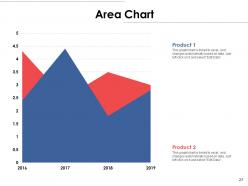
Slide 27: This slide presents Area Chart with two products comparison.
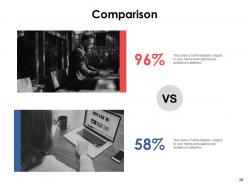
Slide 28: This is a Comparison slide to state comparison between commodities, entities etc.
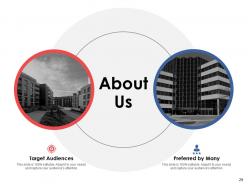
Slide 29: This is About Us slide to show company specifications etc.
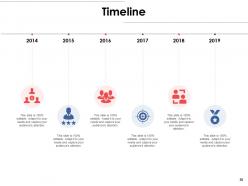
Slide 30: This is a Timeline slide to show information related with time period.
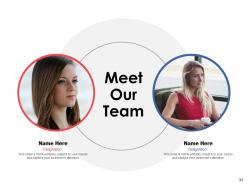
Slide 31: This is Meet Our Team slide with names and designation.
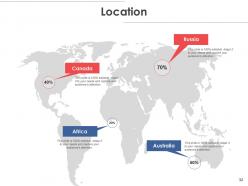
Slide 32: This is a Location slide with maps to show data related with different locations.
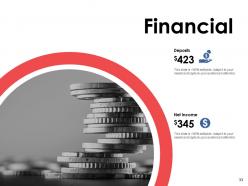
Slide 33: This is a Financial slide. Show your finance related stuff here.
Slide 34: This is an Ideas Generation slide to state a new idea or highlight information, specifications etc.
Slide 35: This is a Puzzle slide with text boxes to show information.
Slide 36: This is a Venn slide with text boxes.
Slide 37: This slide is titled as Post it. Post your important notes here.
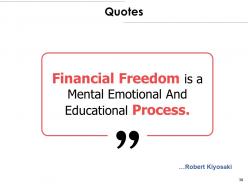
Slide 38: This is a Quotes slide to convey message, beliefs etc.
Slide 39: This slide shows Mind Map for representing entities.
Slide 40: This is a Thank You slide with address, contact numbers and email address.
Business plan report powerpoint presentation slides with all 40 slides:
Use our Business Plan Report Powerpoint Presentation Slides to effectively help you save your valuable time. They are readymade to fit into any presentation structure.




FAQs for Business plan report
Honestly, just nail the basics first - what problem you're fixing and how. Talk about who's buying it and who you're up against. Your team background matters way more than people think since investors are really betting on YOU. Revenue projections need to be solid but realistic (don't go crazy with hockey stick growth). Practice the hell out of it beforehand - I've seen great ideas die because someone couldn't get through their own slides. Business model and funding ask should be crystal clear. End strong with exactly what you need from them.
Look, people zone out reading walls of text, but throw in some charts and suddenly they're paying attention. Your financial projections become actual stories when you visualize the growth instead of just listing numbers. Mockups are gold too - they make your abstract idea feel real. I've watched so many investors completely check out during text-heavy presentations, then lean forward the second someone pulls up a clean market opportunity graphic. Just don't go overboard with random visuals everywhere. Pick the charts that actually back up your main points and make the complicated stuff easy to digest at a quick glance.
Okay so first thing - skip the boring market stats that make everyone's eyes glaze over. Start with the actual problem your customers are dealing with, like really paint that picture. Then boom, here's how you swoop in and fix it. Real stories work way better than random numbers... I've seen too many pitches die from spreadsheet overload lol. Structure it like you're telling a story with actual stakes. Throw in a quick "here's what could go wrong" part so they know you're not delusional, then pivot hard to why you'll crush it. End each section on a mini-cliffhanger. Keeps them hooked.
OK so here's the thing - you basically need two completely different presentations. Investors want to see the money stuff first: financials, market size, how they'll get their ROI. But with employees? Start with the big vision and company culture instead. Show them how their work actually matters. The investor pitch honestly feels pretty sterile - it's all about proving you can make them rich. Your team presentation should get people excited about being part of something cool. Same business plan underneath, just totally different angles. Investors care about returns, employees want purpose and growth opportunities. I'd definitely make separate decks for each.
Dude, don't cram a novel onto each slide - people read way faster than you talk anyway. Practice your timing so you're not rushing through the good stuff. Never read directly from slides (so awkward). Get to your solution quickly instead of dwelling on the problem forever. During Q&A, resist getting defensive - they're just testing how you handle pressure, not personally attacking your baby. Oh and please don't lowball your financials or throw out crazy unrealistic numbers. Both look amateur. Keep slides super visual with barely any text. Always end with a specific ask. You've gotta know your numbers by heart before walking in there.
Don't just dump all your market research in one boring section - spread it throughout the whole thing. Open with solid stats about your market size to grab attention. Then when you're talking value prop, throw in customer insights that actually support what you're saying. Honestly, investors eat this stuff up when it's done right. Save competitive analysis for when you discuss positioning, and make sure your revenue projections aren't just wishful thinking - back them up with real market data and pricing trends. Charts > walls of text, trust me. Every number needs to tie back to why YOUR business makes sense, not just random impressive stats.
Look, your financial projections are what separate serious founders from dreamers - investors can smell BS from a mile away. You need realistic revenue, expenses, and cash flow for 3 years minimum. This is honestly where most pitches fall apart because people just wing the math. Show them real market demand and when you'll actually turn a profit. Oh, and be ready to defend every single assumption because they'll grill you hard on how you got those numbers. It's not the fun part, but it's what gets you funded.
Hit them with your top 3 value drivers right away - revenue projections, market size, whatever moves the needle most. Think movie trailer vibes, you know? Problem, solution, market opportunity, then your ask. That's the order that works. Each section should be 2-3 sentences tops. Honestly, most people dump way too much info upfront and lose their audience. Stick all your detailed backup stuff in the appendix so you can pull it out during Q&A if needed. The goal isn't to answer every possible question - it's making them want to hear more.
One slide, one point - trust me on this. High-contrast colors are clutch because half your audience can't see pastel yellow on white backgrounds anyway. Stick with boring fonts like Arial. I know it's not sexy, but readability beats creativity every time. Charts should tell your story without you having to explain them for five minutes. Oh, and practice those slide transitions! Nothing screams amateur like clicking around trying to find the next slide. Save your deck as PDF and PowerPoint - tech always fails when you need it most.
Definitely prep answers for the obvious questions ahead of time. Listen to their full question before jumping in - even when they're being deliberately tough (some investors totally do this just to test you, which is kinda annoying tbh). Don't try to wing it if you genuinely don't know something. Just say you'll circle back with details later. I'd bring a notepad to write down stuff you can't answer on the spot. Set clear time limits upfront or these things drag on forever. Try to make it feel more like a real conversation than some formal grilling session. Answer their actual concerns, you know?
Honestly, switching up your delivery every few minutes is everything. Tell stories when you're explaining market stuff - way better than just rattling off facts. Throw in some data visuals too, but not boring ones. I actually pause for questions between sections... gives me a sec to breathe and see if people are still with me. Don't do those awful text-heavy slides though. One point per slide, good visuals. Oh and change your pace when you hit the important bits - really makes a difference.
Honestly, comparison charts are your best friend for this stuff. Don't do boring tables though - throw in some logos, maybe star ratings for features, color-coding for strengths vs weaknesses. Makes it way more digestible. A positioning map works really well too, like plotting price against quality to show where everyone sits. Oh, and stick to 3-4 competitors max or people's eyes will glaze over. I learned that the hard way lol. Quadrant maps are solid if you want something clean and simple.
Templates are honestly a lifesaver - you don't have to figure out structure or design from scratch. Most follow frameworks that investors actually expect to see, so that's a win. Yeah, you might feel lazy using one, but who cares? Work smarter, not harder. The main downside is everyone else might be using the same template, so your deck could look pretty generic. You'll definitely need to customize it for your specific business. Oh, and make sure the template actually fits your industry - I've seen some weird mismatches there. Bottom line: grab a solid template, then make it yours with your branding and content.
Dude, you gotta come with actual data - real market research, customer feedback, financial projections that aren't totally made up. Show off your team's experience and any traction you've already got. Honestly, I've watched so many pitches crash because they're just fluff and big dreams. Own up to the risks too - investors respect honesty way more than BS. Oh and practice like crazy so you're not just reading your slides. Nothing kills credibility faster than that. Data plus confidence is everything.
Okay so body language is huge for this. Stand tall and look at different people around the room - not just one spot. Use open hand gestures when you're making big points. I used to pace around like crazy and it was SO distracting lol. Move with purpose instead, like when you're switching topics. Your voice matters too - change up your pace and tone so people don't zone out. Pause after the really important stuff. Honestly, your opening and closing are make-or-break moments, so nail those. Oh, and definitely record yourself practicing because you'll catch weird habits you didn't know you had.
-
Presentation Design is very nice, good work with the content as well.
-
Informative design.
-
Colors used are bright and distinctive.