

Business Process Management System Powerpoint Presentation Slides






Try Before you Buy Download Free Sample Product
 Impress Your
 Audience
 100%
100% Editable
 Save Hours
 of Time


Business process management is a discipline that uses various techniques to design, model, execute, monitor, and optimize several business processes. Organizations can improve their processes by applying business process management and keeping all operations running optimally. To help your organization optimize various business processes, our professionals at SlideTeam have curated this customizable Business Process Management template. It offers a detailed overview of the BPM lifecycle along with five stages, including identification, process modeling, implementation, monitoring, and optimization of key business processes. The implementation process shown in this BPM Lifecycle PPT includes factors that must be considered to select the most appropriate BPM tools, along with tools for each business process specified. A brief introduction to the monitoring and optimization process is also shown in this module, along with a business invoice and client onboarding tracking sheet to review the process after deploying BPM tools. The PowerPoint presentation also contains the BPM maturity model and its levels in the organization. The roles and responsibilities of different stakeholders and business process managers in the BPM lifecycle are also present in this deck. At last, our BPM implementation deck highlights a dashboard to monitor the performance of different business processes after the BPM tools are deployed in the system by providing key insights and analysis of data. Customize this 100 percent editable template with our highly-skilled research or design team. Get access now.
People who downloaded this PowerPoint presentation also viewed the following :
Content of this Powerpoint Presentation
Slide 1: This slide introduces Business Process Management. State your company name and begin.
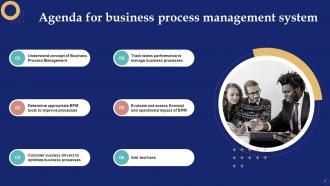
Slide 2: This slide states Agenda of the presentation.
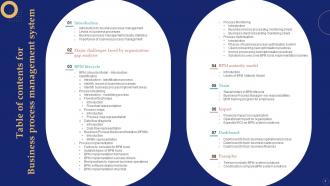
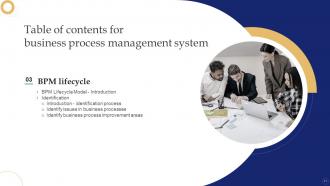
Slide 3: This slide shows Table of Content for the presentation.
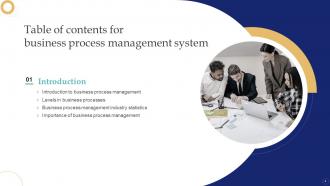
Slide 4: This slide highlights title for topics that are to be covered next in the template.
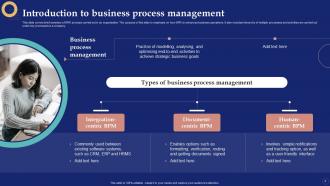
Slide 5: This slide presents Introduction to business process management.
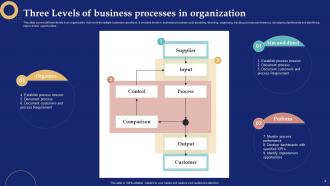
Slide 6: This slide showcases Three Levels of business processes in organization.
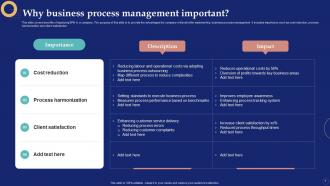
Slide 7: This slide covers benefits of deploying BPM in a company.
Slide 8: This slide presents Business process management industries based statistics.
Slide 9: This slide highlights title for topics that are to be covered next in the template.
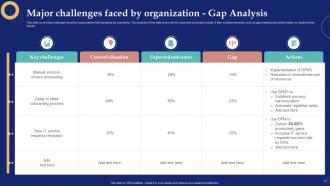
Slide 10: This slide covers top challenges faced by organizations that disrupting its operations.
Slide 11: This slide highlights title for topics that are to be covered next in the template.
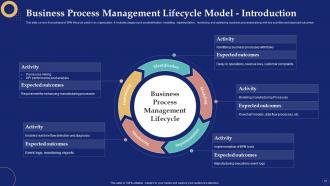
Slide 12: This slide covers fives phases of BPM lifecycle used in an organization.
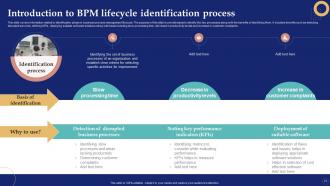
Slide 13: This slide shows Introduction to BPM lifecycle identification process.
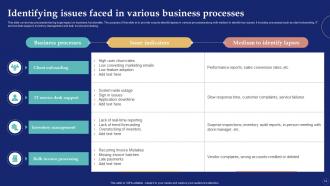
Slide 14: This slide represents Identifying issues faced in various business processes.
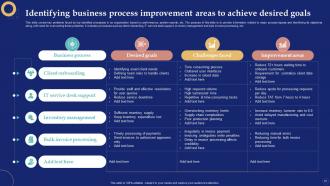
Slide 15: This slide displays Identifying business process improvement areas to achieve desired goals.
Slide 16: This slide highlights title for topics that are to be covered next in the template.
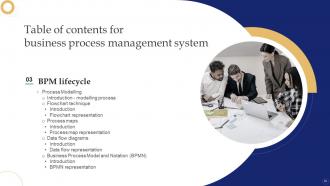
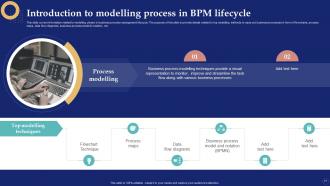
Slide 17: This slide presents Introduction to modelling process in BPM lifecycle.
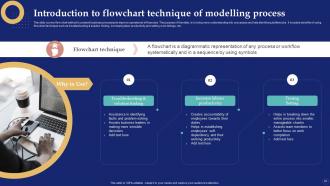
Slide 18: This slide shows Introduction to flowchart technique of modelling process.
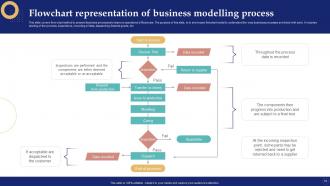
Slide 19: This slide represents Flowchart representation of business modelling process.
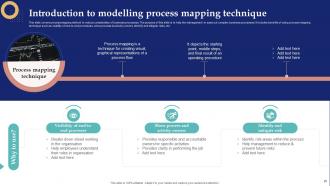
Slide 20: This slide showcases Introduction to modelling process mapping technique.
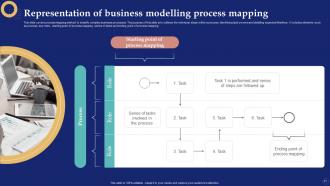
Slide 21: This slide shows Representation of business modelling process mapping.
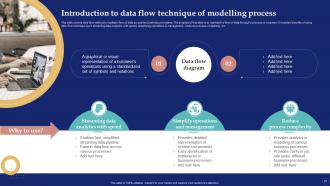
Slide 22: This slide presents Introduction to data flow technique of modelling process.
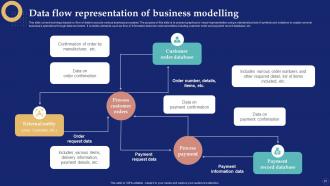
Slide 23: This slide displays Data flow representation of business modelling.
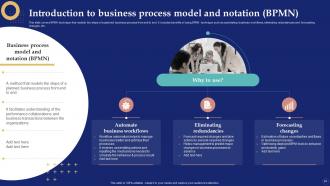
Slide 24: This slide represents Introduction to business process model and notation (BPMN).
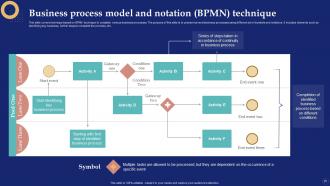
Slide 25: This slide showcases Business process model and notation (BPMN) technique.
Slide 26: This slide highlights title for topics that are to be covered next in the template.
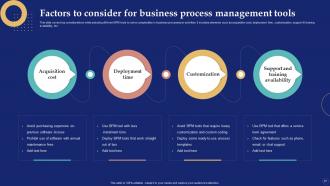
Slide 27: This slide shows Factors to consider for business process management tools.
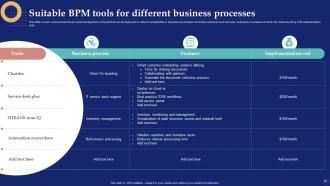
Slide 28: This slide presents Suitable BPM tools for different business processes.
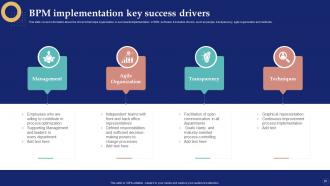
Slide 29: This slide showcases BPM implementation key success drivers.
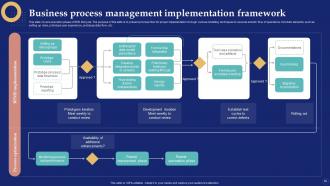
Slide 30: This slide represents Business process management implementation framework.
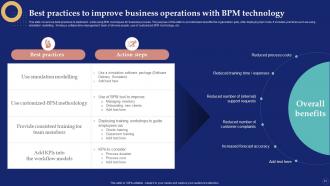
Slide 31: This slide displays Best practices to improve business operations with BPM technology.
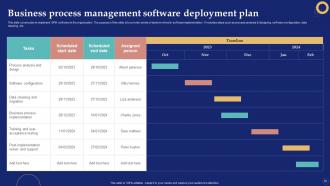
Slide 32: This slide presents Business process management software deployment plan.
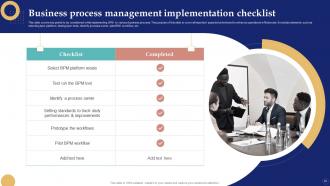
Slide 33: This slide shows Business process management implementation checklist.
Slide 34: This slide highlights title for topics that are to be covered next in the template.
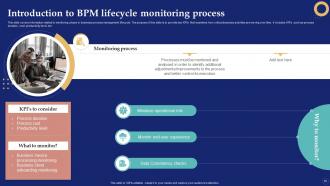
Slide 35: This slide showcases Introduction to BPM lifecycle monitoring process.
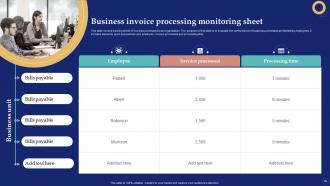
Slide 36: This slide displays Business invoice processing monitoring sheet.
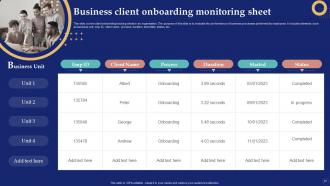
Slide 37: This slide presents Business client onboarding monitoring sheet.
Slide 38: This slide highlights title for topics that are to be covered next in the template.
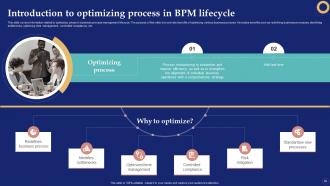
Slide 39: This slide shows Introduction to optimizing process in BPM lifecycle.
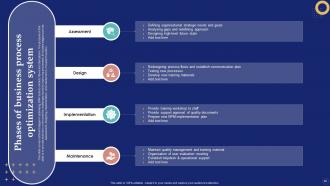
Slide 40: This slide represents Phases of business process optimization system.
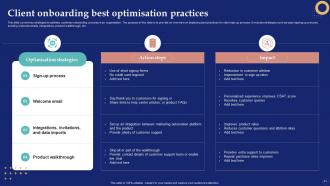
Slide 41: This slide presents Client onboarding best optimisation practices.
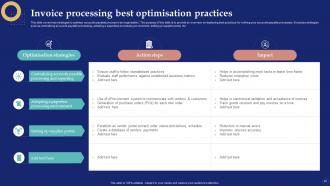
Slide 42: This slide showcases Invoice processing best optimisation practices.
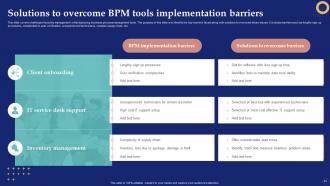
Slide 43: This slide shows Solutions to overcome BPM tools implementation barriers.
Slide 44: This slide highlights title for topics that are to be covered next in the template.
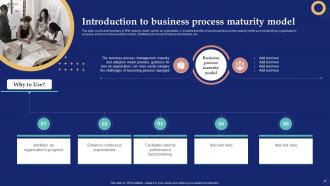
Slide 45: This slide presents Introduction to business process maturity model.
Slide 46: This slide displays Business process management maturity model.
Slide 47: This slide highlights title for topics that are to be covered next in the template.
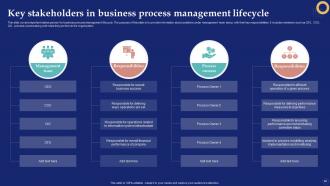
Slide 48: This slide represents Key stakeholders in business process management lifecycle.
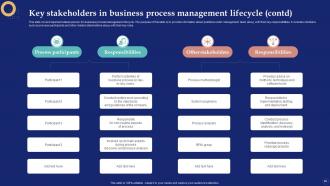
Slide 49: This is another slide continuing Key stakeholders in business process management lifecycle.
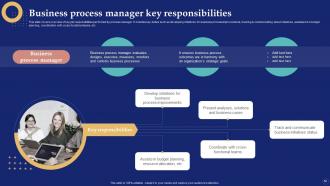
Slide 50: This slide showcases Business process manager key responsibilities.
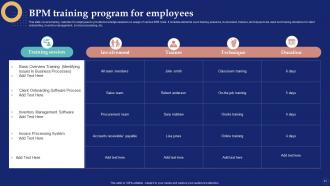
Slide 51: This slide shows BPM training program for employees.
Slide 52: This slide highlights title for topics that are to be covered next in the template.
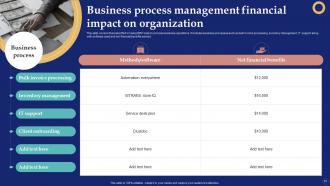
Slide 53: This slide presents Business process management financial impact on organization.
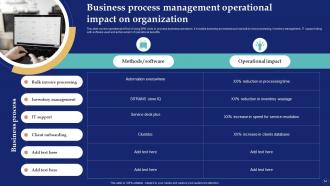
Slide 54: This slide showcases Business process management operational impact on organization.
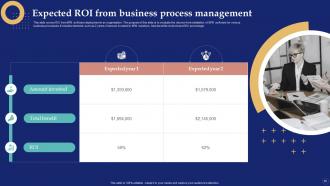
Slide 55: This slide displays Expected ROI from business process management.
Slide 56: This slide highlights title for topics that are to be covered next in the template.
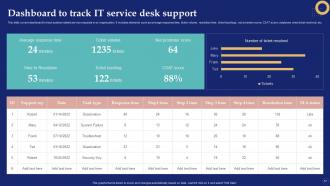
Slide 57: This slide represents Dashboard to track IT service desk support.
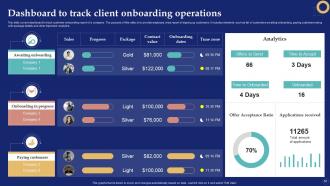
Slide 58: This slide showcases Dashboard to track client onboarding operations.
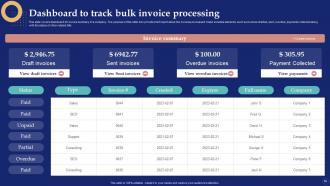
Slide 59: This slide shows Dashboard to track bulk invoice processing.
Slide 60: This slide highlights title for topics that are to be covered next in the template.
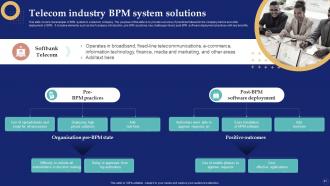
Slide 61: This slide presents Telecom industry BPM system solutions.
Slide 62: This slide displays Construction company BPM system solutions.
Slide 63: This slide contains all the icons used in this presentation.
Slide 64: This slide is titled as Additional Slides for moving forward.
Slide 65: This slide shows Post It Notes. Post your important notes here.
Slide 66: This slide contains Puzzle with related icons and text.
Slide 67: This is Our Team slide with names and designation.
Slide 68: This is a Timeline slide. Show data related to time intervals here.
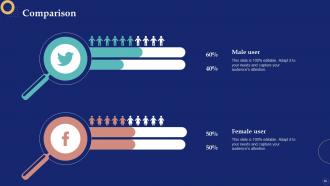
Slide 69: This is a Comparison slide to state comparison between commodities, entities etc.
Slide 70: This slide presents Roadmap with additional textboxes.
Slide 71: This is Our Goal slide. State your firm's goals here.
Slide 72: This is a Thank You slide with address, contact numbers and email address.
Business Process Management System Powerpoint Presentation Slides with all 77 slides:
Use our Business Process Management System Powerpoint Presentation Slides to effectively help you save your valuable time. They are readymade to fit into any presentation structure.












FAQs for Business Process Management System
Hey! So you'll want five main things in a good BPMS. Process modeling tools let you map workflows visually - super helpful. The workflow engine is honestly the most crucial part since it runs everything automatically. Task management handles assigning work and tracking it. Analytics give you dashboards to spot what's broken (there's always something lol). Integration connects to whatever systems you're already using. Don't overlook the user interface either - clunky screens kill productivity. I'd figure out what you're missing first, then tackle your biggest headaches.
So BPMS basically automates all that boring repetitive stuff your team does daily. Game changer for seeing bottlenecks in real-time - I can't stress how much this helps. Manual handoffs disappear, so everything moves way faster. The analytics show you exactly where things get stuck (which is kinda addictive once you start digging into it). Your people stop wasting time on mindless tasks and can focus on actual strategic work instead. Oh, and processes become way more consistent across teams. I'd start by mapping out whatever manual process currently makes you want to scream.
So automation is really what makes BPMS worth the money - it handles all your repetitive stuff like data entry, approvals, notifications automatically. You set the rules once and it just runs. The game-changer is automating entire workflows, not just single tasks. Everything flows from step to step without anyone babysitting it. Honestly, most companies buy BPMS specifically for this reason. Look at whatever's eating up the most time for your team right now - that's where you'll see the biggest wins. Document routing is usually a good place to start since it's such a pain point.
Oh for sure! BPMS cuts down on all that boring repetitive stuff nobody wants to do anyway. Your team will actually know what's expected and when things are due. No more of those awkward "wait, I thought you were handling this" conversations - honestly those are the worst. People get to see how their work actually matters in the big picture, which feels pretty good. The trick is bringing everyone into the process from the start. Nobody likes having new systems just dropped on them out of nowhere. Done right, it really does make work less frustrating for everyone.
Track the obvious stuff first - cycle times, error costs, customer satisfaction scores. Numbers don't BS you. But honestly, employee feedback matters just as much since they're stuck dealing with your processes daily. Are people actually less annoyed? More productive? Set your baselines before changing anything, then check back quarterly or whatever works. Pick maybe 3-5 metrics that tie to real business goals. Don't go crazy measuring everything just because the data's there - I've seen teams drown in dashboards they never actually use.
Honestly? Your biggest headache will be getting people on board - nobody wants to ditch their current setup for something new. Can't really blame them though. Then there's the technical mess of making all your systems actually work together, which never goes as smoothly as promised. Oh, and you'll definitely lowball how long training takes. Pro tip: show your team upfront how this thing will save them time, not create more work. Once they see the benefit, half your battle's won. The data integration stuff... yeah, that's just gonna suck no matter what.
So most BPMS tools connect through APIs and web services - pretty standard stuff. They usually have drag-and-drop connectors for your CRM, ERP, databases, whatever you're running. No coding required, which is nice because who has time for that? The cool part is it pulls data from everywhere, triggers actions across apps, then sends updates back out. Kind of like having one brain controlling all your scattered tools. I'd start by figuring out which systems actually need to talk to each other first - saves you from overthinking the whole thing.
Honestly, executive buy-in is everything - without that you're dead in the water. Map your current processes first (I know it's boring but trust me). Get your actual users involved when picking the system since they'll be stuck with it every day. Training takes way longer than anyone expects, so double whatever timeline you're thinking. Oh, and definitely pilot one process first instead of going full chaos mode. People hate change, so have someone ready to help with the inevitable complaining and confusion. The whole thing's messy but totally worth it.
So BPMS tracks every step automatically and creates these audit trails for you - no more scrambling when inspectors show up. Really handy if you're in healthcare or finance where rules change constantly. The system enforces approval workflows and actually alerts you about upcoming deadlines (trust me, those "forgot to file" moments are the worst). You can generate compliance reports with just a few clicks instead of hunting through different systems. I'd honestly start with mapping your biggest compliance headaches first - that's where you'll see the biggest win.
Your BPMS data will show you exactly where things get stuck and how long each step really takes. Honestly, the bottlenecks you discover are pretty surprising - stuff you never would've noticed otherwise. It tracks completion rates and spots recurring errors, plus you can see which workflows burn through the most resources. Cost per process is super helpful too. The user behavior patterns are actually kind of fascinating once you start looking at them. You can compare different teams and time periods to figure out what needs fixing first, then track whether your changes actually made a difference.
So BPMS is for ongoing stuff - like your invoice approvals or customer onboarding that happens constantly. Project management tools handle temporary projects with actual end dates. Asana's perfect for tracking tasks and deadlines, but it won't automate your repetitive workflows. BPMS actually does that automation plus gives you real-time analytics. They're honestly completely different things. Oh and BPMS integrates with your existing systems too, which is nice. If you're trying to fix how your team handles recurring processes rather than managing one-off projects, I'd look at BPMS first.
So basically each industry tweaks BPMS around what actually matters to them. Healthcare is obsessed with HIPAA and keeping patient data locked down. Manufacturing? They're trying to nail supply chains and quality control. Financial services goes hard on risk management and audit trails - honestly makes sense with all the regulations breathing down their necks. Retail focuses more on mapping customer journeys and inventory stuff. You can't just grab something off-the-shelf though. Everything needs configuring - dashboards, approval processes, reporting - to match how your specific industry works day to day.
So BPM is getting crazy smart with AI that can actually predict where things will break down before they do. Low-code platforms are finally letting regular business people build their own workflows instead of bugging IT constantly. Hyperautomation is taking over all the boring repetitive stuff. The coolest part? Everything connects now - IoT, cloud services, real-time data feeds all working together. Honestly, the whole "map your current process" approach feels pretty outdated at this point. You'll want to focus on building processes that can adapt and change on their own as your business evolves.
Dude, BPMS is a game-changer for remote teams. Everyone can jump into the same digital workspace from wherever they're working - I've literally approved stuff while at the grocery store. Your whole team stays on the same page without those annoying daily check-ins because the system sends notifications automatically. Managers get to see where things are getting stuck in real time, which is super helpful. Plus your team always knows what's sitting in their queue waiting. Honestly, just start by figuring out your most common workflows first and go from there.
Honestly, BPMS work is like being a translator between tech people and business folks - and trust me, they really do speak different languages sometimes. You'll want technical stuff down like process modeling and workflow design, plus some database basics. Business analysis skills matter too for mapping out current processes and spotting where things could work better. Communication is probably the biggest thing though. Project management helps since these implementations are all over the place, touching every department. Oh, and get certified in one of the major platforms first - then just start documenting actual business processes you see around you for practice.
-
Very well designed and informative templates.
-
This design is not only aesthetically pleasing but it has many uses making the cost worthwhile. The graphics look stunning, and you can edit them as per your needs.