

Business Process Powerpoint Presentation Slides






Try Before you Buy Download Free Sample Product
 Impress Your
 Audience
 100%
100% Editable
 Save Hours
 of Time


Incorporate Business Process PowerPoint Presentation Slides to plan, organize or supervise the manufacturing or provision of services. Turn business inputs such as materials, technology or resources like staff or workers to outputs effectively using business process PPT presentation templates. Grab this content-ready business process PowerPoint slideshow will help your organization co-create value with customers, maximize profits and attain operational excellence. PPT templates like operational process, operational process planning, operational process for a product, operational process layout, operational process of digital marketing will help you design and control the process of production. With business process PowerPoint slides ensure that business operations are efficient in terms of using resources as needed to meet customers requirements. You can utilize this ready-to-use business process PowerPoint presentation for various sectors like banking, hospital, companies working with suppliers, and more. Download this ready-made professionally designed business process PowerPoint presentation to analyse the current situation and find better solutions to improve the effectiveness of business operations. Adapt to changing customer demands with our Business Process Powerpoint Presentation Slides. Build capability to cater to their fancies.
People who downloaded this PowerPoint presentation also viewed the following :
Content of this Powerpoint Presentation
Slide 1: This slide introduces Business Process. State Your Company Name and get started.
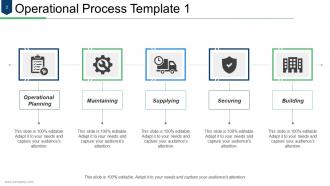
Slide 2: This is the first slide as Operational Process Template displaying- Building, Securing, Supplying, Maintaining, Operational, Planning.
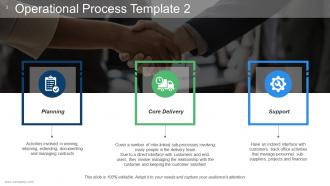
Slide 3: This is the second slide as Operational Process Template displaying- Planning, Core Delivery, Support.
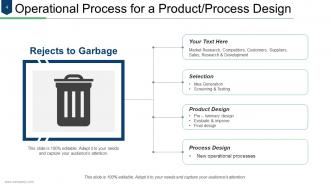
Slide 4: This is Operational Process for a Product/Process Design slide showcasing- Idea Generation, Screening & Testing, Selection, Pre – luminary design, Evaluate & improve, Final design, Product Design, New operational processes, Process Design, Market Research, Competitors, Customers, Suppliers, Sales, Research & Development, Rejects to Garbage.
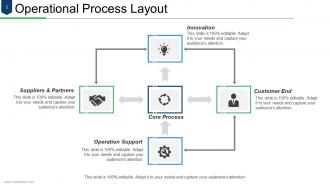
Slide 5: This slide shows Operational Process Layout showing- Core Process, Innovation, Operation Support, Suppliers & Partners, Customer End.
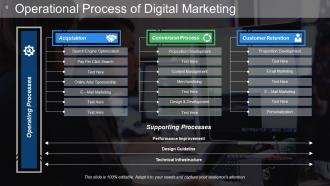
Slide 6: This is Operational Process of Digital Marketing showcasing- Search Engine Optimization, Pay Per Click Search, Online Ads/ Sponsorship, E – Mail Marketing, Proposition Development, Content Management, Merchandising, Design & Development, Proposition Development, Email Marketing, E – Mail Marketing, Personalization, Supporting Processes, Performance Improvement, Design Guideline, Technical Infrastructure, Operating Processes, Customer Retention, Conversion Process, Acquisition.
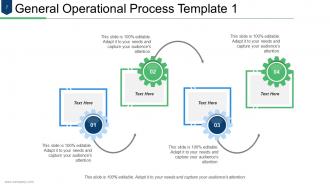
Slide 7: This is the first General Operational Process Template slide.
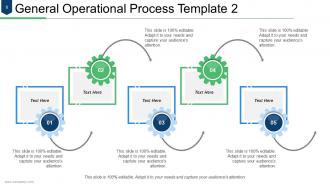
Slide 8: This is the second General Operational Process Template slide.
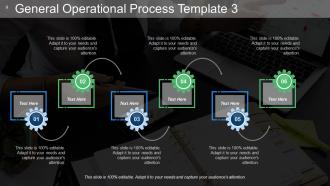
Slide 9: This is the third General Operational Process Template slide.
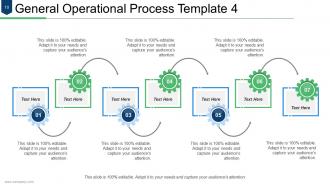
Slide 10: This is the fourth General Operational Process Template slide.
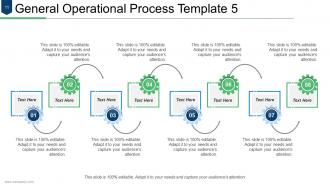
Slide 11: This is the fifth General Operational Process Template slide.
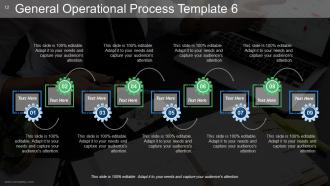
Slide 12: This is the sixth General Operational Process Template slide.
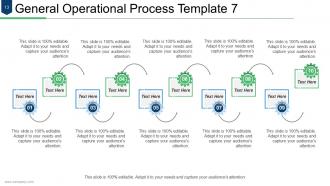
Slide 13: This is the seventh General Operational Process Template slide.
Slide 14: This is Business Process Icon Slide. Use the icons as per need.
Slide 15: This is a Coffee Break slide to halt. You can change the image as per requirement/need.
Slide 16: This slide is titled Charts & Graphs to move forward. You can change the slide content as per need.
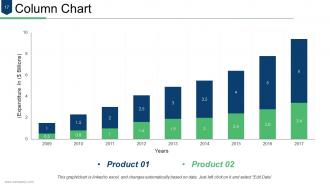
Slide 17: This is a Column chart slide to show product/entity comparison, specifications etc.
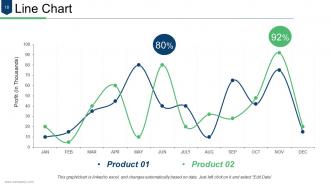
Slide 18: This is a Line chart slide to show product/entity comparison, specifications etc.
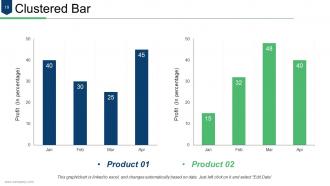
Slide 19: This is a Clustered Bar chart slide. State specifications, comparison of products/entities here.
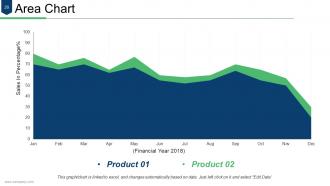
Slide 20: This is an Area chart slide. State specifications, comparison of products/entities here.
Slide 21: This slide is titled Additional Slides to move forward. You can change the slide content as per need.
Slide 22: This is an About Us slide. State company/team specifications here.
Slide 23: This is Our Vision slide with Mission and Goals and text boxes to go with. State them here.
Slide 24: This is a Thank You slide with Address# street number, city, state, Contact Number, Email Address.
Business Process Powerpoint Presentation Slides with all 24 slides:
Enhance entrepreneurial capability with our Business Process Powerpoint Presentation Slides. They will give you an array of business choices.






FAQs for Business Process
You need clear inputs/outputs, defined roles, and documented steps - plus measurable outcomes so you actually know if it's working. Most people totally skip feedback loops though, which is why everything falls apart later. Build in quality checkpoints and make sure someone's accountable at each stage. The whole thing should add real value, not just create busywork. Honestly, I'd start by mapping what you're already doing, then spot the gaps. Find that sweet spot between having structure but staying flexible enough to pivot when stuff inevitably changes.
First thing I'd do is write down every step in your process - sounds boring but you'll spot weird gaps right away. Your team probably has tons of ideas about what's broken too, so definitely ask them. I always time stuff because we're usually way off on estimates lol. Get someone from outside your department to walk through it with you - they'll catch things you're blind to. Track your cycle times and error rates if you can. Once you find the biggest pain points, just tackle those first instead of trying to fix everything at once.
Okay so basically, tech is amazing for streamlining your processes - it handles all the boring repetitive stuff automatically and shows you what's actually going wrong in real time. I'd start by mapping out how you currently do things, then see where automation tools or analytics can help most. Workflow software and AI are great for catching inefficiencies you'd never spot otherwise. You'll save so much time once you automate the mundane tasks. Don't go crazy though - pick one process first and build from there. It's honestly kind of addictive once you see how much smoother everything runs.
Honestly, process mapping is a game changer because most of us have zero clue what's actually happening day-to-day. You'll catch all the bottlenecks and stupid redundant steps that waste time. Gets everyone aligned on who's supposed to do what too - no more "I thought you were handling that" moments. You can spot where automation makes sense and ditch the busywork that doesn't matter. Oh, and those weird handoff points where stuff just sits? You'll see those immediately. Just start with one annoying process that's been driving everyone nuts.
Keep those process docs super simple - flowcharts work way better than walls of text. Nobody reads novels when they're trying to get stuff done! Make sure you note who does what at each step, plus what they need to complete it. Decision points are huge too - where does the process split off? I always test mine on someone who's never done it before. If they can actually follow along without getting lost, you nailed it. Oh and assign someone to keep it updated - outdated docs are honestly worse than no docs at all.
Your frontline people are the ones who actually see where stuff breaks down every day. Management sits in meetings while employees deal with the real bottlenecks and redundant steps that slow everything down. Honestly, they're your best source for figuring out what needs fixing vs. what's working fine. When you ask for their input and actually use it, they'll be way more on board with changes too. Nobody likes having solutions forced on them. Set up some kind of regular feedback thing - doesn't have to be fancy, just consistent. You'd be surprised how much useful stuff they'll tell you.
Honestly, automation is a game changer - it'll knock out all those boring repetitive tasks that eat up your day. Your team can focus on actual important stuff instead of data entry hell. Processing gets way faster, fewer mistakes happen, and customers are happier since things don't get stuck waiting for someone to click a button. The money you save on labor costs is nice too. Plus you get real-time tracking so you actually know what's happening in your business. I'd start with whatever takes the most time and makes you want to bang your head against the wall - that's your sweet spot for automation.
Honestly, start simple with like 3-4 metrics that actually tie to what you care about - don't go crazy measuring everything. I'd track cycle time, error rates, and customer satisfaction for sure. Cost per transaction is huge too if you're trying to justify changes to leadership (they love that stuff). Get your baseline numbers first before you change anything - otherwise you can't prove it worked. Your team's feedback matters way more than people think since they're dealing with the process every day. Focus on metrics that connect to real business goals, not just random data points. You can always add more later once you nail down the basics.
Honestly, the worst part is dealing with people who just hate change - they'll resist anything that messes with their daily routine. Resource constraints hit hard too since most companies totally underestimate how much time and money reengineering actually takes. Communication gets messy fast, especially when departments can't agree on the new processes. And here's the fun part - you're basically trying to redesign everything while still keeping the business running. It's insane. Best bet is starting with small pilot programs first and getting some key people on your side early who can sell the changes to everyone else.
Don't treat compliance like something you tack on at the end - that's where people mess up. Start by mapping out what regulations you actually need to follow, then bake those checkpoints right into each step. Yeah, it's annoying upfront but trust me, you'll thank yourself later when you're not scrambling during an audit. Get some automated tools to catch problems as they happen instead of weeks later. Oh, and definitely test this approach on whatever process scares you most first. Once you see it working there, you can roll it out everywhere else. Regular check-ins help too.
Ugh, globalization totally throws a wrench in everything you thought you knew about processes. Can't just take what works in your backyard and slap it everywhere else - found that out the brutal way last year on this nightmare project. You'll need stuff that's standardized but also bendy enough for local quirks. Distributed teams are exhausting btw. Now you're dealing with people sleeping while you're working, different regulations in every country, and somehow keeping everything running 24/7. The trade-off? Access to way better talent pools and bigger markets. Start by figuring out what actually needs to go global versus what can stay put.
Honestly, getting departments to actually work together is a game-changer. You'll stop seeing the same work done twice, and those annoying delays between handoffs just disappear. Different teams see problems from totally different angles - marketing might catch something finance would miss, you know? I'd start by picking one messy process that touches multiple departments and just map it out together. You'll be shocked at where the real bottlenecks are hiding. The trick is setting up regular check-ins so everyone's actually aiming for the same target instead of doing their own thing.
Look, there's a bunch of different approaches you could try. Lean's all about cutting waste, Six Sigma uses data to fix quality problems, and Kaizen does tiny improvements over time. PDCA is probably your best bet though - super simple and works for most stuff. I swear, I've watched teams spend forever debating which method to use instead of just picking one and going with it. Agile's worth considering too if you want something more flexible. Just find what clicks with your team's vibe and stick with it long enough to actually see if it works.
Look, customer feedback is basically your reality check - tells you if your processes actually work or if they're trash. People complaining about wait times? That's free intel about what's broken. You want to build feedback loops everywhere - surveys, support tickets, user testing, whatever works. Honestly, it's probably the cheapest way to catch problems before they blow up in your face. But here's the thing - most companies just collect feedback and then... do nothing with it? Total waste. Map out where you're already getting feedback and connect it to specific parts of your process. Then actually fix stuff.
So you'll want to focus on cycle time first - that's how long stuff takes from start to finish. Throughput matters too (volume you're cranking out). Error rates are obvious but people forget to actually track them properly. Cost per transaction gives you the real picture of efficiency. Oh, and first-pass yield is honestly my favorite metric - shows what percentage you nail on the first try without having to redo work. Customer satisfaction scores are just as critical as your internal numbers, maybe more so. Resource utilization tells you if your team's actually busy or just looking busy, if you know what I mean. Don't go crazy measuring everything though - pick like 3-4 that match your biggest headaches right now.
-
Great experience, I would definitely use your services further.
-
Understandable and informative presentation.