

Cables powerpoint presentation slides




Try Before you Buy Download Free Sample Product
 Impress Your
 Audience
 100%
100% Editable
 Save Hours
 of Time


Compile your great report on our Cables Powerpoint Presentation Slides. Move seamlessly through the session.
People who downloaded this PowerPoint presentation also viewed the following :
Cables powerpoint presentation slides with all 26 slides:
Come alive with our Cables Powerpoint Presentation Slides. Your thoughts will bring your dreams to life.
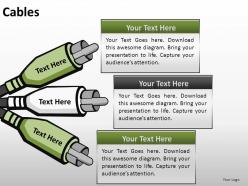
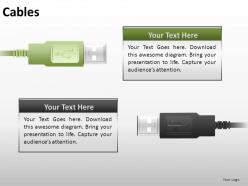
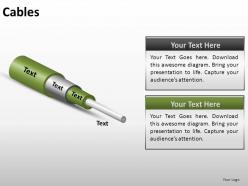
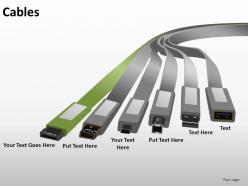
FAQs for Cables
So there's basically four main ones you'll see everywhere: USB for data/charging, HDMI for video stuff, Ethernet for internet, and power cables. USB is honestly a mess now with USB-A, USB-C, micro-USB - they just keep making new ones. You've also got coaxial for cable TV, audio cables like headphone jacks and XLR if you're into recording. Fiber optic is the fancy fast one for long distances. Each cable handles different voltages and speeds. Seriously though, always double-check what you're plugging in first. Wrong cable can fry your gear or just make everything run like garbage.
So you'll need to figure out three things: how much current you're actually pulling, how far the wire's gotta run, and what kind of heat it'll be sitting in. Longer runs mean thicker wire or you'll lose power along the way - kinda annoying but physics is physics. Calculate your max amps first, then factor in temperature since heat kills wire capacity. Definitely check your local electrical codes for the exact specs. Honestly though? Just go one size bigger than what you calculate. Trust me, spending a bit more upfront beats tearing everything out later because you went too thin.
Fiber cables are crazy fast - we're talking gigabits instead of megabits with copper. They can handle way longer distances without losing signal too. Plus no electromagnetic interference, which honestly is a lifesaver in places with lots of electrical noise. The catch is they cost more upfront and you can't just twist them back together if they break like copper (well, not that copper's *that* easy either). You need special gear for splicing. Installation's trickier since the cables are pretty fragile. But if you've got the budget and you're doing a big network overhaul? Totally worth it for future-proofing.
Oh man, cables hate pretty much everything nature throws at them. Heat and cold make them crack from all that expanding and contracting. UV rays slowly cook the outer coating. But moisture? That's the real killer - causes corrosion and shorts everything out. Salt air, chemicals, even freaking rodents chewing on stuff will wreck your setup. Once the insulation starts going bad, you'll get signal drops or total failures. Honestly, just get cables designed for whatever environment you're dealing with and check them regularly before things go to hell.
So you've got a few key ones to worry about. NEC (National Electrical Code) handles installation stuff in the US - that's your main one. UL standards cover the actual cable testing and certification. Internationally, IEC standards are pretty huge too. OSHA's workplace safety regs will definitely mess with you if you screw up cable handling during installation. Here's the thing though - they all cover different areas. NEC's about proper installation, UL makes sure cables won't kill anyone, OSHA protects workers. But honestly? Start with your local codes first since they're usually stricter than national ones anyway.
Dude, cable management is a game changer - you just hide all those messy wires and route them neatly. I use cable trays under my desk and velcro ties to bundle everything. Honestly thought it was gonna be a pain but it wasn't. Your workspace instantly looks so much cleaner and professional. No more digging around for the right cord either when everything's labeled properly. The visual clutter from tangled cables is worse than you think until it's gone. Start with your desk area first, then expand from there. Worth the effort for sure.
Honestly, cables are what actually make smart homes work properly. Your security cameras and streaming stuff needs ethernet - WiFi just isn't reliable enough for that bandwidth. Power delivery is obvious, but you also need solid connections between all your hubs and sensors. I made the mistake of going mostly wireless at first, big regret. Run good cables to your main spots first, then wireless can fill in the smaller gaps. The marketing makes wireless sound amazing, but cables do the real work. Trust me on this one.
First thing - swap in a cable you know works. That'll tell you if it's the cable or your device acting up. Check for obvious stuff like loose connections or any visible damage while you're at it. Bent connectors and frayed spots are dead giveaways. A multimeter can test continuity if you've got one lying around, but honestly most people don't. Make sure you're even using the right cable type too - sounds dumb but it happens more than you'd think! Keep spare cables around because swapping them out is way faster than troubleshooting for hours.
Dude, wireless power is getting nuts - laptops and monitors can charge wirelessly now, not just phones. USB-C is finally taking over everything (about time honestly). Data speeds are hitting 100+ Gbps for regular consumers, which is wild. Those magnetic snap-on connectors are pretty slick too, no more fumbling with ports. Oh and they're making cables with graphene stuff that supposedly lasts way longer than copper ones. I'd honestly just go all-in on USB-C gear and grab some decent wireless charging pads. Might save you from buying random adapters later.
Yeah, longer cables totally mess with your connection. The signal just gets weaker as it travels - basic physics, you know? Plus it picks up interference along the way. Cat6 ethernet starts crapping out around 100 meters, which is actually pretty generous. I swear half the "my internet sucks" complaints I hear are just people using ridiculously long cables. Your data shows up late or corrupted. If you need to go further than that, grab some repeaters or switch to fiber optic. Signal boosters work too but they're kind of a pain to set up.
Dude, bury those cables at least 18-24 inches down - trust me on this one. Always go with conduit or direct-burial rated stuff. Can't tell you how many times I've seen people take shortcuts and totally regret it later. Weatherproof your connections with proper enclosures and throw in some drip loops so water doesn't sneak into your junction boxes. Oh, and mark where everything is! Check them once a year for damage or spots where they're getting exposed. Set a phone reminder or whatever - you'll be so glad you did when something inevitably goes wrong.
So shielding is basically putting barriers around your cables to stop electromagnetic interference from screwing with your signals. There's foil shielding - super cheap and great for high frequencies. Braided shielding costs more but handles low-frequency stuff way better, plus it's flexible. Then you've got combo shielding that does both. I'm partial to braided for most things, honestly. Oh, and here's the thing everyone forgets - grounding is everything. Skip that step and your shielding won't do jack, might even make interference worse. What frequencies are you working with? That'll help you pick the right type.
Honestly, custom cables are pretty worth it if you've got specific needs. Instead of buying like six different adapters that still don't work right (been there), you get exactly the connectors and length you need. They'll handle whatever environment you're dealing with - heat, chemicals, cramped spaces, whatever. Yeah, it costs more upfront, but installation's way easier and you won't have random failure points everywhere. The performance is just better overall. I'd say go custom if your project is mission-critical or has weird requirements that off-the-shelf stuff can't handle.
Dude, PoE is seriously clutch for this stuff. You run one Ethernet cable and it handles both data AND power - no joke, it's like magic. Your IP cameras, access points, phones, whatever... they all get powered through that same cable. No more hunting for outlets or dealing with separate power runs. I love it for ceiling mounts especially since you don't need an electrician. Oh, and make sure your switch does PoE first, otherwise you'll need those little injector things. Trust me on this one - it'll save you so much headache during install.
Hey! Three big things to watch for: your cables need to handle brutal weather - UV rays, crazy temperature swings, moisture sitting on them for years. Get UV-resistant, weatherproof stuff. Current capacity is huge too - check what your max system output will be and add some buffer room. Voltage rating obviously matters. Oh and this one bit me before - don't use regular AC-rated cables for solar DC systems. They can actually fail pretty badly. I learned that the hard way! Check your local codes since renewable setups sometimes have weird specific requirements that regular electrical doesn't.
-
Great quality product.
-
Excellent Designs.