

Challenges and resolution powerpoint presentation slides




Try Before you Buy Download Free Sample Product
 Impress Your
 Audience
 100%
100% Editable
 Save Hours
 of Time


Solve the complex problems of your business by employing the Challenges And Resolution PowerPoint Presentation Slides. Make a contingency plan to overcome the business challenges with the help of these problems and solutions PowerPoint visuals. Take the assistance of our conflicts and resolution PowerPoint slide deck to familiarize your staff with the possible solutions for the given problems. This PPT consists of high-grade icons and stunning images which will make it look attention-grabbing and impressive. Easily evaluate the solutions with the assistance of these ready-made PPT graphics. Incorporate the issues and solutions PowerPoint templates to highlight the top five challenges to a business such as growing revenue, hiring employees, increasing profit, government regulations, employee healthcare, etc. This readily available complete deck can also be employed to showcase the stages involved in the decision-making process. Download our professionally designed problems and solutions PPT presentation now to and conduct comparative analysis without any hassle.
People who downloaded this PowerPoint presentation also viewed the following :
Content of this Powerpoint Presentation
Slide 1: This slide introduces the Challenges and Resolution. Add your Company Name to begin.
Slide 2: This slide contains the Challenges & Resolution Template.
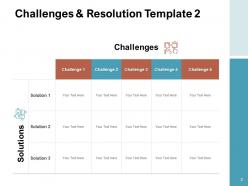
Slide 3: This slide again contains the Challenges & Resolution Template.
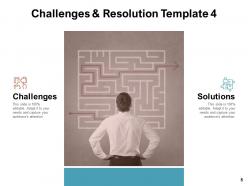
Slide 4: This slide also contains the Challenges & Resolution Template.
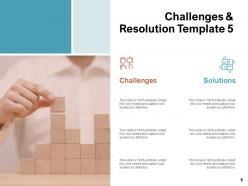
Slide 5: This slide again contains the Challenges & Resolution Template.
Slide 6: This slide also contains the Challenges & Resolution Template.
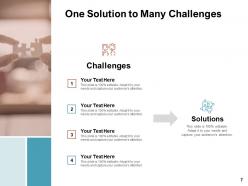
Slide 7: This slide showcases One Solution to Many Challenges.
Slide 8: This Template consists of the Challenges and Resolution Icons Slide.
Slide 9: This slide is titled as Additional Slides for moving forward.
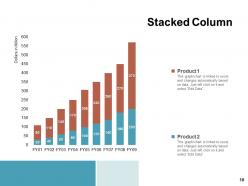
Slide 10: This slide contains an editable Stacked Column Chart showing the percentage sales of products(in dollars )for various financial years.
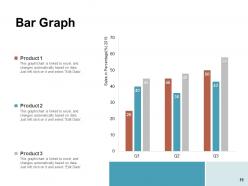
Slide 11: This slide contains an editable Bar Graph showing the percentage sales of products.
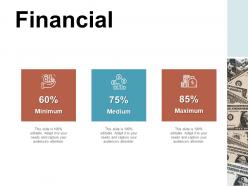
Slide 12: This slide reveals the Financial information.
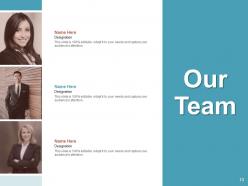
Slide 13: This slide reveals the names and designation of Our Team members.
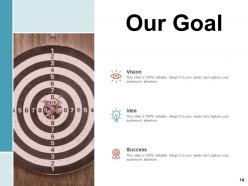
Slide 14: This slide reveals Our Goal.
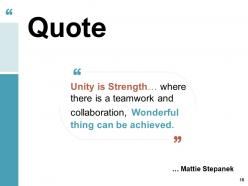
Slide 15: This slide reveals a Quote by Mattie Stepanek.
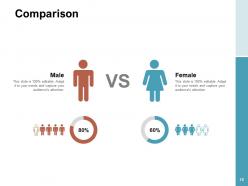
Slide 16: This slide reveals the Comparison of Male and Female users.
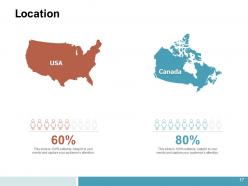
Slide 17: This slide reveals the Location.
Slide 18: This is a Thank You slide consisting of Address, Contact numbers and email Address.
Challenges and resolution powerpoint presentation slides with all 18 slides:
Get blogged about with our Challenges And Resolution Powerpoint Presentation Slides. The audience will feel they just have to comment.

FAQs for Challenges and resolution
Honestly, most people just cram way too much stuff onto their slides - it's painful to watch. Then they read directly from them in this monotone voice. Technical disasters are basically guaranteed too. I swear projectors have a sixth sense for the worst possible timing. Practice out loud beforehand, not just in your head. Figure out who you're actually talking to so you can adjust your tone. Keep slides super visual and tell actual stories instead of bullet point hell. Oh, and always have a backup plan ready. End with something actionable they can actually do with your info.
Dude, test everything beforehand and bring backup cables - trust me on this one. Save your slides in like three different formats too. When tech inevitably crashes (because it will), just acknowledge it quickly and keep talking while you or someone else fixes it. Don't freak out - people get it, we've all been there. I've actually seen speakers become legends when they just laughed off their laptop dying and kept going. Oh, and practice enough that you could do the whole thing without slides if you had to. That's your real safety net.
Start by figuring out who you're actually talking to - their demographics, what they care about, what keeps them up at night. Mix up your content formats because honestly, some people hate reading but love videos, others are podcast addicts. Skip the jargon completely. I can't tell you how many times I've watched presentations crash because they went way too technical for half the audience. Before you launch anything big, test it with focus groups from different backgrounds. You'll catch stuff you never would've thought of. Then just keep tweaking based on feedback.
Okay so here's what saved me - practice with a timer first! Figure out how long each part actually takes. I used to just wing presentations and always went over time (so embarrassing). Make a basic outline with time slots for each point, then actually stick to it. Oh and build in little buffer zones between sections - trust me on this one. Keep checking your phone or watch as you go. If you're running behind? Cut examples short, skip the small stuff. The key thing is rehearsing with real timing beforehand, then protecting that schedule no matter what.
Visual design is like having a universal translator when your words aren't clicking. Icons, color coding, simple diagrams - they cut right through language barriers and confusing concepts. I've literally rescued dying presentations this way when my explanations were bombing. White space is your friend (seriously, cramped slides are the worst). Keep text minimal and make everything scannable at a glance. Find your most confusing slides first - those wall-of-text disasters - and swap them for clean visuals that actually tell the story. It's wild how much clearer things become when you let pictures do the heavy lifting instead.
Do your homework on the audience first - their values, how they communicate, all that stuff. Skip idioms and cultural references that won't make sense. I bombed once using a baseball analogy with international clients, super awkward. Universal examples work way better. Different cultures handle hierarchy and directness totally differently, so keep that in mind too. Oh, and watch out for colors or hand gestures that might be offensive somewhere. Honestly though? Your best move is finding someone from that background to look over your presentation beforehand. Saves you from looking like an idiot later.
For live stuff during your talk, Mentimeter and Slido are clutch - people just use their phones. Kahoot works too if you want something more game-like. After you're done, Google Forms is probably the easiest for detailed feedback, though SurveyMonkey's good if you need fancier features. Honestly, I get way too excited watching Mentimeter's word clouds fill up in real-time, but that's just me being weird. You could always go basic with paper forms or just tell people to email you thoughts. Pick whatever doesn't stress you out - no point overcomplicating it.
Honestly? Practice until you're sick of hearing yourself talk. Then right before you go on, do that 4-4-6 breathing thing - in for 4, hold for 4, out for 6. Sounds weird but it actually calms your nervous system down. Oh and try standing like Wonder Woman for a couple minutes beforehand. I thought it was total BS until I tried it, but something about the posture really does make you feel more confident. Here's the thing though - those nerves you're feeling? They're basically the same as excitement in your body. So just tell yourself you're pumped instead of scared. Start with the breathing though, that'll give you the biggest bang for your buck.
Ugh, remote presentations are honestly the worst sometimes. Three big problems you'll hit: tech disasters, people getting distracted by their cats/kids/whatever, and not being able to tell if anyone's actually listening. Test your setup beforehand - seriously, everything breaks at the worst moment. Keep people engaged with polls or direct questions since they're probably scrolling Instagram otherwise. Can't see if they're confused? Ask more often. Oh, and make it shorter than you normally would. People's attention spans are shot online. Practice on video first because you look different on camera than you think you do.
Dude, turn your boring data into actual stories people give a shit about. Pick a real customer who dealt with whatever problem you're solving. Walk everyone through their mess - what broke, why they were screwed, how things got fixed. Way more engaging than slides full of numbers, trust me. Paint the picture with concrete details instead of vague corporate speak. Structure it like any good story: setup, conflict, resolution. People's brains are wired for narratives anyway. Oh, and start with something like "picture this..." - works every single time. Makes even the driest stats feel human somehow.
Hey! So for accessible presentations, start with high contrast colors and bump your fonts to at least 18pt. Add alt text to images and use proper heading structures so screen readers can navigate easily. Captions help people with hearing issues, and honestly those spinning transitions are annoying for everyone anyway. Audio descriptions work great for visually impaired folks. I always send materials ahead of time - people like following along on their own devices. Oh, and definitely test everything with accessibility tools first. Ask your audience about specific needs too, they'll appreciate it way more than you'd think.
Watch the room - body language tells you everything. People nodding and taking notes? You're golden. Everyone on their phones or shuffling around? Time to switch it up. I love doing quick "raise your hand if..." moments or throwing in a poll, but honestly don't go crazy with it or you'll kill your flow. The simplest trick? Just pause and ask "make sense so far?" Most presenters are terrible at reading the room, but if you trust your gut about the energy, you can adjust on the fly. Works every time.
Honestly, the worst thing you can do is think you need to be perfect. Even pros get nervous! I used to memorize everything word-for-word but it made me sound like a robot - terrible idea. You don't have to be some naturally charismatic entertainer either. Just know your main points really well and let it flow. Clarity beats being super dynamic any day. Oh, and that "genuine connection" thing people talk about? It's actually true. Your real personality will always beat trying to be polished and fake. Nerves are totally normal, don't stress about them.
Honestly, just keep a simple doc where you track what people say after each presentation. When the same feedback keeps popping up - like "slow down" or "add more visuals" - that's your cue to actually do something about it. I used to be terrible at this and would just nod along, then completely forget everything by the next week. Don't try fixing everything at once though. Pick maybe two things max and test them out next time you present. Way less overwhelming, and you can actually tell if the changes are helping or just making you feel more awkward up there.
Honestly, get everyone on the same page about your main message and who you're presenting to before anyone touches a slide. I learned this the hard way - it'll save you hours of revisions later. Give people their own sections but check in regularly so the whole thing doesn't look like a Frankenstein presentation. Someone needs to do the final pass to smooth everything out. Templates help a ton too. Oh, and definitely practice together at least once! The handoffs between speakers are always more awkward than you think they'll be. Way better to over-communicate throughout than scramble at the end.
No Reviews