


Automation powerpoint presentation slides




Try Before you Buy Download Free Sample Product
 Impress Your
 Audience
 100%
100% Editable
 Save Hours
 of Time


Automation is a technology that helps build software robots, manage them and deploy them efficiently. Here is a professionally designed Automation template that will be of significant assistance to learn about Robotic Process Automation, its benefits, implementation to eliminate business problems such as inefficiency and low employee productivity. Our PowerPoint presentation provides a brief overview of automation, including its features, KPIs, life cycle, and implementation methodologies. Further, this PowerPoint presentation highlights the initialization of automation in the organization and its benefits. In addition, PPT shows the difference between automation and other technologies such as AI and Selenium. It also depicts information on the working of automation, its architecture, and different types. Moreover, this presentation represents challenges that could arise while implementing automation in the organization and its solutions and steps to ensure Automation Security. Further, the template illustrated information about the automation tools implementation in different sectors. Lastly, the deck comprises a dashboard to measure the performance and impact of the automation implementation in the organization. Get access now.
People who downloaded this PowerPoint presentation also viewed the following :
Content of this Powerpoint Presentation
Slide 1: This slide introduces Automation. State Your Company Name and begin.
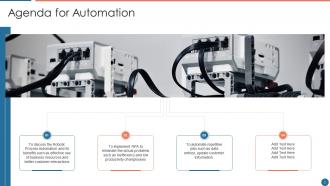
Slide 2: This slide shows Agenda for Automation.
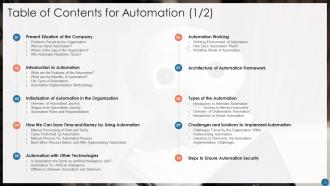
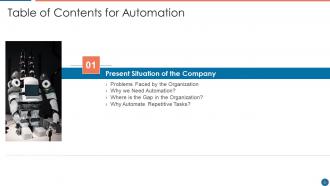
Slide 3: This slide presents Table of Content for the presentation.
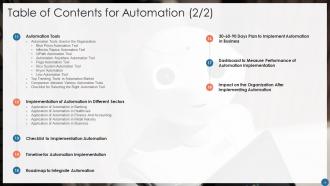
Slide 4: This is another slide continuing Table of Content for the presentation.
Slide 5: This slide shows title for topics that are to be covered next in the template.
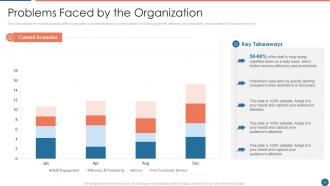
Slide 6: This slide presents Problems Faced by the Organization.
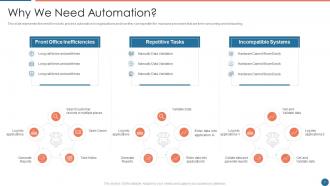
Slide 7: This slide represents the need for robotic process automation in organizations.
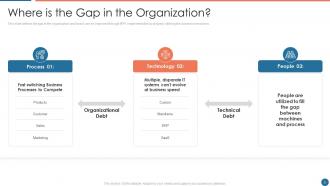
Slide 8: This slide defines the gap in the organization and how it can be improved through RPA implementation.
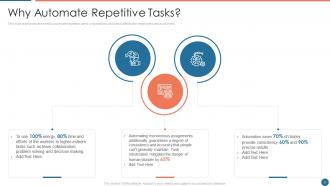
Slide 9: This slide represents the need to automate repetitive tasks or operations and how it affects the employees and customers.
Slide 10: This slide shows title for topics that are to be covered next in the template.
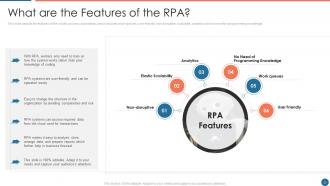
Slide 11: This slide depicts the features of the robotic process automation, which includes work queues, user-friendly, non-disruptive, scalability, etc.
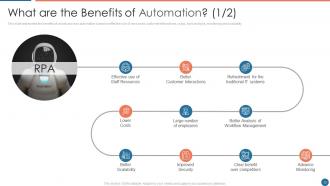
Slide 12: This slide represents the benefits of robotic process automation based on effective use of resources, customer interactions, etc.
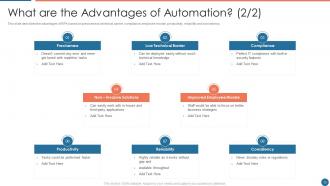
Slide 13: This slide describes the advantages of RPA based on preciseness, technical barrier, compliance, etc.
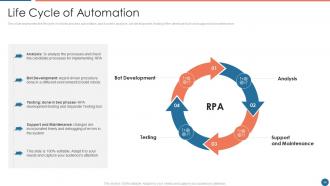
Slide 14: This slide represents the life cycle of robotic process automation, and it covers analysis, bot development, etc.
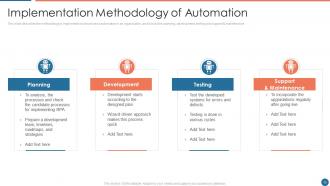
Slide 15: This slide describes the methodology to implement robotic process automation in an organization.
Slide 16: This slide shows title for topics that are to be covered next in the template.
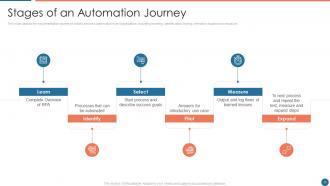
Slide 17: This slide depicts the implementation journey of robotic process automation in an organization.
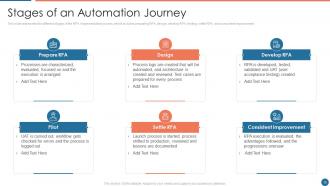
Slide 18: This slide represents the different stages of the RPA implementation journey, which includes preparing RPA, design, develop RPA, etc.
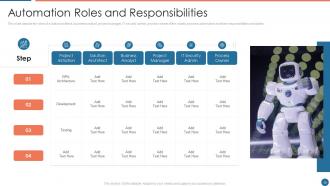
Slide 19: This slide depicts the roles of solution architect, business analyst, project manager, IT security admin, etc.
Slide 20: This slide shows title for topics that are to be covered next in the template.
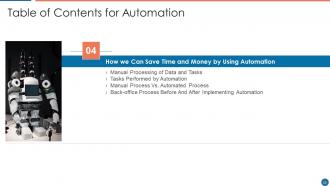
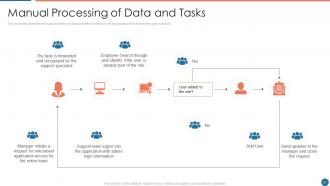
Slide 21: This slide describes the manual processing of data and different tasks in an organization.
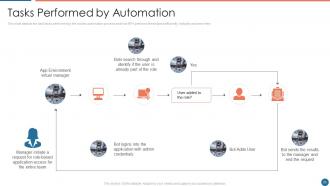
Slide 22: This slide depicts the daily tasks performed by the robotic automation process and how RPA performs.
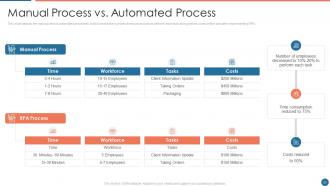
Slide 23: This slide represents the manual versus automated processes.
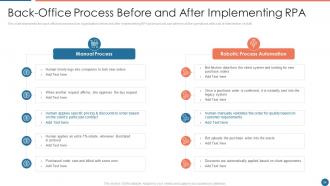
Slide 24: This slide showcases Back-Office Process Before and After Implementing RPA.
Slide 25: This slide shows title for topics that are to be covered next in the template.
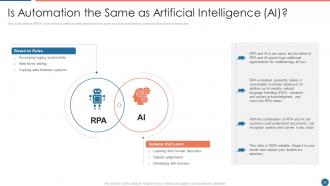
Slide 26: This slide defines if RPA is the same as artificial intelligence and how goals could be achieved by combining these two.
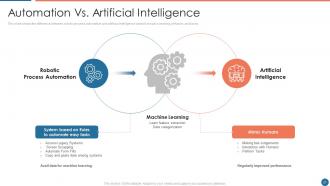
Slide 27: This slide shows the difference between robotic process automation and artificial intelligence.
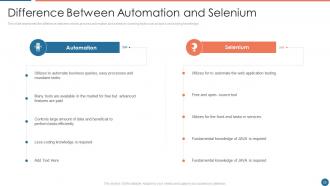
Slide 28: This slide represents the difference between robotic process automation and selenium.
Slide 29: This slide shows title for topics that are to be covered next in the template.
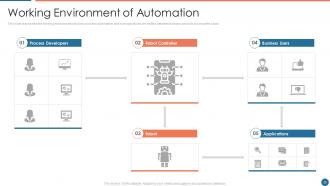
Slide 30: This slide presents the working environment of robotic process automation and how operations are shifted.
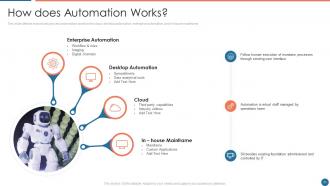
Slide 31: This slide defines how robotic process automation works in the cloud, desktop automation, enterprise automation, etc.
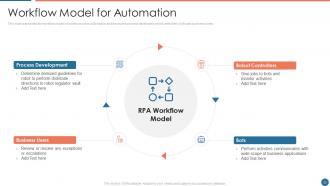
Slide 32: This slide represents the workflow model of robotic process automation and it includes process developers.
Slide 33: This slide shows title for topics that are to be covered next in the template.
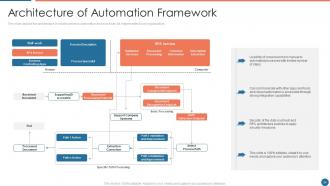
Slide 34: This slide depicts the architecture of robotic process automation and how it can be implemented.
Slide 35: This slide shows title for topics that are to be covered next in the template.
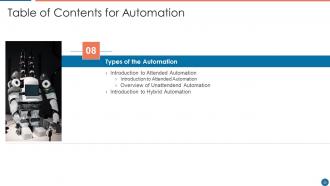
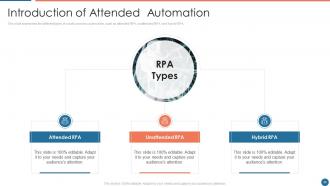
Slide 36: This slide represents the different types of robotic process automation, such as attended RPA, unattended RPA, and hybrid RPA.
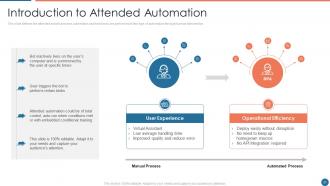
Slide 37: This slide defines the attended robotic process automation and how tasks are performed in this type of automation.
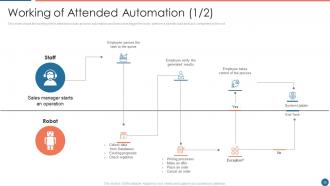
Slide 38: This slide shows the working of the attended robotic process automation and how users trigger the bot.
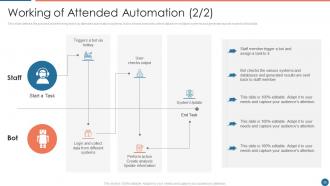
Slide 39: This slide defines the process of performing tasks by attended automation systems.
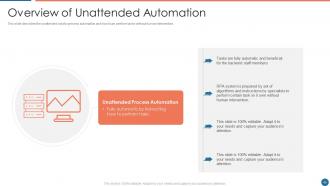
Slide 40: This slide describes the unattended robotic process automation and how it can perform tasks without human intervention.
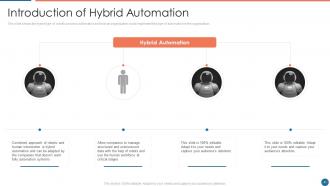
Slide 41: This slide shows the hybrid type of robotic process automation and how an organization could implement this type of automation in the organization.
Slide 42: This slide shows title for topics that are to be covered next in the template.
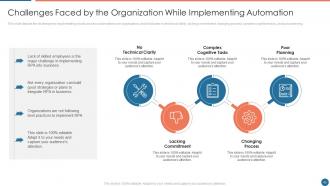
Slide 43: This slide presents Challenges Faced by the Organization While Implementing Automation.
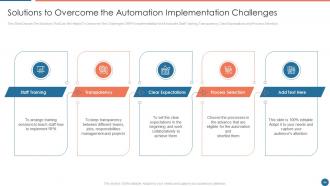
Slide 44: This slide displays Solutions to Overcome the Automation Implementation Challenges.
Slide 45: This slide shows title for topics that are to be covered next in the template.
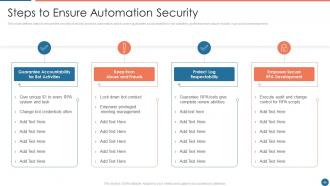
Slide 46: This slide defines steps to ensure the security of robotic process automation.
Slide 47: This slide shows title for topics that are to be covered next in the template.
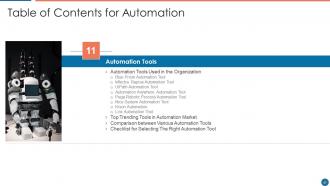
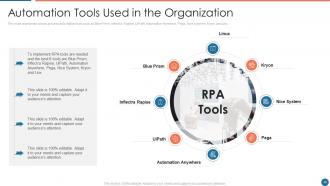
Slide 48: This slide represents robotic process automation tools such as Blue Prism, Inflectra Rapise, UiPath, etc.
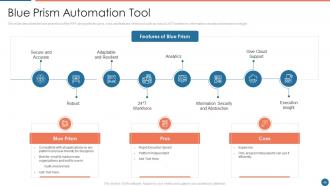
Slide 49: This slide describes the blue prism tool of the RPA along with the pros, cons and features of the tool.
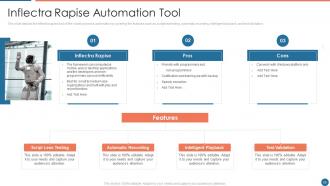
Slide 50: This slide depicts the inflectra rapise tool of the robotic process automation.
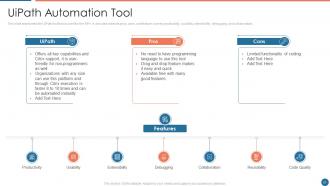
Slide 51: This slide represents the UiPath tool that is used for the RPA. It also describes its pros, cons, and feature.
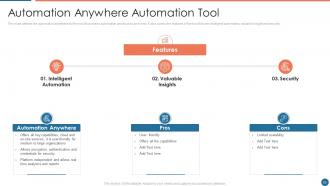
Slide 52: This slide defines the automation anywhere tool for robotic process automation.
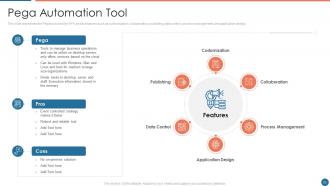
Slide 53: This slide represents the Pega tool used for RPA and its features.
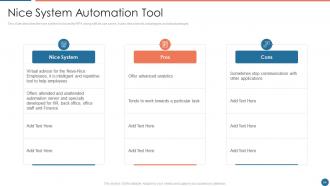
Slide 54: This slide describes the nice system tool used for RPA along with its use cases.
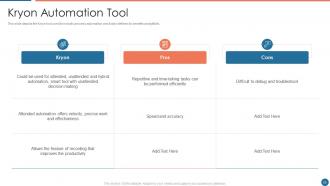
Slide 55: This slide depicts the Kryon tool used for robotic process automation.
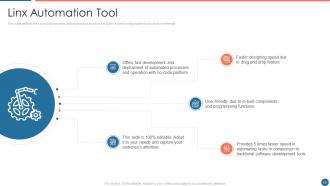
Slide 56: This slide defines the Linx robotic process automation tool and how it is faster in performing routine tasks.
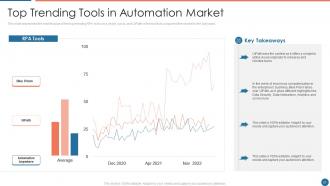
Slide 57: This slide represents the market value of the top trending RPA tools on a yearly basis.
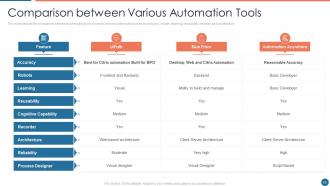
Slide 58: This slide showcases Comparison between Various Automation Tools.
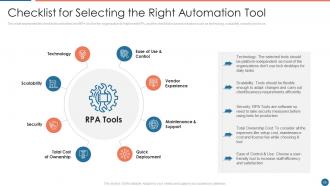
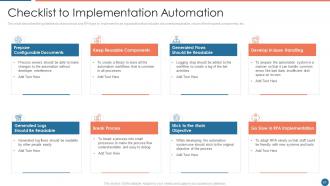
Slide 59: This slide shows the checklist to select the best RPA tool for the organization to implement RPA, and the checklist.
Slide 60: This slide shows title for topics that are to be covered next in the template.
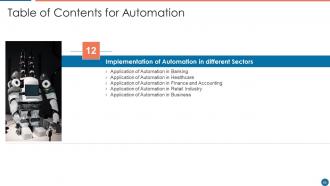
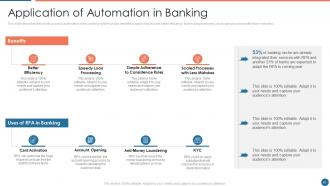
Slide 61: This slide describes the robotic process automation in the banking system and its benefits to banks.
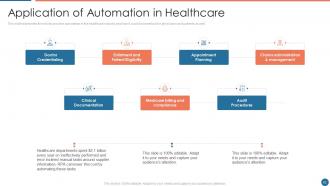
Slide 62: This slide displays the robotic process automation in the healthcare industry and how it could be beneficial.
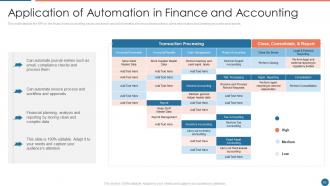
Slide 63: This slide showcases Application of Automation in Finance and Accounting.
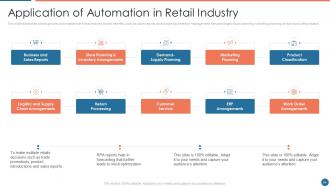
Slide 64: This slide represents robotic process automation in the retail industry and its benefits, such as sales reports, store planning, inventory management, etc.
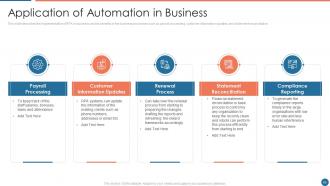
Slide 65: This slide describes the implementation of RPA in business and its benefits in the business processes.
Slide 66: This slide shows title for topics that are to be covered next in the template.
Slide 67: This slide describes the guidelines to choose tools and RPA type to implement in an organization.
Slide 68: This slide shows title for topics that are to be covered next in the template.
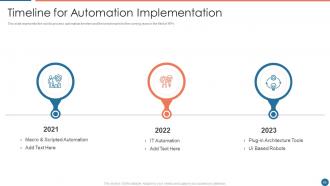
Slide 69: This slide presents Timeline for Automation Implementation.
Slide 70: This slide shows title for topics that are to be covered next in the template.
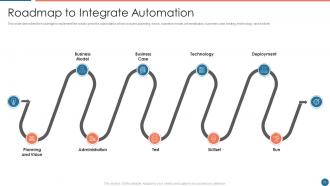
Slide 71: This slide describes the roadmap to implement the robotic process automation.
Slide 72: This slide shows title for topics that are to be covered next in the template.
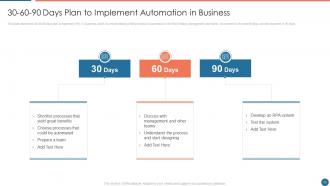
Slide 73: This slide displays 30-60-90 Days Plan to Implement Automation in Business.
Slide 74: This slide shows title for topics that are to be covered next in the template.
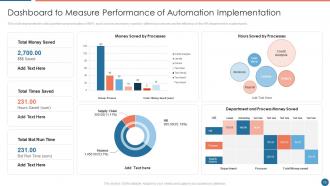
Slide 75: This slide represents Dashboard to Measure Performance of Automation Implementation.
Slide 76: This slide shows title for topics that are to be covered next in the template.
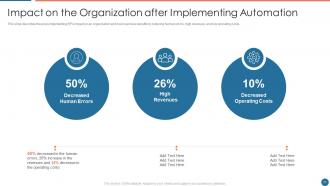
Slide 77: This slide showcases Impact on the Organization after Implementing Automation.
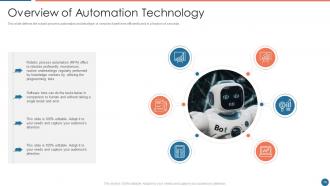
Slide 78: This slide defines the robotic process automation and what type of services it performs efficiently.
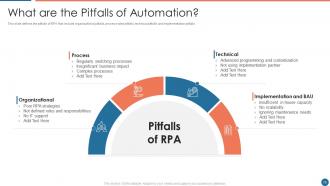
Slide 79: This slide presents pitfalls of RPA that include organizational pitfalls, process-wise pitfalls, technical pitfalls, etc.
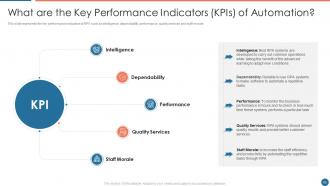
Slide 80: This slide represents the key performance indicators of RPA such as intelligence, dependability, performance, etc.
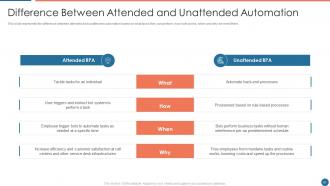
Slide 81: This slide showcases Difference Between Attended and Unattended Automation.
Slide 82: This slide represents the myths about the robotic process automation, and it also shows that automation can be implemented in any industry.
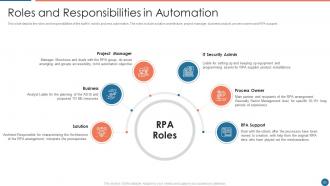
Slide 83: This slide depicts the roles and responsibilities of the staff in robotic process automation.
Slide 84: This slide displays Icons for Automation.
Slide 85: This slide is titled as Additional Slides for moving forward.
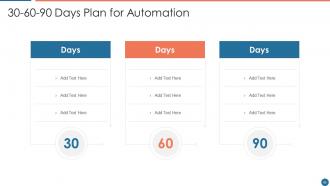
Slide 86: This slide provides 30 60 90 Days Plan with text boxes.
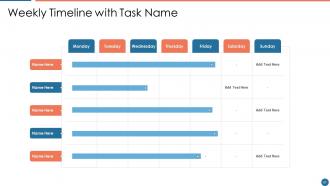
Slide 87: This slide represents Weekly Timeline with Task Name.
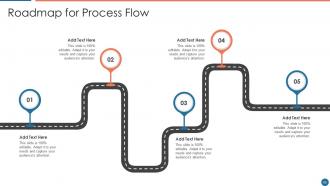
Slide 88: This slide showcases Roadmap for Process Flow.
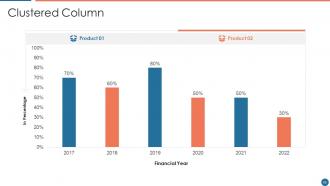
Slide 89: This slide showcases Clustered Column chart with two products comparison.
Slide 90: This is a Timeline slide. Show data related to time intervals here.
Slide 91: This slide shows Post It Notes. Post your important notes here.
Slide 92: This slide contains Puzzle with related icons and text.
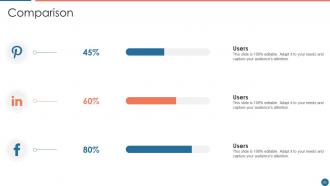
Slide 93: This is a Comparison slide to state comparison between commodities, entities etc.
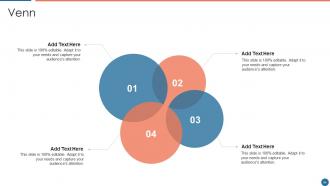
Slide 94: This slide depicts Venn diagram with text boxes.
Slide 95: This is a Thank You slide with address, contact numbers and email address.
Automation powerpoint presentation slides with all 100 slides:
Use our Automation Powerpoint Presentation Slides to effectively help you save your valuable time. They are readymade to fit into any presentation structure.








FAQs for Automation
Honestly, the time savings alone will blow your mind. Your team stops doing boring repetitive stuff and can actually work on things that matter. Costs drop like crazy too. Automated processes just keep running - nights, weekends, whenever - which is wild when you think about it. No more human errors messing things up either, so your data gets way cleaner. I'd pick one super annoying manual task you hate doing and automate that first. Once you see how much smoother everything runs, you'll get why people won't shut up about it.
Look, automation gets people out of those soul-crushing repetitive tasks - you know, endless data entry and stuff like that. Your team can actually use their brains for creative work instead. Way more satisfying, honestly. They'll feel valued doing strategic thinking rather than mindless clicking all day. Workflows get faster and cleaner too. I'd start with whatever process makes your employees want to bang their heads against their desks. That's probably your best bet for quick wins.
Manufacturing and logistics are going crazy with automation right now - warehouses are basically running themselves and AI is doing quality control. Healthcare's been huge too with robotic surgery getting super common. Finance has algorithmic trading everywhere, plus those annoying automated customer service bots. Agriculture surprised me though - drones monitoring crops and machines doing all the harvesting. Honestly, whatever field you're in, you should probably check how automation might shake things up. Better to know what's coming than get blindsided, you know?
Honestly, automation's a game-changer for customer service when you don't overdo it. People love getting instant answers 24/7, plus it frees up your team to handle the messy stuff that actually needs a human brain. Personalized recommendations really work too - I've seen engagement numbers jump pretty dramatically. The trick is knowing when to step back though. Like, if someone's pissed about their bill, they definitely don't want to chat with a bot. Always have that "talk to a human" button ready. Oh, and proactive support is clutch - catching issues before customers even realize there's a problem.
Honestly? People think automation just swoops in and replaces everyone overnight, but that's total BS. It mostly takes over the boring, repetitive stuff while creating new jobs that need actual human brains - like troubleshooting and managing things. Oh, and don't fall for the "plug-and-play" fantasy. You'll be doing way more planning than you expect, plus it changes your whole workflow. My cousin learned this the hard way at his warehouse job. Another thing - it doesn't magically fix human error, just moves it somewhere else. Start with one small process first.
Honestly, just pick ONE thing that's driving you nuts - maybe scheduling posts or sending those follow-up emails. Zapier's pretty user-friendly if you're not super techy. I thought automation was overhyped at first, but wow, getting back even 30 minutes a day feels amazing. Don't go crazy trying to automate everything at once though. Get comfortable with one process for like a month, then move on to the next time-waster. Oh and Buffer's solid for social media stuff if that's your main headache. Baby steps so you don't accidentally mess up your whole system.
So AI basically makes automation way smarter - like, instead of just following boring pre-set rules, systems can actually learn and adapt. Picture self-driving cars that work on crazy real streets, not just those perfect test courses. It handles the messy stuff that needs actual judgment calls and pattern recognition. Honestly, it's pretty wild how much it can figure out on its own. You should totally look at what repetitive decisions you're making at work - those are goldmines for this kind of thing. The combo of AI + automation is where things get really interesting.
Honestly, start with your people - tell them what's happening and retrain instead of just axing jobs. Privacy stuff is critical if you're dealing with customer data or making decisions about folks. Don't automate everything though! Some things really do need humans for quality and just... being human, you know? Watch out for bias creeping into your systems too. Always have someone who can jump in when the robots mess up (because they will). I'd definitely pilot it first - way easier to fix problems on a small scale than after you've rolled it out everywhere and created a nightmare.
Honestly, you've got to track both sides - what you're spending vs what you're saving. Calculate your upfront costs first: software, setup, training, the whole nine yards. Then figure out your ongoing benefits like time saved, fewer mistakes, labor you don't need anymore. The hard part? Putting actual dollar signs on everything, but get as specific as you can. I'd track quarterly for the first year since some benefits don't show up right away. Just set up a basic spreadsheet to check monthly - that way you'll have real numbers when leadership inevitably asks if it was worth it.
Honestly, automation is a game changer for data stuff. You'll never have to deal with typos or formatting nightmares again - the system just handles it. Real-time data pulling means you're not stuck making decisions off some crusty week-old spreadsheet (been there, it sucks). The pattern recognition thing is insane too - it'll catch weird anomalies in seconds that would take you hours to find manually. Best part? Your team stops being data janitors and can actually focus on the strategic thinking instead.
Honestly, the biggest pain will be getting your old systems to work with new automation stuff - that usually means pricey custom work or starting from scratch. Your team's gonna freak out about job security too, which makes sense. Implementation always messes up workflows temporarily, and then everyone has to learn how to actually manage these automated processes. Oh, and data security gets way more complicated when everything's connected and running automatically. I'd start super small with just one process first. Get people on board early and definitely budget extra time for training - trust me on that one.
Build your automation stuff modularly right from day one - like Lego blocks you can add to later. Cloud tools are your friend since they scale automatically when things get crazy. Error handling is huge too, trust me. Our scripts used to crash constantly when we got busy and it was a nightmare. Document everything because future you (and your teammates) will thank you. Actually, start by looking at what you have now and figure out which tools are gonna break first as you grow. Those are the ones to replace ASAP. Short version: think building blocks, not one giant system that'll be impossible to fix later.
So Amazon's warehouse bots shaved 15% off fulfillment time, which is pretty nuts. Tesla cranked up production 50% faster than old-school assembly lines with their automation. JPMorgan replaced 360,000 hours of lawyer work annually with AI contract analysis - talk about job anxiety, right? Mayo Clinic cut patient wait times by 30% just automating scheduling. McDonald's is even testing robot kitchens, though I'm skeptical about machine-made Big Macs. Bottom line: pick something repetitive in your field first, track the time you're saving, then go bigger from there.
Honestly? Most people are just scared of being replaced, so being super transparent about what's actually happening helps a lot. I'd focus on training your team in stuff that works WITH automation - like critical thinking and emotional intelligence. Those skills won't get automated anytime soon. Also get them hands-on time with whatever tools they'll actually be using. Cross-training between departments is smart too since it makes everyone more flexible. Oh, and start small! Run little pilot programs where people can mess around and figure things out safely. The whole goal is making them feel like they're working alongside the tech, not against it.
Honestly, AI automation is getting way more accessible for smaller companies now. The big thing is hyperautomation - basically getting all your automated stuff to actually talk to each other instead of working separately. RPA tools can handle way more complex decisions than before, and the learning curve isn't nearly as brutal. Plus these low-code platforms mean your team can build automations without bugging the developers constantly (they'll thank you). I'd probably test it on one simple process first though. See how it meshes with what you're already doing before going all-in.
-
Unique and attractive product design.
-
Excellent work done on template design and graphics.