

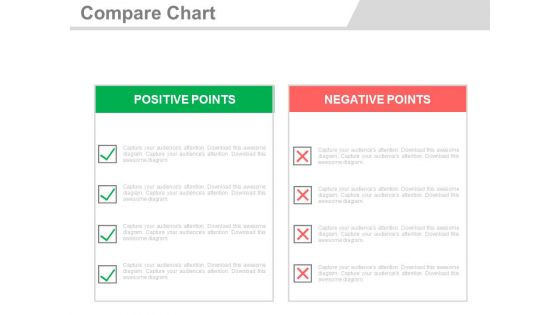
Compare chart for positive and negative points powerpoint slides




Try Before you Buy Download Free Sample Product
 Impress Your
 Audience
 100%
100% Editable
 Save Hours
 of Time


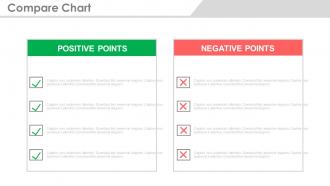
Think of a business without making any evaluations, It will hardly land you anywhere until you do it. Here is the compare chart for Positive and Negative Points PowerPoint Slides. Studies reveal that people are always keen to make comparisons and make the purchase decisions later on. This way it plays a key role in bringing the exact picture in front of the audience. A compare chart PPT thus need to be designed so efficiently that one cannot deny looking over the contrasting points and at the same time shall get the right guidance. The positive and negative chart graphic in this comparison PPT template icon, make use of a very clear concept to make things eligible for the audience. A business can easily put in the information in the graphic chart and can use it for a clear business mission representation. What all you need as a consumer to look into a contrasting chart, indulge all that information in this slide design and get ready to make an impact on people. Get your ideas across to a bigger audience with our Compare Chart For Positive And Negative Points Powerpoint Slides. They enable better distribution.
People who downloaded this PowerPoint presentation also viewed the following :
Compare chart for positive and negative points powerpoint slides with all 4 slides:
Be absolutely convincing with our Compare Chart For Positive And Negative Points Powerpoint Slides. The audience will gladly agree.
FAQs for Compare chart for positive and negative
Comparison charts are honestly a game-changer because people can spot differences right away without having to think too hard. You're basically organizing all that messy info so they don't have to. Visual stuff sticks in people's brains way better than paragraphs too - I mean, nobody wants to read during presentations anyway. Makes you look super prepared and credible. Oh, but don't go crazy with too many options. Stick to 3-4 items max or you'll just confuse everyone and totally lose the benefit.
Charts are honestly a game-changer for making sense of messy data. Your audience can spot patterns and weird outliers right away instead of staring at boring spreadsheets forever. Most people are visual anyway - we process images way faster than text or numbers. Short bursts work best. Just pick the right type though - bar charts for comparing stuff, line charts when you're tracking changes over time. Otherwise you'll end up more confusing than helpful, which defeats the whole point. They basically do the thinking work so your viewers don't have to.
Comparison charts are clutch when you've got multiple options with similar stuff you can stack up against each other. Product features, pricing, software specs - that kind of thing. Perfect for those "apples to apples" situations where people need to see trade-offs clearly. I probably overuse them in presentations (whoops), but they work best with 2-5 options tops. More than that and you'll lose people fast. Oh, and focus on what actually matters to whoever's making the decision. Don't just throw every data point you have at them.
Honestly, comparison charts fall apart when you're juggling too many options at once. The visual just gets messy. They're also terrible for anything with emotional nuance - like if you're comparing company vibes or creative approaches, you'll end up oversimplifying everything. Charts work best for straightforward data that actually compares well side-by-side. But when people need context about *why* something's different? Charts won't cut it. Oh, and mixing wildly different units or scales makes everything confusing. Save charts for clean data that tells an obvious story - otherwise you're just creating more work for yourself.
Honestly, your chart's visual design can totally make or break the whole thing. I've seen way too many that are just cluttered messes - like someone dumped all their data in one spot and called it done. White space is your friend here. Pick colors that actually make sense for different categories, and don't make people squint at tiny fonts. The trick is designing around your main comparison first, then building everything else to support that. Clean layouts with consistent formatting help people's brains actually process what you're showing them. Otherwise they'll just scan right past your key points.
Canva's probably your best bet if you want something that looks good without being a design expert. PowerPoint actually has some decent chart templates that people don't really think about using. Lucidchart and Draw.io work well for more structured stuff. Google Sheets can honestly make some pretty solid charts too - I've been surprised by what people pull off with it. Tableau's amazing but way too much for basic comparison charts unless you're dealing with tons of data. I'd just start with Canva since it's fast and looks professional, then move up if you need more features later.
Oh totally! Comparison charts are like the Swiss Army knife of data visualization - you can morph them into whatever format you need. Take that massive spreadsheet and boom, it becomes a clean infographic for your presentation. Or chop up those complex columns into separate slides when you're presenting to the C-suite. The beauty is your core data doesn't change, so reformatting isn't a nightmare. I've watched teams use the exact same comparison everywhere from executive dashboards to those glossy customer brochures. Just tweak your detail level depending on who's looking at it. Executives want the cliff notes version while your tech folks will demand every single specification.
So here's the thing - colors mean totally different stuff depending on where you're showing your charts. Red screams "danger" to us, but it's actually lucky in China. Wild, right? Also think about reading direction - if your audience reads right-to-left, your bar charts might be backwards to them. Some cultures really prefer those detailed tables over flashy visuals too. Even your little icons can get lost in translation. I'd honestly run your charts by local teammates first, or maybe just make different versions for different regions. Way better than having your data completely misunderstood.
Don't cram everything in there - people need to scan it fast. I always mess this up honestly, but avoid putting your favorite option first every time or cherry-picking stats that make one choice look amazing. Keep your formatting consistent too (same categories, units, etc.) because inconsistent stuff is super annoying. Skip the data points that don't actually matter for this decision. Your audience should get the main differences in like 10 seconds, so focus on what's really important and keep it clean.
Dude, animated charts are like magic for presentations. They make people actually *watch* instead of just scanning boring numbers. The way data reveals bit by bit? Pure genius - you control exactly when they see each point, so nobody gets overwhelmed by info dump. Movement catches the eye way better than static bars (our brains are wired that way, right?). People remember animated stuff longer too. You get those perfect "ohhhh I see it now" moments when trends pop up. Just don't go crazy with spinning effects - keep it clean so your data stays the star.
Dude, contrast is everything for comparison charts. Pick colors that actually differentiate your data points, but don't go crazy with like 15 different shades - that's just visual noise. Keep fonts clean and readable. Make your headers bigger than your details (obvs). I swear, half the charts I see look Instagram-pretty but you can't scan them quickly to save your life. Stay consistent with your color scheme and fonts throughout the whole thing. The whole point is helping people compare stuff without squinting or getting confused. Oh, and contractions in your text make everything feel less corporate-y.
So for accessible comparison charts, high contrast colors are your friend - but don't just rely on color alone. Add patterns or little icons too. Text should be at least 12pt and super clear. Screen readers hate messy tables, so keep headers logical and structure simple. Oh, and alt text if it's going digital (which, let's be real, everything is now). I actually think these changes make charts better for everyone, not just people who need accessibility features. Quick test: look at your chart in grayscale. Still makes sense? You're golden.
Remember Microsoft's "Scroogled" thing? They used comparison charts showing Gmail's privacy problems vs Outlook - worked really well for getting new users. Apple does this constantly in iPhone launches, and honestly they're probably the best at it. Salesforce pulls out comparison matrices when they're going after big enterprise deals, showing why they beat Oracle or SAP. Even Netflix apparently used these internally to justify spending on original shows instead of just licensing stuff. Keep it simple though - stick to maybe 3-5 key differences max, and put your strongest point right at the top.
Honestly, comparison charts are just way more focused than regular infographics - which can get super cluttered if we're being real. They're structured but not boring like basic graphs. Perfect for when people need to make actual decisions between products or features. You know those moments where someone's like "this vs. that"? That's exactly when these work best. Line graphs show trends over time, but comparison charts nail the side-by-side thing. Use them for pricing tables, feature breakdowns, stuff like that. People can scan quickly without getting lost in pretty graphics that don't actually help.
You'll need both hard numbers and actual user feedback to know if it's working. Track stuff like how long people spend looking at it and whether they're actually converting after seeing it. But honestly? The data's only half the picture. Quick surveys work great - just ask if the chart actually helped them decide or if they got what they needed. I'd also try watching someone use it in real time. You'll spot confusion way faster than any metric will show you. Oh, and don't forget to check back on this regularly so you can tweak things based on what you're seeing.
-
Great experience, I would definitely use your services further.
-
Much better than the original! Thanks for the quick turnaround.