


Corporate video production proposal powerpoint presentation slides




Try Before you Buy Download Free Sample Product
 Impress Your
 Audience
 100%
100% Editable
 Save Hours
 of Time


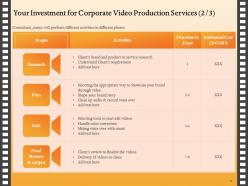
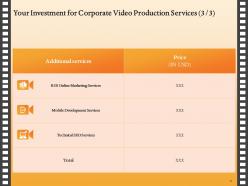
Undoubtedly, video marketing is on the rise. Videos are indeed the most consumed form of content and have dominated the digital sphere, unlike any other marketing practice. Visuals are appealing to everyone's eye, and the audience finds videos excessively helpful and engaging. For most businesses, it is a huge part of social media marketing campaigns. So, if you don't communicate through videos, then you are lagging behind. So, take the opportunity and educate your audience about the importance of videos with the assistance of Corporate Video Production Proposal PowerPoint Presentation Slides. Pitch your services phenomenally to your potential clients by incorporating our outwardly-engaging business videos PowerPoint theme. With the help of this professionally-designed cover letter, instantly capture your audience's attention. The presentation contains a 'table of contents' slide to brief you about the proposal. Explain project goals and objectives swiftly and elucidate how these videos help your audience achieve their goals. Describe your scope of services like research, plan, edit, final review, and output in detail by incorporating our brand videos PowerPoint slideshow. Mention the estimated time frame for the completion of each activity by using our enterprise video production PowerPoint graphics. Utilize this content-ready video editing PPT design to highlight various other services offered by your company other than video editing. You can include B2B marketing service, mobile development, technical SEO, and service. Employ our video creation PPT slideshow to depict the price details fixed for the activities. Utilize our professionally-designed video creation PPT layout to showcase your company details and talk about your company's vision, mission, and core values to build your company’s credibility. In addition to this, exhibit your expertise and skills like logo animation, 3-D animation, corporate audio, and video fervently. Persuade your audience by portraying clients' testimonials and past work achievements. Download our company video production PPT presentation and enthrall the audience with your proposal.
People who downloaded this PowerPoint presentation also viewed the following :
Content of this Powerpoint Presentation
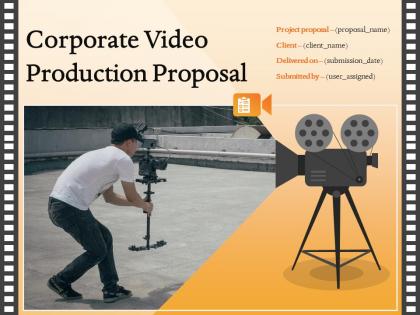
Slide 1: This slide introduces Corporate Video Production Proposal. State Client name, Submission date and User assigned.
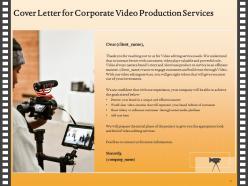
Slide 2: This slide displays Cover Letter.
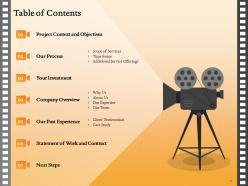
Slide 3: This slide showcases Table of Contents.
Slide 4: This slide shows Table of Contents of the presentation.
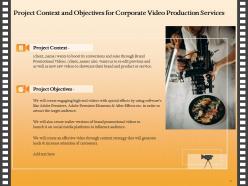
Slide 5: This slide describes Project Context and Objectives.
Slide 6: This slide depicts Table of Contents.
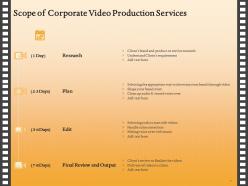
Slide 7: This slide shows Scope of Corporate Video Production.
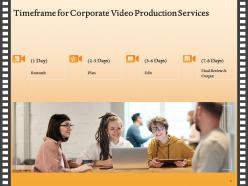
Slide 8: This slide showcases Timeframe for Corporate Video Production.
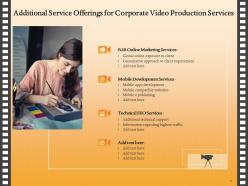
Slide 9: This slide displays Additional Service Offerings.
Slide 10: This slide depicts Table of Contents.
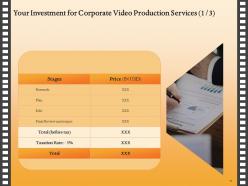
Slide 11: This slide presents Investment details.
Slide 12: This slide represents Investment details.
Slide 13: This slide represents Investment details.
Slide 14: This slide shows Table of Contents.
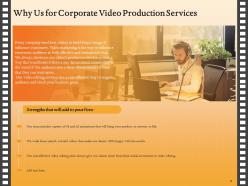
Slide 15: This slide depicts reasons for choosing us.
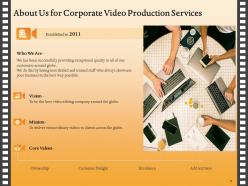
Slide 16: This is About Us slide to showcase Company specifications.
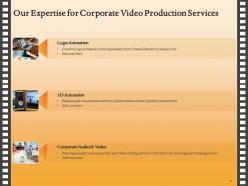
Slide 17: This slide represents Our Expertise.
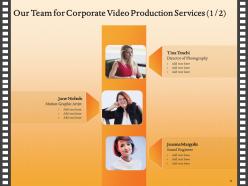
Slide 18: This slide shows Our Team slide.
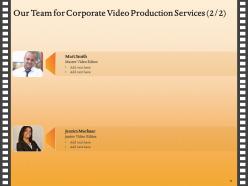
Slide 19: This is Our Team slide with Names and Designations.
Slide 20: This slide shows Table of Contents.
Slide 21: This slide displays Client Testimonials.
Slide 22: This slide also displays Client Testimonials.
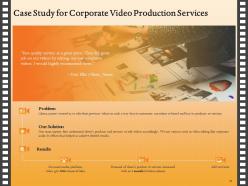
Slide 23: This slide describes Case Study.
Slide 24: This slide showcases Table of Contents.
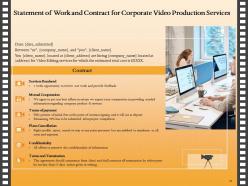
Slide 25: This slide describes Terms and Termination.
Slide 26: This slide shows Table of Contents.
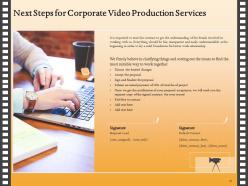
Slide 27: This slide depicts Next Steps.
Slide 28: This is Contact Us slide with Address, Email Address and Contact number.
Slide 29: This is Icons Slide.
Slide 30: This slide is titled as Additional Slides for moving forward.
Slide 31: This is About Us slide to showcase Company specifications.
Slide 32: This slide displays Organization Mission and Vision Statement.
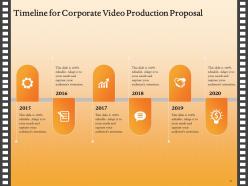
Slide 33: This slide depicts Timeline process.
Slide 34: This is 30 60 90 Days Plan slide.
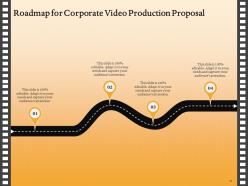
Slide 35: This slide showcases Roadmap for Process Flow.
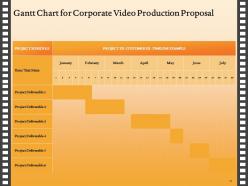
Slide 36: This slide displays Gantt Chart.
Corporate video production proposal powerpoint presentation slides with all 36 slides:
Use our Corporate Video Production Proposal Powerpoint Presentation Slides to effectively help you save your valuable time. They are readymade to fit into any presentation structure.

FAQs for Corporate video production proposal
Okay so first thing - nail your hook in those first 10 seconds or people bounce. Audio quality is huge too, like way more important than fancy cameras honestly. Natural lighting works fine, don't overthink it. Tell a real story that actually connects with people instead of just pitching at them. Show actual humans when you can - it makes such a difference. Keep things tight and concise. Oh and seriously, always end with a clear call-to-action or you're just wasting everyone's time. Start by writing your main message in one sentence first, then build everything around that core idea.
Honestly, video is where it's at for showing who you actually are as a company. Instead of just talking about your values, you can weave them into real stories - customer wins, behind-the-scenes stuff that people actually want to watch. The engagement is insane compared to regular posts, and algorithms eat it up. Breaking down complicated B2B concepts becomes way easier when you can show instead of explain. Oh, and don't stress about making it super polished - authentic beats perfect every time. Start with simple testimonials or "day in the life" content. You really don't need some massive production budget to tell good stories.
So there's actually a bunch of different types you can do. Training videos are perfect for new hires or teaching skills. Explainer videos help customers get your product. Company culture stuff is everywhere now - super useful for recruiting though. Then you've got testimonials, product demos, messages from executives, event recaps... honestly the list goes on. But here's the thing - the format doesn't really matter if it doesn't match what you're trying to accomplish. Figure out your specific problem first, then worry about which style makes sense. Way easier approach than just picking something random.
Dude, keep it SHORT. Most people bail after 60 seconds, and by 2 minutes? Forget it. I'd say 30-90 seconds for social stuff, maybe 2-3 minutes if it's training content or something more detailed. Here's the thing though - you've got like 15 seconds to hook them before they scroll away. That's it. So put your best stuff right up front. Honestly, people's attention spans are just... yeah, we're all addicted to our phones. Test different lengths and check your analytics to see what actually works with your audience.
Look, you absolutely need a script for corporate videos. Without one, you'll get rambling footage that's a nightmare to edit later. Scripts aren't just about dialogue though - they map out your visuals, pacing, and key messages too. I know it feels restrictive when you're starting out, but honestly? It'll save you so much time in post. Plus your stakeholders will actually get the results they want instead of... whatever random stuff you captured that day. Even experienced teams wing it sometimes and regret it. The structure really does make or break the whole project.
So basically, figure out what you actually want from your videos first - more leads, website visits, whatever. UTM codes are your friend here since they'll show you in Google Analytics which videos are actually working. Tools like Wistia make this stuff so much easier than it used to be (thank god). Then just compare what you spent making the video vs what it brought in. Training videos are kinda different though - look at whether you're getting fewer support tickets or people are getting up to speed faster. The main thing is picking your success metrics early and sticking with tracking them.
Check their reel first - you want work that matches your vibe and industry. Their process matters more than you'd think, because some places are total disasters behind the scenes. Make sure they give you realistic timelines and budgets, not just whatever sounds good. Ask about crew size and gear quality too. The big test? Actually talk to them on the phone. If they're weird or pushy during the pitch, imagine how annoying they'll be when you're stressed about deadlines. Oh, and definitely call their references - people are surprisingly honest when you ask directly.
Dude, you've gotta make different cuts for each platform. Social media is all about grabbing attention fast - 15-60 seconds max, and don't forget captions since everyone's scrolling on mute. Website videos can be way longer though, people actually want to learn there. The whole square/vertical/horizontal thing is annoying but most editing apps handle it pretty well now. LinkedIn should stay professional but not stuffy. Instagram and TikTok? Keep it snappy. Oh, and whatever you do, make those first 3 seconds count - that's when you either hook people or lose them completely.
Figure out who you're actually talking to first - videos that try to please everyone usually suck. Audio matters way more than you think (bad sound = instant click away, trust me). Keep your people natural on camera instead of making them sound like robots reading a script. Oh, and don't make it stupidly long or it'll feel like a boring corporate training video. Here's the thing that'll save you headaches later: get everyone to approve the script before you film. I've seen too many shoots where they had to redo everything because some exec changed their mind afterward.
Honestly, animation and graphics are game-changers for corporate videos. They make boring data actually watchable and help break down complicated processes. Way better than staring at someone's face for 5 minutes straight, you know? Your brand colors and styling can stay consistent throughout too. The trick is being strategic about it – don't just add sparkly effects everywhere because they look cool. I'd start simple with basic lower thirds and maybe some data charts. See what your audience actually responds to first, then you can get fancier from there.
Definitely grab a decent 4K camera and some good lenses first - plus a solid tripod because shaky footage is the worst. Audio's actually huge too (seriously, people will forgive mediocre video way before bad sound), so get external mics and an audio recorder. LED panels or softboxes will make your stuff look way more professional than you'd expect. Oh, and make sure your computer can actually handle 4K editing without dying on you - Premiere Pro or Final Cut are solid choices. Start there and build up your kit as you go.
Honestly, people are craving authentic stuff right now - none of that corporate polished garbage. Short videos are crushing it everywhere (TikTok changed everything), so even boring B2B companies are doing quick 60-second clips. Interactive videos where you can actually click around? Those are blowing up. AI lets you personalize messages for different groups now, which is pretty cool. Oh, and since COVID everyone's comfortable with remote video production - way easier to coordinate. I'd definitely try shorter formats first though, the engagement is usually insane compared to those long traditional videos nobody watches anymore.
Look, corporate videos only work if they actually fit into what you're already doing marketing-wise. Don't just make one because everyone says you need video content - I've watched so many companies waste money on that approach. Instead, think about where it fits in your sales process. Maybe it's customer testimonials for people who are on the fence, or product demos that push people to buy. The key is making sure your video has the same brand voice and messaging as everything else. Otherwise it feels totally disconnected. Start by figuring out exactly which part of your funnel needs help, then create something that actually moves the needle there.
Music licensing will probably be your biggest headache - that stuff adds up fast if you're not paying attention. Get releases signed by anyone who'll be on camera, especially employees. Written agreements with your production company are crucial so there's no confusion about who owns what later. Oh, and check that your filming locations actually allow commercial shoots (learned that one the hard way). Stock footage needs clearance too if you're using any. Definitely loop in your legal team before you start - way easier than dealing with problems after the fact.
Dude, you've GOT to nail your audience targeting first - like, before you even touch a script. I've watched so many companies blow their budget on these beautiful videos that nobody cares about because they're trying to talk to everyone at once. Build out who you're actually making this for. What bugs them? What do they want? Then let that guide everything - your tone, visuals, the whole thing. My old boss used to say "if you're speaking to everyone, you're speaking to no one" and honestly? He wasn't wrong. It's literally what separates videos that work from expensive decorations.
-
The content is very helpful from business point of view.
-
Designs have enough space to add content.
-
Excellent work done on template design and graphics.
-
Awesome presentation, really professional and easy to edit.