


CRM Implementation Proposal Template Powerpoint Presentation Slides




Try Before you Buy Download Free Sample Product
 Impress Your
 Audience
 100%
100% Editable
 Save Hours
 of Time


There obviously cannot be any business without the customer. Hence, fostering strong business relationships with the customers is crucial to the success of any venture. This is the reason behind the development of CRM system software and framework. Every organization with long-term plans requires a customer relationship management strategy. There is a lot of scope for CRM professionals. However, owing to business dynamics, some CRM companies still face problems in maintaining a steady flow of customers. Therefore, SlideTeam designers present CRM Implementation Proposal Template PowerPoint Presentation Slides. Use this PPT business proposal presentation for customer relationship management to close more deals. Begin your proposal with a gripping cover letter to land a professional and favorable impression. The cutting-edge design positions your brand well in the minds of your target audience. Use our PowerPoint proposal format to showcase the goals and objectives of your customers. Briefly explain the CRM problems of your clients like obsolete technology, or lack of knowledge. Offer a gist of your CRM strategy and elaborate on the positive effects on the customer experience. This business proposal PPT theme helps you in virtually illustrating the key aspects of CRM implementation. Take your customers through each key step involved in the plan of action. Communicate weekly and monthly project timeframe chronologically using a linear diagram enlisting milestones. Display the cost structure of CRM implementation based on various features. Offer a pricing list for common, unique, and new features of the CRM system. We have incorporated a highly professional company introduction design in this PowerPoint layout. You can personalize the details to reproduce the corporate identity of your firm, virtually. Include details like company background, focus, and the responsibilities you will undertake as a part of the deal. Acquaint your clients with the key staff and members that will be working on the project. End the proposal with an impact by including what your past customers think about your organization. Offer a taste of your proficiency via a case study. Also, gain access to an implementation agreement contact. Hit the download icon to begin instant customization.
People who downloaded this PowerPoint presentation also viewed the following :
Content of this Powerpoint Presentation
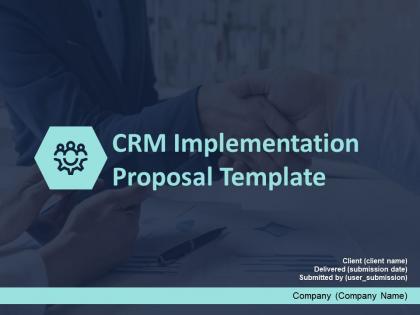
Slide 1: This slide introduces CRM Implementation Proposal Template. State Company name, Client name, Submission date and User name.
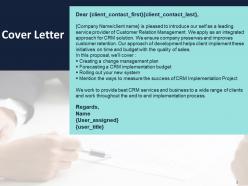
Slide 2: This slide displays Cover Letter.
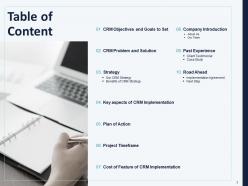
Slide 3: This slide shows Table of Content.
Slide 4: This slide shows Table of Content.
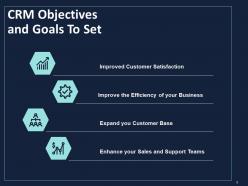
Slide 5: This slide showcases CRM Objectives and Goals To Set such as- Improved Customer Satisfaction, Improve the Efficiency of your Business, Expand you Customer Base, Enhance your Sales and Support Teams.
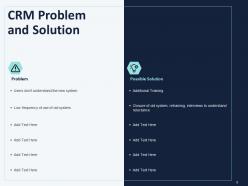
Slide 6: This slide depicts CRM Problem and Solution.
Slide 7: This slide displays Table of Content.
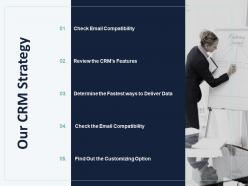
Slide 8: This slide presents Our CRM Strategy.
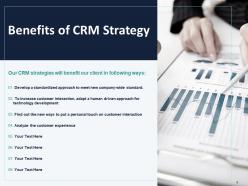
Slide 9: This slide showcases Our CRM strategies will benefit our client in following ways.
Slide 10: This slide displays Table of Content.
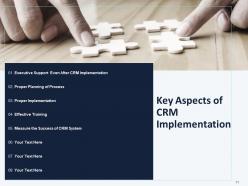
Slide 11: This slide depicts Key Aspects of CRM Implementation.
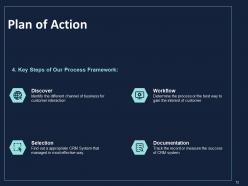
Slide 12: This slide showcases Key Steps of Our Process Framework.
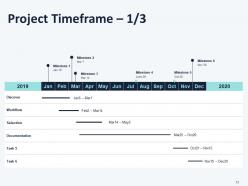
Slide 13: This slide showcases Project Timeframe.
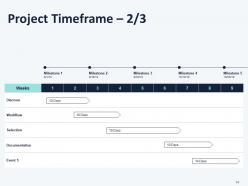
Slide 14: This slide displays Project Timeframe.
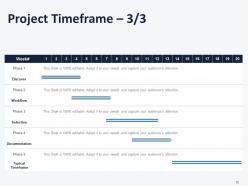
Slide 15: This slide displays Project Timeframe.
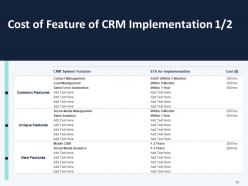
Slide 16: This slide depicts Cost of Feature of CRM Implementation.
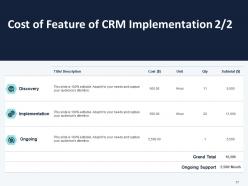
Slide 17: This slide presents Cost of Feature of CRM Implementation.
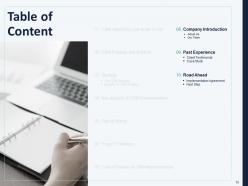
Slide 18: This slide displays Table of Content.
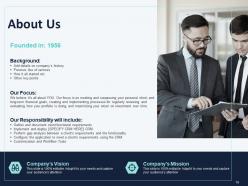
Slide 19: This is About Us slide to showcase Company specifications.
Slide 20: This is Our Team slide with Names and Designations.
Slide 21: This is Our Team with Names and Designations.
Slide 22: This slide presents Clients Testimonials
Slide 23: This slide represents Case Study with background, challenges & solutions, returns.
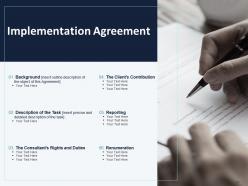
Slide 24: This slide displays Implementation Agreement.
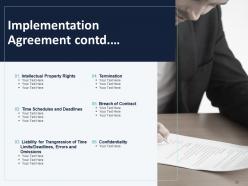
Slide 25: This slide is continued with Implementation Agreement.
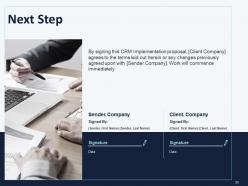
Slide 26: This slide depicts Next Step with company name, signature and date.
Slide 27: This is Contact Us slide with Address, Email address, Website and Social media accounts.
Slide 28: This is Icons Slide for CRM Implementation Proposal Template
Slide 29: This slide is titled as Additional Slides for moving forward.
Slide 30: This slide displays Our Mission, Vision & Goal.
Slide 31: This is 30 60 90 Days Plan slide.
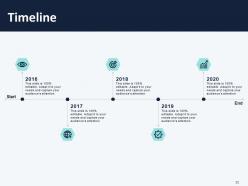
Slide 32: This slide showcases Timeline process.
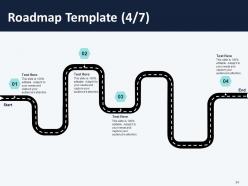
Slide 33: This slide shows Roadmap Template.
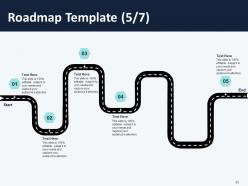
Slide 34: This slide depicts Roadmap Template.
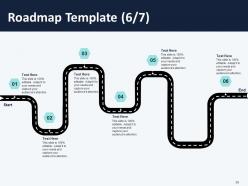
Slide 35: This slide shows Roadmap process.
Slide 36: This slide depicts 6 step roadmap process.
Slide 37: This slide shows 7 step roadmap process.
CRM Implementation Proposal Template Powerpoint Presentation Slides with all 37 slides:
Use our CRM Implementation Proposal Template Powerpoint Presentation Slides to effectively help you save your valuable time. They are readymade to fit into any presentation structure.




FAQs for CRM Implementation Proposal Template
First things first - figure out exactly what problems you're trying to fix and what success looks like. Map your current processes so you actually know what's broken. Budget for way more than just the software cost. Implementation and training always cost more than you think (learned this the hard way). Data migration will probably be your biggest headache, so check your data quality now before it becomes a disaster. And honestly? If your team hates the new system, you're screwed no matter how good it is. Start small with a pilot group and make sure the executives are actually behind this thing before you go all-in.
Figure out your main goals first - what's broken that you're trying to fix? Track the big stuff like sales conversions or customer retention rates. But honestly, user adoption is the make-or-break metric. Doesn't matter how fancy your CRM is if nobody uses it daily. Also measure data quality improvements and time saved on boring admin work. Don't go overboard though - stick to 3-4 metrics max. Get your baseline numbers before you launch, then check monthly. The whole point is making sure these metrics actually connect back to why you bought this thing in the first place.
Oh man, training is huge for this stuff. Seriously, I've watched companies blow thousands on fancy CRMs that just sit there unused because nobody taught people properly. Don't just do some boring one-hour demo either - that's useless. Show your team how it'll actually save them time on the stuff they already do. Start with whoever's most tech-savvy first. They'll help convince everyone else it's not terrible. Make it hands-on and keep checking back with people - otherwise they'll just find ways around using it.
Honestly? User resistance is your biggest headache - nobody wants to learn new stuff. Your data's probably a hot mess too, way worse than you think. Training always gets shortchanged and then everyone's confused. Here's what actually works: involve people in picking the system so they buy in. Clean your data first (I cannot stress this enough). Don't cheap out on training - find some power users to be your cheerleaders. Oh, and phase it in department by department instead of flipping everything at once. Big-bang rollouts are basically asking for chaos.
Clean your data first - seriously, don't skip this step. Dedupe contacts, fix formats, delete the obvious junk. During setup, create validation rules so people can't enter "123" as a phone number (they will try, I've seen it happen). Test your migration with small batches before importing everything. Someone on your team needs to own data quality - pick a detail-oriented person who actually cares. Train everyone on entry standards, but honestly? You'll still need regular audits after launch. Data gets messy fast, even with good habits.
Oh definitely clean your data BEFORE you migrate - learned this the hard way on my last project. You'll want to audit everything first, kill the duplicates, get your formats consistent. Map your old fields to the new system carefully too. Always test with just a small batch first though. The whole thing's gonna take way longer than you expect (it always does). And honestly? Get your team to double-check a sample of the migrated records before you flip the switch. Way easier to fix problems early than after everything's live and people are panicking.
Honestly? Map out what's actually broken in your current process first. Don't get sucked into those shiny demo features you'll never touch. Make sure whatever you pick plays nice with your existing tools and won't completely fall apart when your team grows. Your sales reps need to weigh in too - management always picks stuff that looks good on paper but sucks to actually use daily. If it's clunky, nobody will touch it. Run pilots with your top 3 picks using real data, not fake demo stuff. That's where you'll see what actually works.
Honestly, you've got to customize that CRM or you're just gonna hate using it. Your team shouldn't have to fight the software to get work done. Like, if your sales process has five stages but the system only handles three? Your data's gonna be garbage. Before you even touch the settings, map out how you actually do things now - the whole flow from first contact to closing deals. Those cookie-cutter templates never work because everyone's process is different (learned that the hard way). Then set up the CRM to match what you mapped out. Way easier than trying to force your team into some random workflow.
Talk to them constantly - seriously, overcommunicate everything. Most stakeholders expect CRM projects to wrap up in like 3 months (lol), so set realistic timelines from day one. Get a steering committee going so people feel like they're part of the decisions instead of just being told what's happening. Weekly check-ins are your friend, especially during crunch time. When stuff goes sideways - and it will - tell them immediately with potential fixes. Going quiet is project suicide. Even boring progress updates are better than radio silence. Oh, and always bring solutions when you're delivering bad news.
Honestly, you've gotta make it feel worth their time from the start. Training is huge - but don't just do it once and disappear. Find some power users who can become your unofficial helpers (saves you from constant Slack messages, trust me). Gamify it a bit with some friendly competition around who's using it most. The real trick though? Show them how it actually makes their job easier, not just more steps to follow. Oh, and actually listen when people complain - I've seen so many rollouts die because leadership ignored feedback. Make it collaborative, not something you're forcing down their throats.
Definitely get your team's input before picking a CRM - I can't stress this enough. Survey the people who'll actually use it daily about their biggest headaches and workflows. Leadership loves flashy demo features that nobody ends up touching (been there!). Your heaviest users and customer-facing folks will tell you which integrations are make-or-break. They'll also help you figure out the rollout order and how to set up your data fields. It's way better than guessing what'll work. Trust me, their feedback is your actual roadmap instead of some consultant's generic advice.
So you're basically putting all your customer data in one place, which honestly makes me a bit nervous from a privacy standpoint. Check what regulations hit you - GDPR, CCPA, whatever applies to your industry. The good news? Having everything centralized actually makes it easier to control who sees what. Just make sure your CRM can encrypt data, track who accessed what, and delete stuff when customers ask. Oh, and definitely run a privacy assessment before you flip the switch. Your team needs to know the new rules too.
Honestly, CRM integration is a game changer - it cuts out all that annoying copy-paste work between systems. Your email, accounting, and marketing tools all sync up automatically, so no more "wait, do these sales numbers match what finance has?" moments. Everything flows together, which means way better reporting and your team isn't constantly jumping between platforms. I'd start with whatever systems you use most (probably email?) and add one at a time. Trust me, trying to do everything at once just stresses everyone out.
Look, ongoing support is what makes or breaks the whole thing - I've seen too many companies skip this part and regret it. Your team's gonna need training updates, system patches, and someone to fix stuff when it breaks (and trust me, it will). Data gets messy, integrations fail, people forget how to use features. Without proper maintenance, adoption rates tank fast. We usually tell clients to budget around 15-20% of what they spent initially, every year. Oh, and figure out who's responsible for what beforehand - don't leave that conversation for later.
Honestly, don't try to do everything at once with your CRM - I've seen that blow up so many times. Start small with just contact management, let everyone get used to it first. Then slowly add the fancy stuff like automation and reporting. Your team won't freak out learning everything simultaneously, and you'll actually spot problems while they're still fixable. Quick wins early on keep the boss happy too, which... trust me, you want that. Focus on whatever processes are absolutely critical first, then build out from there. Way less stressful.
-
Informative presentations that are easily editable.
-
Perfect template with attractive color combination.
-
Great quality slides in rapid time.
-
Understandable and informative presentation.