


Customer relationship management powerpoint presentation slides
Presenting our content ready Customer Relationship Management Powerpoint Presentation Slides. This custom-made PPT slide deck helps you in representing client relationship management for your organization. From introductions to key performance indicators, this comprehensive customer relationship management PowerPoint template deck covers all. Easily elucidate CRM goals, CRM integration, digital marketing integration in CRM, CRM infrastructure, and CRM process. Our CRM system PPT theme includes visually-engaging graphics and diagrams. This makes your presentation more professional. Data visualizations include linear diagrams, hierarchy diagrams, flowcharts, tabular formats, bar graphs, infographics, dashboards, cyclic diagrams, and more. Use our CRM PowerPoint presentation to explain database management, database sales reports, CRM data analysis, and data mining in CRM. Showcase CRM operations like customer retention strategies, marketing campaigns, marketing reach by channels, and marketing roadmap. So hit the download button and get access to CRM KPIs in an engaging format. customer relationship management powerpoint presentation slides are topically designed to provide an attractive backdrop to any subject. Use them to look like a presentation pro.
Presenting our content ready Customer Relationship Management Powerpoint Presentation Slides. This custom-made PPT slide de..





-

- Google Slides is a new FREE Presentation software from Google.
- All our content is 100% compatible with Google Slides.
- Just download our designs, and upload them to Google Slides and they will work automatically.
- Amaze your audience with SlideTeam and Google Slides.
-

Want Changes to This PPT Slide? Check out our Presentation Design Services
-

- WideScreen Aspect ratio is becoming a very popular format. When you download this product, the downloaded ZIP will contain this product in both standard and widescreen format.
-

- Some older products that we have may only be in standard format, but they can easily be converted to widescreen.
- To do this, please open the SlideTeam product in Powerpoint, and go to
- Design ( On the top bar) -> Page Setup -> and select "On-screen Show (16:9)” in the drop down for "Slides Sized for".
- The slide or theme will change to widescreen, and all graphics will adjust automatically. You can similarly convert our content to any other desired screen aspect ratio.
Compatible With Google Slides

Get This In WideScreen
You must be logged in to download this presentation.


Do you want to remove this product from your favourites?
PowerPoint presentation slides
SlideTeam presents Customer Relationship Management PowerPoint Presentation Slides. Download this 100% custom PowerPoint deck and gain access to 50 visually-striking templates. Easily personalize text, font, background, patterns, shapes, and colors even without any designing skill. Convert the PPT format, and save the file as PDF, PNG, or JPG as and when convenient. Use Google Slides to view this PowerPoint theme. It also works well with different screen resolutions like standard and widescreen.

People who downloaded this PowerPoint presentation also viewed the following :
Content of this Powerpoint Presentation
Slide 1: This slide introduces Customer Relationship Management. State Your Company name and begin.
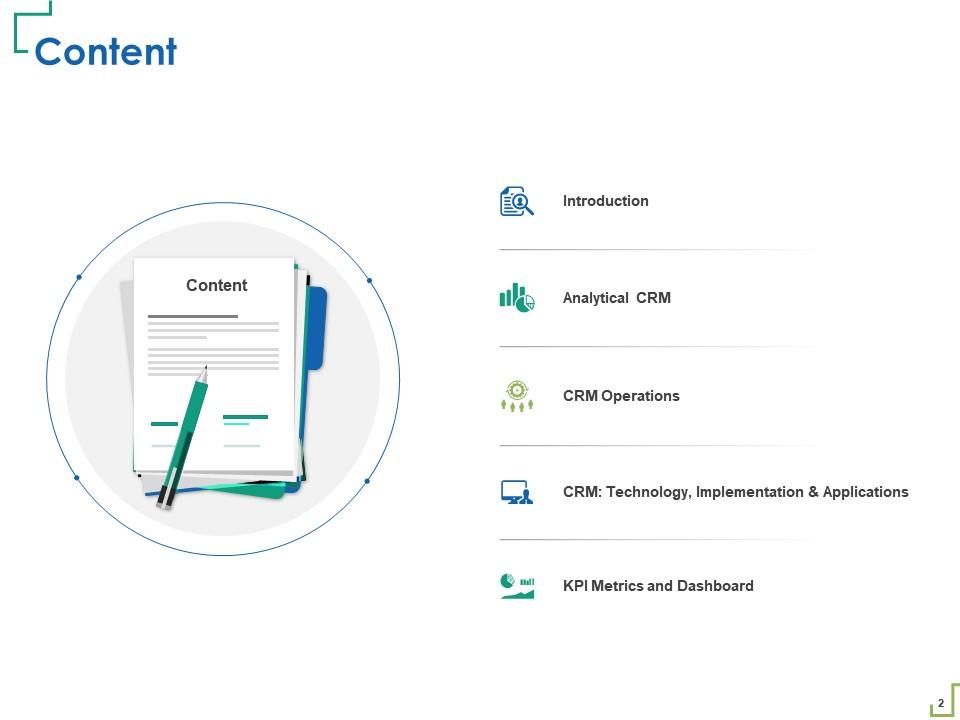
Slide 2: This slide displays Content of the presentation.
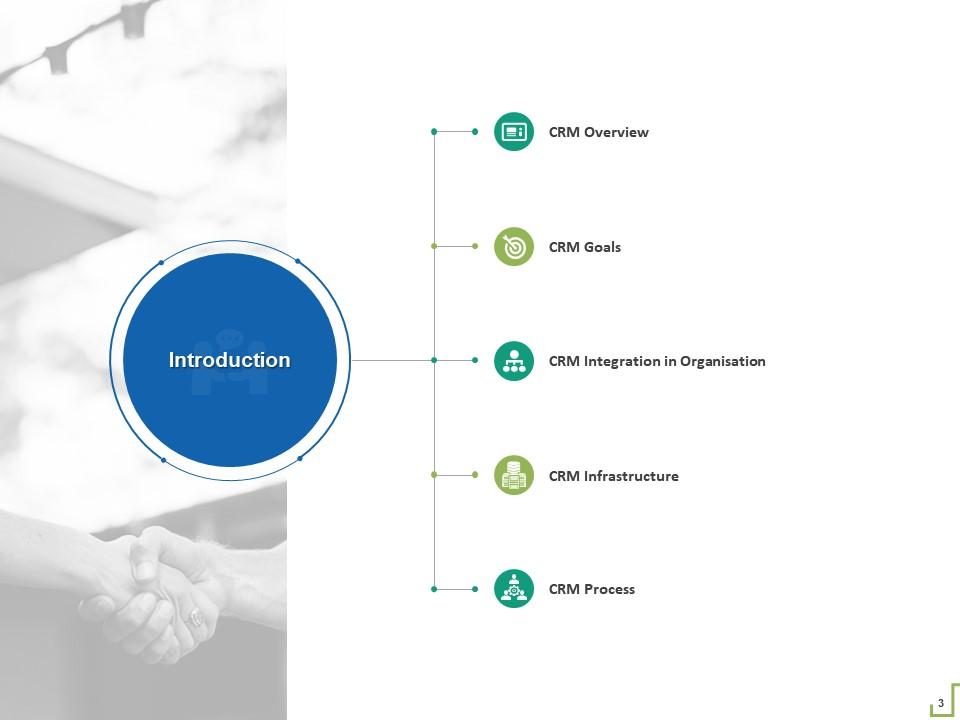
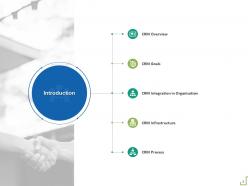
Slide 3: This slide shows Introduction of CRM.
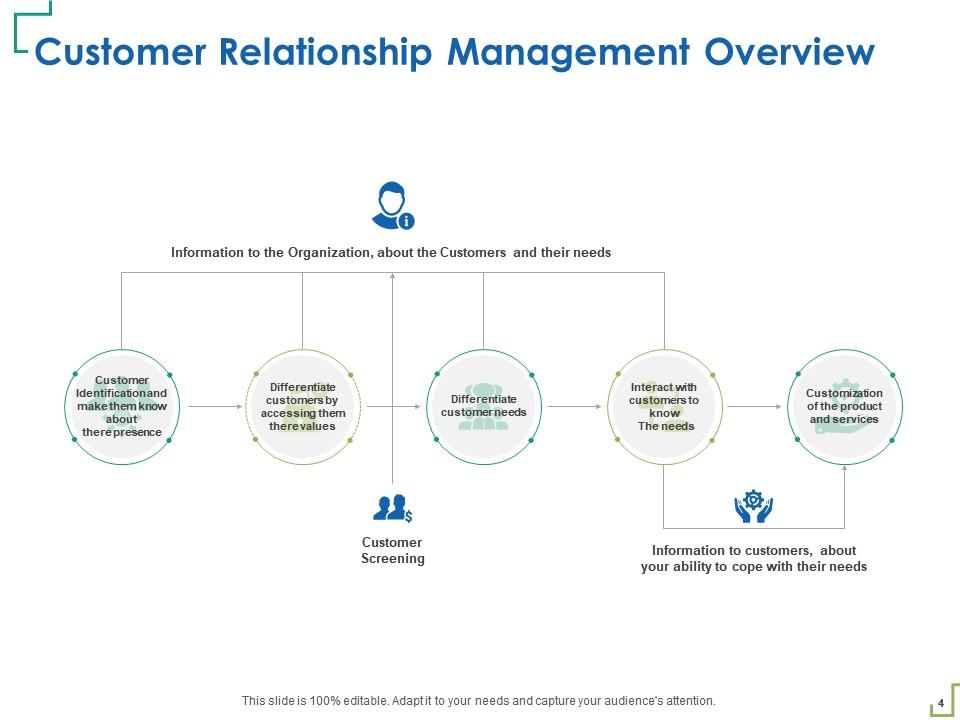
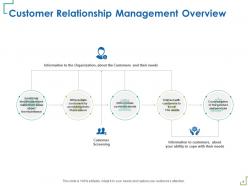
Slide 4: This slide presents Customer Relationship Management Overview.
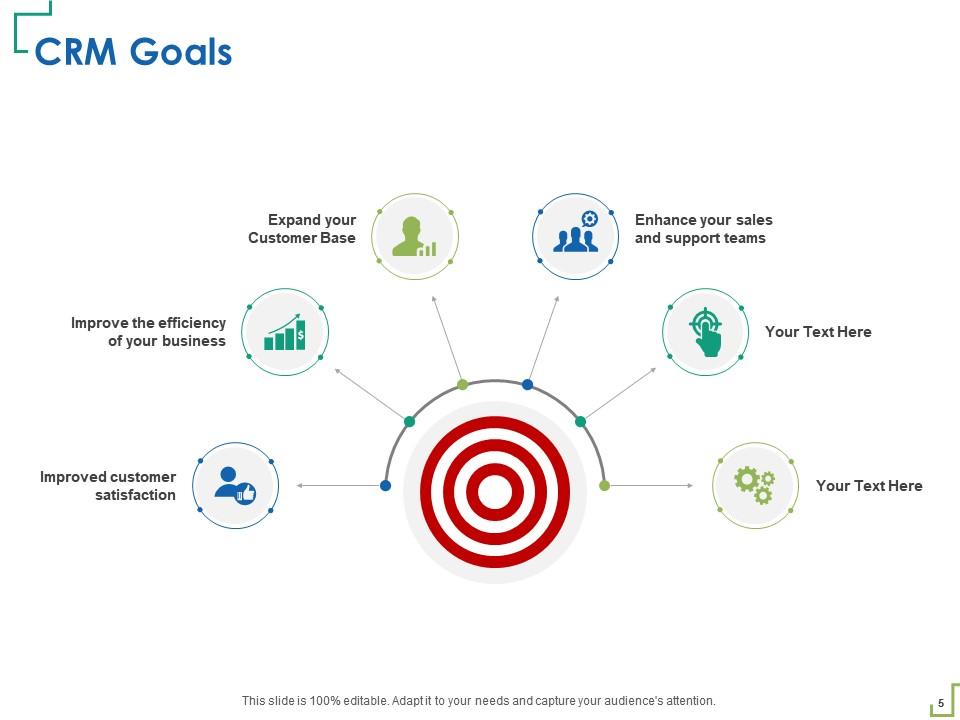
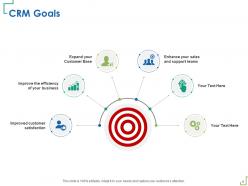
Slide 5: This slide showcases CRM Goals.
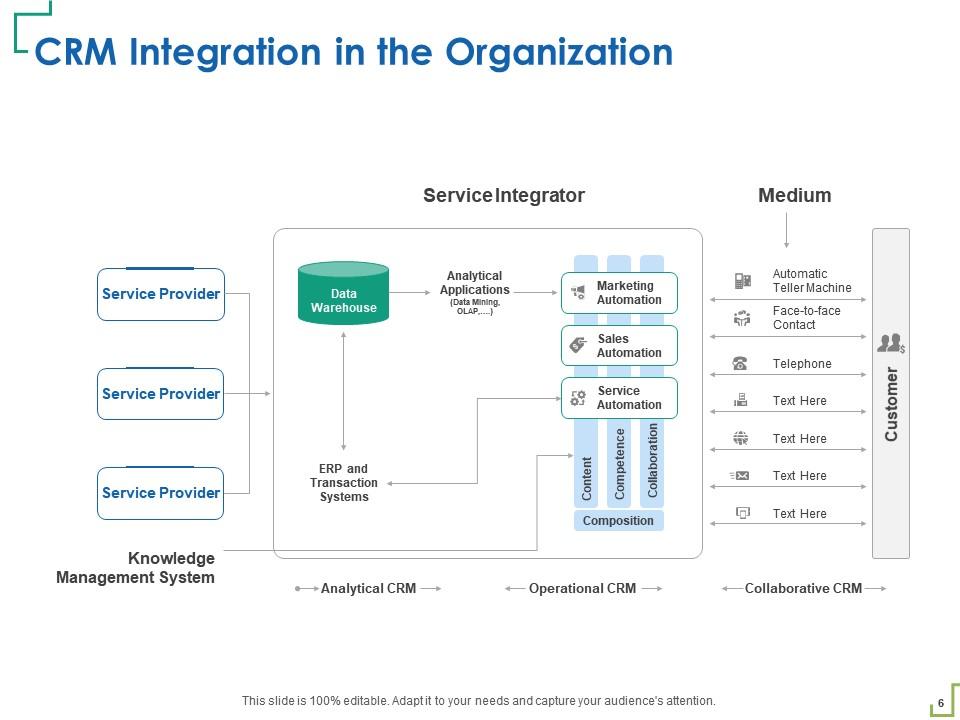
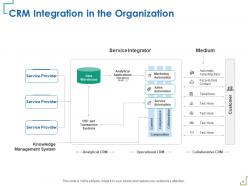
Slide 6: This slide shows CRM Integration in the Organization.
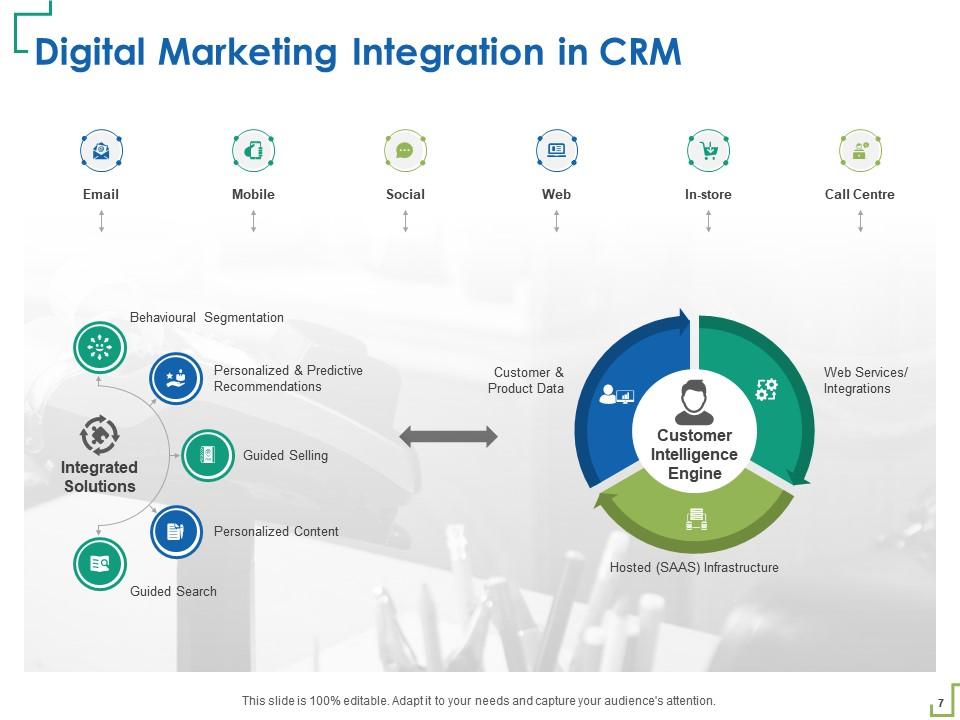
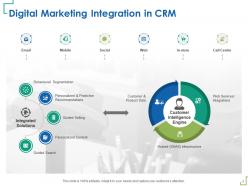
Slide 7: This slide depicts Digital Marketing Integration in CRM.
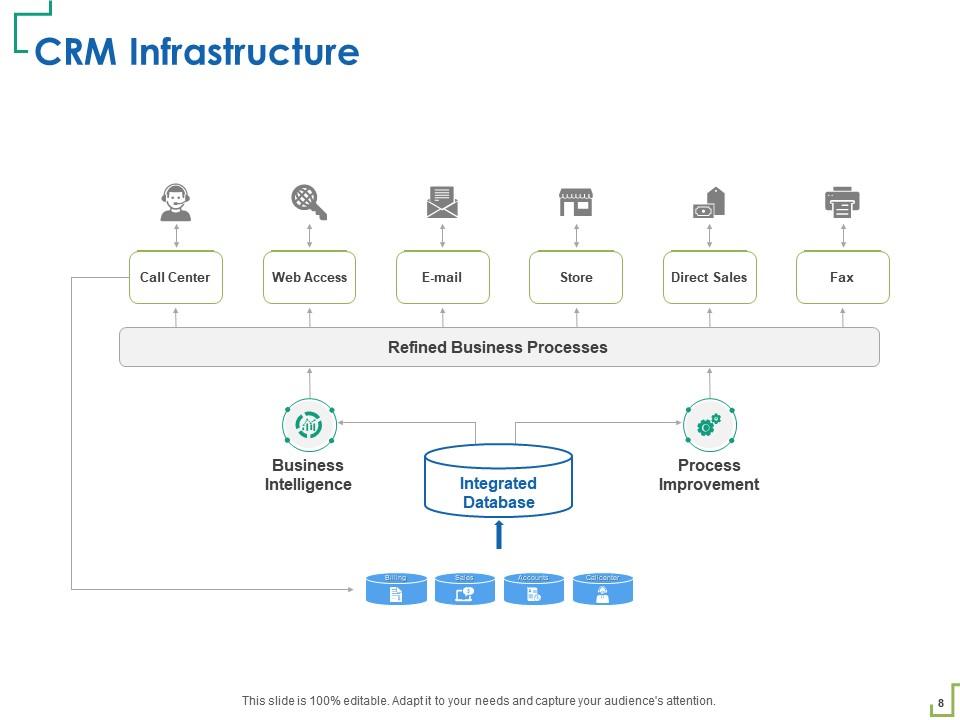
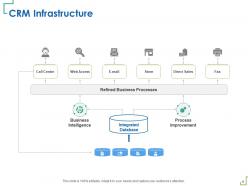
Slide 8: This slide displays CRM Infrastructure.
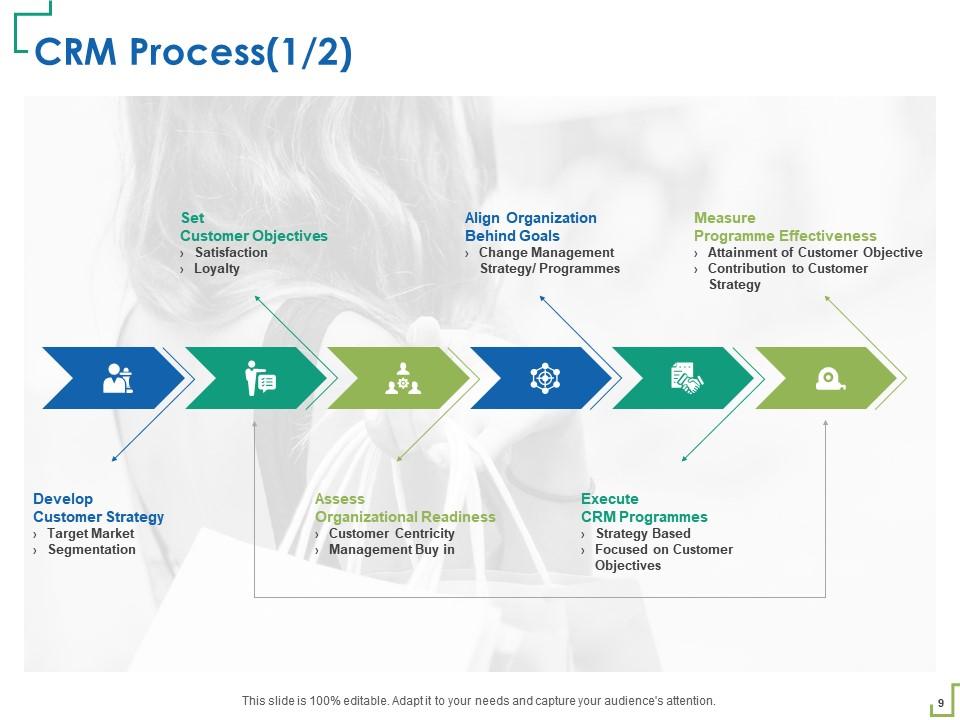
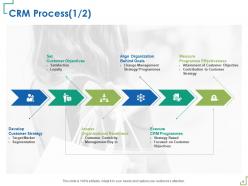
Slide 9: This slide highlights the CRM Process.
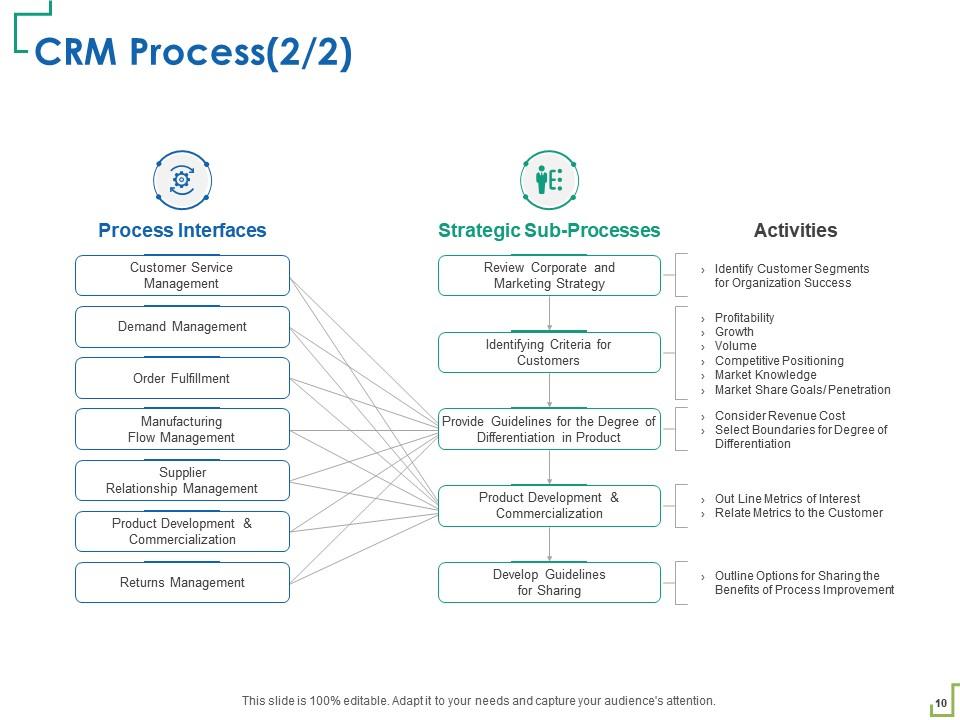
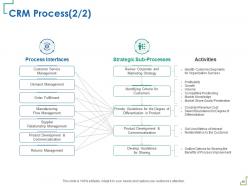
Slide 10: This slide also highlights the CRM Process.
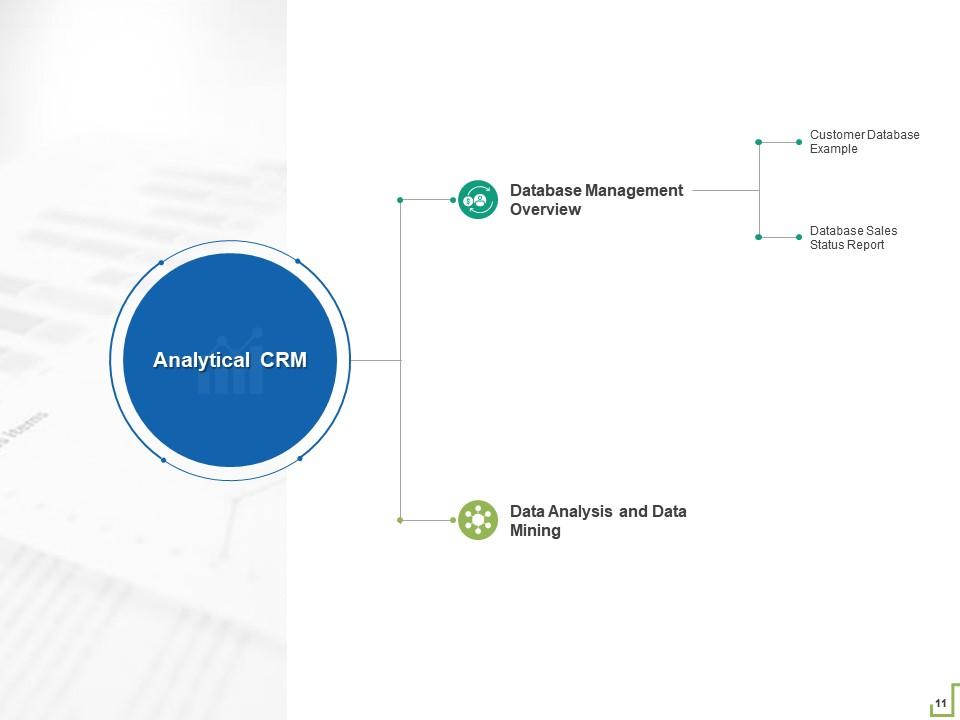
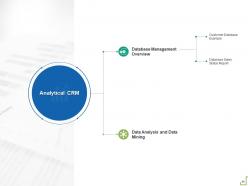
Slide 11: This slide represents Database Management Overview containing- Data Analysis and Data Mining, Customer Database Example, Database Sales Status Report, Analytical CRM.
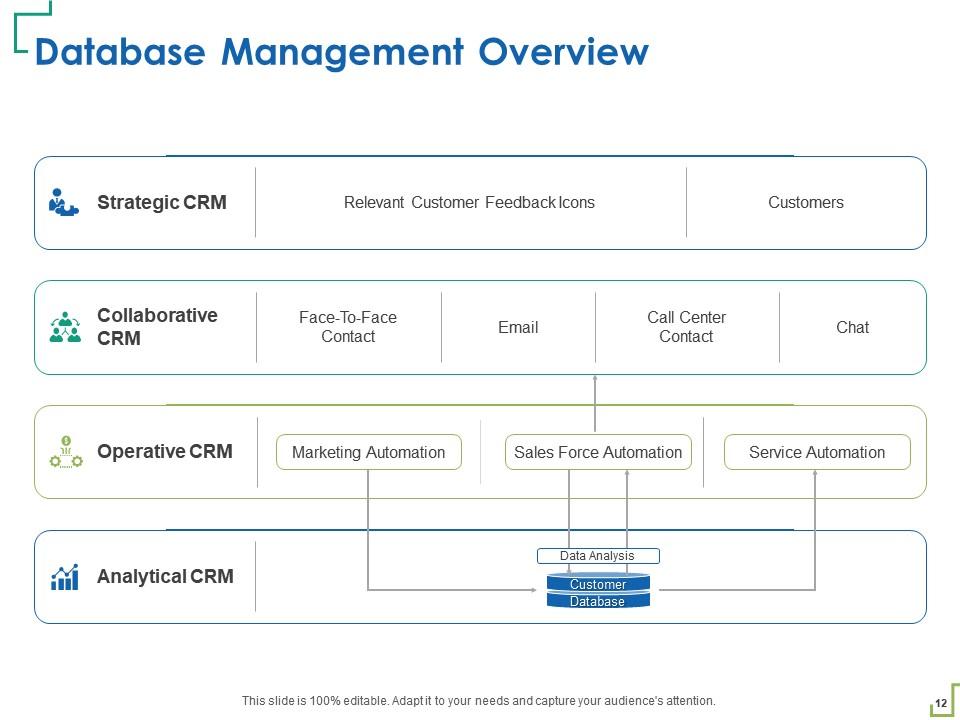
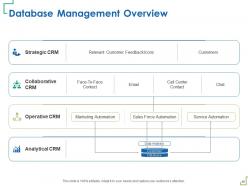
Slide 12: This slide displays Database Management Overview with examples
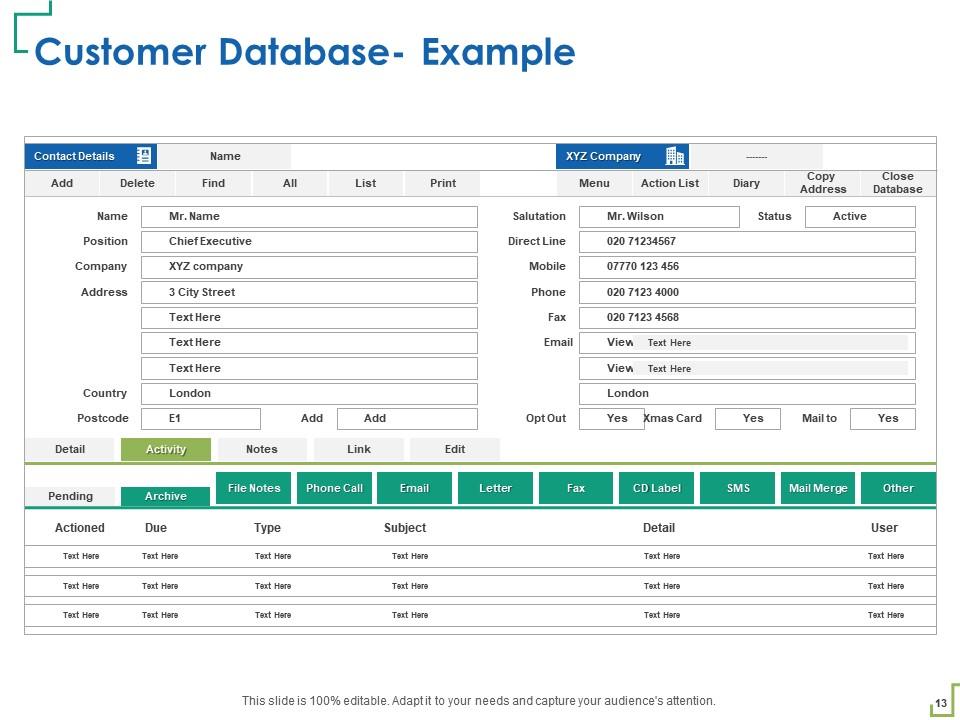
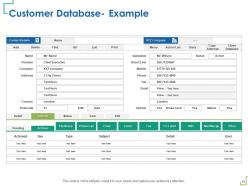
Slide 13: This slide shows examples of customers database.
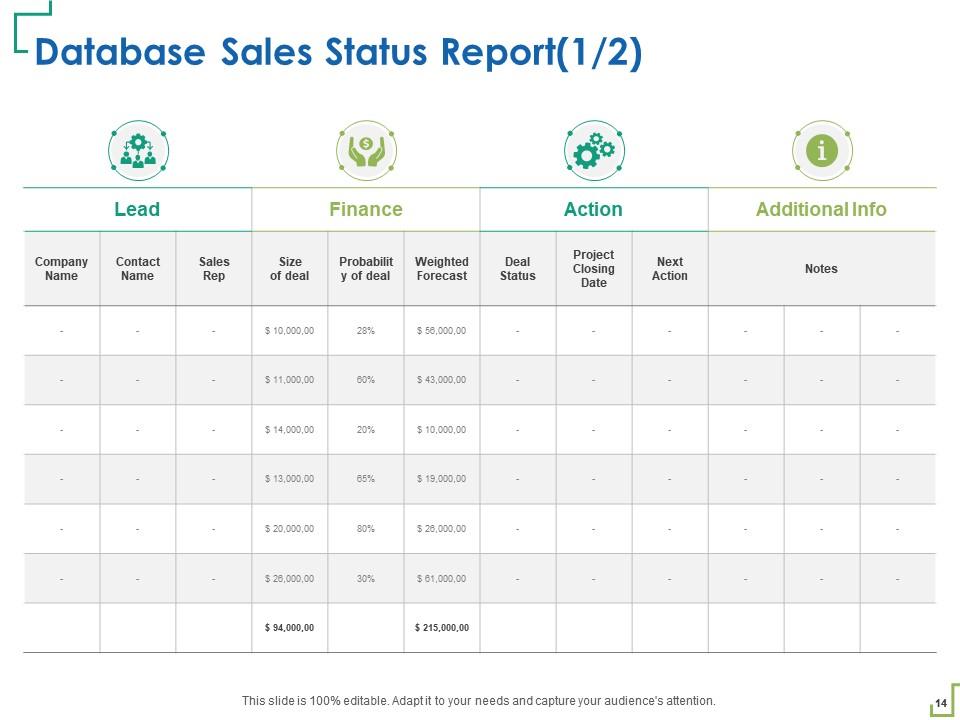
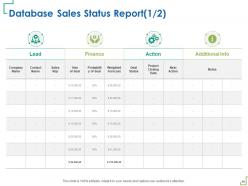
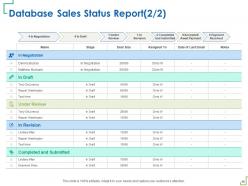
Slide 14: This slide depicts Database Sales Status Report.
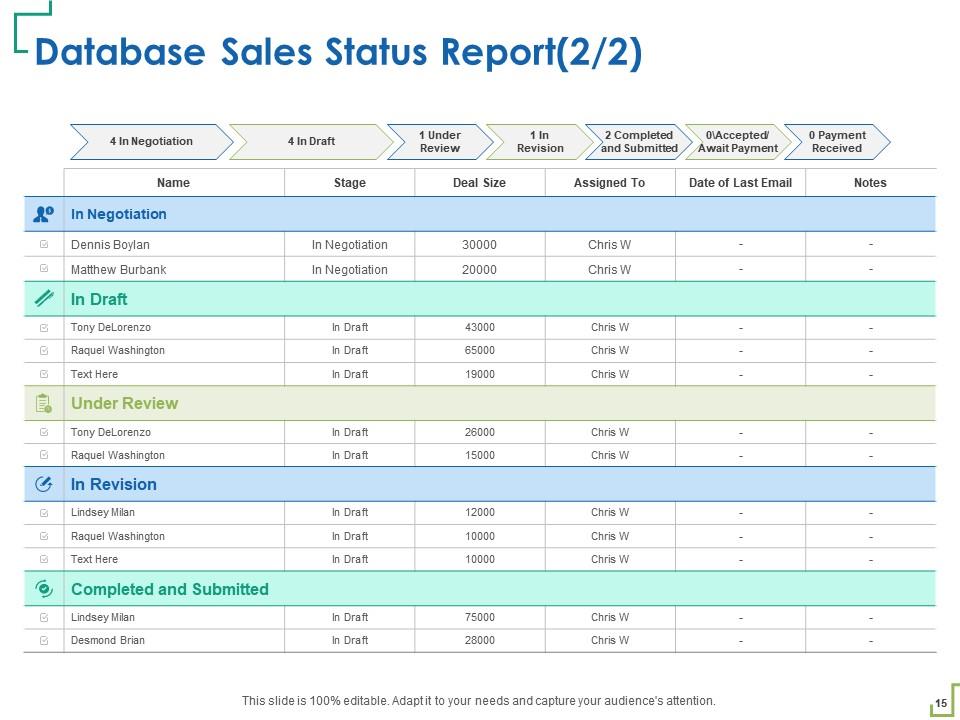
Slide 15: This slide shows Database Sales Status Report.
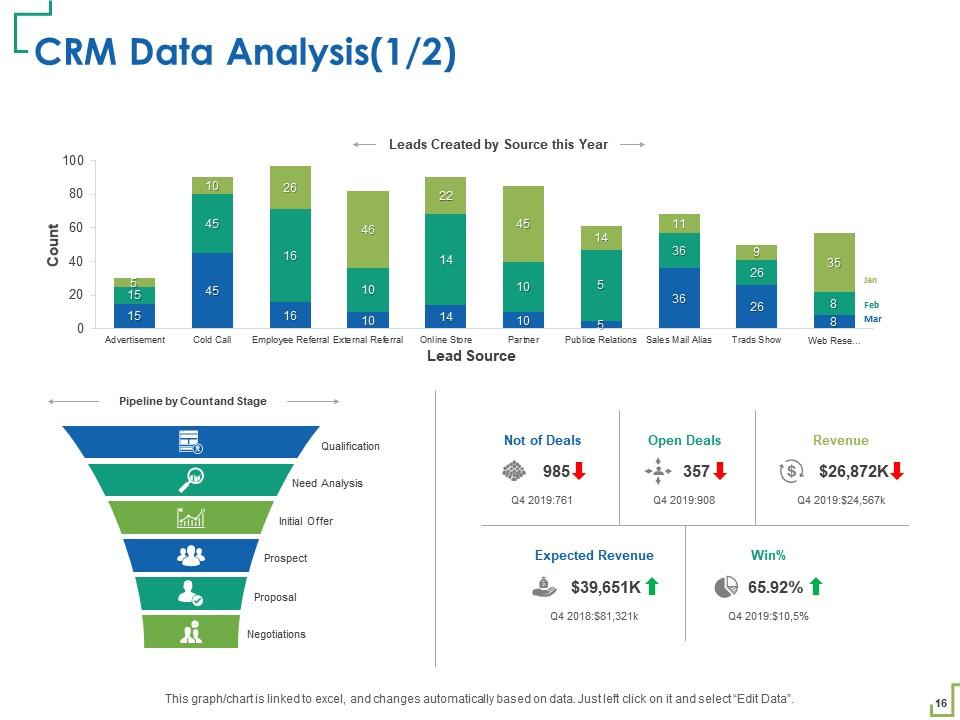
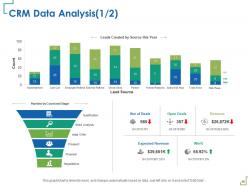
Slide 16: This slide depicts CRM Data Analysis.
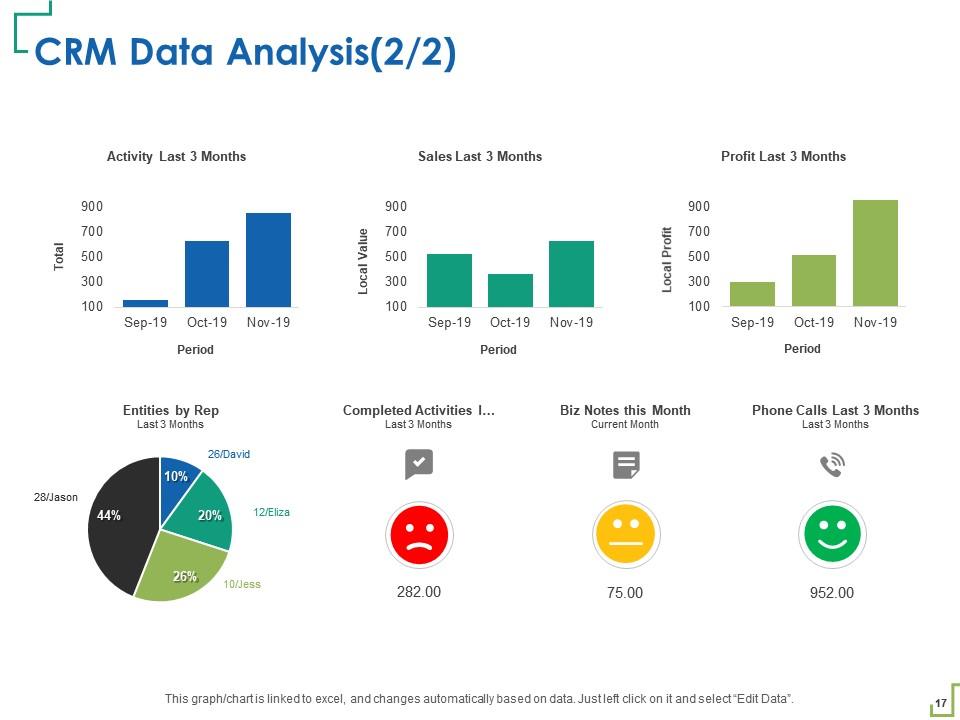
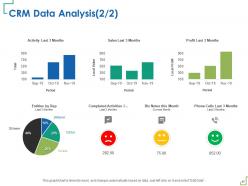
Slide 17: This slide shows CRM Data Analysis.
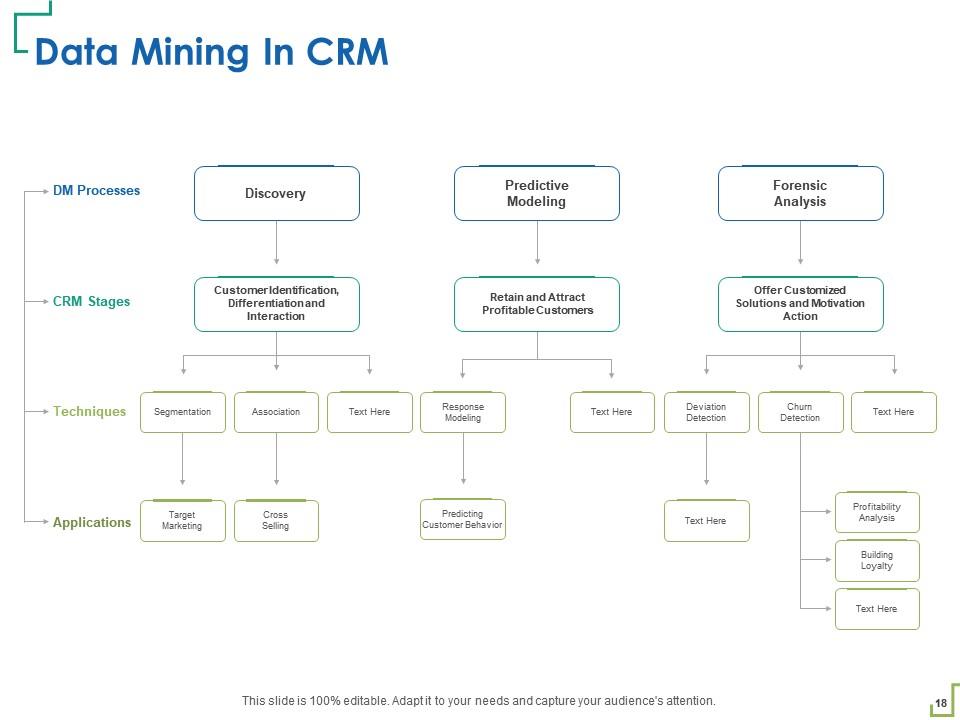
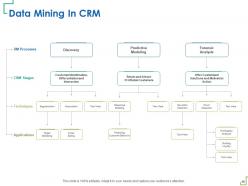
Slide 18: This slide displays Data Mining In CRM.
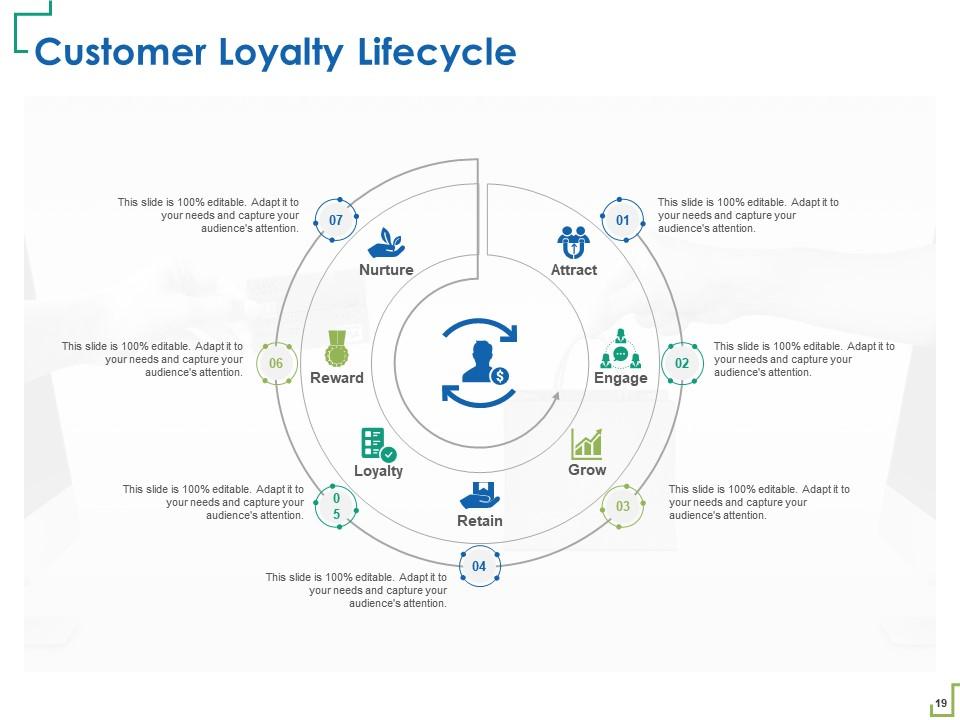
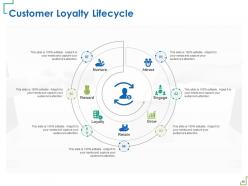
Slide 19: This slide depicts Customer Loyalty Lifecycle.
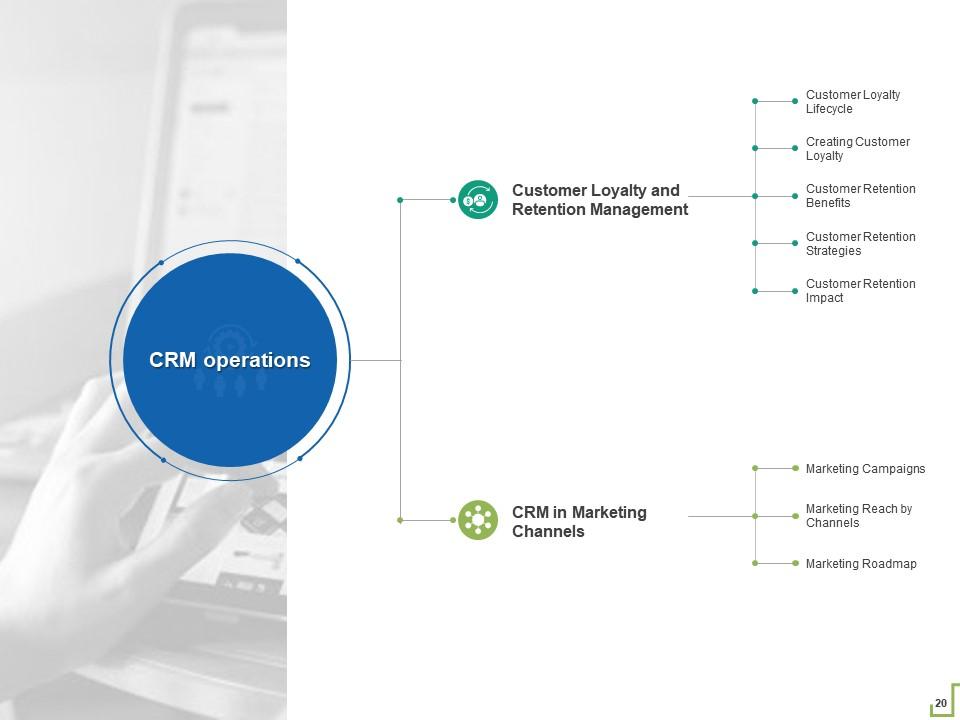
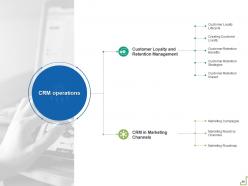
Slide 20: This slide showcases Customer Loyalty and Retention Management
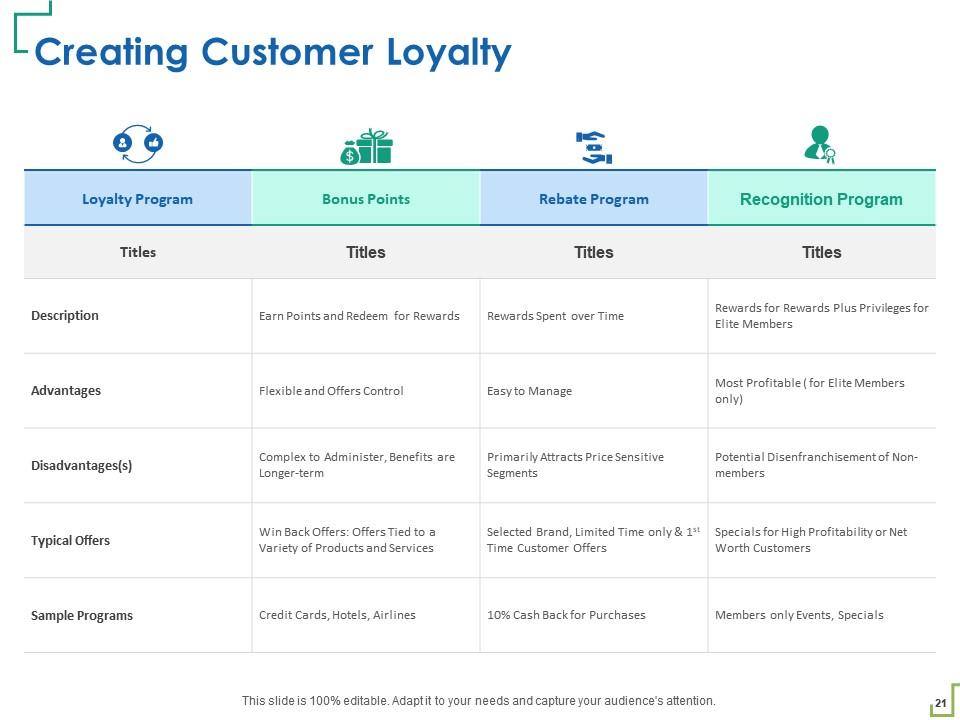
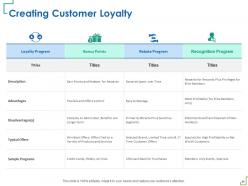
Slide 21: This slide provides information regarding Creating Customer Loyalty
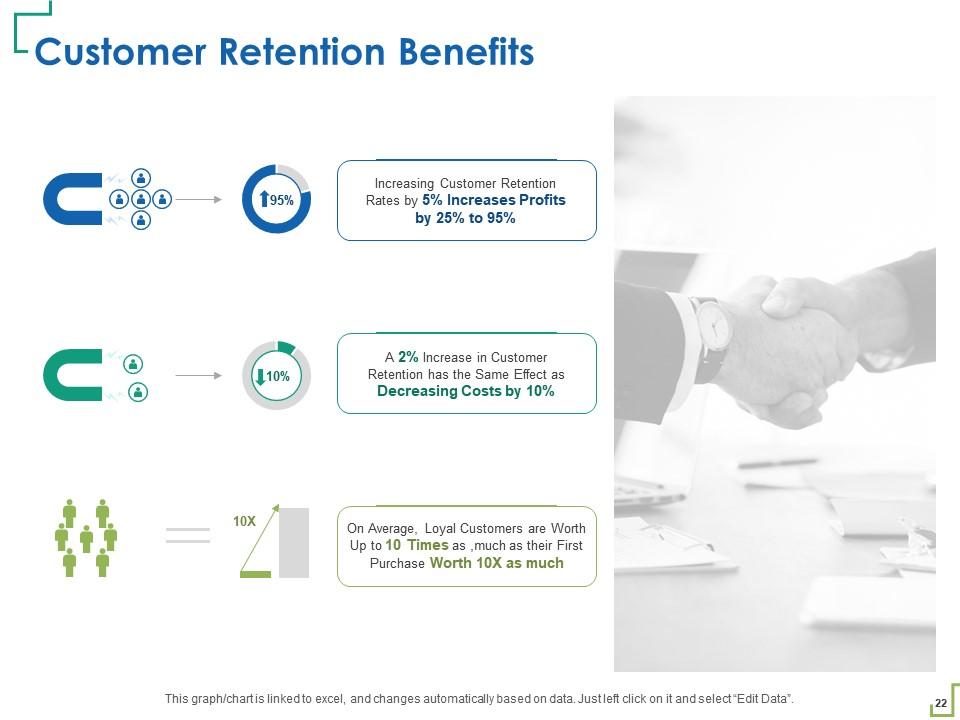
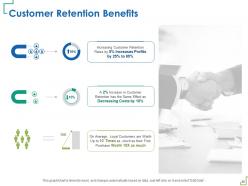
Slide 22: This slide shows the Customer Retention Benefits
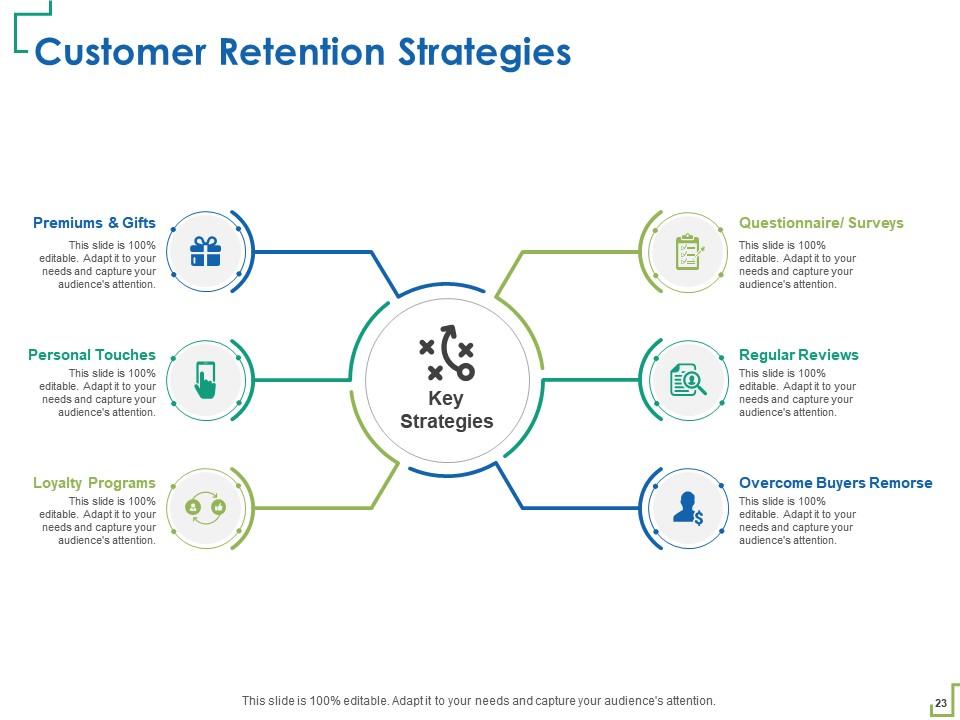
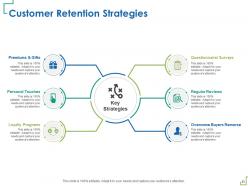
Slide 23: This slide depicts Customer Retention Strategies
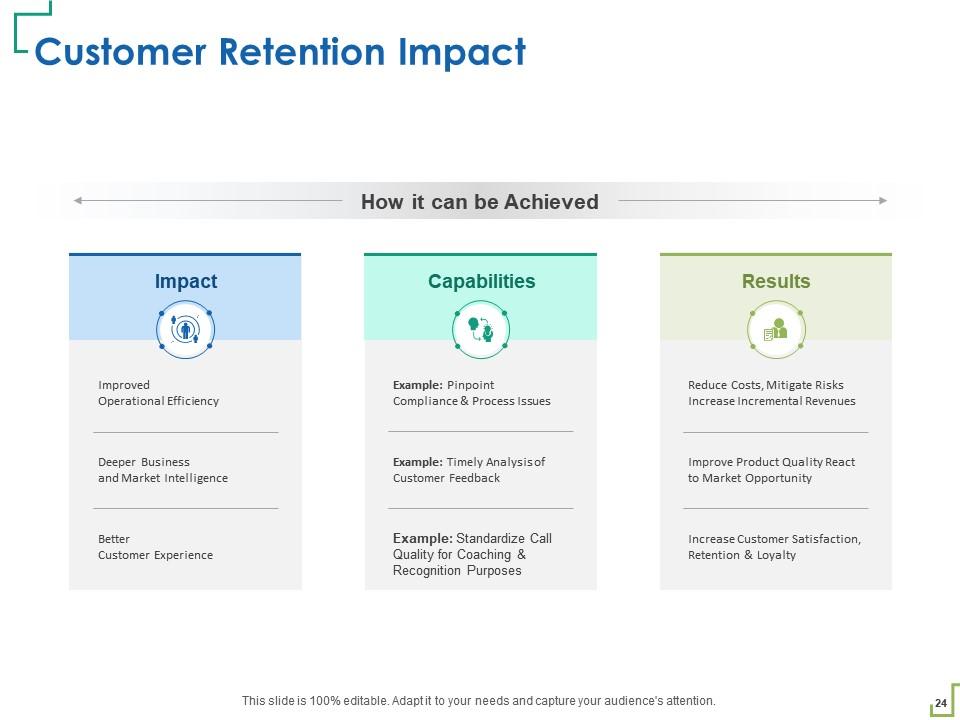
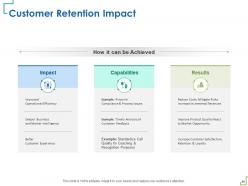
Slide 24: This slide shows Customer Retention Impact.
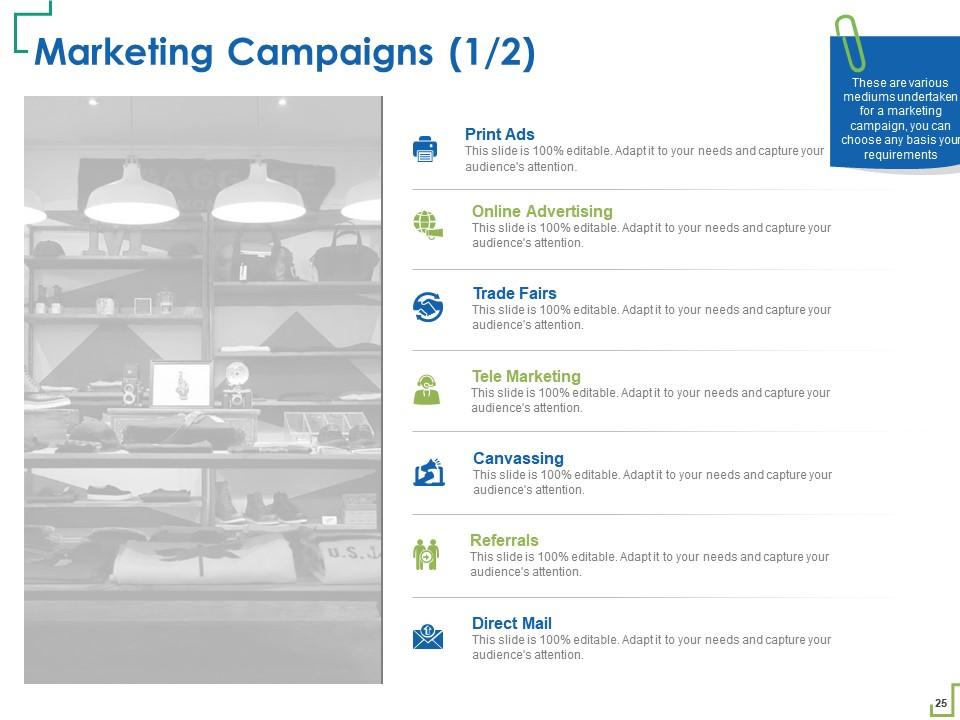
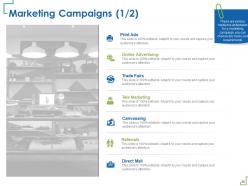
Slide 25: This slide highlights Marketing Campaigns.
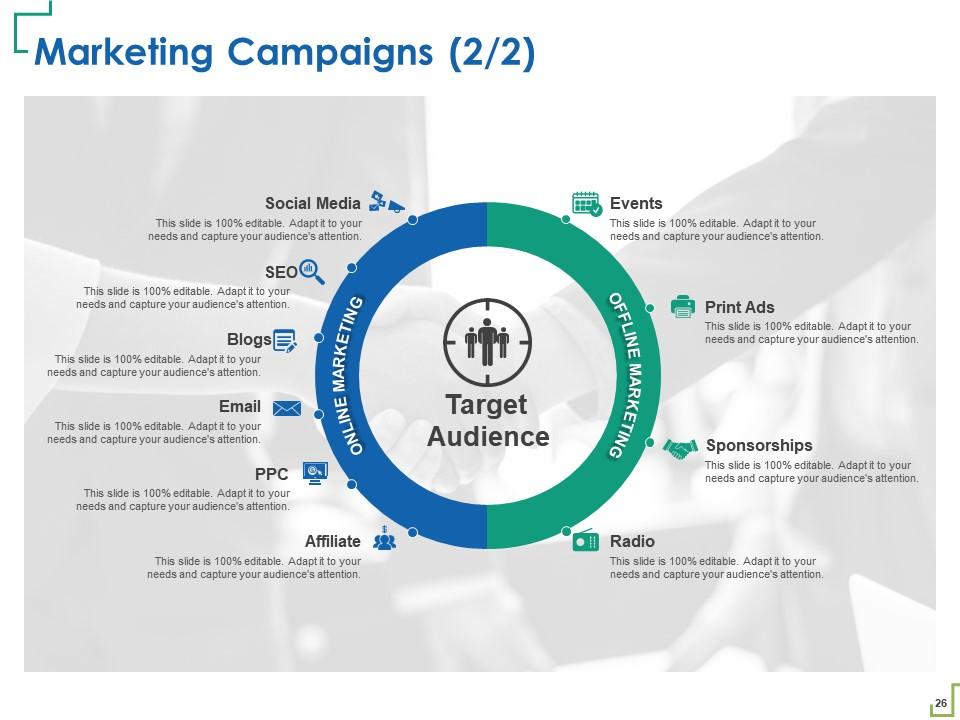
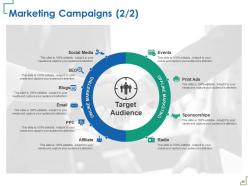
Slide 26: This slide shows Marketing Campaigns.
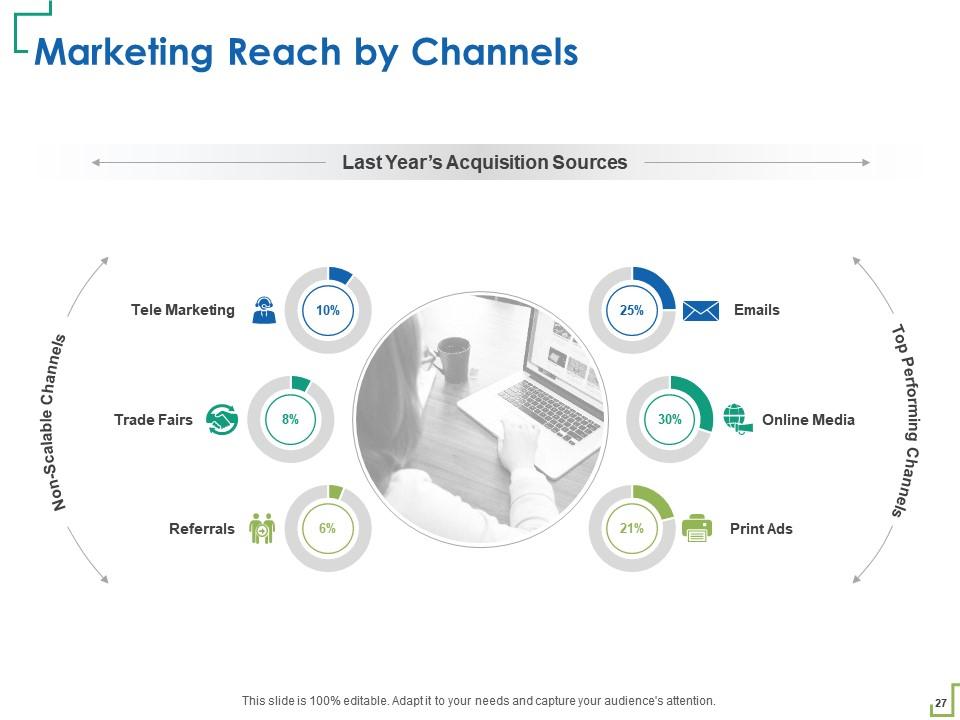
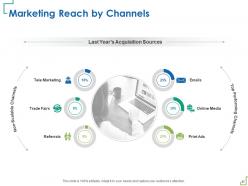
Slide 27: This slide showcases Marketing Reach by Channels.
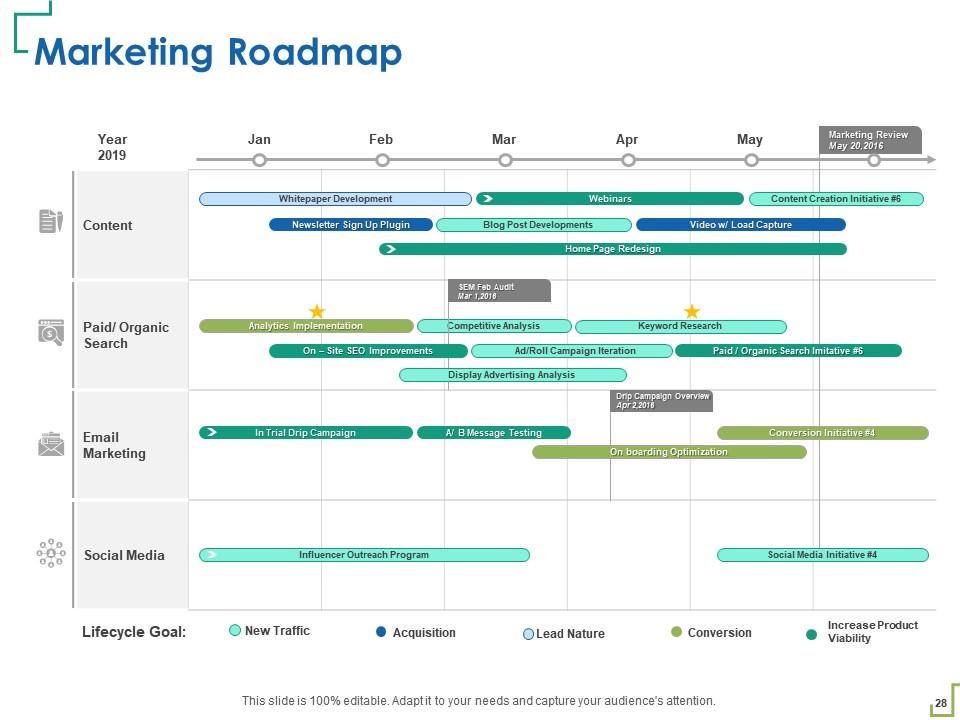
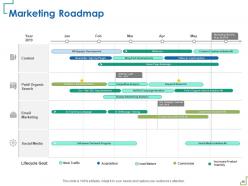
Slide 28: This slide displays Marketing Roadmap.
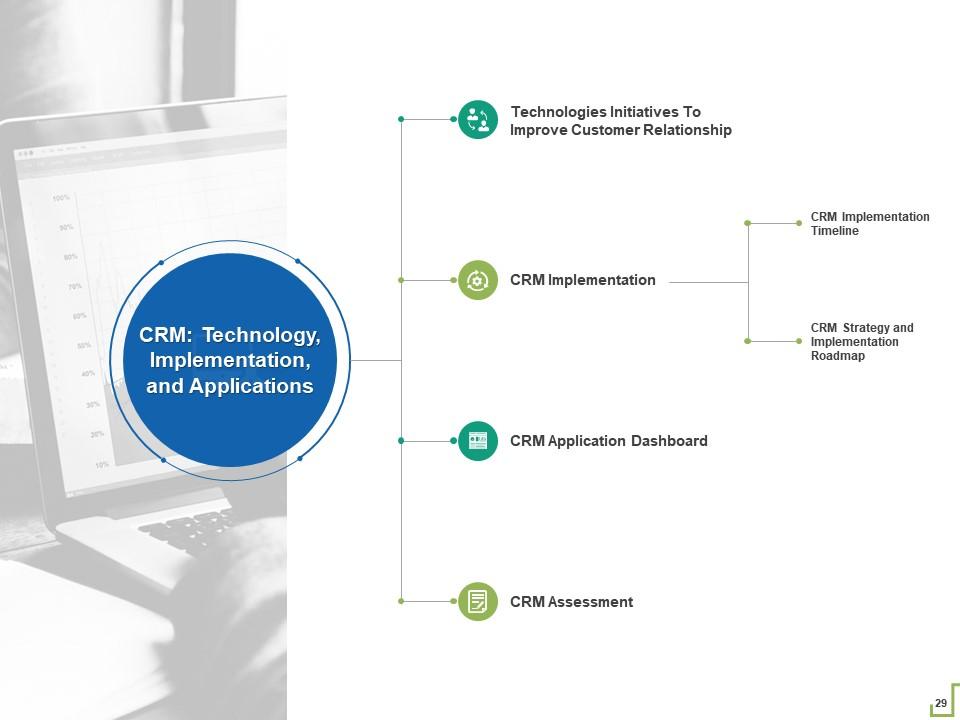
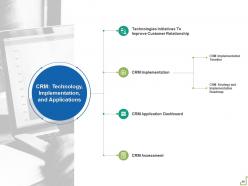
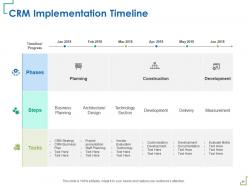
Slide 29: This slide presents CRM Implementation Timeline.
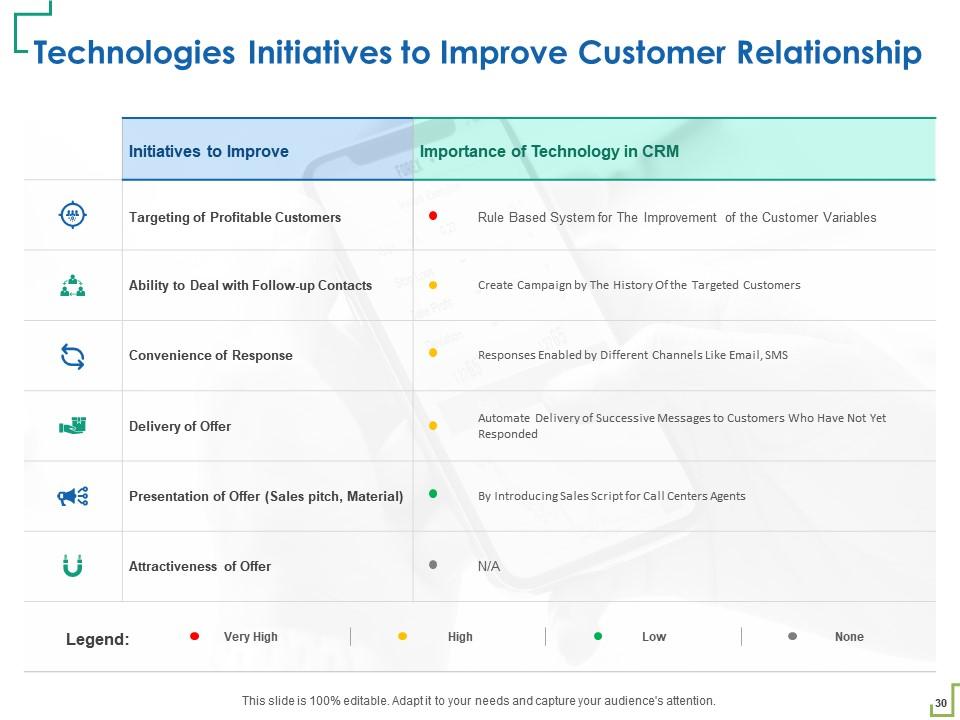
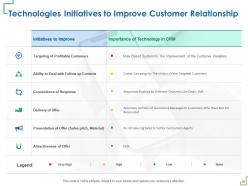
Slide 30: This slide depicts Technologies Initiatives to Improve Customer Relationship
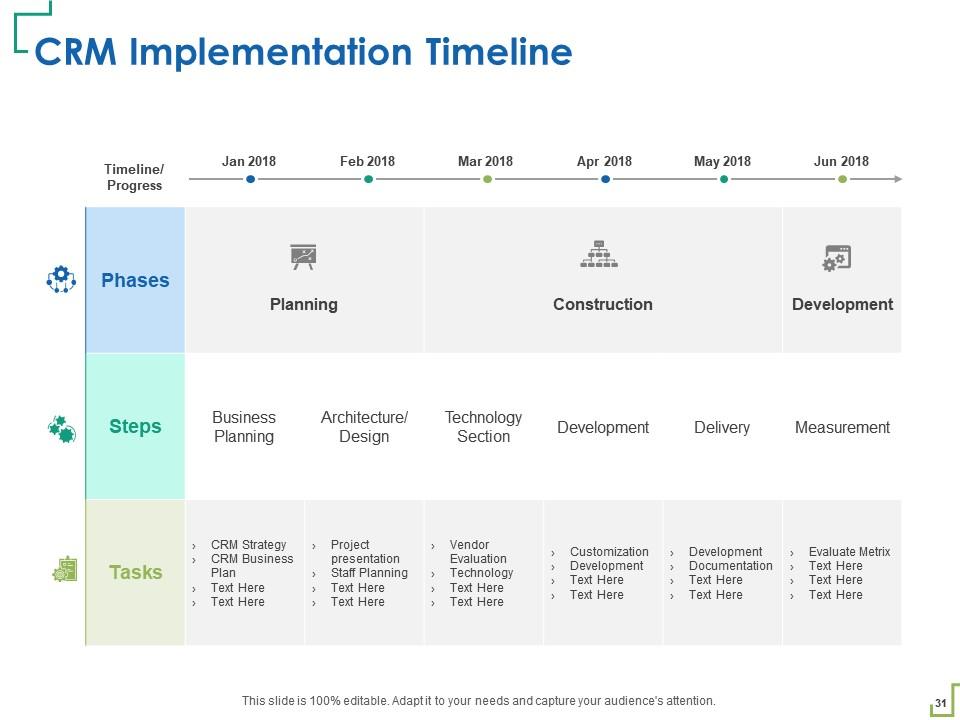
Slide 31: This slide shows CRM Implementation Timeline.
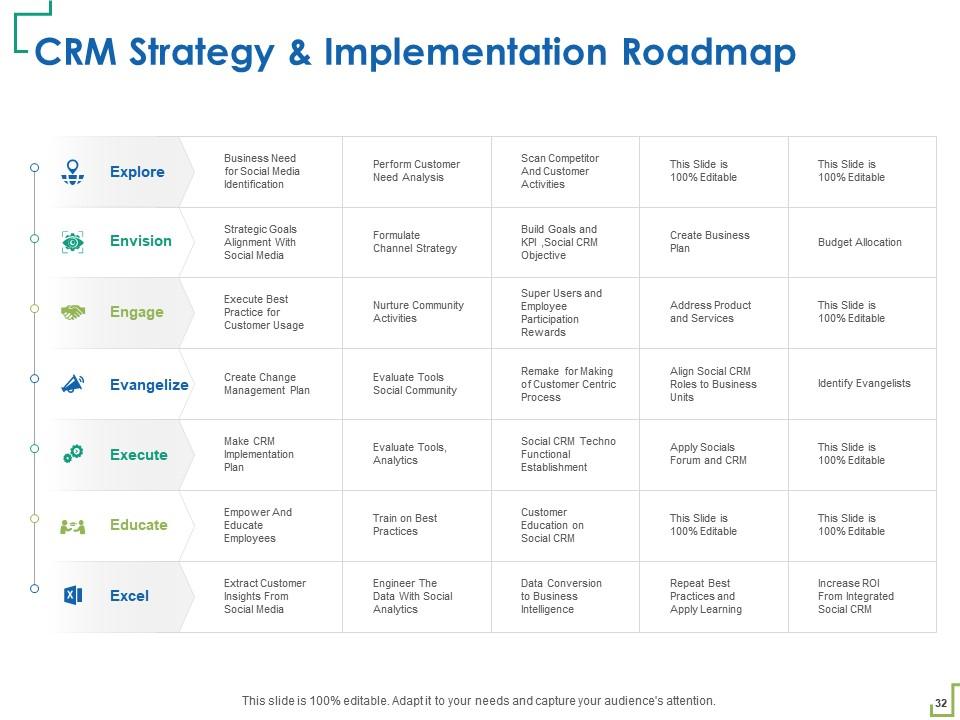
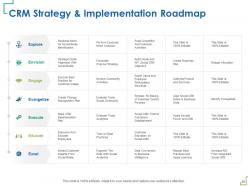
Slide 32: This slide represents CRM Strategy & Implementation Roadmap.
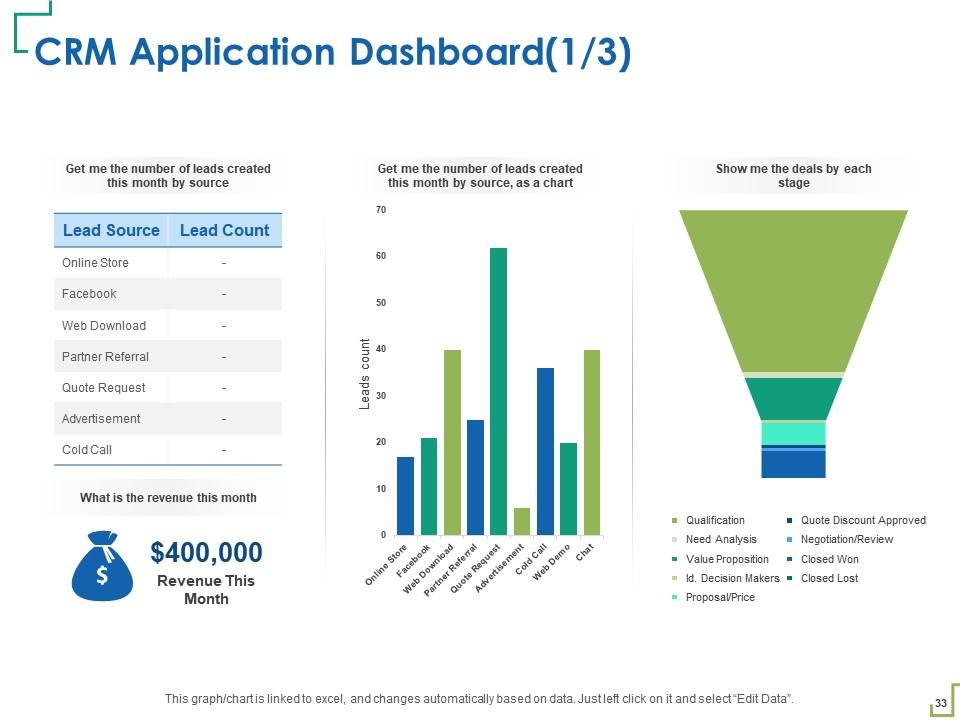
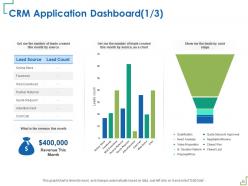
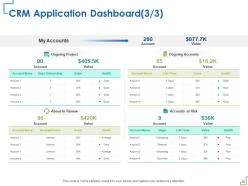
Slide 33: This slide showcases CRM Application Dashboard.
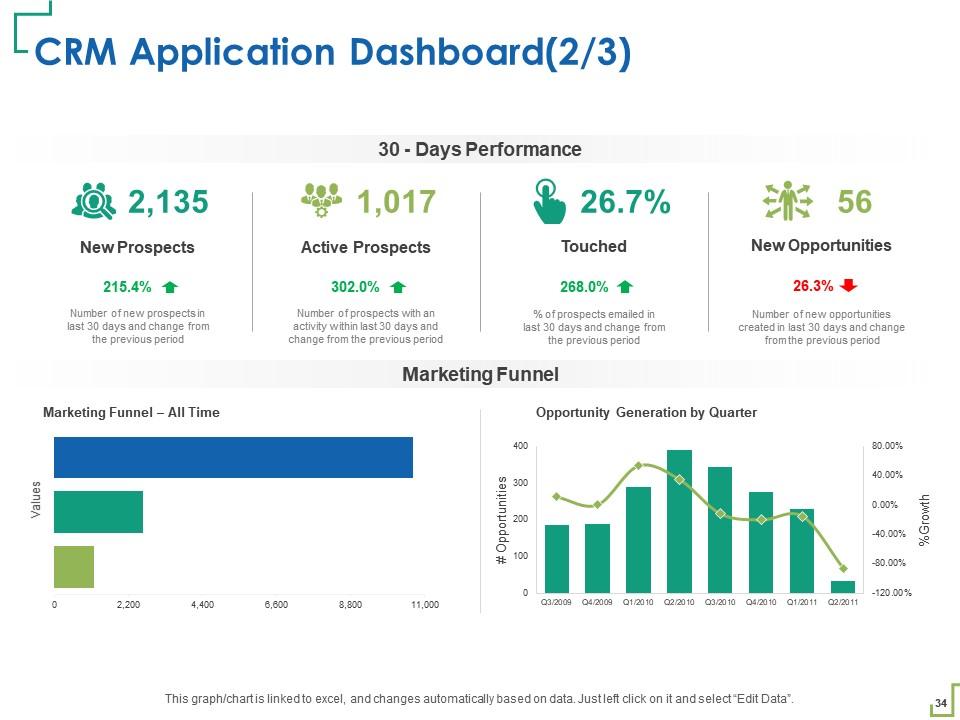
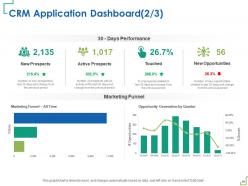
Slide 34: This slide shows 30 - Days Performance CRM Application Dashboard.
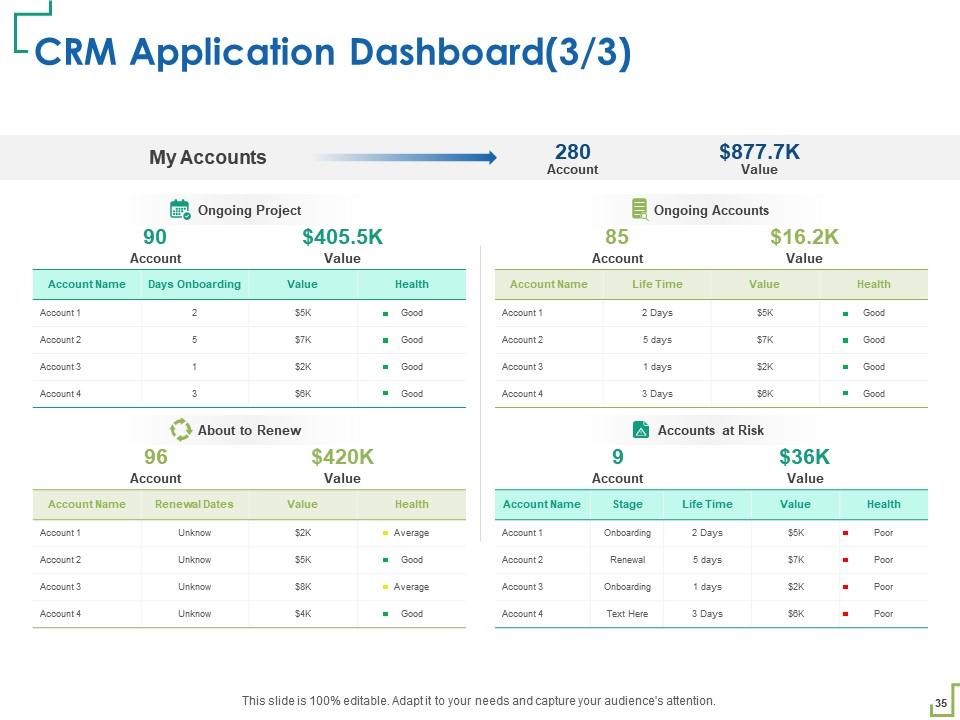
Slide 35: This slide shows CRM Application Dashboard.
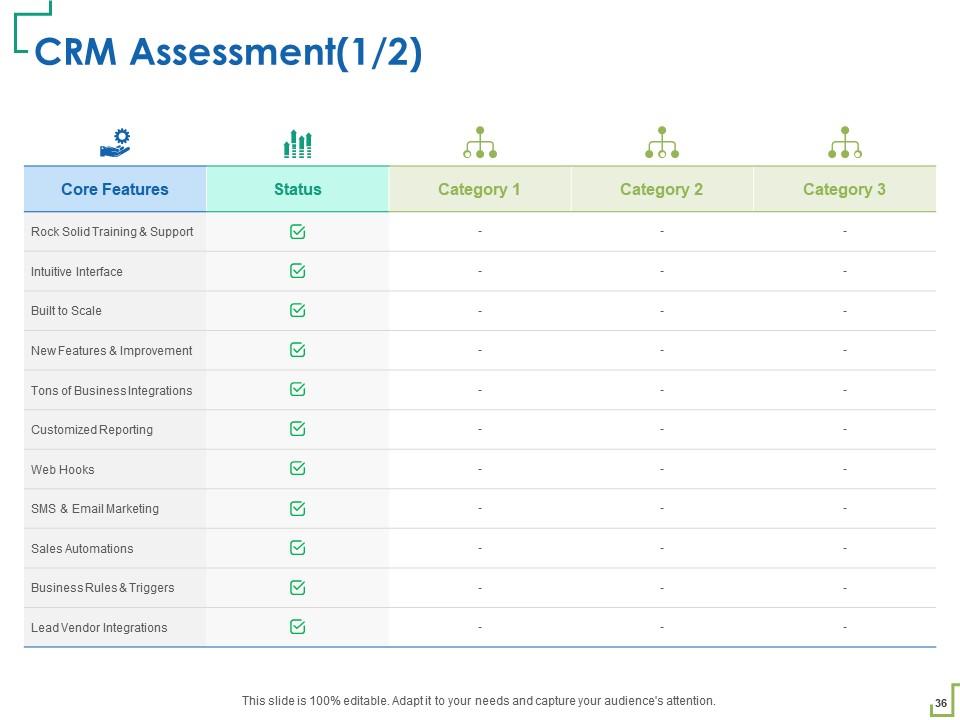
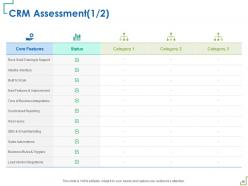
Slide 36: This slide shows CRM Assessment.
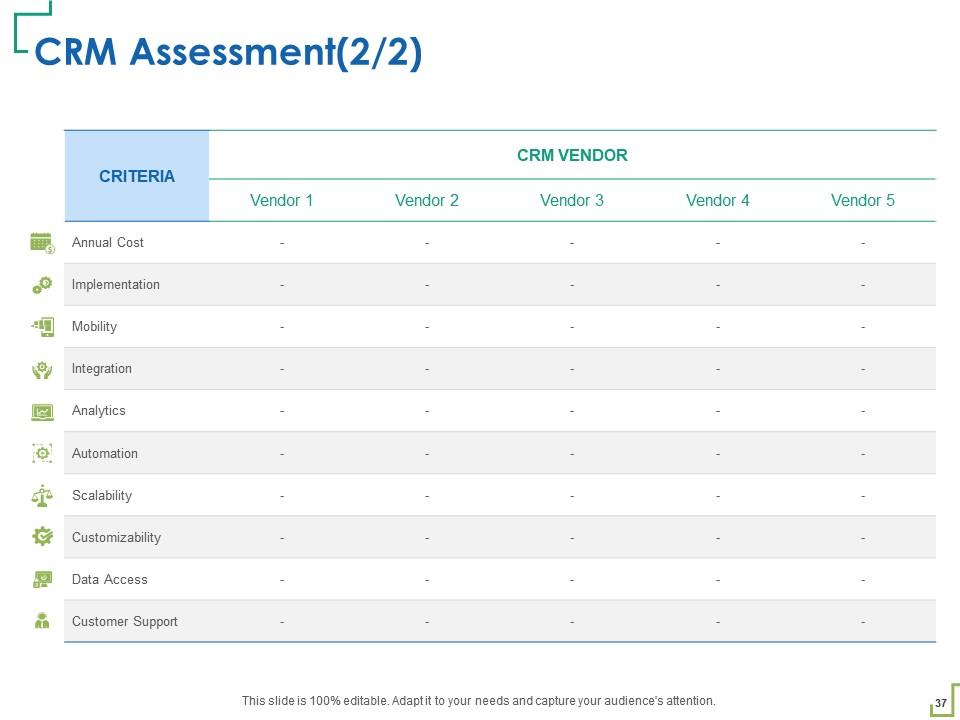
Slide 37: This slide shows CRM Assessment.
Slide 38: This slide depicts KPI’s Metrics.
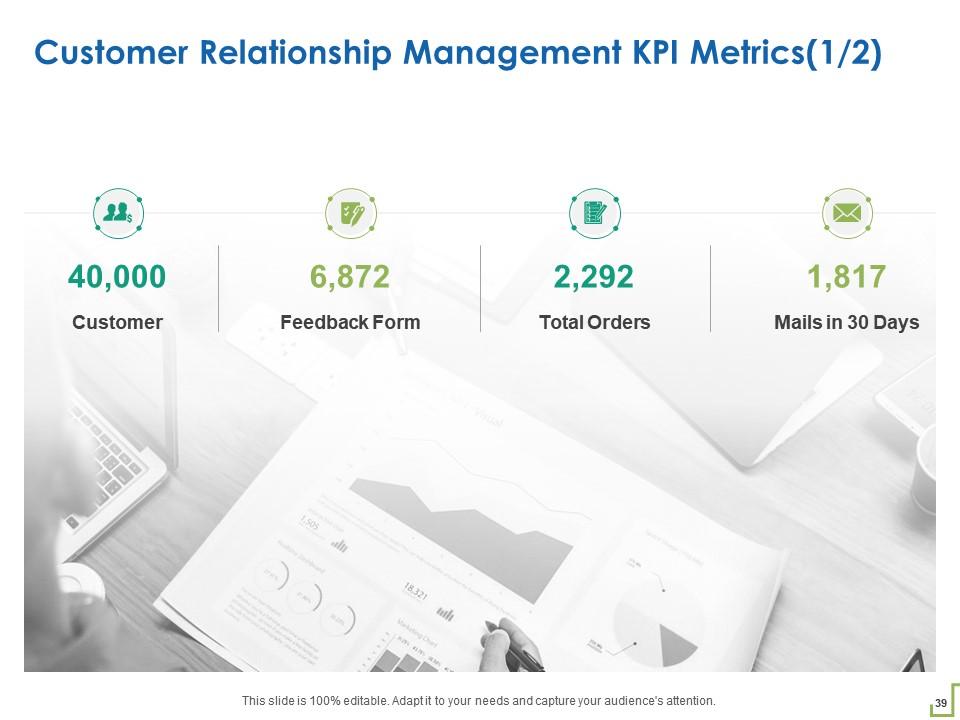
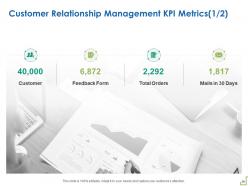
Slide 39: This slide represents Customer Relationship Management KPI Metrics.
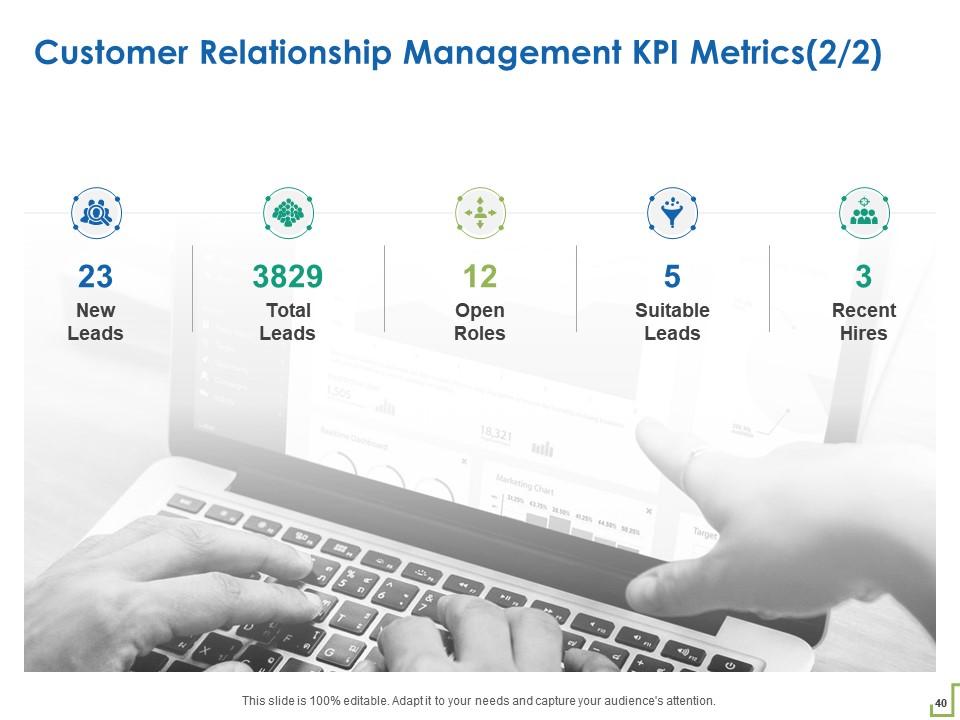
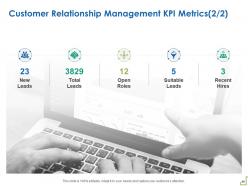
Slide 40: This slide highlights Customer Relationship Management KPI Metrics.
Slide 41: This is Customer Relationship Management Icons Slide.
Slide 42: This slide is titled as Additional Slides for moving forward.
Slide 43: This is About Us slide to showcase Company specifications.
Slide 44: This slide depicts Our Target
Slide 45: This is Venn slide.
Slide 46: This slide is titled as Post It Notes. Post your important notes.
Slide 47: This slide depicts Timeline process.
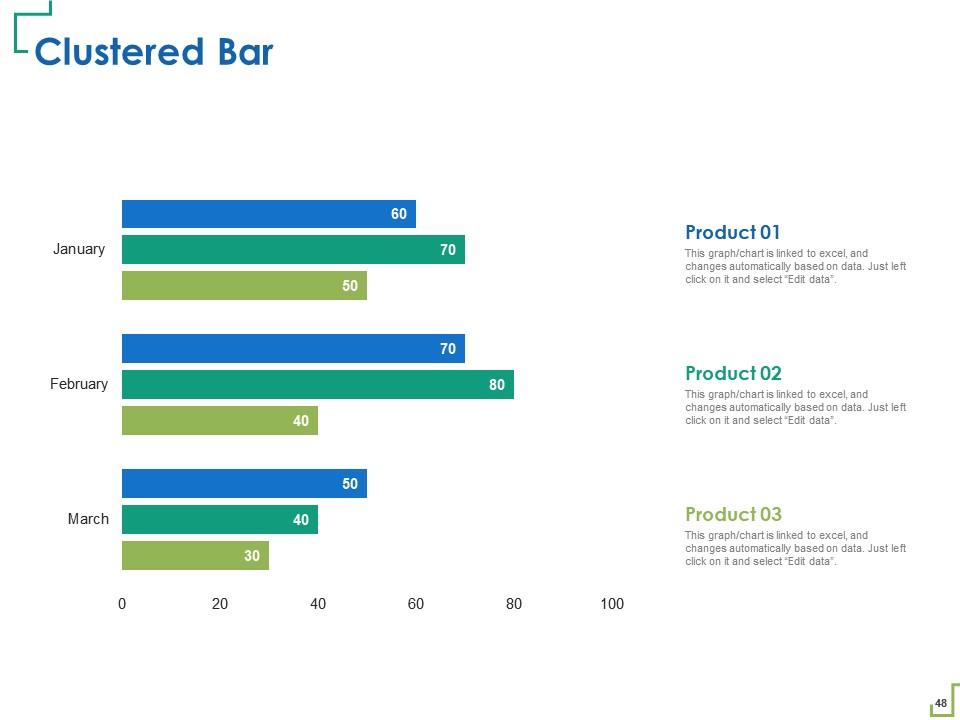
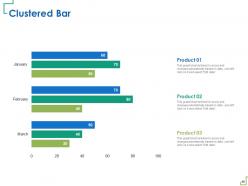
Slide 48: This slide shows Clustered Bar chart for comparison of products.
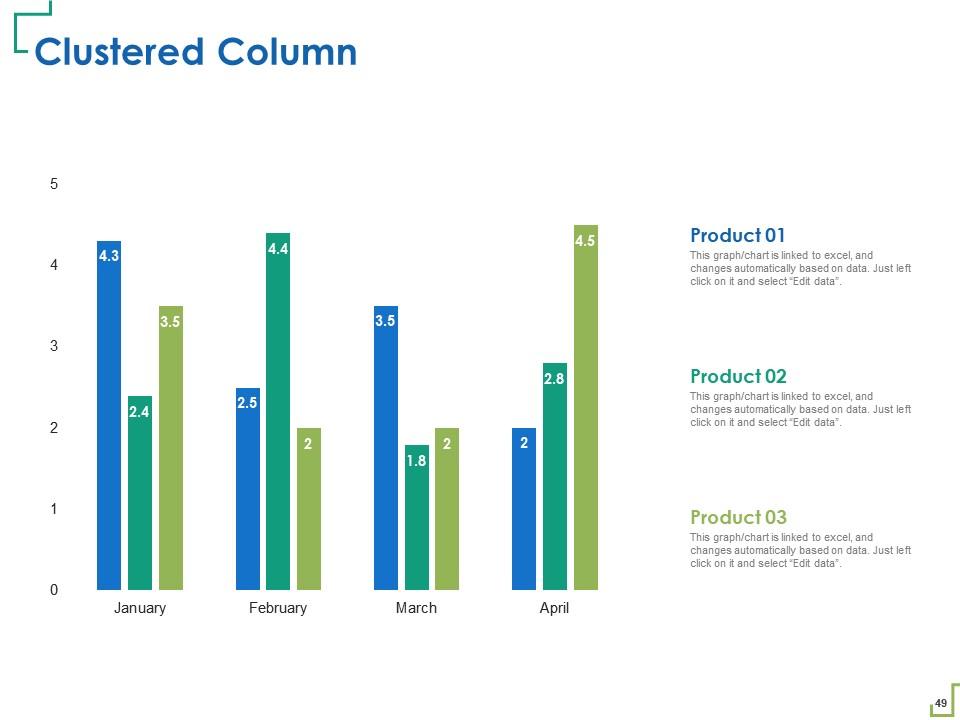
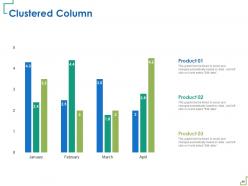
Slide 49: This slide displays Clustered Column chart.
Slide 50: This is Thank You slide with Contact details.
Customer relationship management powerpoint presentation slides with all 50 slides:
Use our Customer Relationship Management Powerpoint Presentation Slides to effectively help you save your valuable time. They are readymade to fit into any presentation structure.
-
Appreciate the research and its presentable format.
-
Easy to edit slides with easy to understand instructions.
