

Data Lineage IT Powerpoint Presentation Slides




Try Before you Buy Download Free Sample Product
 Impress Your
 Audience
 100%
100% Editable
 Save Hours
 of Time


This presentation briefly explains the data lineage, its types, importance, techniques and relationship with data governance. In this Data Lineage PowerPoint Presentation, we have covered the introduction, five Ws, key processes, metadatas role, and data lineage technology components. In addition, this ETL Data Lineage PPT compares coarse-grained and fine-grained data lineage, data provenance, visualization, and data governance, along with the importance of data lineage covering key areas where it can be impactful, benefits, and its significance for different users. Also, the Data Lineage Importance PPT presentation includes the various types of data lineage based on documentation method, choice of technique, persona-specific use cases, and multilayered data lineage. It also includes the tools, working, and different techniques of data lineage, such as parsing, data tagging, pattern-based, and self-contained. Furthermore, this Data Lineage Types template caters to the use cases of data lineage, its application in different sectors, the scope of data lineage, implementation and training, and the cost of implementation. Moreover, this Data Lineage Techniques deck comprises the future of data lineage technology, a 30-60-90 days plan, a roadmap, and a case study related to a commercial bank. Download our 100 percent editable and customizable template, which is also compatible with Google Slides.
People who downloaded this PowerPoint presentation also viewed the following :
Content of this Powerpoint Presentation
Slide 1: This slide introduces Data Lineage (IT). Commence by stating Your Company Name.
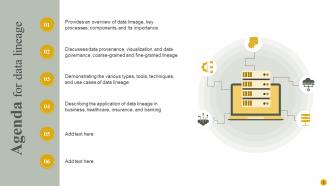
Slide 2: This slide depicts the Agenda of the presentation.
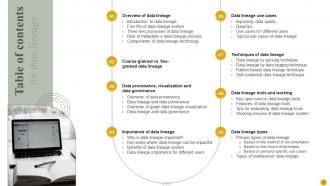
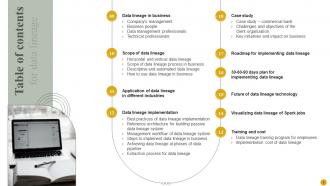
Slide 3: This slide elucidates the Table of contents.
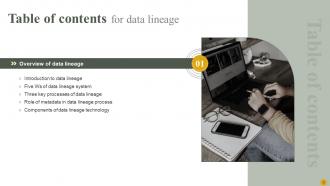
Slide 4: This is yet another slide continuing the Table of contents.
Slide 5: This slide exhibits the Title for the Topics to be covered further.
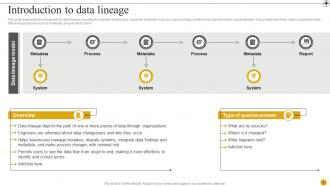
Slide 6: This slide represents the introduction to data lineage, including its overview.
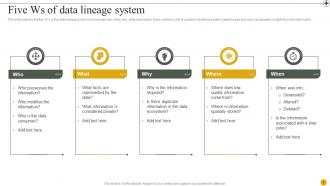
Slide 7: This slide outlines the five ‘W’s of the data lineage system.
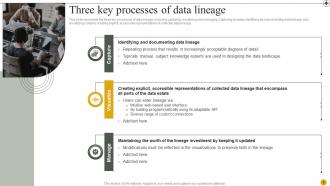
Slide 8: This slide reveals the three key processes of data lineage, including capturing, visualizing and managing.
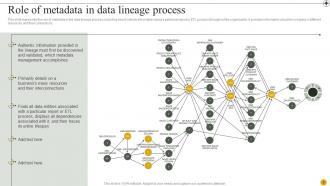
Slide 9: This slide highlights the role of metadata in the data lineage process, including how it collects information about a particular report or ETL process throughout the organization.
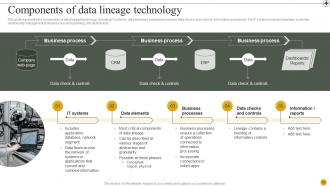
Slide 10: This slide showcases the components of data lineage technology, such as IT systems, data elements, business processes, data checks and controls, information and reports.
Slide 11: This slide mentions the Heading for the Components to be discussed further.
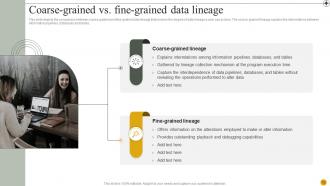
Slide 12: This slide depicts the comparison between coarse-grained and fine-grained data lineage that involves the degree of data lineage a user can access.
Slide 13: This slide presents the Title for the Idaes to be covered next.
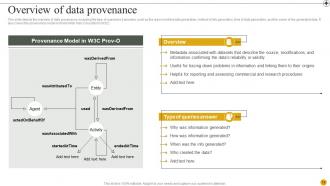
Slide 14: This slide displays the overview of data provenance, including the type of questions it answers.
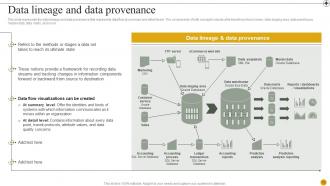
Slide 15: This slide focuses on the data lineage and data provenance that represents data flow at summary and detail levels.
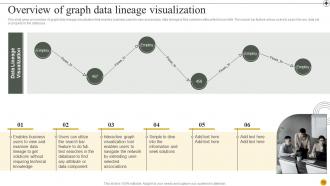
Slide 16: This slide gives an overview of graph data lineage visualization that enables business users to view and analyze data lineage to find solutions without technical skills.
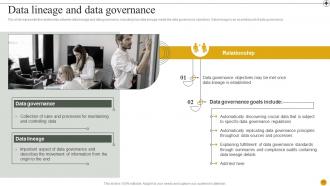
Slide 17: This slide exhibits the relationship between data lineage and data governance, including how data lineage meets the data governance objectives.
Slide 18: This slide incorporates the Heading for the Topics to be covered in the upcoming template.
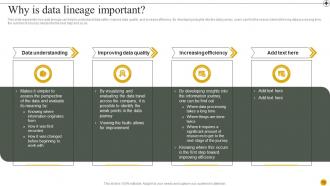
Slide 19: This slide states the importance of data lineage.
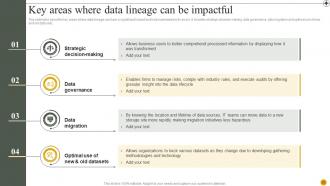
Slide 20: This slide talks about the key areas where data lineage can have a significant impact and help businesses to fix errors.
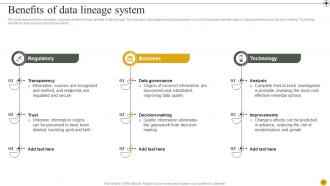
Slide 21: This slide shows the Benefits of data lineage system.
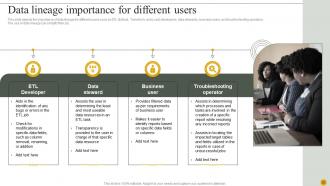
Slide 22: This slide depicts the importance of data lineage for different users such as ETL (Extract, Transform, and Load) developers, data stewards, business users, and troubleshooting operators.
Slide 23: This slide highlights the Title for the Components to be covered in the forth-coming template.
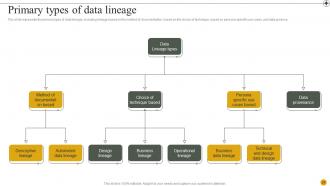
Slide 24: This slide represents the primary types of data lineage, including lineage based on the method of documentation, based on the choice of technique, based on persona-specific use cases, and data province.
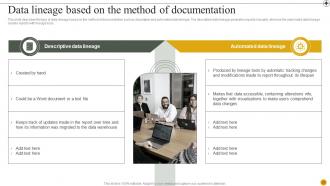
Slide 25: This slide describes the type of data lineage based on the method of documentation such as descriptive and automated data lineage.
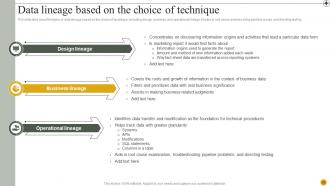
Slide 26: This slide talks about the types of data lineage based on the choice of technique, including design, business, and operational lineage.
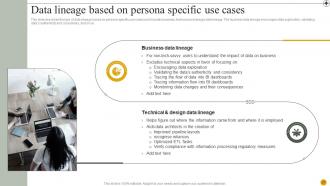
Slide 27: This slide describes the type of data lineage based on persona-specific use cases and includes business, technical and design data lineage.
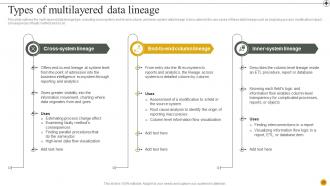
Slide 28: This slide outlines the multi-layered data lineage type, including cross-system, end-to-end column, and inner-system data lineage.
Slide 29: This slide displays the Title for the Topics to be discussed further.
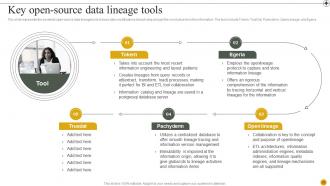
Slide 30: This slide represents the essential open-source data lineage tools to trace data modifications at each step and get the most value from the information.
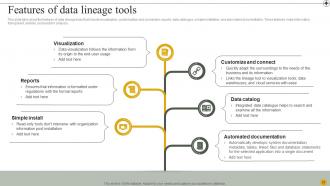
Slide 31: This slide talks about the features of data lineage tools that include visualization, customization and connection, reports, data catalogue, simple installation, and automated documentation.
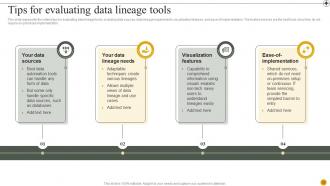
Slide 32: This slide showcases the criteria tips for evaluating data lineage tools, including data sources, data lineage requirements, visualization features, and ease of implementation.
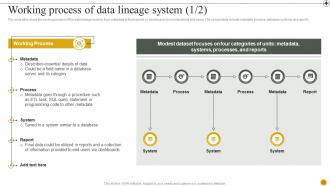
Slide 33: This slide focuses on the working process of the data lineage system, from metadata to final reports or dashboards for non-technical end users.
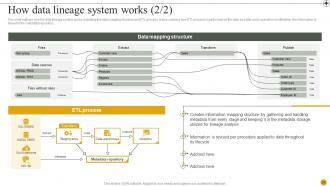
Slide 34: This is yet another slide continuing the working process of the data lineage system.
Slide 35: This slide elucidates the Heading for the Topics to be discussed in the upcoming template.
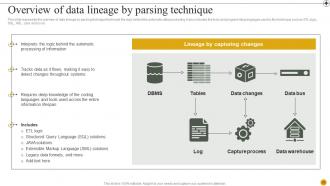
Slide 36: This slide outlines the overview of data lineage by parsing technique that reads the logic behind the automatic data processing.
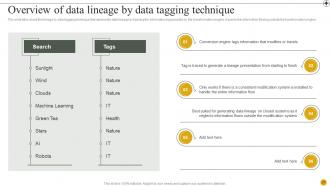
Slide 37: This slide talks about the lineage by data tagging technique that represents data lineage by tracking the information tag provided by the transformation engine.
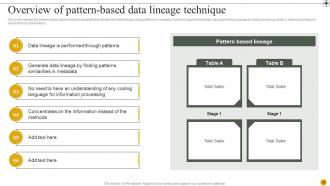
Slide 38: This slide mentions the pattern-based data lineage technique that generates the data lineage using patterns in metadata.
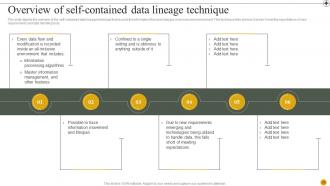
Slide 39: This slide depicts the overview of the self-contained data lineage technique that records the information flow and changes in an inclusive environment.
Slide 40: This slide covers the Title for the Ideas to be further discussed.
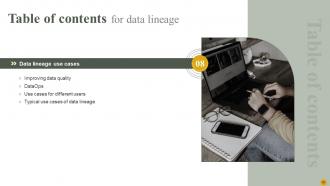
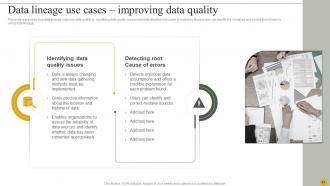
Slide 41: This slide represents how data lineage improves data quality by identifying data quality issues and detecting the root cause of mistakes.
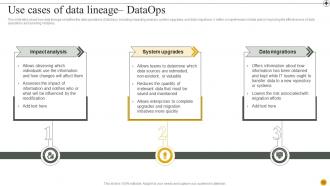
Slide 42: This slide talks about how data lineage simplifies the data operations (DataOps), including impacting analysis, system upgrades, and data migrations.
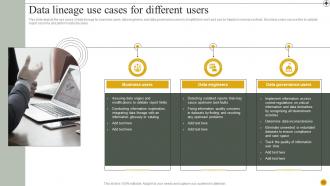
Slide 43: This slide depicts the use cases of data lineage for business users, data engineers, and data governance users to simplify their work and can be helpful in several contexts.
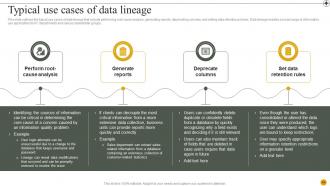
Slide 44: This slide outlines the typical use cases of data lineage that include performing root-cause analysis, generating reports, deprecating columns, and setting data retention policies.
Slide 45: This slide showcases the Heading for the Ideas to be covered in the forth-coming template.
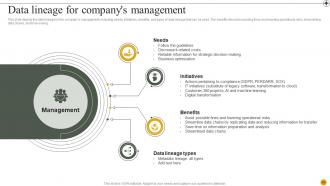
Slide 46: This slide displays the data lineage for the company’s management, including needs, initiatives, benefits, and types of data lineage that can be used.
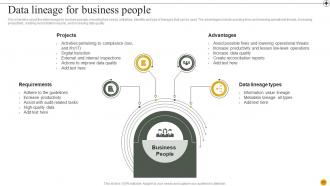
Slide 47: This slide focuses on the data lineage for business people, including their needs, initiatives, benefits and type of lineages that can be used.
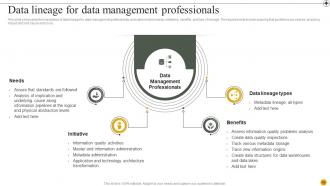
Slide 48: This slide showcases the importance of data lineage for data management professionals and caters to their needs, initiatives, benefits, and type of lineage.
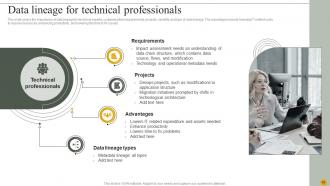
Slide 49: This slide covers the importance of data lineage for technical experts, containing their requirements, projects, benefits, and type of data lineage.
Slide 50: This slide highlights the Heading for the Ideas to be discussed further.
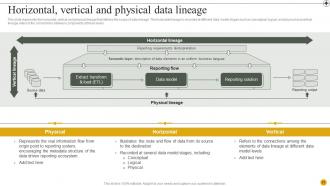
Slide 51: This slide represents the horizontal, vertical and physical lineage that defines the scope of data lineage.
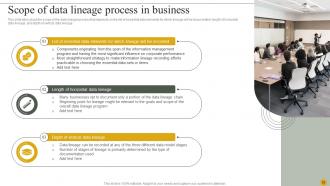
Slide 52: This slide deals with the scope of the data lineage process in business.
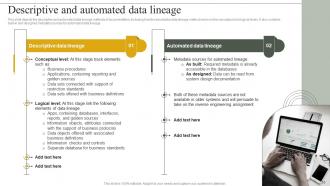
Slide 53: This slide depicts the descriptive and automated data lineage methods of documentation, including how the descriptive data lineage method works on the conceptual and logical levels.
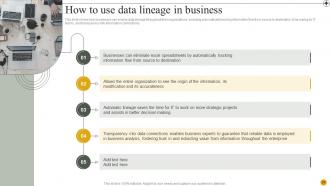
Slide 54: This slide shows how businesses can employ data lineage throughout their organizations, including automatically tracking information flow from source to destination, time-saving for IT teams, and transparency into information connections.
Slide 55: This slide reveals the Title for the Ideas to be covered next.
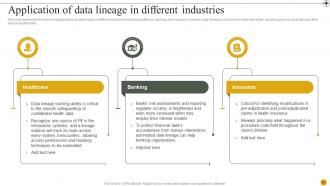
Slide 56: This slide represents the real-world applications of data lineage in different industries.
Slide 57: This slide elucidates the Heading for the Ideas to be discussed in the following template.
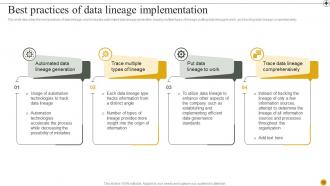
Slide 58: This slide describes the best practices of data lineage, and it includes automated data lineage generation, tracing multiple types of lineage, putting data lineage to work, and tracking data lineage comprehensively.
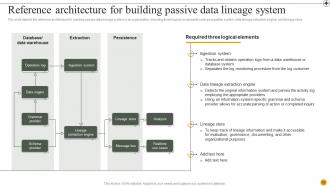
Slide 59: This slide shows the reference architecture for building passive data lineage system in an organization, including three logical components.
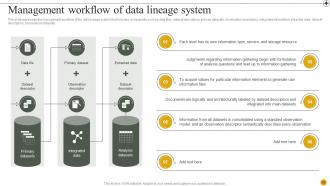
Slide 60: This slide illustrates the Management workflow of data lineage system.
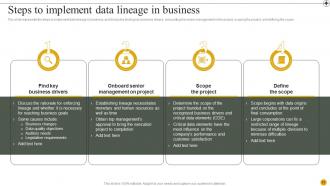
Slide 61: This slide states the steps to implement data lineage in business.
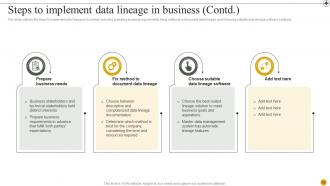
Slide 62: This is yet another slide continuing the steps to implement data lineage.
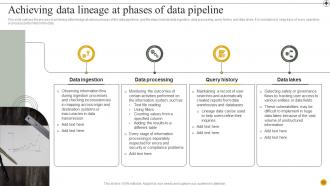
Slide 63: This slide outlines the process of achieving data lineage at various phases of the data pipelines, and the steps include data ingestion, data processing, query history and data lakes.
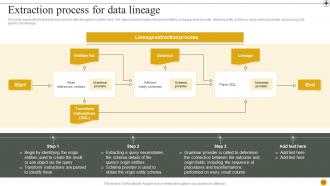
Slide 64: This slide represents the extraction process for data lineage from start to end.
Slide 65: This slide shows the Title for the Components to be covered next.
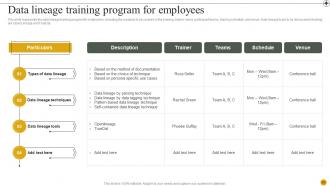
Slide 66: This slide illustrates the data lineage training program for employees, including the modules to be covered in the training, trainer name, participant teams, training schedule, and venue.
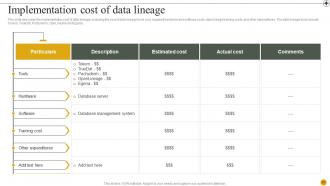
Slide 67: This slide describes the implementation cost of data lineage, including the cost of data lineage tools cost, required hardware and software costs, data lineage training costs, and other expenditures.
Slide 68: This slide mentions the Title for the Topics to be discussed further.
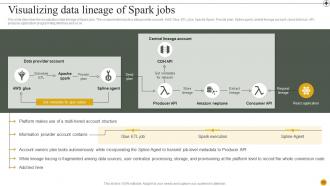
Slide 69: This slide showcases the visualization data lineage of Spark jobs.
Slide 70: This slide focuses on the Heading for the Componenets to be covered in the upcoming template.
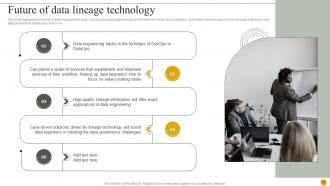
Slide 71: This slide represents the future of data lineage technology.
Slide 72: This slide exhibits the Title for the Ideas to be covered further.
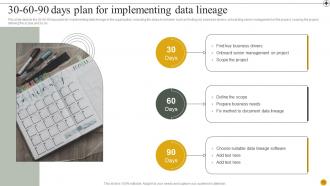
Slide 73: This slide depicts the 30-60-90 days plan for implementing data lineage in the organization.
Slide 74: This slide displays the Heading for the Topics to be discussed next.
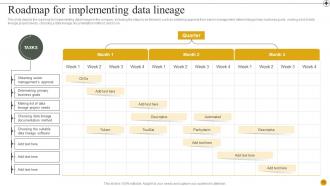
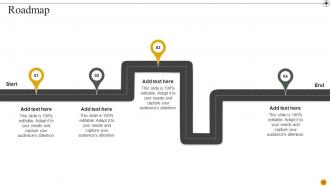
Slide 75: This slide showcases the roadmap for implementing data lineage in the company.
Slide 76: This slide elucidates the Heading for the Components to be further discussed.
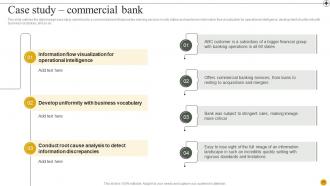
Slide 77: This slide outlines the data lineage case study carried out in a commercial bank that provides banking services in sixty states.
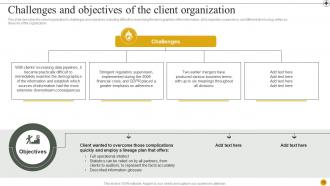
Slide 78: This slide describes the client organization's challenges and objectives.
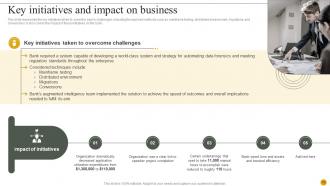
Slide 79: This slide represents the key initiatives taken to solve the bank's challenges, including the explored methods such as mainframe testing, distributed environment, migrations, and conversions.
Slide 80: This is the Icons slide containing all the Icons used in the plan.
Slide 81: This slide is used for depicting some Additional information.
Slide 82: This slide reveals the Company Timeline.
Slide 83: This is the Puzzle slide with related imagery.
Slide 84: This slide incorporates the Venn diagram for depicting some relevant information.
Slide 85: This is the Target slide. State your Company targets here.
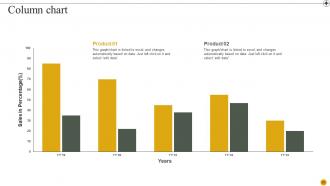
Slide 86: This slide incorporates the Column chart for revealing some Company related information.
Slide 87: This slide includes the Post it notes for reminders and deadlines.
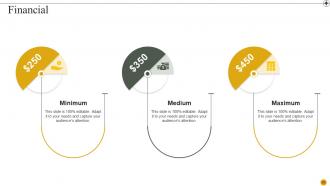
Slide 88: This slide showcases information related to the Financial topic.
Slide 89: This slide elucidates the Roadmap of the organization.
Slide 90: This is the Thank You slide for acknowledgement.
Data Lineage IT Powerpoint Presentation Slides with all 95 slides:
Use our Data Lineage IT Powerpoint Presentation Slides to effectively help you save your valuable time. They are readymade to fit into any presentation structure.






FAQs for Data Lineage IT
So basically it tracks where your data comes from and how it moves through your systems - like a GPS for data. Super helpful for compliance stuff and figuring out what breaks when someone changes a database field. Debugging gets way easier too. During audits? Total lifesaver, trust me on this one. I learned this the hard way after spending hours trying to trace back some corrupted records last month. Start documenting your data flows now, even if it's just a crappy diagram. Future you will be grateful when everything inevitably goes sideways.
Okay so data lineage basically shows you the full story of where your data comes from and how it gets processed. Game changer for catching problems fast instead of spending forever trying to figure out what went wrong. You'll know which datasets are solid and which ones have issues further up the chain. Honestly, stakeholders get way more confident when they can actually see the whole process laid out. I'd start with just your most important datasets first - don't try to map everything at once or you'll burn out. Trust me, it makes debugging so much less painful.
You'll want to track three main things: where data comes from, what transforms it, and where it lands. Metadata collection is crucial for capturing schemas and relationships between tables. The tracking mechanism itself? That's where things get messy depending on your tech stack. Impact analysis is probably the most valuable part though - shows you exactly what'll break when you change something upstream. Oh, and don't skimp on visualization tools. Nobody wants to decipher some nightmare technical diagram just to follow a data flow. I'd start with your most critical pipelines first, then expand from there.
DataHub's probably your best starting point - it's free and LinkedIn built it so you know it's legit. Apache Atlas is another solid choice if you're in a big enterprise thing. The expensive options like Collibra and Informatica are what Fortune 500s throw money at, but honestly? They're overkill unless you've got deep pockets. Monte Carlo or Great Expectations work too if you're already using them for data quality stuff. Really depends on what you're working with and how much you wanna spend. I'd mess around with DataHub first though - can't beat free for testing things out.
So data lineage tracks where your data comes from and how it gets moved around - super helpful when GDPR auditors show up. You can trace everything back to the source and show you're not being sketchy with people's info. During SOX audits it's a total game changer because you're not frantically trying to map out data flows by hand. Plus when new regulations drop, you'll know exactly which systems need fixing. Honestly, I'd start building this stuff out now while you have time - waiting until you need it is kind of a nightmare.
Honestly, data lineage is a lifesaver when stuff breaks. Think of it like breadcrumbs - you can trace backwards from whatever's broken to find the actual source. Bad report numbers? Follow the trail to see if it's the raw data, some transformation that got messed up, or maybe Jerry changed a formula again without telling anyone. Short sentences help too. You'll know exactly what downstream systems are screwed, so no surprises there. Pro tip: always check lineage first before you start digging through code. Trust me, it's way better than spending three hours debugging only to realize the issue was upstream the whole time.
First thing - map out where your data actually comes from and where it ends up. Manual tracking is honestly a pain, so get some automated lineage tools that can follow transformations as they happen. Pick your most important datasets to start with, don't try to boil the ocean right away. Your team needs to actually use whatever documentation you build (otherwise what's the point?). I'd grab one critical business process and trace that data journey from start to finish before tackling anything else. Build your governance around those wins first.
Metadata is basically what makes data lineage actually work - it tracks where your data comes from, how it gets transformed, all that stuff. Without it you're just guessing at data flows, which sucks. Column names, transformation rules, timestamps, system connections - that's the metadata that lineage tools use to automatically map everything out. Here's the thing though: if your metadata governance is messy upfront, your lineage will be garbage too. So start by getting your team to standardize how they document data sources and transformations. Trust me on this one.
Think of data lineage as a roadmap showing where your data comes from and how it moves around. You can trace problems back to their source instead of playing detective for hours. Compliance stuff becomes way easier too since you know exactly what data you're dealing with. Plus, before making changes, you'll see what might break downstream - which honestly saves so much headache. It's basically having visibility into all your data connections so you can make smarter decisions about access controls and system updates without crossing your fingers and hoping nothing explodes.
Scale is your biggest enemy here - tracking hundreds of data sources manually is brutal. Every time someone tweaks a pipeline without documenting it, your lineage completely breaks. Legacy systems are the worst since they have zero visibility into what's actually happening. Complex flows across different tools make everything worse. Honestly, I've seen teams spend weeks just trying to trace one data issue back to its source. My advice? Automate the lineage capture stuff wherever you can first. Then set up documentation standards for new work - sounds boring but it'll save you so much pain down the road.
So data lineage is basically like having a map of where all your data comes from and goes to. Super helpful for integration work. You can see the whole pipeline instead of digging around for hours trying to figure out what connects to what. When stuff breaks (and it will), you'll know exactly what got affected. I always tell people to start with their most important data flows first - don't try to map everything at once or you'll go crazy. Plus you'll catch bottlenecks way faster and actually understand how your systems talk to each other.
Dude, automation is a total game-changer for data lineage. Those tools scan your systems constantly and map out data flows automatically - no more trying to document every single transformation by hand (because who actually does that consistently?). When stuff breaks, you can trace the impact super quickly instead of spending hours hunting down what went wrong. Plus you get real-time tracking of how data moves around. The downside is you'll still need to double-check what it catches since it misses things sometimes. Honestly though, just start with your most important pipelines first and expand from there.
So it really depends on what headaches you're trying to solve. Finance teams obsess over it for compliance - auditors want to trace every single calculation back to the original data source. Healthcare? They need proof their patient data stays clean and HIPAA-compliant. Retail companies use it to figure out how customer data moves through their recommendation systems (honestly, those algorithms are getting scary good). Manufacturing tracks quality metrics from factory sensors all the way to final reports. The trick is figuring out what your regulators actually care about, then building around those specific cases.
So basically, a data catalog is like your inventory list - shows what data you have and who owns it. Lineage tracks how that data moves around and gets transformed. Most catalogs nowadays have lineage baked in, which honestly makes everything easier. When you're troubleshooting data issues or trying to figure out what'll break if you change something, you need both. The catalog helps you find the right datasets, then lineage shows all the messy connections between them. I'd start with getting your catalog sorted first - trying to map lineage without knowing what you actually have is kind of backwards.
So ML can catch all those data connections you'd never spot manually - honestly way better than relying on docs that are probably six months out of date anyway. The algorithms watch your actual data flows and transformations as they happen, flagging when schema changes mess up downstream stuff. Plus they get better at spotting weird patterns over time, which is pretty neat. You'll even get suggestions for pipeline improvements and early warnings about data quality problems. I'd start with just one important pipeline though - let it auto-map that lineage first, then expand from there once you see how it works.
-
Thank you SlideTeam for such an excellent service.
-
The design is very attractive, informative, and eye-catching, with bold colors that stand out against all the basic presentation templates.