

Information Technology Policy IT Powerpoint Presentation Slides




Try Before you Buy Download Free Sample Product
 Impress Your
 Audience
 100%
100% Editable
 Save Hours
 of Time


IT policies and procedures establish guidelines for using information technology within an organization. In other words, it outlines the rules in the form of approaches for using company assets. Check out our professionally designed PowerPoint presentation on Information Technology Policy that briefly explains IT policies, their importance, critical components, a checklist to create an effective IT policy, etc. In this Information Technology Policy PowerPoint Presentation, we have covered the different IT policies such as remote access policy, password creation and management, acceptable use of equipment, and many more. It also talks about security awareness and training, information security, and email and chat policy. Also, the Cyber Security Policy PPT presentation includes the Bring Your Device policy that comprises its objective and scope, checklist for creating BYOD, and device protocols. It also focuses on restrictions on the authorized use of personal devices, privacy and company access, stipend for BYOD, the safety of personal devices, and so on. Furthermore, this BYOD Policy template comprises a cyber security training program for staff, a timeline, and a roadmap to develop an IT policy. Get access now.
People who downloaded this PowerPoint presentation also viewed the following :
Content of this Powerpoint Presentation
Slide 1: This slide introduces Information Technology Policy. Begin by stating Your Company Name.
Slide 2: This slide depicts the Agenda of the presentation.
Slide 3: This slide includes the Table of contents.
Slide 4: This slide highlights the Title for the Topics to be covered further.
Slide 5: This slide represents the introduction to information technology policy.
Slide 6: This slide highlights the Importance of IT policies and procedures.
Slide 7: This slide elucidates the consequences of not having IT policies and procedures.
Slide 8: This slide depicts the critical components of information technology policy.
Slide 9: This slide states the checklist for an effective information technology policy.
Slide 10: This slide incorporates the Heading for the Contents to be covered further.
Slide 11: This slide presents the remote access policy to connect to the company’s network from any other host.
Slide 12: This slide explains the password creation and management policy.
Slide 13: This slide reveals an Overview of information retention policy for employees.
Slide 14: This slide outlines the Acceptable use of equipment policy overview.
Slide 15: This slide covers the information system change management policy.
Slide 16: This slide features the incident response policy and includes the team related information.
Slide 17: This slide presents the overview of Vendor management policy and considerations.
Slide 18: This slide shows the Data classificattion policy overview and approaches.
Slide 19: This slide exhibits information about the Software usage policy objective and general guidelines.
Slide 20: This slide contains the Title for the Ideas to be discussed further.
Slide 21: This slide elucidates the Overview of network security policy for workers.
Slide 22: This slide presents Access authorization, modification, and identity access management.
Slide 23: This slide provides information about the security awareness and training policy.
Slide 24: This slide depicts the information security policy for the employees covering the critical topics.
Slide 25: This slide represents the email and chat policy, including its objective and general guidelines.
Slide 26: This slide incorporates the Title for the Topics to be covered further.
Slide 27: This slide displays the Checklist for creating bring your own device policy of the Company.
Slide 28: This slide represents the bring your own device (BYOD) policy, including its objective and scope.
Slide 29: This slide showcases the device protocols for the workers in the BYOD procedure.
Slide 30: This slide covers the restrictions on the authorized use of personal devices in corporate buildings or property.
Slide 31: This slide reveals privacy and company access to workers’ personal devices.
Slide 32: This slide mentions the Company stipend for bring your own device policy.
Slide 33: This slide depicts the safety of personal work devices under the BYOD policy while traveling.
Slide 34: This slide describes the scenarios of lost, stolen, hacked, or damaged personal equipment under BYOD policy.
Slide 35: This slide talks about the termination of employment and violation of BYOD policy.
Slide 36: This slide elucidates the Heading for the Components to be discussed further.
Slide 37: This slide exhibits the objective and general guidelines of internet usage policy, and includes the internet login guidelines for employees.
Slide 38: This slide talks about the password guidelines under the internet usage policy.
Slide 39: This slide incorporates the online content usage guidelines under the internet usage policy.
Slide 40: This slide includes the Title for the Topics to be covered further.
Slide 41: This slide represents the company's IT policy implementation budget for FY2022.
Slide 42: This slide describes the employee awareness training budget for FY2022 including provider, duration, budget, etc.
Slide 43: This slide highlights the Heading for the Topics to be covered in the forth-coming template.
Slide 44: This slide presents the cybersecurity awareness training program for staff.
Slide 45: This slide reveals the Heading for the Topics to be covered further.
Slide 46: This slide displays the timeline to develop an information technology policy.
Slide 47: This slide provides information about the Title for the Topics to be covered further.
Slide 48: This slide illustrates the roadmap to develop an information technology policy, and it includes the steps to be performed for it.
Slide 49: This is the Icons slide for information technology policy revealing all the Icons used in the plan.
Slide 50: This slide depicts extra company related information.
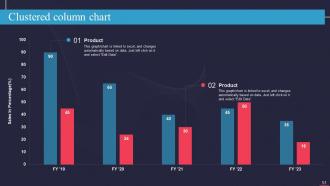
Slide 51: This slide elucidates the Clustered column chart for comparison.
Slide 52: This slide includes the Post it notes for reminders and deadlines.
Slide 53: This is Our goal slide. List your Organization's goals here.
Slide 54: This is the Puzzle slide with related imagery.
Slide 55: This is the About us slide for depicting Company related information.
Slide 56: This slide is used for Comparison.
Slide 57: This slide showcases the SWOT analysis.
Slide 58: This slide represents the Circular diagram for relevant Organization information.
Slide 59: This is the Thank you slide for acknowledgement.
Information Technology Policy IT Powerpoint Presentation Slides with all 64 slides:
Use our Information Technology IT Policy Powerpoint Presentation Slides to effectively help you save your valuable time. They are readymade to fit into any presentation structure.
-

Information Technology Policy IT
-
Agenda for information technology policy
-
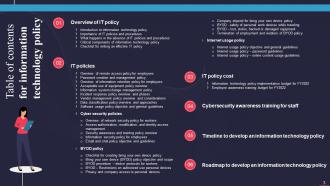
Table of contents for information technology policy
-
Information technology policy
-
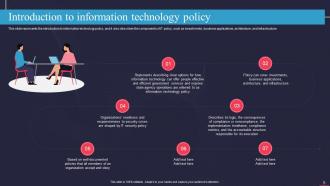
Introduction to information technology policy
-
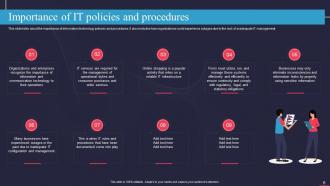
Importance of IT policies and procedures
-
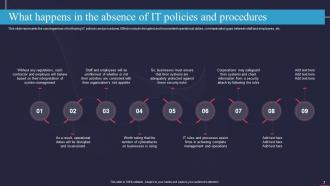
What happens in the absence of IT policies and procedures
-
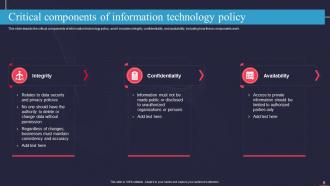
Critical components of information technology policy
-
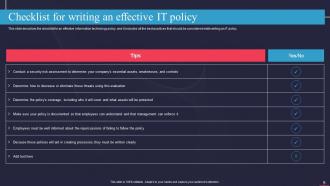
Checklist for writing an effective IT policy
-
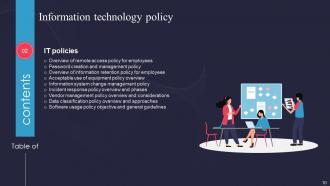
Information technology policy
-
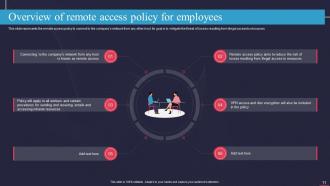
Overview of remote access policy for employees
-
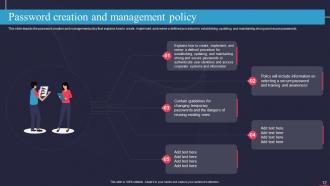
Password creation and management policy
-
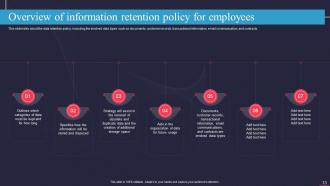
Overview of information retention policy for employees
-
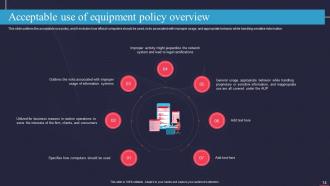
Acceptable use of equipment policy overview
-
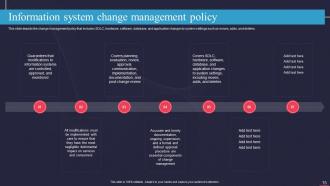
Information system change management policy
-
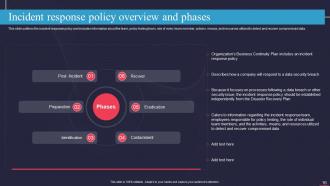
Incident response policy overview and phases
-
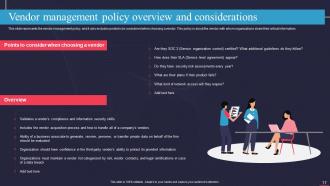
Vendor management policy overview and considerations
-
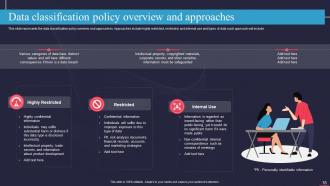
Data classification policy overview and approaches
-
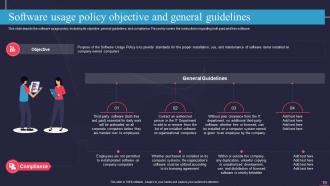
Software usage policy objective and general guidelines
-
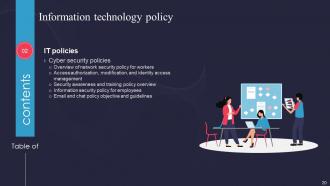
Information technology policy
-
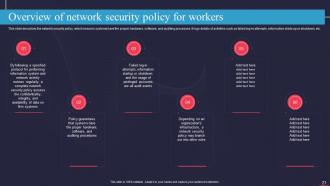
Overview of network security policy for workers
-
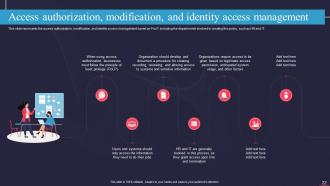
Access authorization modification and identity access management
-
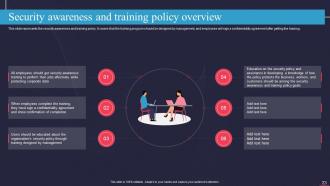
Security awareness and training policy overview
-
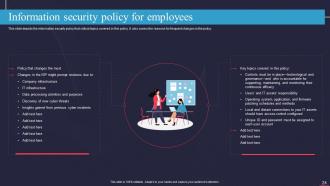
Information security policy for employees
-
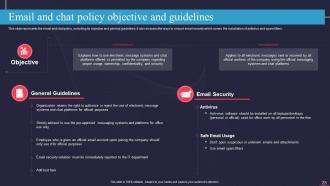
Email and chat policy objective and guidelines
-
Information technology policy
-
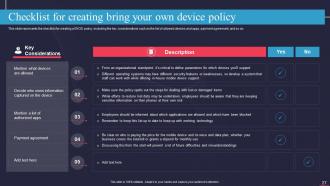
Checklist for creating bring your own device policy
-
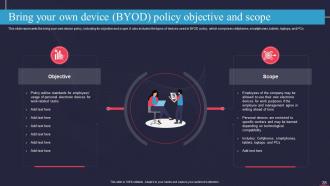
Bring your own device BYOD policy objective and scope
-
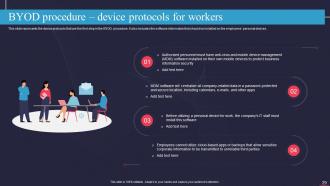
BYOD procedure device protocols for workers
-
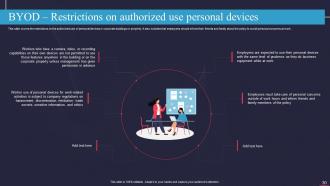
BYOD Restrictions on authorized use personal devices
-
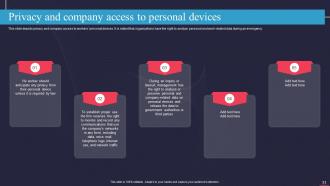
Privacy and company access to personal devices
-
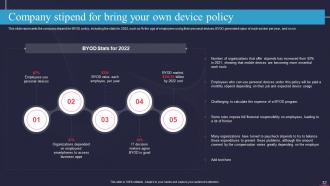
Company stipend for bring your own device policy
-
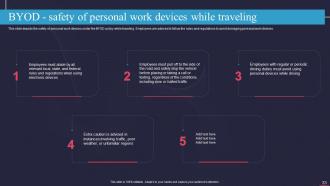
BYOD safety of personal work devices while traveling
-
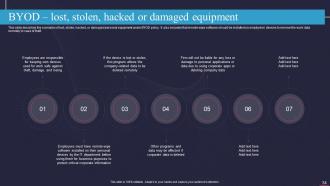
BYOD lost stolen hacked or damaged equipment
-
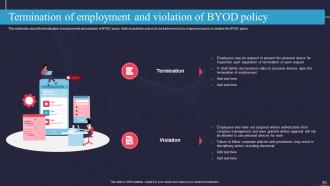
Termination of employment and violation of BYOD policy
-
Information technology policy
-
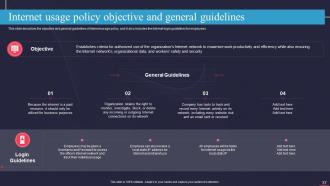
Internet usage policy objective and general guidelines
-
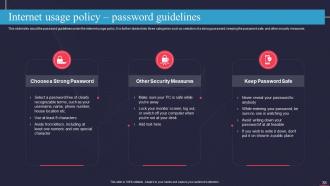
Internet usage policy password guidelines
-
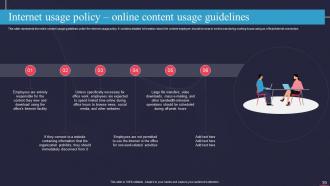
Internet usage policy online content usage guidelines
-
Information technology policy
-
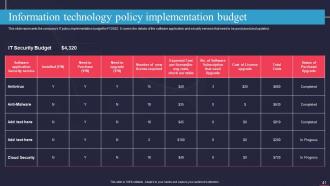
Information technology policy implementation budget
-
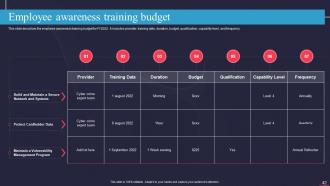
Employee awareness training budget
-
Information technology policy Cybersecurity awareness training for staff
-
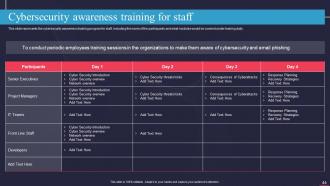
Cybersecurity awareness training for staff
-
Information technology policy
-
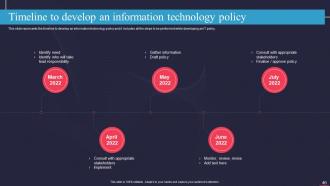
Timeline to develop an information technology policy
-
Information technology policy
-
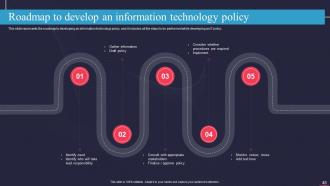
Roadmap to develop an information technology policy
-
Icons slide for information technology policy
-

Additional slides
-
Clustered column chart
-
Post it notes
-
Our goal
-
Puzzle
-
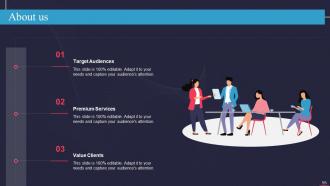
About us
-
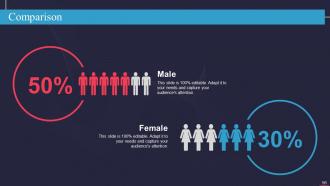
Comparison
-
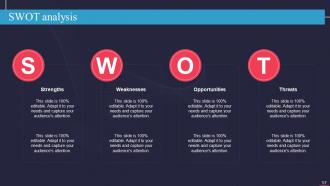
SWOT analysis
-
Circular diagram
-
Thank you for watching
-

-

-

-

-

FAQs for Information Technology Policy IT
So you need five main things: acceptable use rules (what people can/can't do with company tech), security stuff like password requirements, a plan for when things blow up, whatever compliance your industry needs, and consequences for breaking rules. Most employees ignore these policies until something goes wrong anyway - which is honestly pretty typical. You'll want to schedule regular updates since tech moves so fast. Make it specific enough to actually help but not so detailed it's obsolete in six months. Oh, and definitely start by looking at what you have now and fixing the biggest problems first. That's way less overwhelming than starting from scratch.
Track compliance stuff like training completion and violation rates, but honestly the business impact metrics matter way more. Security incidents, data quality scores, how fast people actually adopt new procedures - that's the real test. What you measure totally depends on your specific policies though. For security, I'd focus on breach attempts and response times. Data governance? Access audits and quality metrics. Survey your team quarterly too since they're stuck dealing with these policies every day. Numbers don't tell the whole story - sometimes a policy looks great on paper but everyone hates it.
Honestly, privacy laws like GDPR and CCPA pretty much dictate your IT policies whether you like it or not. They set the rules for how you handle personal data - collecting it, storing it, processing it, all that stuff. Can be a real headache keeping track of everything. But you know what? It actually works out because following these regulations forces you to build better policies anyway. Your users get more protection, your company stays out of trouble. Start by figuring out what data you're currently handling and where it goes, then just build your policies around whatever laws apply to you.
Look, it's really about hitting that sweet spot between being secure and not making everyone hate you. Figure out what you're actually protecting first - some stuff needs Fort Knox, other things don't. Then layer your security but make it bearable. SSO and decent multi-factor help tons. Here's the thing though - frustrated users will 100% find sketchy workarounds that break everything you built. I've seen it happen so many times. Make the secure way the easiest path, and actually ask your team what's driving them crazy so you can fix it.
Ugh, don't make them super complicated - nobody reads those massive policy docs anyway. Get your department heads on board first or they'll just ignore everything. Rolling out too much at once is overwhelming too. I learned this the hard way at my last job. Train people on WHY the policies exist, not just what they are. Otherwise adoption is terrible. Start with one or two things that actually fix problems people complain about daily. Test it out, get feedback, then expand from there.
Honestly, just make it impossible to ignore - that's like 90% of it. Do actual training sessions so people get why the rules exist, not some boring document they'll never open. Password requirements and software restrictions? Automate that stuff so there's no choice. I'd also run audits pretty regularly to catch problems before they blow up. Oh, and you definitely need real consequences or nobody takes it seriously. The tricky part is not making everyone feel like you're breathing down their necks 24/7. Monthly check-ins work well - keeps everything fresh and gives people a chance to ask questions without feeling interrogated.
Ugh, remote work basically turned IT policy into chaos. You've got people working from coffee shops, their mom's house, personal laptops mixed with work stuff - it's wild. BYOD rules become super important now, plus VPN requirements and figuring out cloud access when everyone's scattered. Data protection gets tricky too since work files end up on random devices. Honestly, trying to standardize everything feels impossible sometimes. Best bet? See what tools your team's actually using first, then write policies around that reality. Keep things flexible but don't let security go out the window.
Honestly, don't wait until you're scrambling to catch up - build flexibility into your IT policies now. Focus on principles like data protection and security standards instead of getting super specific about particular tech. When AI or whatever actually hits your business, you won't be starting from scratch. I've watched way too many companies panic because they had zero framework in place. Set up quarterly reviews to check what's coming down the pipeline. Look at what emerging tech might realistically affect you in the next couple years, then draft some basic guidelines. Short sentences work. But having that foundation already there? Game changer.
Hit them with both email and face-to-face meetings so nobody misses it. The real trick? Don't just dump the changes on people - explain WHY it's happening. Trust me, that makes all the difference. Also break down exactly how their day-to-day stuff will change, not just vague company-speak. People get panicky otherwise. Throw together a quick FAQ because honestly, you'll get the same three worried questions from everyone. Check back in after a week or so to see if anyone's struggling with it.
Look, this might sound super basic, but you gotta figure out what your company actually wants to accomplish first. I've watched so many IT teams write policies just because they think they need them - total waste of time. Connect each policy to real business goals. Better security? Higher productivity? Whatever it is, make it count. Oh and definitely loop in people from other departments early on. Otherwise you'll end up with policies that only make sense to IT folks. The whole point is supporting how people really work, not creating some perfect system that nobody uses.
Honestly, don't wait a whole year between reviews - that's asking for trouble. Quarterly check-ins work way better for catching new threats. I'd rotate different areas each quarter: security stuff in Q1, data policies in Q2, you get the idea. Always loop in people from other departments since they notice things you won't. Write down what you changed and why (trust me, you'll totally blank on the reasoning later). Oh, and start by comparing your current policies against any recent incidents or compliance updates - that's where you'll see the biggest impact right away.
Ugh, dealing with international laws means your IT policies become this messy patchwork to hit every country's rules. GDPR in Europe, Asia's data residency stuff, different cybersecurity requirements everywhere - honestly it's such a pain to keep track of. What I'd do is map out which laws actually apply to you first. Then build your main framework around whatever's most strict (usually saves you headaches later). That way you're not scrambling to fill gaps. The goal is flexibility without making your team's lives miserable, you know?
Definitely get stakeholders involved right from the start - they're stuck with whatever you create. IT teams, users, legal, HR, department heads all see things differently and you need those perspectives. Honestly, I've watched so many policies crash and burn because someone thought they could just write them in isolation. Working groups are your friend here. Get feedback sessions going early, not just some final review meeting where people nod politely. The folks actually doing the work know what's realistic and what isn't. Don't skip this step or you'll regret it later.
Honestly, ditch those awful PowerPoint marathons nobody pays attention to. Break training into like 10-15 minute chunks instead. Use actual scenarios from your workplace - "hey, what if you got THIS sketchy email" - rather than boring generic stuff. Quick quizzes help too, maybe some simulations if you're feeling fancy. The key is making it relevant to what people actually do all day, not just compliance theater. Oh, and definitely refresh it regularly since new threats pop up constantly. Start by figuring out which policies confuse people most, then build around those issues.
Dude, social engineering totally changes how you write security policies. You can't just worry about firewalls anymore - now you're dealing with human psychology. These attackers are getting crazy creative with manipulation tactics, honestly it's kind of impressive in a terrifying way. Your policies need phishing training, verification steps for sensitive stuff, and regular employee education. The main thing? Assume your users will get targeted and maybe fooled. Set up multiple verification layers for password resets, money requests, data access - that whole deal. Always verify unusual requests even from the boss. Trust but verify, you know?
-
Easily Understandable slides.
-
Templates are beautiful and easy to use. An amateur can also create a presentation using these slides. It is amazing.