

Devops for it powerpoint presentation slides




Try Before you Buy Download Free Sample Product
 Impress Your
 Audience
 100%
100% Editable
 Save Hours
 of Time


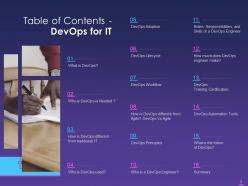
It explains DevOps as a collection of approaches that incorporates software creation and information technology operations. Topics included in this PPT are, what is DevOps. why is DevOps needed. How is DevOps different from traditional IT, and why is DevOps used. etc. This module also acquaints readers about the details on DevOps adoption such as when to use and when not to go for it. It also provides details on DevOps lifecycle, DevOps workflow, principles of DevOps, etc. This PowerPoint presentation also includes details on DevOps training certification and automation tools. Additionally, this PPT comprehends the difference between DevOps and agile. Further, this module illustrates details on a DevOps Engineer. It captures the roles, responsibilities, and skills of a DevOps Engineer. It also covers details on the salary package of a DevOps specialist. Lastly, this PPT depicts the future of DevOps. Download our 100 percent editable and customizable template which is also compatible with Google Slides.
People who downloaded this PowerPoint presentation also viewed the following :
Content of this Powerpoint Presentation
According to data gathered and analysis that Google has conducted, 77% of modern businesses rely on DevOps for software deployment or planning. DevOps culture has taken off at a rapid pace in recent years. IT firms in today’s digital environment are seeking for ways to improve the speed and dependability of their software solutions. DevOps meets these needs.
Click here to access DevOps Development and Consulting Proposal IT PowerPoint Presentation.
DevOps has aided businesses in being more agile, fostering better teamwork and communication, and speeding up the time to market. This has led to increased corporate success and credibility.
This blog is an in-depth guide to implementing DevOps in your firm, increasing its commercial value and responsiveness in the current environment. Use this deck to gain a thorough understanding of DevOps for Business and its benefits. Browse and download the top PowerPoint Templates to stay ahead of the competition.
Also, reap the full benefits of DevOps with our exclusive DevOps PowerPoint Presentation.
Template 1: What is DevOps?
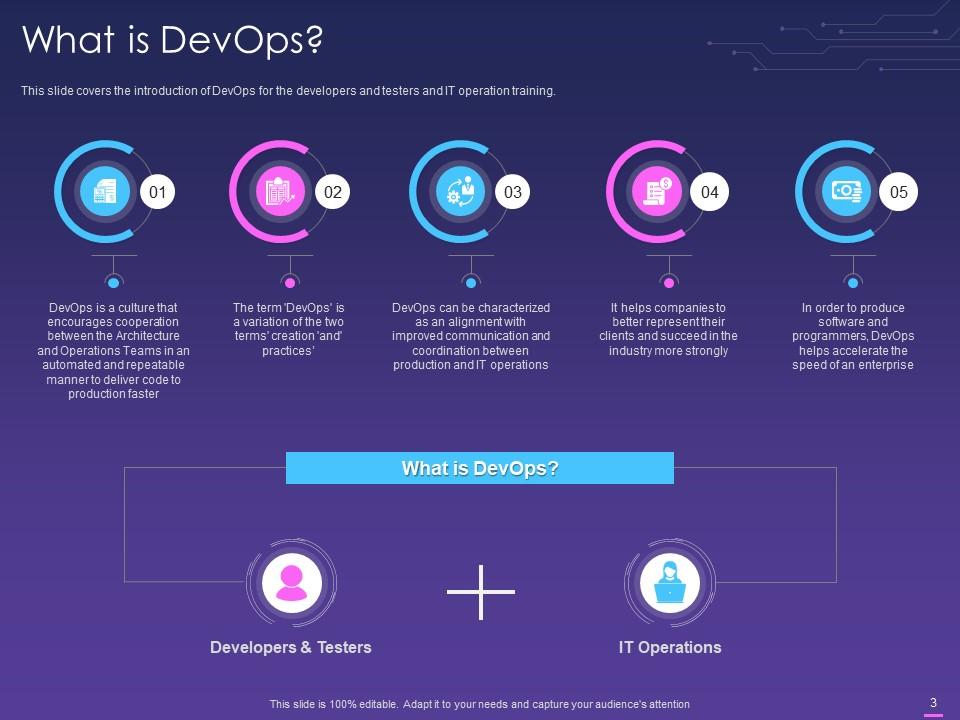
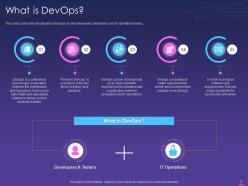
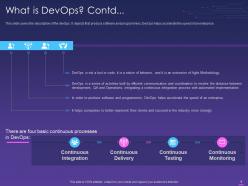
This PowerPoint Template introduces DevOps. It is a valuable resource for developer, tester, and IT operations training. It focuses on automating manual work and developing repeatable processes that are more transparent and traceable. Use it to explain the culture of DevOps in information technology.
Template 2: Why is DevOps Needed?
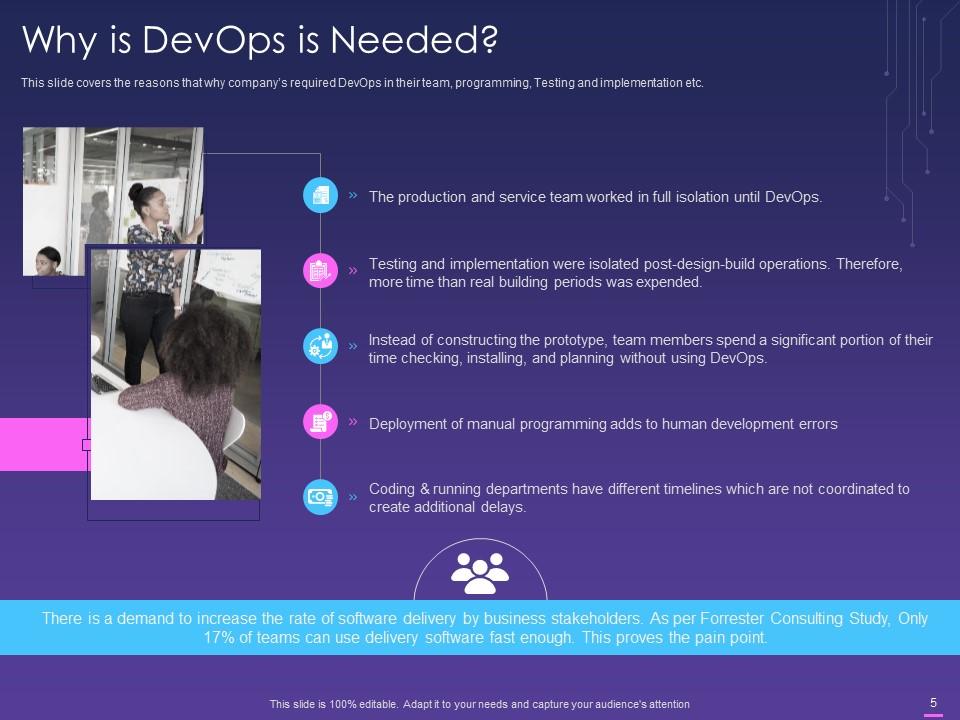
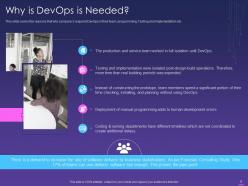
Use this PPT Framework to demonstrate the importance of implementing DevOps in a company’s operations. It displays progress in the production environment to release software faster through improvement. Benefits include the formation of ties between developers, operations, and other stakeholders, the promotion of shorter, more manageable iterations, and so on.
Template 3: How is DevOps Different from Traditional IT
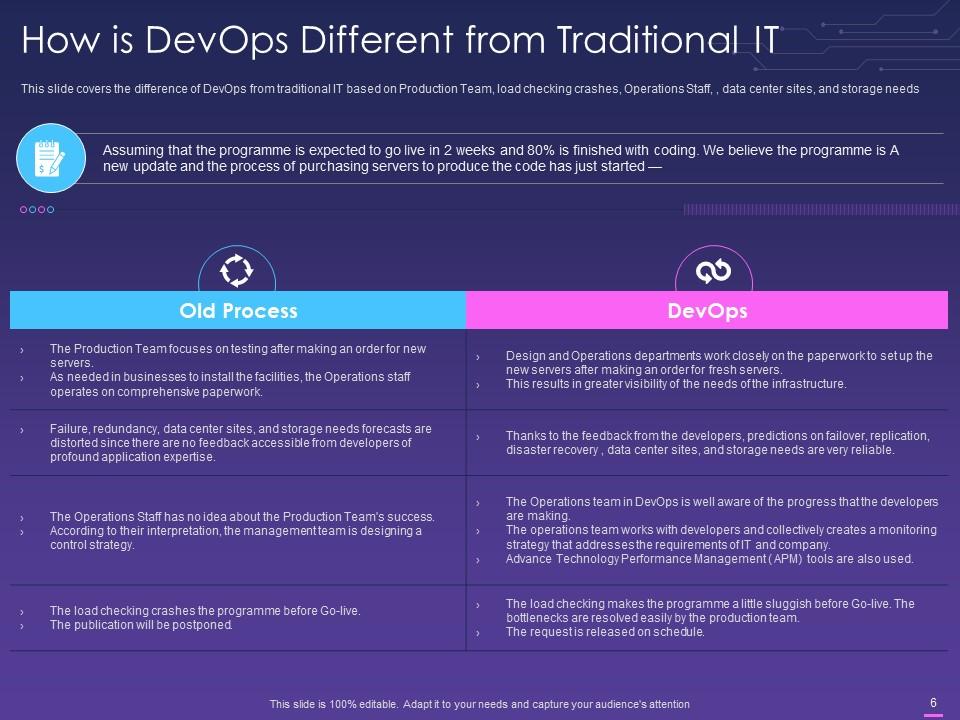
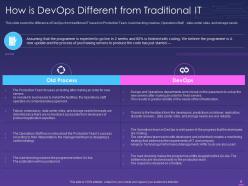
DevOps implementation over the previous three years has benefited many more companies, largely due to its exponential reach, according to an Atlassian survey conducted in 2020. This PPT Preset illustrates how DevOps differs from traditional IT. The distinction is based on the production team, load testing crashes, operations personnel, and more. Traditional IT development cycles have many moving pieces, but DevOps relies on continuous smaller releases and automation.
Template 4: Why is DevOps Used?
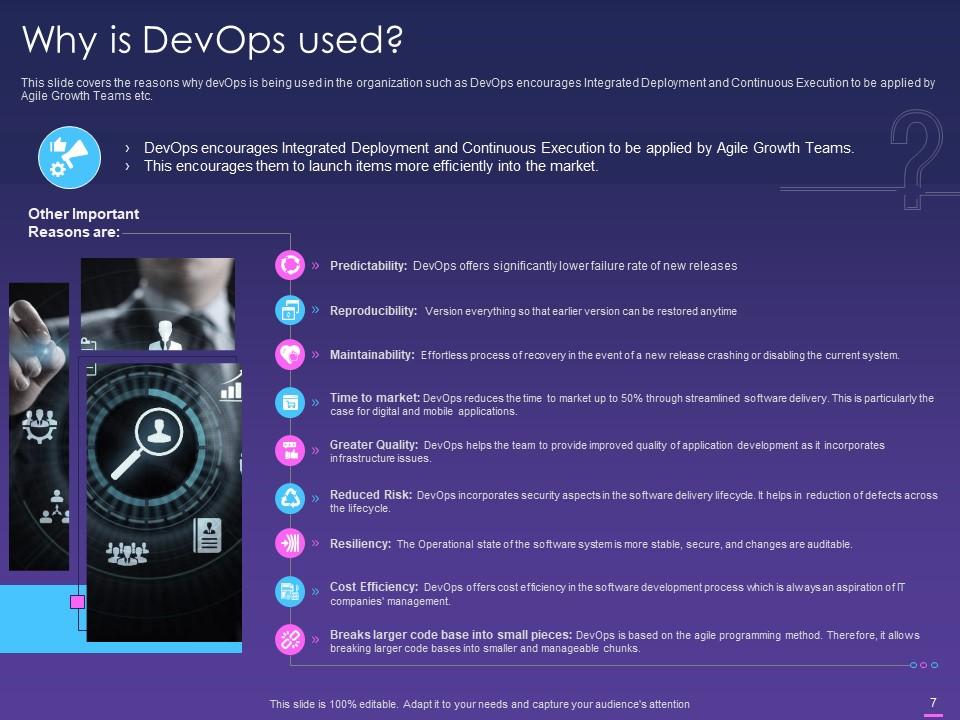
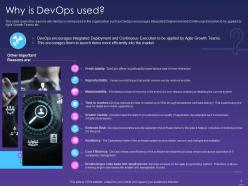
This PPT Layout discusses the uses of DevOps in business operations. It encourages collaboration between the development and operations teams. The template includes features such as predictability, maintainability, improved quality, cost efficiency, and more. DevOps makes your processes more adaptable and data-driven.
Template 5: DevOps Lifecycle

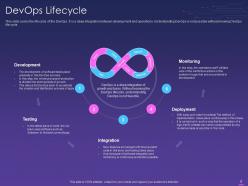
Use this PowerPoint Presentation to explain the DevOps lifecycle as a continuous software development process. It is a comprehensive combination of development and operations. It includes steps such as development, testing, integration, deployment, and monitoring. Employ this download to realize the full potential of the DevOps technique.
Template 6: DevOps Work Flow
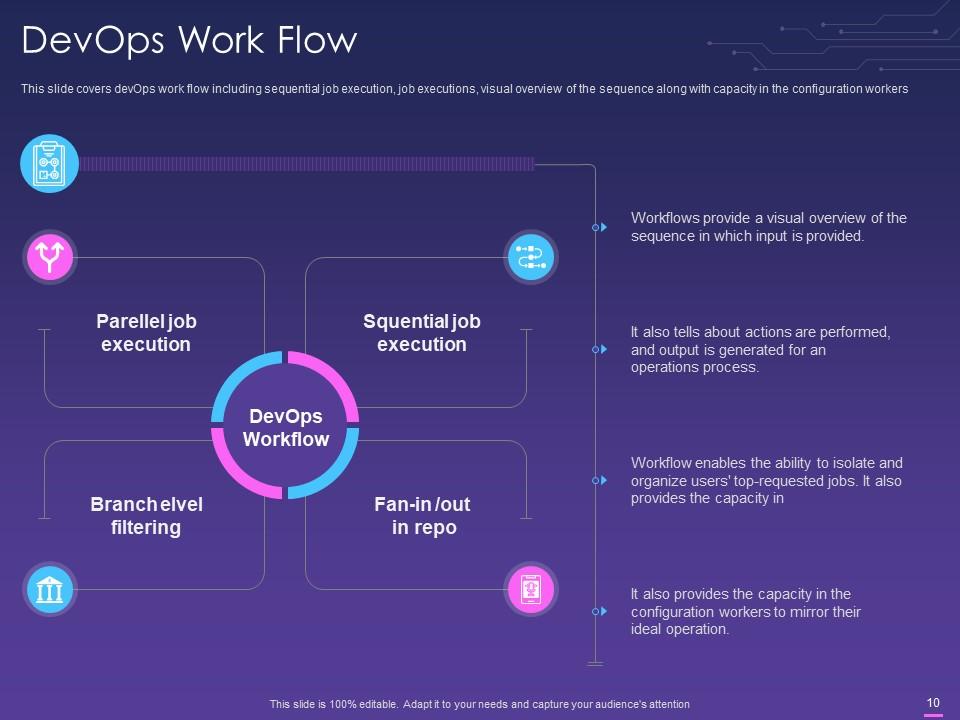
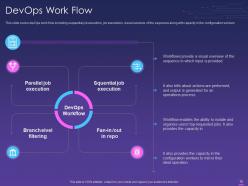
DevOps has created streamlined methods that enable faster and more effective delivery. This PPT Framework provides a visual representation of the DevOps workflow. It demonstrates work sequence and order required to accelerate system creation and enable constant delivery. It comprises planning, development, continuous integration, delivery, and deployment, and operations. Use this presentation to learn more about each of these phases.
Template 7: DevOps Vs Agile Visual Presentation
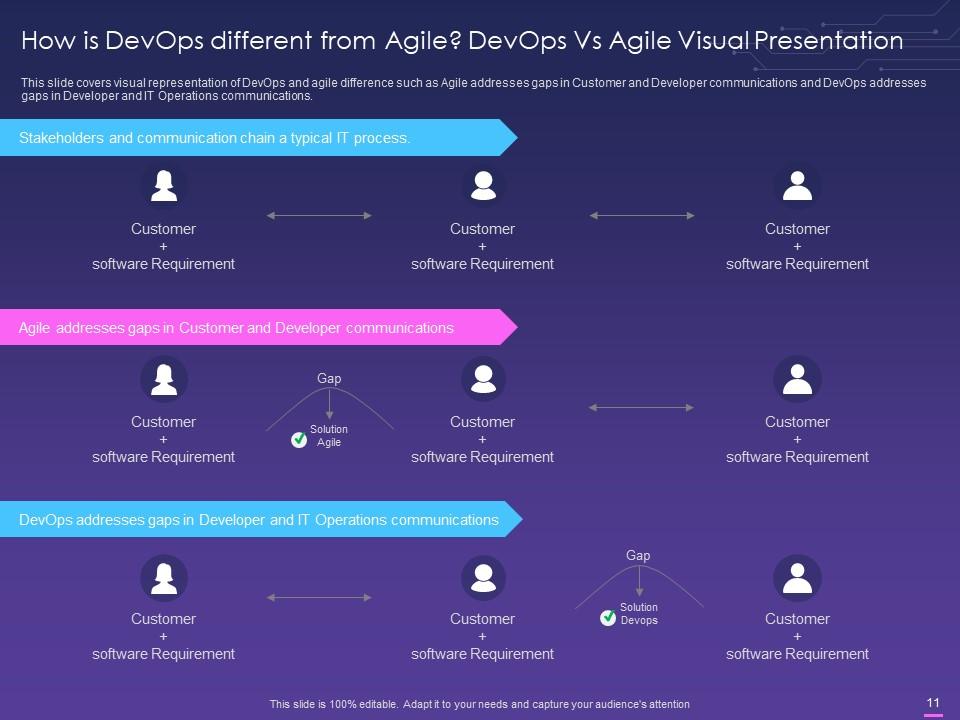
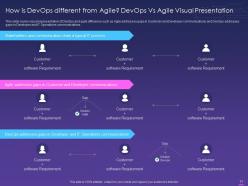
This PPT Layout compares Agile with DevOps. Use this presentation to better understand the differences in communication between customers, developers, and IT operations.
Template 8: DevOps Vs Agile Tabular Presentation

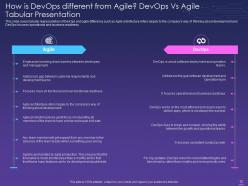
Here’s another PPT design that clearly depicts the differences between DevOps and Agile. Use this template to present the comparison in tabular form. It illustrates differences in implementation, feedback, tools, and more.
Template 9: Who is a DevOps Engineer?
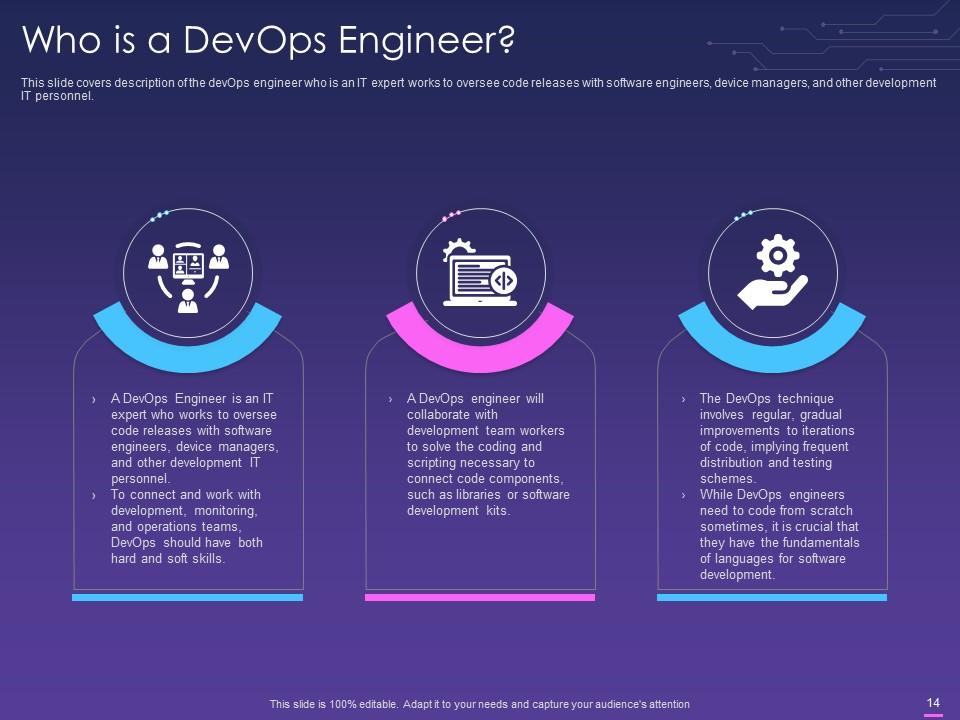
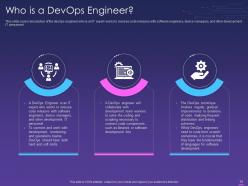
This PPT Layout focuses on the role of a DevOps engineer. It explains the set of abilities and expertise required to become a DevOps Engineer. It states that a DevOps engineer is an IT professional who oversees code releases and deployments.
Template 10: Software Tools for DevOps

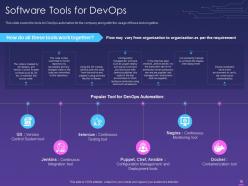
Use this PPT Slide to describe the major software tools for DevOps Automation. These are helpful tools for dealing with issues related to the application of DevOps. This template mentions tools like as Git, Jenkins, and Docker. This will allow you to prepare list of DevOps tools and their applications.
The emerging software engineering culture
IT DevOps provides continuous cooperation and iterative development in software development. Use SlideTeam’s PPT Templates to develop a DevOps culture and streamline procedures.
P.S. Getting started with DevOps? Check out this pre-designed PPT Deck on the DevOps Adoption Approach.
Devops for it powerpoint presentation slides with all 32 slides:
Use our Devops For IT Powerpoint Presentation Slides to effectively help you save your valuable time. They are readymade to fit into any presentation structure.



FAQs for Devops for it
DevOps is really about getting dev and ops teams to actually talk to each other instead of working in separate bubbles. Automation is huge - you'll want to automate testing, deployments, all that repetitive stuff that always gets screwed up when done manually. CI/CD pipelines let you push out smaller changes way more often, which honestly makes life so much easier when something breaks because you can just roll back quickly. Monitoring helps catch problems before your users start complaining. My advice? Don't try to boil the ocean - just pick one annoying manual process and automate that first.
So automation tools speed up your whole DevOps pipeline by cutting out manual work and those annoying human mistakes. Code integration gets way faster. Testing happens automatically and catches bugs before they become nightmares. Deployments that used to take hours? Now they're done in minutes. Tools like Jenkins will trigger builds the second you push code - honestly feels like magic sometimes. Infrastructure-as-code keeps your environments consistent too. My advice? Start small with whatever boring task you're sick of doing by hand. Once you see how much time it saves, you'll be hooked.
Honestly, without good collaboration, DevOps is just fancy tooling that doesn't work. Your dev and ops people need to actually trust each other - like, really communicate instead of the usual blame game when stuff breaks. No more throwing code over the fence and hoping ops figures it out (though let's be real, we've all done this). Both teams gotta own the whole mess from development to production. Joint retrospectives help a ton. Shared on-call rotations too, since nothing builds empathy faster than getting woken up at 3am by someone else's broken deploy.
So CI is like having a safety net for your code - every time someone pushes changes, it automatically builds and runs tests. Way better than finding out stuff's broken when you're trying to deploy on a Friday afternoon (been there, not fun). Your main branch stays clean because nothing gets merged without passing all the checks first. Teams can actually ship more often since they know the code won't blow up in production. Honestly, just start with basic build automation and add fancier testing later. You don't need to go crazy on day one.
Honestly, you need visibility into what's going down in your systems - otherwise you're flying blind. Catch problems before users start screaming at you (been there, not fun). Track your deployment frequency, lead time, mean time to recovery, and change failure rate. Those four will tell you if your DevOps setup actually works or if you're just pretending to be productive. Start with your CI/CD pipeline monitoring first - that's the foundation. Then branch out to app and infrastructure stuff. Way better than waiting for everything to explode and scrambling to figure out what went wrong.
Honestly, the worst part is dealing with teams that refuse to work together - everyone's stuck in their "not my problem" bubble. Legacy systems are a pain too since they weren't designed for any of this automation stuff. Good luck finding developers who actually get ops work (or vice versa) without paying through the nose. Oh, and tool chaos is real. Every team picks different monitoring solutions and suddenly you're drowning in dashboards that don't talk to each other. My advice? Pick one team, one simple workflow, and prove it works before you try revolutionizing everything at once.
Dude, IaC is a total game-changer for DevOps. You can version control your infrastructure like regular code, which means no more "works on my machine" disasters. Pull requests for infrastructure changes? Yeah, that's actually brilliant for catching bugs early. The best part is spinning up identical environments without all the manual BS. Honestly took me forever to realize how much time I was wasting before. Just start simple though - grab one service and throw some Terraform at it. Once you see how fast you can tear down and rebuild stuff, you'll never go back to clicking through AWS consoles.
Don't just slap security on at the end - build it into your whole pipeline from the start. I'd set up automated scanning in CI/CD: SAST for code, DAST for runtime stuff, plus dependency checks for sketchy libraries. Infrastructure as code is clutch because you can version control all your security settings. Never hardcode secrets (seriously, just don't). Use Vault or whatever cloud solution works for your setup. Continuous monitoring catches problems fast. The whole point is finding issues early when they're actually fixable without burning down your timeline.
Honestly, you gotta bake quality into your pipeline from day one instead of slapping it on later. Automated testing is clutch - unit tests, integration stuff, security scans running with every single commit. Yeah, it's more work up front but you'll thank me later. Feature flags are a lifesaver too since you can deploy without fear and roll back instantly when things go sideways. Your CI/CD should block anything that doesn't pass all the checks. Oh, and don't try to do everything at once - start with one decent test suite and build from there. Much less overwhelming that way.
So Docker's your starting point - you'll use it to actually create and run containers. Once you get that down, Kubernetes handles the orchestration when things get big and messy. Docker Compose is perfect for local dev work and simple multi-container setups. Honestly, Kubernetes can be a real pain at first, so Docker Swarm might be easier for basic orchestration. Portainer gives you a nice visual interface (I'm a sucker for good UIs), and Helm makes Kubernetes deployments way less painful with templates. Just start with Docker and Compose, then work your way up.
Honestly, DevOps completely changes how IT ops works. You're not just putting out fires anymore - you actually get involved early with dev teams, helping design infrastructure and automate deployments. Way more interesting than the old days of waiting for something to break. Plus you get to work on monitoring, security, CI/CD stuff. The best part? You can actually prevent issues instead of scrambling when users start complaining. I'd say start learning some automation tools first, maybe get familiar with how the dev workflow actually works. Trust me, it's so much better than the "throw it over the wall" nonsense we used to do.
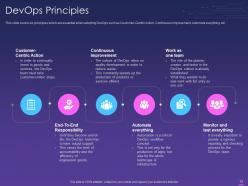
Honestly, you've gotta get dev and ops talking to each other from day one. Joint sprint planning is a game-changer - both teams hash out deployment stuff upfront instead of scrambling later. Cross-training helps tons too. When devs actually understand infrastructure and ops people know the app side, they stop pointing fingers at each other. I'd pair them up for deployments over a few sprints. Oh, and make sure they're tracking the same metrics - deployment frequency, recovery time, that kind of thing. It's wild how much the blame game dies down once everyone's working toward shared goals.
Honestly, feedback loops are everything in your pipeline. Build them everywhere - code commits, deployments, production monitoring. Quick rollbacks when stuff breaks? Non-negotiable. Set up automated alerts for build failures and dashboards your team will actually use (not just ignore). I've watched teams spiral for weeks because critical info was buried in logs nobody bothered checking. Super frustrating to watch. Start simple with basic CI/CD notifications, then layer in user feedback and real-time monitoring. Just make sure whatever feedback you're getting actually drives action, not just more noise.
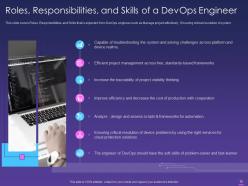
Honestly, you're gonna want to get solid with Linux first - that's like your foundation. Pick one cloud platform (AWS is probably your safest bet) and get comfortable there before jumping around. Docker and Kubernetes are pretty much non-negotiable these days, same with CI/CD stuff like Jenkins. Python's probably the most useful scripting language to learn, though Bash is handy too. Oh, and Terraform - everyone's doing Infrastructure as Code now so you can't really avoid it. But here's the thing people don't tell you enough: the soft skills are huge. You're constantly translating between dev teams and ops folks, so being able to actually communicate matters way more than you'd think.
Track the technical stuff first - deployment frequency, how long changes take to go live, recovery times when things break. Those show if your pipeline's actually working. But here's the thing: fancy dashboards are useless if customers aren't seeing benefits! So also look at satisfaction scores, revenue changes, maybe team productivity. Don't go crazy measuring everything though. Pick 3-4 metrics that actually matter for what you're trying to achieve. Oh, and start tracking baseline numbers right now - otherwise you'll have no clue if you're improving later.
-
Great experience, I would definitely use your services further.
-
Top Quality presentations that are easily editable.
-
Easily Understandable slides.