

Document Management System Powerpoint Ppt Template Bundles




Try Before you Buy Download Free Sample Product
 Impress Your
 Audience
 100%
100% Editable
 Save Hours
 of Time


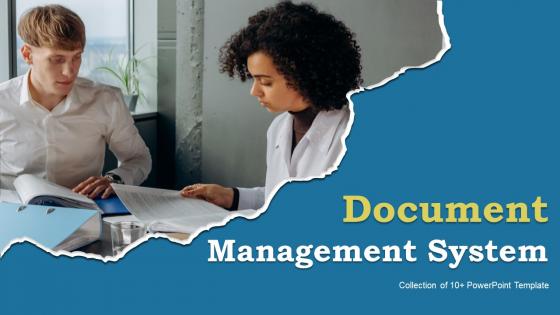
We are introducing our comprehensive Document Management System DMS PowerPoint presentation This professionally crafted PPT is designed to enlighten your audience about the benefits and functionalities of a robust DMS. With a focus on keywords like content management system, document tracking system, and file management system, this presentation effectively illustrates how our DMS streamlines your document workflow. Learn how to organize, store, and retrieve files effortlessly, improving efficiency and productivity. Our PPT covers document security, version control, and collaborative editing, ensuring that your team understands the value of a cutting edge DMS. Whether youre a business looking to enhance document organization or an individual seeking effective file management, this presentation guides you through the transformative power of a Document Management System.
People who downloaded this PowerPoint presentation also viewed the following :
Document Management System Powerpoint Ppt Template Bundles with all 18 slides:
Use our Document Management System Powerpoint Ppt Template Bundles to effectively help you save your valuable time. They are readymade to fit into any presentation structure.











FAQs for Document Management System Powerpoint
Honestly, version control and user permissions are must-haves - no way around it. You'll also want solid search (because who has time to dig through folders?) and decent cloud storage with security that doesn't suck. Automated workflows save tons of headaches for approvals. Mobile access is clutch since you always need files when you're not at your computer. Oh, and make sure it plays nice with whatever software you're already using - jumping between a million systems is the worst. Check their backup situation too because losing everything would be a nightmare. My advice? Write down what's driving you crazy about your current setup first, then find something that fixes those specific problems.
Honestly, a DMS just kills all that version control madness you're dealing with. Multiple people can work on the same doc without anyone accidentally nuking someone else's changes. Real-time updates mean no more "send me the latest version" emails clogging everything up. The workflow stuff is where it gets really good though - you set up approval processes that auto-route documents to whoever needs to see them. Your team stops doing busy work and actually gets stuff done. I'd start by figuring out what's driving everyone crazy about collaboration right now. That'll tell you exactly what to fix first.
Okay, so first thing - set up role-based access so only certain people can see specific docs. Add multi-factor authentication too. Encryption is huge, both for storage and transfers. You definitely want to log everything - who opened what and when. Honestly, auditors love that stuff and you'll thank me later. Automatic backups are a must. For your super sensitive files, maybe throw in some watermarking? The thing is, don't just pick one method and call it good. Stack a few different protections because hackers are getting craftier these days.
So basically, most DMS systems connect through APIs and single sign-on stuff. They've got pre-built connectors for the usual suspects - CRM, accounting software, email platforms. Your invoices from QuickBooks or whatever can automatically flow into the DMS and get organized. Honestly, the initial setup is kind of a pain, but totally worth it once you're running. Oh, and check if it supports webhooks - that's how other apps get notified when documents change. My advice? Map out your most-used apps first and tackle those integrations before you worry about the rest.
Look, put anything in there that multiple people need to access - contracts, HR stuff, invoices, compliance docs. Version control is huge for this kind of thing. Also anything you literally can't afford to lose or needs approval workflows. Random notes and one-off files? Probably overkill honestly. Business-critical documents where you need audit trails or security features are perfect though. Oh, and definitely use it for stuff with strict retention rules - that's where it really shines. Basically if it's important and other people touch it, throw it in the DMS.
Honestly, a DMS is like having a compliance assistant that never sleeps. It tracks every document version automatically and keeps detailed logs of who touched what and when - auditors eat that stuff up. You can build workflows so nothing goes live without proper approvals first. Plus it'll actually remind you when documents are about to expire or need review, which is huge because let's be real, we all forget that stuff. The retention policies run themselves too. Best part? No more manual tracking spreadsheets or whatever nightmare system you're using now. I'd map out your biggest compliance headaches first and see which features would help most.
Cloud DMS is way more convenient - auto updates, easy remote access, cheaper to start. But you're stuck if internet goes down and trusting someone else with your files. On-premises means you control everything, which sounds great until you're dealing with server maintenance at 2am (been there). Growing fast? Cloud scales easily. Tight regulations or paranoid about security? Might need on-premises despite the headaches. Really depends on your budget and whether you've got IT people who actually know what they're doing. What's your biggest concern - cost or control?
So basically every time you save changes, the DMS creates a new version automatically - which is honestly a lifesaver. You can see exactly who changed what and when, plus compare different versions side by side. If someone screws something up (happens more than you'd think), just roll back to an earlier version. The whole history is right there, and most systems let you add notes about why you made changes. Oh, and definitely start with your most important docs first when setting up version control.
Ugh, user resistance is the worst part honestly. People get so attached to their old filing systems - like, I get it, change sucks. Data migration will probably give you nightmares too. Then there's all the integration stuff when you're trying to connect everything, plus that fun phase where nobody can find anything and everyone's freaking out. Training always takes way longer than you think it will. Oh, and depending on what industry you're in, compliance can bite you. Definitely start with a small group of people who actually want to try new things first.
Basically you can pull up your files from anywhere - home, coffee shops, wherever. Most have mobile apps too so you're not stuck at your desk. The best part? Everyone sees the same updated version, which saves so much headache when your team's all over the place. You can control who sees what with different permission levels. Oh, and definitely look for offline sync - trust me, you'll want it when the internet decides to crap out on you. Makes remote work way less stressful honestly.
Look, automation is what makes DMS actually worth it. Documents get sorted and tagged automatically based on whatever rules you create. Pretty sweet that it pulls data from invoices and contracts without you doing anything. Workflows just run by themselves - trust me, you'll love this when compliance stuff is due. Your documents get sent to the right people without the back-and-forth chaos. Once you figure out the settings (might take a minute), you're probably looking at saving several hours weekly. It handles all the boring stuff so you don't have to.
Okay so you'll need to track both hard and soft savings for your DMS ROI. Hard ones are easy - printing costs, storage space, time staff wastes hunting down documents. Soft savings are messier but matter just as much. Better compliance, quicker decisions, faster customer responses. Document your current costs first, then check the same stuff 6-12 months later. The time savings piece is honestly where you'll see the biggest wins - people don't realize how much they're losing there. Most places hit 15-30% ROI in year one, which is pretty solid.
Oh man, training is honestly the make-or-break part. Get people in actual workshops where they're using their real documents - not just watching demos. PowerPoint presentations are basically useless for this stuff. Make sure you've got quick reference guides and videos ready because people will 100% forget everything after a week. Set up some kind of help system, maybe designate a few super users in each department who can handle the basic "how do I..." questions. Those department champions are worth their weight in gold, trust me. Also plan for a couple follow-up sessions after you launch - everyone thinks they get it until they actually start using it daily.
So each industry tweaks their DMS differently based on what they actually need. Healthcare places are obsessed with HIPAA stuff and keeping patient records locked down. Legal firms? They're all about version control since contracts get messy fast. Manufacturing focuses on quality docs and audit trails - that regulatory stuff is honestly a nightmare sometimes. Financial companies want retention policies and reporting features that won't get them in trouble. My advice? Figure out what's giving your industry headaches first, then hunt for a system that either comes ready for your field or you can customize without losing your mind.
Honestly, AI automation is where it's at right now - the document classification stuff is getting scary good. Cloud-native solutions are huge too. You're gonna see way more integration with Teams and Slack, better mobile apps since everyone's still working remotely. Oh, and security's shifting toward zero-trust models with beefed-up encryption. Start looking at vendors with AI features ASAP because I guarantee your competition already is. The collaboration piece is what really excites me though - makes workflows so much smoother when everything talks to each other.
-
Easy to edit slides with easy to understand instructions.
-
I am really satisfied with their XYZ products. Used their slides for my business presentations and now I am taking their help for my son's high-school assignments. Super satisfied!!