


Enterprise resource planning erp 1 powerpoint slides and ppt templates db





Try Before you Buy Download Free Sample Product
 Impress Your
 Audience
 100%
100% Editable
 Save Hours
 of Time


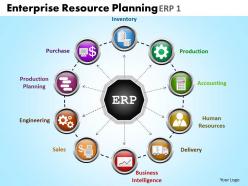
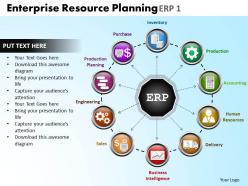
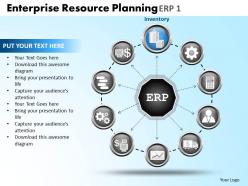
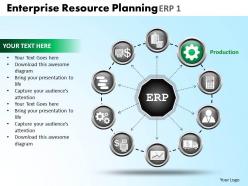
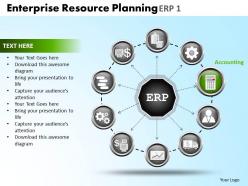
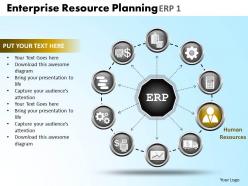
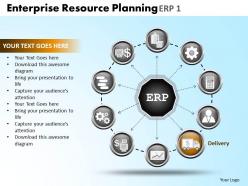
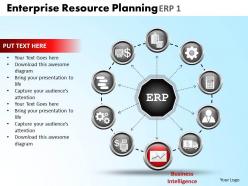
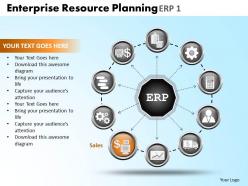
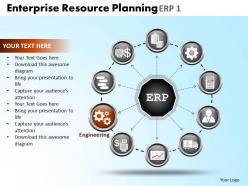
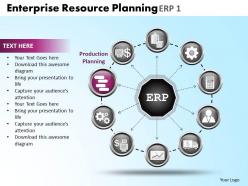
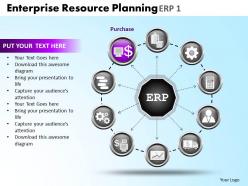
Having a big resource planning idea is just not enough; more crucial is how you start. With our Enterprise resource planning PowerPoint templates we are just aiming to kick start your erp program. You can symbolically incorporate these slide templates in your PowerPoint presentation to illustrate fundamental advantages of an erp program. Going further, as an erp tool this stunning PPT design helps to cast spotlight on functional areas of erp program like production, human resource, supply chain management, project management, inventory management, product planning etc. Key here is that smart application of our PPT slides helps professionals to motivate their work force thereby bringing substantial improvement in their efficiency and prompt decision making. In short, using this presentation design crafting a good PPT example depicting integration of traditional business functions is now no more tricky. Now what are you waiting for? Get started today by downloading presentation themes to illustrate erp planning process. You aim to enter the elite A-list. Our Enterprise Resource Planning Erp 1 Powerpoint Slides And Ppt Templates DB can be your gateway.
People who downloaded this PowerPoint presentation also viewed the following :
Enterprise resource planning erp 1 powerpoint slides and ppt templates db with all 15 slides:
Our Enterprise Resource Planning Erp 1 Powerpoint Slides And Ppt Templates DB will pass the acid test. They will stay true to their word.
-
Enterprise resource planning erp 1 powerpoint slides and ppt templates db
-
Enterprise resource planning erp 1 powerpoint slides and ppt templates db
-
Enterprise resource planning erp 1 powerpoint slides and ppt templates db
-
Enterprise resource planning erp 1 powerpoint slides and ppt templates db
-
Enterprise resource planning erp 1 powerpoint slides and ppt templates db
-
Enterprise resource planning erp 1 powerpoint slides and ppt templates db
-
Enterprise resource planning erp 1 powerpoint slides and ppt templates db
-
Enterprise resource planning erp 1 powerpoint slides and ppt templates db
-
Enterprise resource planning erp 1 powerpoint slides and ppt templates db
-
Enterprise resource planning erp 1 powerpoint slides and ppt templates db
-
Enterprise resource planning erp 1 powerpoint slides and ppt templates db
-
Enterprise resource planning erp 1 powerpoint slides and ppt templates db
-
Enterprise resource planning erp 1 powerpoint slides and ppt templates db
-
Enterprise resource planning erp 1 powerpoint slides and ppt templates db
-
Enterprise resource planning erp 1 powerpoint slides and ppt templates db
FAQs for Enterprise resource planning erp 1 powerpoint slides and
So ERP systems basically bundle together finance, HR, supply chain, manufacturing, and CRM stuff. Instead of having like 10 different programs that hate each other, everything talks through one system. Pretty neat actually. You get reporting and analytics baked in, plus inventory and project management depending on what you need. Here's the cool part though - when sales updates an order, it automatically pings inventory, accounting, and shipping without anyone typing the same info over and over. Honestly saves so much headache.
So ERP integration is basically getting all your departments to share one system instead of everyone doing their own thing with random spreadsheets. Sales updates an order? Boom - inventory adjusts automatically, finance sees the money coming in, production knows what to make. No more of that annoying back-and-forth between teams or waiting forever for someone to update a report. Honestly, the manual data entry alone will drive you crazy without it. You'll make decisions faster and screw up way less. I'd start by figuring out where your teams are doing the same work twice - that's where you'll see the biggest difference.
Budget first - that's your reality check. But also think about whether you'll outgrow it fast, because switching systems later is honestly such a nightmare. Integration with your current tools matters too. I'd definitely have your actual team test the top few options since they're the ones stuck using it daily. Oh, and if you're in something specialized like manufacturing, make sure it actually handles your weird industry stuff. Implementation time can drag on forever with some vendors. Create a simple scorecard maybe? Rank what matters most to you guys and score each option.
Think of ERP as your business data getting its act together - everything from sales to HR lives in one spot instead of scattered across random spreadsheets. Real-time dashboards actually sync up, so you're not piecing together half the story anymore. Your forecasting gets way better when you've got the complete picture. Honestly, the reporting tools can make or break the whole thing though. If your team doesn't know how to use them properly, you're basically paying premium prices for a glorified filing cabinet. But yeah, spotting trends becomes so much easier when everything talks to each other.
Dude, change management is gonna be your worst enemy - people hate learning new systems. Data migration from old platforms is always a mess, nothing transfers cleanly. Your 6-month project? Try 18 months when scope creep hits. Budget overruns happen to literally everyone, don't feel bad about it. Integration with existing tools breaks constantly, and then everyone wants custom features that make everything more complicated. Honestly, nail down requirements first or you'll regret it. Spend serious money on training your team. Build in extra time because something random always goes wrong - trust me on this one.
So basically, cloud ERP runs on the vendor's servers - you just log in through your browser. Super convenient since they handle all the updates and maintenance stuff. On-premise means you're running everything yourself in your own data center. Way more control but honestly? It's a pain dealing with all the IT headaches and costs. Cloud's cheaper upfront too since you pay monthly instead of those crazy licensing fees. Only catch is you need solid internet and you're kinda stuck if their servers go down. Unless you've got some weird compliance thing going on, I'd definitely go cloud.
Dude, training is literally what makes or breaks these things. I've seen companies drop millions on fancy ERP systems only to watch them fail because nobody knew what they were doing. People hate change anyway - especially when you're completely flipping how they do their job every day. Good training shows them not just which buttons to click, but actually why the new way is better. That's how you get people on board instead of fighting you. Oh and definitely set aside like 15-20% of your whole budget just for training. Sounds like a lot but trust me, it's worth it.
Look, ERP basically connects all your supply chain stuff into one system instead of dealing with like 5 different platforms that never sync properly (which is honestly insane in 2024). You'll get real-time visibility on inventory, supplier performance, all that. The automation handles procurement and forecasting automatically, so fewer stockouts and better delivery times. What really helps though is cutting out those annoying manual handoffs between teams - you know how marketing always blames logistics and vice versa? That stops. I'd start with whatever's causing you the biggest headaches right now.
Dude, ERP basically gives you one place for ALL your customer stuff. No more digging through five different systems to find someone's order history or support tickets - everything's right there. Your sales people can actually see what customers bought, support knows their whole drama history, and nobody's flying blind anymore. Honestly? The response times get so much better when you're not playing phone tag between departments. Customers stop getting annoyed having to explain their issue three times to different people. I'd start by figuring out which customer touchpoints bug you most, then connect those first. Way less overwhelming that way.
Honestly, I'd be careful with heavy customization - it'll bite you later. Sure, tweaking configuration settings is no big deal. But deep code changes? That's where things get messy. You'll end up spending weeks testing everything when it's time to upgrade instead of just... upgrading. Plus it makes adding users or new modules way harder down the line. I learned this the hard way at my last job actually. Start vanilla and only customize stuff that's absolutely critical. Trust me on this one.
Start with uptime and response times - that's the stuff that'll make or break you. User adoption is huge too because what's the point if nobody actually wants to use the thing? Data accuracy matters most in inventory and financials where mistakes hit your wallet hard. I'd also watch transaction speeds and error rates during transfers. Oh, and definitely compare report generation times to whatever system you had before. Honestly though, don't go crazy - pick maybe 3 or 4 metrics that actually affect your day-to-day and expand later.
So ERPs are pretty clutch for compliance stuff - they track everything automatically and spit out reports when auditors show up. You get audit trails for days, plus the system catches potential violations before they blow up in your face. Works across finance, manufacturing, healthcare, whatever you're dealing with. Honestly, it's like having a compliance person watching your back 24/7. My advice? Map out what regulations you actually need to follow first, then set up your ERP modules around those specific workflows. Makes the whole rollout way less painful. Trust me on that one.
Cloud-first stuff is everywhere now, plus AI automation is getting crazy good. Companies are jamming machine learning into everything - predictive inventory, auto invoice processing, you name it. Mobile access is non-negotiable too. Honestly, the UX improvements are long overdue since old ERP systems were basically torture devices. Oh, and API-first design matters because your ERP needs to actually talk to other tools without breaking. I'd check if your current system's roadmap matches where this is all heading.
So basically, ERP becomes your one place for all financial stuff - it pulls everything from sales, purchasing, inventory, payroll into one spot automatically. Your reports stay current and consistent across teams. No more chasing down random spreadsheets (honestly, such a time suck). You get real-time dashboards and automated entries that make month-end way less painful. Plus you can click through from summary reports right down to individual transactions to see where numbers actually come from. I'd start by figuring out which financial tasks are eating up most of your time right now.
So ERP systems basically get rid of all those annoying data silos that slow everyone down. Your teams can finally access everything they need from one place instead of bouncing between like 10 different spreadsheets - honestly, it's a game changer. Manual stuff like invoice processing happens automatically now, which saves tons of time. Real-time info means better decisions too. The best part? Way fewer errors since departments aren't doing duplicate work anymore. My advice: figure out what's slowing you down most right now, then tackle that first when you implement.
-
Out of the box and creative design.
-
Design layout is very impressive.