

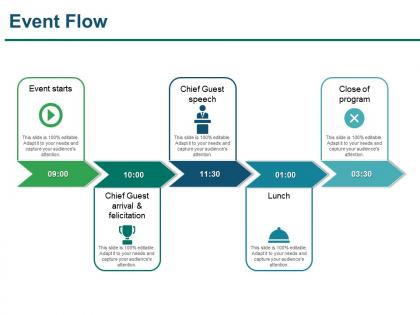
Event flow sample of ppt presentation




Try Before you Buy Download Free Sample Product
 Impress Your
 Audience
 100%
100% Editable
 Save Hours
 of Time


Add that crucial bit with our Event Flow Sample Of Ppt Presentation. They will help you complete the circle.
People who downloaded this PowerPoint presentation also viewed the following :
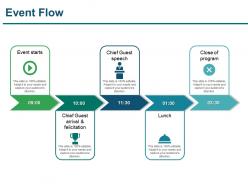
Event flow sample of ppt presentation with all 5 slides:
Conjure up grand ideas with our magical Event Flow Sample Of Ppt Presentation. Leave everyone awestruck by the end of your presentation.
FAQs for Event flow sample
So you'll want clear start/end points, decision diamonds, and process rectangles with arrows showing the flow. One action per box - trust me, cramming multiple things together gets confusing quick. Don't forget error handling paths for when stuff breaks (and it will). If multiple teams are involved, swimming lanes really help organize everything. The whole flowchart should read like a story, either left-to-right or top-to-bottom. Keep it simple enough that someone who's never seen your process before can follow without needing a translator.
Dude, event flow diagrams are seriously a game-changer for project management. They map out all your tasks and show how everything connects - basically like having a roadmap so you don't get lost. You'll catch problems before they blow up, and it's way easier to see when team members need to work together. Plus stakeholders actually get it when you show them visuals instead of just talking at them (trust me on this one). I started using them last year and honestly wish I'd discovered them sooner. Just sketch out your main milestones first and you'll see what I mean.
Honestly, I'd start with Draw.io (now called diagrams.net) since it's free and handles all the flowchart stuff really well. Lucidchart is solid too, or Visio if your company already pays for it. Miro's actually my favorite for collaboration - there's something about seeing everyone's cursors moving around that makes the whole process way smoother. Figma works great as well. I'd avoid PowerPoint though, it gets super annoying once your diagrams get complicated. Oh, and don't feel like you need the fanciest tool right away - Draw.io will probably handle whatever you're building.
So event flow diagrams are way more specific than regular flowcharts. Regular ones just show basic steps like "click button → validate → show result." But event flows? They dig into the actual mechanics - what triggers the event, what's listening for it, how it bounces around your system. Honestly, they're a lifesaver when you're dealing with complicated apps that have tons of interconnected pieces. I'd use them when you need to trace how one action creates this whole chain reaction through your code. Way better for debugging weird behavior too.
Use them when you're dealing with complex user journeys or trying to debug system interactions. Multi-step processes with different touchpoints? Perfect use case. Onboarding flows, checkout processes - basically anywhere users can take multiple paths to reach the same goal. Honestly, they're a lifesaver in stakeholder meetings. Visuals beat explanations every time when you're showing why something's broken! Great for spotting bottlenecks, edge cases, or figuring out where teams need to hand things off. Start with your most critical flows first, then work outward from there.
Oh man, these things are everywhere! Manufacturing companies are obsessed with them - they map out their entire production lines and quality stuff. Healthcare uses them all the time for patient workflows, which makes sense since there's so many handoffs. Tech companies do user interaction mapping with them too. Banks need them for transaction processing and compliance (ugh, compliance). Even retail and logistics use them for inventory and shipping processes. They're honestly perfect when you've got a process with tons of decision points or when different teams need to pass things back and forth. Super helpful for visualizing messy workflows.
Honestly, consistent shapes and colors will save you so much headache - trust me on this one. Don't try cramming multiple processes into one diagram (learned that lesson the hard way with some absolute nightmares). White space is clutch here, so give your events room to breathe. Skip the cryptic abbreviations and just write clear labels. Oh, and here's my go-to test: show it to someone who's never seen the process before. If they can't follow along in 30 seconds, you've got more work to do. Include a legend if you're using different symbols - sounds obvious but people forget this constantly.
Don't overcomplicate your diagrams - nobody wants to decode a mess when they're troubleshooting. Start simple, then build up. Most people design for the happy path where everything works perfectly, but that's not reality. Your system will have failures, timeouts, weird edge cases. I learned this the hard way honestly. Make sure your actors and decision points are super clear. Oh, and use consistent notation throughout - it matters more than you think. When you're staring at this thing during a production incident, you'll be grateful you kept it readable.
Honestly, it's pretty straightforward once you get the hang of it. Import your event flow diagrams into Gantt charts or link them to task dependencies in whatever project management tool you're using. Miro and Lucidchart work great for this - they play well with most platforms. You can also embed them directly in Confluence or Notion if that's your thing. I'd keep one master version that updates everywhere automatically, then just pull specific workflow sections for sprint planning. Oh, and treat it like a living document that actually feeds into your timeline planning. Way more useful than letting it sit there collecting digital dust.
Think of colors and shapes as your cheat code for reading these diagrams quickly. Rectangles = processes, diamonds = decisions, circles = start/finish points. Colors group stuff together - like all the marketing team's actions in blue or whatever. Once you get the hang of it, your brain just processes it automatically without thinking. Honestly, without this system everything would look like spaghetti thrown at a wall. Always hunt for a legend first though - some people get creative with their color schemes and it's not always obvious what they mean.
Honestly, event flow diagrams are game-changers for getting everyone on the same page. You know how meetings drag on forever because people are talking past each other? This fixes that. Everyone's literally looking at the same flowchart instead of having their own weird mental picture of how things work. Developers, designers, stakeholders - they can all point to the exact same boxes and arrows. Makes spotting problems so much easier too, like when you realize there's a random gap nobody thought about. I always push teams to map these out during kickoff. Trust me, it's worth the time upfront.
So sequential stuff means one task blocks the next - like you can't implement anything until someone approves it first. Parallel events don't depend on each other, so they can run at the same time. Here's the thing - if your whole process looks sequential, you're probably slowing yourself down for no reason. Look for tasks that could actually happen together. User testing while docs get finalized? Sure. Getting approvals from different departments simultaneously instead of one by one? Why not. Your diagram should show what really happens, not just what looks neat and tidy on paper.
Test it with actual people who'll use the thing - just watch them try to follow your diagram while doing real tasks. You'll spot where they pause or get lost pretty quickly. The best metric? Check if it actually cuts down on the confusion it was supposed to fix. Compare support tickets before and after, or how long onboarding takes now. Get someone totally fresh to look at it too - they'll catch stuff you completely missed since you've been staring at it forever. Then just tweak based on what breaks.
Keep your event flow diagram super simple and walk stakeholders through it piece by piece. Tell the story from start to finish instead of just slapping up some crazy complex chart. Use everyday language, not tech jargon. Color-code different parts so it's easier to follow visually. Honestly, I've watched so many presentations bomb because people assume everyone can instantly decode their diagrams - it's painful. Pause at the big decision points to check if anyone's lost. Connect each step back to actual business results so they get why it matters. Short version: treat it like you're explaining directions to your neighbor.
So basically, mapping out your project events lets you catch problems before they hit. You'll see where dependencies might break or bottlenecks could mess things up. Think of it like getting a overhead view of all your weak spots - honestly way better than crossing your fingers and hoping nothing goes wrong. Once you spot those risk areas, you can actually plan for them. Start with your critical path events, then go through each major milestone asking "what happens if this tanks?" That's where you build your backup plans.
-
Designs have enough space to add content.
-
Very well designed and informative templates.