

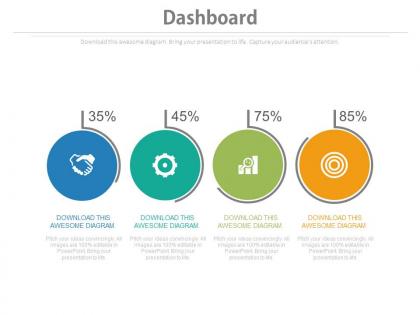
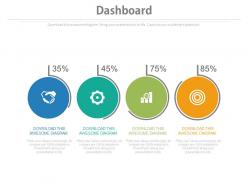
Four circles with percentage icons dashboard chart powerpoint slides




Try Before you Buy Download Free Sample Product
 Impress Your
 Audience
 100%
100% Editable
 Save Hours
 of Time


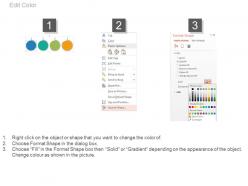
Engage your viewers in your presentation with our four circles with percentage icons dashboard chart PowerPoint slide. The PPT illustration comes with four values that you can use to demonstrate the sales targets achieved by the professionals. You may also use presentation visual to show the business statistics. Visuals are always helpful in showing the information in the professional manner. If you use the percentage values instead of just writing down then you will get more value of it. The dashboard PowerPoint diagram can be downloaded with high quality icons that saves your valuable time. You just need to download the PPT template, insert the data as per your business requirement and then present it in front of your audience. Apart from all this, the presentation design is fully amendable and you can change the circle colors, replace the icons and edit the statistics. The PowerPoint image will surely assist you to put across your message in the most desired manner. So, quickly download the design and then present it as required. You may browse through our entire gallery to check the creative presentation slides that can easily incorporate in your next presentation. Embark on your new project with our Four Circles With Percentage Icons Dashboard Chart Powerpoint Slides. They will help launch your plans.
People who downloaded this PowerPoint presentation also viewed the following :
Four circles with percentage icons dashboard chart powerpoint slides with all 4 slides:
Consistently establish benchmarks with our Four Circles With Percentage Icons Dashboard Chart Powerpoint Slides. Create the guidelines for all to follow.
FAQs for Four circles with percentage icons dashboard
So you'll want clear titles and visuals that actually make sense - nobody's got time to decode messy charts. Pick KPIs that your audience genuinely cares about, not just vanity metrics. Label your axes properly and stick to consistent colors throughout. Oh, and add filters so people can dig into whatever data they need. I'd honestly start by figuring out what decisions this thing needs to help with first. Keep everything current and throw in some benchmarks if you can. Your dashboard should tell its story immediately. Trust me, if someone has to squint at it for more than 30 seconds, you've lost them.
Honestly, dashboard charts are a game changer for presentations. People's eyes just glaze over when you throw numbers at them, but show them a visual story? Now you've got their attention. I love how you can click around and dig deeper when someone asks a random question - no more awkward fumbling through slides. Plus your audience actually follows along instead of mentally checking out during the spreadsheet portion (we've all been there). Start with your big takeaway first, then walk backwards through the charts to show your thinking. Works every time.
For dashboards, stick with the classics - line charts show trends, bar charts compare stuff, and KPI cards highlight your big numbers. Pie charts work for basic proportions, but honestly bars are usually clearer. Don't get fancy with radar charts or anything 3D (seriously, who thought those were a good idea?). Your dashboard needs to make sense instantly. People are busy and won't spend time decoding weird visuals. Test it with real users first - if they're asking lots of questions, your charts probably aren't working. Simple beats clever every time.
Dude, color choice will totally make or break your dashboard. Too similar colors? Your data just turns into one big muddy mess - I've definitely been guilty of this before. You want high contrast, but here's the thing people forget: colorblind users can't see red-green differences. Test your charts by literally stepping back and squinting at them. Sounds weird but it works. If you can't quickly spot the different elements, your users won't either. Accessible color palettes are clutch here.
Honestly, interactive dashboards are game-changers because people actually want to click around and explore stuff. Add some basic filters and hover tooltips - boom, suddenly users are spending way more time digging into your data instead of just scanning and bouncing. It's wild how much difference drill-downs make too. People love asking "what if" questions and finding their own patterns, which gets them way more invested. They can customize views for whatever they care about most. I'd start simple though - just hover details and basic filtering will make a huge difference right off the bat.
Start with your audience - what decisions are they actually making? If a metric won't change someone's behavior, ditch it. I've seen so many dashboards packed with fancy charts that nobody uses. Pick 3-5 metrics max that tie directly to your goals. They need to be timely and accurate, obviously. Here's my test: if this number suddenly spiked or tanked, would anyone do something different? If not, it's just visual clutter. Focus on what people will check regularly and what actually moves the needle for your team.
Ugh, the worst thing people do is cram way too much stuff into one chart. Pick ONE point you're trying to make, that's it. Also those weird 3D effects? Total nightmare - nobody can actually read them. I learned this the hard way lol. Don't mess with your Y-axis either by starting at random numbers instead of zero, because then everything looks super dramatic when it's not. Colors should make sense too, not look like a rainbow exploded. Honestly, if you need to explain what your chart means, you've already lost people. Test it on your coworker first!
So for real-time dashboard updates, you've got a few solid options. WebSockets are probably your best bet for true real-time stuff, but server-sent events work great too. Polling is easier to set up though - just hit your API every few seconds. Most charting libraries like D3 or Chart.js handle live updates pretty smoothly without breaking everything. Honestly, the tricky part is figuring out how often to refresh without making your dashboard feel sluggish. I'd start simple with basic polling and see how it performs. You can always get fancy with WebSockets later if you need faster updates.
Tableau and Power BI are pretty solid choices, though licensing costs can add up fast. Google Data Studio is actually free and handles basic dashboards well - might be worth checking out first. D3.js is amazing if you're comfortable with JavaScript, but honestly it's a lot of work for simple stuff. Plotly and Chart.js are great middle ground options for web apps. I'd probably start with Power BI or Google Data Studio since they won't make you want to pull your hair out learning them. Power BI has this nice drag-and-drop thing going on that makes sense right away.
Dashboard design really depends on your industry tbh. Finance folks need those real-time stock charts and P&L waterfalls - basically anything showing money moving fast. Healthcare's totally different though. They track patient flow and bed occupancy over longer periods. Way less urgent than watching trades happen. The main thing? Figure out what decisions your users make every day, then build charts that actually help with those tasks. I've seen so many dashboards that look pretty but don't solve real problems. Start with the workflow, not the fancy visuals.
UX is everything when it comes to dashboard charts. I've watched so many teams build these gorgeous visualizations that nobody actually uses because they forgot about the workflow part. Think about how fast people need to process what they're seeing - and honestly, most users are scanning, not studying every detail. Match what your audience already knows and stick with visual patterns they recognize. Oh, and definitely test this stuff with real users first. You'd be surprised how often what makes perfect sense to you is confusing to everyone else. Skip the fancy effects if they don't help people make decisions faster.
So basically three things matter most: color, labels, and having backup formats. Never use color alone to show data - throw in patterns or just label stuff directly. Your text contrast should hit at least 4.5:1 ratio, and make it big enough to actually read. I swear, companies spend millions on fancy designs but can't be bothered with basic readability. Alt text is crucial for screen readers. Maybe offer a simple data table too? Oh, and actually test this stuff with real accessibility tools - you'll be shocked what you missed.
Dude, aesthetics are huge for dashboards - way bigger than most people realize. Clean, polished charts make people actually trust your data and stick around longer. Messy visuals? Everyone bails immediately, even when the analysis is spot-on. I've watched really solid insights get completely ignored just because someone slapped together ugly charts in like 5 minutes (honestly drives me crazy). Good design guides people's eyes to the important stuff and makes patterns way easier to catch. Start with consistent colors and clean fonts. Your stakeholders will definitely take you more seriously.
Figure out your one big point first - what do users absolutely need to know? Build everything else around that. Here's my test: squint at your dashboard and see if the main takeaway smacks you in the face immediately. If not, you've buried the lead under too much stuff. Hide the nerdy details behind hover states or click-throughs. Trust me, executives want the headline, but your power users will hunt down those extra layers when they need them. Clean primary view wins every time, even if it feels almost too simple at first.
Pick a color palette and stick with it - those rainbow dashboards hurt my eyes honestly. Same goes for chart types, don't randomly switch from bar to pie charts for identical data. Your fonts and spacing should match throughout too. One thing that drives me nuts is when scales jump around between charts. People shouldn't have to mentally reset every time they look at something new. Oh, and make yourself a quick style guide with your colors and preferences written down. You'll thank me later when you're not reinventing the wheel each time you build something.
-
Graphics are very appealing to eyes.
-
Very well designed and informative templates.