

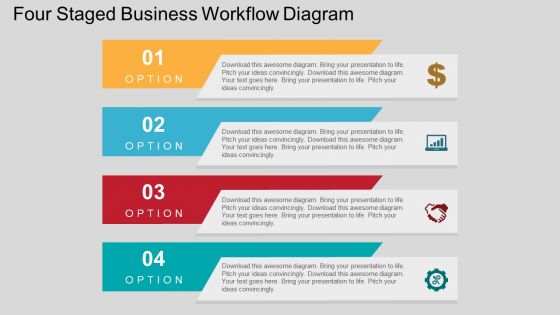
Four staged business workflow diagram flat powerpoint design





Try Before you Buy Download Free Sample Product
 Impress Your
 Audience
 100%
100% Editable
 Save Hours
 of Time


Looking for an approach to stream line the business flow and set out an effective model for planning process? The internet is flooded with PowerPoint presentations offering high definition diagram with text spacing but all that they lack in is fragmenting the customer requirements and organizing the products and services in a high evolved format. To set, segregated the core and influential points like idea development, analysis, forecast, development, evaluation and implementation, all you need is a staged PowerPoint design supporting a good business workflow diagram. Appealing work is disliked by whom, especially when you wish to convey message to the wider set of audience, a touch of creativity and professionalism seek greater appreciation and retention. If the viewer wishes to seek information, it should be readily available and handy enough so that the same can be revisited and retrieved in the PPT layout. Pre designed PPT visual offers high resolution in color effects and complementary diametric feature objectives. Folks focus on growth with our Four Staged Business Workflow Diagram Flat Powerpoint Design. They feel encouraged to be creative.
People who downloaded this PowerPoint presentation also viewed the following :
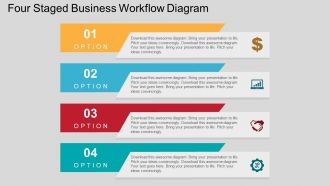
Four staged business workflow diagram flat powerpoint design with all 4 slides:
Do away with any anxieties. Certify your thoughts with our Four Staged Business Workflow Diagram Flat Powerpoint Design.
FAQs for Four staged business workflow diagram
So basically you need four stages in order - like Plan, Execute, Review, Optimize or whatever makes sense for your thing. Then add arrows between them showing the flow. Decision points are clutch too, that's where things might split off or loop back. Label everything clearly - what goes in, what comes out of each stage. Honestly the stakeholder part trips people up but just think about who's actually doing the work at each step. I'd start with nailing down your four stages first, then worry about all the connecting bits after. Way easier to wrap your head around that way.
So basically you get this visual map of how work moves through your process. Makes it super easy to spot where things get stuck or where you're wasting time on pointless steps. New hires love it too - way better than trying to explain everything verbally. Here's the thing though: the real game-changer is timing each stage. Once you know how long stuff actually takes, you'll stop guessing where problems are. I'd honestly just pick one messy process you're dealing with right now and map that out first. Don't overthink it.
Manufacturing and healthcare are great for four-stage workflows - they already have those natural step-by-step processes. Software dev teams love them too. Finance, logistics, anything where stuff moves from one team to another... it just works. Here's the thing though - don't force it if your process doesn't naturally break into four chunks. Map out what you're currently doing first. Does it fall into distinct phases? Can you measure results at each stage? If yes, you're golden. Oh, and professional services - forgot to mention them but they're actually perfect for this framework.
Honestly, those four-stage diagrams are game changers. You get everyone looking at the same visual instead of drowning in email threads trying to explain where things went wrong. When something breaks down, you just point and say "see? Right here at stage 3." Way easier than trying to describe it over Slack or whatever. Plus they're perfect for spotting where work gets stuck or figuring out who's supposed to handle what. I swear, half the project chaos I've seen could've been avoided with a simple workflow sketch. New team members get it instantly too - no long explanations needed.
Lucidchart and Draw.io are honestly my favorites for workflow stuff - super easy to use and they've got templates already made. If you're using Microsoft everything already, Visio works too but it's kind of bloated. PowerPoint or Google Slides can actually work fine if you just need basic arrows and boxes. I've literally seen people make great workflows in PowerPoint, though purists might judge you for it. The main thing is making sure whoever needs to see it later can actually open and edit the file. Don't pick something only you have access to.
Four-stage workflows are literally everywhere! Customer service does receive, assess, resolve, follow-up for tickets. HR follows application review, screening, interviews, onboarding. Sales teams do lead generation, qualification, proposal, closing. Software development? Planning, development, testing, deployment - though testing always drags on forever because bugs are sneaky like that. Manufacturing uses design, production, quality control, distribution. The pattern works for basically any process with a start, middle steps, and clear finish. Once you notice it, you'll see this structure in everything.
Don't overcomplicate your stages - that's mistake
-
Good research work and creative work done on every template.
-
Unique and attractive product design.