


Home Security Systems Company Profile Powerpoint Presentation Slides




Try Before you Buy Download Free Sample Product
 Impress Your
 Audience
 100%
100% Editable
 Save Hours
 of Time


A company profile summarizes an entitys relevant elements, which helps the investors and stakeholders evaluate the business value and performance. Check out our professionally designed Home Security Systems Company Profile PowerPoint Presentation. Firstly, this profile covers the executive summary, company overview with value-added services, company presence, integrated security services and solutions, intelligent smart home security devices, company expertise and smart devices integration. Additionally, it includes the business model, end-to-end service delivery model, company journey, organization chart and top management team, clients, customer testimonials, awards and external recognition with strategic partnerships. Moreover, this deck includes revenue and net profit, sales revenue by market and services, paid subscribers by channel, competitive analysis including operations and financials performance, and SWOT analysis. At last, it includes the market positioning based on technology and service capabilities, existing channel development strategy, business development strategy, corporate social responsibility initiatives and security case study. Download our 100 percent editable company profile and customizable deck to know more in detail.
People who downloaded this PowerPoint presentation also viewed the following :
Content of this Powerpoint Presentation
Slide 1: This slide introduces Home Security Systems Company Profile. State Your Company Name and begin.
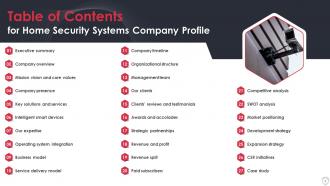
Slide 2: This slide presents Table of Content for the presentation.
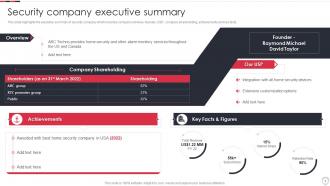
Slide 3: This slide displays Security company executive summary.
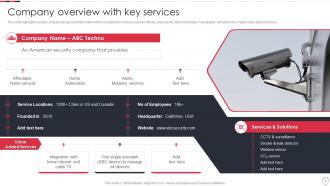
Slide 4: This slide represents Company overview with key services.
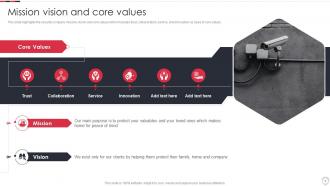
Slide 5: This slide showcases security company mission, vision and core values.
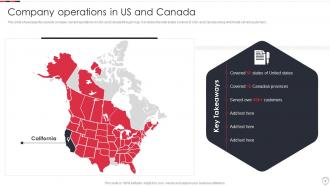
Slide 6: This slide shows Company operations in US and Canada.
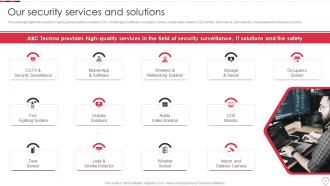
Slide 7: This slide presents security company services which includes CCTV, mobile app & software, etc.
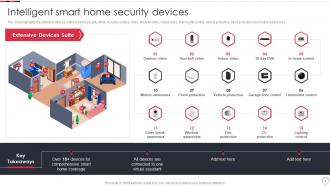
Slide 8: This slide displays Intelligent smart home security devices.
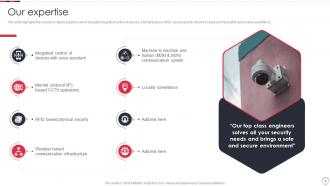
Slide 9: This slide represents security company expertise which includes integrated control of devices.
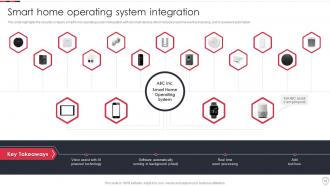
Slide 10: This slide showcases Smart home operating system integration.
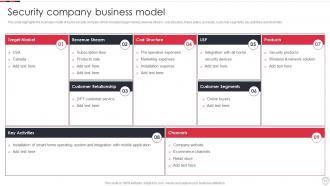
Slide 11: This slide shows Security company business model.
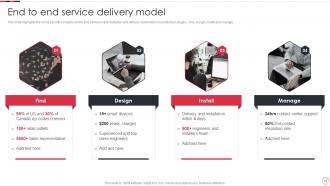
Slide 12: This slide highlights the home security company end to end service implementation.
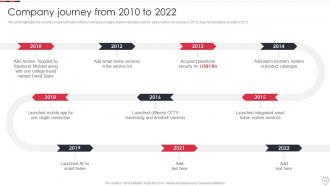
Slide 13: This slide presents security company timeline which showcases company started operation in 2010.
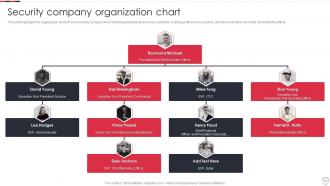
Slide 14: This slide displays Security company organization chart.
Slide 15: This slide represents Executive leadership and management team.
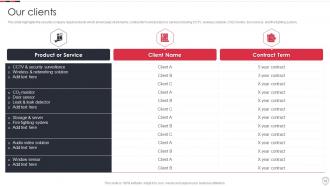
Slide 16: This slide showcases security company reputed clients.
Slide 17: This slide shows security company customer testimonials.
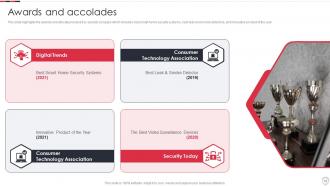
Slide 18: This slide presents awards and allocates received by security company.
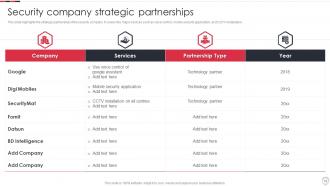
Slide 19: This slide displays Security company strategic partnerships.
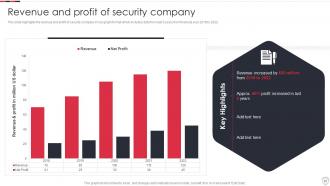
Slide 20: This slide represents Revenue and profit of security company.
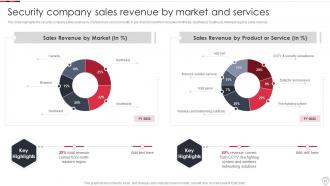
Slide 21: This slide showcases Security company sales revenue by market and services.
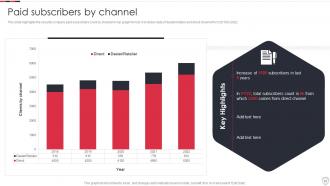
Slide 22: This slide shows security company paid subscribers count by channel in bar graph format.
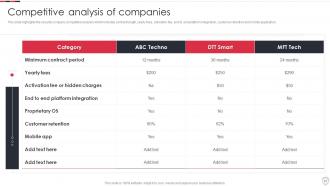
Slide 23: This slide presents security company competitive analysis.
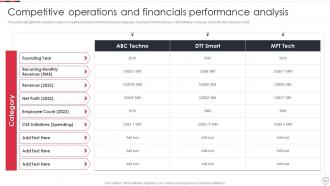
Slide 24: This slide displays Competitive operations and financials performance analysis.
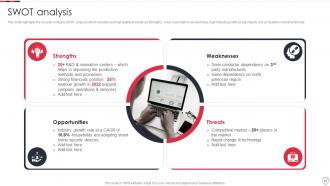
Slide 25: This slide represents security company SWOT analysis.
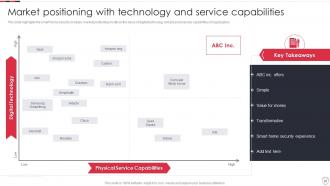
Slide 26: This slide showcases Market positioning with technology and service capabilities.
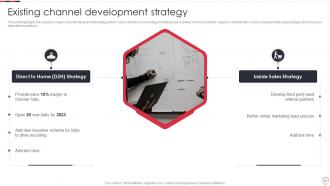
Slide 27: This slide shows Existing channel development strategy.
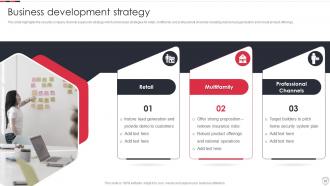
Slide 28: This slide presents security company channel expansion strategy.
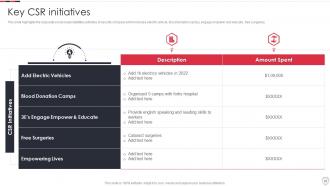
Slide 29: This slide displays corporate social responsibilities activities of security company.
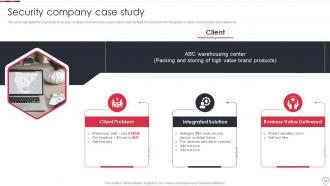
Slide 30: This slide represents case study of security company.
Slide 31: This slide showcases Icons for home security systems company profile.
Slide 32: This slide is titled as Additional Slides for moving forward.
Slide 33: This is About Us slide to show company specifications etc.
Slide 34: This is Our Mission slide with related imagery and text.
Slide 35: This is Our Team slide with names and designation.
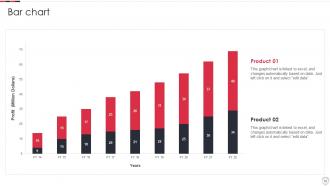
Slide 36: This slide presents Bar chart with two products comparison.
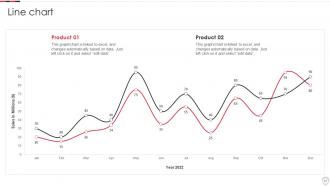
Slide 37: This slide describes Line chart with two products comparison.
Slide 38: This slide provides 30 60 90 Days Plan with text boxes.
Slide 39: This slide shows Post It Notes. Post your important notes here.
Slide 40: This is Our Target slide. State your targets here.
Slide 41: This is a Thank You slide with address, contact numbers and email address.
Home Security Systems Company Profile Powerpoint Presentation Slides with all 46 slides:
Use our Home Security Systems Company Profile Powerpoint Presentation Slides to effectively help you save your valuable time. They are readymade to fit into any presentation structure.











FAQs for Home Security Systems Company Profile
Get the basics first - 24/7 monitoring, app control, wireless sensors for doors/windows plus motion detection. HD cameras with night vision are a must, and cloud storage so you can actually access your footage later. Smart home stuff should work with Alexa or Google without being a pain. Battery backup's super important during outages. Monthly fees vary a lot so shop around - I learned that the hard way with my first system. Get quotes from 2-3 companies and ask about DIY installation if you're handy. Honestly saves you like $200+ in setup fees.
Smart home security is honestly a game changer - everything connects to your phone so you get alerts instantly and can watch live feeds from wherever. The best part? All the devices actually talk to each other. Like your cameras can flip on lights automatically, door sensors set off alarms, that kind of thing. You can customize rules for different situations too. Oh and access control is way better than old systems. I'd probably start with something that works with whatever smart stuff you already have - no point making it complicated right off the bat.
Honestly, DIY is way cheaper - like $200-500 vs $500-1500+ for the pros. Plus you avoid those monthly monitoring fees since most DIY options let you self-monitor or have cheaper plans. Took me forever to set up my Ring system (my neighbor kept coming over to "help" lol), but I saved like $800. Sure, professional installs might integrate better, but most DIY stuff is pretty straightforward now. You're decent with tech, right? I'd totally go DIY and use the savings for something fun.
Think of it like having backup plans for your backup plans. Motion sensors catch anyone who's already gotten inside. Door and window sensors go off the second someone tries to open something. Glass break detectors? They'll alert you before an intruder even gets the window fully open. Honestly, most burglars aren't that smart - they'll trigger something. If they somehow sneak past your door sensor, motion detection still nails them. You definitely want at least one of each type on your main floor since that's where most break-ins happen anyway.
Dude, cameras are seriously your best bet. Most thieves will just bounce when they see they're being filmed - nobody wants to end up on someone's highlight reel, you know? Plus you can watch everything from your phone which is clutch. The footage helps big time if something actually goes down. Position them by doors and windows, but make sure there's decent lighting or you'll just get useless blurry mess. Honestly, even fake cameras work sometimes, but real ones are obviously better since you get that actual monitoring.
So I'd grab a smart hub first - SmartThings or Hubitat work great. Then you create these "scenes" that do multiple things at once, which is where it gets fun. Your security system arms for away mode and boom - locks engage, lights shut off, thermostat adjusts automatically. Motion sensors can flip lights on too, so it looks like you're still home. I went a little overboard with mine at first, but honestly? Start with just a couple devices and add more later. Way less overwhelming that way.
Honestly, most people mess up the basics. Ground floor windows left unlocked are huge - burglars check those first. Your door frame might look solid but if it's cheap wood, one good kick and you're done. Stop hiding spare keys under the doormat too, that's like burglar 101. Garage doors are sketchy weak spots everyone ignores. Same with sliding patio doors. And seriously, quit posting vacation pics while you're still gone! You're basically putting up a "rob me now" sign. Walk around your place sometime and think what you'd target if you were breaking in. Might surprise you what you find.
Honestly, monitored systems are so much faster - like 30-60 seconds and emergency services already know what's up. Your monitoring company calls you first to check if it's real, then boom, they're calling the cops or fire department. Unmonitored ones? They just scream into the void hoping your neighbors actually care enough to call 911. Which... good luck with that lol. I mean, how many times have you heard a car alarm and just ignored it? Same energy. If you want quick response times, the monthly fee is totally worth it for monitored.
So the big thing is just don't point them at your neighbor's stuff - their windows, yard, whatever. Keep everything focused on your own property like your front door, driveway, that kind of thing. Some places want you to put up signs about recording but honestly I'd just check what your city requires. Oh and audio recording gets weird legally, way more complicated than just video. I'd probably skip that part if you can. Stay away from sidewalks and streets too. As long as you're not being creepy about it you'll be good.
Dude, where you live makes a huge difference in what security stuff you actually need. High-crime areas? Definitely get cameras and motion sensors, maybe glass break detectors too. Rural places are trickier since cops take forever to show up - cellular backup is a must in case someone cuts your landlines. Weather's another thing to think about. Coastal homes need systems that won't crap out from humidity and storms. My buddy learned this the hard way when his kept going off every time it got windy lol. Check your local crime stats first and ask neighbors what's been working for them before you drop any money.
Check your system monthly - most update automatically but you never know. I test my sensors and cameras every few months, honestly whenever I remember to. Replace those wireless device batteries before they're completely dead (learned that one the hard way). Update your access codes if someone moves out or gets fired - awkward but necessary. Make sure everyone in the house actually knows how to use the thing properly. Oh, and call your monitoring company if your contact info changes. I just set a phone reminder because otherwise I'd totally forget this stuff.
Your alarm works by having sensors on doors/windows plus motion detectors that talk to a main panel. When something trips, it alerts your monitoring company or sends notifications straight to your phone. Honestly, most people forget to test theirs regularly but you should do it monthly. Reliability depends on your internet connection and battery backup - also dust messes with sensors way more than you'd think. For it to actually work, you gotta place sensors right, remember to arm the damn thing, and have decent outdoor lighting. Oh and replace those sensor batteries before they die completely.
Dude, don't put cameras where everyone can see them - burglars aren't idiots, they'll just break those first. Ground floor windows are huge blind spots that people always forget about. Your system's useless if the power goes out and you don't have backup batteries or internet. That's literally when break-ins happen most! Test everything monthly because I swear half my friends set theirs up years ago and have no clue if it still works. Oh, and make sure you can actually check the feeds from your phone before you're in some sketchy situation trying to figure it out.
Yeah so security systems are pretty modular now - you can just grab what you actually need. For apartments, maybe door sensors and a smart doorbell work fine. Bigger houses usually want cameras, motion stuff, glass break detectors, the whole deal. Walk through your place first and see where you're actually vulnerable, then build from there. Don't just buy some random package deal. You can pick your monitoring too - 24/7 professional service or just check your phone yourself. Honestly got a bit overwhelmed when I was looking into this stuff last year, but starting simple helps.
Oh yeah, climate totally affects security stuff. Batteries in wireless devices hate extreme temps - learned that the hard way last winter. Salt air near the coast? That'll eat your metal components alive. Moisture causes corrosion, and rain makes cameras go all blurry right when you need clear footage. Motion sensors get wonky in bad weather too. Look for IP65 ratings or higher - anything less is basically useless outdoors. Honestly, I'd go hardwired if you're dealing with nasty weather since wireless can be unreliable. Just double-check the temperature range before buying.
-
Such amazing slides with easy editable options. A perfect time-saver.
-
The templates you provide are great! They have saved me tons of time and made my presentations come alive. Thank you for this awesome product. Keep up the good work!