

HRMS Implementation Strategy Powerpoint Presentation Slides




Try Before you Buy Download Free Sample Product
 Impress Your
 Audience
 100%
100% Editable
 Save Hours
 of Time


The HRMS software improves numerous company processes. Check out our HRMS Implementation Strategy template. It helps automate the work processes of an HR department, networks company areas, and increases employee satisfaction. Our Human resource management system deck covers the current scenario of a company, including annual revenue and employee growth projections by the department. It also covers the introduction of new employee-friendly policies and HRMS implementation. Our HRM Software PPT covers an HRMS implementation plan along with various HRMS solutions like a Document management system, Applicant tracking and recruiting system, Employee onboarding and administration system, Employee performance appraisal and management design, Employee compensation management system, etc. It highlights the Timeline for HRMS implementation, followed by the Cost and budget plan, HR and Managers responsibilities, and Employee training plan. Lastly, Our HR technology adoption module also covers the Projected Overall Impact of implementing HRMS and the Impact of implementing HRMS on the organizational workforce. Get access now.
People who downloaded this PowerPoint presentation also viewed the following :
Content of this Powerpoint Presentation
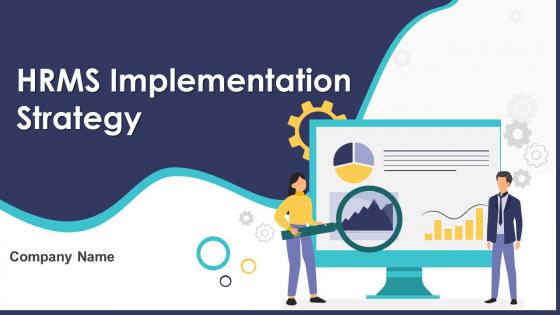
Slide 1: This slide introduces HRMS Implementation Strategy. Commence by stating Your Company Name.
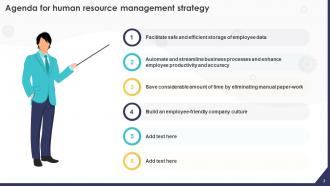
Slide 2: This slide depicts the Agenda of the presentation.
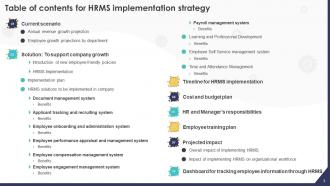
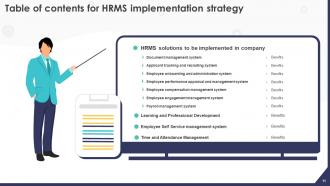
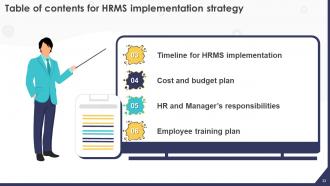
Slide 3: This slide incorporates the Table of contents.
Slide 4: This slide highlights the Title for the Topics to be discussed further.
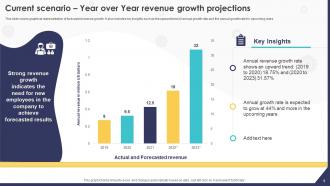
Slide 5: This slide covers graphical representation of forecasted revenue growth.
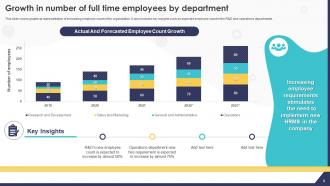
Slide 6: This slide showcases the Growth in number of full time employees by department.
Slide 7: This slide mentions the Heading for the Components to be covered in the following template.
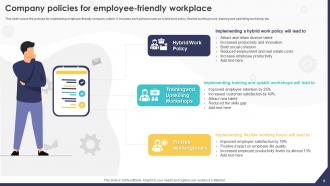
Slide 8: This slide presents the Company policies for employee-friendly workplace.
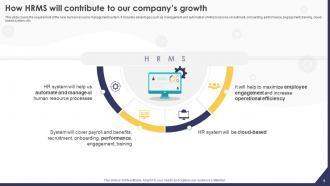
Slide 9: This slide elucidates the requirement of the new human resource management system.
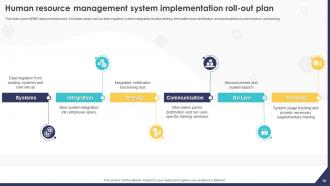
Slide 10: This slide talks about Human resource management system implementation roll-out plan.
Slide 11: This slide reveals the Title for the Ideas to be discussed further.
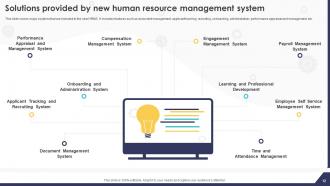
Slide 12: This slide exhibits the Solutions provided by new human resource management system.
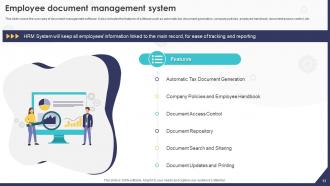
Slide 13: This slide deals with Employee document management system.
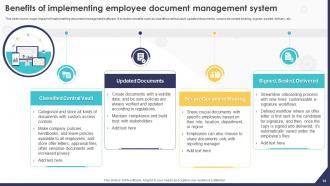
Slide 14: This slide portrays the Benefits of implementing employee document management system.
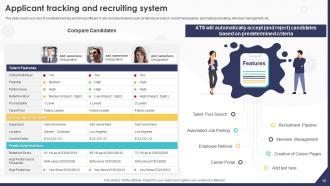
Slide 15: This slide covers use case of candidate tracking and hiring software.
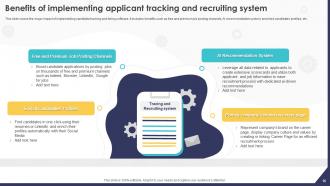
Slide 16: This slide reveals the Benefits of implementing applicant tracking and recruiting system.
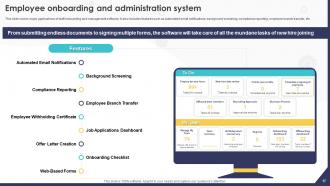
Slide 17: This slide mentions the Employee onboarding and administration system.
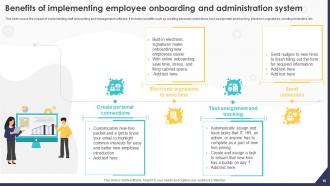
Slide 18: This slide states the Benefits of implementing employee onboarding and administration system.
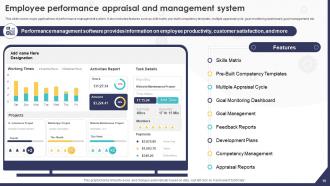
Slide 19: This slide talks about Employee performance appraisal and management system.
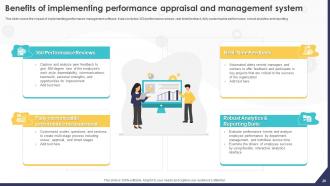
Slide 20: This slide incorporates the Benefits of implementing performance appraisal and management system.
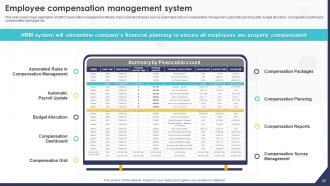
Slide 21: This slide covers major application of staff compensation management software.
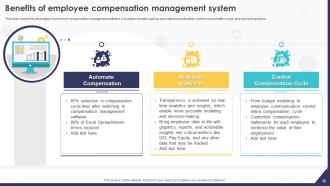
Slide 22: This slide indicates the Benefits of employee compensation management system.
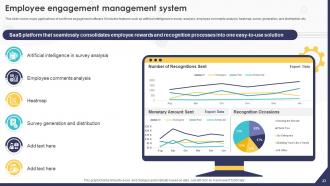
Slide 23: This slide talks about the Employee engagement management system.
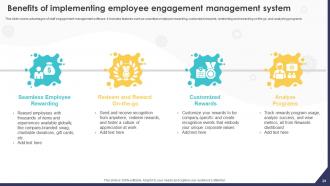
Slide 24: This slide presents the Benefits of implementing employee engagement management system.
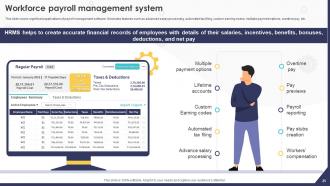
Slide 25: This slide displays the Workforce payroll management system.
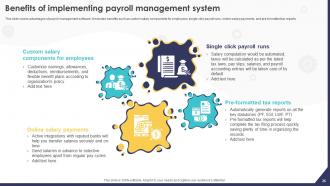
Slide 26: This slide exhibits the Benefits of implementing payroll management system.
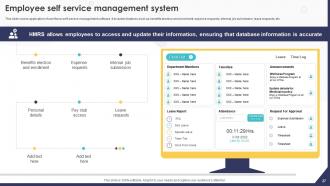
Slide 27: This slide covers application of workforce self-service management software.
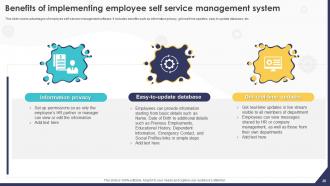
Slide 28: This slide mentions the Benefits of implementing employee self service management system.
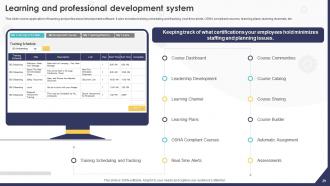
Slide 29: This slide illustrates the application of learning and professional development software.
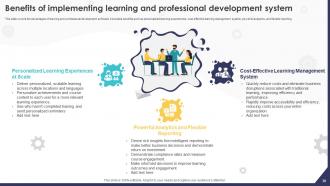
Slide 30: This slide depicts the Benefits of implementing learning and professional development system.
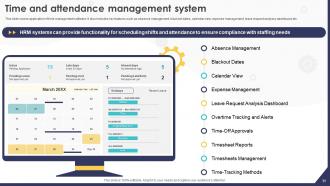
Slide 31: This slide reveals the Time and attendance management system.
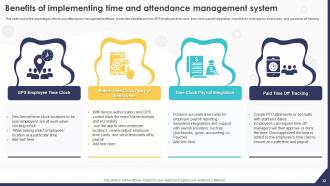
Slide 32: This slide exhibits the Benefits of implementing time and attendance management system.
Slide 33: This slide elucidates the Heading for the Ideas to be discussed in the upcoming template.
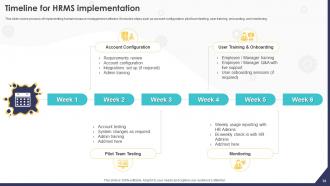
Slide 34: This slide reveals the Timeline for HRMS implementation.
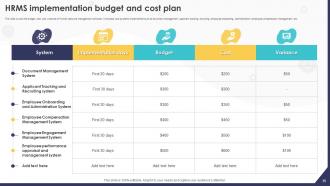
Slide 35: This slide covers the budget, cost, and variance of Human resource management software.
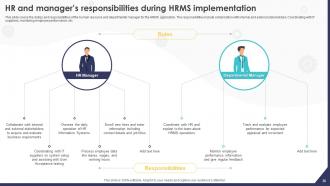
Slide 36: This slide states the HR and manager’s responsibilities during HRMS implementation.
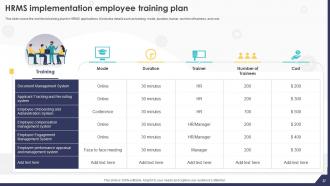
Slide 37: This slide showcases the HRMS implementation employee training plan.
Slide 38: This slide indicates the Title for the Components to be covered further.
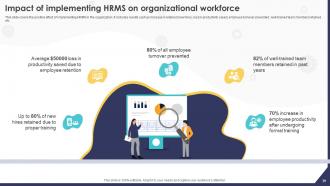
Slide 39: This slide portrays the Impact of implementing HRMS on organizational workforce.
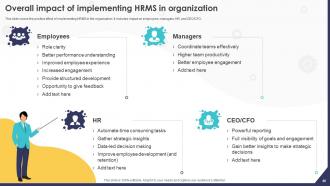
Slide 40: This slide reveals the Overall impact of implementing HRMS in organization.
Slide 41: This slide includes the Heading for the Topics to be discussed next.
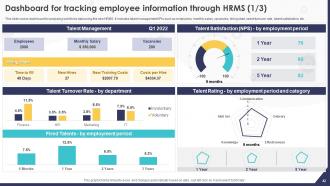
Slide 42: This slide illustrates the Dashboard for tracking employee information through HRMS.
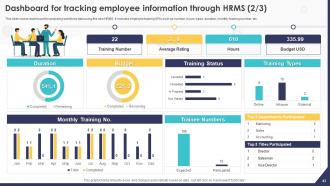
Slide 43: This slide continues the Dashboard for tracking employee information through HRMS.
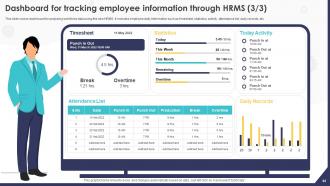
Slide 44: This is yet another slide continuing the Dashboard for tracking employee information through HRMS.
Slide 45: This slide is used for depicting some Additional information.
Slide 46: This slide elucidates the Title for the Topics to be covered in the forth-coming template.
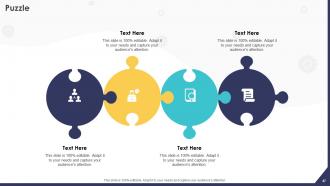
Slide 47: This is the Puzzle slide with related imagery.
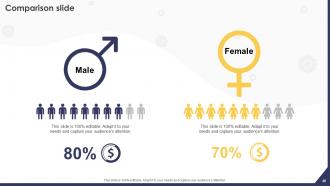
Slide 48: This slide is used for the purpose of Comparison.
Slide 49: This slide shows the Funnel filter icon with arrow.
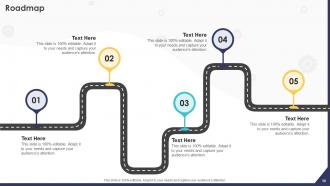
Slide 50: This slide presents the firm's Roadmap.
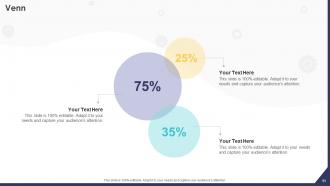
Slide 51: This is the Venn diagram slide.
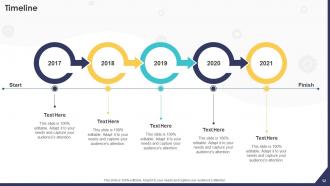
Slide 52: This slide exhibits the company Timeline.
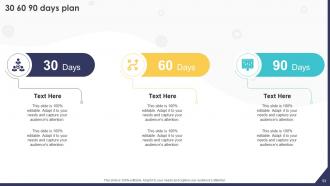
Slide 53: This is the 30 60 90 days plan slide for effcetive planning.
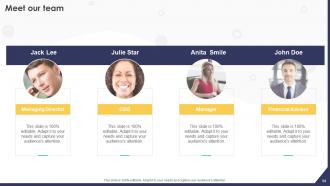
Slide 54: This is Meet our team slide. State your team-related information here.
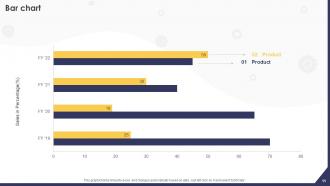
Slide 55: This slide presents the Bar chart.
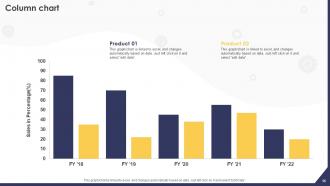
Slide 56: This slide showcases the Column chart.
Slide 57: This slide elucidates information related to the Financial topic.
Slide 58: This slide contains the Post it notes for reminders and deadlines.
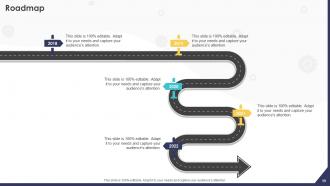
Slide 59: This slide presents the company Roadmap.
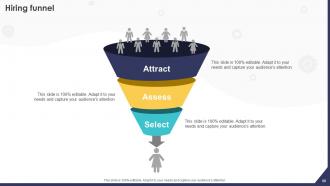
Slide 60: This slide displays the Hiring funnel with related imagery.
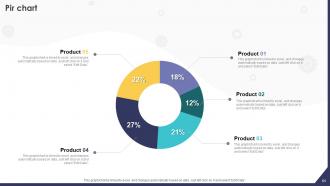
Slide 61: This slide reveals the Pir chart.
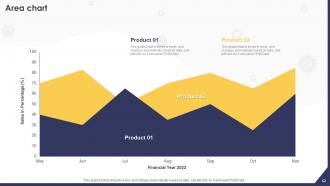
Slide 62: This slide showcases the Area chart.
Slide 63: This is the About us slide. State your company-related information here.
Slide 64: This slide includes the organization's mission, vision, and values.
Slide 65: This is the Thank You slide for acknowledgement.
HRMS Implementation Strategy Powerpoint Presentation Slides with all 70 slides:
Use our HRMS Implementation Strategy Powerpoint Presentation Slides to effectively help you save your valuable time. They are readymade to fit into any presentation structure.





FAQs for HRMS Implementation Strategy
Before diving in, figure out exactly what you're trying to fix - maybe it's your messy payroll process or giving employees better self-service options. Then map out which workflows need automating and how you'll actually measure success. So many teams skip this part and go straight to those flashy vendor presentations. Big mistake. You also need your timeline locked down, budget sorted, and department stakeholders identified upfront. Getting leadership on the same page early will literally save your sanity when scope creep inevitably tries to derail everything later.
Map out everything you do from hiring to retirement - yeah, even the stuff that makes your team cringe. Survey everyone about what pisses them off daily and where things get stuck. Check your data quality too. Are people wasting hours typing the same info over and over? Track those mind-numbing repetitive tasks for a week - you'll be shocked where time goes. Compare against what other companies do to find your gaps. Honestly, being brutally real about what's broken is half the battle before throwing tech at it.
Dude, stakeholders can totally make or break your HRMS project. Get leadership on board first - you'll need their budget and backing. HR teams have to actually want this change, IT needs to handle the tech side, and don't forget the people who'll use it every day. I learned this the hard way on a project that crashed because we didn't loop everyone in early enough. Map out who matters most and start involving them right from requirements gathering. Regular check-ins are clutch. Oh, and testing sessions - get their feedback constantly or you'll end up building something nobody wants to touch.
Oh man, brace yourself for data migration nightmares - that stuff is always messier than you think. People hate change too, so expect pushback from employees who've been doing things the same way forever. Budget? Yeah, kiss that goodbye, these projects blow past estimates every single time. Integration with your current systems will probably give you headaches, plus there's all the configuration headaches and training gaps. Honestly though, the worst part is getting departments to agree on anything - everyone wants it customized for their little corner of the world. Get champions in each department from day one and have a real change management strategy, not just some PowerPoint.
Definitely back up everything first - I can't stress this enough. Map out your data fields and create migration protocols with checkpoints along the way. Your IT folks need to set up encrypted transfers and limit who has access during the move. Honestly, I've watched companies mess this up by rushing through it. Run both systems side by side for a couple weeks if you can swing it - catches problems early. Oh, and once it's all moved over, audit everything and write down what went wrong. Trust me on that last part.
First thing - nail down exactly what you need and make sure everyone's on the same page. Nothing worse than stakeholders changing their minds halfway through! Your RFP should cover functionality, integrations, how it'll scale, budget stuff. Don't just look at features when evaluating vendors though. Their support and training matter way more than you'd think. Get references from companies your size in similar industries. Oh, and definitely demo with your actual data - not their perfect sample stuff. Most critical part? Loop in the people who'll actually use it daily. They'll catch things you missed.
Dude, change management is seriously where most HRMS projects live or die. Start talking to people early about what's coming - nobody likes surprises at work. Get your power users involved in testing so they feel ownership. Training is obvious but you'd be shocked how many companies skimp on it. Find a few enthusiastic people in each department to be your cheerleaders. They'll help when Karen from accounting inevitably freaks out about the new interface. Oh, and don't pretend it'll be seamless - there's always a messy adjustment period those first couple weeks. Build in extra support time because people will need it.
You need three main things: role-specific training (payroll people get payroll stuff, managers learn approvals), basic navigation for everyone, and super-user certification. That last one's honestly make-or-break - these people become your go-to when everything goes sideways after launch. Also throw in some change management sessions because people hate letting go of their old systems, even terrible ones. Train super-users first, then let them help with everyone else. Oh, and do short sessions instead of those brutal all-day things nobody remembers anyway.
You need both hard numbers and user feedback to know if your HRMS actually worked. Check time-to-hire speeds, payroll processing times, how many people use self-service features. Manual work reduction is big too. But honestly? User satisfaction surveys matter most - nobody cares about fancy metrics if employees can't stand the system. Track data accuracy and compliance stuff as well. The trick is measuring everything before launch so you can prove it was worth the money. Oh, and start collecting this data within 90 days or you'll forget.
Start with the boring stuff that actually matters - payroll, benefits, and employee portals. Nobody cares about fancy features if people can't get paid properly. The interface needs to be stupid simple or your team will hate it (learned that the hard way at my last job). Make sure it plays nice with whatever systems you're already using - data silos will drive you crazy. Security's obviously huge, especially if you're in healthcare or finance. Those shiny AI bells and whistles? Skip them for now. Just map out what's currently broken, then see which platform fixes those exact problems first.
So basically, HRMS lets people handle their own stuff - updating info, requesting time off, grabbing pay stubs, all that without bugging HR constantly. Game changer honestly. You get way better access to performance feedback and training opportunities too. The self-service thing is huge because people actually feel like they have some control over their work life instead of waiting around for someone else to help them. Oh, and the mobile apps make everything super convenient. I'd say figure out what's driving your employees most crazy right now - that's where you'll see the biggest win for morale.
Definitely set up regular check-ins with your users - quarterly surveys work great for spotting issues before they explode. Track the basics like adoption rates and how long tasks actually take people. Review those numbers monthly, not just when everything's on fire. Honestly, most companies just forget about their HRMS after launch and wonder why nobody uses it. Get someone to be your "system champion" - they should hunt for ways to improve things and test new features. Oh, and keep your training stuff updated. Those software updates matter more than you'd think.
So HRMS basically handles all that compliance stuff automatically - tracks hours, leave, employee data against labor laws. Really handy because it catches things like overtime violations or when someone's hitting FMLA eligibility that you'd totally miss doing it by hand. The coolest part? It updates when regulations change so you're not constantly researching new rules (which honestly used to drive me crazy). During audits, you'll have all those reports and trails ready to go. My advice - set up your state and federal requirements first, then just let it monitor everything. Way less stressful than trying to keep track of it all yourself.
Honestly, HRMS integration is a total lifesaver for getting rid of those annoying data silos. No more copying info between HR, payroll, and finance systems - everything just flows automatically. Your employees will love having one spot for time off requests, pay stubs, benefits, the whole deal. The reporting piece is where it gets really good though. You can pull real-time data across departments without wanting to tear your hair out. Oh, and definitely map out your most-used systems first - don't try to integrate everything at once or you'll go insane.
Honestly, you need different ways for people to give feedback since everyone's got their own style. Monthly pulse surveys work great. Stick feedback forms right in the HRMS too - super convenient. Focus groups with different user types are clutch for getting real opinions. Your IT team should definitely track support tickets closely because those things reveal patterns you'd miss otherwise. Also get managers to pass along what their teams are saying informally. The biggest thing though? Actually do something with the feedback you get. People will totally stop bothering if nothing ever changes.
-
It’s really cool, and you can find pretty much everything you could need for your work or school.
-
The team is highly dedicated and professional. They deliver their work on time and with perfection.