

Introduce Yourself Job Application Powerpoint Presentation Slides






Try Before you Buy Download Free Sample Product
 Impress Your
 Audience
 100%
100% Editable
 Save Hours
 of Time


Win some brownie points with our introduce yourself job application PowerPoint presentation slides. We have designed these creative PPT diagrams to present the detailed work presentations which enable you to mark an everlasting impression on your audience. These self-presentation PPT layouts help you to display your skills in a picturesque style. This is a way to showcase your achievements, qualifications, skill sets, and language skills without being self-centered. This PPT diagram covers these self presentation topics such as agenda, bio, career objectives, strengths & weaknesses, professional qualifications, training, experience, achievements, case study, career path, skills, language skills, hobbies, quotes, mind map, targets, mind map, contact information and thank you. These slides also include the timeline, column charts, area charts, line charts, images, clipart icons, roadmaps and maps to make your demonstration impressive and create the maximum call for action as there is a lot of competition for jobs in today’s world. Download these introduce yourself job application PowerPoint presentation slides to turn the tables of your audience. Our Introduce Yourself Job Application Powerpoint Presentation Slides are forever eager to give. They are definitely good at heart.
People who downloaded this PowerPoint presentation also viewed the following :
Content of this Powerpoint Presentation
Slide 1: This is Introduce Yourself Job Application slide with imagery.
Slide 2: This is an AGENDA slide with- About Me, Career, Own SWOT Analysis, Qualifications, Achievements & Training, Experience, Skill Set, Language Skill, Hobbies.
Slide 3: This is an About Me slide. You can add text as per your requirement here.
Slide 4: This is also an About Me (Option 2 of 2) slide with the following points, you can use, add or edit- Personal Profile, Education, Achievements, Work Experience, Contact Info, Hobbies, Skills & Languages.
Slide 5: This slide displays Career Roadmap in years. You can add/ edit it as per requirement.
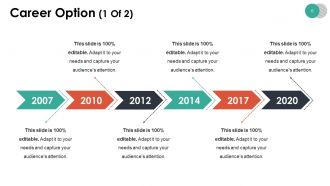
Slide 6: This is Career Option (1 Of 2) slide in a timeline form. State your career aspects here and make use of them.
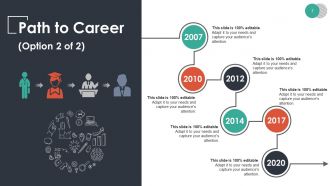
Slide 7: This slide shows Path to Career timeline. Add/ edit content on the basis of your requirement.
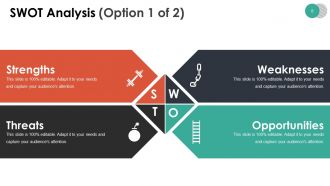
Slide 8: This slide presents SWOT Analysis. Use it to state your- Strengths, Weaknesses, Threats, Opportunities.
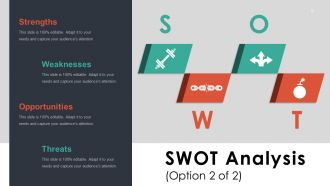
Slide 9: This is another SWOT Analysis (Option 2 of 2) slide. Use it as per your need.
Slide 10: This is Professional Qualifications slide to state in detail.
Slide 11: This is Achievements slide. Describe your various achievements here.
Slide 12: This slide presents Training with Description.
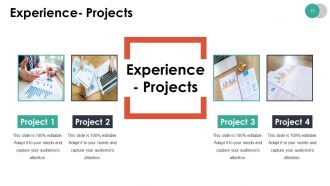
Slide 13: This is an Experience slide with respect to Projects. State them here.
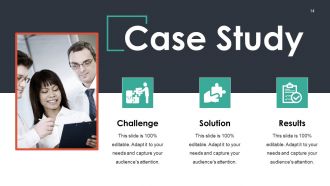
Slide 14: This slide shows Case Study with- Challenge, Solution, Results.
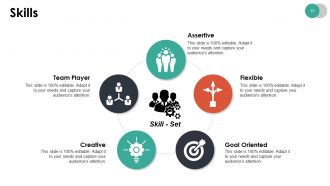
Slide 15: This is Skills slide categorized as being- Assertive, Flexible, Goal Oriented, Creative, Team Player.
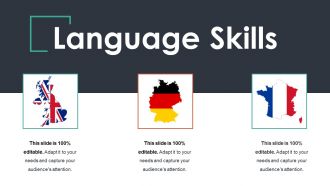
Slide 16: This slide showcases Language Skills with respect to- German, English, French. Use it to show your own language skill set.
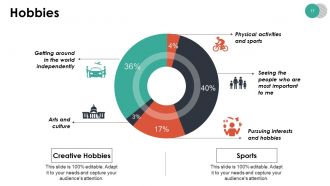
Slide 17: This slide states creative Hobbies in percentage. Showcase your own hobbies here.
Slide 18: This slide is titled Coffee Break to halt and then proceed further. You may change the slide content as desired.
Slide 19: This slide is titled New Introduce Yourself Job Icon Slide. Alter icons as desired.
Slide 20: This slide is also titled New Introduce Yourself Job Icon Slide. Alter icons as desired.
Slide 21: This slide forwards to Charts & Graphs. Use as per your requirement.
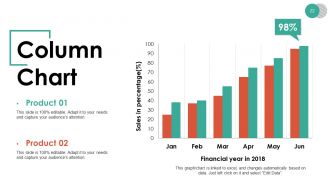
Slide 22: This slide presents a Column Chart for showcasing product/ company growth, comparison etc.
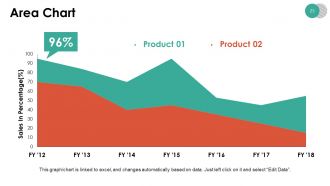
Slide 23: This slide presents an Area Chart for showcasing product/ company growth, comparison etc.
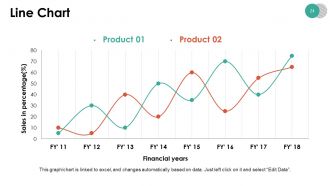
Slide 24: This slide presents a Line Chart for showcasing product/ company growth, comparison etc.
Slide 25: This slide is titled Additional Slides to move forward. You can change the slide content as per need.
Slide 26: This is Our Mission slide to state.
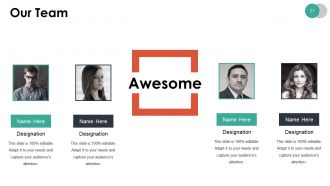
Slide 27: This is Our Team slide with boxes to fill in name and designation.
Slide 28: This is an About Us slide. State team/ company specifications here.
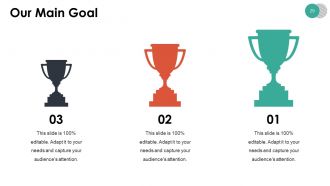
Slide 29: This slide showcases Our Main Goal. State your main goals here.
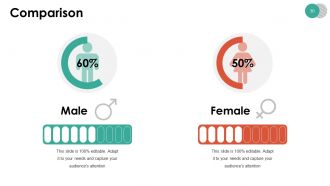
Slide 30: This slide showcases Comparison of two entities.
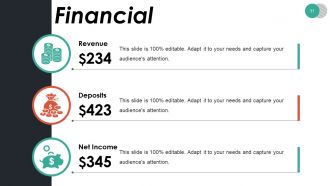
Slide 31: This is Financial slide showing- Revenue, Deposits, Net Income.
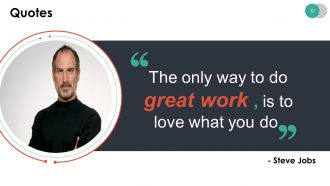
Slide 32: This is a Quotes slide to convey company/ organization message, beliefs etc. You may change the slide content as per need.
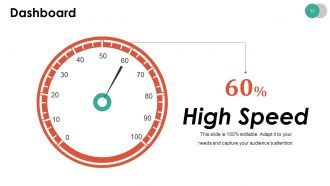
Slide 33: This is a Dashboard slide to show information in percentages etc.
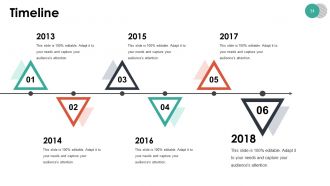
Slide 34: This slide presents a Timeline to show growth, milestones etc.
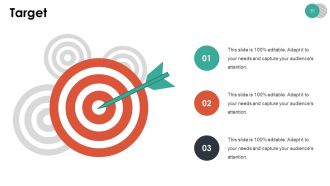
Slide 35: This is a Target slide. State your targets here.
Slide 36: This slide presents a Mind map with text boxes.
Slide 37: This is an Idea Bulb slide with imagery to show information, innovative aspects etc.
Slide 38: This is a Magnifying glass image slide to show information, scoping aspects etc.
Slide 39: This is a Thank You slide with Address# street number, city, state, Contact Numbers, Email Address.
Introduce Yourself Job Application Powerpoint Presentation Slides with all 39 slides:
Include every angle in the agenda with our Introduce Yourself Job Application Powerpoint Presentation Slides. Encourage a composite dialogue.
-

Introduce Yourself Job Application
-
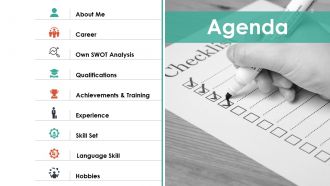
Agenda
-
About Me Option 1 of 2
-
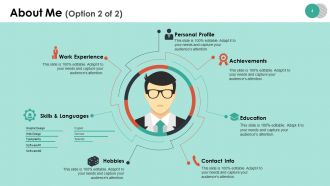
About Me Option 2 of 2
-
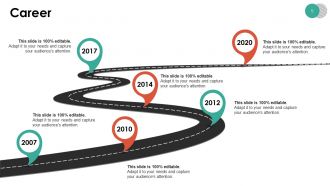
Career Timeline
-
Career Option 1 Of 2
-
Path to Career Option 2 of 2
-
SWOT Analysis Option 1 of 2
-
SWOT Analysis Option 2 of 2
-
Professional Qualifications
-
Achievements
-
Training
-
Experience Projects
-
Case Study
-
Skills
-
Language Skills
-
Hobbies
-

Coffee Time
-
New Introduce Yourself Job Icon Slide Cont
-
New Introduce Yourself Job Icon Slide cont
-
Charts Graphs
-
Column Chart
-
Area Chart
-
Line Chart
-
Additional Slides
-
Our Mission
-
Our Team
-

About Us
-
Our Main Goal
-
Comparison
-
Financial
-
Quotes
-
Dashboard
-
Timeline
-
Target
-
Mind Map
-
Idea Bulb
-
Magnifying Glass
-

Thank You
FAQs for Introduce Yourself Job Application
Okay so four key things to hit: quick personal intro, why you want THIS job specifically, relevant experience with actual examples, and how you'd tackle the role. Don't do that cringe "I'm passionate about synergy" nonsense - be real about what draws you to them. Pick 2-3 solid examples that prove you can handle what they're asking for. Show you actually researched the company, maybe throw in one thoughtful observation or idea you have. Oh and definitely practice saying it out loud first - nothing worse than sounding like you're just reading bullet points. Keep it structured but not stiff, you know?
Honestly, visuals can totally set you apart from other candidates. Most people just talk through their accomplishments, but if you show charts of your results or before/after examples, hiring managers can actually *see* your impact. Way more memorable that way. A career timeline works great too - I've seen people nail interviews with those. Just don't go crazy with animations or cheesy clipart (major turnoff). Stick to 2-3 clean visuals that directly relate to the job. We process visual info so much faster than just listening to someone ramble anyway.
Dude, don't cram your slides with text and then just read off them - it's literally painful to watch. Research the company first because generic pitches are so obvious it hurts. Practice beforehand! I learned this the hard way. Keep it to 3-4 main points and actually tell them why you're perfect for the job instead of listing random stuff. Watch your time too. Tech always breaks so have a backup ready. Oh and structure matters - people get lost if you're all over the place. Trust me on this one.
Honestly, just match what they actually care about. Tech companies? Show your GitHub or do a quick demo - they want to see how you think through problems. Finance people are all about those clean slides with solid numbers. Creative roles should lead with your portfolio (don't make them wait till slide 10, seriously). Traditional places like healthcare or manufacturing still prefer the formal presentation route with detailed methods. Before you prep anything though, stalk their LinkedIn and website a bit. You'll get a feel for whether they're corporate suits or hoodie-wearing startup types, then format accordingly.
Dude, stories are everything in interviews. Don't just say "I boosted sales 20%" - walk them through the whole thing. What was broken? How'd you fix it? What got in your way? Our brains eat that stuff up way more than boring bullet points. Plus it actually shows how you think, not just what you achieved. I learned this the hard way after bombing a few interviews just rattling off accomplishments. Keep it short though - maybe 2-3 solid examples that actually relate to the job. Practice them like you're explaining a crazy work situation to a friend.
Your opening slide can make or break everything - seriously, you've got like 30 seconds before they zone out. Skip the boring "thanks for having me" nonsense. Jump right into who you are, what job you want, and why they should care. I always think of it like a movie trailer that either grabs you or makes you scroll your phone. Lead with something punchy - maybe a big win you had, how you see their problems differently, or just be bold about what you'd actually do for them. Honestly, people remember first impressions way longer than they should.
Honestly? Just go with boring fonts like Arial or Calibri. Black text, white background - that's it. Maybe throw in one accent color for headers if you want, but don't get crazy with it. I made the mistake once of using this awful purple font that looked like garbage when printed out. Your resume isn't the place to show off your artistic side - save that energy for the actual content. Also, definitely print a test copy because what looks good on your laptop screen might be totally different on paper. Trust me on this one.
Definitely use the STAR method - Situation, Task, Action, Result. Pick like 2-3 solid examples that actually match what they want. I bombed an interview once by just rambling about random stuff, so now I keep each story super tight - maybe 30-60 seconds tops when talking, or just a few sentences in writing. Numbers are your friend here. "Boosted sales by 20%" sounds way better than "I'm good at sales." Practice your go-to stories beforehand so you can tweak them for different questions. Oh, and have your strongest example ready first - you want to start strong.
Focus on metrics that actually matter for the job - revenue growth, cost savings, team improvements, project completion rates, customer satisfaction scores. Numbers beat vague statements every time, trust me. Throw in some industry benchmarks so they know you get the bigger picture. Don't have hard data? Process improvements work too. Oh, and certifications are solid if they're relevant. The trick is tying each number back to how you'd help their specific team. Makes it way more convincing than just listing random achievements.
Wrap it up by connecting your strengths to what they actually need. Don't just do the boring "thanks for your time" thing - honestly, that makes you blend in with everyone else. Instead, mention something specific you talked about or a project you're excited to tackle. Keep it brief but confident. Maybe reference that challenge they mentioned or how you'd fit with their team culture. The last thing you say is what sticks with them when they're comparing candidates later, so make it count. Practice saying it out loud until it doesn't sound rehearsed.
Honestly, interactive stuff can make or break your presentation. Ask them direct questions about their biggest challenges - gets them thinking. Quick polls work too if you want to know their priorities. If you're in tech, do a live demo. Way more impressive than just talking about what you built. I'd also let them ask questions throughout instead of that awkward "questions at the end" thing. Maybe even try whiteboarding if it fits the vibe. Just don't go overboard - pick like two things you're actually comfortable with and read the room first.
Definitely prep for the obvious stuff - your experience, handling challenges, why you want to work there. I usually write down 5-6 questions they'll probably ask and think through answers ahead of time. Go back through that job description too since they love asking "how would you tackle this responsibility?" Oh, and have some good questions ready about the company or team. Shows you actually care. Honestly, the Q&A part often matters more than your actual presentation. Keep some specific examples in your back pocket that show off your skills. If you need a sec to think, just say "good question, give me a moment" - totally fine to do that.
Keep it short - like 10-15 minutes tops. Honestly, 5-10 minutes is probably perfect for most jobs. I've watched so many people drone on for 20+ minutes while the interviewers just... zone out. It's painful to watch. Stick to maybe 3 or 4 key points that actually connect to what they're hiring for. Always save time for questions at the end too. Oh, and definitely practice timing yourself beforehand because presentations somehow always take way longer than you think they will. If they don't give you a time limit upfront, just ask when you're prepping - shows you respect their time.
Don't just ask "how'd I do?" - that's useless feedback territory. Get specific instead. Have them focus on your opening, whether your examples made sense, or if you were fidgeting too much. Time each section so you know where you're rushing. I hate when people just nod and say "looked great!" because honestly, that doesn't help anyone improve. Take notes while they're talking and don't argue back. Do a full practice run with maybe 2-3 people who'll actually be straight with you, not just tell you what sounds nice. Then you can fix the weird parts before showtime.
Dude, just go with PowerPoint or Google Slides - they're solid choices and any employer can open them without issues. Canva's pretty sweet if you want something that looks more polished without much effort. I've watched people waste SO much time on crazy animations that honestly just annoy everyone. Clean layout is key. Use Arial or Calibri (boring but readable), add white space so it doesn't look cramped, and maybe throw in their company colors if you can find them online. Oh and definitely practice your timing! Nothing worse than rushing through slides. Always save a PDF version too - tech issues happen at the worst moments.
-
good
-
Informative design.
-
The content is very helpful from business point of view.