


Introduction ppt icon





Try Before you Buy Download Free Sample Product
 Impress Your
 Audience
 100%
100% Editable
 Save Hours
 of Time


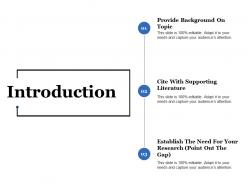
Deliver a striking presentation by incorporating Introduction PPT Icon and seal the most lucrative deal. Business experts can take advantage of this company profile PPT template to introduce themselves in front of stakeholders by delivering an impressive presentation. Initiate your presentation by giving a few details about your company. Elucidate its history, when was the company established, and what prompts you to start this business with the help of the enterprise introduction PPT slide. Use our skilfully-designed organizational intro PowerPoint theme to illustrate your mission and vision. Talk about the provision of the company's products and services. Graphically explain your company culture and core values. Increase your performance credibility by adding testimonials to your presentation. Make your presentation attractive by using exclusive features, add infographics, icons and tables, and charts wherever possible. You can customize the about us PPT template the way you wish it to look. Download this exquisite company background PPT theme and give your presentation with ease.
People who downloaded this PowerPoint presentation also viewed the following :
Introduction ppt icon with all 5 slides:
Find the right frequency with our Introduction Ppt Icon. Your thoughts will hit the correct note.

FAQs for
PPT icons include business symbols, technology graphics, people illustrations, process arrows, and data visualization elements. These visual tools enhance presentations by simplifying complex concepts, improving audience engagement, and creating professional aesthetics, with many organizations finding that strategic icon usage reduces cognitive load, accelerates comprehension, and delivers more memorable communication experiences.
Effectively choosing theme-aligned icons requires considering visual consistency, conceptual relevance, and audience comprehension, ensuring icons support rather than distract from your message. Successful presentations use icons that match color schemes, maintain uniform styling throughout slides, and represent concepts intuitively, with many professionals finding that cohesive icon selection enhances audience engagement and reinforces key messages.
Custom icons offer greater brand alignment, visual distinction, and audience engagement compared to standard PPT icons, while also providing scalability, unique messaging capabilities, and professional differentiation. However, standard icons deliver faster implementation and universal recognition, with many organizations finding that strategic combinations of both approaches enhance presentation effectiveness while maintaining visual consistency and reducing design time.
Icons improve audience engagement by simplifying complex information, creating visual anchors for key points, reducing cognitive load, and making content more memorable through visual association. These visual elements help presenters maintain audience attention, facilitate faster comprehension, and enhance retention, with many business professionals finding that strategic icon usage transforms dense presentations into compelling, easily digestible narratives.
Icons convey complex information succinctly by replacing lengthy text with visual symbols, creating intuitive navigation systems, and establishing consistent visual hierarchies that audiences can quickly process and understand. Strategic icon placement enables presenters to communicate processes, data relationships, and key concepts more effectively, while enhancing audience engagement and retention, ultimately delivering clearer messaging and more professional presentations.
Color schemes play a crucial role in PPT icon selection by ensuring visual consistency, reinforcing brand identity, enhancing readability, and creating emotional resonance with audiences. Through strategic color coordination, presentations achieve greater professional polish, improved information hierarchy, and stronger audience engagement, with many organizations finding that cohesive color-icon combinations significantly enhance message clarity and brand recognition.
Yes, industry-specific icons significantly enhance presentation relevance and impact by providing immediate visual context that resonates with your audience's expertise and expectations. Healthcare presentations benefit from medical symbols, financial services leverage banking and investment icons, while manufacturing uses industrial imagery, ultimately creating stronger audience connection, improved comprehension, and more memorable messaging that demonstrates industry knowledge and professionalism.
Presenters can ensure PPT icon accessibility by using high contrast colors, providing alt text descriptions, choosing simple recognizable designs, and maintaining consistent sizing throughout presentations. These accessibility practices enable audiences with visual impairments or cognitive differences to fully engage with content, while clear iconography and descriptive elements ultimately deliver more inclusive presentations that enhance comprehension for all participants.
Best practices for integrating icons into presentations include maintaining consistent sizing and spacing, choosing icons with unified visual styles, aligning them strategically with text elements, and ensuring they enhance rather than distract from key messages. These design principles streamline visual communication by creating professional hierarchy, improving audience comprehension, and delivering more engaging presentations, with many organizations finding that thoughtful icon integration significantly enhances their presentation effectiveness.
Animated icons significantly enhance viewer engagement by capturing attention through motion, conveying information more dynamically, and creating memorable visual experiences that static icons cannot achieve. These moving elements guide focus more effectively, reduce cognitive load by demonstrating processes visually, and ultimately deliver higher retention rates and improved user interaction, with many presentation designers finding that strategic animation increases audience comprehension by up to 400%.
When using icons in presentations, consider licensing terms, attribution requirements, commercial usage rights, and source credibility to avoid copyright infringement. Many organizations find that investing in licensed icon libraries or royalty-free collections streamlines compliance while ensuring professional quality, ultimately delivering legal protection and consistent visual branding across all corporate communications.
Icons create visual hierarchy by varying their size, color intensity, positioning, and styling to guide viewers through content systematically. Larger, brighter icons draw immediate attention to primary points, while smaller, muted ones support secondary information, with strategic placement and consistent design patterns helping audiences navigate complex data presentations seamlessly, ultimately enhancing comprehension and message retention.
**INPUT**: What tools or software can be used to create bespoke PPT icons for unique presentations? **OUTPUT**: Bespoke PPT icon creation tools include Adobe Illustrator, Canva Pro, Figma, PowerPoint's built-in design features, and specialized platforms like Iconfinder and Flaticon. These applications streamline custom icon development by offering vector-based editing, extensive template libraries, and brand-consistent design elements, with many organizations finding that tailored iconography enhances audience engagement and delivers more memorable presentations. **Word count: 58 words**
A cohesive icon set creates visual consistency through uniform design style, color palette, line weights, and proportional sizing, establishing professional credibility and brand coherence. This strategic approach enhances audience comprehension by reducing cognitive load, streamlines information hierarchy, and ultimately delivers polished presentations that communicate expertise, with many organizations finding that consistent iconography significantly elevates their professional image.
Icon design trends for PowerPoint presentations in 2023 include minimalist line art, gradient-filled shapes, animated micro-interactions, 3D isometric styles, and accessible high-contrast designs. These approaches enhance visual storytelling by improving readability, creating professional aesthetics, and supporting diverse audiences, with many organizations finding that strategic icon selection significantly streamlines communication while delivering more engaging, memorable presentations.
-
Very unique and reliable designs.
-
Excellent template with unique design.