

IT Policy Powerpoint Presentation Slides





Try Before you Buy Download Free Sample Product
 Impress Your
 Audience
 100%
100% Editable
 Save Hours
 of Time


The IT policy is a set of guidelines that an organization puts in place for the effective and efficient use of information technology assets. These policies are critical for ensuring that employees adhere to specific rules when using IT resources within the organization. Our professionally designed PowerPoint presentation IT Policy covers various IT policies, including the Cyber Security Policy and BYOD Policy. The Cyber Security Policy PPT presentation provides an overview of essential components such as security awareness and training, information security, and email and chat policy. It also delves into the Bring Your Device BYOD policy, outlining its scope, objectives, and device protocols. The presentation includes a checklist for creating an effective BYOD policy, which covers aspects such as authorized use of personal devices, privacy, and company access, stipends for BYOD, and the safety of personal devices. In addition to the BYOD policy, the presentation also covers critical components of an IT policy such as remote access policy, password creation and management, and acceptable use of equipment. A cyber security training program for staff, a timeline, and a roadmap to develop an IT policy are also included. The Cyber Security Policy and BYOD Policy templates can help businesses mitigate risks and ensure the secure use of information technology assets. Get access now.
People who downloaded this PowerPoint presentation also viewed the following :
Content of this Powerpoint Presentation
Slide 1: This slide displays the title IT Policy.
Slide 2: This slide displays the title Agenda.
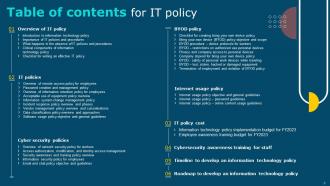
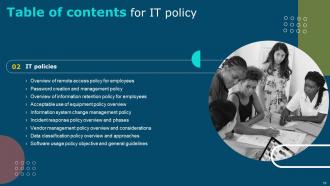
Slide 3: This slide exhibit table of content.
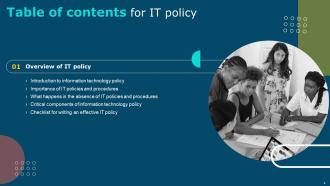
Slide 4: This slide showcase table of content that is to be discuss further.
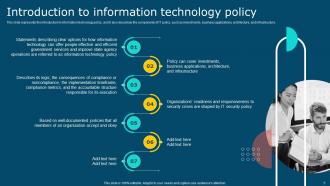
Slide 5: This slide represents the introduction to information technology policy, and it also describes the components of IT policy.
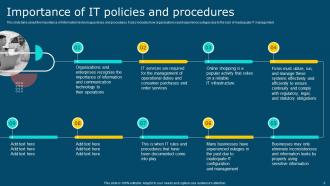
Slide 6: This slide talks about the importance of information technology policies and procedures.
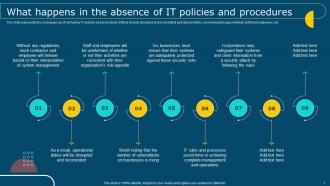
Slide 7: This slide represents the consequences of not having IT policies and procedures.
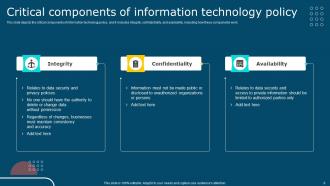
Slide 8: This slide depicts the critical components of information technology policy, and it includes integrity, confidentiality, and availability.
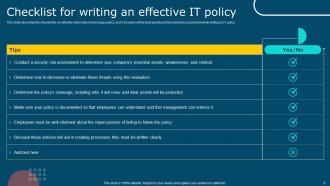
Slide 9: This slide describes the checklist for an effective information technology policy.
Slide 10: This slide showcase table of content that is to be discuss further.
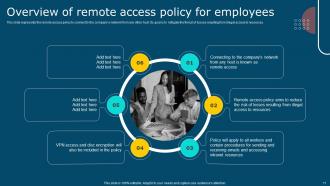
Slide 11: This slide represents the remote access policy to connect to the company’s network from any other host.
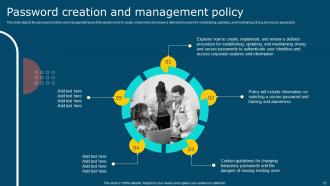
Slide 12: This slide depicts the password creation and management policy that explains how to create, implement, and review a defined procedure.
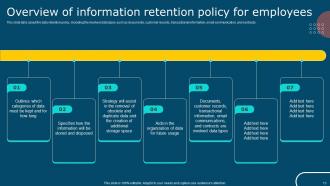
Slide 13: This slide talks about the data retention policy, including the involved data types such as documents, customer records, transactional information.
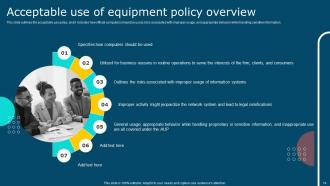
Slide 14: This slide outlines the acceptable use policy, and it includes how official computers should be used, risks associated with improper usage.
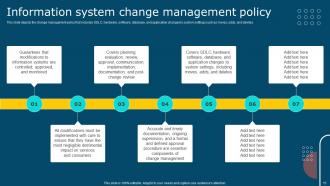
Slide 15: This slide depicts the change management policy that includes SDLC, hardware, software, database, and application changes to system settings.
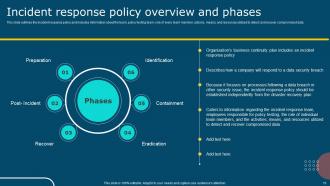
Slide 16: This slide outlines the incident response policy and includes information about the team, policy testing team, role of every team member, actions, means.
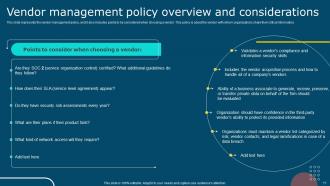
Slide 17: This slide represents the vendor management policy, and it also includes points to be considered when choosing a vendor.
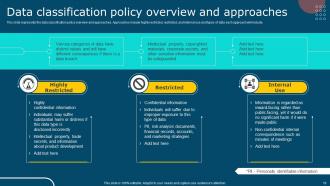
Slide 18: This slide represents the data classification policy overview and approaches.
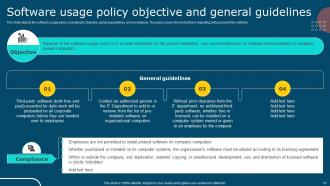
Slide 19: This slide depicts the software usage policy, including its objective, general guidelines, and compliance.
Slide 20: This slide showcase table of content that is to be discuss further.
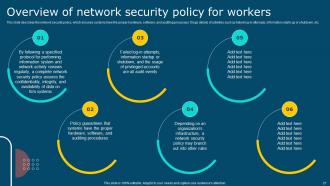
Slide 21: This slide describes the network security policy, which ensures systems have the proper hardware, software, and auditing processes.
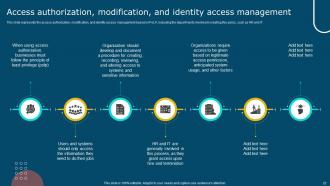
Slide 22: This slide represents the access authorization, modification, and identity access management based on PoLP.
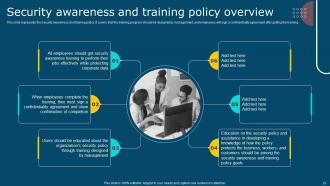
Slide 23: This slide represents the security awareness and training policy.
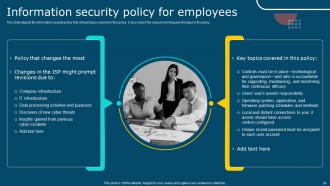
Slide 24: This slide depicts the information security policy that critical topics covered in this policy.
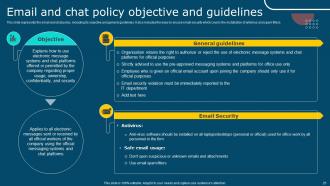
Slide 25: This slide represents the email and chat policy, including its objective and general guidelines.
Slide 26: This slide showcase table of content that is to be discuss further.
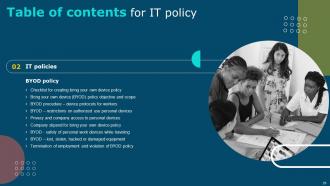
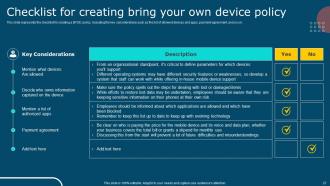
Slide 27: This slide represents the checklist for creating a BYOD policy, including the key considerations such as the list of allowed devices and apps, payment agreement.
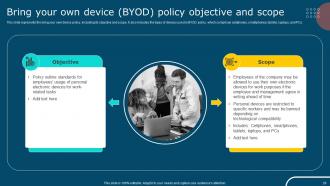
Slide 28: This slide represents the bring your own device policy, including its objective and scope.
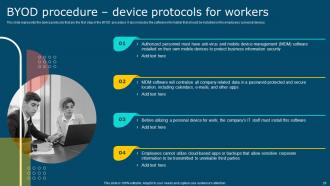
Slide 29: This slide represents the device protocols that are the first step in the BYOD procedure.
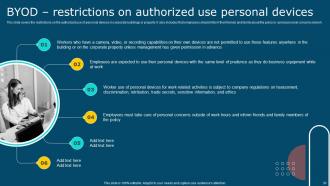
Slide 30: This slide covers the restrictions on the authorized use of personal devices in corporate buildings or property.
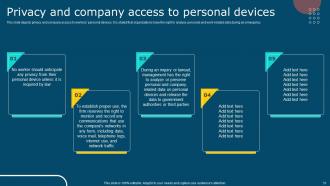
Slide 31: This slide depicts privacy and company access to workers’ personal devices.
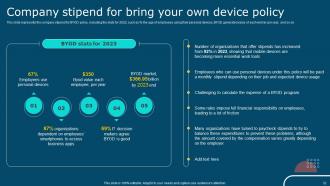
Slide 32: This slide represents the company stipend for BYOD policy.
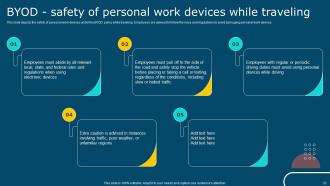
Slide 33: This slide depicts the safety of personal work devices under the BYOD policy while traveling.
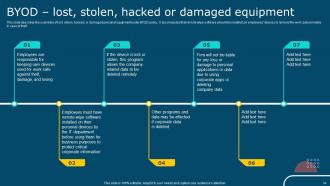
Slide 34: This slide describes the scenarios of lost, stolen, hacked, or damaged personal equipment under BYOD policy.
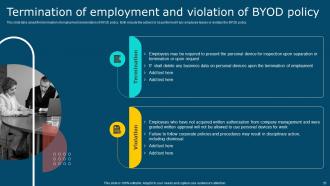
Slide 35: This slide talks about the termination of employment and violation of BYOD policy.
Slide 36: This slide showcase table of content that is to be discuss further.
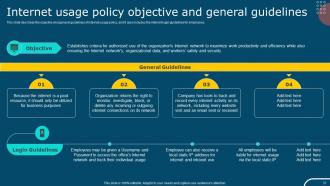
Slide 37: This slide describes the objective and general guidelines of internet usage policy, and it also includes the internet login guidelines for employees.
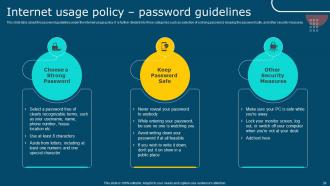
Slide 38: This slide talks about the password guidelines under the internet usage policy.
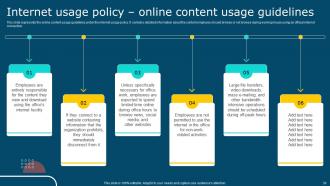
Slide 39: This slide represents the online content usage guidelines under the internet usage policy.
Slide 40: This slide showcase table of content that is to be discuss further.
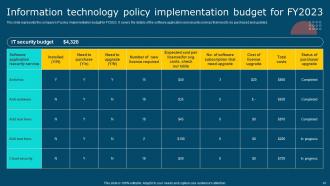
Slide 41: This slide represents the company's IT policy implementation budget for FY2023.
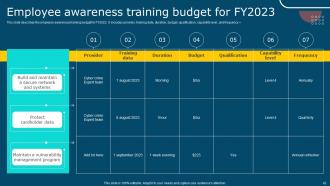
Slide 42: This slide describes the employee awareness training budget for FY2023.
Slide 43: This slide showcase table of content that is to be discuss further.
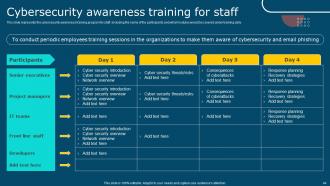
Slide 44: This slide represents the cybersecurity awareness training program for staff, including the name of the participants and what modules would be covered under training.
Slide 45: This slide showcase table of content that is to be discuss further.
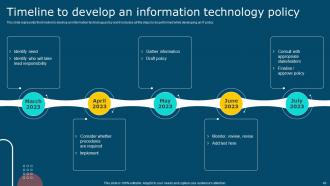
Slide 46: This slide represents the timeline to develop an information technology policy and it includes all the steps to be performed while developing an IT policy.
Slide 47: This slide showcase table of content that is to be discuss further.
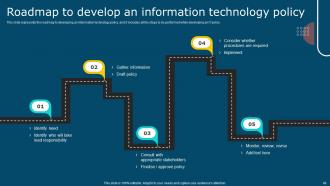
Slide 48: This slide represents the roadmap to developing an information technology policy, and it includes all the steps to be performed while developing an IT policy.
Slide 49: This is the icons slide.
Slide 50: This slide presents title for additional slides.
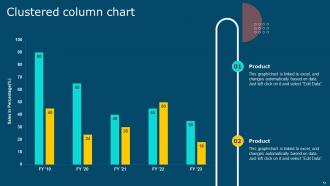
Slide 51: This slide showcase Clustered column chart for different products.
Slide 52: This slide depicts posts for past experiences of clients.
Slide 53: This slide showcase Our goal.
Slide 54: This slide shows puzzle for displaying elements of company.
Slide 55: This slide shows about your company, target audience and its client's values.
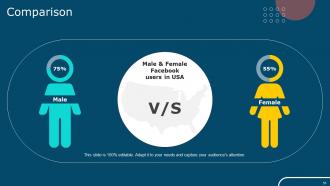
Slide 56: This slide showcase Comparison.
Slide 57: This slide display SWOT analysis.
Slide 58: This slide showcase Circular diagram.
Slide 59: This is thank you slide & contains contact details of company like office address, phone no., etc.
IT Policy Powerpoint Presentation Slides with all 64 slides:
Use our IT Policy Powerpoint Presentation Slides to effectively help you save your valuable time. They are readymade to fit into any presentation structure.








FAQs for IT Policy
So for your IT policy, hit these five big things. Data security first - who can access what and how they prove it's really them. Next up is acceptable use stuff for devices and internet. Remote work guidelines are huge now, plus BYOD rules if people bring their own laptops. Oh, and incident response because something will definitely break at some point - trust me on that one. Software installation rules too. Make sure there are actual consequences listed or people will just ignore everything. Keep it detailed enough to matter but not so boring that everyone skips reading it entirely.
Honestly, you've gotta bake data protection into your IT policies right from day one. Figure out what data you're collecting first, then map where it lives and who touches it. Don't skip the boring stuff - employee training, incident plans, regular audits. I get it, sounds like a paperwork nightmare, but beats getting slammed with fines later. Oh, and start by figuring out which regulations hit your business (GDPR, CCPA, whatever applies) then work backwards from there. Way easier than trying to retrofit everything after the fact.
Dude, training is literally everything when it comes to IT policies. Without it, you're basically throwing money at fancy documentation that nobody reads. People need to actually *get* why these rules exist - usually it's about not getting hacked or staying compliant with regulations. Show them real situations they'll deal with, not boring theoretical crap. Once they understand the "why" and "how," they stop being the ones constantly pinging you with basic questions. Actually, they become your biggest supporters instead of fighting every new policy. I've seen companies with amazing policies fail miserably just because they skipped proper training.
Ugh, this is such a pain but you really can't ignore it. Most companies do a full review once a year, though honestly? Six months is better for the important stuff. Security policies are the worst - hackers don't take breaks, so those need constant updates. Same with cloud policies and BYOD rules since regulations keep changing. Here's what actually works: do mini-reviews every quarter for the risky areas, then tackle everything else annually. Set those calendar reminders now or you'll totally forget. Trust me, catching problems early beats scrambling when something goes wrong.
Start with device management - what can connect to company stuff and how to lock it down. VPN, two-factor auth, security updates, the usual. Also set up data backup and incident reporting (boring but you'll thank me later when stuff breaks). Your policy needs to work for home AND office since people bounce between both constantly. Oh, and definitely test everything with like 5-10 people first before going company-wide. You'll catch so many workflow problems that way - saves tons of headaches.
Honestly, you've gotta find that balance where security doesn't make everyone hate their job. I'd focus the heavy-duty stuff on your most sensitive data and leave the regular tools alone. Single sign-on is a lifesaver - cuts down on all that password nonsense. MFA too, but explain why you're doing it or people will just see it as another hassle. Here's the thing though: actually ask your users what works before rolling anything out. They know which "great ideas" will crash and burn in real life way better than any policy manual does.
Your IT policy is basically your security backbone - gets everyone on the same page with passwords, data access, all that stuff. No more random weak points for hackers to jump on. Think of it like making sure everyone actually locks their doors instead of leaving half of them open (we both know how security goes when it's optional, right?). Compliance gets easier too. When something goes wrong, people know what they're supposed to do instead of panicking. I'd start by looking at what policies you have on paper versus what's actually happening day-to-day. That gap is usually... interesting.
Honestly, you've gotta nail down a solid BYOD policy before this bites you. Figure out which devices can touch company stuff - phones, tablets, whatever. Then hammer out the security basics: passcodes, encryption, which apps are cool to use. I'd definitely require that mobile management software too, even though employees hate it. Here's the thing - be super transparent about data ownership and your ability to remote wipe their device. Sounds harsh, but I've watched companies get burned when they don't set clear boundaries upfront. Better awkward conversations now than disasters later.
Honestly, you gotta hit people from multiple angles or they'll just tune out. Do the mandatory training stuff during onboarding - yeah, everyone hates it but whatever, it actually works. Email reminders are solid, just don't go overboard. Those little cheat sheets are clutch though, people actually keep those on their desks. Throw up some posters around the office too. Different people learn differently, so mix it up. Make sure your managers aren't just ignoring this in their team meetings. Oh and definitely track who's completing what - there's always that one person who conveniently "missed" everything.
So your IT policies are basically the rulebook for vendor access - what hoops they gotta jump through to touch your company data. Security certs, encryption standards, who gets access to what, audit stuff. You know, the usual suspects. Think of it like a club bouncer checking IDs. No compliance? Sorry, you're not getting in. The policies also cover monitoring, what happens if there's a breach, how to cut ties if things go south. Honestly, half the companies I've worked with don't even review their vendor agreements properly. Just make sure you're actually checking these against your current policies so you don't accidentally hand over the keys.
Dude, the worst thing you can do is write policies that are either super vague or crazy rigid - nobody follows either one. Organizations love drafting these things in some boardroom bubble, then act shocked when people ignore them. Plus they create stuff that looks perfect but is completely useless for actual work. Get real users involved when you're writing them. Test everything with actual scenarios first - saves you so much headache later. Be specific but leave room for weird situations that'll definitely pop up. Oh, and make sure you can actually enforce whatever you put down, otherwise what's the point?
Dude, start with figuring out what software you actually have right now - like make a list. Then set up rules about who can buy new stuff and what needs approval first. Trust me, people will go crazy downloading random tools if you don't control it. Track your license counts too, especially the pricey ones like Adobe. I learned this the hard way when we got hit with a surprise audit last year! Make sure everything's properly licensed and documented. Run regular checks so you catch problems before lawyers get involved. It's boring work but saves major headaches later.
Honestly, moving to cloud means your current IT policies are basically useless now. Most were built for on-premise stuff, so data governance and security protocols need a complete overhaul. Third-party vendors throw their own compliance mess into the mix too - which is always annoying. You'll be rewriting policies for data residency, incident response, user access... pretty much everything since it's all distributed. I'd start by finding policies that mention physical infrastructure and tackle those first. Oh, and access controls definitely won't work the same way anymore.
So basically, your IT policies need to bake diversity stuff right into the tech decisions from day one. Think assistive tech for disabilities, multilingual options, flexible remote setups - all that matters. Don't let AI systems get biased (honestly, this happens way more than people realize). When you're buying software, make accessibility a hard requirement, not optional. Your hiring for tech roles should obviously be inclusive too. Keep checking if certain groups are getting left behind digitally. It's not rocket science, but you'd be surprised how many companies treat this as an add-on instead of core policy.
Track your compliance rates and how often security incidents happen - that's your bread and butter. Help desk tickets from policy violations tell you a lot too. Honestly, user surveys are probably the most valuable thing you can do since people will straight up tell you when policies suck. Don't forget completion rates for training programs. Business metrics matter as well - system downtime, productivity hits from policy headaches. Mix the hard data with what people actually think. I'd start with maybe 3 metrics that match your biggest concerns, then add more later.
-
Slideteam offers pocket-friendly products. As a college student this is a really necessary thing to look at while paying for something.
-
Like always a great experience with you guys. Always there on the drop of hat to help.