

Cyber Security Policy Powerpoint Presentation Slides




Try Before you Buy Download Free Sample Product
 Impress Your
 Audience
 100%
100% Editable
 Save Hours
 of Time


IT policies and procedures are essential to establish guidelines for using information technology within an organization. They outline the rules for using company assets, ensuring that employees understand the acceptable use of IT resources and the security measures in place to protect them. Our Cyber Security Policy PowerPoint presentation covers the critical components of an effective IT policy, including the importance of policies, creating a policy checklist, and the different IT policies such as remote access policy, password creation and management, acceptable use of equipment, and more. The presentation also covers security awareness and training, information security, and email and chat policy. The Bring Your Own Device BYOD policy is also included, which covers the objective and scope of the policy, the checklist for creating BYOD, and device protocols. It also focuses on the restrictions on the authorized use of personal devices, privacy and company access, stipend for BYOD, the safety of personal devices, and more. Additionally, this BYOD Policy template comprises a cyber security training program for staff, a timeline, and a roadmap to develop an IT policy. With our presentation, you can create an effective IT policy that protects your organizations assets and reduces the risk of cyber attacks. Get access now and secure your companys information technology.
People who downloaded this PowerPoint presentation also viewed the following :
Content of this Powerpoint Presentation
Slide 1: This slide introduces Cyber security policy. State your company name and begin.
Slide 2: This slide depicts the Agenda of the presentation.
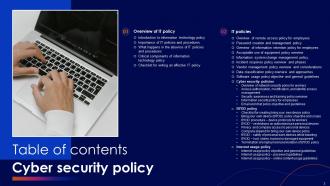
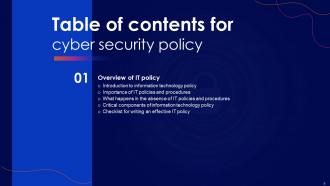
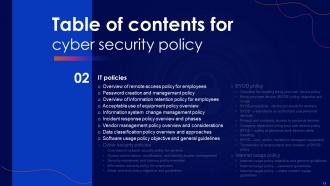
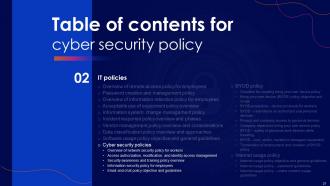
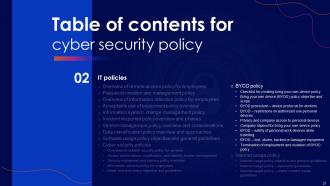
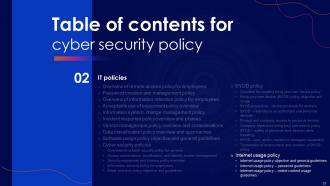
Slide 3: This slide shows Table of Content for the presentation.
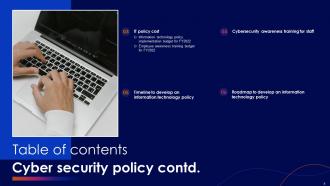
Slide 4: This is another slide continuing Table of Content for the presentation.
Slide 5 : This slide highlights the Title for the Topics to be covered further.
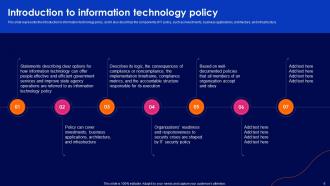
Slide 6: This slide represents the introduction to information technology policy.
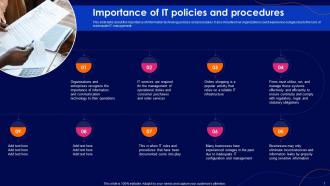
Slide 7: This slide highlights the Importance of IT policies and procedures.
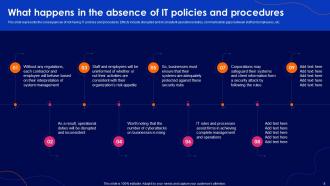
Slide 8: This slide elucidates the consequences of not having IT policies and procedures.
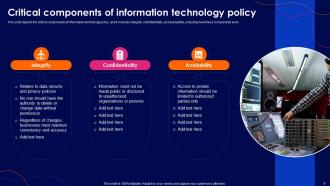
Slide 9: This slide depicts the critical components of information technology policy.
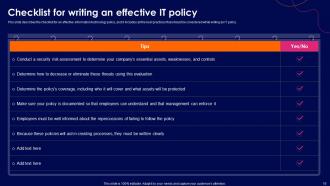
Slide 10: This slide states the checklist for an effective information technology policy.
Slide 11: This slide incorporates the Heading for the Contents to be covered further.
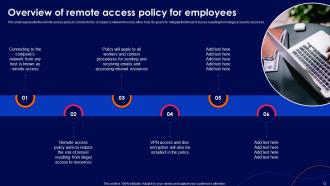
Slide 12: This slide presents the remote access policy to connect to the company’s network from any other host.
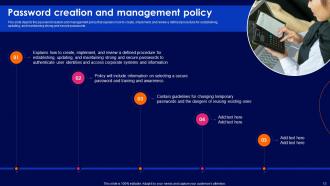
Slide 13: This slide explains the password creation and management policy.
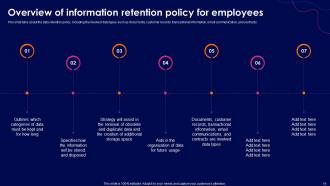
Slide 14: This slide reveals an Overview of information retention policy for employees.
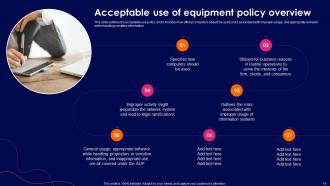
Slide 15: This slide outlines the Acceptable use of equipment policy overview.
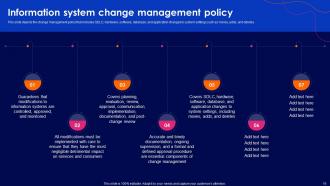
Slide 16: This slide covers the information system change management policy.
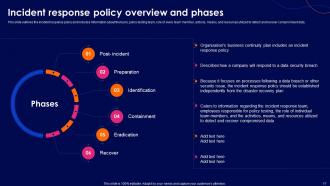
Slide 17: This slide features the incident response policy and includes the team related information.
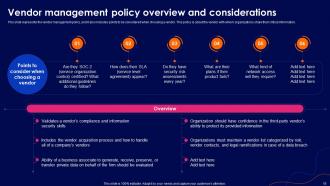
Slide 18: This slide presents the overview of Vendor management policy and considerations.
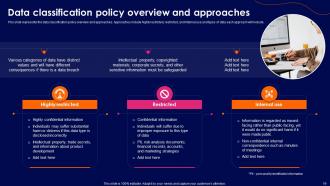
Slide 19: This slide shows the Data classificattion policy overview and approaches.
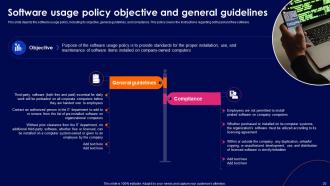
Slide 20: This slide exhibits information about the Software usage policy objective and general guidelines.
Slide 21: This slide contains the Title for the Ideas to be discussed further.
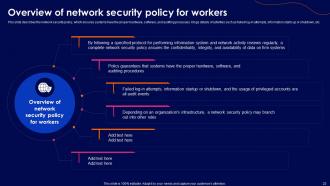
Slide 22: This slide elucidates the Overview of network security policy for workers.
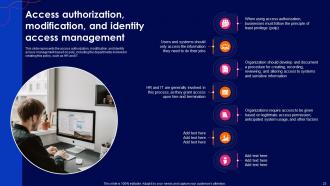
Slide 23: This slide presents Access authorization, modification, and identity access management.
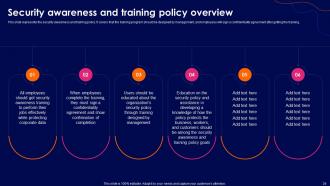
Slide 24: This slide provides information about the security awareness and training policy.
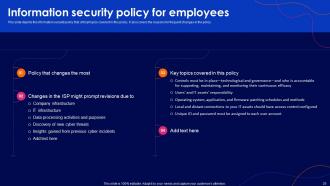
Slide 25: This slide depicts the information security policy for the employees covering the critical topics.
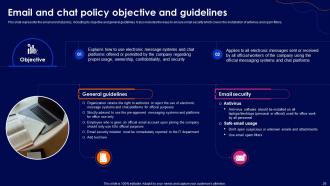
Slide 26: This slide represents the email and chat policy, including its objective and general guidelines.
Slide 27: This slide incorporates the Title for the Topics to be covered further.
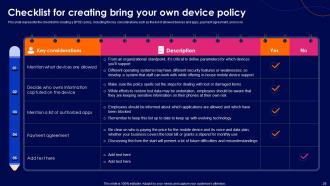
Slide 28: This slide displays the Checklist for creating bring your own device policy of the Company.
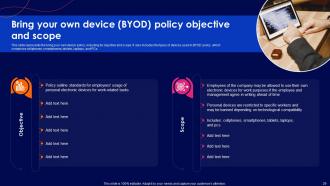
Slide 29: This slide represents the bring your own device (BYOD) policy, including its objective and scope.
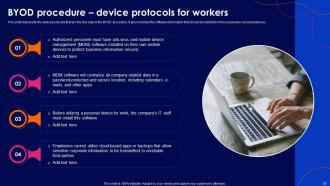
Slide 30: This slide showcases the device protocols for the workers in the BYOD procedure.
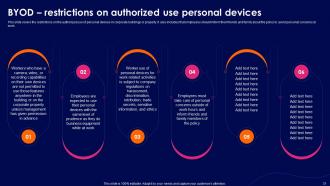
Slide 31: This slide covers the restrictions on the authorized use of personal devices in corporate buildings or property.
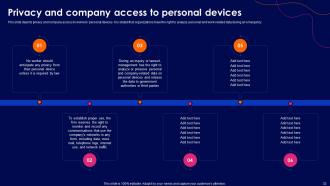
Slide 32: This slide reveals privacy and company access to workers’ personal devices.
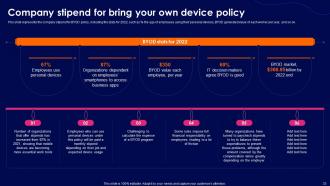
Slide 33: This slide mentions the Company stipend for bring your own device policy.
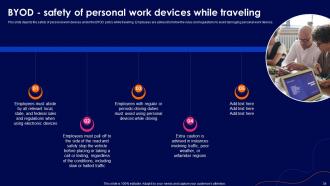
Slide 34: This slide depicts the safety of personal work devices under the BYOD policy while traveling.
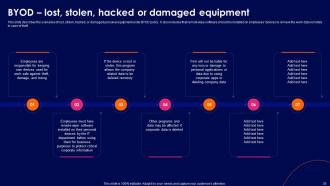
Slide 35: This slide describes the scenarios of lost, stolen, hacked, or damaged personal equipment under BYOD policy.
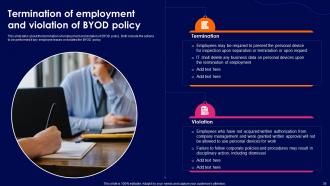
Slide 36: This slide talks about the termination of employment and violation of BYOD policy.
Slide 37: This slide elucidates the Heading for the Components to be discussed further.
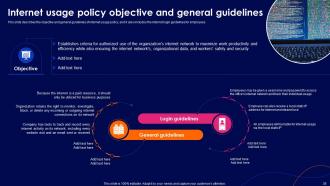
Slide 38: This slide exhibits the objective and general guidelines of internet usage policy, and includes the internet login guidelines for employees.
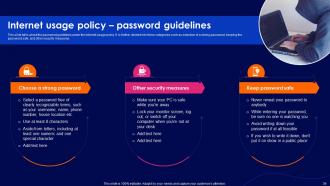
Slide 39: This slide talks about the password guidelines under the internet usage policy.
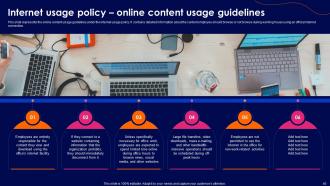
Slide 40: This slide incorporates the online content usage guidelines under the internet usage policy.
Slide 41: This slide includes the Title for the Topics to be covered further.
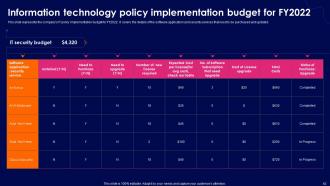
Slide 42: This slide represents the company's IT policy implementation budget for FY2022.
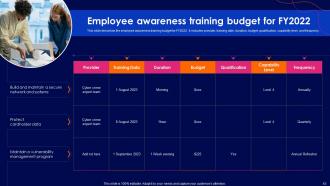
Slide 43: This slide describes the employee awareness training budget for FY2022 including provider, duration, budget, etc.
Slide 44: This slide highlights the Heading for the Topics to be covered in the forth-coming template.
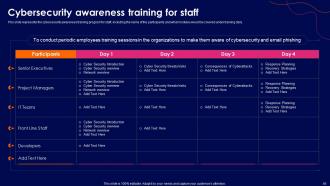
Slide 45: This slide presents the cybersecurity awareness training program for staff.
Slide 46: This slide reveals the Heading for the Topics to be covered further.
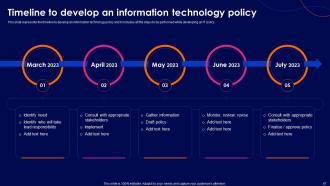
Slide 47: This slide displays the timeline to develop an information technology policy.
Slide 48: This slide provides information about the Title for the Topics to be covered further.
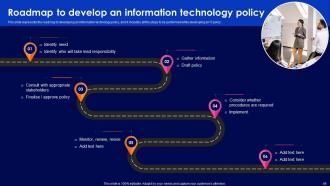
Slide 49: This slide illustrates the roadmap to develop an information technology policy, and it includes the steps to be performed for it.
Slide 50: This slide contains all the icons used in this presentation.
Slide 51: This slide is titled as Additional Slides for moving forward.
Slide 52: This is About Us slide to show company specifications etc.
Slide 53: This slide displays Column chart with two products comparison.
Slide 54: This is Our Team slide with names and designation.
Slide 55: This slide presents Roadmap with additional textboxes.
Slide 56: This is an Idea Generation slide to state a new idea or highlight information, specifications etc.
Slide 57: This slide depicts Venn diagram with text boxes.
Slide 58: This is Our Target slide. State your targets here.
Slide 59: This slide shows Post It Notes. Post your important notes here.
Slide 60: This slide contains Puzzle with related icons and text.
Slide 61: This slide shows SWOT describing- Strength, Weakness, Opportunity, and Threat.
Slide 62: This is a Thank You slide with address, contact numbers and email address.
Cyber Security Policy Powerpoint Presentation Slides with all 67 slides:
Use our Cyber Security Policy Powerpoint Presentation Slides to effectively help you save your valuable time. They are readymade to fit into any presentation structure.














FAQs for Cyber Security Policy
So you need access controls first - figure out who can get into what. Incident response plans are huge because honestly, everyone gets breached eventually (even Google). Password rules that don't make people want to scream help too. Regular training keeps your team sharp, and you'll want data classification so people know what's actually sensitive. Oh, and schedule those security assessments - stuff changes fast. The whole thing falls apart if it's too complicated though. Make it simple enough that people actually follow it instead of finding workarounds.
Honestly, start with a gap analysis - map what you've got against whatever regs hit your industry (SOX, HIPAA, PCI DSS, etc). Then fix what's broken. The annoying part? These standards change constantly. Like, I swear there's new stuff every few weeks. Document everything because auditors love their paper trails. Get someone tracking regulatory updates - can't stress this enough. Don't wait for audit season to find problems either. Run your own compliance checks quarterly. Way better to catch issues yourself than have some auditor surprise you with them later.
Honestly, I'd say at least once a year but quarterly is way better - cyber threats move crazy fast these days. Look at what new risks popped up first, then figure out if your current stuff actually works. Your IT people will catch things you won't, so definitely loop them in plus legal and whoever else has skin in the game. Update anything that feels outdated, especially remote work policies since we're all still figuring that out. Oh, and actually tell people about the changes! Training's pointless if nobody knows what changed. Set those calendar reminders or you'll totally forget.
So here's the thing - risk assessments basically show you what your cybersecurity policy should actually focus on. You'll identify your biggest weak spots and threats instead of just copying some random template online. It's like figuring out which doors in your house are unlocked before buying security cameras, you know? Honestly, most companies skip this step and end up protecting stuff that doesn't even matter. The assessment tells you where hackers will probably attack and how bad the damage could be. Do this first before writing any policies - saves you tons of time protecting the wrong stuff.
Dude, training your people is huge - honestly bigger than most companies realize. Yeah you can buy all the fancy security software you want, but if Sarah from accounting clicks on that sketchy email, you're screwed anyway. I've watched businesses with solid setups get wrecked because they thought a quick PowerPoint would cut it. Your team can either be your worst nightmare or your best protection. Do real simulations where they actually practice this stuff. Short sessions work way better than those marathon training days that put everyone to sleep.
Honestly, just start with the stuff that actually matters - password managers, keeping software updated, and training your team on the basics. Those three things will get you 80% of the way there without breaking the bank. I've watched way too many small companies try to copy some massive enterprise setup they saw online and it just becomes this expensive mess nobody uses. Keep it simple and use the free tools first - MFA, cloud backups, that kind of thing. Write policies that make sense now but won't box you in later when you have more money to throw around.
So three main things work best: train your staff regularly, set up automated monitoring, and have real consequences when people mess up. Most companies totally bomb the training part - like, how can people follow rules they've never properly learned? Your network monitoring should automatically catch sketchy activity and policy violations. Everyone needs to know upfront what happens if they don't comply. Oh, and definitely run regular audits. I'd start by figuring out where your biggest enforcement gaps are right now, then hit those first.
Dude, start with the basics - force everyone to use VPN and multi-factor auth. Can't believe how many people still skip MFA in 2024. Set up clear rules about home network security and what devices are cool to use for work. Training is huge since remote folks get hit with phishing constantly. You'll need protocols for secure file sharing, video calls, and reporting issues when IT isn't down the hall. Also cover incident reporting that actually works remotely. Honestly, just audit what remote access you have now first - probably way more gaps than you think.
So for incident response, first thing - set up a clear escalation chain so people aren't scrambling around wondering who to call. Document everything while it's happening because your brain will be mush later trying to remember details. Isolate the affected stuff right away to stop it spreading. Assign specific roles too - incident commander, someone handling comms, etc. Oh and have templates ready for customer notifications because writing those under pressure sucks. Always do a post-mortem after. But honestly? None of this matters if you don't practice it regularly. I've seen teams with perfect policies completely fall apart when shit actually hits the fan.
Track stuff like how fast you respond to incidents and whether your team actually passes those security training quizzes (spoiler alert - half probably don't). Breach counts are obvious but also look at how quickly you're patching vulnerabilities. Penetration testing is honestly your best friend here - finds problems before the bad guys do. Password compliance is usually a nightmare to track but worth it. Don't go overboard though. Pick maybe 4-5 things that actually matter to your company and check them monthly. Way better than drowning in data you'll never look at.
Don't make it crazy long - seriously, no one's reading 50 pages of policy stuff. Keep the language simple enough that your marketing team can actually understand it, but don't dumb down the important security bits. Make sure it actually matches what your company does day-to-day, not some theoretical setup. I've seen so many places write these perfect policies that fall apart the second someone tries to follow them. Oh, and definitely include what to do when things go wrong - incident response is huge. Draft it first, then run it by a few different teams. You'll catch the weird parts that way.
So you definitely need to spell out how you're collecting and storing personal data - GDPR and CCPA don't mess around. Set up clear data classification levels and figure out retention schedules. Access controls are huge too. Honestly, breach notification is where I've seen companies completely fall apart, so nail down those procedures early. Your employees need a way to request data deletion, and encryption standards for stored and moving data are non-negotiable. Oh, and get your IT and legal teams to review this stuff together - they're both gonna be in the hot seat if things go sideways.
So your cybersecurity stuff has to cover vendors too, which is kinda annoying but makes sense. You can't lock down everything internally then let some random contractor waltz in with terrible security. Make them sign agreements and prove they're not idiots with data protection. Sometimes you'll need to audit them - honestly such a pain but whatever. Look for encryption standards, how they handle incidents, access controls, all that. I learned this the hard way at my last job. Bottom line: don't just pick the cheapest vendor. Security compliance needs to be part of your selection process right from the start.
You definitely want to get different people involved early - like IT, users, legal, business folks. They'll catch stuff you'd never think of sitting at your desk writing policies. Your network guy sees totally different problems than someone in HR, you know? People actually follow rules they helped make instead of just having them dumped on them. That's just human nature. Get their input while you're still drafting things, not after you've already decided everything. Otherwise you're just asking them to nod along with something that might not even work in the real world.
Dude, zero-trust architecture should be your first move - get that framework documented ASAP. AI threats are exploding right now, and ransomware-as-a-service is honestly scary because now any idiot can launch attacks. Cloud security's still critical with everyone working remotely. Don't forget IoT management either since people connect literally everything these days (my neighbor's smart doorbell probably has better wifi than I do). Supply chain attacks are huge too. I'd tackle zero-trust first, then jump on AI governance before that space gets even crazier. The threat landscape's moving fast.
-
I was really impressed with the presentation I created with their templates. I’ll be using their services moving forward.
-
The slides come with appealing color schemes and relevant content that helped me deliver a stunning presentation without any hassle!