

Kaizen pdca cycle principles powerpoint presentation slides





Try Before you Buy Download Free Sample Product
 Impress Your
 Audience
 100%
100% Editable
 Save Hours
 of Time


Our Kaizen Pdca Cycle Principles Powerpoint Presentation Slides come with no caveats. They have no covert agenda.
People who downloaded this PowerPoint presentation also viewed the following :
Content of this Powerpoint Presentation
Slide 1: This slide introduces Kaizen PDCA Cycle Principles. State Your Company Name and get started.
Slide 2: This slide showcases Agenda. Add the agenda and use it accordingly.
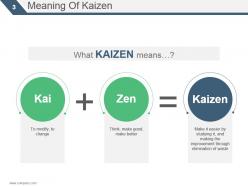
Slide 3: This slide presents Meaning Of Kaizen.
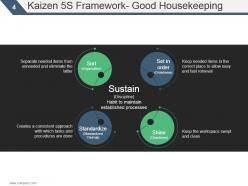
Slide 4: This slide presents Kaizen 5S Framework- Good Housekeeping.
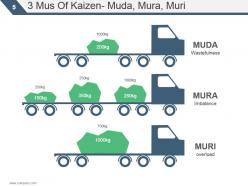
Slide 5: This slide shows 3 Mus Of Kaizen- Muda, Mura, Muri.
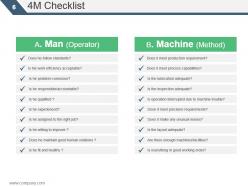
Slide 6: This slide presents 4M Checklist.
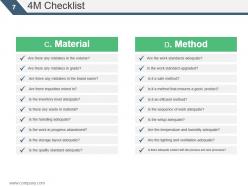
Slide 7: This slide showcases 4M Checklist.
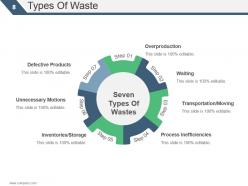
Slide 8: This slide presents Types Of Waste which further presents- Overproduction, Waiting, Transportation/Moving, Process Inefficiencies, Inventories/Storage, Unnecessary Motions, Defective Products, Seven Types Of Wastes.
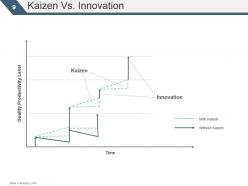
Slide 9: This slide showcases Kaizen Vs. Innovation which further presents- Innovation, Kaizen, Quality Productivity Level, Time, Without Kaizen, With Kaizen.
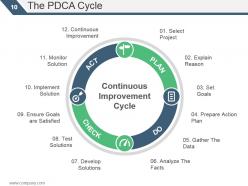
Slide 10: This slide presents the PDCA Cycle which further showcases Select Project, Explain Reason, Set Goals, Prepare Action Plan, Gather The Data, Analyze The Facts, Develop Solutions, Test Solutions, Ensure Goals are Satisfied, Implement Solution, Monitor Solution, Continuous Improvement, Continuous Improvement Cycle.
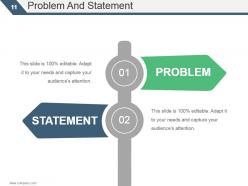
Slide 11: This slide presents Problem And Statement which further shows- PROBLEM, STATEMENT.
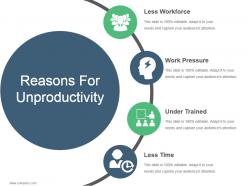
Slide 12: This slide presents Reasons For Unproductivity which also presents- Less Workforce, Work Pressure, Under Trained, Less Time.
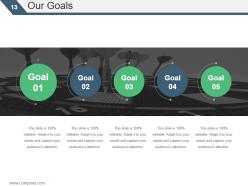
Slide 13: This slide showcases Our Goals.
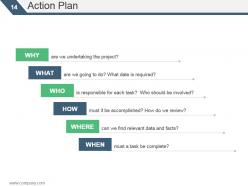
Slide 14: This slide presents Action Plan.
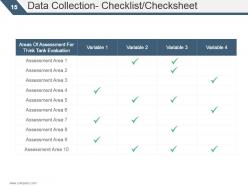
Slide 15: This slide presents Data Collection- Checklist/Checksheet
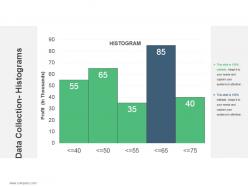
Slide 16: This slide shows Data Collection- Histograms.
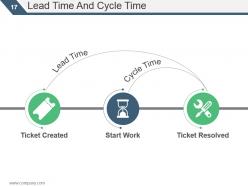
Slide 17: This slide presents Lead Time And Cycle Time Lead Time, Cycle Time, Ticket Created, Start Work, Ticket Resolved.
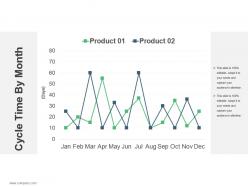
Slide 18: This slide presents Cycle Time By Month.
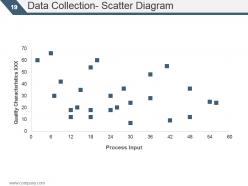
Slide 19: This slide showcases Data Collection- Scatter Diagram.
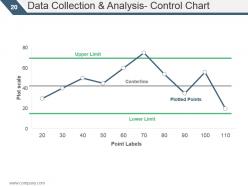
Slide 20: This slide presents Data Collection & Analysis- Control Chart which further presents- Centerline, Upper Limit, Plotted Points, Lower Limit, Plot scale, Point Labels.
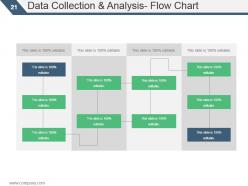
Slide 21: This slide presents Data Collection & Analysis- Flow Chart.
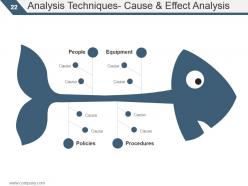
Slide 22: This slide showcases Analysis Techniques- Cause & Effect Analysis.
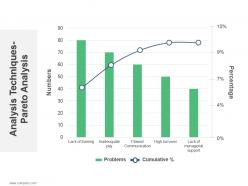
Slide 23: This slide presents Analysis Techniques- Pareto Analysis.
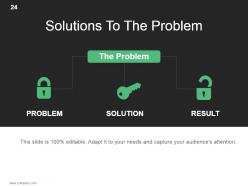
Slide 24: This slide shows Solutions To The Problem which further presents - The Problem, PROBLEM, SOLUTION, RESULT.
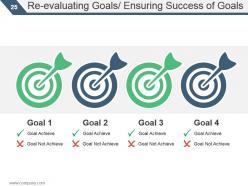
Slide 25: This slide presents Re-evaluating Goals/ Ensuring Success of Goals.
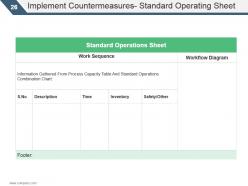
Slide 26: This slide shows Implement Countermeasures- Standard Operating Sheet.
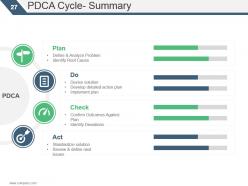
Slide 27: This slide presents PDCA Cycle- Summary which further- Plan, Devise solution, Develop detailed action plan, Implement plan, Standardize solution, Review & define next issues, Act, Confirm Outcomes Against Plan, Identify Deviations, Check, PDCA.
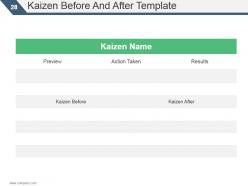
Slide 28: This slide shows Kaizen Before And After Template.
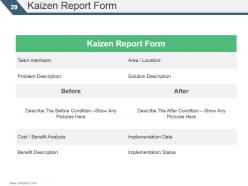
Slide 29: This slide presents Kaizen Report Form.
Slide 30: This slide is a Coffee Break image for a halt.
Slide 31: This slide presents BAR CHART.
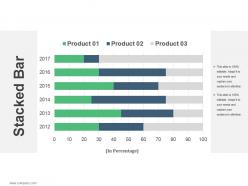
Slide 32: This slide shows a Stacked Bar graph in terms of percentage and years for comparison of Product 01, Product 02, Product 03 etc.
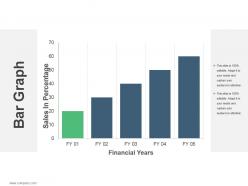
Slide 33: This is a Bar Graph image slide to show product comparison, growth etc.
Slide 34: This slide presents PIE CHART.
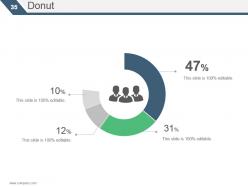
Slide 35: This slide showcases Donut chart.
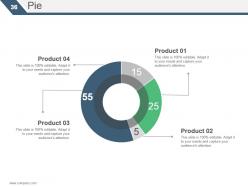
Slide 36: This slide presents Pie chart.
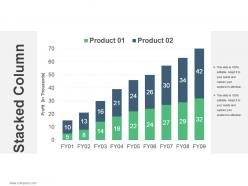
Slide 37: This slide showcases Stacked Column.
Slide 38: This slide presents Stacked Column.
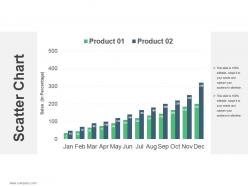
Slide 39: This slide showcases Scatter Chart.
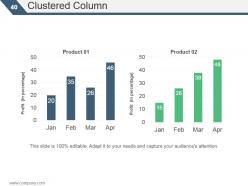
Slide 40: This slide presents Clustered Column.
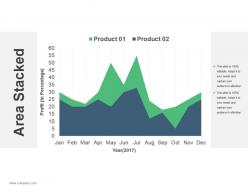
Slide 41: This slide shows Stacked Area.
Slide 42: This slide presents Area Stacked.
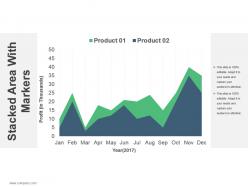
Slide 43: This slide showcases Stacked Area With Markers.
Slide 44: This slide presents Scatter Charts.
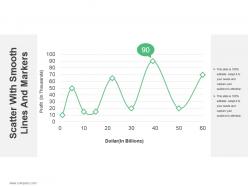
Slide 45: This slide shows Scatter With Smooth Lines And Markers.
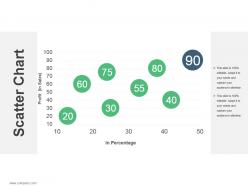
Slide 46: This slide presents Scatter Chart.
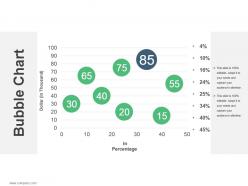
Slide 47: This slide shows Bubble Chart.
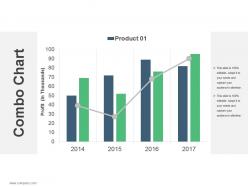
Slide 48: This slide presents Combo Chart.
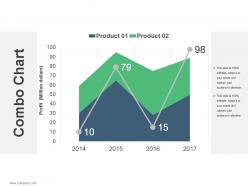
Slide 49: This slide showcases Combo Chart.
Slide 50: This slide presents Combo Chart.
Slide 51: This slide presents Line Chart.
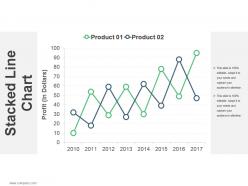
Slide 52: This slide showcases Stacked Line Chart.
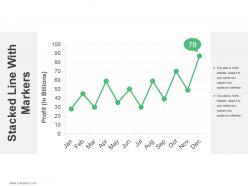
Slide 53: This slide presents Stacked Line With Markers
Slide 54: This slide Stacked Line With Markers.
Slide 55: This slide is titled Additional slides.
Slide 56: This slide contains Our Mission with text boxes.
Slide 57: This slide helps depict Our Team with text boxes.
Slide 58: This is an About Us slide. State company or team specifications here.
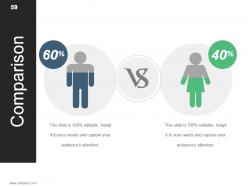
Slide 59: This slide shows Comparison of Positive Factors v/s Negative Factors with thumbs up and thumb down imagery.
Slide 60: This is a Financial Score slide to show financial aspects here.
Slide 61: This is a Quotes slide to convey message, beliefs etc.
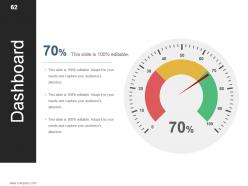
Slide 62: This is a Dashboard slide to show- Strategic System, Success, Goal Process, Sales Review, Communication Study.
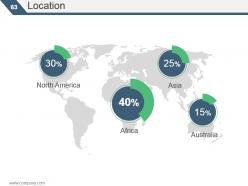
Slide 63: This is a Location slide to show global growth, presence etc. on world map.
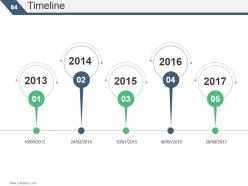
Slide 64: This is a Timelines slide to show- Plan, Budget, Schedule, Review
Slide 65: This slide displays Critical notes on Challenge, Positive Attitude, Balanced Lifestyle.
Slide 66: This is a Newspaper slide to highlight something or add memeorabilia.
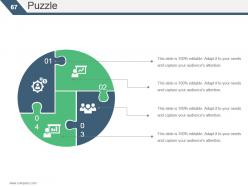
Slide 67: This slide presents a PUZZLE slide with the following subheadings- Integrity and Judgment, Critical and Decision Making, Leadership, Agility.
Slide 68: This is a Target slide. State your targets here.
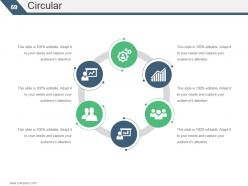
Slide 69: This is a Circular slide to show information, specification etc.
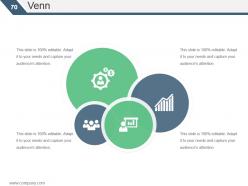
Slide 70: This is a Venn diagram image slide to show information, specifications etc.
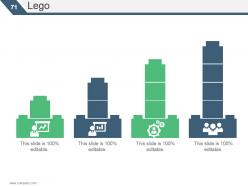
Slide 71: This is a Lego Box slide with the following subheadings- Teach, Encourage, Increase, Build.
Slide 72: This slide shows a Matrix in terms of High and Low.
Slide 73: This slide presents a Mind map with text boxes.
Slide 74: This is a Bulb/idea image slide to show information, ideas, innovation specific stuff etc.
Slide 75: This is a Magnifying glass image slide to show information, scoping aspects etc.
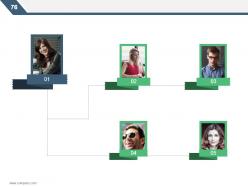
Slide 76: This is a Hierarchy slide showing- Supply Chain Manager, Supply Chain Council, Sourcing, Supplier Quality Engineer, Procurement, Logistics & Management, Supplier Management, Student, Contract Management.
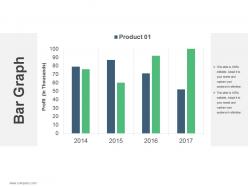
Slide 77: This is a Bar Graph image slide to show product comparison, growth etc.
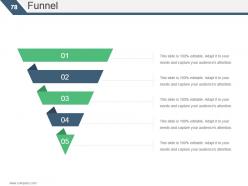
Slide 78: This is a Funnel image slide showing: Calls-to-action, Reachability, User Experience, Color Schemes, Engagement, Simplicity.
Slide 79: This is a Thank You image slide with Address, Email and Contact number.
Kaizen pdca cycle principles powerpoint presentation slides with all 79 slides:
Highlight efforts at generating intolerance with our Kaizen Pdca Cycle Principles Powerpoint Presentation Slides. It will expose bigots.



















FAQs for Kaizen pdca cycle principles
So it's basically four steps you keep repeating: Plan (figure out what's broken and how to fix it), Do (try your fix on a small scale first), Check (see if it actually worked), and Act (either roll it out everywhere or go back to the drawing board). Honestly, the "small scale" part is crucial - I've seen people try to fix everything at once and it just creates chaos. Pick one annoying thing that's bugging everyone and run through those steps. You'd be surprised how fast you'll start seeing improvements, even with tiny changes.
Dude, PDCA is actually pretty smart - you Plan something small, Do a quick test, Check what happened, then Act on it. Instead of making massive changes that blow up in your face, you're just tweaking things constantly based on real results. Keeps cycles super short too, like weekly stuff. Your team starts hunting for problems to fix rather than hiding from them, which is honestly the best part. I mean, who doesn't love solving puzzles at work? Small adjustments beat big disasters every time.
PDCA builds momentum through its cycle. **Plan** means identifying problems and designing solutions - honestly, most people blow through this part way too fast. During **Do**, you test your plan small-scale first. Then **Check** measures your actual results against what you expected. **Act** is where you either make it standard or go back to the drawing board. What's cool is how Act flows right into your next Plan phase, so you're always improving. Oh, and seriously - spend more time planning upfront. Your future self will appreciate not having to redo everything later.
Dude, you absolutely need your people involved - like, it's make or break time. The folks actually doing the work every day? They see all the stupid inefficiencies that management misses. When they help create the solutions, they'll actually follow through instead of going back to the old way. Trust me on this one. I've watched so many "brilliant" top-down changes crash and burn because nobody asked the workers what they thought first. Get them talking, let them own their ideas, and you'll be golden.
Track two things: are you actually getting results, and is the process itself getting smoother? I'd watch cycle completion times, whether you're following through on planned changes (not just talking about them forever), and if problems actually stay fixed. Quick cycles beat perfect ones, honestly. Team engagement matters too - if people are checked out, your PDCA is probably broken. Oh, and don't overcomplicate the tracking part. Pick maybe 2-3 metrics you'll realistically check monthly. I've seen too many teams build these elaborate dashboards that just collect dust.
PDCA basically runs through everything in Lean - it's wild how connected they are. Value stream mapping? You're planning, testing changes, checking results, then acting on what works. Same with 5S and kaizen events. Your gemba walks become the checking part, while those quick problem-solving experiments are the doing part. I used to think they were separate things until I saw the pattern everywhere. Short cycles, constant tweaking - that's what keeps Lean improvements from falling apart after a few months. Next time you're working on something Lean, try spotting the PDCA rhythm. Makes it way easier to structure your approach.
Honestly, most people mess up by rushing the planning part - they get all hyped and want to jump straight into fixing stuff. Don't do that lol. Also, teams constantly forget to actually collect data during the "Check" phase, which is like... the whole point? Another thing is not giving the "Do" phase enough time to show if it's even working. People implement changes then immediately move on without measuring anything. Oh, and here's the big one - treating PDCA like it's some one-time project instead of something you keep cycling through. Trust me, start with tiny cycles first so you don't burn out your team.
Honestly, tech makes PDCA cycles way faster. Dashboards let you track your Plan metrics without constantly checking spreadsheets. Digital tools speed up the Do phase big time. Analytics software beats manual number-crunching every time for the Check phase - I've watched teams literally cut their cycle time in half. Oh, and workflow automation is clutch for the Act phase since it rolls out improvements consistently. Here's the thing though - don't just grab whatever software you already have lying around. Pick tools that actually match your process first. Start with simple tracking apps before you go crazy with expensive platforms.
Honestly, just track stuff that actually shows if your change worked. Cycle times, defect rates, cost savings - you know, real numbers you can point to. Oh and customer satisfaction scores are gold if you can get them. Don't get sucked into vanity metrics though, they're basically useless and will just confuse you. Talk to the people actually doing the work too - they'll catch problems your data won't. Compare everything against what you measured before the change. I'd stick to maybe 3-5 good metrics max, then really dig into what they're telling you.
Here's the thing - PDCA only works if you keep it rolling. Once you hit that "Act" phase, actually bake those improvements into your daily routine. Update your procedures, get everyone trained up, make it stick. Keep an eye on your metrics so you'll spot problems before they get bad. Then immediately jump into the next cycle targeting whatever needs fixing next. That's honestly where most teams mess up - they think they're "done" after one round. Quick team check-ins help too, just to see what's working and what isn't. The whole Kaizen thing really does add up over time if you stay consistent with it.
Yeah totally! PDCA isn't just for factories - you can use it for pretty much anything. Customer service, marketing campaigns, even organizing your personal stuff (though that might be going overboard lol). The whole point is forcing yourself to actually measure what happens instead of just crossing your fingers and hoping it worked. I've seen people use it for hiring processes, email workflows, you name it. Honestly, the "Check" part is what most people skip, which is why their improvements don't stick. Just pick something annoying and run it through one cycle first.
Dude, root cause analysis is everything in PDCA. Without it you're just slapping fixes on surface problems. When your solution bombs in the "Check" phase, that's when you need to dig deep and figure out what actually went wrong. I've watched teams skip this part and then act shocked when the same issues pop up again - like, seriously? Tools like 5 Whys or fishbone diagrams are clutch for getting to the real source. Think of it as playing detective. Once you nail down the true cause, your next "Plan" will actually stick instead of falling apart in six months.
Honestly depends on what you're fixing. Daily if it's something small and quick to measure. Weekly works pretty well for most operational stuff - gives you decent feedback without driving everyone crazy. Monthly for bigger changes where you need more time to see results. I'd probably start weekly and see how it feels? The real trick is being consistent rather than fast. Better to do solid monthly cycles than half-ass it weekly and skip checking your results (which happens more than you'd think). Most teams I know just pick whatever they can actually stick to, then tweak from there.
-
Great designs, Easily Editable.
-
Very well designed and informative templates.