

Media briefing powerpoint presentation with slides




Try Before you Buy Download Free Sample Product
 Impress Your
 Audience
 100%
100% Editable
 Save Hours
 of Time


SlideTeam presents you the professionally designed media briefing PPT presentation to make your company talk of the town. As media manager of the company, it is necessary to garner all the attention towards your company, new product or services. With our engaging presentation graphics, you can bring the editor’s attention towards your product and can make them feature you in their publication. Talk about the new product or services using the right visual and appropriate content. We all know briefings are crucial, but they support to create a positive buzz about a product or service in the market. Hence our readymade Media Briefing presentation model on press briefing will help you communicate essential guidelines to the editors, reporters, clients and stakeholders. We have covered all the aspects of the media briefing and thus include topics like communication strategy, audience research, communication goals, media budget and campaign performance etc. Digital media manager, social network manager, social media administrator all can benefit from this PowerPoint guide. Get a spotlight on your company or product using media briefing PowerPoint presentation.
People who downloaded this PowerPoint presentation also viewed the following :
Content of this Powerpoint Presentation
Slide 1: This slide introduces Media Briefing. State Your Company Name and get started.
Slide 2: This is an Agenda slide. State your agendas here.
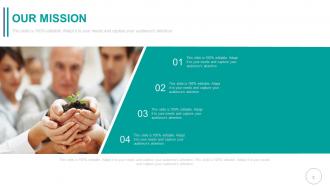
Slide 3: This is Our Mission slide. State it here.
Slide 4: This is Our Team slide with names, designation and image boxes.
Slide 5: This is an About Us slide. State company/team specifications here.
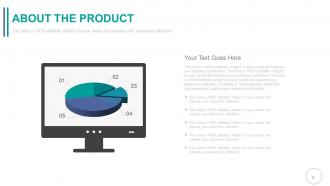
Slide 6: This is an About The Product slide. State product related specifications etc. here.
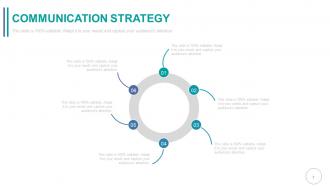
Slide 7: This slide showcases Communication Strategy with a circular image. State communication aspects, strategies etc. here.
Slide 8: This slide presents Audience Research displaying brain imagery with text boxes.
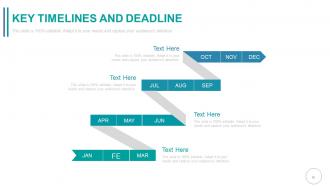
Slide 9: This is a Key Timelines and Deadline slide to show evolution, growth, milestones etc.
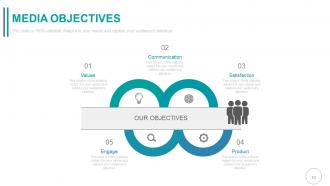
Slide 10: This slide shows Media Objectives to state categorized into- Satisfaction, Product, Values, Communication, Engage.
Slide 11: This slide also shows Media Objectives to state for a better clarity.
Slide 12: This slide presents Target Audience to target and strategize accordingly.
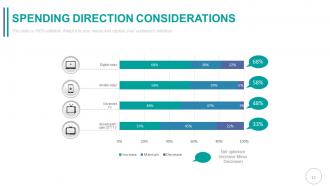
Slide 13: This slide showcases Spending Direction Considerations of the total expenditure involved.
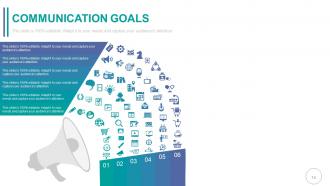
Slide 14: This slide showcases Communication Goals to be displayed with icon imagery.
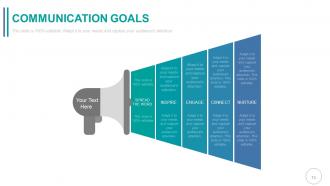
Slide 15: This slide showcases Communication Goals to be displayed such as- Spread The Word, Nurture, Inspire, Engage, Connect.
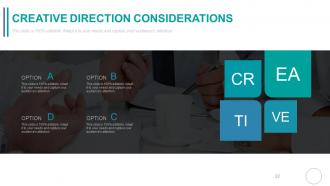
Slide 16: This slide showcases Creative Direction Considerations of the total expenditure involved.
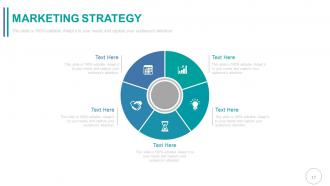
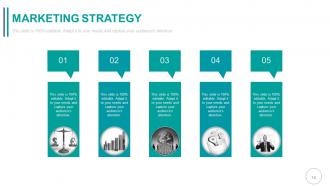
Slide 17: This slide presents Marketing Strategy to be shown and implemented. State related aspects here.
Slide 18: This slide presents Marketing Strategy with related imagery to be implemented. State related aspects here.
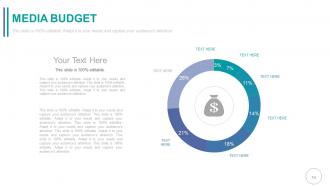
Slide 19: This slide presents Media Budget. Present the total budget to be utilized here.
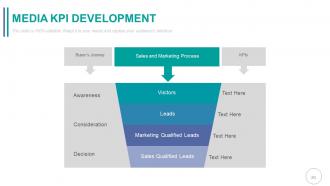
Slide 20: This slide shows Media KPI Development with- Sales and Marketing Process, Buyer’s Journey, Awareness, Consideration, Decision, Visitors, Leads, Marketing Qualified Leads, Sales Qualified Leads.
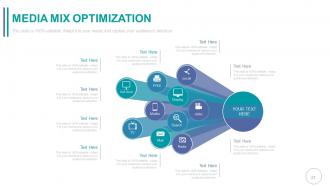
Slide 21: This slide showcases Media Mix Optimization with the following content- Video, Out Door, Social, Display, Search, Radio, Mail, TV, Mobile, Print.
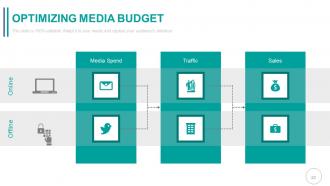
Slide 22: This slide displays Optimizing Media Budget showing- Media Spend, Sales, Traffic, Online, Offline.
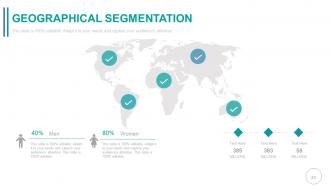
Slide 23: This slide shows Geographical Segmentation on a world map image to segregate market, product location, growth etc.
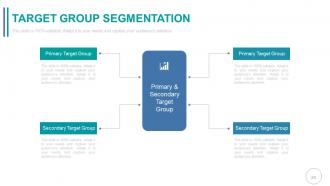
Slide 24: This slide shows Target Group Segmentation dividing into- Primary Target Group, Secondary Target Group.
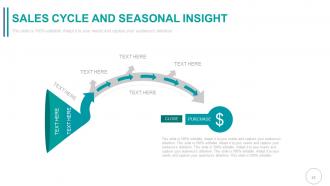
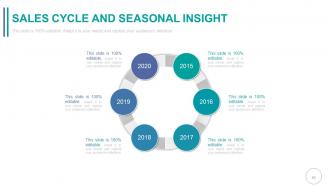
Slide 25: This slide shows Sales Cycle And Seasonal Insight in funnel image form.
Slide 26: This slide shows Sales Cycle And Seasonal Insight to be stated.
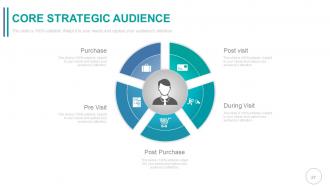
Slide 27: This slide presents Core Strategic Audience with- Post Visit, During Visit, Post Purchase, Pre Visit, Purchase as factors to be discussed and displayed.
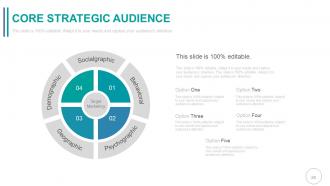
Slide 28: This slide presents Core Strategic Audience segregated into- Socialgraphic, Behavioral, Psychographic, Geographic, Demographic.
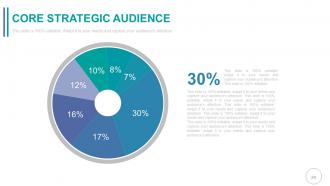
Slide 29: This slide also presents Core Strategic Audience to be stated.
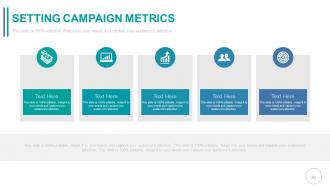
Slide 30: This slide shows Setting Campaign Metrics with relative icon imagery to go with.
Slide 31: This slide showcases Campaign Performance displaying- Brand, Leads, Sales, Loyalty.
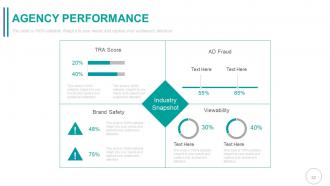
Slide 32: This slide displays Agency Performance with Industry Snapshot divided into: Brand Safety, AD Fraud, Viewability.
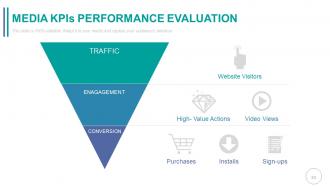
Slide 33: This slide shows Media KPIs Performance Evaluation displaying- Website Visitors, High- Value Actions, Video Views, Purchases, Installs, Sign-ups as TRAFFIC, ENGAGEMENT, and CONVERSION.
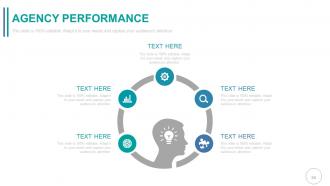
Slide 34: This slide also showcases Agency Performance to be shown.
Slide 35: This slide shows Target With Arrow image to showcase targets, goals etc.
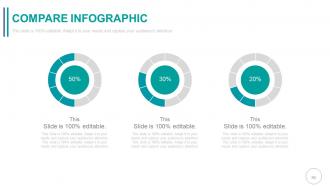
Slide 36: This is a Compare Infographic slide in donut chart form.
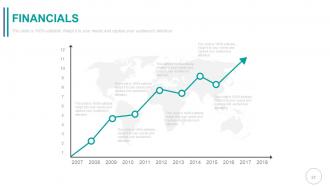
Slide 37: This slide showcases Financials scores, aspects to be put/displayed.
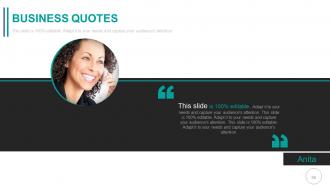
Slide 38: This is a Quotes slide to convey company messages, beliefs etc. You can change the slide contents as per need.
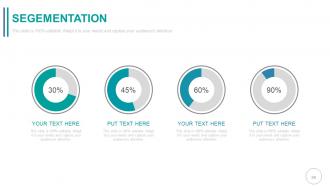
Slide 39: This slide is titled Segmentation. Present segmented entities etc. here.
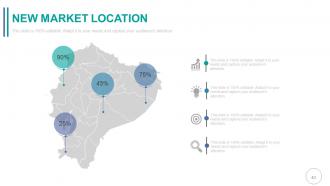
Slide 40: This is New Market Location slide of world map image to show global presence, growth etc.
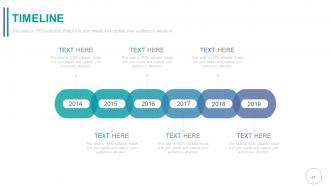
Slide 41: This is a Timeline slide to show evolution, growth, milestones etc.
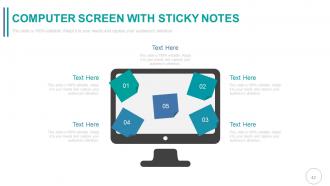
Slide 42: This is a Computer Screen With Sticky Notes slide to mark events, important information etc.
Slide 43: This is a Newspaper image slide to show information, specifications etc.
Slide 44: This is a Target Board With Three Dart image slide. State targets, aspirations etc. here.
Slide 45: This is a Business Circle with icon image slide to show information, specifications etc.
Slide 46: VENN DIAGRAM FOR GLOBE BUSINESS This is a Venn diagram for Globe Business image slide to show information, specifications etc.
Slide 47: This is a Lego Data Process Flow For Marketing image slide to show information, specifications etc.
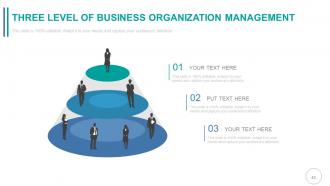
Slide 48: This is a Three Level Of Business Organization Management Silhouettes image slide to show information, specifications etc.
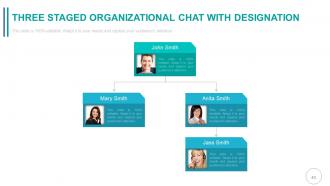
Slide 49: This is a Three Staged Organizational Chart With Designation Hierarchy image slide to show information, specifications etc.
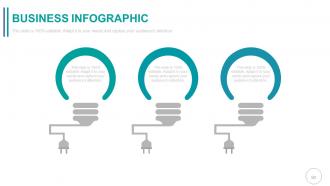
Slide 50: This is a Business Infographic Bulb or Idea image slide to show information, specifications, innovative aspects etc.
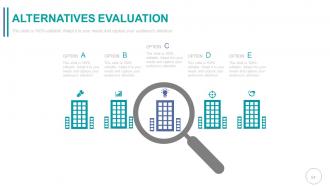
Slide 51: This slide showcases Alternatives Evaluation Magnifying Glass imagery. Present information, specifications etc. here.
Slide 52: This is a Bar Graph slide to show product/entity comparison, specifications etc.
Slide 53: This is a Funnel image slide to show funneling aspects, information, specifications etc.
Slide 54: This is a Thank You slide for acknowledgement.
Media briefing powerpoint presentation with slides with all 54 slides:
Exhibit a firm grasp with our Media Briefing Complete Powerpoint Deck With Slides. Your assessment of conditions will be accurate.




FAQs for Media briefing powerpoint
Start with your best angle - the thing that'll make journalists actually care. Back it up with real data, not fluff. Your visuals should tell the story, not just look nice (I've sat through way too many pretty but pointless slide decks). Don't forget background context so they get why this matters now. Prep for their questions ahead of time. Simple messages stick better than complex ones. Here's the thing - lead with what their readers want to know, not what you want to say. Practice timing so there's room for Q&A.
Okay so basically you've gotta speak their language, right? TV people want visual stuff and good soundbites - they're obsessed with drama and human stories. Print journalists are different though, they actually want the meaty details, real data, quotes they can work with. Radio's tricky since people are half-listening in their cars, so keep it super clear and punchy. Digital outlets? They want stuff people will actually share. I'd research each outlet first - like what do they usually cover, who reads/watches them? Then prep maybe 2-3 versions of whatever you're pitching. Sounds like a lot of work but it's way better than sending the same generic thing everywhere.
Look, journalists are drowning in boring press releases all day. What they actually want? Stories with real people facing actual problems. Skip the data dumps entirely - nobody's remembering your quarterly numbers anyway. Instead, talk about the customer who almost lost everything until your thing saved them. Or how your team screwed up initially but figured it out. Conflict and resolution, that's what hooks them. I learned this the hard way after watching reporters' eyes glaze over during my first few pitches. Give them characters they can write about, then back it up with your facts later.
Honestly, visuals are a game-changer for media briefings. Charts and infographics help journalists actually grasp complex stuff instead of just zoning out. I've sat through way too many where someone drones on for 20 minutes straight - total snooze fest. Break things up with slides so you can pause and make sure everyone's still with you. Simple visuals work best, focused on your main points. Oh, and definitely have digital copies ready to send right after because reporters always ask for them. Makes their job easier and they'll remember you for it.
Don't walk in there winging it - that's recipe for disaster. Prep your three key points and actually practice them out loud (trust me on this one). Skip the industry jargon that'll confuse everyone. When they ask tough questions, don't get defensive or ramble forever trying to explain. Just answer directly. Never assume they know your background stuff. Oh, and if you genuinely don't know something? Say that instead of bullshitting your way through it. Reporters can smell fake answers from miles away. Stick to those main talking points no matter what curveballs they throw.
Track attendance and media coverage first - that's your baseline. Check sentiment in stories within 48 hours, plus social mentions (though honestly, going viral can backfire if it's for weird reasons). Did your key messages actually show up in articles? That matters more than raw numbers sometimes. Set up Google alerts for your spokesperson's name and main topics. Also watch for follow-up interview requests from journalists - that's usually a good sign they're interested. Monitor everything for like a week or two after.
Honestly, just stay calm and don't let them rattle you. Take a pause before answering anything - it buys you thinking time and looks way more composed than rushing to respond. You can always redirect with stuff like "What really matters here is..." or "The bigger picture is..." Don't feel weird about silence either. Half the time reporters are just waiting for you to word-vomit something stupid. If you don't know something, just say so and offer to circle back later - way better than making stuff up on the spot. Oh, and definitely do mock interviews with your team first. They'll come up with way meaner questions than journalists actually will!
Dude, you gotta grab them instantly - open with something bold, a crazy stat, or ask them a question that hits hard. I've watched so many presentations crash and burn because people start with boring background stuff. Nobody cares about context if you've already lost them, you know? Jump straight to your biggest, most newsworthy point. What would make YOU sit up and pay attention? Practice that opening until it sounds natural, not rehearsed. Short punchy sentences work. Then connect it directly to whatever you're actually trying to tell them. You've got maybe 30 seconds before they mentally check out.
Honestly, timing can make or break the whole thing. You've got to hit your main points while people are actually paying attention - not when they're already mentally checked out. Start strong, but don't barrel through everything like you're speed-reading. Pause after big statements. Let stuff land. Watch the room too - once reporters start scrolling their phones, you're losing them. Speed things up or switch gears. And here's what I always do: wrap up 5 minutes early instead of going over. People remember when you respect their time, and they'll actually show up next time.
Oh man, you really need to research the cultural stuff first - like, what kills it in NYC will totally flop in Tokyo. Direct, data-heavy presentations work great for some cultures. Others? They want relationship-building and context before you even get to your point. I've watched so many people crash and burn because they didn't spend 20 minutes googling basic media customs. Your timing, communication style, even how you structure info - it all has to shift based on where you're presenting. The hierarchy thing alone can torpedo your whole message if you get it wrong.
PR Newswire and Business Wire are solid for getting releases out there fast. Google Alerts is free for tracking mentions - though Mention's better if you've got budget. Honestly, I've seen people crush it with just a good spreadsheet for contacts instead of fancy CRMs like Cision. Zoom became obvious after 2020. Hootsuite's great for scheduling social posts. Here's the thing though - don't go crazy with tools. Pick maybe 3 that actually work together instead of juggling ten different logins. Trust me on that one.
Get that follow-up out within 24-48 hours while it's still top of mind. Thank everyone who came, attach the key stuff you promised, and include your contact info. Seriously, journalists are juggling like 20 stories at once so they'll actually love you for this. Don't forget the reporters who missed it but usually cover your beat - send them everything too. Keep it short and easy to scan. Oh, and definitely include a one-page summary with the main points and quotes. Makes their job way easier when they're writing up the story later.
Okay so timing-wise, send those invites about a week to 10 days out. Your subject line needs to be crystal clear about what they're getting - none of that mysterious "exciting opportunity" BS that makes people roll their eyes. Lead with why they should actually care instead of burying it three paragraphs down. Include all the basics: when, where, how long it'll run, plus what exclusive stuff they'll walk away with. Honestly, calling your top-tier outlets afterward makes a huge difference. Oh, and definitely have backup contacts ready because journalists switch beats constantly. Send a quick reminder the day before so it doesn't slip through the cracks.
Don't guess when you're not sure about something - just say you'll get back to them. I've watched so many presentations crash because people tried to fake their way through questions they couldn't answer. Cite your sources and be honest about what info might be limited or biased. Address conflicts of interest before someone else does - gets awkward otherwise. Your reputation is everything in these situations. Write down what you promise to follow up on (I always forget otherwise) and actually do it fast. Being transparent beats looking like you know everything when you clearly don't.
Dude, seriously do a practice run with some people first. When you say stuff out loud, it hits different than what's in your head - I've watched so many execs think they're good and then completely bomb when someone asks a weird question. Mock audiences catch your awkward moments and timing problems before they actually count. Plus you'll figure out if your main points even make sense to regular people. The Q&A practice is clutch too - builds confidence for when reporters throw you curveballs. Oh, and definitely nail down your opening and closing bits since that's what sticks. Give yourself at least a day between practice and the real thing.
-
Wonderful templates design to use in business meetings.
-
Commendable slides with attractive designs. Extremely pleased with the fact that they are easy to modify. Great work!