

Mobile Marketing Strategy Powerpoint Presentation Slides




Try Before you Buy Download Free Sample Product
 Impress Your
 Audience
 100%
100% Editable
 Save Hours
 of Time


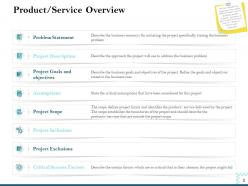
Promote your brand in a way that is optimized for smartphones by utilizing Mobile Marketing Strategy PowerPoint Presentation Slides. The presentation helps in discussing a detailed product/service overview by describing problem statements, project description, goals and objectives, scope, inclusions, and exclusions. Present key statistics of mobile app users worldwide by using this PPT slideshow. Understand overall company strategies, dependencies, and competitors by using mobile marketing PPT layouts. The presentation also covers the mission, vision, and values of the company. Provide information on establishing value propositions, strategic objectives to be achieved, product feature comparison, and current customer journey. The smartphone marketing plan PowerPoint layouts describe the concept of mobile touchpoint by discussing channel interactions. It also presents an elevator pitch idea that will help to drive mobile strategy. Thus download our marketing strategy ppt visuals to demonstrate the mobile strategy roadmap, resources needed for execution, the budget required for implementing strategy, and enterprise mobility stack.
People who downloaded this PowerPoint presentation also viewed the following :
Content of this Powerpoint Presentation
Slide 1: This slide introduces Mobile Marketing Strategy. State your Company name and begin.
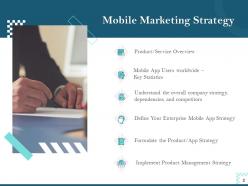
Slide 2: This slide shows Mobile Strategy Presentation Outline
Slide 3: This slide also shows Mobile Strategy Presentation Outline
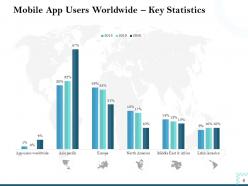
Slide 4: This template depicts Mobile App Users Worldwide – Key Statistics
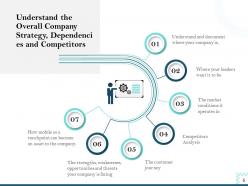
Slide 5: This slide shows information about Understanding the overall Company Strategy, Dependencies and Competitors
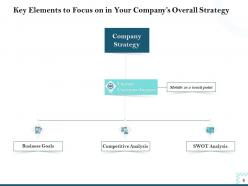
Slide 6: This slide depicts Key Elements to Focus on in your Company’s Overall Strategy
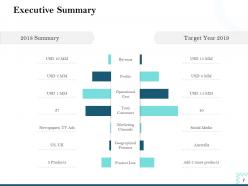
Slide 7: This slide presents Executive Summary.
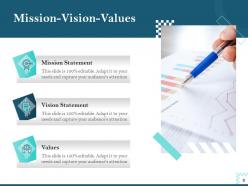
Slide 8: This slide shows Mission-Vision-Values.
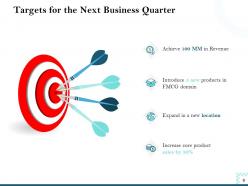
Slide 9: This slide shows Targets for the Next Business Quarter.
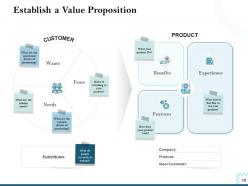
Slide 10: This slide provides information about Establishing a Value Proposition
Slide 11: This slide explains What your competitors are offering through their mobile channel
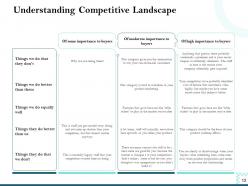
Slide 12: This slide describes about Understanding Competitive Landscape
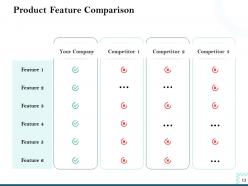
Slide 13: This slide displays Product Feature Comparison
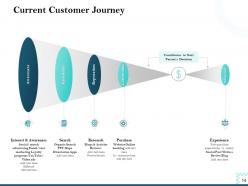
Slide 14: This slide highlights Current Customer Journey.
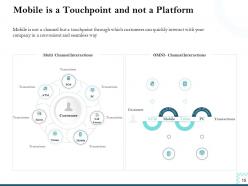
Slide 15: This slide shows Mobile is a Touchpoint and Not a Platform.
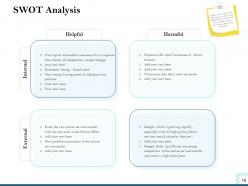
Slide 16: This slide helps to Define the Strengths and Weaknesses as well as the Opportunities and Threats that can help/prevent your product from being successful.
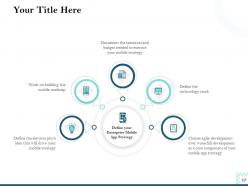
Slide 17: This slide helps to Define your Enterprise Mobile App Strategy
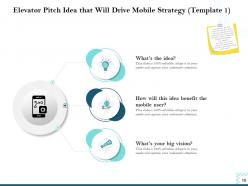
Slide 18: This slide showcases Elevator Pitch Idea that will Drive Mobile Strategy (Template 1).
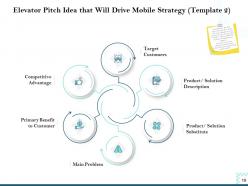
Slide 19: This slide presents Elevator Pitch Idea that will Drive Mobile Strategy (Template 2).
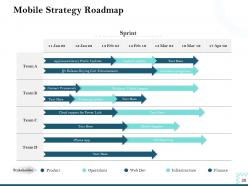
Slide 20: This slide shows Mobile Strategy Roadmap
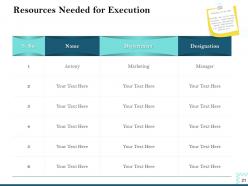
Slide 21: This slide displays Resources Needed for Execution
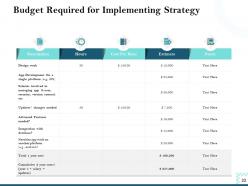
Slide 22: This slide showcases Budget Required for Implementing Strategy
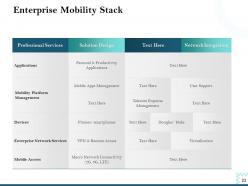
Slide 23: This slide shows Enterprise Mobility Stack
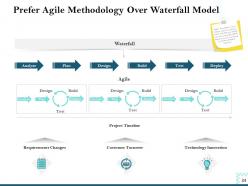
Slide 24: This slide showcases Prefer Agile Methodology Over Waterfall Model
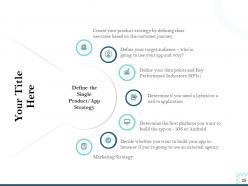
Slide 25: This slide helps to Define the Single Product/App Strategy
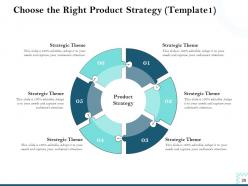
Slide 26: This slide showcases Choose the Right Product Strategy
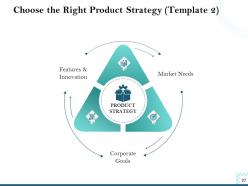
Slide 27: This slide helps to Choose the Right Product Strategy
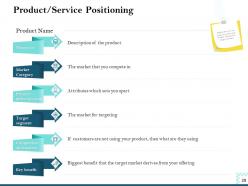
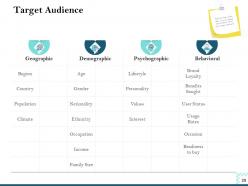
Slide 28: This slide showcases Product/Service Positioning. With the help of this slide, you can explain your audience about your target customers
Slide 29: This slide helps to explains your audience about your target customers
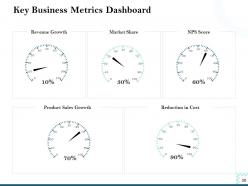
Slide 30: This slide showcases Key Business Metrics Dashboard
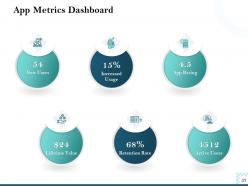
Slide 31: This slide showcases App Metrics Dashboard
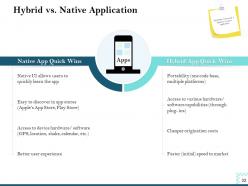
Slide 32: This slide depcits Hybrid VS. Native Application
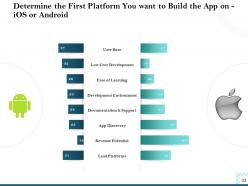
Slide 33: This slide helps to Determine the First Platform you want to Build the App on - iOS or Android
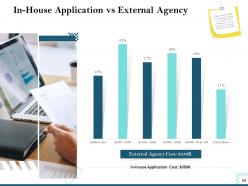
Slide 34: This slide shows comparison with In-house application VS External Agency
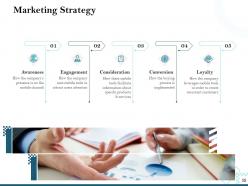
Slide 35: This slide depicts Marketing Strategy
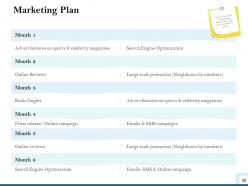
Slide 36: This slide describes Marketing Plan. Mention the month wise marketing strategy that will be used to promote the product.
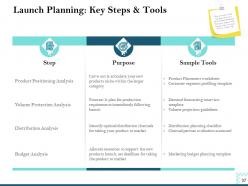
Slide 37: This slide shows Launch Planning: Key Steps and Tools
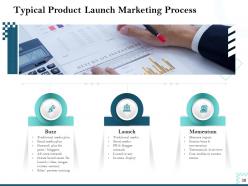
Slide 38: This template describes Typical Product Launch Marketing Process
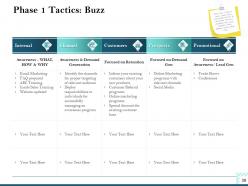
Slide 39: This slide shows first step to create a buzz about your product/service in the market. We have classified it into 5 key segments where different tactics will be used.
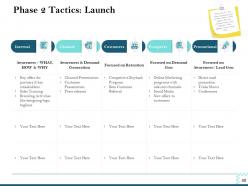
Slide 40: This slide depicts 2nd step where you launch your product/service in the market. We have classified it into 5 key segments where different tactics will be used.
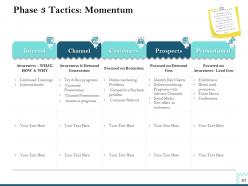
Slide 41: This slide shows 3rd step after the launch of your product/service in the market. In order to keep the momentum going, we have classified it into 5 key segments where different tactics will be used.
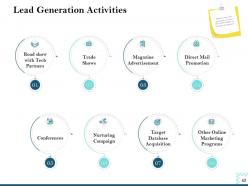
Slide 42: This slide displays Lead Generation Activities
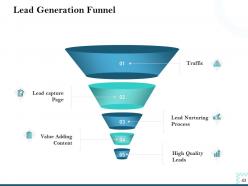
Slide 43: This slide shows Lead Generation Funnel
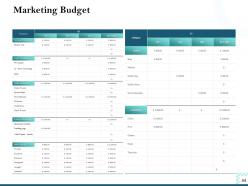
Slide 44: This slide highlights Marketing Budget
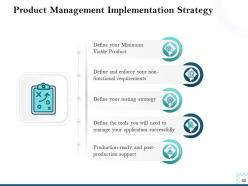
Slide 45: This slide depicts Product Management Implementation Strategy
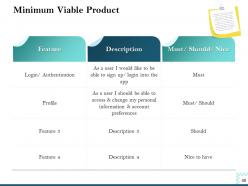
Slide 46: This slide describes Minimum Viable Product
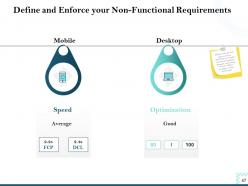
Slide 47: This slide helps to Define and Enforce your Non-functional Requirements.
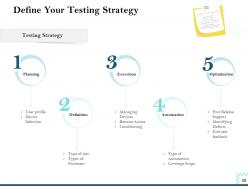
Slide 48: This slide helps to Define your Testing Strategy
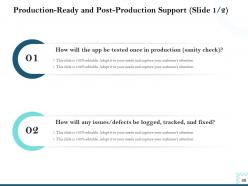
Slide 49: This slide depicts Production-ready and Post-production Support.
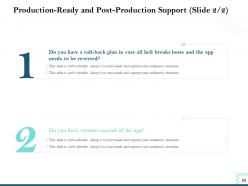
Slide 50: This slide displays Production-ready and Post-production Support.
Slide 51: This is Mobile Marketing Strategy Icons Slide.
Slide 52: This slide is titled as Additional Slides for moving forward.
Slide 53: This slide displays Mission, Vision and Goals.
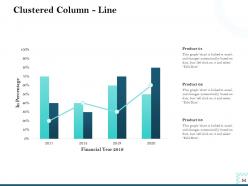
Slide 54: This slide depicts Clustered Column - Line chart for comparison of products.
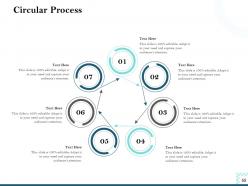
Slide 55: This slide displays Circular Process
Slide 56: This is Our Team slide with Names and Designtions.
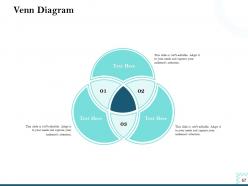
Slide 57: This slide displays Venn Diagram.
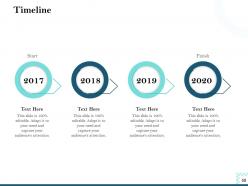
Slide 58: This slide shows Timeline process.
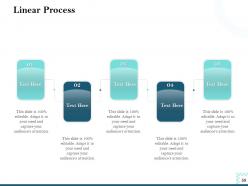
Slide 59: This slide depicts Linear Process
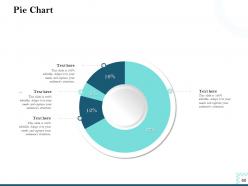
Slide 60: This slide displays Pie Chart.
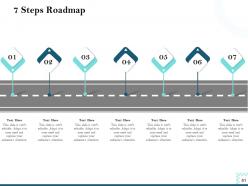
Slide 61: This slide shows 7 Steps Roadmap process.
Slide 62: This is Thank You slide with Contact details.
Mobile Marketing Strategy Powerpoint Presentation Slides with all 62 slides:
Use our Mobile Marketing Strategy Powerpoint Presentation Slides to effectively help you save your valuable time. They are readymade to fit into any presentation structure.


FAQs for Mobile Marketing Strategy
Honestly, mobile users are just different - they're scrolling super fast and get distracted easily. Make sure your site loads quickly and actually works on phones (not just a squished desktop version). Those push notifications can be gold, but seriously don't spam people at weird hours. I learned that the hard way lol. Bigger buttons are your friend since everyone's using one thumb to navigate. Location-based content helps too if you can swing it. Shorter forms work way better - nobody wants to fill out 20 fields on their phone. Test everything on real devices first, then run some A/B tests on your landing pages.
Apps are honestly your best bet for connecting with customers directly. Push notifications alone make them worth it - way better engagement than mobile sites. You can track user behavior and personalize everything, which is where you'll see real results. Don't just build one to have an app though, that's pointless. Figure out what would actually make your customers' lives easier first. Maybe it's faster checkout or exclusive features they can't get elsewhere. Build around solving a real problem and you'll create something sticky that people actually want to keep using.
Dude, location-based marketing is a game changer for mobile campaigns. You can literally send people offers when they're walking past your store - like that coffee discount hitting right when someone's craving their morning fix. The click rates go through the roof compared to regular ads. What's cool is you can actually see if your digital stuff is getting people to show up in person. I'd start basic - just target people within a few miles of your locations. Weather-based product suggestions work really well too. Once you get the hang of it, then you can dive into the fancier behavioral stuff.
Honestly, skip the vanity metrics like impressions - they look pretty in reports but don't mean much. What you really want to watch are click-through rates and app downloads. Time spent in-app is gold too since it shows people actually give a damn about your content. Obviously conversion rates matter (that's your money right there), but here's what most people mess up - they don't track retention properly. Day-7 and day-30 rates are crucial because getting users costs a fortune. Keeping them around? That's where you actually make profit. Oh, and set up attribution tracking early so you know which channels bring quality users, not just random downloads.
Don't treat SMS like its own separate thing - it works way better when you connect it to what you're already doing on mobile. Like if someone ignores a push notification, follow up with a text. Or hit people with abandoned cart reminders when they bail on checkout. Honestly, the brands crushing it right now use SMS for urgent stuff - flash sales, appointment reminders, that kind of thing. Just make sure it all feels connected, you know? If they signed up through your app, mention that in your first message. I'd start by looking at your customer journey and pick maybe 2-3 spots where a text actually adds value instead of just being annoying.
Honestly, mobile users bail if your page doesn't load in 3 seconds - they're ruthless like that. Big headlines work best, give everything room to breathe with white space. Your CTA button needs to be at least 44px so people can actually tap it without missing. Here's the thing though - don't just check Chrome's mobile view and call it good. Test on a real phone because it's totally different. Keep forms stupid short, only ask what you actually need. Nobody should have to pinch and zoom around your page. Oh, and run Google's mobile-friendly test first to see what you're working with.
So micro-moments are when people instantly pull out their phone to figure something out or buy stuff - happens all the time. You want to show up right when they're searching "coffee shop near me" or watching a quick tutorial because they're stuck on something. Speed matters here, and honestly, most brands totally miss this opportunity. Map out what moments your customers actually have - maybe 3-5 main ones - then create mobile content that hits exactly what they need. Like if you're a restaurant, people might search your hours while they're already driving over. Quick answers win.
Ugh, the screen size thing kills me every time - cramming your message into that tiny space while keeping it fast. Mobile users bail SO quick if you don't hook them immediately, like within seconds. Different devices mean you're testing constantly, which gets old fast. They're also juggling notifications and apps, so you're fighting for attention. Honestly? Skip trying to shrink desktop stuff down. Just start with mobile first - way less headache that way. Oh, and everyone's impatient now but mobile users are next level about it.
Social media's your best bet for mobile marketing - people are glued to their phones scrolling anyway. Instagram and TikTok crush it since they were built for mobile from day one. Stories, location tags, push notifications? All gold. The targeting gets pretty crazy too - you can hit people based on mobile habits, interests, even when they're physically near your store (which honestly feels a bit stalker-ish but it works). Make sure everything's optimized for vertical viewing first. Then just test different ad formats until you find what clicks with your audience.
Dude, UX is everything for mobile marketing. Seriously - I've watched amazing ads send traffic to apps that were total disasters, and conversion rates just died. People bounce so fast on mobile because they're distracted, screens are tiny, and honestly nobody has patience anymore. Even if your marketing campaign is perfect, crappy UX will kill it. Users need things to work smoothly or they're gone. The friction has to be minimal if you want decent ROI. My advice? Actually use your own app like a regular person would - you'll catch issues you never noticed before.
Mobile analytics are like having a window into what your users actually do vs what you think they do. Track where people bail out of your app, which campaigns bring in real buyers instead of just tire-kickers. The data gets super detailed - device types, how long they stick around, all that stuff. Honestly, heat mapping is where I'd start because seeing actual user paths is kind of mind-blowing. Set up conversion tracking too, then A/B test different versions. Once you know what's working, just do more of that.
Dude, AR is actually pretty sick for mobile marketing now. Your customers can try stuff virtually - like testing lipstick colors or seeing how furniture fits in their space. The tech's gotten way cheaper lately, so you don't need a massive budget anymore. Interactive stuff works great too... scavenger hunts, branded filters on Instagram, that kind of thing. Location-based campaigns are cool - people point their phone at your store display and boom, unlocked content. I'd probably start with something simple like product visualization first. See how people react, then go bigger from there.
Dude, 5G is finally making AR/VR stuff actually worth using - the lag was killing it before. Voice search is massive now since everyone's basically married to Siri and Alexa. AI personalization is getting weirdly accurate at knowing what I want before I do (kinda creepy tbh). Progressive Web Apps are blowing up because they act like real apps but they're just websites. Apple's privacy updates totally screwed third-party tracking, so you've got to focus on collecting your own customer data now. Build direct relationships and optimize everything for voice search - that's where things are headed.
Dude, first things first - get explicit consent before grabbing any personal data. None of that pre-checked box bullshit. Write your privacy policy so actual humans can understand it, not lawyers. Put it somewhere people can actually find it too. Users need easy ways to opt out and control their data. Be upfront about what you're collecting and why you need it. Honestly, when people trust you with their info, they're way more likely to engage. It's weird how being decent about privacy actually helps your campaigns perform better. Makes sense though.
The best part about mobile wallet marketing? You're hitting people exactly when they're about to spend money. Like, they're already at your store with their phone out. Engagement rates are solid since the messages actually feel relevant instead of random. You can track real purchases too, which beats guessing if your ads worked. But there's not much space to work with - your message has to be really tight. And look, plenty of people still don't use mobile wallets, though that's changing pretty quick. You'll be fighting for attention with other brands cramming into that small screen. I'd start with location-based offers near your physical stores. Pretty straightforward win there.
-
Best Representation of topics, really appreciable.
-
I discovered this website through a google search, the services matched my needs perfectly and the pricing was very reasonable. I was thrilled with the product and the customer service. I will definitely use their slides again for my presentations and recommend them to other colleagues.
-
Good research work and creative work done on every template.
-
Wonderful templates design to use in business meetings.
-
Great product with effective design. Helped a lot in our corporate presentations. Easy to edit and stunning visuals.
-
Amazing product with appealing content and design.