


Mobile marketing powerpoint presentation slides




Try Before you Buy Download Free Sample Product
 Impress Your
 Audience
 100%
100% Editable
 Save Hours
 of Time


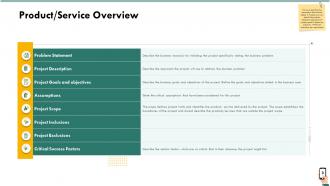
Develop an attractive and user-friendly mobile strategy by utilizing a Mobile Marketing Strategy PowerPoint Presentation Slides. The presentation contains various templates such as product/service overview, statements, project description, goals and objectives, scope, inclusions, and exclusions, etc. You can showcase the key statistics of mobile app users worldwide. Display information on establishing value propositions, strategic objectives to be achieved, understanding the competitive landscape, product feature comparison, current customer journey, etc with these readily available PPT templates. Describe the concept of mobile touchpoints by discussing channel interactions in our ready-to-use mobile marketing plan PPT layouts. Our content-ready PPT slides allow you to represent present elevator pitch ideas that will help to drive mobile strategy. Highlight the budget required for implementing strategy, enterprise mobility stack, product/service positioning, key business metrics dashboard, etc. Demonstrate mobile strategy roadmap, resources needed for execution, etc, by downloading smartphone marketing strategy PPT visuals.
People who downloaded this PowerPoint presentation also viewed the following :
Content of this Powerpoint Presentation
Slide 1: This slide introduces Mobile Marketing. State your Company name and begin.
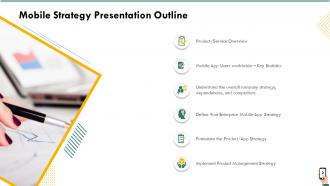
Slide 2: This slide shows Mobile Strategy Presentation Outline
Slide 3: This slide also shows Mobile Strategy Presentation Outline
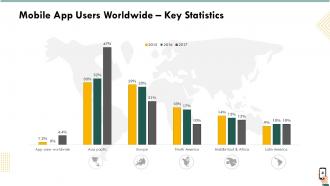
Slide 4: This template depicts Mobile App Users Worldwide – Key Statistics
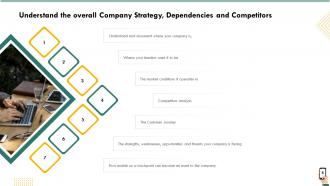
Slide 5: This slide shows information about Understanding the overall Company Strategy, Dependencies and Competitors
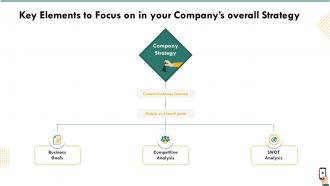
Slide 6: This slide depicts Key Elements to Focus on in your Company’s Overall Strategy
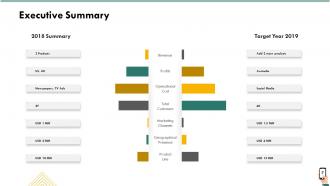
Slide 7: This slide presents Executive Summary.
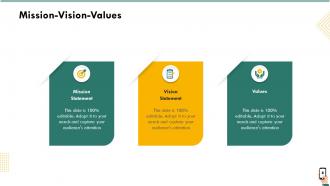
Slide 8: This slide shows Mission-Vision-Values.
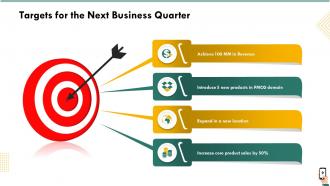
Slide 9: This slide shows Targets for the Next Business Quarter.
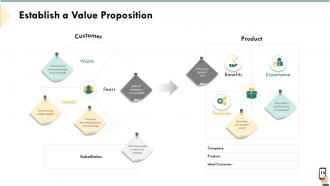
Slide 10: This slide provides information about Establishing a Value Proposition
Slide 11: This slide explains What your competitors are offering through their mobile channel
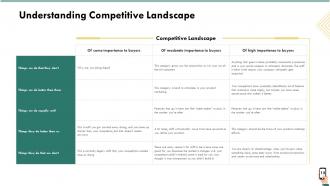
Slide 12: This slide describes about Understanding Competitive Landscape
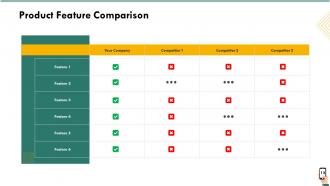
Slide 13: This slide displays Product Feature Comparison
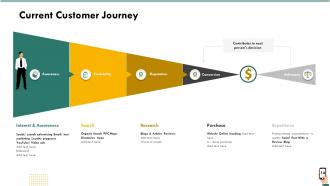
Slide 14: This slide highlights Current Customer Journey.
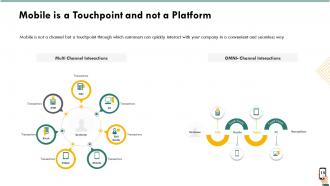
Slide 15: This slide shows Mobile is a Touchpoint and Not a Platform.
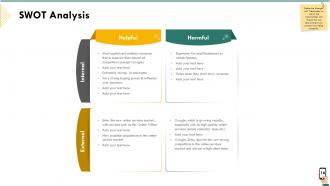
Slide 16: This slide helps to Define the Strengths and Weaknesses as well as the Opportunities and Threats that can help/prevent your product from being successful.
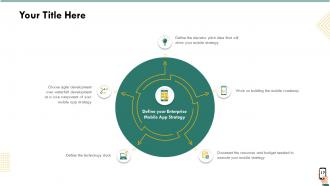
Slide 17: This slide helps to Define your Enterprise Mobile App Strategy
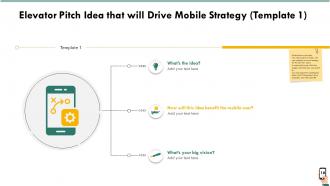
Slide 18: This slide showcases Elevator Pitch Idea that will Drive Mobile Strategy (Template 1).
Slide 19: This slide presents Elevator Pitch Idea that will Drive Mobile Strategy (Template 2).
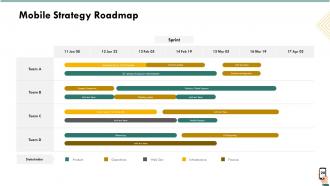
Slide 20: This slide shows Mobile Strategy Roadmap
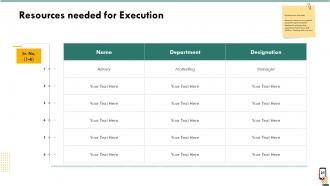
Slide 21: This slide displays Resources Needed for Execution
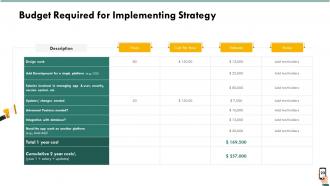
Slide 22: This slide showcases Budget Required for Implementing Strategy
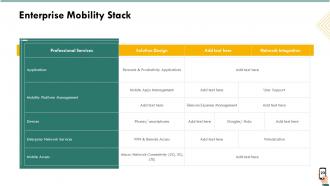
Slide 23: This slide shows Enterprise Mobility Stack
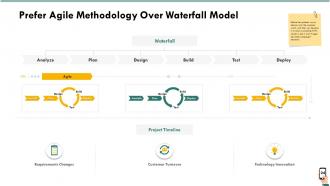
Slide 24: This slide showcases Prefer Agile Methodology Over Waterfall Model
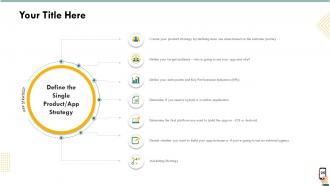
Slide 25: This slide helps to Define the Single Product/App Strategy
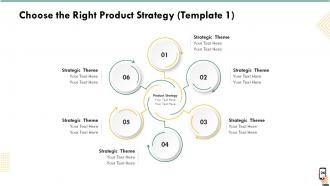
Slide 26: This slide showcases Choose the Right Product Strategy
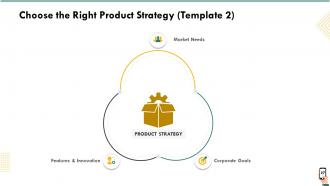
Slide 27: This slide helps to Choose the Right Product Strategy
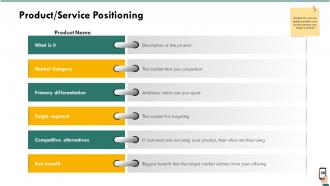
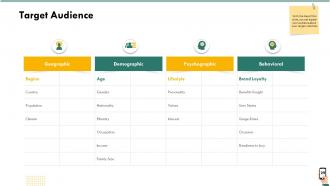
Slide 28: This slide showcases Product/Service Positioning. With the help of this slide, you can explain your audience about your target customers
Slide 29: This slide helps to explains your audience about your target customers
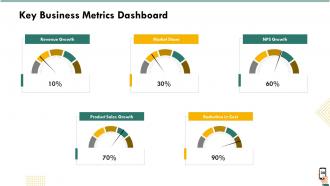
Slide 30: This slide showcases Key Business Metrics Dashboard
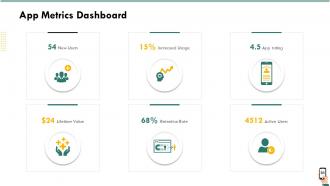
Slide 31: This slide showcases App Metrics Dashboard
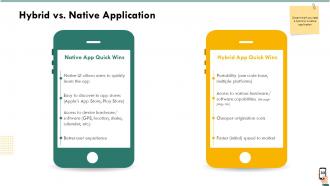
Slide 32: This slide depcits Hybrid VS. Native Application
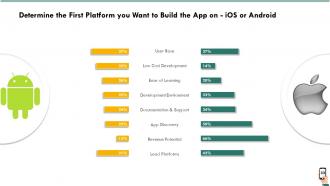
Slide 33: This slide helps to Determine the First Platform you want to Build the App on - iOS or Android
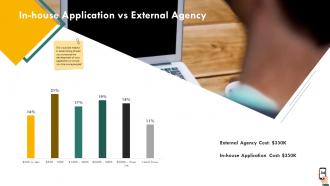
Slide 34: This slide shows comparison with In-house application VS External Agency
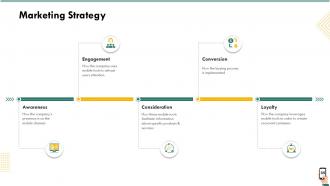
Slide 35: This slide depicts Marketing Strategy
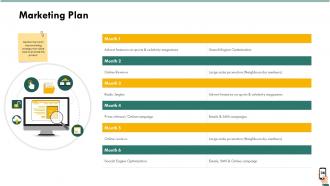
Slide 36: This slide describes Marketing Plan. Mention the month wise marketing strategy that will be used to promote the product.
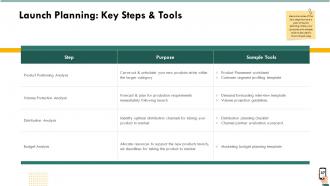
Slide 37: This slide shows Launch Planning: Key Steps and Tools
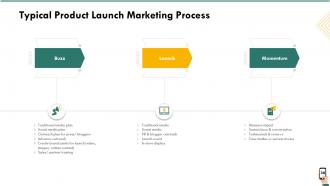
Slide 38: This template describes Typical Product Launch Marketing Process
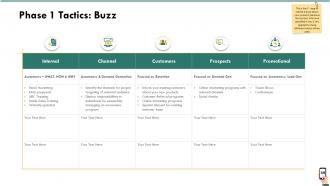
Slide 39: This slide shows first step to create a buzz about your product/service in the market. We have classified it into 5 key segments where different tactics will be used.
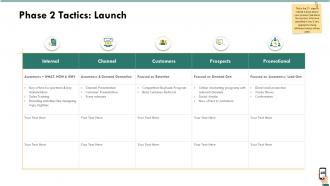
Slide 40: This slide depicts 2nd step where you launch your product/service in the market. We have classified it into 5 key segments where different tactics will be used.
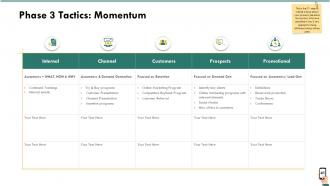
Slide 41: This slide shows 3rd step after the launch of your product/service in the market. In order to keep the momentum going, we have classified it into 5 key segments where different tactics will be used.
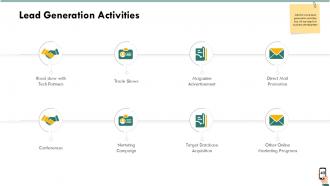
Slide 42: This slide displays Lead Generation Activities
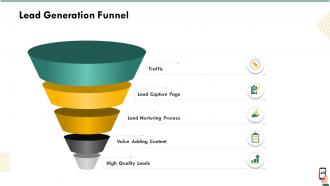
Slide 43: This slide shows Lead Generation Funnel
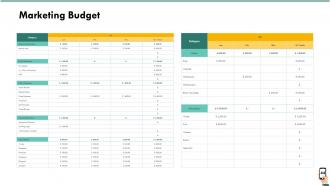
Slide 44: This slide highlights Marketing Budget
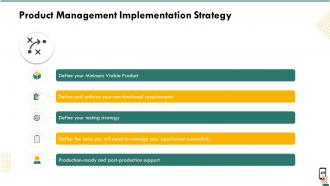
Slide 45: This slide depicts Product Management Implementation Strategy
Slide 46: This slide describes Minimum Viable Product
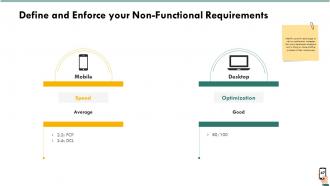
Slide 47: This slide helps to Define and Enforce your Non-functional Requirements.
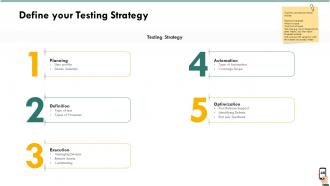
Slide 48: This slide helps to Define your Testing Strategy
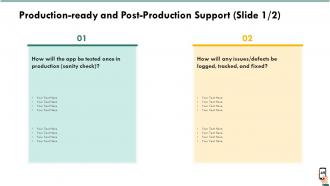
Slide 49: This slide depicts Production-ready and Post-production Support.
Slide 50: This slide displays Production-ready and Post-production Support.
Slide 51: This is Mobile Marketing Icons Slide.
Slide 52: This slide is titled as Additional Slides for moving forward.
Slide 53: This slide displays Our Mission and Vision for Mobile Marketing
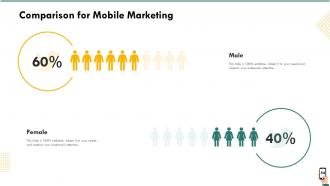
Slide 54: This slide displays Comparison in percentage for Mobile Marketing
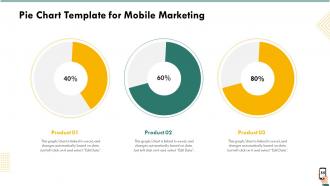
Slide 55: This is Pie Chart Template for Mobile Marketing
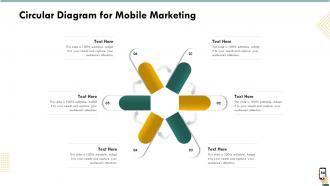
Slide 56: This slide displays Circular Diagram for Mobile Marketing
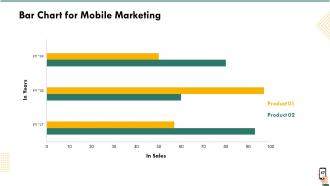
Slide 57: This template shows Bar Chart for Mobile Marketing
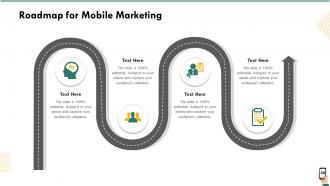
Slide 58: This slide displays Roadmap process for Mobile Marketing.
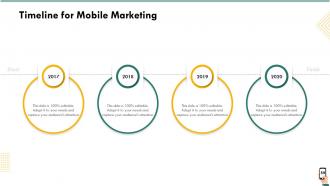
Slide 59: This slide displays Timeline process for Mobile Marketing.
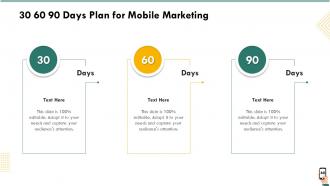
Slide 60: This is 30 60 90 Days Plan slide.
Slide 61: This is Thank you slide with Contact details.
Mobile marketing powerpoint presentation slides with all 61 slides:
Use our Mobile Marketing Powerpoint Presentation Slides to effectively help you save your valuable time. They are readymade to fit into any presentation structure.


FAQs for Mobile marketing
So basically you need three main things: mobile-friendly content, location targeting, and push notifications/SMS. Your site has to load super fast on phones - people will literally bounce if it's slow or looks weird. I'd focus on wherever your audience actually spends time on social media, plus make sure checkout doesn't suck on mobile. Location stuff is pretty clutch since everyone's always on their phones anyway. Oh, and if you have an app, definitely lean into that for marketing. Start by checking how your current stuff performs on mobile, then just tackle whatever's most broken first.
Dude, SMS marketing is crazy effective because you're literally sitting in people's pockets. I always tell clients to segment based on what customers bought or looked at - send them stuff they'll actually want. But seriously, timing matters SO much. Like, don't blast people at 6am unless you want them to hate you lol. Keep texts short with clear calls-to-action, and make opting out super easy. Honestly, I'd start with basic stuff like welcome messages and shipping updates first. Build some trust before you start pitching sales. The whole thing falls apart if you come across as spammy.
Dude, mobile optimization is everything for conversions. Most people are shopping on their phones now, so if your site's slow or the buttons are impossible to tap, they'll just leave. I made this mistake once - our mobile conversion rate was awful compared to desktop because I didn't realize how frustrating the checkout was. Mobile users have zero patience too. They're probably standing in line at Starbucks trying to buy something, so every extra step kills your sales. Honestly, just grab your phone right now and try buying something from your own site. You'll see exactly what needs fixing within like 30 seconds.
So geofencing is probably your best bet here - basically you set up invisible boundaries around your stores (or even competitors lol) and ping people with offers when they walk into those zones. GPS targeting works great too since you can hit up people who've visited certain places before. Beacons inside your actual store let you send personalized stuff straight to their phones while they're shopping. Just make sure whatever you're sending actually makes sense for where they are and when. I'd start with maybe two busy locations first and try different messages to see what actually gets people to bite.
Honestly, short subject lines are your best friend - like under 30 characters. Single column layout works way better on phones too. Make your font at least 14px (people squint enough already) and those buttons need to be thumb-friendly sized. I learned this the hard way when nobody could tap my CTAs! Width should be somewhere between 320-600px. Oh, and definitely test on real phones, not just that desktop preview thing - it's never the same. Basically you want someone scrolling through while grabbing coffee to actually read and click on your stuff.
Dude, apps are seriously clutch for loyalty. Your brand sits right there on their home screen every day - can't beat that real estate. Push notifications let you hit them with personalized deals and app-only perks. Plus the data you get is insane. Amazon's app literally knows what I want before I do lol. But here's the thing - convenience is everything. When people can reorder coffee or check their points in two seconds, they won't bother downloading your competitor's app. Just don't make it a crappy mobile website wrapper. Nobody has time for that. Make it actually useful and they'll stick around.
For mobile campaigns, start with the basics: click-through rates, app downloads, and mobile conversion rates. App retention is huge too - honestly, most people download apps and forget about them within a week. Track in-app purchases if that's relevant, plus location engagement for geo-targeted stuff. Mobile users bounce fast, so time on page matters more than desktop. Oh, and definitely compare your cost per acquisition between mobile and desktop - sometimes the difference is wild. Build from these core metrics, then add campaign-specific ones as you figure out what's actually moving the needle for your goals.
Honestly, just think mobile-first since everyone's scrolling on their phones anyway. Vertical videos work best for Stories and Reels. Make your text big enough that people don't have to squint - I learned this the hard way lol. Your buttons need to be thumb-sized too. Instagram and TikTok are obvious choices, but LinkedIn's actually solid if you're doing B2B stuff. Keep everything bite-sized because mobile users will bounce if your content takes forever to load or looks messy. Always preview your posts on your own phone first. Trust me, if it looks off to you, it'll look terrible to everyone else.
Honestly, just think about consent, transparency, and not being creepy with people's data. Get real permission before you start blasting notifications or tracking locations - none of those pre-checked box tricks that we all hate. Tell people what you're collecting and why. Don't spam them constantly or use weird manipulative stuff on kids. I always think about whether I'd actually want to receive whatever I'm sending. Oh, and make unsubscribing super easy - like, one-click easy. Start by checking your current opt-in process and fixing the obvious problems first.
Honestly, just focus on one thing at a time when you're testing mobile ads. Facebook and Google already have the A/B tools built in, so they'll split your audience automatically. I always test creative first since that usually moves the needle way more than tweaking copy. Run it for at least a week - though if your budget's tight, you might need longer to get enough data. The sample size thing matters more than people think. Headlines, CTAs, targeting... test whatever, but don't try to test everything at once or you'll have no idea what actually worked. Start with the big stuff first, then get into the weeds later.
Oh dude, mobile wallets are totally changing the shopping game. People buy way more stuff when they can just tap their phone or use Face ID - there's barely any friction between wanting something and actually buying it. Digital payments feel less "real" somehow, so customers spend more freely. I swear it's like psychological trickery or something. Once people have Apple Pay set up, they'll actually finish buying instead of ditching their cart halfway through. You should definitely make your checkout work smoothly with these apps. Maybe throw in some wallet-only deals to really get people impulse buying.
Honestly, start with Instagram or Snapchat filters - they're super easy to set up and people already know how to use them. AR works best when customers can actually visualize your stuff in their space, like trying on sunglasses or seeing how that couch fits in their room. If you've got an app, throw in some AR product demos or maybe location-based promos. Just don't make it weird and gimmicky, you know? People can smell that from a mile away. Test a simple virtual try-on first and see if anyone actually uses it before going all-in on fancy campaigns.
Okay so AI and machine learning are totally changing personalization - like way beyond just slapping someone's name in an email. 5G is making video content so much richer, and AR/VR stuff is getting pretty wild for brand experiences. Voice search is huge too, even though I still feel awkward talking to my phone half the time. Oh, and all the privacy changes with iOS updates? That's forcing everyone to rethink how they collect data. Honestly, you should pick one of these and start messing around with it before your competition does.
So basically Google judges your site mostly by how it looks on mobile now. Wild shift from like 5 years ago, right? If your mobile version is trash, you're screwed even if desktop is amazing. Fast loading is huge - compress those images. Your mobile content needs to match what's on desktop too, can't be missing stuff. Responsive design obviously helps a ton. I'd check Search Console regularly for mobile issues before they mess up your rankings. Oh and make sure your mobile site structure isn't completely different from desktop - Google gets confused otherwise. Pretty annoying but that's just how it works now.
Honestly, the biggest pain is how fragmented everything gets across devices - someone starts browsing on their phone, switches to laptop, then maybe finishes on tablet. Plus privacy changes have made targeting way harder since third-party cookies are basically toast now. My advice? Start with responsive design and focus on collecting your own customer data instead of relying on outside tracking. Actually test on real devices too - those desktop simulators lie half the time. Pick one platform first and get that experience really solid before expanding. I've seen too many people try to be everywhere at once and just end up mediocre across the board.
-
Illustrative design with editable content. Exceptional value for money. Highly pleased with the product.
-
Unique design & color.
-
Attractive design and informative presentation.
-
The Designed Graphic are very professional and classic.
-
Easily Understandable slides.
-
Great quality product.
-
Excellent work done on template design and graphics.
-
Design layout is very impressive.
-
Excellent Designs.
-
Visually stunning presentation, love the content.