


E marketing powerpoint presentation slides
Explore our E Marketing PowerPoint Presentation Slides to showcase your online marketing plan. Digital marketing system PowerPoint complete deck contains visually appealing slides such as digital marketing key statistics, digital marketing channels, email marketing strategies, budget dashboard, pay per click advertising, statistics, strategies, budget dashboard, search engine optimization, display advertising, social media marketing, content marketing, ROI on digital marketing, digital marketing roadmap, and many more. The presentation deck is fully editable so that users can alter text, color, font size if they wish to, and present it in the shortest possible time. Using our internet marketing presentation design users can discuss the outcome and impact of online marketing on business. This comprehensive deck is perfect to measure the effectiveness of digital marketing campaign. Make an important marketing decision with this content ready fully editable online marketing channels PowerPoint templates. Download digital marketing medium presentation slides to explain the importance of online marketing and its advantages.
Explore our E Marketing PowerPoint Presentation Slides to showcase your online marketing plan. Digital marketing system Pow..



















-

- Google Slides is a new FREE Presentation software from Google.
- All our content is 100% compatible with Google Slides.
- Just download our designs, and upload them to Google Slides and they will work automatically.
- Amaze your audience with SlideTeam and Google Slides.
-

Want Changes to This PPT Slide? Check out our Presentation Design Services
-

- WideScreen Aspect ratio is becoming a very popular format. When you download this product, the downloaded ZIP will contain this product in both standard and widescreen format.
-

- Some older products that we have may only be in standard format, but they can easily be converted to widescreen.
- To do this, please open the SlideTeam product in Powerpoint, and go to
- Design ( On the top bar) -> Page Setup -> and select "On-screen Show (16:9)” in the drop down for "Slides Sized for".
- The slide or theme will change to widescreen, and all graphics will adjust automatically. You can similarly convert our content to any other desired screen aspect ratio.
Compatible With Google Slides

Get This In WideScreen
You must be logged in to download this presentation.


Do you want to remove this product from your favourites?
PowerPoint presentation slides
Presenting this set of slides with name - E Marketing Powerpoint Presentation Slides. We bring to you to the point topic specific slides with apt research and understanding. Putting forth our PPT deck comprises of sixty slides. Our tailor made E Marketing Powerpoint Presentation Slides editable presentation deck assists planners to segment and expound the topic with brevity. The advantageous slides on E Marketing Powerpoint Presentation Slides is braced with multiple charts and graphs, overviews, analysis templates agenda slides etc. to help boost important aspects of your presentation. Highlight all sorts of related usable templates for important considerations. Our deck finds applicability amongst all kinds of professionals, managers, individuals, temporary permanent teams involved in any company organization from any field

People who downloaded this PowerPoint presentation also viewed the following :
Content of this Powerpoint Presentation
Slide 1: This slide introduces E-Marketing. State Your Company Name and begin.
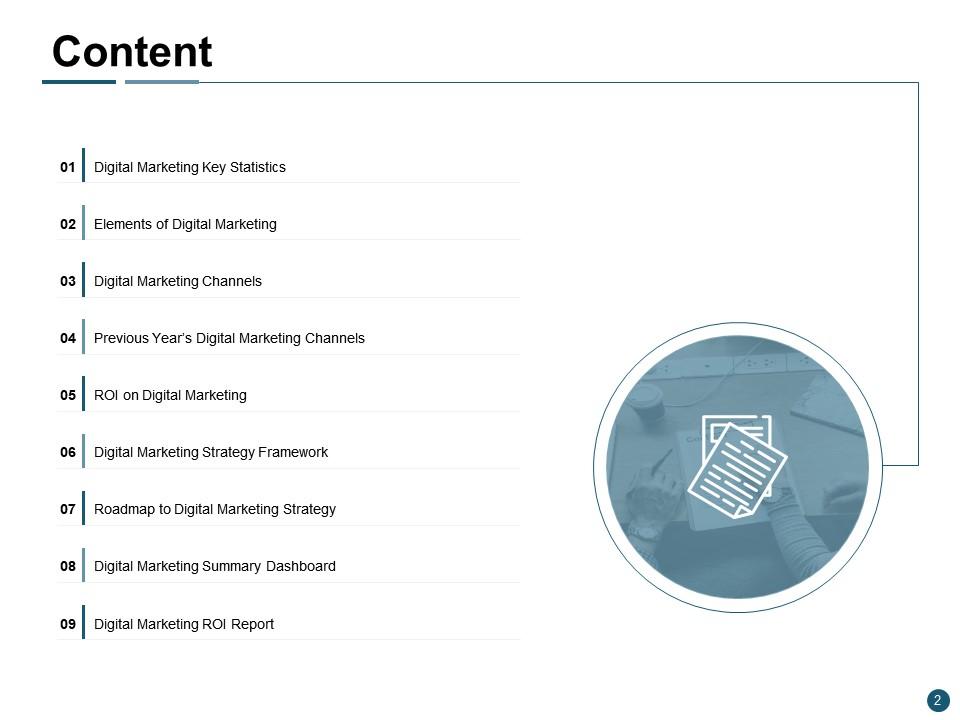
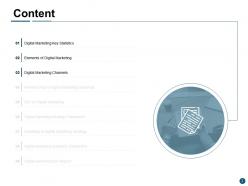
Slide 2: This slide shows Content of the presentation.
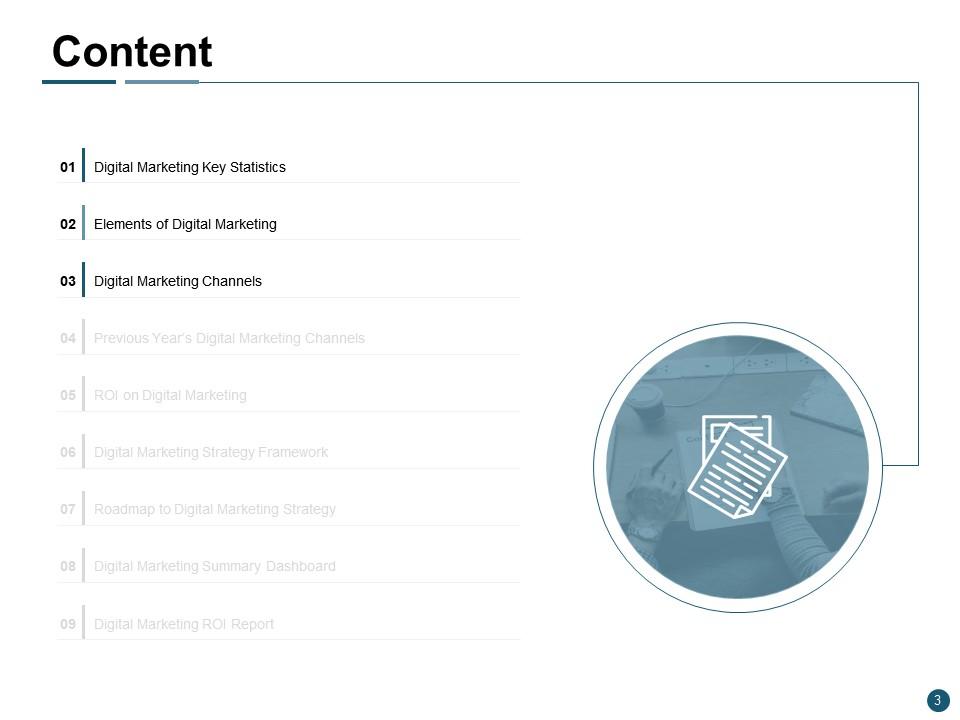
Slide 3: This is another slide showing Content of the presentation.
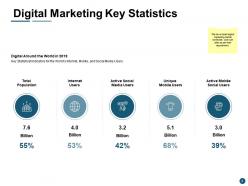
Slide 4: This slide presents Digital Marketing Key Statistics describing- Total Population, Internet Users, Active Social Media Users, Unique Mobile Users, Active Mobile Social Users.
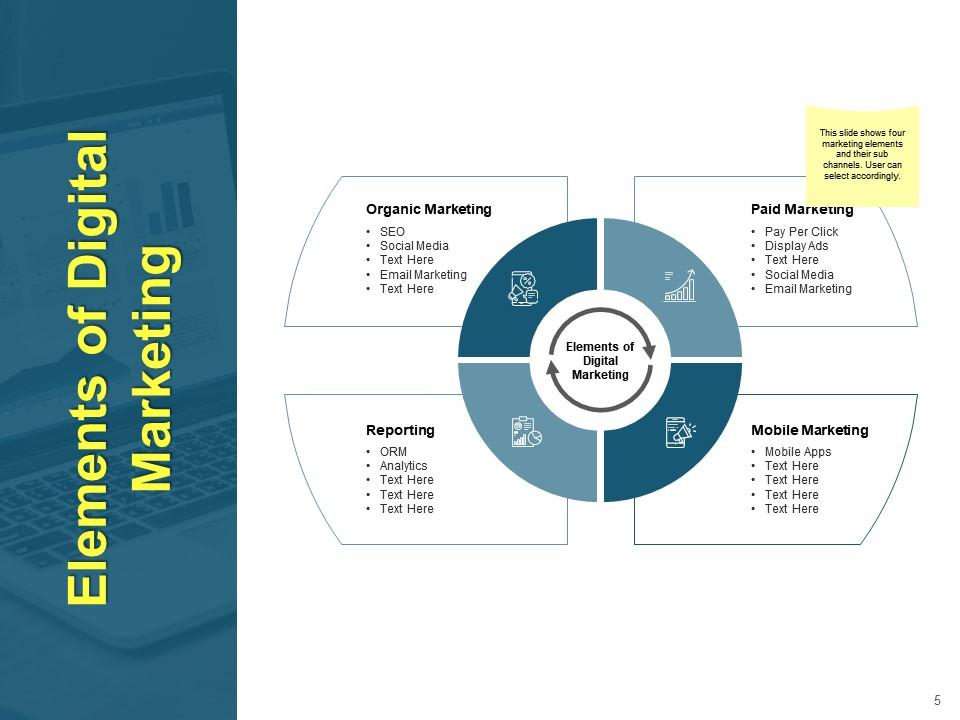
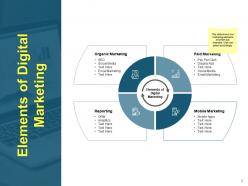
Slide 5: This slide displays Elements of Digital Marketing as- Paid Marketing, Mobile Marketing, Reporting, Organic Marketing.
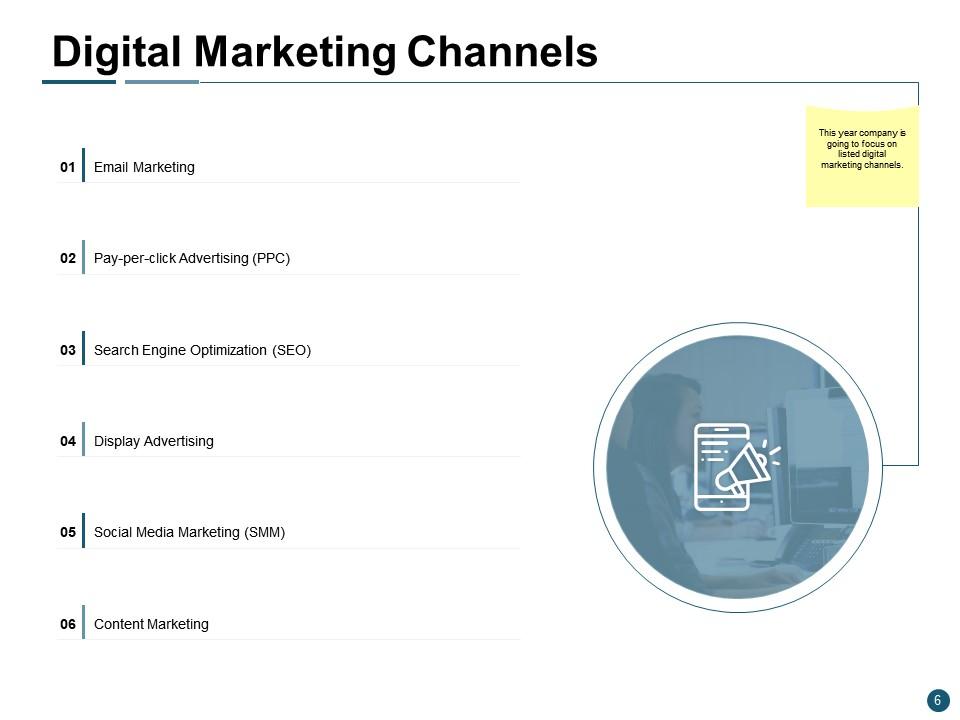
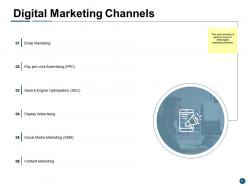
Slide 6: This slide represents Digital Marketing Channels describing- Email Marketing, Pay-per-click Advertising (PPC), Search Engine Optimization (SEO), Display Advertising, Social Media Marketing (SMM), Content Marketing.
Slide 7: This slide displays Email Marketing with related imagery.
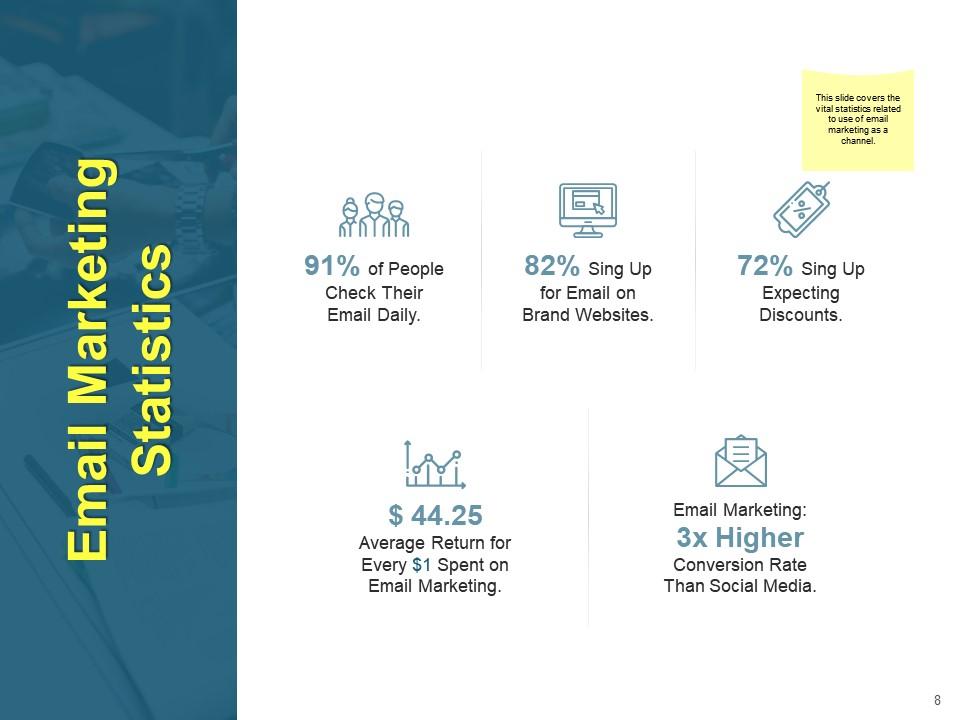
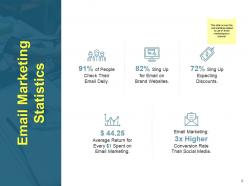
Slide 8: This slide shows Email Marketing Statistics with related icons.
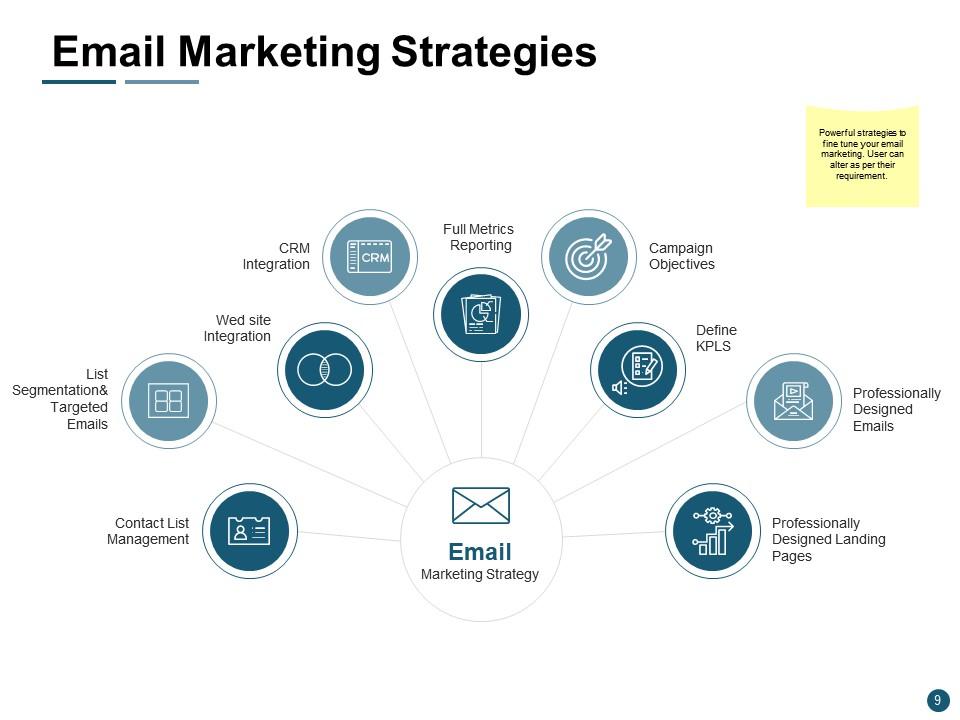
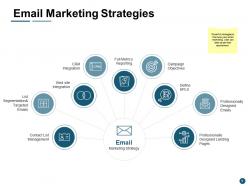
Slide 9: This slide presents Email Marketing Strategies as- Campaign Objectives, Define KPLS, Professionally Designed Emails, Professionally Designed Landing Pages, Contact List Management, List Segmentation & Targeted Emails, Wed site Integration, CRM Integration, Full Metrics Reporting.
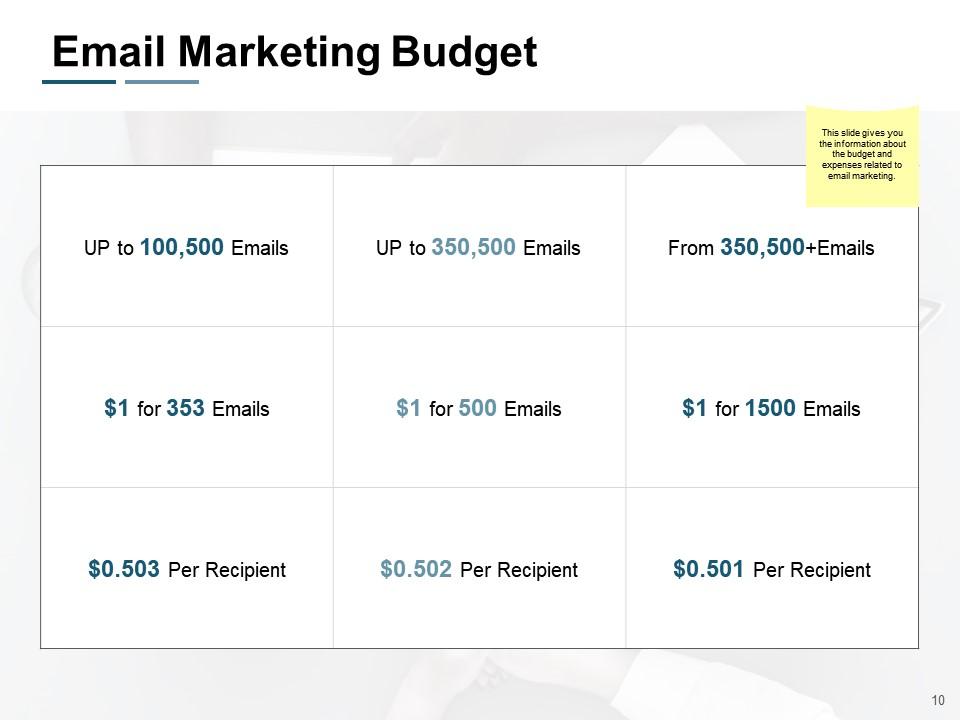
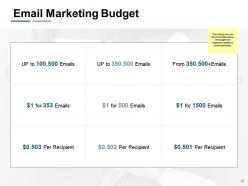
Slide 10: This slide provides information about the budget and expenses related to email marketing.
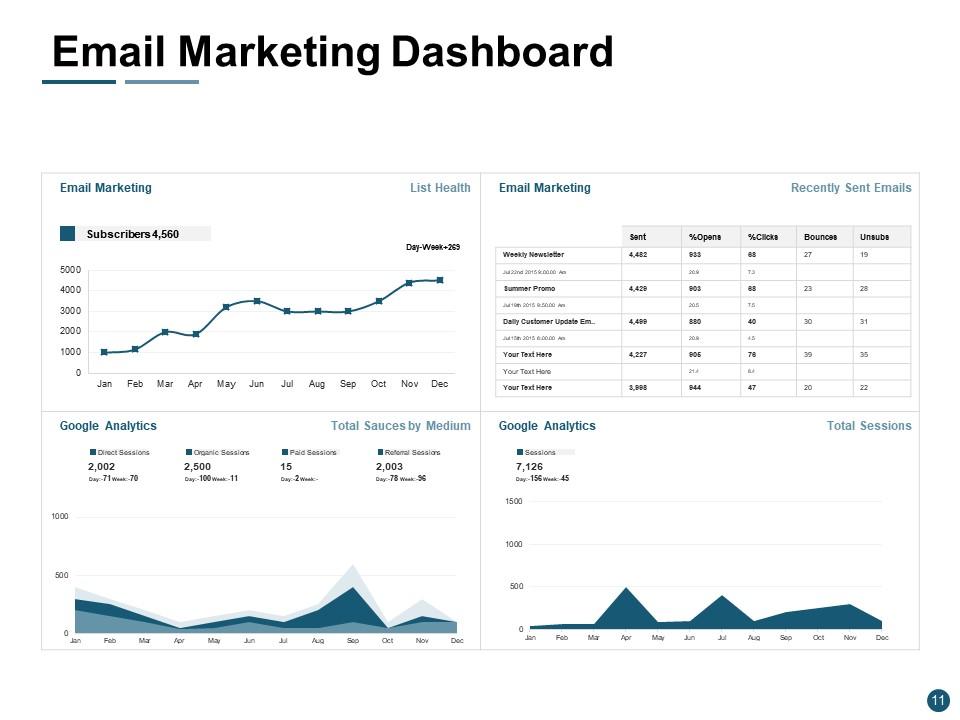
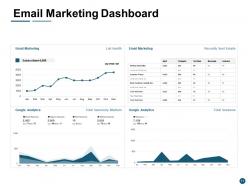
Slide 11: This slide represents Email Marketing Dashboard with the help of graphs, charts and tables.
Slide 12: This slide displays Pay-Per-Click Advertising (PPC) with related imagery.
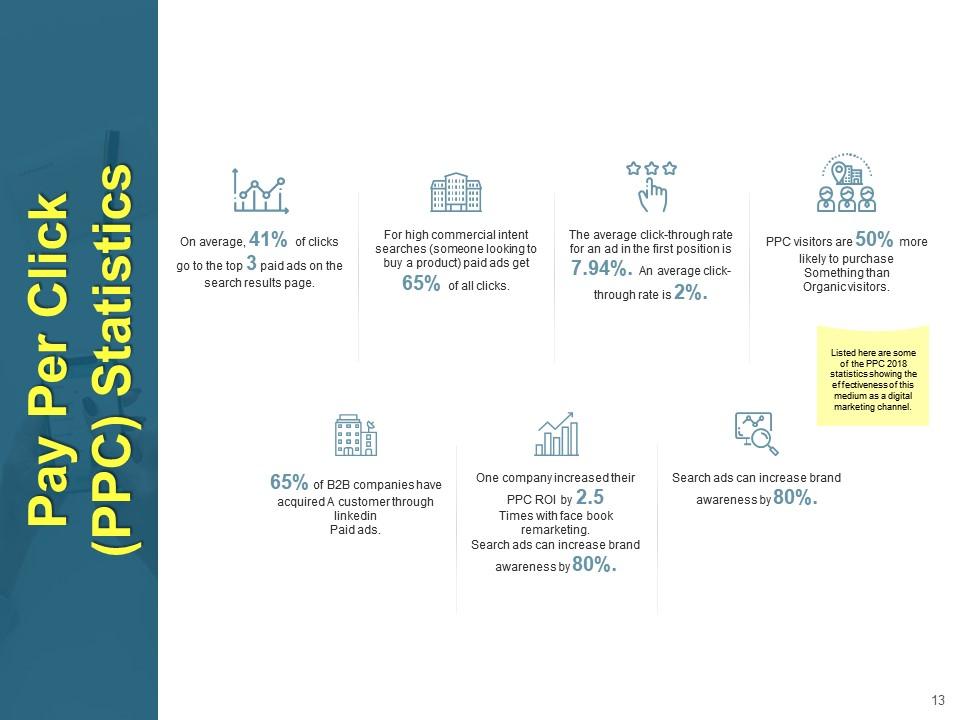
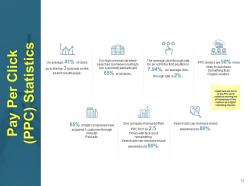
Slide 13: This slide shows Pay Per Click (PPC) Statistics describing the effectiveness of this medium as a digital marketing channel.
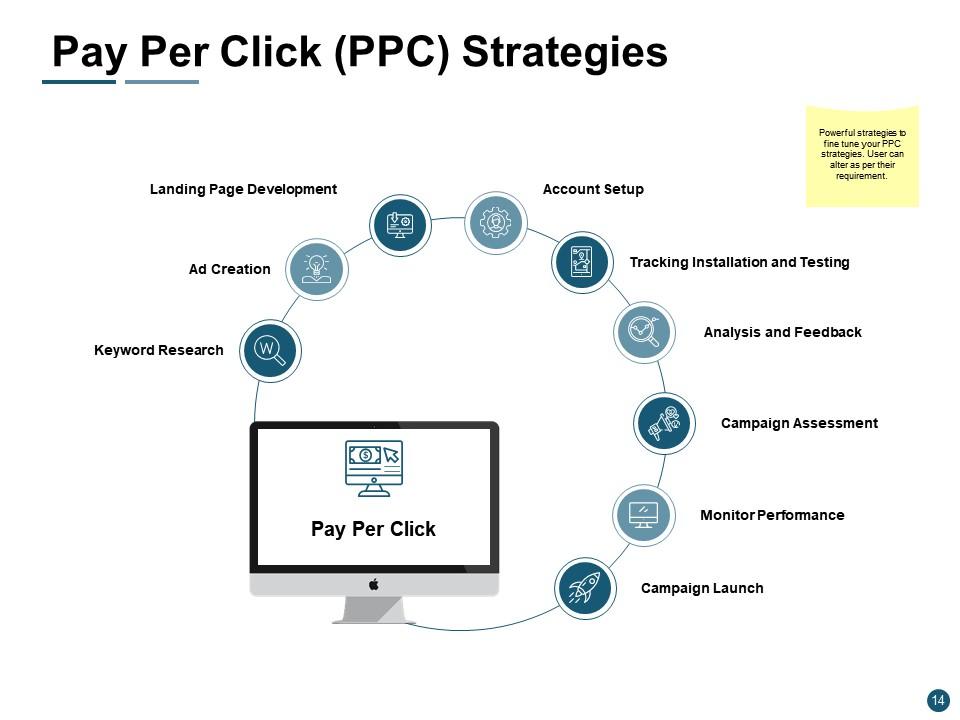
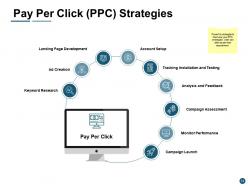
Slide 14: This slide presents Pay Per Click (PPC) Strategies describing- Keyword Research, Ad Creation, Landing Page Development, Account Setup, Tracking Installation and Testing, Campaign Launch, Monitor Performance, Campaign Assessment, Analysis and Feedback.
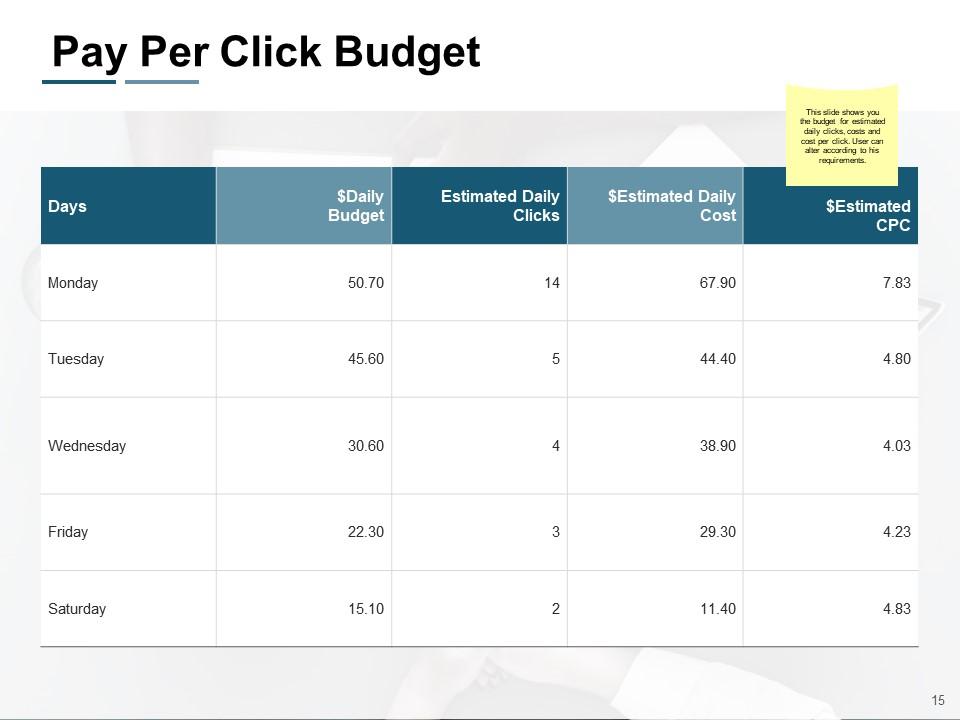
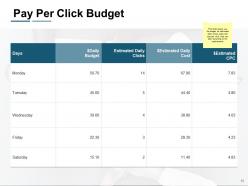
Slide 15: This slide shows you the budget for estimated daily clicks, costs and cost per click. User can alter according to his requirements.
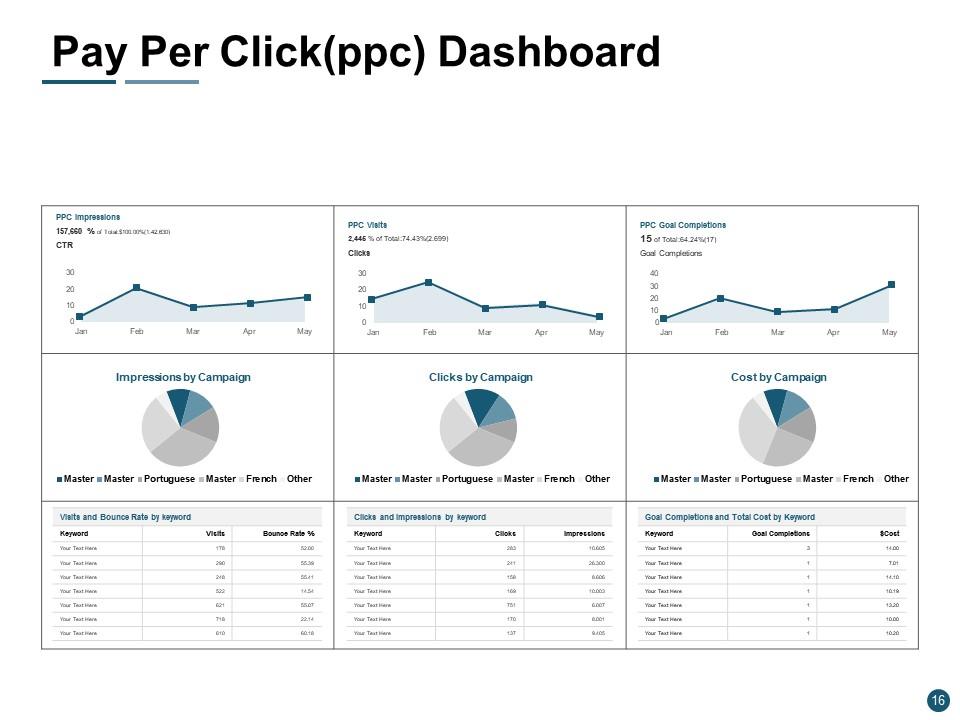
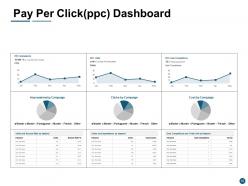
Slide 16: This slide represents Pay Per Click (ppc) Dashboard showing data with help of bar graphs and pie chart.
Slide 17: This slide displays Search Engine Optimization (SEO) with related imagery.
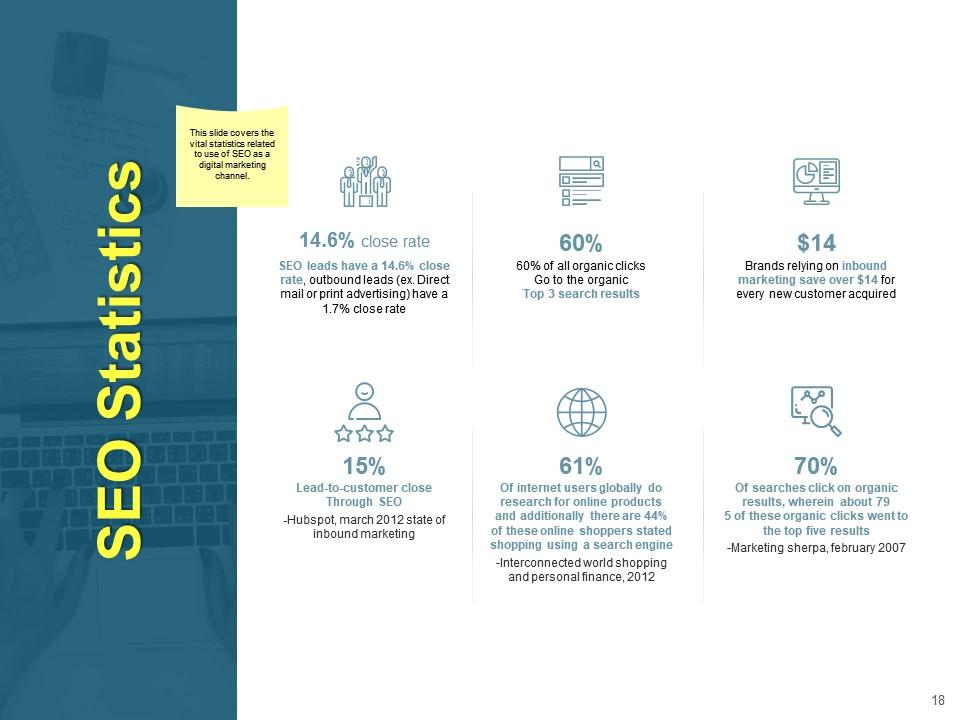
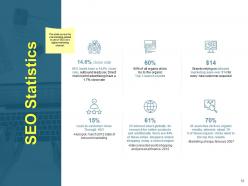
Slide 18: This slide covers the vital statistics related to use of SEO as a digital marketing channel.
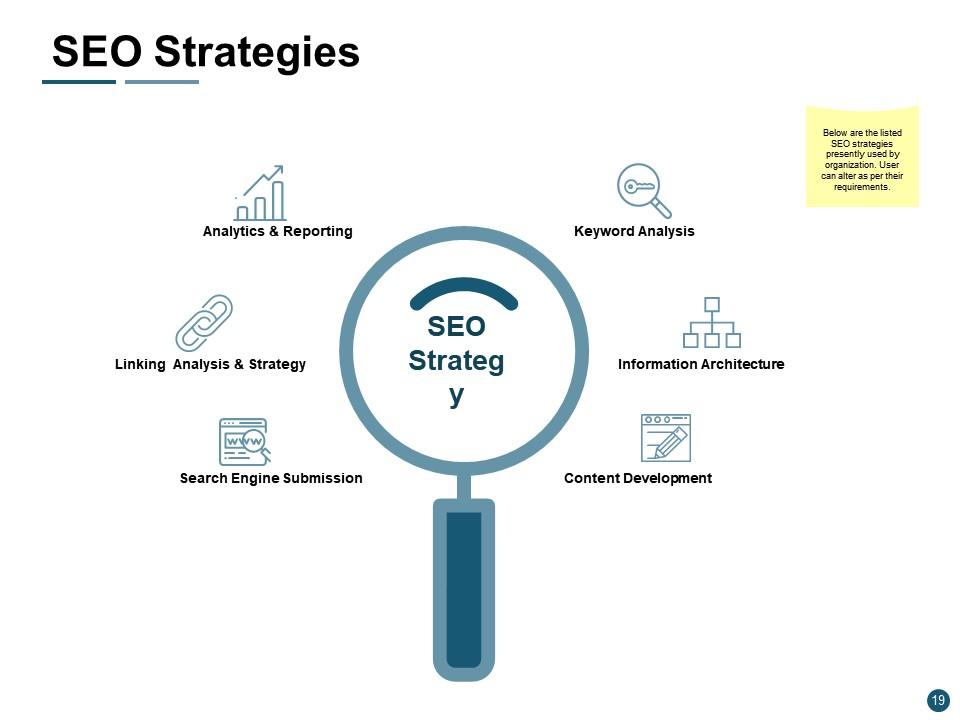
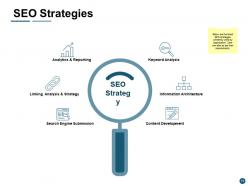
Slide 19: This slide shows SEO Strategies describing- Information Architecture, Search Engine Submission, Linking Analysis & Strategy, Analytics & Reporting, Keyword Analysis, Content Development.
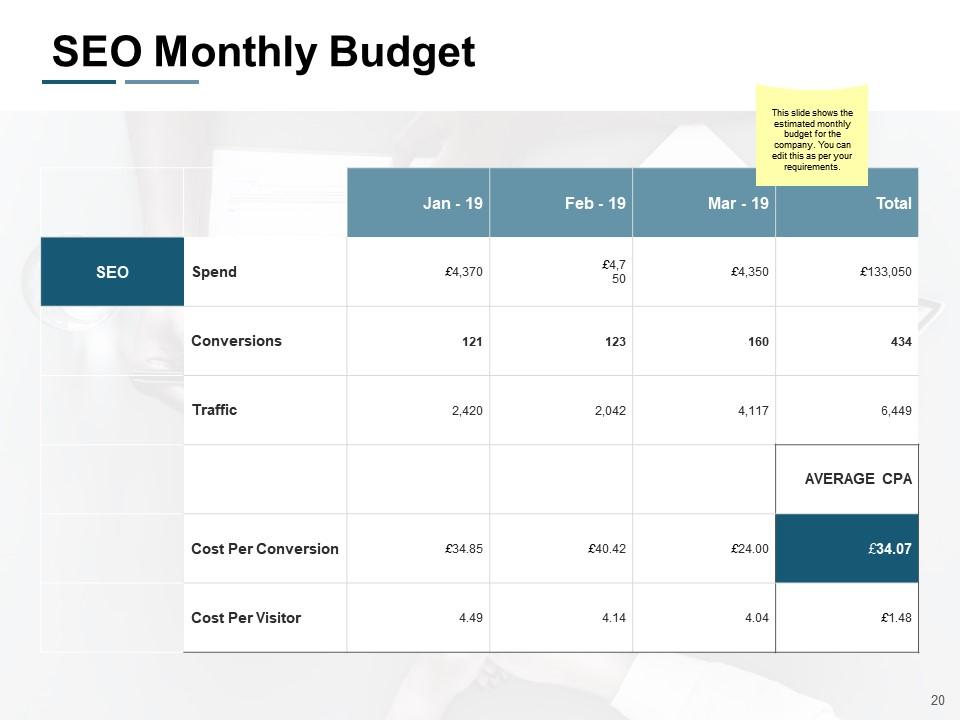
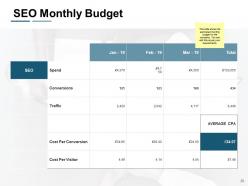
Slide 20: This slide shows the estimated monthly budget for the company. You can edit this as per your requirements.
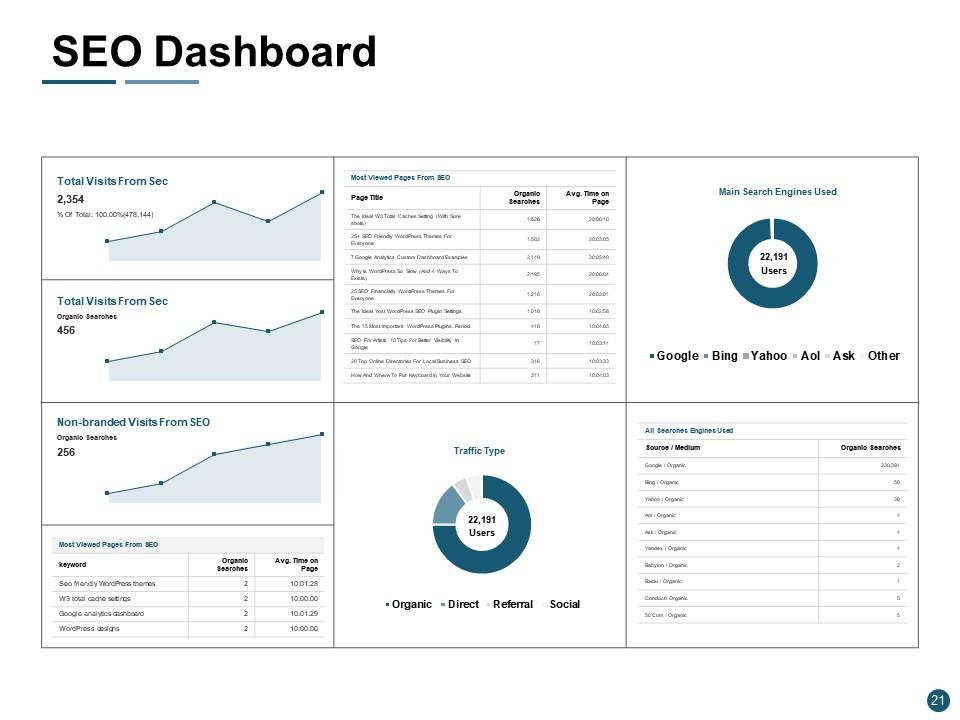
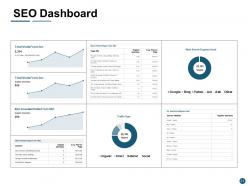
Slide 21: This slide presents SEO Dashboard showing data in tabular and graphical form.
Slide 22: This slide showcases Display Advertising with related imagery.
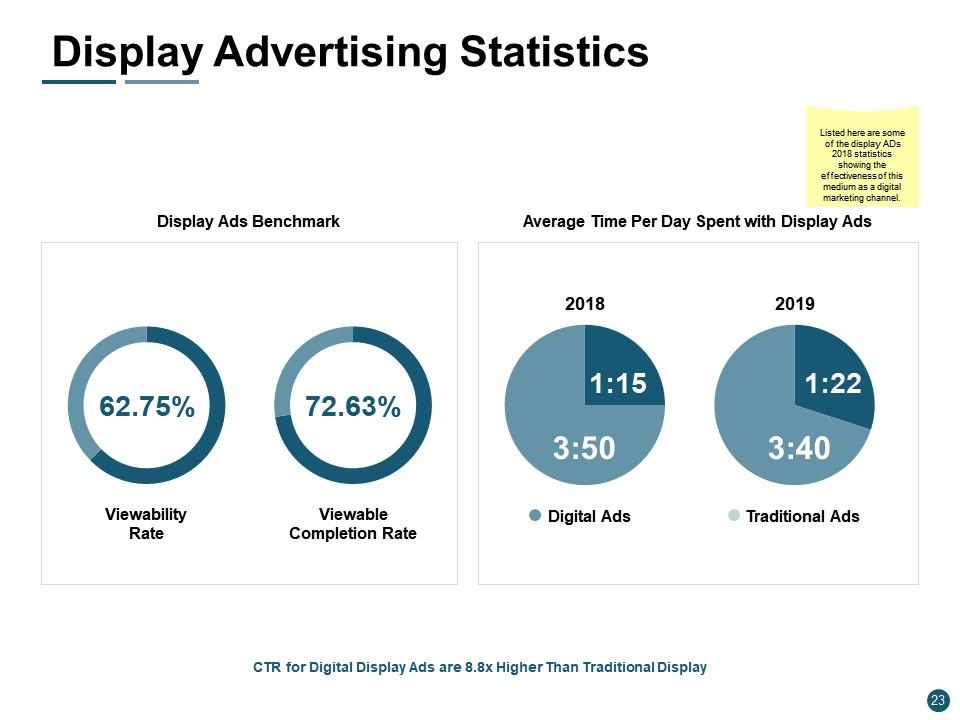
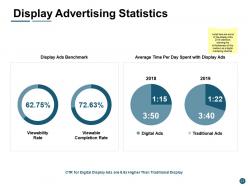
Slide 23: This slide presents Display Advertising Statistics showing the effectiveness of this medium as a digital marketing channel.
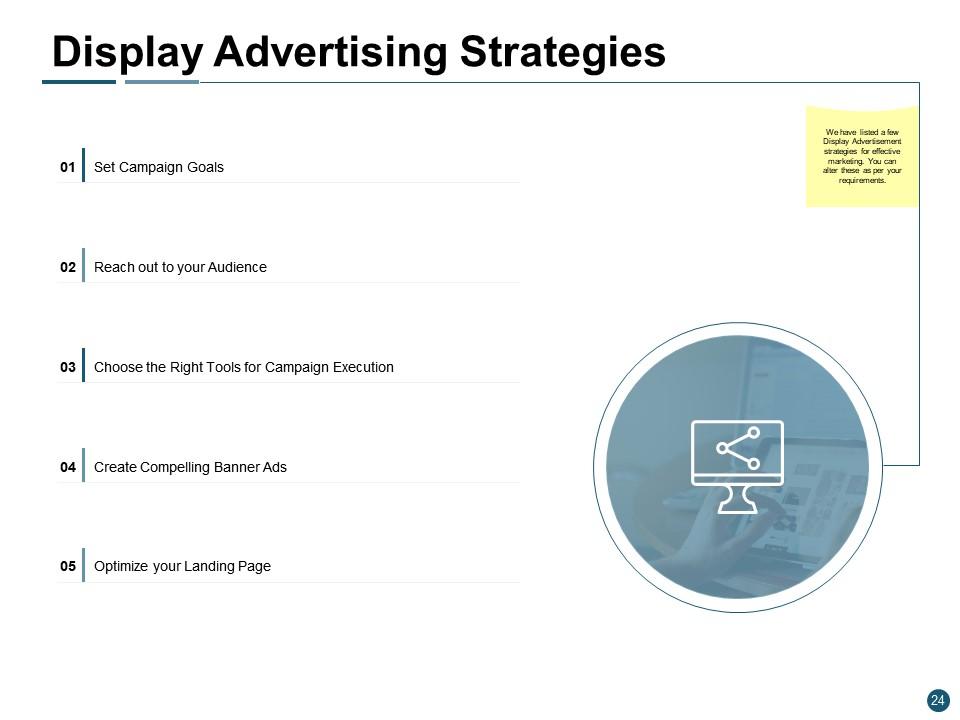
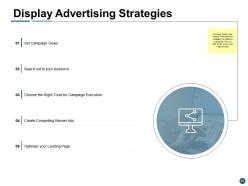
Slide 24: This slide shows Display Advertising Strategies describing- Set Campaign Goals, Reach out to your Audience, Choose the Right Tools for Campaign Execution, Create Compelling Banner Ads, Optimize your Landing Page.
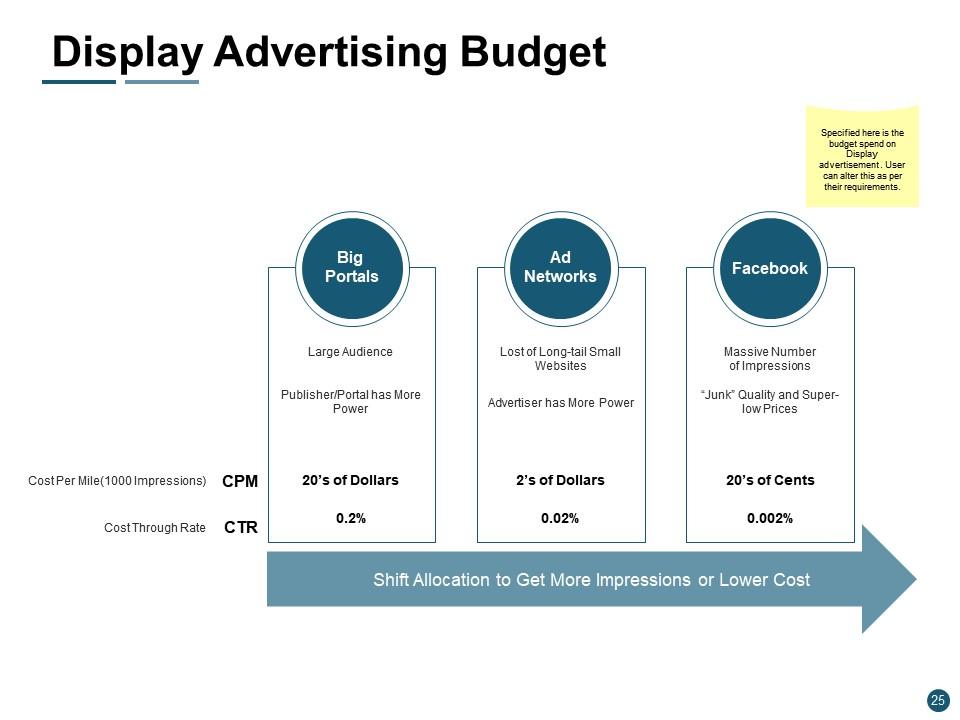
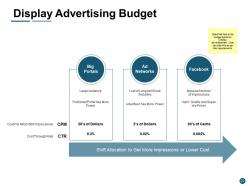
Slide 25: This slide represents Display Advertising Budget. User can alter this as per their requirements.
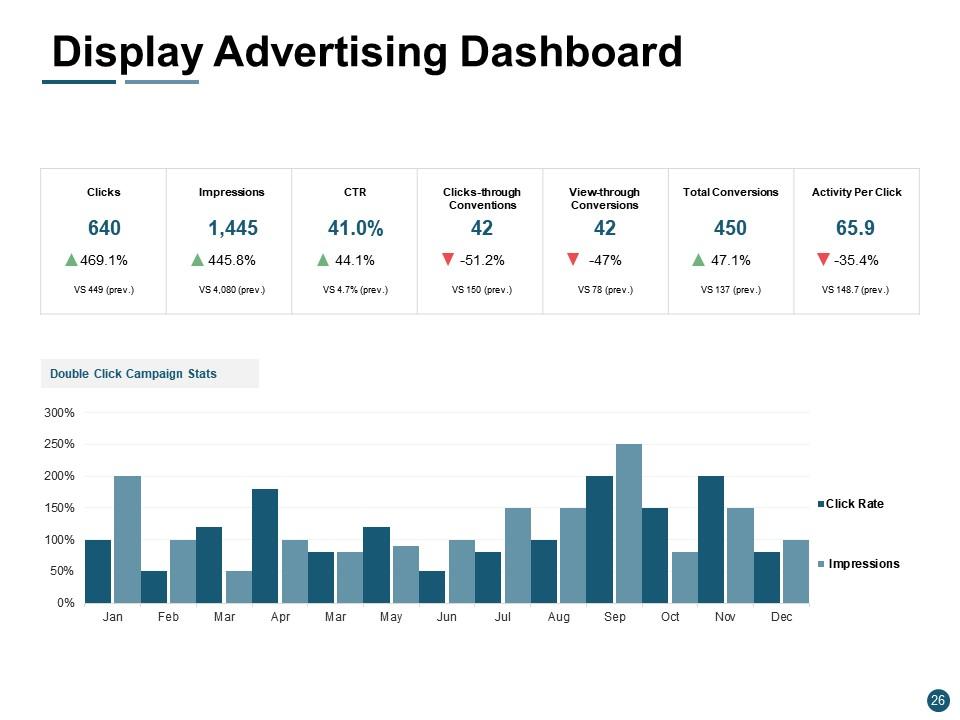
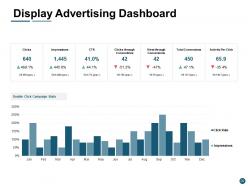
Slide 26: This slide showcases Display Advertising Dashboard describing- Clicks, Impressions, CTR, Clicks-through Conventions, View-through Conversions, Total Conversions, Activity per Click.
Slide 27: This slide displays Social Media Marketing (SMM) with related imagery.
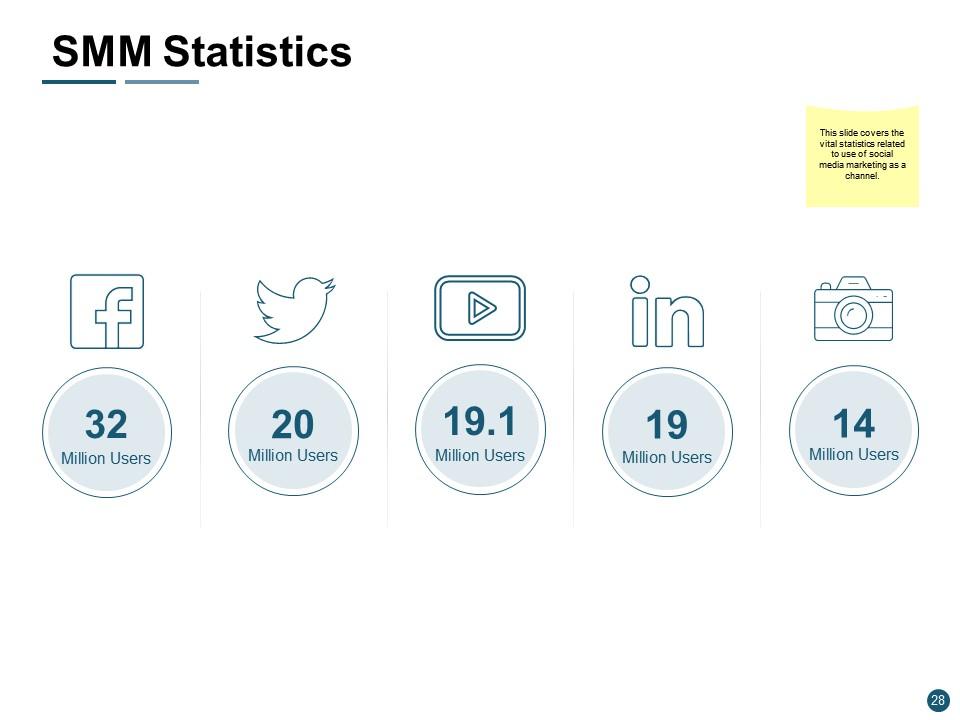
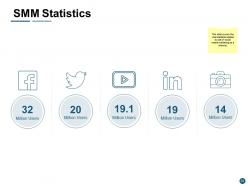
Slide 28: This slide covers the vital statistics related to use of social media marketing as a channel.
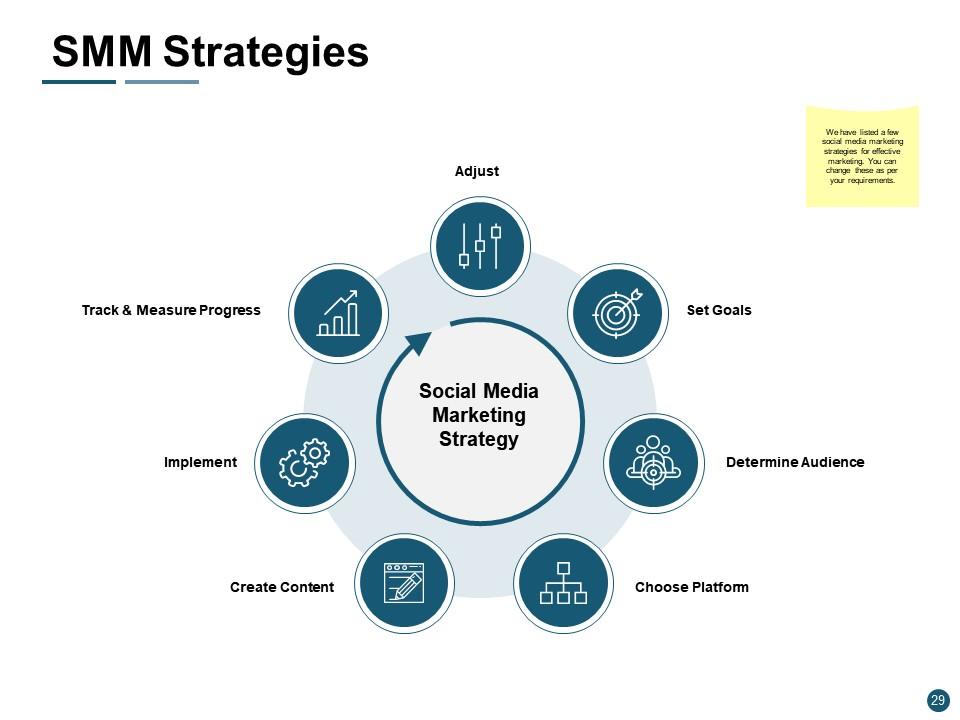
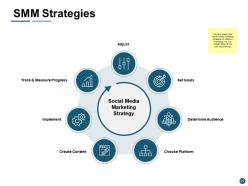
Slide 29: This slide shows SMM Strategies describing- Choose Platform, Create Content, Determine Audience, Implement, Set Goals, Track & Measure Progress, Adjust.
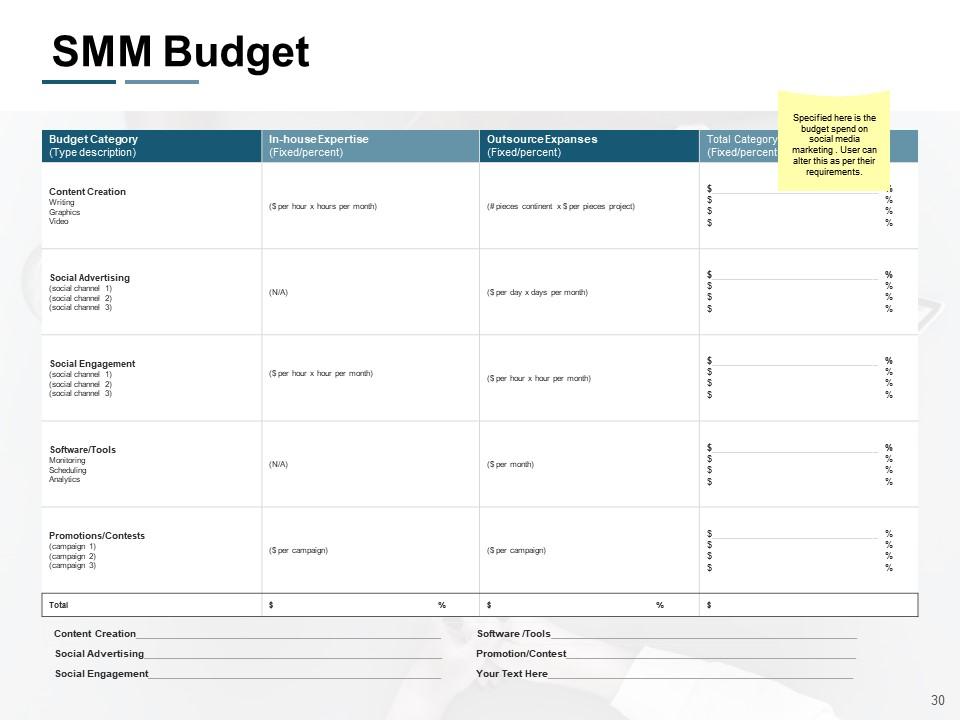
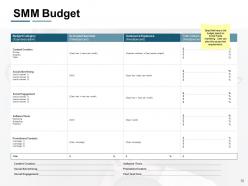
Slide 30: This slide presents SMM Budget for Content Creation, Social Advertising, Social Engagement, Software /Tools, Promotion/Contest.
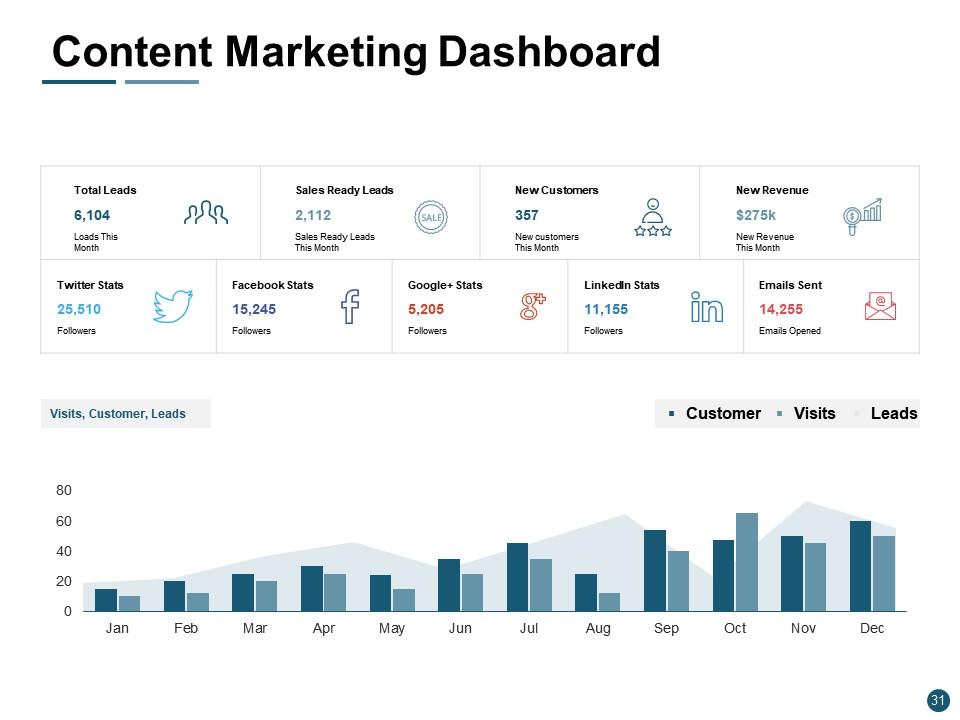
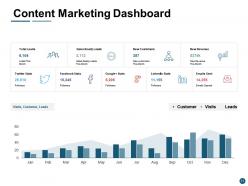
Slide 31: Thid slide showcases Content Marketing Dashboard. You can add or edit data as per requirements.
Slide 32: This slide displays Content Marketing with related imagery.
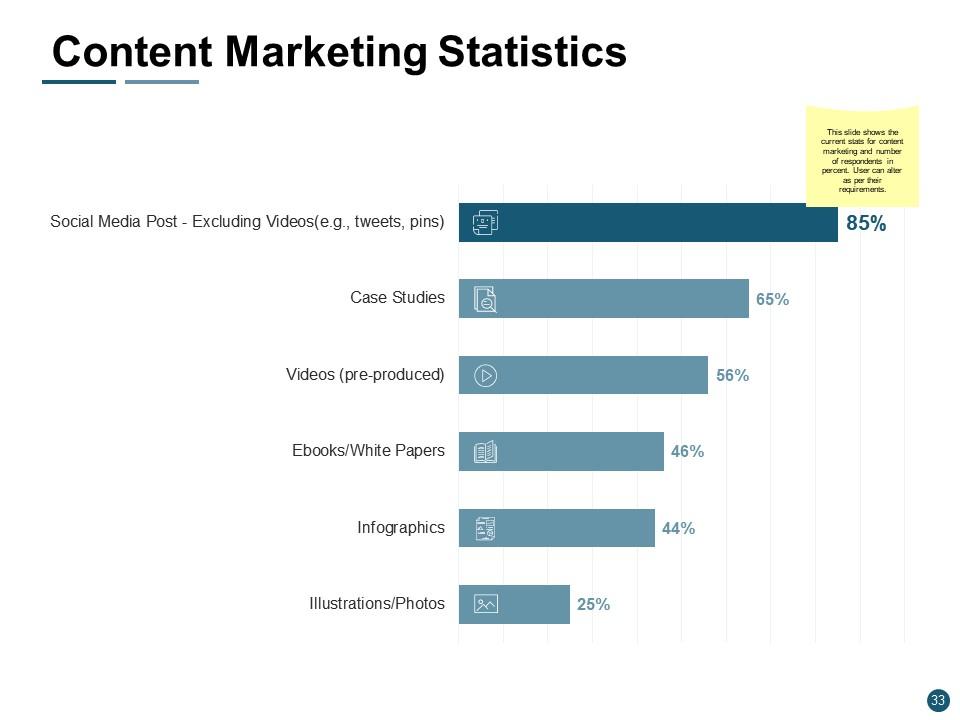
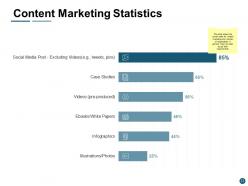
Slide 33: This slide shows the current stats for content marketing and number of respondents in percent.
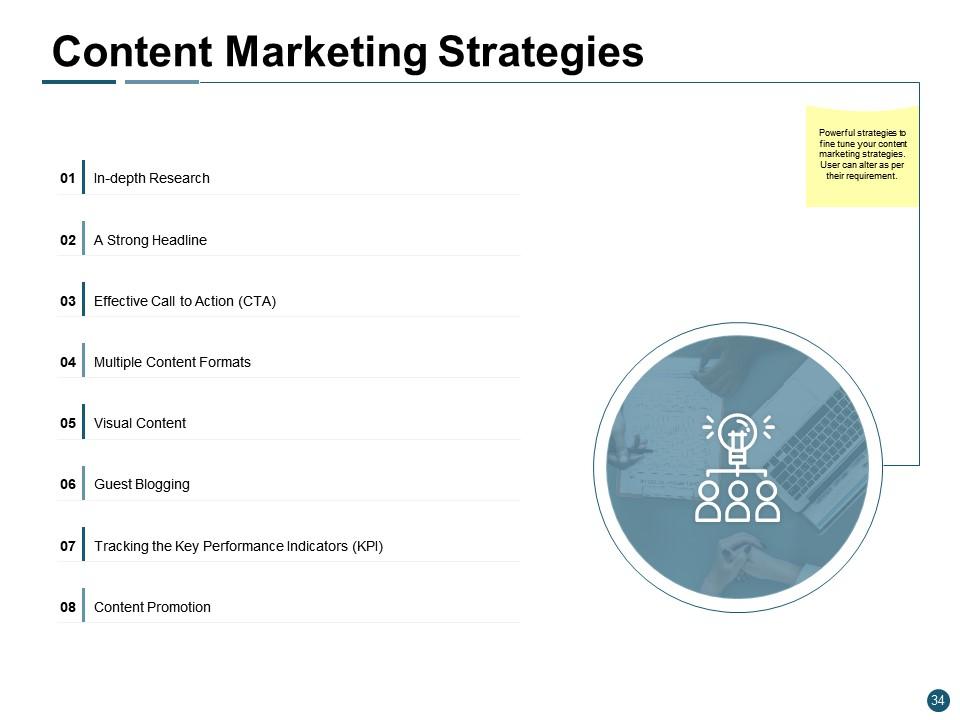
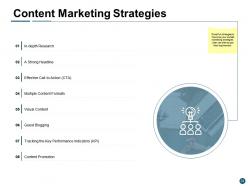
Slide 34: This slide presents Content Marketing Strategies describing- In-depth Research, A Strong Headline, Effective Call to Action (CTA), Multiple Content Formats, Visual Content, Guest Blogging, Content Promotion, Tracking the Key Performance Indicators (KPI).
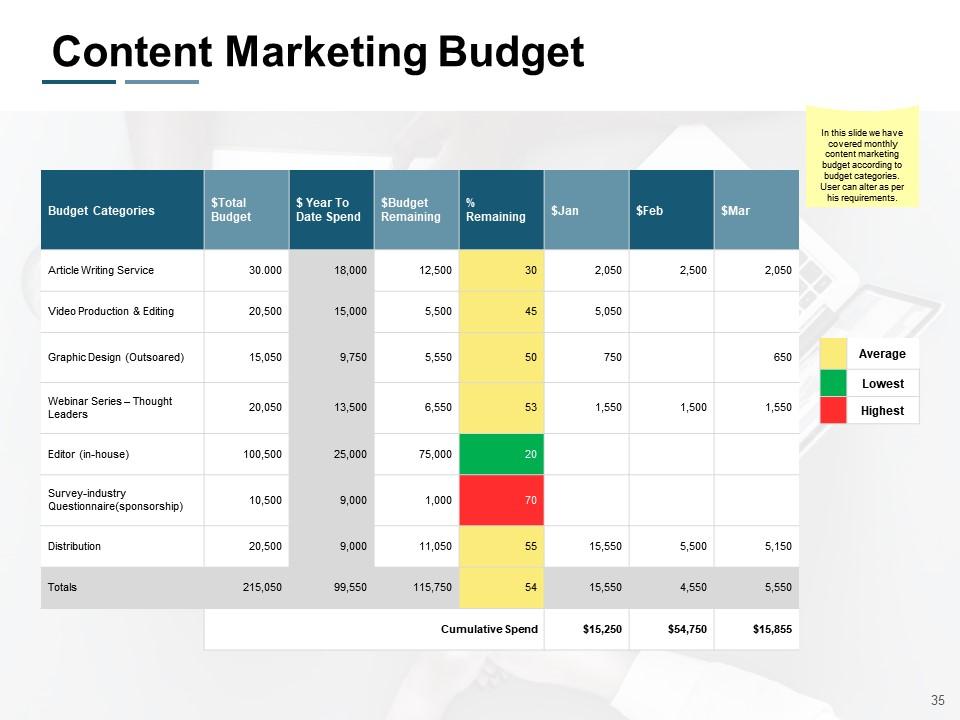
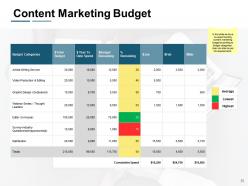
Slide 35: This slide represents Content Marketing Budget on monthly basis.
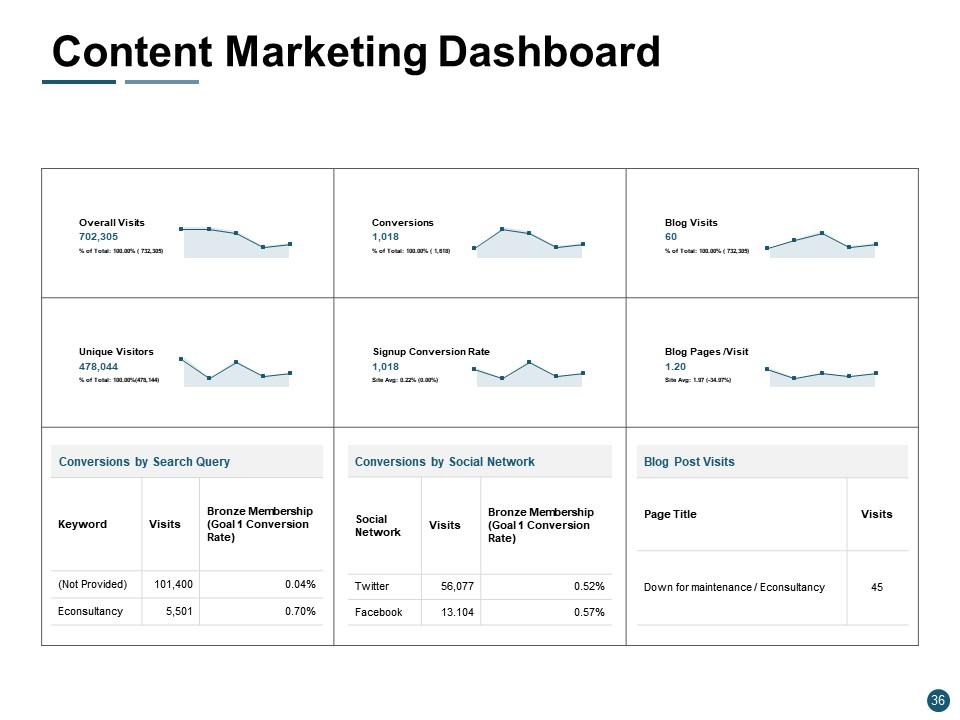
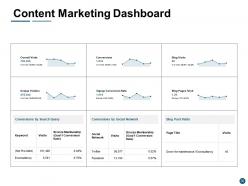
Slide 36: This slide showcases Content Marketing Dashboard with data in graphical form.
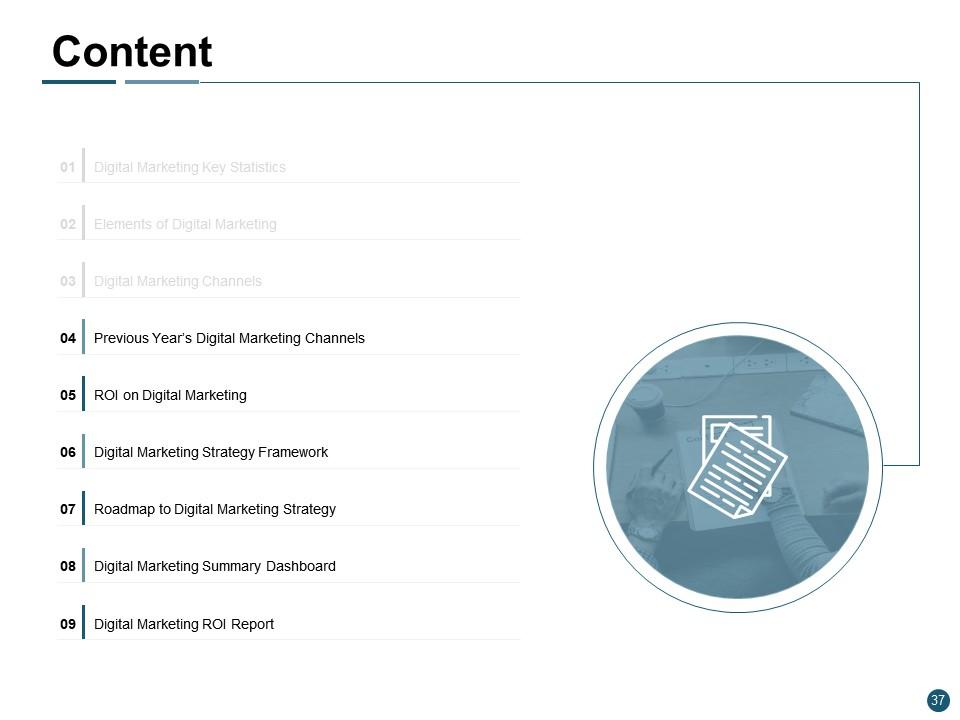
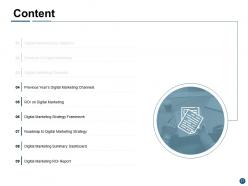
Slide 37: This slide shows remaining Content of the presentation.
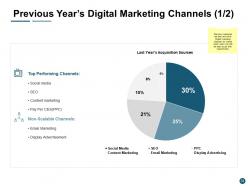
Slide 38: This slide presents Previous Year’s Digital Marketing Channels (1/2) describing best and worst Digital marketing channels for market reach.
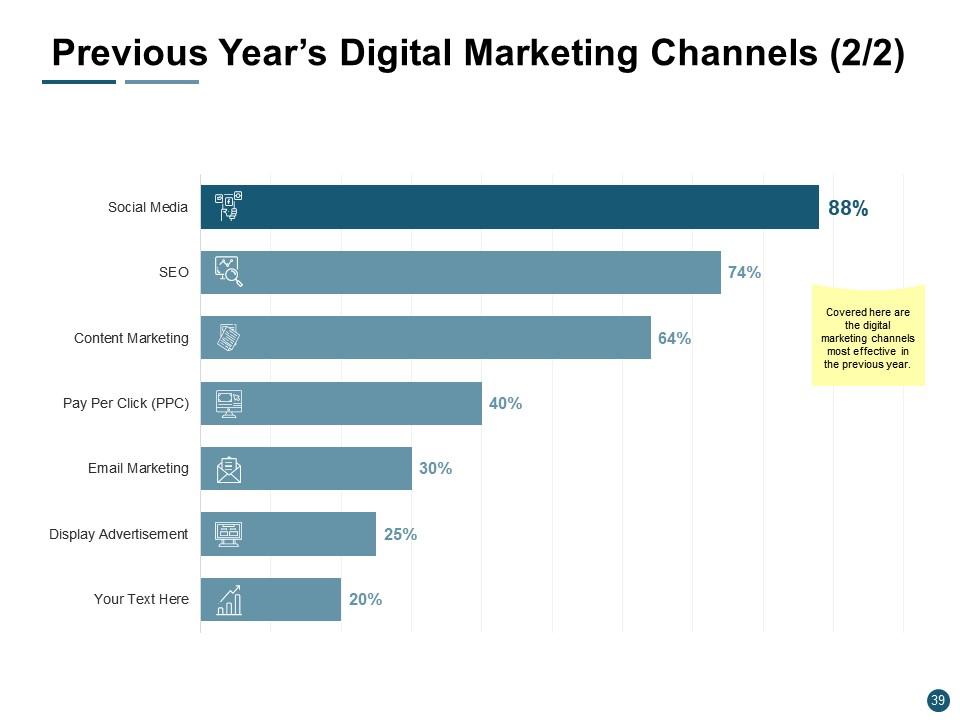
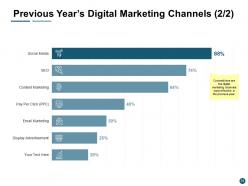
Slide 39: This is another slide with Previous Year’s Digital Marketing Channels (2/2) describing most effective digital marketing channels in previous year.
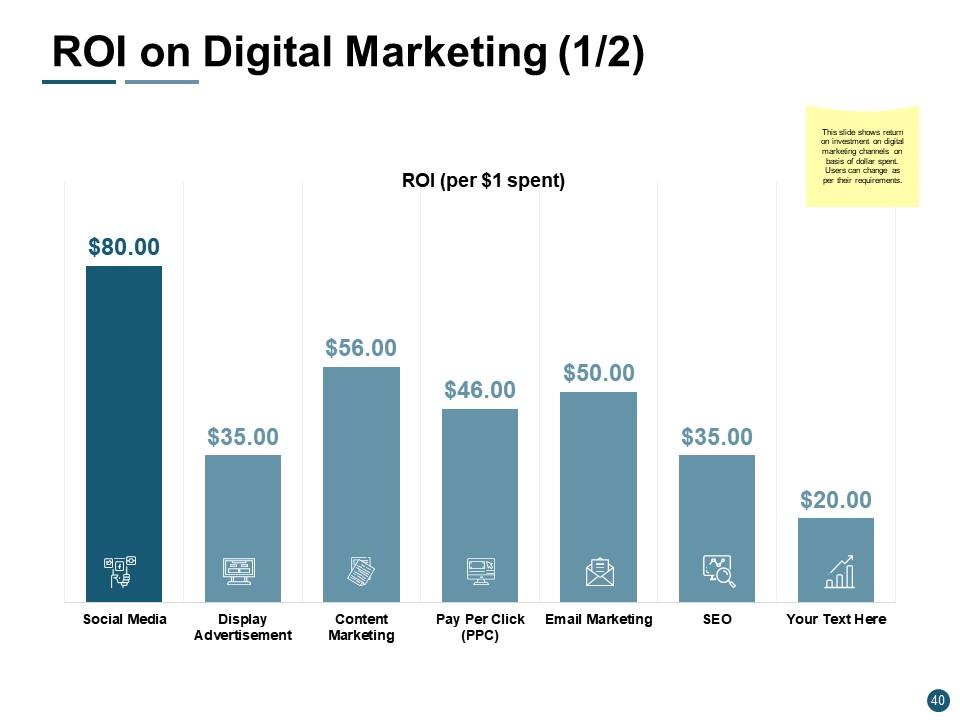
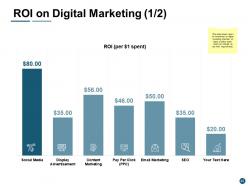
Slide 40: This slide represents ROI on Digital Marketing (1/2) with the help of bar graph.
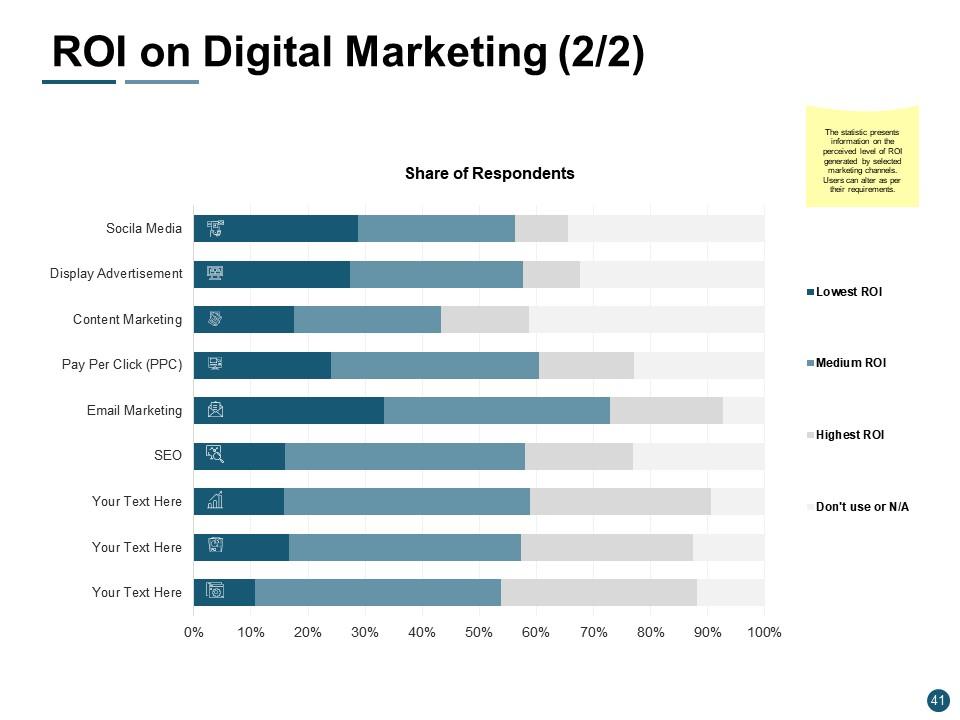
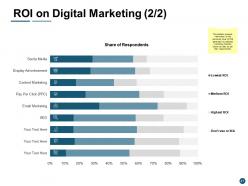
Slide 41: This is another slide with ROI on Digital Marketing (2/2) presenting information on the perceived level of ROI generated by selected marketing channels.
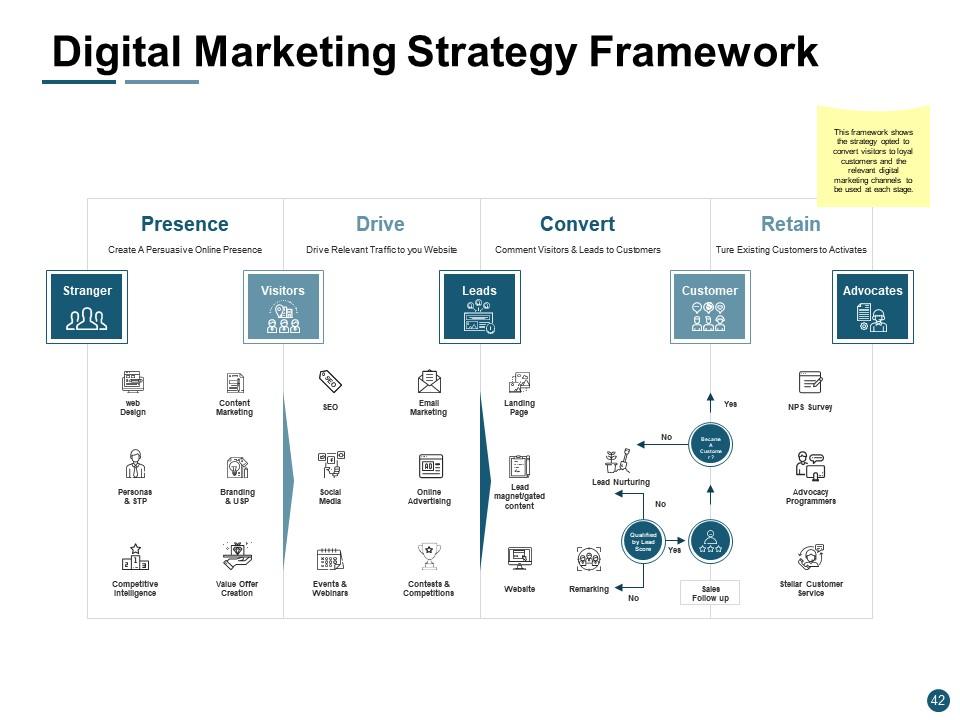
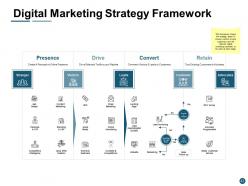
Slide 42: This slide displays Digital Marketing Strategy Framework showing the strategy opted to convert visitors to loyal customers and the relevant digital marketing channels to be used at each stage.
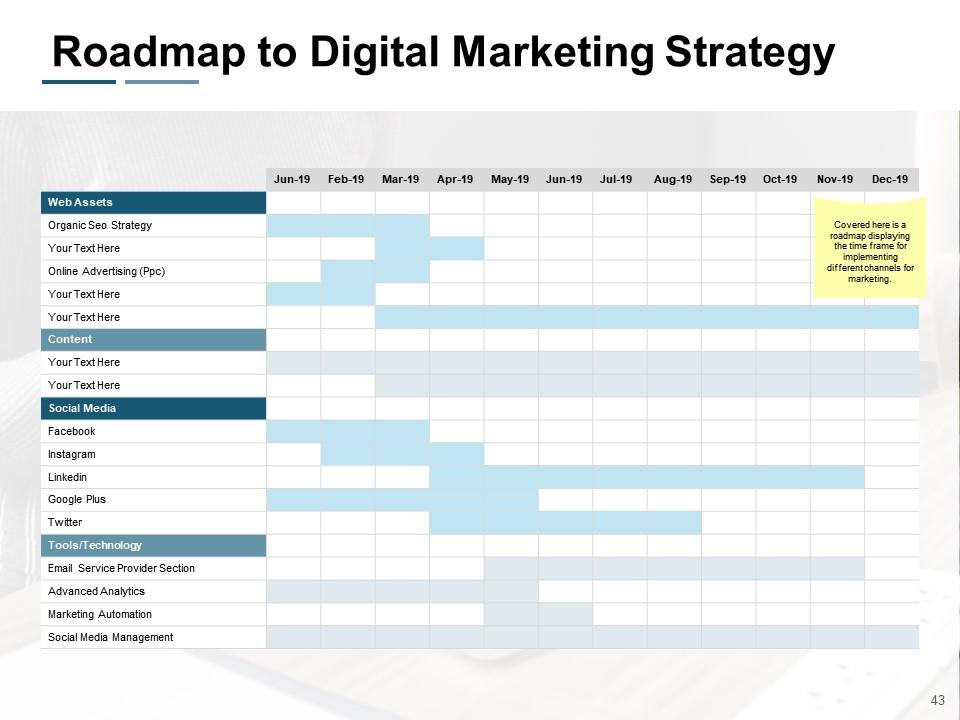
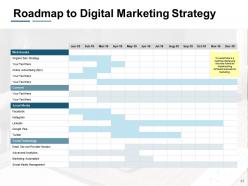
Slide 43: This slide presents Roadmap to Digital Marketing Strategy displaying the time frame for implementing different channels for marketing.
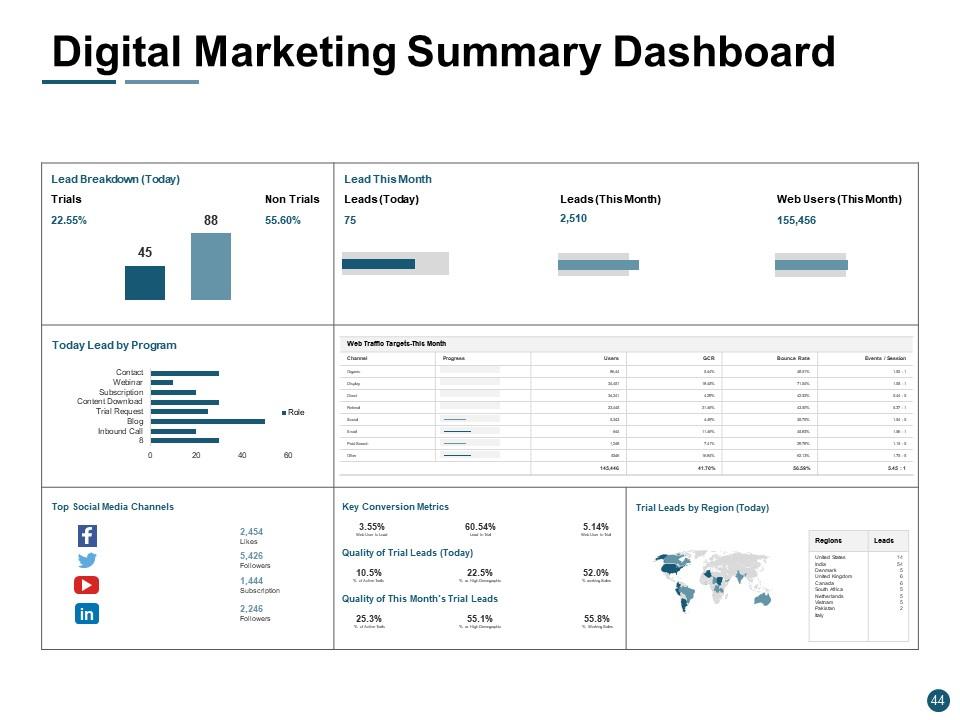
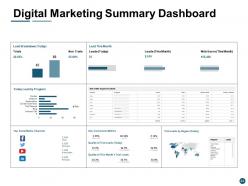
Slide 44: This slide showcases Digital Marketing Summary Dashboard with data in forms of graphs and tables.
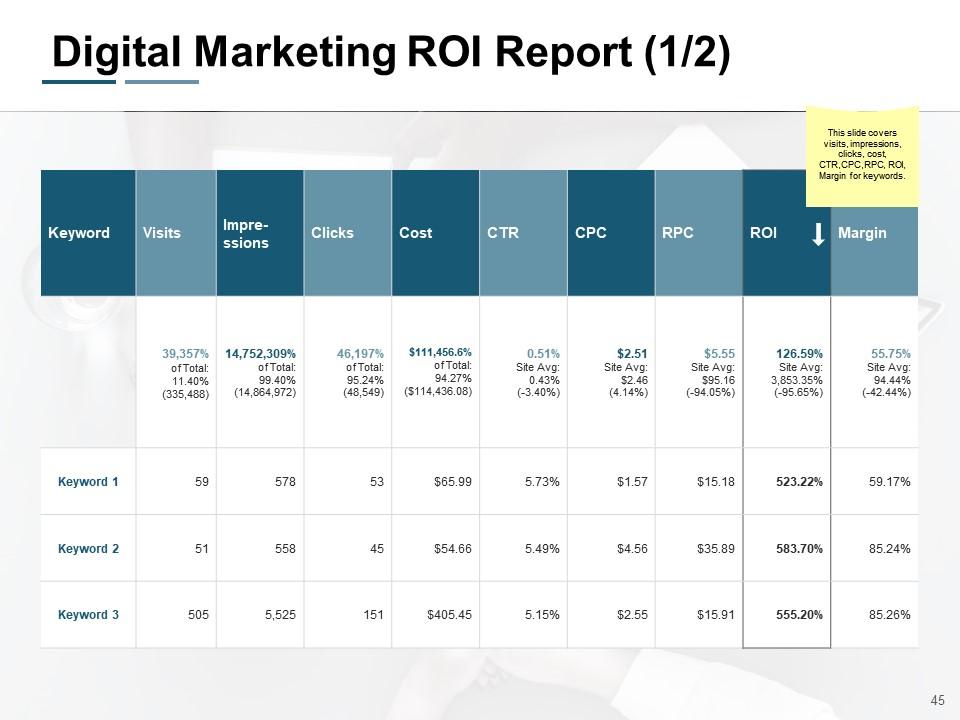
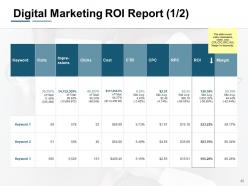
Slide 45: This slide shows Digital Marketing ROI Report (1/2) covering visits, impressions, clicks, cost, CTR,CPC,RPC, ROI, Margin for keywords.
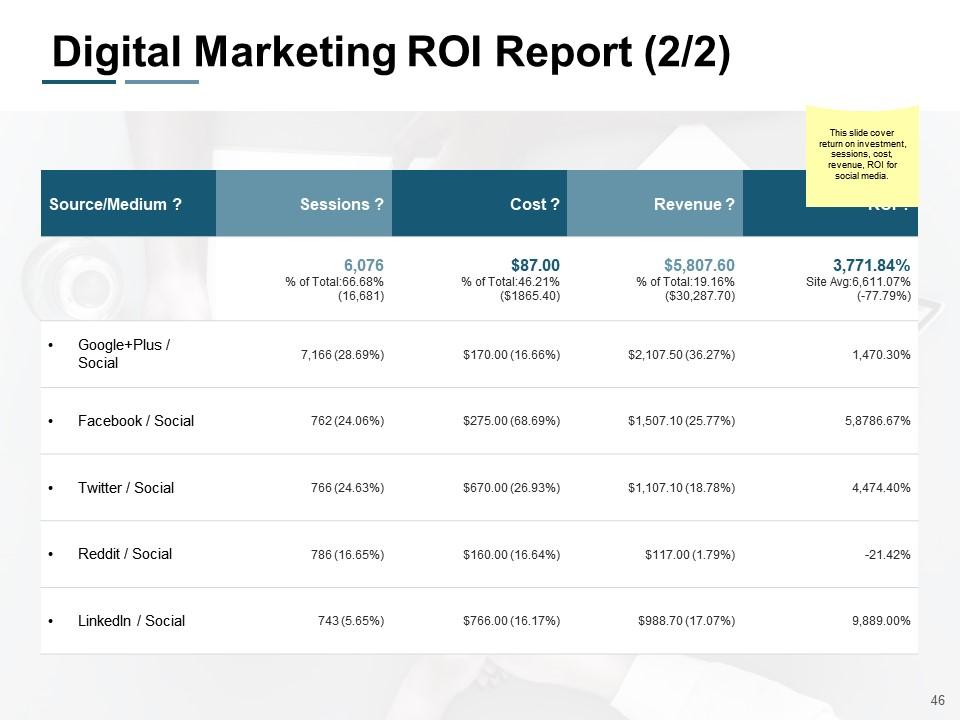
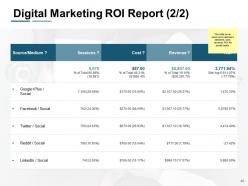
Slide 46: This is another slide on Digital Marketing ROI Report (2/2) covering return on investment, sessions, cost, revenue, ROI for social media.
Slide 47: This slide displays E-Marketing Icons.
Slide 48: This slide reminds about a 30 min Coffee break.
Slide 49: This slide is titled as Additional Slides for moving forward.
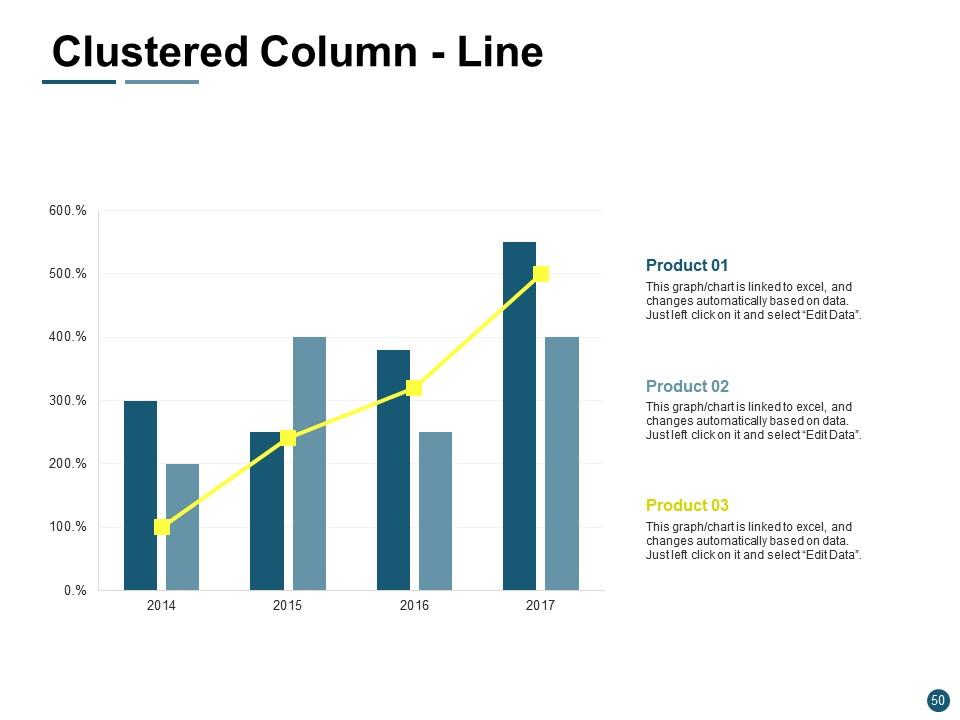
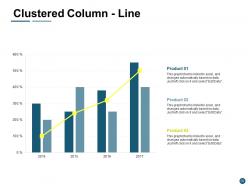
Slide 50: This slide shows Clustered Column - Line chart with three products comparison.
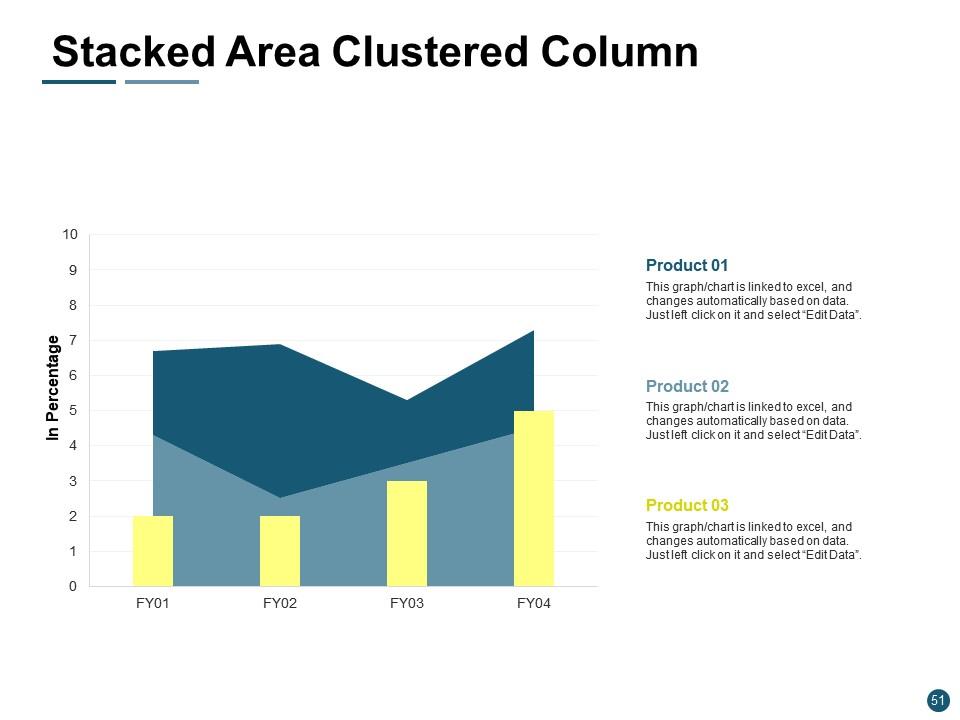
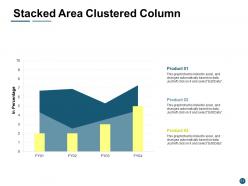
Slide 51: This slide presents Stacked Area Clustered Column chart with three products comparison.
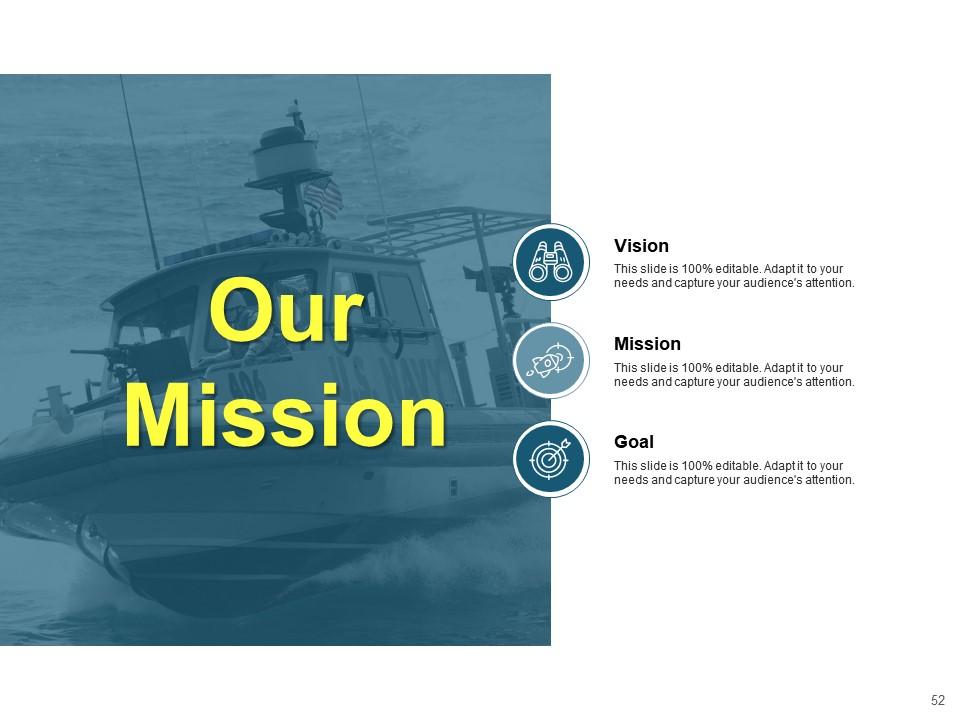
Slide 52: This is Our Mission slide with related imagery and text boxes.
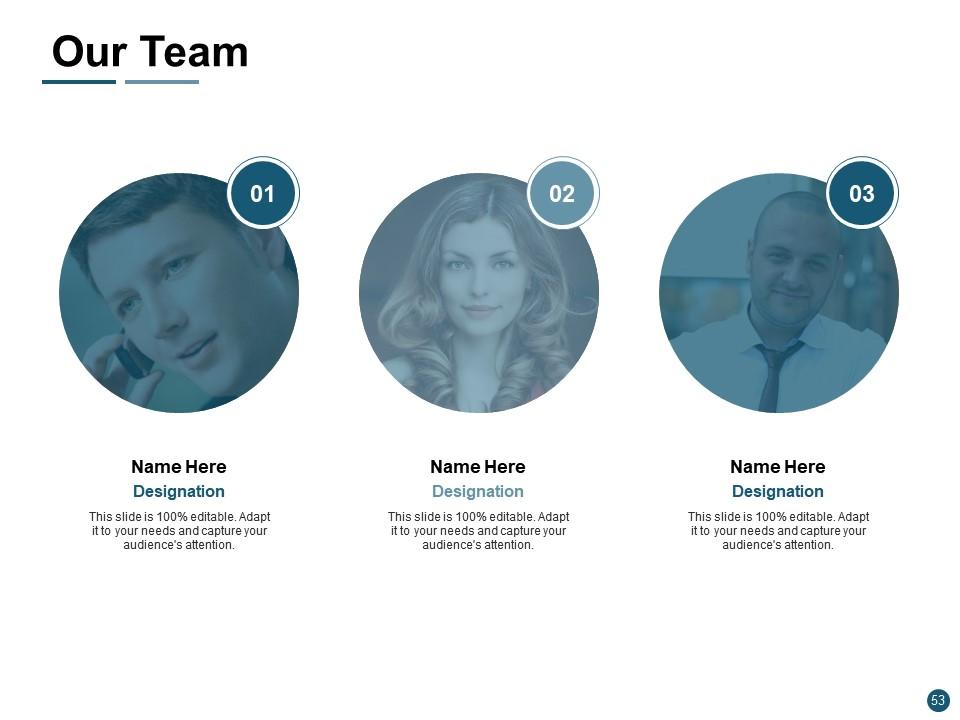
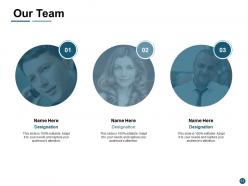
Slide 53: This is Our Team slide with names and designation.
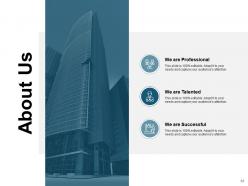
Slide 54: This is About Us slide to show company specifications etc.
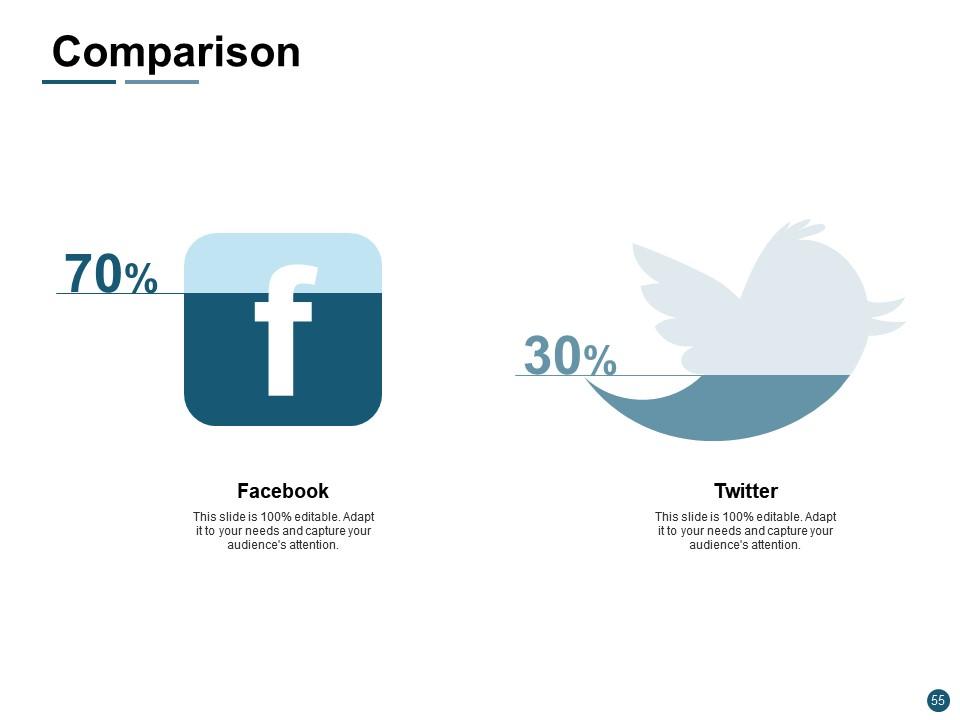
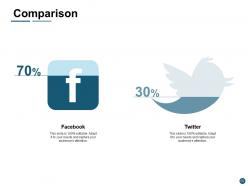
Slide 55: This is a Comparison slide. Show relevant comparing data accordingly.
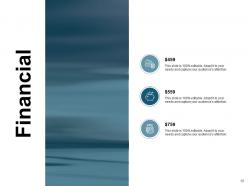
Slide 56: This is a Financial slide. Show your finance related stuff here.
Slide 57: This is a Quotes slide to convey message, beliefs etc.
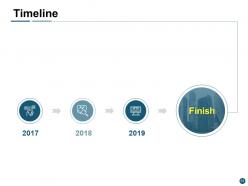
Slide 58: This is a Timeline slide. Show information related with time period here.
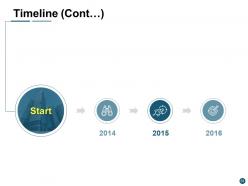
Slide 59: This is another slide continuing Timeline.
Slide 60: This is a Thank You slide with address, contact numbers and email address.
E marketing powerpoint presentation slides with all 60 slides:
Give them all a divine experience with our E Marketing Powerpoint Presentation Slides. They help create heaven on earth.
No Reviews
