

New Product Description Powerpoint Presentation Slides





Try Before you Buy Download Free Sample Product
 Impress Your
 Audience
 100%
100% Editable
 Save Hours
 of Time


Guard against errors with our New Product Description Powerpoint Presentation Slides. Don't allow accidents to happen.
People who downloaded this PowerPoint presentation also viewed the following :
Content of this Powerpoint Presentation
Slide 1: This slide introduces New Product Description. State your company name and begin.
Slide 2: This is an Agenda slide. You can use it to state your company agenda.
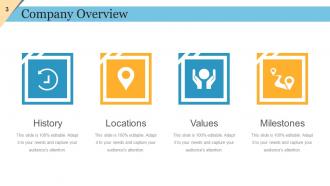
Slide 3: This slide presents Company Overview with the following components- Milestones, Locations, Values, History.
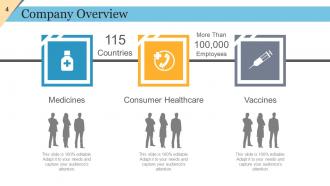
Slide 4: This is another slide presenting Company Overview with icon imagery.
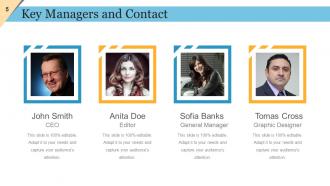
Slide 5: This is Key Managers and Contact slide. You can include your company key managers with name, image etc. here.
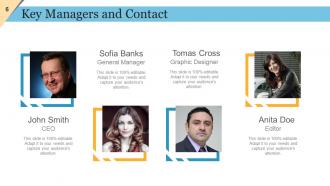
Slide 6: This slide also shows Key Managers and Contact of the company.
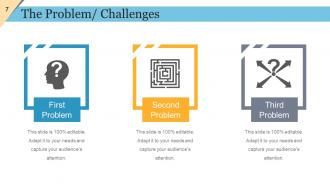
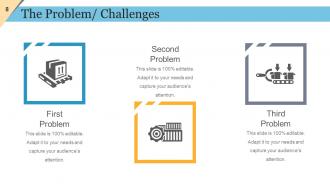
Slide 7: This slide showcases The Problem/ Challenges with their respective icons. Use it to show your company problems/ challenges.
Slide 8: This slide also shows The Problem/ Challenges. State them here.
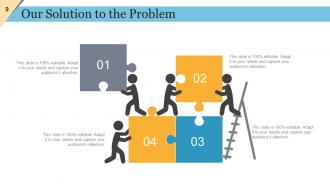
Slide 9: This slide shows Our Solution to the Problem with creative imagery. Use it to state your possible business solutions.
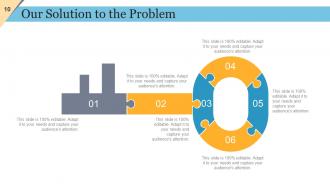
Slide 10: This slide also shows Our Solution to the Problem with creative key imagery. Use it as per your business need.
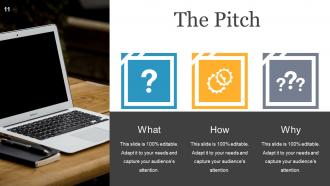
Slide 11: This is The Pitch slide with the following aspects to be stated- What, How, Why.
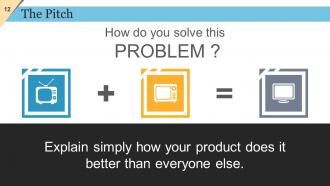
Slide 12: This slide also shows The Pitch. Simply explain how your product does it better than everyone else here.
Slide 13: This is Our Product slide. State product aspects here.
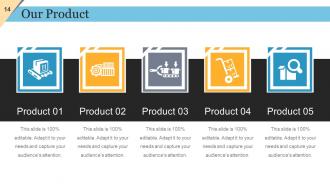
Slide 14: This is also Our Product slide to state your product aspects.
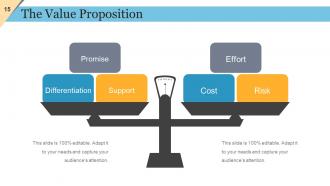
Slide 15: This is The Value Proposition slide with balancing scale imagery showing- Promise, Differentiation, Support, Effort, Cost, Risk.
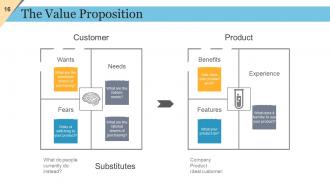
Slide 16: This is also The Value Proposition slide showing- Customer, Substitutes, Product.
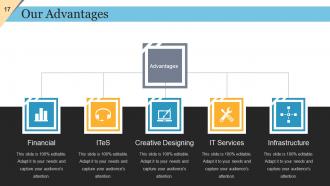
Slide 17: This is Our Advantages slide to showcase your company advantage such as- Financial, ITeS, Creative Designing, IT Services etc.
Slide 18: This is also Our Advantages slide. State your product advantages etc. here.
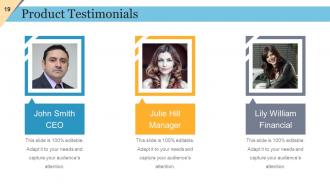
Slide 19: This is Product Testimonials slide. Present them with name, designation, image etc. here.
Slide 20: This is a Coffee Break image slide to halt. Change/ alter content as per need.
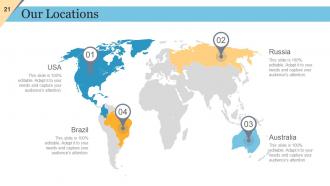
Slide 21: This is Our Locations slide on a world map image so show global growth, presence etc.
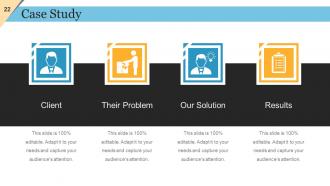
Slide 22: This is a Case Study slide showing- Client, Our Solution, Their Problem, Results.
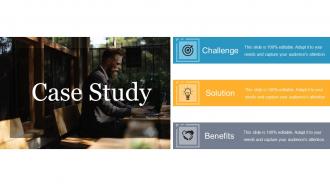
Slide 23: This is also a Case Study slide showing- Challenge, Solution, Benefits.
Slide 24: This is another Case Study slide with text boxes. Use as per your requirement.
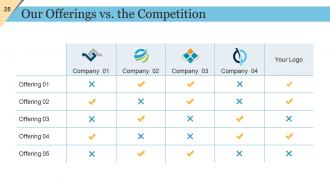
Slide 25: This is Our Offerings vs. the Competition slide presented in a tabular form.
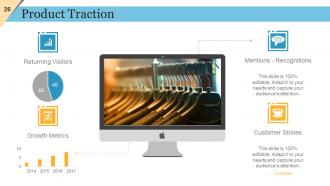
Slide 26: This is Product Traction slide showing- Returning Visitors, Growth Metrics, Mentions - Recognitions, Customer Stories.
Slide 27: This slide shows Clients/Partners with their respective icon imagery.
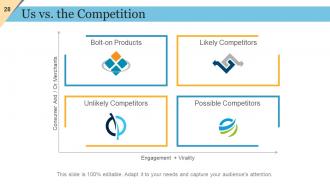
Slide 28: This is Us vs. the Competition matrix slide showing- Likely Competitors, Possible Competitors, Bolt-on Products, Unlikely Competitors.
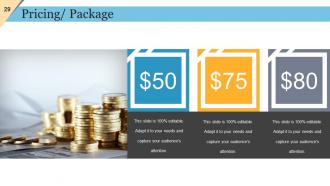
Slide 29: This is Pricing/ Package slide to state your company pricing, package etc.
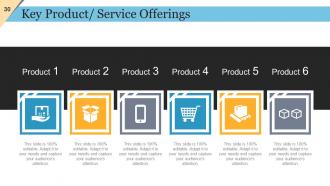
Slide 30: This slide shows Key Product/ Service Offerings. State these aspects here.
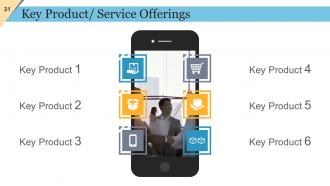
Slide 31: This slide also shows Key Product/ Service Offerings.
Slide 32: This slide shows Service Level Agreement with imagery and text boxes.
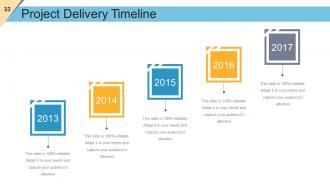
Slide 33: This slide showcases Project Delivery Timeline. Use it to show product milestones, growth etc.
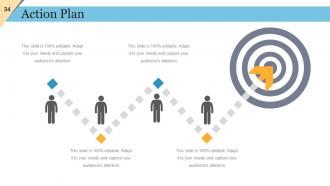
Slide 34: This is an Action Plan slide in people silhouettes an target imagery to go with.
Slide 35: This is also an Action Plan slide. Use it to state your own action plan.
Slide 36: This is Contact Details slide with Number, Email and Address.
Slide 37: This slide presents Marketing and Sales Strategy Icons Set. Add/ remove icons according to your business requirement.
Slide 38: This slide is titled Additional slides to proceed forward. You may change the slide content as per need.
Slide 39: This is Our Vision slide with text boxes. State your vision, goals etc. here.
Slide 40: This is an About Us slide. Provide a brief introduction about company/ team here.
Slide 41: This is Meet Our Team slide. State them with name and designation here.
Slide 42: This is Our Goal slide to state company goals, aspirations etc.
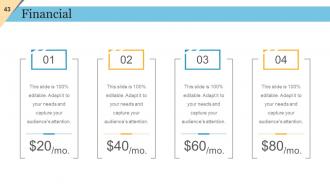
Slide 43: This is a Financial stats slide to state financial aspects etc.
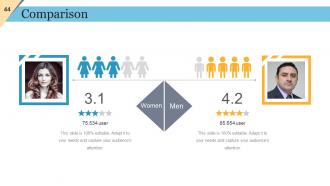
Slide 44: This is a Comparison slide to compare two products/ entities etc.
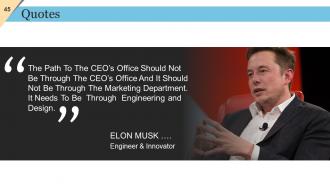
Slide 45: This slide presents Quotes. Sate your inspirational quotes here. You may change the slide content as per need.
Slide 46: This is a Timeline slide to show growth, milestones, highlighting factors etc.
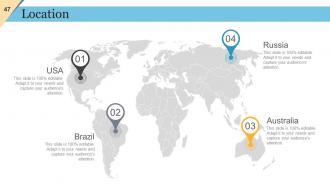
Slide 47: This is Location slide to show global growth, presence on world map image.
Slide 48: This is a Dashboard slide to state Low, Medium and High aspects, kpis, metrics etc.
Slide 49: This slide showcases Important Notes to be displayed. Show events, important piece of information, events etc. here.
Slide 50: This slide showcases Newspaper image. Show events, important piece of information, events etc. here.
Slide 51: This is a Target image slide to show targets, goals, information, specifications etc.
Slide 52: This is a Puzzle image slide to show information, specifications etc.
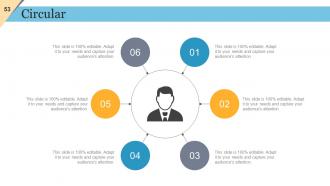
Slide 53: This is a Circular image slide. State information, specifications etc. here.
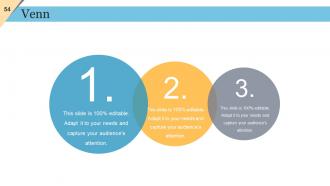
Slide 54: This is a Venn diagram image slide to show information, specifications etc.
Slide 55: This is a Lego image slide to show information, specifications etc.
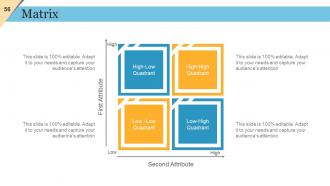
Slide 56: This is a Matrix slide to show information, comparison specifications etc.
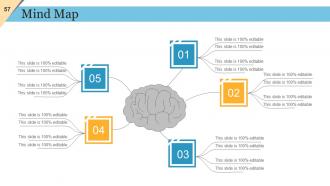
Slide 57: This is a Mind Map image slide to show behavioral segmentation, information or anything relative.
Slide 58: This is a People Silhouettes slide. Use it the way you want to show solutions etc.
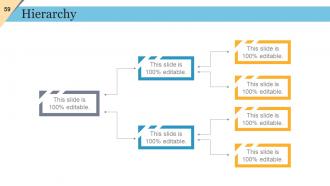
Slide 59: This is a Hierarchy slide to show information, organization structural specifications etc.
Slide 60: This is a Bulb or Idea image slide to show information, ideas, specifications etc.
Slide 61: This slide shows a Magnifying Glass with imagery and text boxes to go with.
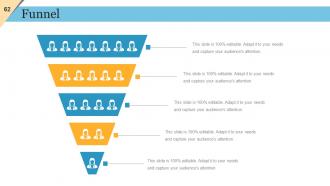
Slide 62: This is a Funnel image slide to show funneling aspects etc.
Slide 63: This is Our Charts slide to move forward. Use as per your need.
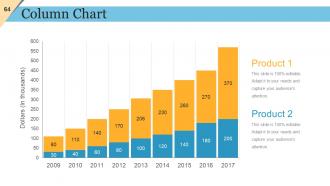
Slide 64: This is Column Chart slide to showcase comparison, information, specifications etc.
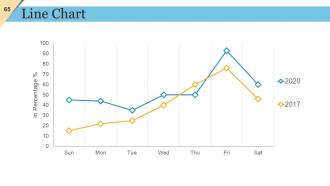
Slide 65: This slide shows a Line Chart for two product/ entity comparison etc.
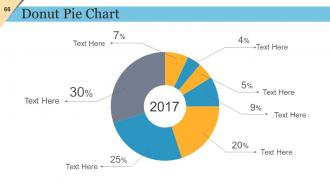
Slide 66: This is a Donut Pie Chart slide to present product/ entity comparison, specifications etc.
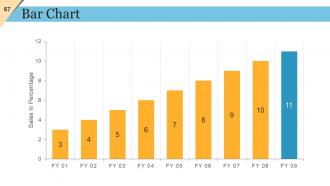
Slide 67: This is a Bar chart slide to present product/entity comparison, specifications etc.
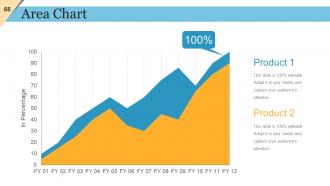
Slide 68: This is an Area Chart slide to present product/ entity comparison, specifications etc.
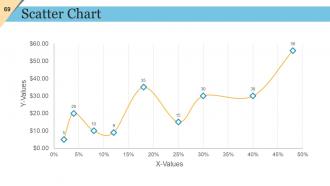
Slide 69: This is a Scatter Chart slide to present product/ entity comparison, specifications etc.
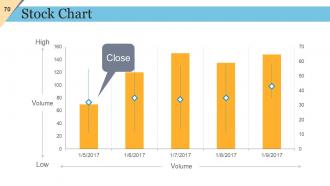
Slide 70: This slide displays a Stock Chart with volume as a parameter in terms of high and low.
Slide 71: This is a Radar Chart slide to show product/entity comparison, specifications etc.
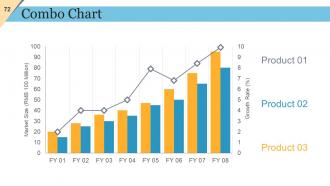
Slide 72: This is a Combo Chart slide to show information, comparison specifications etc.
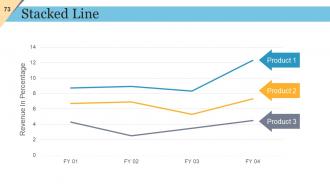
Slide 73: This slide presents Stacked Line graph to show product/ entity growth, comparison etc.
Slide 74: This is Contact Details slide with Address, Mobile Number, Email Address.
Slide 75: This is a Thank You slide for acknowledgement/ to end the presentation.
New Product Description Powerpoint Presentation Slides with all 75 slides:
Our New Product Description Powerpoint Presentation Slides make them eager beavers. They will be consumed by enthusiasm.








FAQs for New Product Description
Start with the problem you're solving, then demo your solution - keep it visual, not just bullet points. Your target market and competitive edge need to be crystal clear. Include realistic numbers too - revenue projections, costs, the whole financial picture. Timeline for rolling it out plus what resources you actually need. One thing I always notice? People skip explaining why NOW is the right time for their idea. Market timing matters way more than most founders think. Tell it like a story instead of rattling off features. Oh, and end with concrete next steps - what do you need from them to make this happen?
Dude, stories beat boring feature lists every single time. People remember narratives way better than specs - trust me on this one. When you show how your product actually solved someone's real problem, your audience starts picturing themselves using it. Like instead of "our app saves time" (ugh, so generic), tell them about Sarah who went from spending 3 hours on reports to just 30 minutes. That's the stuff that sticks. I've seen too many presentations where people just rattle off features and everyone's eyes glaze over. Stories create those emotional connections that people don't forget after you're done talking.
Start with visual hierarchy - bigger fonts and bold colors for the important stuff. White space is your friend, seriously. I've watched too many people cram everything together like they're afraid of empty pixels or something. Stick to maybe 2-3 fonts tops and keep your spacing consistent. Your colors should tell the product story, not compete with it for attention. Oh, and size everything so the people in back can actually read it. Short sentences work. Longer ones that flow naturally work too, just don't make everything sound the same.
Match your visuals directly to whatever benefit you're selling - skip the generic product shots. Talking durability? Show a stress test or beat-up vs. new comparison. For ease of use, actually demo it with real screenshots or quick videos. Text-heavy slides are the worst because people just tune out when you're reading to them. Use arrows, callouts, split screens instead - anything that guides their eyes to specific features while you explain why it matters. Let your visuals do most of the work. That way you can spend your time on the "here's why you should care" part.
Oh man, you HAVE to know your audience first - it changes everything about your pitch. Made this mistake once by getting super technical with a sales team and watched their eyes glaze over lol. CEOs want to hear about ROI and market stuff, engineers want the nitty-gritty details. Your examples, language, even which pain points you focus on should match who's sitting across from you. Like, don't show a developer the same demo you'd show a budget-focused exec. Do your homework on them beforehand, then structure everything around what actually matters to that specific group.
Honestly, the best thing I ever started doing was getting ahead of objections instead of waiting for them to hit me. Research what usually freaks people out - budget concerns, timeline stuff, why they shouldn't just go with your competitor. Then work those answers right into your pitch naturally. I used to get caught off guard constantly and it sucked. When something does come up, don't get defensive - just acknowledge it and show how you solve that specific issue. Oh, and definitely practice your responses beforehand so you don't sound like you're scrambling.
Ditch those boring bullet points - nobody cares about feature lists. What actually works? Show a real customer's problem, then demo how you fix it. Before/after stuff is golden. Let people touch the product or interact somehow during your demo. I've watched people do this "day in the life" storytelling thing where they walk through how someone actually uses it, and honestly it's way better than just listing features. You could even compare yourself to competitors live if you're feeling bold. Just make the benefits feel real, not some theoretical nonsense people can't relate to.
Honestly, stick to 2-3 metrics that actually matter for your product. People's brains just shut off after that anyway. Start with the "so what" - like "beta users finished tasks 40% faster" instead of just dropping random percentages. Charts beat tables every time, trust me on this. Don't dump all your data in one slide either - that's presentation suicide. Spread it out and make sure each stat connects to something your audience cares about. I learned this the hard way after watching too many eyes glaze over during pitches.
Think of your presentation like telling a story - problem first, then your solution, wrap up with clear next steps. Don't jump around randomly or you'll lose everyone (I've watched so many people bomb this way). Keep slides super clean and practice your timing so you're not speeding through the good stuff. Throw in quick recaps as you go - helps people stay with you. Honestly, the best presentations feel like conversations, not someone reading a textbook at you. Smooth transitions between sections make everything flow better. End with something specific - tell them exactly what to do next, not just "thanks for listening."
Oh absolutely, you've gotta tailor that stuff. Sales people need totally different talking points than your engineers do. Execs want the big picture outcomes, but product managers? They're all about those feature details. I bombed this once using the same deck for customers AND internal folks - super awkward. Same product info just lands completely different depending on who's in the room. Don't rebuild everything from scratch though, that's overkill. Just swap out examples, tweak your language, maybe shuffle some sections around. Figure out what your audience actually cares about first, then dive into slides.
Canva's honestly your best bet here - super easy to use and they have tons of clean templates. PowerPoint's gotten way better lately too if you already have Office. Google Slides works fine, tbh I've seen people make surprisingly good stuff with it. Figma's amazing but it's kind of overkill unless you really want to dive deep into design stuff (which, fair warning, can be a rabbit hole). I'd just start with Canva to get something that looks professional fast. You can always mess around with the fancier tools later.
Oh totally - grab that feedback right after while it's still fresh in everyone's mind. I bombed a demo once and didn't bother asking what went wrong... big mistake lol. Pay attention to which slides confused people and when they started checking their phones. Questions are gold too - they show you exactly where your messaging isn't clear. Keep notes somewhere (I just use a basic doc) about what got people excited vs what made them zone out. Honestly, each presentation is just practice for the next one anyway. You'll get way better if you actually use the feedback instead of just collecting it.
Dude, the worst thing you can do is dump a ton of tech specs without explaining why anyone should care. I've watched so many demos crash when people wing it - seriously, practice that thing until you could do it in your sleep. Ask questions to keep people awake and tell actual stories about real customers. Oh, and here's the thing - less is more. Pick your top 3 benefits for that specific crowd instead of trying to cover everything. You'll just overwhelm them otherwise. Connect each feature to an actual problem they're facing, not just what it does.
Okay so body language first - stand tall and use open gestures. Don't hide behind a podium like I did in my first demo (put everyone to sleep lol). Move around naturally. For your voice, switch up the pace and volume. Slow down when you're covering important specs. Get excited about the cool benefits! Make eye contact with different parts of your audience throughout. Practice those transitions between demo moments so you're not awkwardly shuffling around. Oh and here's something I wish someone told me - pause after your big reveals. Like actually pause. Let people absorb what just happened instead of rushing to the next thing.
Dude, make it interactive or people will totally check out - I bombed my first demo because everyone just stared at me like zombies. Ask questions, do quick polls, get hands up for different personas. Stories work way better than feature lists, trust me. Show real customer examples with actual numbers if you can. Oh and practice those transitions between sections - nothing kills momentum like awkward pauses. I always break up longer parts with mini demos or quick Q&As. The key thing is tying everything back to what's actually bothering them.
-
Graphics are very appealing to eyes.
-
Use of icon with content is very relateable, informative and appealing.