


Project plan powerpoint template slide




Try Before you Buy Download Free Sample Product
 Impress Your
 Audience
 100%
100% Editable
 Save Hours
 of Time


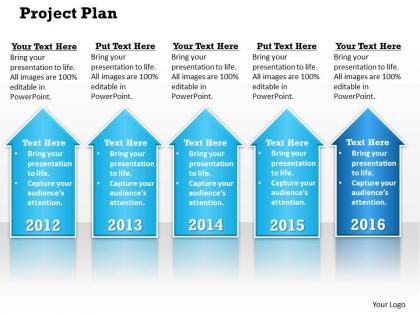
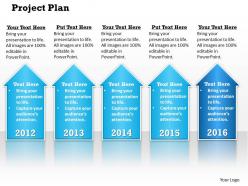
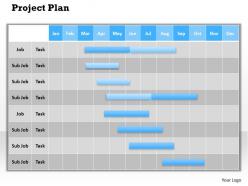
If you are looking for an extraordinary and professional looking tool to incorporate into your reports that allows you to entirely change the outlook and perception of the audience then simply make use of our versatile and extremely popular project plan PPT design diagram. This presentation layout is integrated with editable timelines along with Gantt charts to display the Business information in an organised manner. Either you wish to analyse the business or project performance or you want to make any important decisions, these illustrations will guide you in every way you want without causing any errors. Due to the simple and easy functionality of these backgrounds they enable easy formatting and tailoring the content to suit your business needs. Moreover, the patterns used in these graphics are professionally created to impress the audience and enhance the impact of the presentation. Overall, this forms a great way to propose the business concepts to the viewers and to sustain growth and progress. Keep your cool in freaky conditions. Our Project Plan PowerPoint Template Slide ensure it goes like a breeze.
People who downloaded this PowerPoint presentation also viewed the following :
Project plan powerpoint template slide with all 6 slides:
String your thoughts in concert with our Project Plan PowerPoint Template Slide. They will produce a grand concerto.
FAQs for Project plan
So for your template, definitely get the project scope and objectives down first. Timeline with milestones is crucial too. I'd add resource allocation and task breakdowns - basically who's doing what and when. Budget stuff obviously matters, but honestly the risk assessment part is what saves you when things get weird (and they always do). Communication protocols are huge because nobody likes being left out of the loop. Oh, and make sure stakeholder roles are crystal clear from day one. Really though, just customize it based on what type of project you're running.
Honestly, project templates are game-changers for keeping everyone aligned. No more digging through endless email chains to figure out who's doing what or when stuff is due. Everyone just checks the same document - boom, there's your deadline, there's who's responsible. I used to hate templates (felt too rigid?) but they actually save so much time. Your team stops asking the same questions over and over because the info's right there. Decision-making gets way faster when people aren't confused about priorities. Try it on your next project - you'll probably wonder why you waited so long.
Honestly, the worst thing you can do is go too granular or way too broad. Like, don't make a row for "send email to Bob" but also don't just write "marketing phase" and call it a day. Dependencies will bite you in the ass - seriously, map out what has to finish before other stuff can start. I learned this the hard way lol. Oh and always pad your timeline! Things WILL go sideways. Scope creep happens, people get sick, whatever. Start simple with the basics first, then tweak it after you've actually used it on real projects.
Honestly, templates are a game-changer because everyone stays on the same page with deadlines and milestones. No more chaos where marketing's got their fancy spreadsheets and dev team is... well, doing whatever devs do to track stuff. Break down work into realistic pieces first. Teams can spot dependencies early instead of scrambling later. I'd start with one solid template covering your main project phases - then each team tweaks the details for their specific workflow. Way less drama between departments when everyone's following the same basic structure. Trust me on this one.
Okay so stakeholder analysis is basically figuring out who can make or break your project. Map out everyone who might care - then sort them by how much power they have and how interested they'll be. This feeds into your communication plan and helps you avoid pissing off the wrong people. Seriously, compliance teams are sneaky powerful and everyone forgets about them until it's too late. You don't want some random department head torpedoing everything because nobody kept them in the loop. Start with anyone who could impact the project or get impacted by it. Then figure out your escalation paths and approval chains from there.
Look, customizable features are honestly a game changer because you can actually make templates work for YOUR workflow instead of the other way around. Add sections you need, ditch the ones you don't. Adjust timelines and task categories based on what your team actually does - not some cookie-cutter approach that never quite fits right. Way less headache that way. Plus you'll actually stick with using the plan throughout the whole project (which, let's be real, doesn't always happen with those rigid templates). I'd start by figuring out which standard sections are totally useless for your work, then customize from there.
Focus on visual hierarchy first - consistent fonts, simple color coding for priorities, tons of white space. I've seen too many that look like rainbow spreadsheets from hell, so stick to 3-4 colors max. Make headers pop, throw in some icons for task types if you want. Maybe add subtle gridlines between sections? The whole thing should be scannable super fast. Oh, and here's a weird test I always do - print it out. If it's annoying to read on paper, you know it needs work. Trust me on that one.
Project templates are super different depending on your industry. Construction ones are loaded with permits, safety stuff, and inspection phases. Tech focuses on sprints and user stories instead. Healthcare? Don't even get me started - the compliance requirements are absolutely brutal. Manufacturing templates care more about supply chains and quality control. Honestly, the biggest differences come down to what deliverables you need, how approvals work, and what could go wrong. Just grab a basic template first, then tweak it for whatever industry weirdness you're dealing with.
For schedule stuff, track milestone completion rates and how far off your task estimates are. Budget-wise, you want actual vs planned costs - pretty obvious but people miss it. Quality metrics matter too: defect rates, how much rework you're doing. Resource utilization helps spot bottlenecks before they bite you. If you're doing sprints or iterations, team velocity is gold. Honestly though, don't go crazy - pick maybe 4-6 metrics that actually fit your project type. Set up your template to pull from whatever PM tool you're using automatically. Trust me, you'll thank yourself later when you're not manually updating spreadsheets every week.
Honestly, the best templates I've used have change management baked right in from day one. Like sections for change requests, impact assessments, all that stuff. Because scope creep is gonna happen - might as well be ready for it instead of panicking later. Build in some buffer time and budget wiggle room too. The whole point is having a standard process: stakeholders propose changes, you figure out how it'll mess with your timeline and budget, then get everyone to actually sign off before you do anything. Way better than winging it when things inevitably go sideways.
Honestly, go digital. You can update stuff instantly and everyone stays in the loop when deadlines shift (and they always do lol). The automatic reminders are a lifesaver - I forget everything otherwise. Printed ones look nice but you're basically screwed if anything changes. Though I will say, some people swear by writing things down for focus. Maybe start with a digital one for the team stuff, then print out your personal sections? Best of both worlds without the headache of keeping everyone synced on paper changes.
Honestly, workflow diagrams are game-changers for project planning. Instead of staring at boring task lists, you get this visual map showing how everything connects. Spotting bottlenecks becomes so much easier - it's like finally seeing the traffic jam instead of just sitting in it. Your team will actually understand the sequence of tasks and why certain things can't start until others finish. Oh, and stakeholders eat this stuff up because they can see progress without diving into messy spreadsheets. I'd start with basic flowcharts first, then maybe add swim lanes later if you need them.
Honestly, just match whatever your team already does. Agile? Build in those sprint cycles and retros. Waterfall people? Map out your phases with clear handoffs. Most places I've seen actually do some weird hybrid thing anyway - like overall waterfall structure but with agile sprints inside each phase. Don't get caught up in what's trendy right now. Ask your stakeholders what they're used to first. Way easier to work with their existing comfort zone than fight it. Your template should fit how they actually operate, not some textbook approach.
Build risk management directly into your template - don't just tack it on later. I'd add specific sections for identifying risks, assessing impact, and planning how to deal with them within each project phase. Too many projects I've worked on went off the rails because risk tracking was completely separate from the actual work. Include columns for probability, who owns what, and status updates so people actually use the thing. Make reviewing risks part of your regular meetings, not something you only remember when stuff hits the fan. Oh and start basic - you can always add complexity later.
Dude, these templates are honestly lifesavers for remote work. Everyone can see the same info and update stuff in real-time, so you're not dealing with those nightmare email threads where people are working off totally different versions. Task assignments become way clearer too. You can track who's doing what without having to bug everyone constantly for updates - which gets old fast when you're managing across time zones. The whole dependency thing becomes visible, so people actually stay accountable. I'd start basic and just tweak it as you figure out what works for your team.
-
Unique and attractive product design.
-
Out of the box and creative design.