

Project Planning And Governance Ppt Slides Complete Deck




Try Before you Buy Download Free Sample Product
 Impress Your
 Audience
 100%
100% Editable
 Save Hours
 of Time


Project planning and governance are critical components of any successful project. Project planning sets the stage for a project, establishes clear objectives and milestones, and allocates resources accordingly. Project governance ensures that the project stays on track, meets deadlines, and stays within budget. Project planning and governance go hand-in-hand; without proper planning, a project is likely to run into problems, and without proper governance, a project is likely to veer off course.If you want to learn more about project management SlideTeam's ppt slides are a great way to start and learn Project Planning And Governance. The slides are clear and concise, and they provide a great overview of the topic. They also include examples that help to illustrate the concepts. Overall, these slides are an excellent resource for anyone wanting to learn more about Project Planning And Governance.
People who downloaded this PowerPoint presentation also viewed the following :
Content of this Powerpoint Presentation
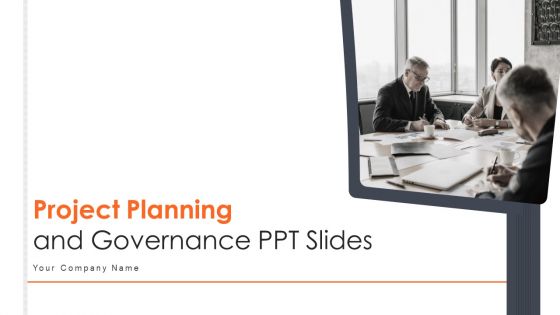
Slide 1: This slide is titled “Project Planning and Governance PPT Slides.” State your company name and get started.
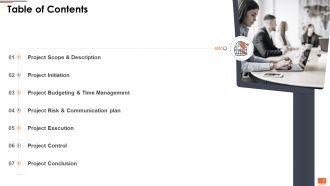
Slide 2: This slide is titled “Table of Contents.” It shows Project Scope & Description, Project Initiation, project execution, project control, etc.
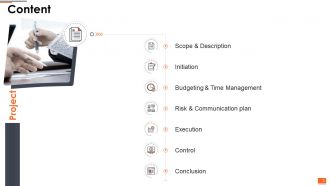
Slide 3: This slide is titled “Content.” It shows Scope & Description, Initiation, Budgeting & Time Management, Risk & Communication plan, etc.
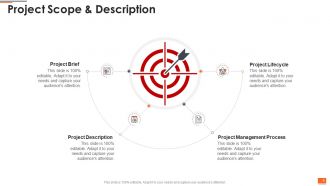
Slide 4: This slide is titled “Project Scope & Description.” It shows Project Management Process, Project Description, Project Lifecycle, and Project Brief.
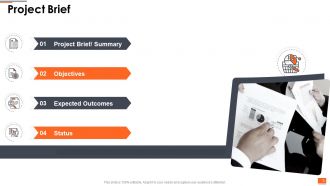
Slide 5: This slide is titled “Project Brief.” It shows Project Brief/ Summary, Objectives, Expected Outcomes, and Status.
Slide 6: This slide is titled “Project Description.”
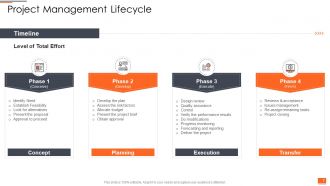
Slide 7: This slide is titled “Project Management Lifecycle.” Add the level of effort for different phases in this template.
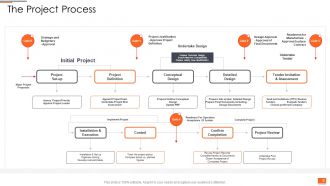
Slide 8: This slide is titled “The Project Process.” Use this slide to define the semantics of your project mechanism.
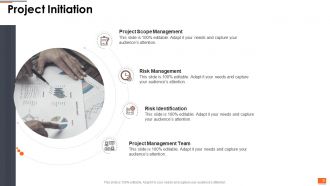
Slide 9: This slide is titled “Project Initiation.” It shows Project Scope Management, Risk Management. Project Management Team, and Risk Identification.
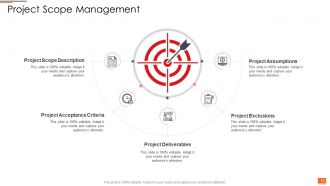
Slide 10: This slide is titled “Project Scope Management.” It shows Project Scope Description, Project Acceptance Criteria, Project Deliverables, etc.
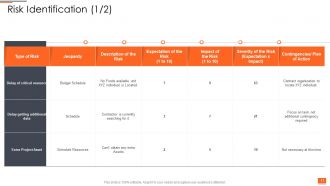
Slide 11: This slide is titled “Risk Identification (1/2).” Use this template to define the type of risk and the course of action to counter.
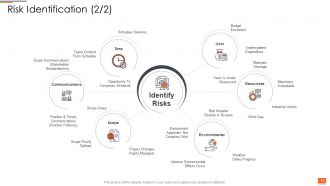
Slide 12: This slide is titled “Risk Identification (2/2).” It shows Budget Exceeded, Unanticipated Expenditure, Skills Gap, Industrial Action, etc.
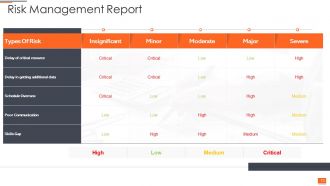
Slide 13: This slide is titled “Risk Management Report.” Use this template to show the summary of the final results of the risk management process.
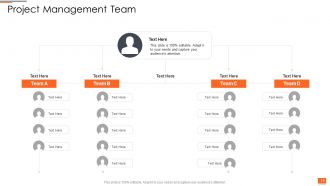
Slide 14: This slide is titled “Project Management Team.” Add your team information to this template.
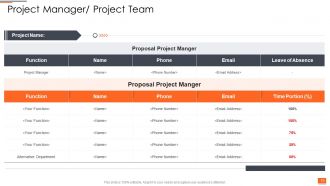
Slide 15: This slide is titled “Project Manager/ Project Team.” Add details about the Project, and its purpose.
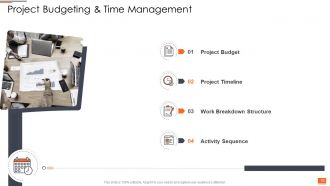
Slide 16: This slide is titled “Project Budgeting & Time Management.” This slide shows Project Budget, Work Breakdown Structure, Project Timeline, etc.
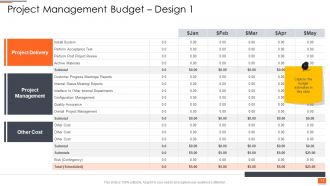
Slide 17: This slide is titled “Project Management Budget – Design 1.” Use this template to give detail about Project Management, Project Delivery, other Cost, and Capture the budget estimates.
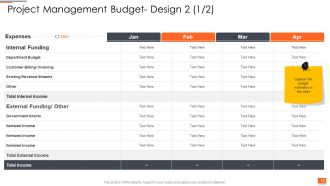
Slide 18: This slide is titled “Project Management Budget- Design 2 (1/2).” Use this template to Capture the budget estimates.
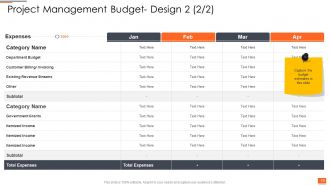
Slide 19: This slide is titled “Project Management Budget- Design 2 (2/2).” Use this template to show the sum of money allocated for the particular purpose of the project for a specific period.
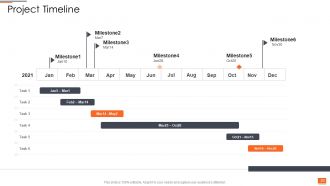
Slide 20: This slide is titled “Project Timeline.” Use it to show the Chronological order of tasks and events within your project from start to finish.
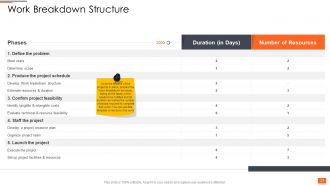
Slide 21: This slide is titled “Work Breakdown Structure.” Use this template as a project management tool that takes a step-by-step approach to complete large projects with several moving pieces.
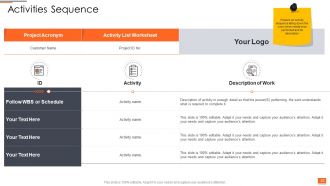
Slide 22: This slide is titled “Activities Sequence.” It shows how to Prepare an activity sequence listing down the work which needs to be performed and its description.
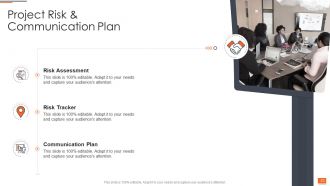
Slide 23: This slide is titled “Project Risk & Communication Plan.” It illustrates Risk Assessment, Risk Tracker, and Communication Plan.
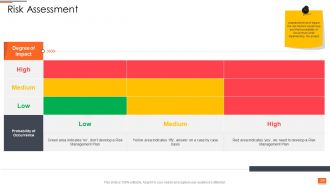
Slide 24: This slide is titled “Risk Assessment.” This template Assesses the level of impact the risk factors would have and their probability of occurrence while implementing the project.
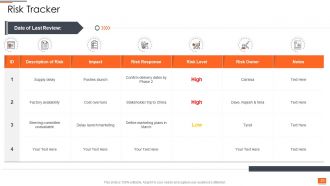
Slide 25: This slide is titled “Risk Tracker.” This template illustrates the activity of systematically tracking and evaluating the performance of risk mitigation actions against established metrics throughout the acquisition process.
Slide 26: This slide is titled “Communication Plan.” It shows a policy-driven approach to providing stakeholders with information.
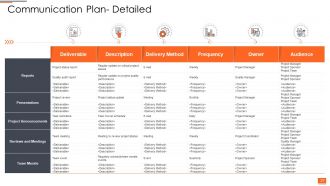
Slide 27: This slide is titled “Communication Plan- Detailed.” This template helps you to formally define who should be given specific information, when that information should be delivered, and what communication channels will be used to deliver the information.
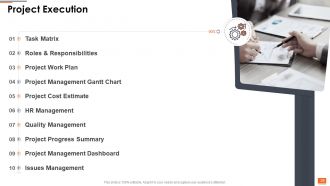
Slide 28: This slide is titled “Project Execution.” It helps you define the stage of the project where everything your team has planned is put into action.
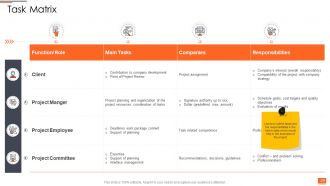
Slide 29: This slide is titled “Task Matrix.” It helps you List down all the tasks and the responsibilities in the given table which would help in the execution of the project.
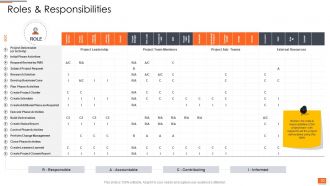
Slide 30: This slide is titled “Roles & Responsibilities.” This template Mention the roles & responsibilities of the project team concerning all the project deliverables using this table.
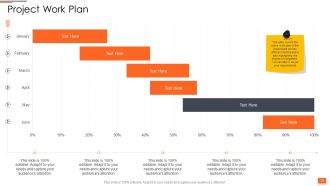
Slide 31: This slide is titled “Project Work Plan.” It covers the entire work plan of the project split across different months and is also highlighting the degree of completion. You can alter it as per your requirements.
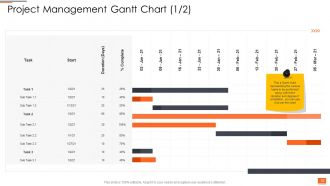
Slide 32: This slide is titled “Project Management Gantt Chart (1/2).” This is a Gantt chart representing the various tasks to be performed along with their duration and degree of completion, you can use it as per the need.
Slide 33: This slide is titled “Project Management Gantt Chart (2/2).” This is a Gantt chart representing the various activities to be performed along with their duration and degree of completion, you can use it as per the need.
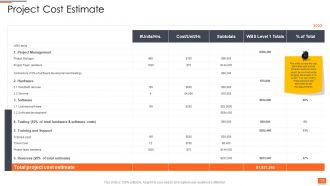
Slide 34: This slide is titled “Project Cost Estimate.” It covers the cost estimates split across different sections which would be involved while bringing the project into action. You can modify these sections and estimates as per the requirements.
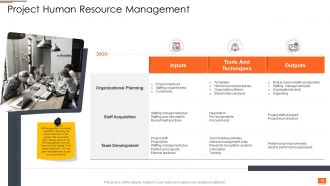
Slide 35: This slide is titled “Project Human Resource Management.” This template illustrates that HR Management is critically important in ensuring the proper execution of the project. We have listed down the key tasks of the HR management and how they would be helping in the project execution. You can alter these elements as per your requirements.
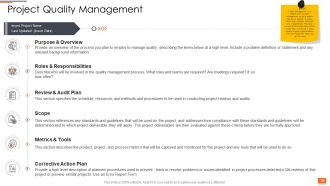
Slide 36: This slide is titled “Project Quality Management.” It shows Insert Project Name, Last Updated: (Insert Date), Purpose & Overview, etc.
Slide 37: This slide is titled “Project Progress Summary.” This template covers a broad summary of the entire project to highlight the completion level, its priority, and the cost associated with these tasks. You can see this as per your requirements.
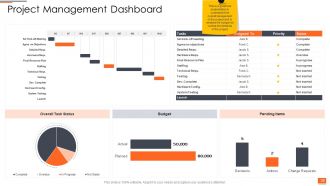
Slide 38: This slide is titled “Project Management Dashboard.” It shows Set Kick-off-Meeting, Agree on Objectives, Detailed Reqs, Hardware Reqs, Final Resource Plan, Staffing, etc. This is a graphical presentation to understand the overall management of the project and to analyze the budget as well as the timelines of the project.
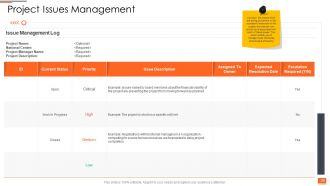
Slide 39: This slide is titled “Project Issues Management.” This template lists down the issues which are acting as barriers in the successful execution of the project and mentions the priority level associated with each of these issues. This would enable you to manage these obstacles effectively & efficiently.
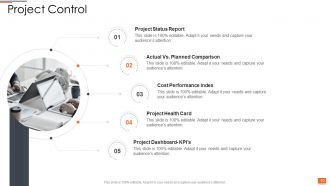
Slide 40: This slide is titled “Project Control.” It shows Project Status Report, Actual Vs. Planned Comparison, Cost Performance Index, etc.
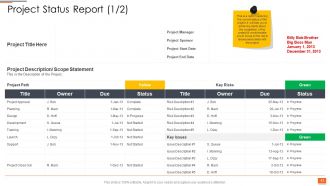
Slide 41: This slide is titled “Project Status Report (1/2).” This is a report capturing the current status of the project. It will help you in achieving clarity about the completion of the project & would enable you to focus on the risk & issues associated with the project.
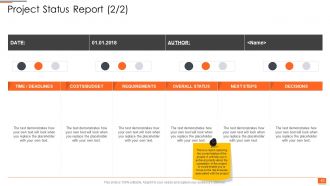
Slide 42: This slide is titled “Project Status Report (2/2).” This is a report capturing the current status of the project. It will help you in achieving clarity about the completion of the project & would enable you to focus on the risk & issues associated with the project.
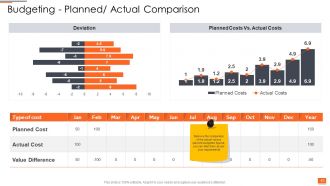
Slide 43: This slide is titled “Budgeting - Planned/ Actual Comparison.” It shows Deviation, Planned Costs Vs. Actual Costs, Comparison of the actual versus planned budgeted figures, you can alter them as per your requirements.
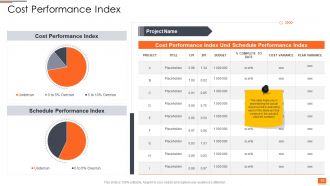
Slide 44: This slide is titled “Cost Performance Index.” It helps you in ascertaining the actual cost incurred in executing each of the tasks and the variance in the actual & planned numbers.
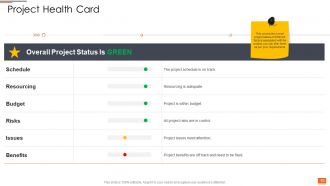
Slide 45: This slide is titled “Project Health Card.” It covers the overall project status of different factors associated with the project, you can alter them as per your requirements.
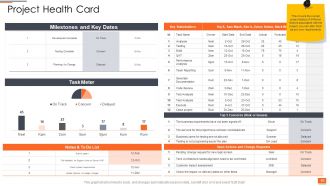
Slide 46: This slide is titled “Project Health Card.” It covers the overall project status of different factors associated with the project; you can alter them as per your requirements.
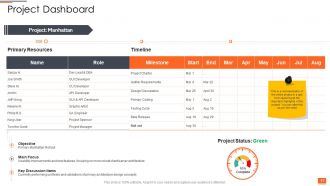
Slide 47: This slide is titled “Project Dashboard.” This template is a representation of the entire project in a gist form capturing all the important highlights of the project. You can alter this as per the need.
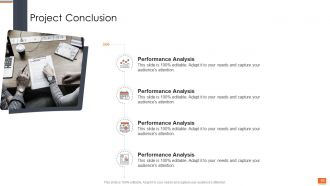
Slide 48: This slide is titled “Project Conclusion.” It shows Performance Analysis, Performance Analysis, Performance Analysis, and Performance Analysis.
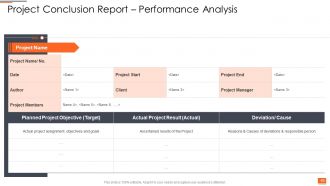
Slide 49: This slide is titled “Project Conclusion Report – Performance Analysis.” This slide is 100% editable. Adapt it to your needs and capture your audience's attention.
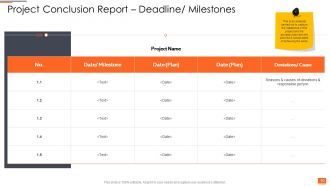
Slide 50: This slide is titled “Project Conclusion Report – Deadline/ Milestones.” It shows an analysis carried out to capture the milestones of the project and the deviation between the planned & actual dates of achieving the same.
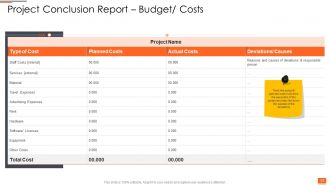
Slide 51: This slide is titled “Project Conclusion Report – Budget/ Costs.” It helps you to track the actual & planned cost involved in the execution of the project and also lists down the causes of the deviations.
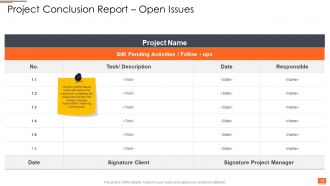
Slide 52: This slide is titled “Project Conclusion Report – Open Issues.” It helps you to list down all the issues which still need to be resolved in completing the project and mention the names of people responsible for resolving those issues.
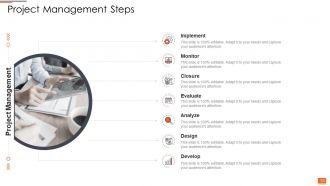
Slide 53: This slide is titled “Project Management Steps.” It includes Implement, Monitor, Closure, Evaluate, Analyze, Design, Develop, etc.
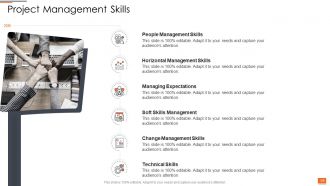
Slide 54: This slide is titled “Project Management Skills.” It illustrates Soft Skills Management, Change Management Skills, Horizontal Management Skills, People Management Skills, Managing Expectations, and Technical Skills.
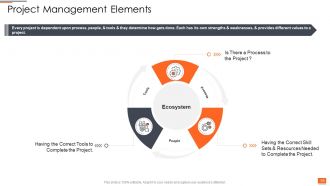
Slide 55: This slide is titled “Project Management Elements.” It shows that Every project is dependent upon process, and people. Each has its strengths & weaknesses and provides different values to a project.
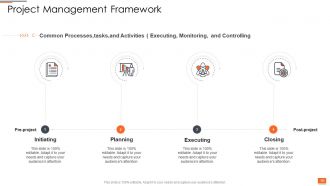
Slide 56: This slide is titled “Project Management Framework.” It includes Common Processes, tasks, and Activities (executing, monitoring, and controlling).
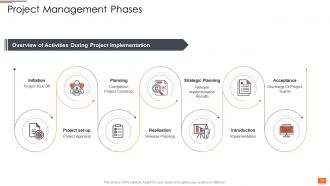
Slide 57: This slide is titled “Project Management Phases.” It shows Initiation, Project Kick-Off, Project set-up, Project Approval, Planning, Completion, Project Construct, etc.
Slide 58: This slide is titled “Project Planning and Governance PPT Slides - Icons Slide.”
Slide 59: This slide is titled “Additional Slides.”
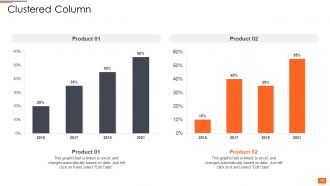
Slide 60: This slide is titled “Clustered Column.” It can be used to represent sales data for a calendar year.
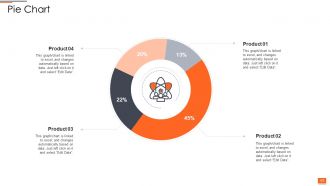
Slide 61: This slide is titled “Pie Chart.” It shows a graphical representation of the products.
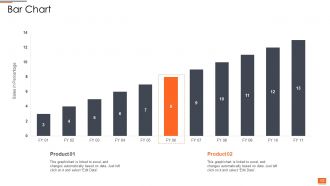
Slide 62: This slide shows a bar graph that compares 3 products’ sales over a timeline of financial years.
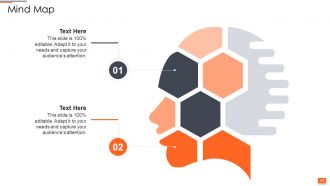
Slide 63: The slide is titled “Mind Map.” Use this creative template as per your need.
Slide 64: This slide is titled “Our Team.” This slide shows the members of the company team with their name, designation, and photo.
Slide 65: This slide is titled “bulb or idea.” Use this slide to add ideas about your services and products.
Slide 66: This slide presents a Circular Diagram and the components that make up a project or concept.
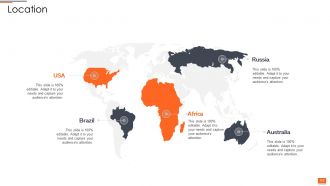
Slide 67: This slide presents the Location of your company across the globe.
Slide 68: This slide provides the Mission for the entire company. This includes the vision, mission, and goal.
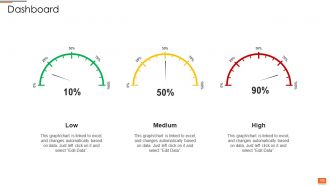
Slide 69: This slide presents the Dashboard with the data’s numbers at Low, Medium, and High.
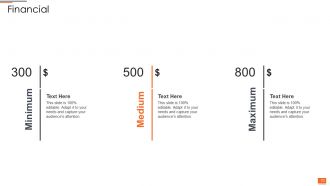
Slide 70: This slide presents the financial data with the data’s numbers at minimum, medium, and maximum percentages.
Slide 71: This is a Thank You slide where details such as the address, contact number, and email address are added.
Project Planning And Governance Ppt Slides Complete Deck with all 71 slides:
Use our Project Planning And Governance Ppt Slides Complete Deck to effectively help you save your valuable time. They are readymade to fit into any presentation structure.







FAQs for Project Planning And Governance Ppt
Honestly, scope definition is everything - I can't tell you how many projects I've watched crash because nobody figured out what "finished" meant upfront. Build in buffer time for your timeline and map out which tasks depend on others. Resource allocation comes next, then you'll want solid risk management plus clear success metrics. The timeline thing is tricky though - identify your critical path stuff early or you're screwed later. Oh, and don't skip stakeholder communication plans. Regular check-ins save your butt. Start simple with a basic project charter covering these areas before you get into the weedy planning tools.
Honestly, good governance is huge - like 30-40% better success rates according to most studies. You need someone with real authority making decisions when stuff gets stuck. Clear roles matter too. Weekly steering committee meetings are actually a game changer (I know, sounds boring but trust me). Without this structure, you'll get scope creep and those endless debates that go nowhere. Projects just turn into chaos otherwise. Figure out who your decision-maker is first - that's probably the most important step. Regular checkpoints keep everyone honest.
Honestly, Agile's your best bet if scope keeps changing on you. Waterfall's still good when requirements are locked down though. PRINCE2 can feel like a total pain with all the paperwork, but it actually keeps everyone accountable which is nice. PMI gives you solid planning tools if that's your thing. Oh and Lean's great for cutting out all the useless stuff that slows projects down. For governance, stage gates work well - just don't go overboard. Really depends on your company culture more than anything. Don't just pick whatever's popular right now.
Look, don't treat stakeholder stuff like an afterthought - build it right into how you run the project. Get your key people actual seats on steering committees and set up regular checkpoints where they can weigh in. Way too many projects I've seen just send occasional email updates and call it "stakeholder management" which is honestly pretty useless. Your project charter should spell out who gets to make what decisions. Then create feedback loops at each milestone - make it systematic instead of just winging it. Oh, and always have clear escalation paths ready when things go sideways.
Dude, risk management is like having a backup plan for when shit hits the fan. Spend like 30 minutes at the start just thinking about what could go wrong - tech breaking, people quitting, dependencies failing. Then build some extra time and money into your plan for the big scary stuff. I know it feels like busywork, but trust me, you'll thank yourself later when something inevitably breaks. The trick is being honest about what's actually likely to happen. Some risks are worth worrying about, others aren't. Just don't be the person who gets blindsided by something totally predictable.
Pick a solid project management tool first - Asana, Monday, or Jira all work fine. Honestly, which one doesn't matter as much as actually sticking with it (I've seen too many teams tool-hop and never get anywhere). Add a dashboard for tracking your key stuff in real-time. Slack or Teams keeps everyone in the loop without constant email chains. You'll also need somewhere to store all your docs and decisions - trust me on this one. The cool part is connecting everything so data moves between tools automatically. Start simple with just the PM platform, then add pieces when you hit actual pain points.
Set up checkpoints throughout the project - that's huge. Map each goal to actual business outcomes first. Can't connect them? Major red flag. Most teams think they're aligned but never actually verify it (learned this the hard way). Regular steering meetings catch problems early before they snowball. Dashboards work great for tracking project stuff alongside business impact - seeing both metrics together makes misalignment obvious. Oh, and don't just hope people stay on track. Build those alignment checks right into your process from day one. Trust me on this one.
Dude, the worst thing is when nobody knows who's actually in charge of what. Communication falls apart fast. Then you get boards that either breathe down everyone's neck or just vanish into thin air - both suck equally. I've seen projects with like five committees all approving the same stupid decision (total chaos). Start by nailing down who decides what. Keep governance simple, not some crazy complicated mess. Regular check-ins help but don't overdo it. Your board needs people who actually know their stuff AND can make calls. Oh, and write everything down - trust me, people's memories get real selective when things go sideways.
Okay so here's the thing - complexity totally determines how much planning you actually need. Basic projects? Just track milestones and do quick check-ins. But when things get messy with tons of dependencies and stakeholders, you'll need proper risk registers and maybe even a governance board. It's kinda like cooking honestly - scrambled eggs don't need a recipe, but good luck winging a three-tier wedding cake! More moving parts means more structure upfront, period. Start by being brutally honest about how complex your project really is. Then build your governance around that reality instead of some cookie-cutter approach.
Honestly, just track three main things: how fast decisions get made, whether stakeholders are actually happy, and if projects succeed. Meeting effectiveness is huge too - like, are people deciding stuff or just endlessly debating? Budget and timeline tracking matter since decent governance catches issues before they explode. The real test though? Projects hitting their business goals on time. I'd check these monthly - you'll spot pretty quick where governance helps vs. where it's just red tape slowing everyone down. Oh, and stakeholder satisfaction surveys are weirdly revealing if people fill them out honestly.
So basically, take your big project phases and chop them into shorter sprints with regular check-ins. Skip those painful months-long waits for steering committee stuff - instead do bi-weekly meetings where people can actually see what you've built and give feedback. Honestly, execs eat this up because they love seeing real progress more often. You'll still keep your project charter and milestones, just build in room to change direction when you learn new things each sprint. Oh, and definitely start with just one workstream first - don't go crazy trying to flip everything at once.
Honestly, you've gotta nail down your change control process right from the start. Document everything in your initial scope - like, be super specific about it. Then make people get formal approval for ANY changes, even the tiny ones that seem harmless. Trust me, I've watched projects completely implode because of those "oh just one quick thing" requests that nobody properly thought through. Before you agree to anything new, figure out how it'll mess with your timeline, budget, and team bandwidth. Oh and definitely tell your stakeholders upfront what's included and what isn't. Set up regular check-ins so scope creep doesn't blindside you later.
Dude, communication literally makes or breaks stakeholder buy-in. When people understand why you're making decisions and get regular updates, they'll actually support you. Leave them in the dark? They'll resist everything. I watched a project completely fall apart once because the team only sent updates every three months - what a disaster! You gotta figure out what each group actually cares about first, then talk to them in ways that matter to them. Show how it benefits their world specifically. Honestly, most people just want to feel heard and know what's happening.
Look, compliance isn't something you can just wing when crunch time hits - learned that the hard way once. You've gotta bake in extra time and budget upfront for all the approval hoops, documentation, audits, whatever your industry throws at you. Sounds boring as hell, but getting slapped with violations is way worse. Figure out your requirements during planning and treat them like actual deadlines, not suggestions. Map which deliverables need review and add buffer time. Trust me, that "bureaucratic overhead" will save your ass later when auditors come knocking.
Honestly, you'll want to start with the boring stuff that takes forever - like status reports and tracking risks. Most project management tools have dashboards where people can check progress themselves instead of bugging you every five minutes (which is honestly a lifesaver). Set up alerts for when deadlines get missed or budgets go crazy. Those digital approval workflows are way better than dealing with endless email threads - trust me on this one. Document management keeps everyone on the same page too. I'd pick your most annoying repetitive tasks first and find tools for those.
-
Out of the box and creative design.
-
Helpful product design for delivering presentation.
-
Innovative and Colorful designs.
-
Qualitative and comprehensive slides.
-
Great designs, Easily Editable.
-
Unique research projects to present in meeting.
-
Attractive design and informative presentation.
-
Very unique, user-friendly presentation interface.
-
Excellent work done on template design and graphics.
-
Easily Editable.
-
Page:
- You're currently reading page 1
- Page 2
-
