

Proposal For Revamping Business Slides Powerpoint Presentation Slides





Try Before you Buy Download Free Sample Product
 Impress Your
 Audience
 100%
100% Editable
 Save Hours
 of Time


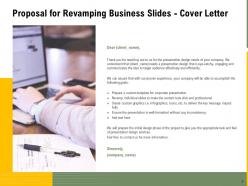
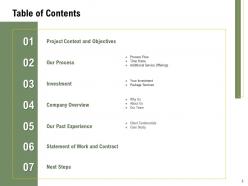
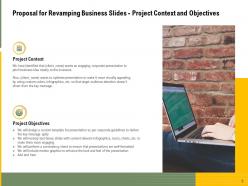
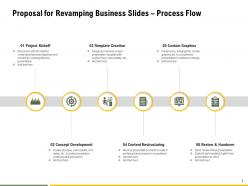
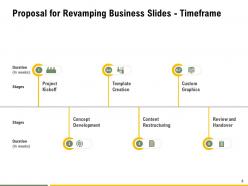
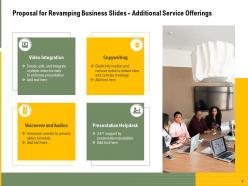
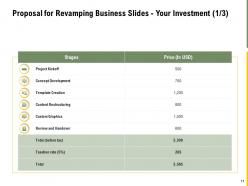
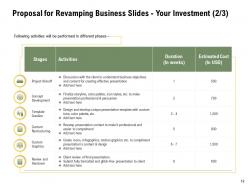
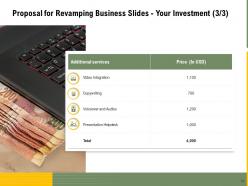
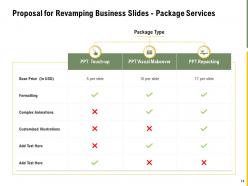
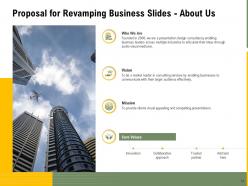
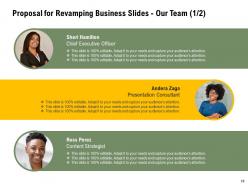
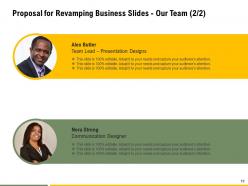
Our Proposal For Revamping Business Slides Powerpoint Presentation Slides are topically designed to provide an attractive backdrop to any subject. Use them to look like a presentation pro.Whether it's a general discussion with employees or a meeting with investors, there is no better way to communicate your ideas than delivering a professional presentation. The whole idea and concept can be explained to people through a well-formatted presentation. Some corporations have a shortage of time and rely on other agencies to prepare a well-crafted presentation that entails all the essential elements. Therefore, employ our Proposal For Revamping Business Slides PowerPoint Presentation Slides and put forth your excellent proposal that instantly catches your client’s attention. With the help of a neatly-designed cover, cite your services smartly and mention key deliverables. A well-crafted table of contents is provided in the presentation to help your customers locate the sections easily. Analyze your client’s needs carefully, and then create the project goals with our business renovation PowerPoint theme. Inform your clients about the various processes involved in creating a remarkable presentation. These include project kickoff, template creation, custom graphics, concept development, content restructuring, review, and handover. Utilize our content-specific business proposal PowerPoint template to dedicate the duration against each activity and determine the time involved in completing the project. Promise to design a custom template, revamp text-heavy slides with relevant content & infographics, and perform a consistency check to provide a well-formatted presentation to your clients. Adopt our readily available business reconstruct PowerPoint design to depict different services of your organization such as video integration, copywriting, presentation helpdesk, voiceover, and audios respectively. An investment layout has been provided in the presentation to showcase the funds and money required for acquiring the services. Please your clients by depicting various packages and tick mark the services fixed for each package. Conclude your presentation by providing company details pertaining to the achievements, background, and testimonials. Besides, also include a statement of work and contract in your proposal by downloading our engaging presentation.
People who downloaded this PowerPoint presentation also viewed the following :
Proposal For Revamping Business Slides Powerpoint Presentation Slides with all 35 slides:
Use our Proposal For Revamping Business Slides Powerpoint Presentation Slides to effectively help you save your valuable time. They are readymade to fit into any presentation structure.








FAQs for Proposal For Revamping Business Slides
When revamping business slides for maximum impact, prioritize clear visual hierarchy, compelling storytelling structure, data visualization that drives insights, consistent branding elements, and audience-focused messaging. These elements work together by streamlining information delivery, enhancing audience engagement, and strengthening professional credibility, with many organizations finding that strategic slide redesigns ultimately deliver more persuasive presentations and improved business outcomes.
Storytelling techniques enhance business presentations by creating emotional connections, simplifying complex data through narrative frameworks, and making information more memorable and persuasive. These approaches enable presenters to structure content with clear beginnings, middles, and ends, while incorporating relatable examples and case studies that resonate with audiences, ultimately delivering stronger engagement and improved decision-making outcomes.
Visuals transform traditional business slides by replacing dense text with compelling graphics, charts, infographics, and imagery that enhance comprehension and retention. These visual elements streamline complex data presentation, accelerate audience understanding, and create memorable experiences, with many organizations finding that strategic visual integration ultimately delivers stronger stakeholder engagement and more persuasive business communications.
Color psychology enhances audience engagement by using warm colors like red and orange to create energy and urgency, cool blues and greens to convey trust and stability, and strategic contrast to highlight key information. Through thoughtful color selection, presenters can influence emotional responses, improve information retention, and guide audience attention, with many business professionals finding that consistent color schemes ultimately deliver more persuasive presentations.
Common mistakes when updating slide designs include overloading slides with excessive text, using inconsistent fonts and colors, neglecting visual hierarchy, choosing low-quality images, and failing to align content with brand guidelines. These design pitfalls can undermine professional credibility and audience engagement, with many organizations finding that streamlined, visually consistent presentations deliver clearer messaging and stronger business outcomes.
Data can be presented more effectively through strategic visualization, progressive disclosure, clear hierarchies, focused messaging, and interactive elements that guide audience attention. By utilizing charts instead of dense tables, breaking complex information into digestible segments, and highlighting key insights through color and spacing, presenters streamline comprehension while maintaining engagement and ensuring audiences grasp critical business insights without cognitive overload.
**INPUT**: What are some innovative slide formats that can replace standard layouts? **OUTPUT**: Innovative slide formats include interactive timelines, data storytelling narratives, modular content blocks, visual comparison matrices, and immersive infographic layouts. These approaches enhance audience engagement by streamlining complex information, enabling dynamic presentations, and delivering memorable experiences, with many organizations finding that strategic format innovation significantly increases stakeholder retention and presentation effectiveness.
Animations and transitions enhance business slides by directing audience attention, emphasizing key points, and controlling information flow throughout presentations. Strategic use includes revealing data progressively during financial reports, highlighting process steps in operational reviews, and creating smooth section transitions, with many executives finding that subtle, purposeful animations improve audience engagement and message retention while maintaining professional credibility.
Consistency in branding across presentations requires standardized color palettes, fonts, logo placement, and visual hierarchies throughout all slides. Organizations achieve this by creating comprehensive brand guidelines, using master slide templates, maintaining consistent spacing and alignment principles, and regularly auditing presentations, with many companies finding that systematic brand implementation significantly enhances professional credibility and audience recognition.
Target audience significantly influences design choices through professional level expectations, industry-specific visual preferences, cultural considerations, and technical complexity requirements. For executive presentations, clean minimalist designs with strategic data visualization work best, while technical teams may prefer detailed charts and comprehensive information architecture, ultimately ensuring your message resonates and drives desired business outcomes.
PowerPoint, Canva, Prezi, Keynote, and Google Slides offer comprehensive features for dynamic business presentations, with advanced animation, collaboration tools, and professional templates. These platforms streamline presentation creation by enabling real-time collaboration, seamless multimedia integration, and responsive design capabilities, ultimately delivering enhanced audience engagement and competitive advantage in corporate communications.
Feedback from presentations can be incorporated by analyzing audience questions, engagement patterns, comprehension gaps, and technical difficulties to identify specific improvement areas. Organizations streamline this process by creating feedback collection systems, tracking common presentation challenges, and developing revision templates, with many businesses finding that systematic feedback integration enhances audience engagement and delivers more impactful presentations.
**INPUT**: What trends in presentation design should businesses consider for 2023? **OUTPUT**: Key presentation design trends for 2023 include interactive storytelling, data-driven visualizations, minimalist aesthetics, mobile-optimized layouts, and sustainable design elements. These approaches enhance audience engagement by streamlining complex information, enabling real-time participation, and delivering memorable experiences, with many organizations finding that modern presentation strategies significantly improve stakeholder communication and decision-making outcomes. **Word count: 55 words**
Interactive elements significantly enhance audience retention by creating active participation, maintaining focus, and transforming passive viewers into engaged participants through polls, clickable navigation, and real-time feedback mechanisms. These features enable presenters to capture attention more effectively, encourage deeper information processing, and deliver memorable experiences that drive better decision-making, with many organizations finding that interactive presentations increase engagement rates and improve meeting outcomes substantially.
Templates offer faster development, consistent branding, professional design standards, cost efficiency, and reduced creative burden compared to building from scratch. While custom slides provide unique differentiation, templates enable organizations to streamline presentation workflows, maintain visual consistency across teams, and allocate resources toward content strategy rather than design execution, ultimately delivering scalable communication solutions.
-
Great designs, really helpful.
-
Very unique, user-friendly presentation interface.
-
Great experience, I would definitely use your services further.
-
Attractive design and informative presentation.
-
Informative design.
-
Helpful product design for delivering presentation.
-
Easily Editable.
-
Easy to edit slides with easy to understand instructions.
-
Best Representation of topics, really appreciable.
-
Excellent design and quick turnaround.