

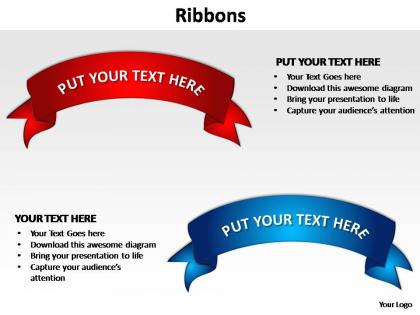
Ribbons editable powerpoint slides templates




Try Before you Buy Download Free Sample Product
 Impress Your
 Audience
 100%
100% Editable
 Save Hours
 of Time


Even if you are not the apple of you organisation's eye let your presentations be. This can only happen when you make use of professionally created slides like our ribbons editable powerpoint slides templates.
People who downloaded this PowerPoint presentation also viewed the following :
Ribbons editable powerpoint slides templates with all 4 slides:
Capitalize on your ideas with our ribbons editable powerpoint slides templates. They will pay good dividends.
FAQs for Ribbons editable
So ribbons go way back - like ancient Egypt and Greece back. They used fabric strips for hair stuff and ceremonies. Medieval Europeans were obsessed with them to show off wealth and status. Military ribbons are probably the most documented if you're doing research on this. Different cultures made them mean totally different things though - religious stuff, festivals, social rank. Honestly the Asian ceremonial traditions are pretty cool too. It's wild how something so simple became this huge symbol across basically every civilization. Military records would be your best bet for solid sources.
Honestly, polyester's your best bet for most stuff. It won't fade or fray like crazy, plus it's not gonna break the bank. Satin looks gorgeous but trust me - it snags if you look at it wrong (found that out decorating my sister's wedding lol). Cotton and grosgrain print really well and have nice texture, but they hate water and fray easily. Silk is obviously beautiful but super delicate and pricey. Nylon's tough too if you need something really durable. I always go polyester though - best mix of looking good and actually lasting.
So velvet and burlap ribbons are having a major moment right now - way more interesting than basic satin stuff. Everyone's going for those muted colors too, like sage green and dusty rose. Super pretty actually. The frayed edge thing is everywhere (honestly not sure why but it looks good). You'll want to try layering different ribbon widths together for that textured look. Oh and people are writing directly on the ribbons now instead of using separate tags. Stock up on the textured ones for sure - that's what everyone's asking for!
Honestly, ribbons work great as section dividers - just use your brand colors and stick them between slides. I'd throw some ribbon badges around your key wins too. Maybe add them near important data points? The trick is matching your brand vibe though. Modern company = clean ribbons, traditional brand = fancier ones. But seriously don't overdo it or you'll end up looking like Pinterest threw up on your deck. I usually do 2-3 spots max per presentation and it looks way more polished.
Ribbons work great for highlighting your key stats or section headers. Just don't go overboard - I've definitely seen infographics that look like a Pinterest explosion lol. Keep the colors consistent with your design and maybe use 2-3 max. Put them around your most important data or to break up sections. Oh, and make sure people can actually read the text on them - avoid those super skinny fonts that look cool but are impossible to read. Also check how they look shrunk down for Instagram because that's where most people will see them anyway.
Oh totally! Colors make a huge difference with presentation ribbons. Red screams urgency and importance, blue feels professional and trustworthy. Green's great for growth or success stories. Yellow catches eyes but honestly don't go overboard - made that mistake in a quarterly meeting once, yikes. Purple works for creative stuff or anything luxury-ish. Gray and neutrals are solid for serious topics. Just think about your audience too since colors mean different things culturally. Pick whatever backs up your content instead of fighting against it. Makes way more impact than you'd think!
Oh, ribbons are so underrated for events! Drape them from the ceiling to make these gorgeous canopies - I did this once and people wouldn't stop talking about it. Wide ones work perfectly as table runners too. For seating, weave them through chair backs during ceremonies. Photo backdrops are easy - just hang different textures at varying heights. Way more dramatic than you'd think! Ribbon chandeliers look fancy but they're literally just multiple strands gathered from one point. Even wrapping easels adds that polished touch. Honestly, start with one big statement piece and you'll get addicted to adding more.
Ribbons are basically instant visual proof that someone crushed it at something. People see the colors and immediately know what's up - blue for first place, red for excellence, that whole thing. They're super old-school but honestly? Still work great because you can wear them and show off. It's like having a wearable trophy that screams "I earned this!" If you're doing awards, definitely use different colors for different levels. That way people can flex their specific achievements right away. Plus there's something satisfying about having something physical to hold onto after all that hard work.
Honestly, I'd start by asking your suppliers about their labor practices - fair wages, safe conditions, normal hours. Child labor is still a real problem in textiles, which is messed up but true. Environmental stuff matters too since ribbon production uses chemical dyes and synthetic materials that can be pretty harsh on the planet. Look for certifications like OEKO-TEX or Fair Trade if you can find them. Most ethical manufacturers are actually happy to share this info, but some suppliers will dodge these questions completely. Just add it to your vetting process - the good ones won't mind answering.
Pick 2-3 ribbon colors that match your theme and stick with them. Don't mix styles either - curved ribbons throughout, or geometric ones, but not both (learned this the hard way). Keep positions consistent too. Like always put section headers in the top-right, call-outs bottom-left, whatever works for you. Your audience won't consciously notice, but it creates this nice visual flow. Honestly, just make a quick style guide first with your colors and positions picked out. Takes five minutes but saves you from going back and fixing everything later when it looks off.
Oh god, polyester and nylon ribbons are terrible - they're basically plastic that'll sit in landfills forever. I learned this the hard way after buying tons of cute synthetic ones! Cotton, silk, or jute break down naturally though. You can find recycled polyester if you really need something sturdy. Look for anything labeled biodegradable or organic when you're shopping. Honestly? Those fabric ribbons people can actually reuse are clutch - way better than stuff that just gets thrown out after one gift.
Okay so ribbons are actually genius for visual storytelling! They guide people's eyes through your whole narrative. Use different colors and widths to set the mood - thin gold feels fancy, thick red screams celebration or urgency. You can connect related stuff, show timelines, mark milestones. Honestly, most people totally underestimate how versatile they are. Try them as connectors between your main content blocks. The direction matters too - it affects pacing and emotional tone. Your presentation will look way more intentional and polished. They're like the glue that holds everything together visually.
Oh this is fun! So PowerPoint and Keynote both have ribbon shapes built right in - just customize them with your brand colors. I love using them as dividers between sections or making little ribbon banners for slide titles. Honestly, I'm kind of obsessed with turning them into "award ribbons" to call out big wins or milestones. You can even use ribbon textures as subtle backgrounds if you want something less obvious. My advice? Start with just one ribbon element per slide so it doesn't get overwhelming, then experiment from there.
Honestly, ribbons can make your presentation way more engaging than just clicking through slides. Different colors work great for showing workflow steps - like blue for planning, green for execution, whatever. You could even stretch them between key points to literally connect ideas. Some presenters hand them out for audience participation during polls, which sounds cheesy but actually works pretty well. The whole tactile thing helps people stay focused instead of zoning out at screens. Just pick colors that don't clash with your brand or you'll look like you raided a craft store.
Oof, this is tricky stuff! Colors mean totally different things everywhere - like red screams good luck in China but danger in other places. Religious patterns can be a minefield too since what's beautiful to some might be offensive to others. Oh, and don't forget colorblind people exist - can't just rely on colors alone. Honestly, I'd go with safe nature designs at first. Maybe test a few options with people from different backgrounds? Having some boring neutral backups saved my butt once when a client freaked out last minute.
-
Awesomely designed templates, Easy to understand.
-
Great product with highly impressive and engaging designs.