

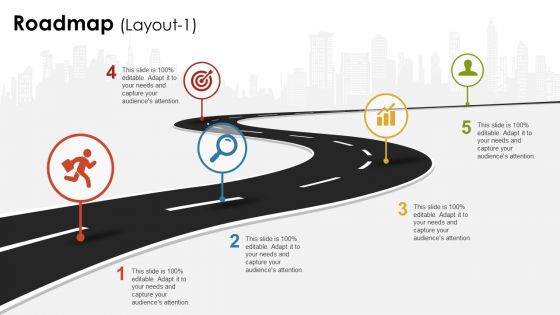
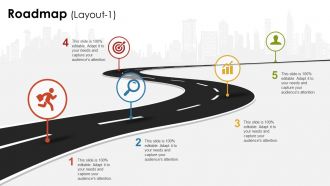
Roadmap ppt design templates





Try Before you Buy Download Free Sample Product
 Impress Your
 Audience
 100%
100% Editable
 Save Hours
 of Time


Our Roadmap Ppt Design Templates are bound to flabbergast you. You will discover fascination anew.
People who downloaded this PowerPoint presentation also viewed the following :
Roadmap ppt design templates with all 5 slides:
Build camaraderie with our Roadmap Ppt Design Templates. Encourage them to function in harmony.
FAQs for Roadmap
Your roadmap template needs timeframes, prioritized stuff, clear goals, resource needs, and who owns what. Visual stuff helps too - swimlanes or colors so people don't zone out staring at boring text blocks. I'd add space for dependencies and risks since those always pop up anyway. Don't go crazy with details though. You want enough info to be helpful without overwhelming everyone. Honestly, start basic and tweak it based on what your team actually looks at during reviews. Works way better than trying to perfect it upfront.
Dude, roadmap templates are clutch. You get all the structure already laid out - timelines, milestones, key sections. No more blank page paralysis, which honestly used to drive me nuts. Just drop in your project details and you're good to go. Your whole team stays on the same page too since everyone's using the same format. Makes tracking way smoother. I'd say grab a basic template first, then tweak it once you figure out what actually works for your stuff. Way better than starting from scratch every single time.
Honestly, tech companies probably get the biggest bang for their buck with roadmap templates - they're always dealing with feature releases and sprint chaos. Product teams basically live on these things. But healthcare, manufacturing, and consulting use them tons too for keeping projects on track and updating stakeholders. Pretty much any industry with complex projects benefits, which is... most of them now? I'd say the trick is finding templates that actually fit how you work instead of cramming your process into some cookie-cutter format. That never works out well.
Dude, visual roadmaps are a game changer compared to those brutal text-heavy docs. People can actually scan timelines without their eyes glazing over. I use color coding to group similar stuff together, and those little progress bars? They instantly show if you're on track or totally behind. Honestly, I watched one team go from these soul-crushing status meetings to actually useful discussions just by ditching their spreadsheet. Icons help too - different teams can spot their work without digging through everything else. Even basic visual tweaks will get people way more engaged. Trust me on this one.
So for roadmap templates, I'd probably start with whatever your team's already comfortable with - PowerPoint or Google Slides are dead simple and everyone knows how to use them. Miro's actually my personal favorite though, tons of templates and it's super collaborative. Lucidchart's solid too if you want something more polished. There are specialized tools like ProductPlan that have all the bells and whistles - timeline views, progress tracking, the whole nine yards. But honestly? I've seen people make really clean roadmaps in basic slide tools. Don't overcomplicate it unless you actually need those fancy features. Start simple, then upgrade if it's not cutting it.
Honestly, roadmap templates are game-changers because they get everyone looking at the same picture. You'll have clear milestones that show how each person's work actually matters to the bigger goal. No more "wait, what are we doing again?" moments in meetings - though let's be real, there will still be some random tangents. The structure keeps conversations focused on what needs to happen and when. I'd start with your main goals first. Then work backwards to figure out who delivers what by which deadlines. It's basically a GPS for your project so nobody gets lost.
So strategic roadmaps are all about the big picture stuff - your vision, major goals, thinking in quarters or years. Tactical ones dive into actual features and tasks with tighter deadlines. You'll want strategic roadmaps for exec meetings and keeping everyone on the same page about where you're headed. Tactical roadmaps? That's how your team knows what to build next week. Honestly, trying to pick just one is like asking someone to choose between coffee and sleep - you need both! I'd start strategic first to figure out direction, then break everything down into those tactical sprint-level roadmaps.
Start with that impact vs effort thing - high impact, low effort stuff first. I make three piles: must-haves, should-haves, and nice-to-haves (spoiler: those last ones never happen lol). Dependencies matter too since some things can't start until others finish. Your team's bandwidth is probably smaller than you think, so be realistic about capacity. Hard deadlines from clients or whoever obviously can't move. Honestly, just be brutal about what actually gets you closer to your goal. Must-haves first, then work down if there's time left.
Honestly, timelines are what keep your roadmap from turning into complete chaos. They help you figure out what happens when and show how different projects connect. Without them? You're basically just making a fancy to-do list that nobody cares about. I'd stick with quarters or months instead of exact dates - way less stressful when things inevitably shift. Map out your big milestones first, then work backwards. Always pad some extra time though. Trust me on this one - everything takes longer than you think it will, especially if other teams are involved.
Honestly, just add a "User Requests" column to whatever template you're already using. Most teams collect tons of feedback but never actually weigh it properly - which is kinda pointless if you think about it. Try setting up quarterly surveys or analyzing support tickets for patterns. You could even throw a feedback widget directly in your product. The trick is having clear criteria for how user input affects your priorities. Maybe start with user vote scoring? I'd test one feedback column first and see how it shifts your planning discussions before going crazy with it.
Don't get trapped by templates - they're starting points, not rules you have to follow religiously. Most people make roadmaps way too detailed from the start. Big mistake. Focus on the high-level stuff first, otherwise you're just drowning everyone in tasks that'll probably change anyway. Also, talk to your stakeholders while you're building it. I've seen so many roadmaps that nobody uses because the person making it worked in isolation. Honestly, that's just wasted time. Pick something simple and tweak it until it actually makes sense for how your team works.
Honestly, roadmap templates work great for agile stuff. They give you the structure you need but don't lock you into anything rigid. Map out your sprints and epics, then shift things around when priorities change - which happens constantly, let's be real. Most templates have timeboxes that match your sprint cycles, which saves you setup time. The drag-and-drop feature is clutch when stakeholders flip their requirements last minute. Look for ones with agile-specific features like backlog integration. Makes the whole process way smoother and you won't hate yourself later.
Yeah totally! I actually started using one for my fitness stuff last year and it's honestly been a game changer. Break your life into chunks - career, health, relationships, whatever matters to you. Then just plot out your big wins on a timeline. Like "promotion by June" or "5K by end of summer." Short sentences work best for the urgent stuff. The visual part is clutch because you'll spot when goals clash with each other. Start with a basic quarterly thing - don't overthink it. Just throw your main objectives on there with deadlines that won't stress you out completely.
Honestly, digital roadmaps are a game changer. You can update them instantly when things change (which they always do), and your whole team sees the updates right away. No more confusion about which version is current. The automatic date calculations are pretty sweet too - saves so much time. I've been in way too many meetings where everyone's looking at different printed versions and nobody knows what's actually happening. Google Sheets works great if you're just starting out. Notion's solid too, though it might be overkill depending on your setup.
Build flexibility right into your template from day one - use modular pieces you can swap around easily. Don't get too specific with timelines or categories that might not fit later projects. Honestly, I've watched so many teams create these "perfect" templates that become totally useless after a few months. Schedule quarterly check-ins to see what's actually working. Oh, and don't try cramming every project type into one template - that never works well. Keep different versions for different needs. Document your changes too, so you'll spot patterns over time.
-
Very well designed and informative templates.
-
Illustrative design with editable content. Exceptional value for money. Highly pleased with the product.