

Thermometer chart powerpoint template slide




Try Before you Buy Download Free Sample Product
 Impress Your
 Audience
 100%
100% Editable
 Save Hours
 of Time


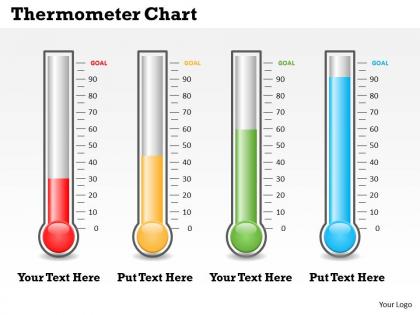
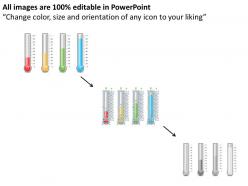
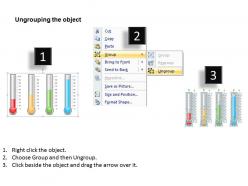
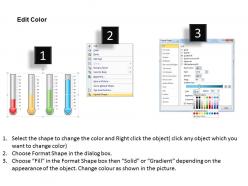
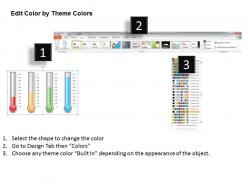
Are you seeking a scientific topic PowerPoint template? Welcome to this thermometer chart PowerPoint Templates. This is a professionally designed graphic rich PPT design. The scientific PPT design use thermometer graphics to display the temperature measurement chart in the slide design. While every graphic showcase different degree of the temperatures it is vividly shown with a variety of colors inside the meters. The background offer enough space to the presenters or the users to enter the scientific knowledge. This is an effective PPT design to be used for the students or the teachers associated with the science stream, and it can also be used by the business people to measure the business process. Initially it is a measurement process display PPT design which offer an impressive creation of the business idea on the slide template. Either show your key issues, the corporate processes, or display the business growth in specific time periods. This editable thermometer PPT design template can be used to indicate the business or the scientific knowledge vividly. You have the right description in your mind. Our Thermometer Chart Powerpoint Template Slide will help you do the needful.
People who downloaded this PowerPoint presentation also viewed the following :
Thermometer chart powerpoint template slide with all 7 slides:
Our Thermometer Chart Powerpoint Template Slide help maintain composure. Feel in control all through.
FAQs for Thermometer chart
So basically you've got three main parts - your target number, where you actually are, and that bar that fills up like those charity fundraiser things. Pretty straightforward stuff. Set your goal at the top, then watch the colored part show how you're doing. I'd go with red when you're behind and green when you're ahead - people get that immediately. Oh and make sure your target actually makes sense, because there's nothing more depressing than staring at a thermometer that's barely moved. Clean design works best here.
Honestly? Thermometer charts are clutch when you're tracking progress toward a specific target. Sales quotas, fundraising goals, project milestones - stuff like that. What I love about them is people instantly get the "how close are we?" question without doing math in their heads. Sure, they're pretty old-school compared to fancy dashboards, but that's actually their strength. Everyone understands a thermometer, right? When you're presenting to executives who need to see performance gaps fast, they're way better than confusing bar charts. Plus there's something about that visual that screams "we need to hit this target" - creates real urgency.
Give yourself some breathing room - go about 10-20% beyond your actual data range. Round numbers are your friend here (10s, 25s, 50s) instead of random stuff like 17 or whatever. Honestly, nothing's worse than charts that make you do math in your head just to figure out what you're looking at. Different colors for performance levels help a ton, and mark those target zones clearly. Short version: if someone squints at your chart or pulls out a calculator, you've made the increments too detailed. Keep it simple so people get it immediately.
Dude, thermometer charts work so well because people instantly get them - no explaining needed. Nonprofits crush it with these for fundraising drives, and sales teams are obsessed with quota tracking. There's something weirdly satisfying about watching that bar creep up toward your goal. Makes abstract numbers feel real, you know? Plus everyone can see exactly how close you are to the finish line, which gets competitive people fired up. I've seen project managers use them too, though honestly that feels a bit much. But seriously, next time you need to get people hyped about hitting a target, try one.
Yeah totally! Quantitative data is easy - just plug your numbers straight into the thermometer fill. For qualitative stuff, you gotta convert it to numbers first. So like "Not Started" becomes 0%, "In Progress" is 50%, "Complete" hits 100%. Works pretty well actually. The tricky part is making sure people understand what they're looking at - whether it's real data or just progress markers. I've seen people get confused when the labels aren't clear enough. But once you set it up right, thermometer charts are honestly one of the more intuitive ways to show this kind of info.
Ugh, the worst thing you can do is mess with your scale - like starting at 30 instead of zero makes tiny changes look HUGE. Also don't cram everything onto one chart (I learned this the hard way). Space your temperature marks evenly and actually label what you're measuring - sounds obvious but people forget. Red usually works for hot temps, blue for cold, that kind of thing. Oh and double-check that your chart isn't telling a completely different story than your actual data. Simple is better honestly.
You're totally right to think about design impact! Tall, skinny thermometers feel way more urgent and dramatic. Shorter ones? They look stable, less alarming. Color psychology is huge here - red screams danger while blue feels trustworthy and chill. I've literally watched people freak out over perfectly normal data just because the thermometer looked intimidating. Wild, right? Match your design to what you want people to feel. Bold and tall if you need action. Keep it low-key with cool colors if you're trying to reassure them everything's fine.
Honestly, just stick with Excel or Google Sheets for this. They've got built-in thermometer templates and you can mess around with colors and targets without much hassle. Tableau and Power BI are way too fancy unless you're doing heavy-duty analytics stuff - though I'll admit their animations look pretty cool. Canva actually has some solid templates too that blow Excel's basic ones out of the water. But real talk? Most people just need something that updates when they punch in new data. Start with whatever spreadsheet you're already using since you probably know it best anyway.
Honestly, colors make a huge difference in how people read your thermometer charts. Red screams "danger!" while green feels like "we're good." Blue's pretty neutral - maybe too neutral if you want impact. Match the color to what you're actually showing. Sales going up? Green works perfectly. Error rates climbing? Red will make people pay attention real quick. I learned this the hard way when I used green for rising costs once - totally sent the wrong message. Don't just pick whatever looks nice; think about the gut reaction you want first.
Dude, you don't have to stick with that boring red mercury look! Change up the colors to match your brand, or use gradients that go from cool to warm as the numbers climb. The shape doesn't need to be a regular thermometer either - make it a rocket for growth stuff, a building for construction projects, whatever fits your data. I actually saw someone use a coffee cup once for their café sales and it looked pretty slick. You can throw in custom tick marks or branded backgrounds too. Just sketch out what makes sense for your story first, then figure out the technical stuff.
Make sure your colors have good contrast - red/green zones are impossible for colorblind people to read (learned that one the hard way with my boss!). Add text labels next to the visual fill so people know exactly what they're looking at. Alt text is huge too. Font size matters more than you think. Skip the jargon in labels - keep it simple. Honestly, the best test is just grabbing someone random and asking them to tell you what your chart shows. If they can't figure it out in like 5 seconds, you've got work to do. Test before you ship it!
Look, thermometer charts are literally all about tracking real progress toward your goal, so bad data basically ruins the whole point. Your audience will notice when the numbers don't add up - these charts are way too visual for that kind of mistake to slide by. Say you're showing 75% on a fundraising drive but the data's wrong... people might think you're almost done and stop donating right when you need them! I've seen this happen before and it's painful. Just make sure you're pulling from reliable sources and updating things regularly. The visual nature of these charts makes any screw-ups super obvious.
Dude, just show one thing per slide - don't jam a bunch of progress bars together. Make sure your labels are super clear and use contrasting colors so people can instantly see where you're at. I swear, half the presentations I've sat through have these crazy animations that are more distracting than helpful. Quick tip: tell people what 100% actually means first, then show your current progress. Clean design beats flashy every time. If someone has to squint or ask questions to understand your chart, you've already lost them.
Oh totally! Thermometer charts work really well with bullet charts - you can track progress on multiple targets at once. Gauge charts are solid if you want that dashboard vibe. For comparing different goals or timeframes, bar charts are your friend. Honestly, I'm a bit obsessed with pairing visuals with simple data tables because some people just want to see the actual numbers too. You could throw in a trend line to show how you've been moving toward your target over time. Really depends on what story you're trying to tell and who you're presenting to.
Thermometer charts are having a real moment right now. Modern ones are super interactive - animated fills, gradient colors that change with performance zones, clickable segments for drilling down. Those old static red-yellow-green ones? They look ancient compared to what's possible now. Data teams love putting them in executive dashboards since they communicate progress instantly. Just make sure your colors make sense - red for bad, green for good, you know? Oh and definitely add those subtle animations when values change. Sounds cheesy but it actually grabs attention way better than static updates.
-
Great quality product.
-
The Designed Graphic are very professional and classic.