

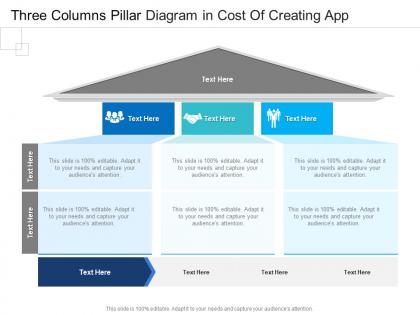
Three columns pillar diagram in cost of creating app infographic template




Try Before you Buy Download Free Sample Product
 Impress Your
 Audience
 100%
100% Editable
 Save Hours
 of Time


Our Three Columns Pillar Diagram In Cost Of Creating App Infographic Template are topically designed to provide an attractive backdrop to any subject. Use them to look like a presentation pro.
People who downloaded this PowerPoint presentation also viewed the following :
Three columns pillar diagram in cost of creating app infographic template with all 2 slides:
Use our Three Columns Pillar Diagram In Cost Of Creating App Infographic Template to effectively help you save your valuable time. They are readymade to fit into any presentation structure.
FAQs for Three columns pillar diagram in cost of creating
Key features include intuitive drag-and-drop functionality, customizable templates with professional styling options, real-time collaboration capabilities, data integration tools, and export flexibility across multiple formats. These features streamline diagram creation by reducing design time, enhancing team productivity, and ensuring professional presentation quality, with many organizations finding that robust template libraries and seamless data connectivity ultimately deliver faster project turnarounds and improved stakeholder engagement.
A three-column pillar diagram enhances presentation clarity by organizing complex information into digestible sections, creating visual hierarchy through structured columns, and enabling audiences to compare related concepts simultaneously. This format streamlines information processing, reduces cognitive load, and delivers stronger message retention, with many presenters finding that pillar structures significantly improve audience comprehension and engagement across diverse business contexts.
**INPUT**: What types of businesses or industries benefit most from using a three-column pillar diagram? **OUTPUT**: Three-column pillar diagrams benefit consulting firms, financial services, healthcare organizations, technology companies, and educational institutions most significantly. These industries leverage pillar structures to present strategic frameworks, service portfolios, and organizational capabilities clearly, with many finding that visual simplification enhances client presentations, stakeholder communication, and decision-making processes across complex business environments.
Diagramming app costs vary significantly based on advanced features like real-time collaboration, extensive template libraries, cloud storage integration, and professional design tools, with basic apps starting around $5-15 monthly while enterprise solutions reach $50-100 per user. Organizations in consulting, engineering, and project management find that investing in feature-rich platforms streamlines workflow efficiency and team productivity, ultimately delivering faster project completion and enhanced client presentations.
Many three-column pillar diagram apps offer free trials ranging from 7-30 days, basic free tiers with limited templates, or freemium models with core functionality. These options enable businesses to evaluate features, test integration capabilities, and assess user experience before committing, with many organizations finding that trial periods help determine which platform best streamlines their visual communication needs.
Essential design elements include bold, contrasting colors for each pillar, clear hierarchical typography, balanced white space, compelling icons or visuals, and consistent alignment throughout the structure. These elements work together by enhancing readability, creating visual distinction between categories, and guiding viewer attention systematically, with many organizations finding that strategic color coding and professional iconography ultimately deliver stronger audience engagement and message retention.
You can customize a three-column pillar diagram by adjusting colors to match your brand palette, incorporating your logo and typography, modifying icons and visual elements, and adapting the content structure to reflect your messaging priorities. These customizations enhance brand consistency while maintaining visual clarity, with many organizations finding that personalized infographics significantly improve audience engagement and recognition across presentations and marketing materials.
Popular three-column pillar diagram apps include Canva, Lucidchart, Visme, Adobe Creative Suite, and Microsoft PowerPoint, each offering distinct templating and customization capabilities. These platforms streamline infographic creation by providing drag-and-drop functionality, professional templates, and collaborative features, with many businesses finding that cloud-based solutions like Canva and Visme deliver cost-effective design workflows while maintaining visual consistency across marketing materials.
A three-column pillar diagram works best when presenting three distinct, equally important categories, comparing balanced data sets, or illustrating sequential processes with clear hierarchical relationships. This format excels for strategic frameworks, service offerings, or comparative analyses where visual symmetry enhances comprehension, with many organizations finding that three-pillar structures effectively communicate core business pillars, departmental structures, or balanced scorecards to stakeholders.
Common mistakes include overcrowding columns with excessive text, using inconsistent formatting across pillars, selecting poor color contrast, failing to maintain visual balance, and creating unclear hierarchies between elements. These design flaws significantly reduce comprehension and professional impact, with many organizations finding that streamlined content, consistent styling, and strategic white space usage ultimately deliver clearer messaging and stronger audience engagement.
Integrate a three-column pillar diagram by aligning its design elements with your presentation's color scheme, fonts, and visual hierarchy, ensuring consistent spacing and proportional sizing with surrounding slides. Position the diagram strategically within your content flow, using smooth transitions between slides, and customize pillar labels to match your presentation's terminology and branding, ultimately creating cohesive visual storytelling that enhances audience comprehension.
**INPUT**: What types of data are best represented using a three-column pillar diagram format? **OUTPUT**: Three-column pillar diagrams excel at presenting comparative data across categories, budget breakdowns, process stages, performance metrics, and strategic frameworks with distinct elements. These visualizations streamline complex information by organizing related data points into digestible columns, with many organizations finding that this format enhances stakeholder understanding and decision-making across presentations.
Best practices for presenting a three-column pillar diagram include preparing clear introductions for each pillar, using consistent visual hierarchy, maintaining balanced content distribution, and rehearsing smooth transitions between columns. These approaches enhance audience comprehension by establishing logical flow, emphasizing key relationships between pillars, and enabling presenters to maintain engagement while delivering complex information systematically, ultimately ensuring stakeholders grasp interconnected concepts effectively.
Diagrams enhance audience engagement by simplifying complex information, creating visual anchors for key concepts, and improving information retention through dual-channel processing. Research shows presentations with visual elements like three-column pillar diagrams increase comprehension by 400%, with audiences in corporate training, sales pitches, and educational settings demonstrating significantly higher attention spans and recall rates.
**INPUT**: What software tools offer the best templates for creating a three-column pillar diagram? **OUTPUT**: Leading software tools for three-column pillar diagrams include PowerPoint, Canva, Lucidchart, Visio, and specialized presentation platforms like SlideTeam. These tools streamline diagram creation through drag-and-drop functionality, customizable templates, and professional formatting options, with many organizations finding that dedicated template libraries significantly reduce design time while enhancing visual consistency across presentations. [Word count: 54 words]
-
Design layout is very impressive.
-
Great quality slides in rapid time.
-
Great quality slides in rapid time.
-
Great quality product.
-
Much better than the original! Thanks for the quick turnaround.
-
Top Quality presentations that are easily editable.