

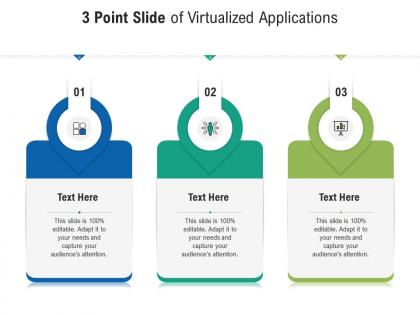
3 point slide of virtualized applications infographic template




Try Before you Buy Download Free Sample Product
 Impress Your
 Audience
 100%
100% Editable
 Save Hours
 of Time


Our 3 Point Slide Of Virtualized Applications Infographic Template are topically designed to provide an attractive backdrop to any subject. Use them to look like a presentation pro.
People who downloaded this PowerPoint presentation also viewed the following :
3 point slide of virtualized applications infographic template with all 2 slides:
Use our 3 Point Slide Of Virtualized Applications Infographic Template to effectively help you save your valuable time. They are readymade to fit into any presentation structure.
FAQs for 3 point slide of virtualized
Honestly, the money you'll save is probably the biggest thing - no more buying separate servers for every single app. Resource usage gets way better too since everything scales automatically when you actually need it. One app crashes? Your other stuff keeps running fine. Deployment is where it really shines though - spinning up new instances or rolling back takes like 5 minutes instead of hours. I'd definitely start with something non-critical first, just so you don't stress yourself out learning the ropes. Trust me on that one.
So app virtualization just wraps individual programs in their own little bubble on your current OS. Way less resource-heavy than traditional virtualization, which spins up entire virtual machines with full operating systems. Honestly, running a whole VM for one app feels like total overkill most of the time. Traditional virtualization is cool if you need multiple OS instances running, but it's a resource hog. Picture it like this - app virtualization is takeout containers for each dish, while traditional virtualization is having separate kitchens for everything. I'd go with app virtualization first if you just need specific programs isolated.
So containerization is just a smarter way to package apps with everything they need to run. Think of it like shipping containers but for software - everything stays bundled together. Docker's the main tool everyone uses, and honestly once you try it you'll wonder how you lived without it. Containers share the host OS instead of creating whole virtual machines, so they're super lightweight. Your app runs exactly the same whether it's on your laptop or in production. No more "works on my machine" problems! You can spin them up and down crazy fast too. Seriously, just start with Docker - it'll save you so many deployment headaches.
Dude, testing is absolutely critical - don't even think about skipping it. First thing: map out all your current apps and what they depend on. Set up a staging environment that matches production exactly. I always test apps one by one first, then together to catch any wonky interactions. Legacy stuff can be a nightmare, but honestly containerization usually saves your butt with compatibility issues. Document everything that breaks or works weird. Oh and build testing time into your timeline from the start - treating it like an afterthought will bite you later.
Virtualized apps face some predictable security headaches. Hypervisor bugs are your worst nightmare - they can let attackers break out of VMs and mess with everything else. VM sprawl gets messy fast since you'll lose track of what's running where (happens to everyone). Traditional network defenses don't really work the same way in virtualized setups. Honestly, monitoring becomes way harder when you can't see inside VMs properly. Incident response? Good luck with that complexity. My advice: segment your VMs properly and get security tools that actually understand virtualization instead of fighting against it.
Yeah so virtualized stuff usually runs about 5-15% slower than bare metal. CPU and I/O take the biggest hits. Disk speed and network lag are where you'll really see it, though tbh most business apps won't care much. Memory can actually be better with virtualization since everything shares resources - kinda counterintuitive. Here's the thing though: your monitoring tools will have totally different baselines between environments. Can't really compare them directly. Set up separate benchmarks for each and just track trends within each environment instead of trying to compare across them. Way less headache that way.
First thing - audit what you've got running right now. I bet you'll find VMs hogging resources they don't even need. Right-size based on actual usage data, not wild guesses about what might be necessary. Dynamic allocation is clutch here - let things scale automatically instead of keeping everything locked at max capacity. Resource pools help too, so your critical apps get priority when things get busy. Oh, and definitely turn on memory deduplication and thin provisioning. Those features alone can free up a surprising amount of space without any real effort on your part.
Dude, virtualization is seriously a lifesaver for deployments. Everything your app needs gets bundled into one container that runs the same everywhere - no more "works on my machine" headaches. Testing becomes way more reliable since you're using the identical package that hits production. Rollbacks? Super easy if things go sideways. You can even push updates gradually instead of all at once, which honestly saved my butt more than once. I'd start with whatever apps are giving you the most trouble right now. That's where you'll feel the difference immediately.
Depends what you're doing really. Docker Desktop and Kubernetes are solid for containers. VMware vSphere or Hyper-V if you need full VMs - I've used both and they're pretty reliable. App virtualization is trickier though. VMware App Volumes works well, Citrix Virtual Apps too. Microsoft App-V is honestly kinda clunky but does the job if you're stuck with it. Oh and you'll want monitoring - vRealize Operations is decent, System Center too. My advice? Figure out containers vs full VMs first, then pick your tools from there. Makes the whole decision way easier.
So basically you can access all your work apps from anywhere without actually installing them on your device. The software runs on company servers instead. Just need internet and a browser to connect. Pretty clutch for remote work honestly - I can use my crappy home laptop or even my tablet and still get to the same programs I'd have at the office. Your IT team handles all the updates and security stuff centrally, which is way better than the old days of waiting forever for software patches. Oh, and no more carrying around that heavy work laptop when you travel just to use some random specialized program.
Yeah so the upfront costs are pretty brutal - new software, infrastructure upgrades, training your team. Most companies break even around 12-18 months though because you're spending way less on hardware and maintenance. Power bills drop too which is nice. One thing that bit us at my last job was the licensing mess - some vendors get weird about virtualized setups. Definitely run the numbers with finance first to see when you'll actually start saving money. Oh and make sure you understand how your current software handles being virtualized before diving in.
Dude, virtualization is a game-changer for disaster recovery. When your main systems go down, you can just fire up those VMs on totally different hardware or in the cloud. No more rebuilding everything on new physical servers - that process is brutal. Recovery goes from days to maybe hours. VMs don't care what hardware they're running on, which is huge. You can snapshot your stuff regularly too for quick rollbacks. Honestly, just set up automated replication to a backup site now. I learned this the hard way last year when our datacenter had issues.
Honestly, healthcare, finance, and education get the most bang for their buck with app virtualization. Doctors can pull up patient records from any device - no more being stuck at one workstation. Financial firms love it for their trading platforms since everything's so locked down anyway. Schools benefit huge because students don't need those crazy expensive computer labs anymore. You can deploy legacy apps instantly without dealing with compatibility nightmares, and IT can push updates to everyone at once. My advice? Look at whatever ancient software is causing you the biggest headaches - that's probably your sweet spot for virtualization.
Honestly, virtualized apps feel kinda sluggish compared to native ones. Startup times are slower, and anything graphics-heavy gets laggy. The UI can look weird too - fonts might render funky or scaling gets thrown off on high-res screens. Your internet connection becomes super critical since any hiccups mess up the whole thing. But hey, the tech has improved a ton recently! Most people get used to the quirks pretty fast. I'd definitely test your most important apps first though - see how they actually run in your setup before committing to anything bigger.
Honestly, you really need to get on the container train if you haven't already - like, VMs are still around but everything's moving toward Docker/Kubernetes. Edge computing is huge right now, bringing apps closer to users for speed. AI automation is handling deployments which is pretty wild actually. Oh and security's finally getting built into the virtualization stack instead of being an afterthought. GPU virtualization is exploding because of all the AI stuff happening. Serverless is changing how we package apps too. Start playing with Kubernetes now - it's where everything's going and you don't want to be scrambling to catch up later.
-
Amazing product with appealing content and design.
-
Editable templates with innovative design and color combination.
-
The content is very helpful from business point of view.
-
Awesomely designed templates, Easy to understand.
-
Excellent Designs.
-
Great quality product.
-
Attractive design and informative presentation.
-
The content is very helpful from business point of view.