

Two Boxes Powerpoint Ppt Template Bundles




Try Before you Buy Download Free Sample Product
 Impress Your
 Audience
 100%
100% Editable
 Save Hours
 of Time


Our Two Boxes Powerpoint Ppt Template Bundles are topically designed to provide an attractive backdrop to any subject. Use them to look like a presentation pro.
People who downloaded this PowerPoint presentation also viewed the following :
Two Boxes Powerpoint Ppt Template Bundles with all 17 slides:
Use our Two Boxes Powerpoint Ppt Template Bundles to effectively help you save your valuable time. They are readymade to fit into any presentation structure.
-

Two Boxes
-
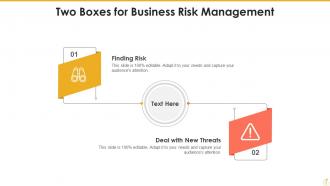
Two Boxes for Business Risk Management
-
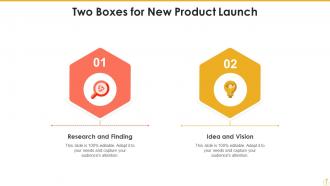
Two Boxes for New Product Launch
-
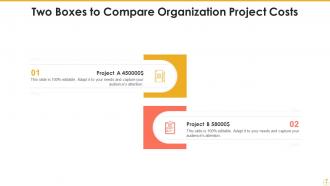
Two Boxes to Compare Organization Project Costs
-
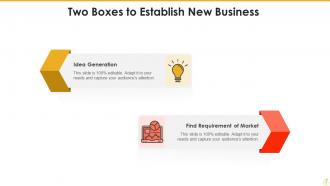
Two Boxes to Establish New Business
-
Two Opened Cardboard Boxes with Six Sides
-
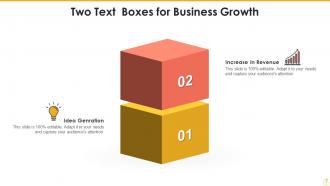
Two Text Boxes for Business Growth
-
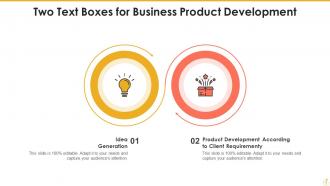
Two Text Boxes for Business Product Development
-
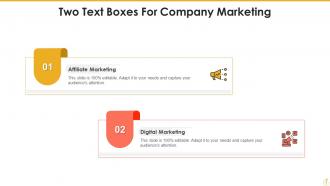
Two Text Boxes For Company Marketing
-
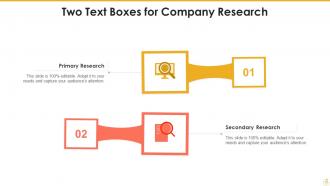
Two Text Boxes for Company Research
-
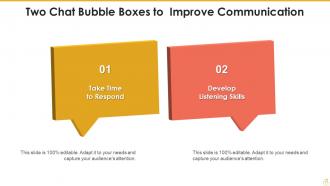
Two Chat Bubble Boxes to Improve Communication
-
Thank You
-

-

-

-

-

FAQs for Two Boxes Powerpoint
First thing - check you're getting different slide types, not just basic layouts. You want title slides, content ones, charts, the whole deal. The branding should match throughout (fonts, colors, etc.) or your deck will look totally random. Make sure you can actually edit the thing - some templates are locked down for no reason. Oh, and definitely verify it works with your PowerPoint version before buying. I learned that one the hard way. You'll need enough variety that you're not using the same layout over and over. Nothing screams "lazy presentation" like repeated slides.
Honestly, template bundles are a game changer. Your slides look way more professional when everything matches - fonts, colors, the whole vibe. People actually focus on what you're saying instead of getting distracted by wonky formatting. I learned this the hard way after some pretty embarrassing presentations lol. You'll save so much time too since you're not starting from zero every slide. The consistency makes it easier for your audience to follow along, especially with complicated stuff. Just find one that fits your brand and stick with it. Trust me on this one.
Don't mess with the main layout - that's what makes templates look professional in the first place. Use their colors and fonts, but replace all the placeholder stuff with your actual content. Honestly, I've watched so many people completely destroy gorgeous templates by going crazy with changes! Replace their stock photos with your own high-quality images that match the vibe. You can tweak spacing and text sizes, no problem. Just don't touch the overall structure. Make it feel like yours while still respecting what the designer created. Oh, and start small with your edits first.
Honestly, it depends on who you're presenting to. Healthcare needs clean layouts with room for charts and data stuff. Creative agencies? They want bold, flashy designs that show off their artistic side. Tech companies usually go minimalist - lots of white space for product demos. Finance and consulting firms are totally obsessed with graphs (seriously, they can't get enough of them), so they need templates built for complex data. Real estate uses property-focused layouts with image galleries. I'd say figure out what your industry actually needs first, then hunt for bundles that match those requirements.
Oh totally! Blue and gray are your safe bet for business stuff - they scream "trust me with your money." Creative presentations? Go wild with orange, purple, bright greens. Healthcare needs clean whites or soft blues (never red though, makes people think blood). Tech folks love those dark themes with neon highlights. Honestly, just match what your audience expects. Conservative crowd = boring colors, sorry not sorry. If your company has brand colors, start there and build around them. The audience matters way more than what looks cool to you.
Dude, animated templates are game-changers for presentations. People actually pay attention instead of scrolling their phones or whatever. The movement naturally walks your audience through each point, which is clutch when you're explaining complicated stuff. Honestly? Static slides feel so 2015 now. Plus you don't have to waste time building animations from scratch - that timing stuff is annoying. Perfect for breaking down data step-by-step without info-dumping everything at once. Trust me, try it on your next client pitch. The engagement difference is night and day.
Okay so basically you gotta match your design to who's looking at it. Corporate stuff needs to be super clean and professional - think neutral colors and structured layouts that say "we're serious." For education, focus on clear fonts and friendly colors that won't bore students to death. Creative audiences are where it gets fun though - go crazy with bold fonts and vibrant colors! I learned this the hard way once. Anyway, corporations want you to look credible, teachers need clarity, and creative types love when you take risks. Just look up what's normal in each industry first.
Okay so typography is seriously underrated - it can totally make or break your whole presentation. Sans-serif fonts are your best bet, like Arial or Calibri. They're clean and you can actually read them from across the room. Don't get tempted by fancy script fonts - they look cute but are impossible to read on screens (learned that the hard way). Mix up your font sizes and weights to create hierarchy. People's eyes need guidance through your points. Two or three fonts max, otherwise it gets messy. Oh, and definitely test everything on the actual screen you'll use beforehand!
So for accessible templates, high contrast is key - think dark text on light backgrounds. Sans-serif fonts like Arial work best, and go with 18pt minimum size. Your slide layouts should flow logically when someone's reading through them. Don't forget alt text spots for images! Here's the thing - never use just color to show important info. Add shapes or icons too because some people can't distinguish colors well. Honestly, the biggest game-changer? Test everything with screen reader software first. Or better yet, have someone with accessibility needs take a look before you launch anything.
Honestly, most PowerPoint bundles right now are all about that clean minimalist look - tons of white space and simple fonts. Gradients are everywhere too, plus those duotone color schemes (though I'm kinda getting tired of seeing them). Dark mode templates are pretty much standard now since everyone's obsessed with them. Oh, and there's way more focus on visual storytelling - bundles come packed with infographics and data viz stuff built right in. My advice? Find ones that mix trendy elements with classic design principles. You don't want your presentations looking super dated in like six months.
Oh my god, yes! Template bundles are lifesavers for data stuff. You get these pre-made charts and graphs that actually look decent together instead of cobbling together random visuals. Honestly, I can't tell you how many presentations I've seen completely tanked by those hideous default Excel charts - it's painful. Just drop your numbers into the templates and boom, everything matches your presentation style. Way better than starting from zero every single time. The consistent look makes your data way easier to follow too. Definitely grab a good bundle before you start building anything data-heavy!
Honestly, template bundles are pretty genius because they work no matter your skill level. New to this? Just swap in your content and boom, you're done. No design headaches. But if you're more experienced, you can dive deeper - mess with the master slides, tweak colors, or frankly just steal elements from different templates. I do that all the time. Think of it like having training wheels that you can ditch whenever. You get those super easy drag-and-drop options plus all the fancy stuff for when you're feeling ambitious. Perfect for growing into.
Honestly, skip the flashy bundles with crazy amounts of slides - that's usually junk. Check if the colors actually work with your brand first. Low-res graphics are the worst... they look terrible when you're presenting. I always preview a few slides at full size before buying anything. Make sure it has the slide types you need (data viz, process flows, whatever) instead of just basic layouts. Also worth checking if fonts are included or you'll be scrambling to find substitutes later. The customizable ones that don't break when you edit them are gold.
First thing - swap out their colors and fonts for yours, plus throw your logo on the master slides. Don't freak out if the template looks crazy at first, honestly some of them are pretty out there. But that's fine! Think of it as your starting point, not something you're stuck with. Replace their images with stuff that actually fits your brand. Oh and definitely do a quick once-over of each slide before you present - I always find random elements I forgot to change. Most templates are pretty flexible once you start messing around with them.
Honestly, the ROI is pretty solid - most companies hit 3-5x returns in their first quarter. You'll save like 10-15 hours per presentation, which is huge money when you think about hourly rates. Your decks will look way more professional too, which actually helps close deals. Brand consistency across your team is another bonus I didn't expect at first. Nobody wants to endure another PowerPoint nightmare with weird fonts, right? Track your design time before and after using templates - the difference is crazy. Short version: it's worth it.
-
Topic best represented with attractive design.
-
I discovered this website through a google search, the services matched my needs perfectly and the pricing was very reasonable. I was thrilled with the product and the customer service. I will definitely use their slides again for my presentations and recommend them to other colleagues.