


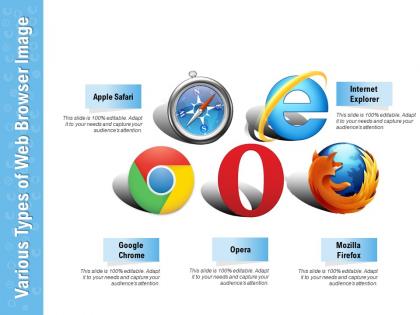
Various types of web browser image




Try Before you Buy Download Free Sample Product
 Impress Your
 Audience
 100%
100% Editable
 Save Hours
 of Time


Be confident of doing it with our Various Types Of Web Browser Image. You will feel it in your bones.
People who downloaded this PowerPoint presentation also viewed the following :
Various types of web browser image with all 2 slides:
Feel the ability in your bones with our Various Types Of Web Browser Image. Be confident of being able to do it.
FAQs for Various types of
Honestly, it depends what you care about most. Chrome's super fast and works with literally everything, but Google's basically watching your every move online. Firefox is way better for privacy - kinda like the cool nerdy option that doesn't sell your data. Safari's great if you're using a Mac, decent privacy too, but some sites get weird with it. Most people just use Chrome because it never breaks. I've been using Firefox lately and it's pretty solid - you'll probably notice your battery lasts longer too. Try Firefox if privacy matters to you, otherwise Chrome's fine.
Honestly, it's all over the place with browser privacy stuff. Firefox and Safari do pretty well with blocking trackers by default. Chrome though? Yeah, it's Google - make of that what you want lol. Brave basically blocks everything right away, which is nice. Even Edge isn't terrible anymore, they actually added some decent privacy controls. You'll probably want to poke around in the settings yourself though. Most browsers let you dial up or down how much they block, so it depends what you're comfortable with.
Mobile browsers are built for thumbs first - bigger buttons, swipe gestures, everything's way more streamlined. They compress data like crazy and preload stuff since cell service can be trash. GPS, camera, contacts - all that phone integration just works. Screen space is limited so the UI cuts out all the fluff. Honestly, desktop browser resize tools are pretty useless for testing this stuff. You really need to check on actual devices because it's not just "desktop but smaller" - the whole experience feels different when you're actually tapping around on a phone.
Oh yeah, extensions are super handy for beefing up your browser security! Ad blockers, password managers, VPN tools - they all do way more than your browser's default settings. Some will even auto-block sketchy websites or encrypt your stuff without you thinking about it. But here's the thing - crappy extensions can totally backfire and make you less secure. I learned this the hard way once lol. Stick with ones that have good reviews from developers you've heard of. Also, clean out your extension list every few months since they can see basically everything you do online.
Ugh, browsers are so annoying with video stuff! Basically each one has its own way of handling codecs and rendering. Chrome usually plays everything no problem - it's got the best support overall. Safari though? Super picky, especially with certain formats. I've wasted so many hours debugging video embeds because of Safari being weird. Firefox is decent and loves WebM files. Hardware acceleration is different too, so your 4K video might be perfect in Chrome but totally lag in Firefox on the same computer. Always check your videos in multiple browsers before you launch - trust me on this one!
Yeah, your browser totally makes a difference with loading speeds. Chrome and Edge are usually your best bet - they run on the same engine so they're pretty optimized for most sites. Firefox works great too, just might lag a tiny bit on super JS-heavy pages. Safari's fine if you're on Mac but honestly, it drives me nuts sometimes with certain web apps. That said, your internet speed is gonna matter way more than which browser you pick. I'd probably go with Chrome or Edge though - they just work consistently everywhere. Oh, and Edge has gotten surprisingly good lately if you haven't tried it recently.
So basically Firefox and other open-source browsers are built by volunteer communities, which means tons of customization options but sometimes you're stuck asking random users for help instead of actual support staff. Chrome and similar corporate browsers? They've got dedicated teams pushing out security updates faster and everything syncs nicely with their other products. The trade-off is pretty clear - open-source gives you privacy controls and the ability to tweak everything (I'm talking way more than you'd expect), while the big name browsers just work without much fuss. Really depends what you prioritize.
Yeah, so smaller browsers can be sketchy security-wise. They don't have the massive teams that Chrome or Firefox do, so patches come out way slower. Plus fewer people are looking at their code for bugs. Some are actually decent though - especially the open-source ones. I'd avoid the really obscure stuff personally. The biggest issue is you're missing out on all that security infrastructure the big browsers have spent years building. If you do go with something niche, just make sure it's getting regular updates. Oh and watch out for weird privacy policies too.
So browsers are all over the place with cookies right now. Chrome's finally ditching third-party tracking (took them long enough), while Firefox blocks that stuff by default. Safari's honestly the most hardcore - it'll straight up delete cookies from sites you haven't visited in a while, which sometimes breaks things but oh well. Edge basically copies Chrome but adds Microsoft's privacy tweaks. If you want better control over tracking, Firefox or Safari are your best bet since their defaults actually protect you instead of advertisers.
So browsers have these rendering engines - Blink for Chrome, Gecko for Firefox, WebKit for Safari. They parse your HTML, handle CSS, and run JavaScript based on W3C specs. Problem is, they don't all implement stuff perfectly or at the same pace. That's why something works in Chrome but breaks in Safari (ugh, Safari). Testing across browsers is super important because of this. Modern browsers are way better than the old days though - remember IE6? Nightmare. Anyway, definitely bookmark caniuse.com to check browser support before using newer features.
Honestly, privacy stuff and AI are the big things happening right now. Brave and Firefox are going hard on tracker blocking, which I actually love. Meanwhile Chrome and Edge are cramming AI assistants everywhere - they'll organize your tabs and summarize articles for you. Speed's still huge obviously, everyone wants pages to load instantly. Oh and browsers are basically becoming mini operating systems now? Better app support, works offline, the whole deal. For work though, just pick whatever has the privacy settings you actually need. No point overthinking it.
Yeah, browser choice totally matters for accessibility stuff. Chrome and Firefox are your best bet - they play nicely with screen readers and keyboard navigation. Safari's solid too if you're on Apple devices. Edge has gotten way better lately, which honestly surprised me. But seriously, stay far away from Internet Explorer for anything accessibility-related - it's a nightmare. The whole thing comes down to how well your browser talks to assistive tech. I'd test on Chrome and Firefox minimum. That'll cover most of what your users need.
Yo, so Chrome finally fixed their memory issues and upgraded Safe Browsing. Firefox now has Total Cookie Protection plus way better PDF editing - honestly didn't know I needed that until I tried it. Safari added Live Text (super handy) and better tab stuff. Edge is crushing it with sleeping tabs and those vertical tab groups, perfect for people who never close anything. Oh and they're all doing more PWA support now. Definitely update yours soon though, the security patches alone make it worth it.
Yeah so browsers are pretty different in how they look and work. Chrome's super clean - tabs up top, simple address bar. Firefox lets you move stuff around way more, which is nice if you're picky about customization. Safari (Mac only obviously) does that Apple thing where everything looks sleek and the tabs merge with the title bar. Edge is... fine, I guess? Microsoft trying to look modern lol. The annoying part is switching feels so awkward at first! Settings are always buried somewhere different, and don't get me started on how each one handles bookmarks. Just poke around the main menu for a bit when you switch - you'll figure it out.
Ugh, cross-browser stuff is honestly such a pain. CSS renders differently everywhere - Chrome's flexbox will look perfect, then Safari just... nopes out completely. JavaScript compatibility varies too, plus mobile viewport stuff gets weird. Different browsers have their own default styles which is annoying. IE still screws things up if you're stuck supporting it (pray you're not). Testing early saves you from crying later. CSS resets help a ton, and tools like Autoprefixer handle the boring compatibility work automatically. Oh, and Babel if you're using newer JS features.
No Reviews