


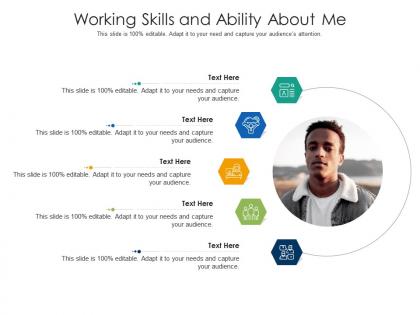
Working skills and ability about me infographic template




Try Before you Buy Download Free Sample Product
 Impress Your
 Audience
 100%
100% Editable
 Save Hours
 of Time


Our Working Skills And Ability About Me Infographic Template are topically designed to provide an attractive backdrop to any subject. Use them to look like a presentation pro.
People who downloaded this PowerPoint presentation also viewed the following :
Working skills and ability about me infographic template with all 2 slides:
Use our Working Skills And Ability About Me Infographic Template to effectively help you save your valuable time. They are readymade to fit into any presentation structure.
FAQs for Working skills and ability about
Okay so first thing - sketch it out on paper before you even touch your computer. Trust me on this one. For the actual design, keep your colors and fonts consistent (I used to go nuts with like 20 different typefaces and it looked terrible). Make sure there's enough white space so it doesn't feel cramped. Your headline should grab attention, and the info needs to flow logically so people's eyes move naturally through it. Charts and icons help break up text blocks. Oh, and don't forget subtle branding somewhere. The whole thing should feel clean but not boring, you know?
Dude, color theory is a game changer for infographics! Use contrasting colors to make your key data points pop - like bright accent colors against neutral backgrounds. That creates visual hierarchy. Warm colors (reds/oranges) scream "pay attention!" while blues and greens feel more trustworthy and chill. I swear, half the infographics I see look like someone just vomited rainbow colors everywhere. Stick to 3-4 colors tops. Oh, and definitely check how it looks for colorblind people - you'd be surprised how many designers forget that.
Oh man, don't cram everything onto one slide - that's like the
-
Top Quality presentations that are easily editable.
-
Designs have enough space to add content.
-
Wonderful templates design to use in business meetings.
-
Very unique, user-friendly presentation interface.
-
Design layout is very impressive.