


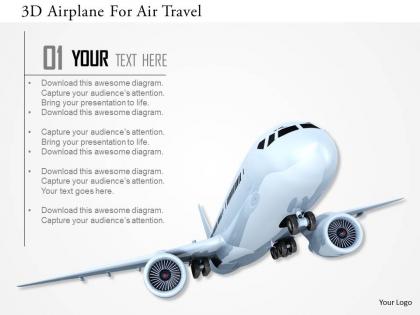
0115 3d airplane for air travel image graphics for powerpoint




Try Before you Buy Download Free Sample Product
 Impress Your
 Audience
 100%
100% Editable
 Save Hours
 of Time


Use this 0115 3d Airplane for Air Travel image Graphics for PowerPoint template. This is one of the innovative designs to help you craft a PPT related to travel. The presentation include airplane for travel image diagram in the slide which evokes the viewer about travelling across the oceans. This is an ideal presentation design for the travel agents and other business professionals who want to lay focus on the concept of travelling. A user can easily edit this design to fill in extra information. Just like travelling charge up a person, similarly this travelling presentation also needs to be that much enthusiastic. No individual will take interest in flying or travelling in a plane seeing your presentation until it is pleasing. Keeping that fact in mind, this presentation design with airplane has been crafted uniquely. Henceforth it is an ordinary design which contributes both business professionals and the business owners. Our 0115 3D Airplane For Air Travel Image Graphics For Powerpoint have an extraordinary effect. They can be extremely elevating.
People who downloaded this PowerPoint presentation also viewed the following :
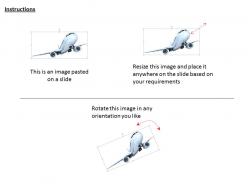
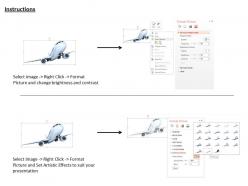
0115 3d airplane for air travel image graphics for powerpoint with all 3 slides:
Develop your hard core with our 0115 3D Airplane For Air Travel Image Graphics For Powerpoint. Get the best in your group acting for you.

FAQs for 0115 3d airplane for air travel image
Honestly, three things will make or break your airplane model - clean geometry, solid lighting, and realistic textures. Nobody wants a lumpy fuselage, so keep those surfaces smooth without weird polygon artifacts. Your lighting should show off the aircraft's form and hit the important details. For textures, think realistic metal finishes and glass cockpits. If you're doing a specific airline, get that livery right. Camera angles should be dynamic but not crazy - I've seen too many models that look amazing but the shots make you dizzy. Scale matters too. Start with reference photos to nail proportions and details.
Look, 3D airplane graphics are game-changers because people can actually *see* what you're talking about instead of squinting at flat diagrams. You know how explaining a spiral staircase is basically impossible? Same deal here. With 3D models, your audience can rotate everything around, zoom into engine parts, watch airflow patterns in real-time. They'll get how wings create lift or how control surfaces work way faster than with static images. Honestly, once you see airflow visualizations moving around a wing, regular diagrams feel pretty useless. Pick one concept you're having trouble explaining clearly and just build a simple 3D version of it.
Blender's your best bet - it's free and honestly rivals the expensive programs now. Maya and 3ds Max are solid too, plus Cinema 4D if you're into motion graphics stuff. I'd skip the CAD programs like Fusion 360 unless you need crazy engineering precision, which... you probably don't for graphics work. YouTube has tons of airplane tutorials for Blender specifically. Oh, and the community's pretty helpful if you get stuck. Start there and see how it goes!
Honestly, most people mess up the proportions first - wings too tiny, fuselage way too fat. Get that wingspan ratio right before anything else. Don't go crazy with details either, like every single rivet and panel. That stuff just becomes visual clutter anyway, especially from far away. I learned this the hard way lol. Keep your poly count sane for whatever you're actually using it for. Work on the basic silhouette first - that's what people notice. Once those main shapes look solid, then you can add the important details. But seriously, nail those proportions or everything else is pointless.
Dude, lighting is seriously where the magic happens. Your airplane can have insane detail, but without proper lighting it'll look like a cheap plastic model. Real metal reflects light differently than plastic - our brains know this instantly. Use multiple light sources to mimic how light actually behaves. Ambient occlusion helps too for those contact shadows. Honestly, I spent way too much time learning this the hard way, but getting your materials to respond correctly to light? That's what separates amateur work from professional stuff. Start with basic three-point lighting, then add complexity.
Honestly, 3D animations crush static images every time. People get hooked watching planes move through space - there's just something addictive about flight footage. You'll be able to show wing mechanics, cockpit details, crazy maneuvers that'd be impossible in photos. Motion makes technical stuff way clearer too, whether it's training videos or marketing materials. Oh, and here's a trick I learned - move your camera around the plane instead of just spinning the aircraft. Looks way more professional that way. Trust me on this one.
Dude, color choice is everything for making 3D planes look real instead of like toys. Light colors go on the top surfaces where sun hits, darker shades underneath and in shadows - that's what sells the depth. Temperature matters too... cooler blues push things back, warmer colors bring stuff forward. I'd grab a reference photo of a real aircraft and just eyedrop those colors straight up. Seriously though, I've watched people nail the modeling then kill it with boring flat paint jobs. Makes me cringe every time.
So basically you just gotta match the graphics to who's looking at them. Kids want bright, simple stuff with cool animations - nothing too complex. Aviation pros need the real deal though, like super detailed with actual specs and materials that look right. Gaming is weird because it needs to look good but still run smoothly, so more stylized than realistic. Oh and for educational stuff, you want something in between - maybe with labels and those cutaway views that show the inside parts. The trick is figuring out what level of detail actually helps vs. just overwhelming people. Makes sense?
So for 3D planes, vectors are great when you need that crisp, scalable look - like for technical stuff or UI work. They're mathematically clean and don't take up much space. Raster graphics shine with complex textures and realistic materials though. Most people actually use both together, which makes sense. Start with vectors for your main airplane structure, then slap on raster textures for the details. I always forget how much file size matters until I'm dealing with huge models, but vectors definitely help there. Really depends on what you're going for.
Make sure your lighting matches across everything or it'll look super weird. Scale is huge too - I swear some presentations have planes that look like toys next to people lol. Keep your camera angles working together and throw in some shadows/reflections so the 3D model doesn't just float there awkwardly. Color schemes should flow between elements. Smooth transitions are way better than choppy cuts that make people's eyes hurt. Oh and definitely composite in the same software if you can - saves you from headaches later when things don't match up.
So it depends what you're building it for. ISO 5807 covers technical drawing standards, and if it's cockpit stuff you'll need RTCA DO-160 for avionics displays. OpenGL or DirectX work best for 3D modeling - keeps things compatible across different systems. The FAA has their own rules for certified flight sim graphics, which honestly are pretty intense but makes sense I guess. Commercial/marketing projects give you way more wiggle room. Just stick to basic technical accuracy stuff. What's your project for exactly? That'll help narrow down which spec sheets you actually need to dig into.
Dude, 3D airplane graphics are a game-changer for teaching aviation stuff. Students can actually see inside engines with cutaway views, watch airflow move over wings, and spin models around to check every angle. Way more effective than those boring textbook diagrams, honestly. Flight sims are the obvious choice, but even basic 3D models work great for explaining lift and drag. Students mess with wing angles or throttle settings and boom - instant visual feedback. Most people learn way better when they can see what's happening. I'd start simple with aerodynamics basics first, then pile on the complex systems once they've got that foundation down.
Dude, photorealistic materials are everywhere now - PBR is pretty much mandatory if you don't want your planes looking like plastic toys. Real-time ray tracing is finally getting decent too, so cockpit lighting actually makes sense. Procedural weathering is sick because you can age stuff automatically instead of painting every stupid scratch by hand. Everyone's going nuts for those volumetric clouds and atmospheric effects. Honestly the sunset shots do look pretty incredible though. Get your PBR workflow solid first - that's gonna be your foundation for everything else.
Hey! So for your 3D airplane stuff - definitely add alt text describing the aircraft type, angle, and main features since screen readers can't handle 3D models. High contrast colors help too. I'd throw in a basic 2D version alongside the fancy one (less flashy but way more accessible). Don't put text directly on the graphics where it'll disappear. Oh and here's something that actually works - have someone close their eyes while you describe what's on screen. Sounds weird but you'll catch issues fast. Test with accessibility tools before launching too.
Depends on what you're going for tbh. Basic plane models run like $500-1500, but detailed cockpits and custom animations? You're easily hitting $3000-8000+. The rigging part is honestly where things get expensive fast. Experience matters a lot too - good modelers cost more but they're way faster and you won't be doing endless revisions. Oh and definitely check their previous aircraft stuff first, some people are great at characters but terrible at vehicles. I'd get quotes from maybe 2-3 people with super clear specs so you're comparing apples to apples.
-
Innovative and attractive designs.
-
Best Representation of topics, really appreciable.