


Big Data Information Architecture Powerpoint Presentation Slide





Try Before you Buy Download Free Sample Product
 Impress Your
 Audience
 100%
100% Editable
 Save Hours
 of Time


Feel enthralled by all the attention by our Big data information architecture PowerPoint presentation slide offers. While designing the perfect framework for a durable system, it could get tricky to represent all the data in a systematic manner. Manifesting complex ideas in a simplified manner doesn't always comes handy. That's the reason we have well-researched formats and designs for professional and prolonging solutions. Our team of experts makes sure that all the PPT slides are framed to work for the best of the client. Numerous icons and images are used here for visual engagement. We have covered up every viewpoint of data structure possible, including, data market forecast, financial aspects, social media approach and different comparisons used in data analysis for an out of box view. Our sole and intriguing PowerPoint slides are your gateway to progress and serves you in holding your viewer's consideration towards the concept of discernment and improves the quality and accuracy of the business processes. Discourage injudicious comments with our Big Data Information Architecture Powerpoint Presentation Slide. Ensure folks adhere to the decorum.
People who downloaded this PowerPoint presentation also viewed the following :
Content of this Powerpoint Presentation
Slide 1: This slide introduces Big Data Information Architecture. State Your Company Name and get started.
Slide 2: This is an Agenda slide. State your agendas here.
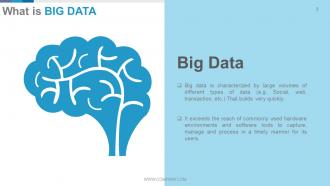
Slide 3: This slide presents What is Big Data with definition.
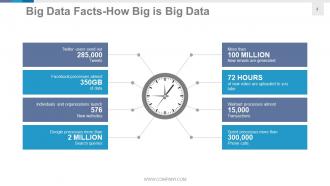
Slide 4: This slide presents Big Data Facts- How Big is Big Data in tabled list form.
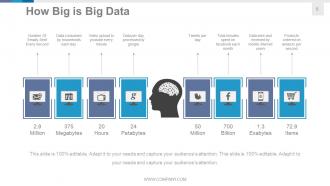
Slide 5: This slide also presents How Big is Big Data with examples such as- Products ordered per second, Data sent and received by mobile internet users, Tweets per day, Total minutes spent on facebook each month, Number Of Emails Sent Every Second, Data consumed by households each day, Data per day processed by google, Video upload to youtube every minute.
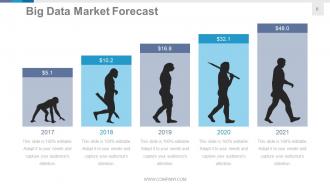
Slide 6: This slide presents Big Data Market Forecast for a particular duration to be assessed.
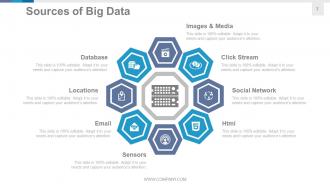
Slide 7: This slide presents Sources of Big Data with the following points- Images & Media, Sensors, Click Stream, Social Network, Html, Email, Locations, Database.
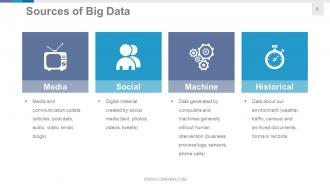
Slide 8: This slide also showcases Sources of Big Data with the following points- Media: Media and communication outlets (articles, podcasts, audio, video, email, blogs) Social: Digital material created by social media (text, photos, videos, tweets) Machine: Data generated by computers and machines generally without human intervention (business process logs, sensors, phone calls) Historical: Data about our environment (weather, traffic, census) and archived documents, forms or records
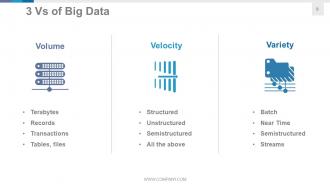
Slide 9: This slide shows 3 Vs of Big Data Volume: Terabytes, Records, Transactions, Tables, files. Variety: Batch, Near Time, Semistructured, Streams. Velocity: Structured, Unstructured, Semistructured.
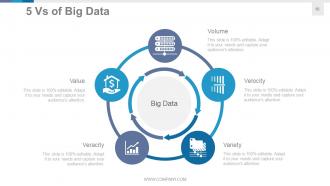
Slide 10: This slide presents 5 Vs of Big Data. They are- Volume, Velocity, Variety, Veracity, Value.
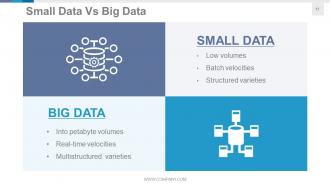
Slide 11: This slide presents Small Data Vs Big Data. SMALL DATA (Low volumes, Batch velocities, Structured varieties) BIG DATA (Into petabyte volumes, Real-time velocities, Multistructured varieties).
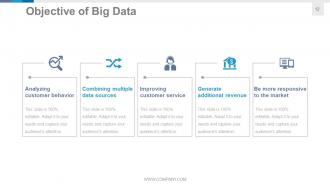
Slide 12: This slide presents Objective of Big Data such as- Analyzing customer behavior, Combining multiple data sources, Improving customer service, Generate additional revenue, Be more responsive to the market.
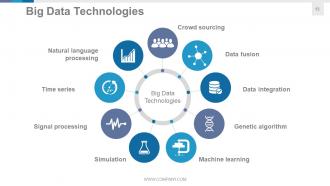
Slide 13: This slide presents Big Data Technologies with the following points- Big Data Technologies, Crowd sourcing, Data fusion, Data integration, Machine learning, Simulation, Genetic algorithm, Natural language processing, Signal processing, Time series.
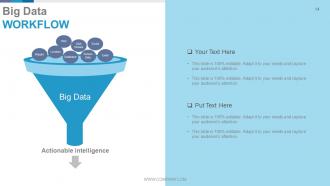
Slide 14: This slide showcases Big Data Workflow with the following content- Big Data, Email, Click Stream, Html, Social, Location, Database, Sensor Data, Images, Actionable intelligence.
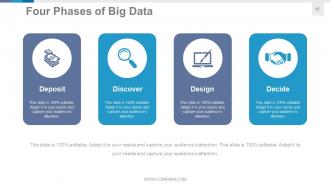
Slide 15: This slide presents Four Phases of Big Data. The listed ones are- Deposit, Discover, Design, Decide.
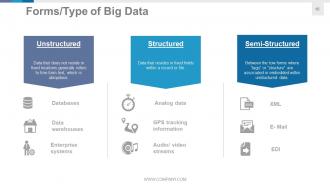
Slide 16: This slide shows Forms/Type of Big Data in- Unstructured: Data that does not reside in fixed locations generally refers to free-form text, which is ubiquitous. Structured: Data that resides in fixed fields within a record or file. Semi-Structured: Between the tow forms where “tags” or “structure” are associated or embedded within unstructured data.
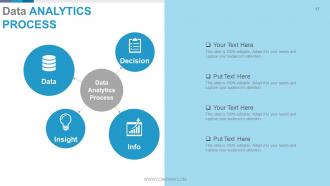
Slide 17: This slide presents Data Analytics Process with the following subheadings- Decision, Data, Insight, Info.
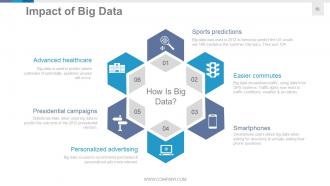
Slide 18: This slide presents Impact of Big Data with the following points- How Is Big Data? Sports predictions, Easier commutes, Smartphones, Personalized advertising, Presidential campaigns, Advanced healthcare.
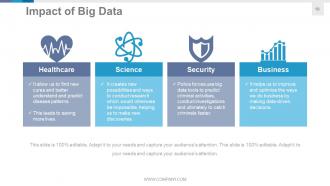
Slide 19: This slide presents Impact of Big Data in the following sectors- Healthcare, Science, Security, Business.
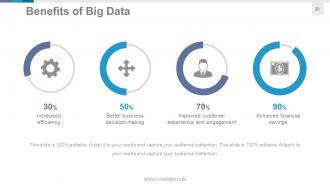
Slide 20: This slide showcases Benefits of Big Data such as- Better business decision making, Improved customer experience and engagement, Achieved financial savings, Increased efficiency.
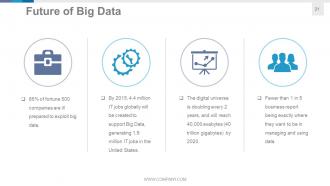
Slide 21: This slide states Future of Big Data to be shown.
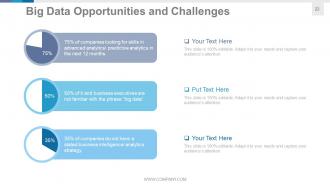
Slide 22: This slide presents Big Data Opportunities and Challenges. State them here.
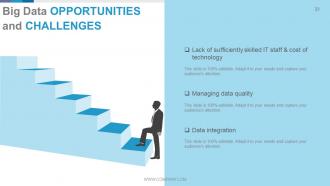
Slide 23: This slide presents Big Data Opportunities and Challenges such as- Lack of sufficiently skilled IT staff & cost of technology, Managing data quality, Data integration.
Slide 24: This slide is titled Additional Slides to move forward.
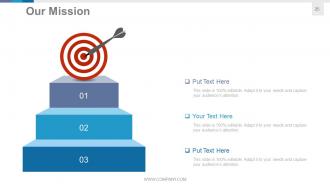
Slide 25: This is Our Mission slide. State company mission here.
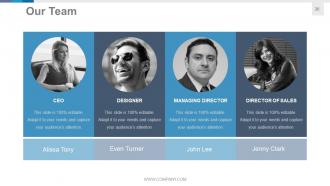
Slide 26: This is Our Team slide with name, designation and image boxes.
Slide 27: This is an About Us slide. State team/company specifications here.
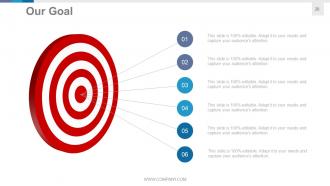
Slide 28: This Our Goal slide. State goals etc. here.
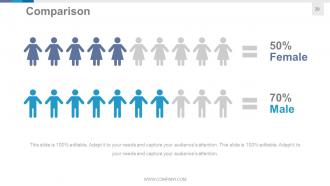
Slide 29: This is a Comparison slide for comparing entities/products etc. here.
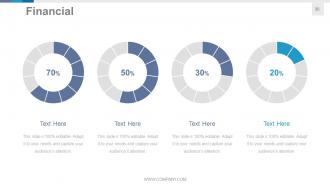
Slide 30: This is a Financial score slide. State financial aspects etc. here.
Slide 31: This is a Quotes slide to convey company messages, beliefs etc. You can change the slide contents as per need.
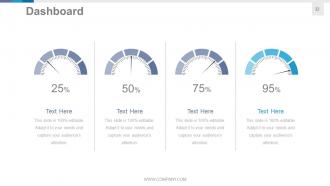
Slide 32: This is a Dashboard slide to state metrics, kpis etc.
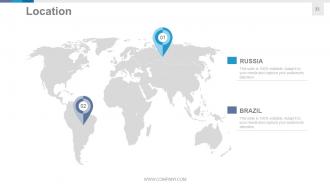
Slide 33: This is a Location slide of world map image to show global presence, growth etc.
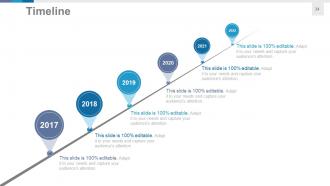
Slide 34: This is a Timeline slide to show evolution, growth, milestones etc.
Slide 35: This is a Post It slide to mark events, important information etc.
Slide 36: This is a Newspaper slide to show news, events etc. You can change the slide contents as per need.
Slide 37: This is a Puzzle image slide to show information, specifications etc.
Slide 38: This is a Target image slide. State targets, etc. here.
Slide 39: This is a Circular image slide to show information, specifications etc.
Slide 40: This is a Venn diagram image slide to show information, specifications etc.
Slide 41: This is a Mind map image slide to show information, specifications etc.
Slide 42: This is a Matrix slide to show information, specifications etc.
Slide 43: This is a Lego image slide to show information, specifications etc.
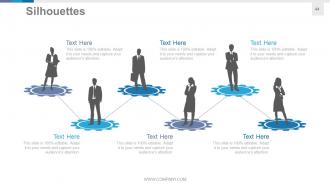
Slide 44: This is a Silhouettes image slide to show information, specifications etc.
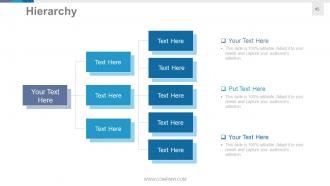
Slide 45: This is a Hierarchy image slide to show information, specifications etc.
Slide 46: This is a Bulb/Idea image slide to show information, specifications, innovative aspects etc.
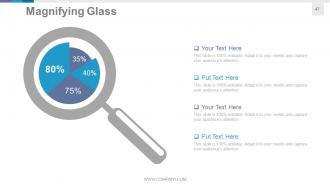
Slide 47: This is a Magnifying glass image slide to show information, specifications etc.
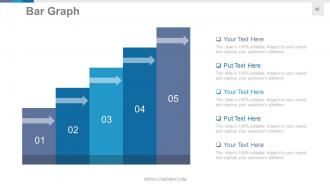
Slide 48: This is a Bar Graph image slide to show product/entity comparison, information etc.
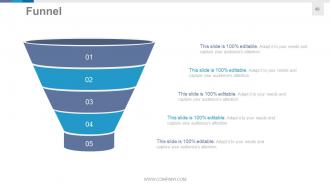
Slide 49: This is a Funnel image slide to show information, specifications etc.
Slide 50: This is a Thank You slide with Address# street number, city, state, Contact Numbers, Email Address.
Big Data Information Architecture Powerpoint Presentation Slide with all 50 slides:
Forestall errors with our Big Data Information Architecture Powerpoint Presentation Slide. Enlighten them on the correct course to follow.






FAQs for Big Data Information Architecture
Okay so you need four main layers. Data ingestion first - Kafka or Kinesis work great for pulling in streaming and batch stuff. Storage is next, like HDFS or data lakes for all your raw data. Processing does the heavy work - Spark's honestly my favorite but Hadoop works too. Then serving layer where people actually see results through dashboards and APIs. Oh and monitoring/security across everything is huge - learned that one the hard way lol. I'd start by sketching out what data flow you have now, then figure out what's missing. Way easier than trying to build it all at once.
So batch processing is like doing laundry - you collect a bunch of data then process it all at once, maybe overnight or hourly. Real-time is more like washing dishes as you dirty them, handling each piece of data immediately using stuff like Kafka. It really comes down to how fast you need answers. Fraud detection? You'll want real-time since waiting until tomorrow is kinda useless. But for regular reports and analytics, batch works fine and honestly saves you money. Plus it's way less of a headache to set up.
Honestly, data lakes are just giant storage buckets where you throw all your messy data - doesn't matter if it's from databases, sensors, social feeds, whatever. The beauty is you don't have to clean it first like with regular data warehouses. Just dump it in raw and figure out what to do with it later. Your analytics and ML teams will love the flexibility. I'd look at what data you're currently ignoring or deleting - that's usually where the good opportunities are hiding. Way better than trying to predict what you'll need upfront.
Start with automated validation rules at your ingestion points - catch the garbage before it gets in. Schema enforcement is huge for keeping things consistent. Monitoring dashboards that ping you when quality drops? Total lifesaver. Data profiling tools will show you what "normal" looks like, then you can spot the weird stuff fast. Oh, and definitely track your data lineage - sounds fancy but it's basically knowing where everything comes from. When things break (they will), you'll actually be able to trace back and fix it instead of just panicking.
Honestly, cloud big data is pretty sweet - you can get clusters running in minutes vs waiting weeks for hardware to show up. No massive upfront costs either. Your data workloads are probably all over the place anyway, so the elasticity actually makes sense. The managed services handle the boring stuff like patches and backups, which means your team can focus on the fun part - actually digging into the data. Oh and you only pay for what you use, obviously. I'd start small with a pilot project first though, just to see how it works for your specific situation.
Just match your storage to how you actually use the data, you know? Real-time stuff needs Cassandra or HBase. Batch processing works fine with HDFS or S3. Complex queries on structured data? Go with Snowflake or BigQuery. Honestly, people make this way harder than it needs to be and end up with like 5 different storage systems. Ask yourself: how often am I hitting this data? What kind of queries am I running? Do I actually need ACID compliance? Then just pick the simplest thing that works and won't break your budget when you scale.
Containerize your models first - makes deployment way less painful. Feature stores are clutch for keeping your data consistent between training and production. Most teams I've seen totally bomb the monitoring piece though, so don't sleep on tracking model drift. Design for both real-time and batch processing upfront because retrofitting that stuff later is a nightmare. Version everything - your training data, models, the works. Trust me, you'll need to roll back at some point. Oh, and start simple with MLOps. Don't go crazy with fancy frameworks right away.
Honestly, compliance stuff controls everything about your pipeline setup. Where you store data, who gets access, retention policies - GDPR will totally mess with your head on that last one. You've got to build in data lineage tracking, encryption, and access controls right from the start. Audit trails are non-negotiable. Sometimes you'll need separate processing zones for the really sensitive stuff. Don't try to bolt compliance on later - I've seen teams have to rebuild entire architectures because they ignored regulatory requirements upfront. It's way easier to design your data flows with that stuff in mind from day one.
So for big data stuff, you'll want storage first - Hadoop HDFS or just go with AWS S3 honestly. Apache Spark is king for processing now, way better than the old MapReduce thing. Real-time? Kafka + Storm or Flink does the trick. Analytics gets tricky - Elasticsearch for search, Tableau if you need pretty charts. Man, this whole space moves so ridiculously fast though. I'd just start with Spark and pick AWS or Azure. They're pricey but you'll actually learn something useful instead of wrestling with setup forever.
So basically you want to set up a data lake first - that'll store everything from structured databases to messy unstructured stuff. Real-time processing is where it gets interesting though. Tools like Spark or Kafka can handle streaming data instead of those awful overnight batch runs (seriously, who has time for that anymore?). The magic happens when you connect customer behavior, IoT data, and transactions all in one pipeline. Build your storage and compute layers to scale but keep queries fast. Oh, and don't try to boil the ocean - pick your highest-value business cases first and design around those.
Horizontal scaling is where you want to start - way better than just throwing more power at one machine. Break up your data with sharding or hash-based distribution across multiple nodes. Load balancers will save your life by spreading traffic around evenly. Honestly, microservices beat monolithic systems every time - debugging later becomes so much easier. Redis or Memcached for caching cuts down database hits big time. Oh, and set up auto-scaling in your cloud config so everything grows automatically when traffic spikes. Way less babysitting involved.
Honestly, start with encrypting your data - both when it's sitting around and moving between systems. Access controls are clutch too, so set up role-based permissions right away. People should only see what they actually need for their job, you know? Network segmentation will save your butt - keep those data clusters away from anything public-facing. Audit logging might seem boring but compliance folks will thank you later (learned that one the hard way). I'd tackle encryption and permissions first since they'll protect you from the most common headaches, then add the network stuff.
So basically Hadoop stores everything on disk and uses MapReduce, which is super slow but handles massive datasets. Spark keeps stuff in memory instead - way faster for real-time work and machine learning. Honestly, waiting for Hadoop jobs to finish is like watching paint dry lol. But it's cheaper for those giant ETL processes where speed doesn't matter. Spark's better if you need quick results or you're doing iterative stuff. I'd probably just start with Spark unless you're dealing with storage issues or have a tight budget.
So edge computing basically flips everything around - instead of shipping all your data to some massive data center, you're processing it right where it gets created. Way less network congestion that way. Real-time responses get crazy fast too, which is perfect for IoT stuff. The tricky part? Your whole architecture needs a redesign. Those centralized Hadoop clusters you're used to become just one piece of a way more complicated setup. Honestly, I'd start by figuring out what data actually needs instant processing vs what can wait for your normal batch jobs.
So basically, you're streaming data in real-time instead of waiting around for batch processing to finish. Kafka or Kinesis work great for continuously pulling data in. Then your analytics engines can spot patterns and fire off alerts instantly. Banks do this all the time - they'll catch fraudulent transactions in seconds, not hours later when it's too late. You'll want in-memory databases that can actually handle all that high-speed data flowing through. Honestly though, first figure out what decisions in your business truly need instant responses vs what can wait until tomorrow.
-
Great quality slides in rapid time.
-
Enough space for editing and adding your own content.