


Business operational plan powerpoint presentation with slides





Try Before you Buy Download Free Sample Product
 Impress Your
 Audience
 100%
100% Editable
 Save Hours
 of Time


Looking for business operational plan complete PPT model? Here you will get access to the best operational plans PowerPoint slide deck. You can use this readymade PPT sample file to give pictorial illustration about your sales and marketing plans. Furthermore, strategic thinkers can take advantage of our presentation deck for explaining future growth process’s blueprint to stakeholders or partners. Going further, with our ready to use PowerPoint presentation you can also cast ample of spotlight on bottlenecks anticipated to appear while achieving targets. Most exciting thing is that to cover each facet of sales and operations planning we have included exclusive templates slides like changes in competitive environment, current sources of revenue, objectives for next 12 months and many more. In short, a complete operational plan template package for business planners and operation managers. So, don’t lag behind! Download this good PPT example and work smart to get your to-do list done faster. Warm the cockles with our Business Operational Plan Complete Powerpoint Deck With Slides. Your views will induce that balmy feeling.
People who downloaded this PowerPoint presentation also viewed the following :
Content of this Powerpoint Presentation
Operations play a vital and pivotal role in taking a business to new heights. Hence, having a ready-for-action optional plan is quite necessary for your business as well. However, designing or drafting a business operational plan can be a complicated task.
But we can help you.
SlideTeam’s 100% customizable operational plan template is here to your rescue. With this template, you get an extensive draft of your business’s operational plan. You can make the required modifications to the template and use it for your requirements. The template houses documents and data related to your business’s mission, vision, strategy, revenue sources, usage patterns, and so much more.
If you wish to learn more about some major offerings of this operational plan template, you can go ahead and check out the rest of the blog.
Operational planning is not a one-time thing but a constant work in progress. Use this strategic business plan template to channel continuous improvements.
Template 1: Changes in Competitive Environment
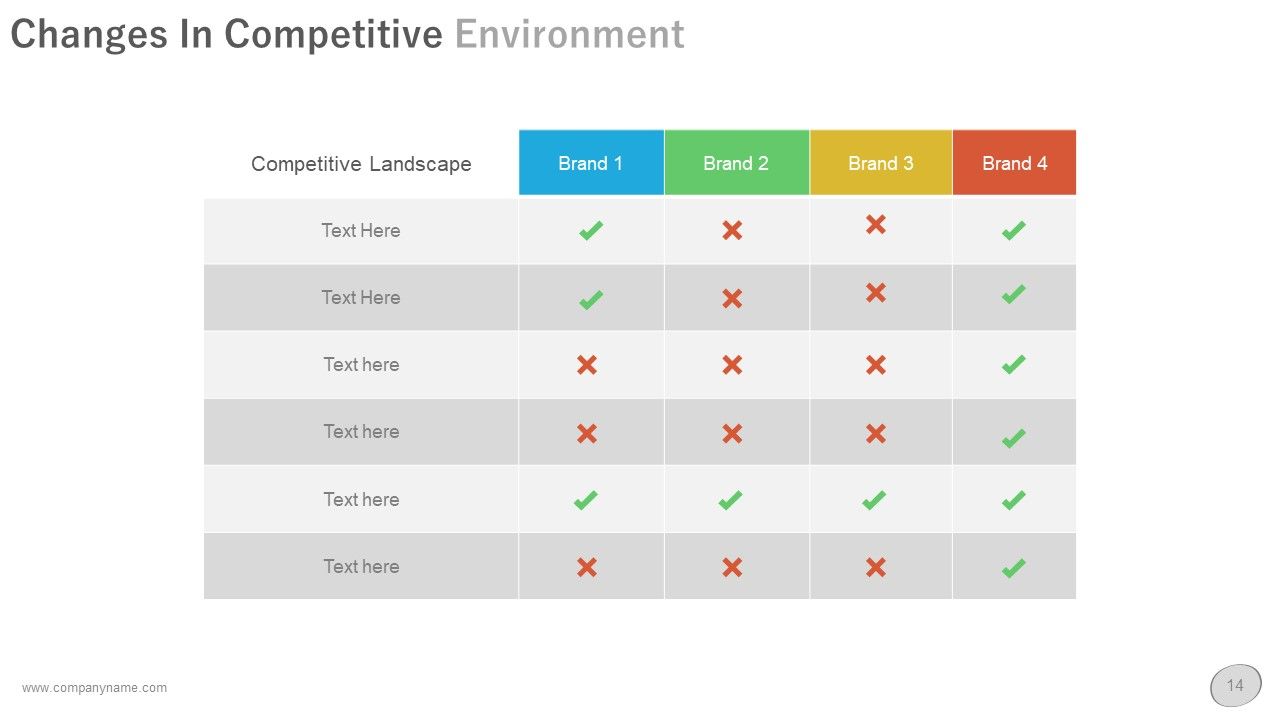
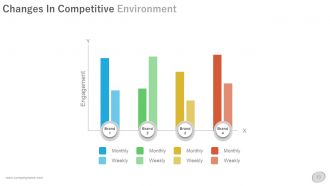
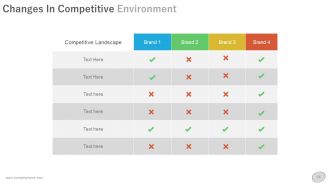
This slide of the operation plan template allows you to address and showcase the vital changes in the competitive environment. This means that you can edit and use this slide to showcase which competitor is offering a specific feature, product, or service. For feasible comparison, you can take the help of a table. This table contains areas of the competitive landscapes, competitors, and the facilities they offer. Use the check and cross approach to showcase the difference.
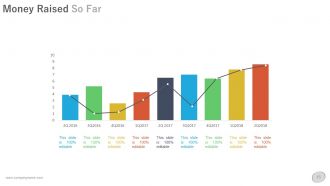
Template 2: Money Raised So Far
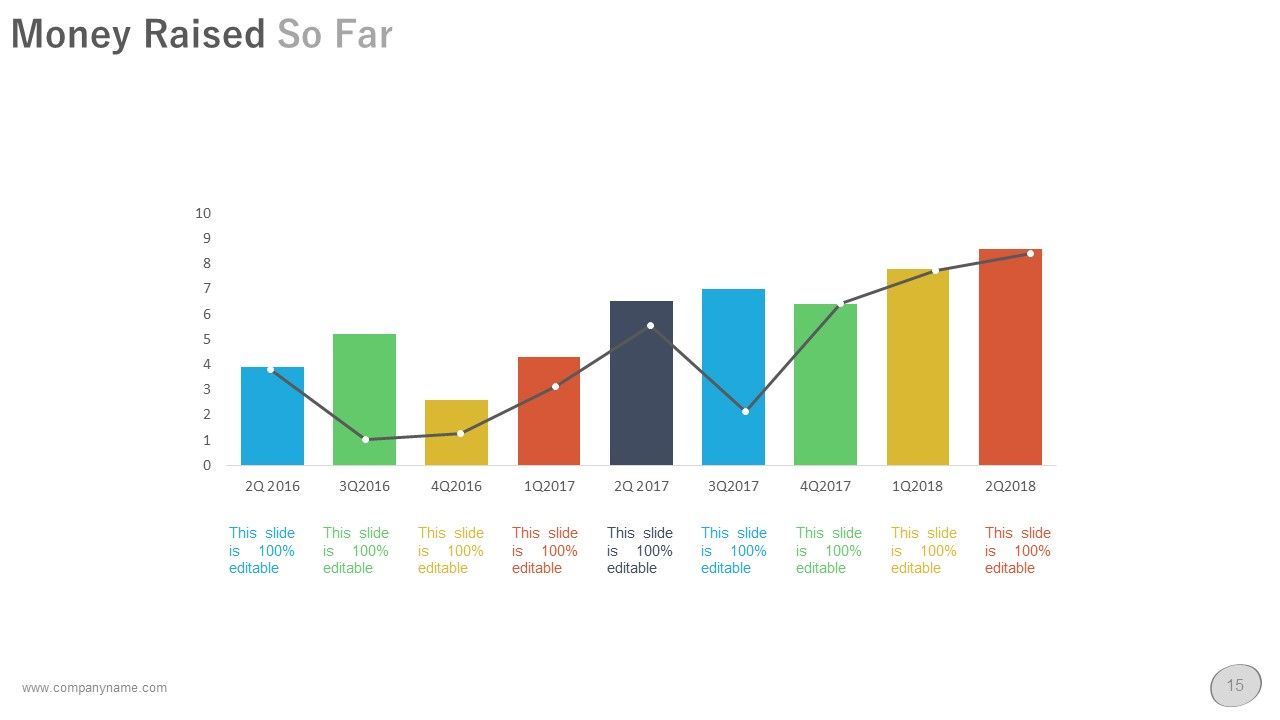
Your audience may need to know about your business’s financial history. You can use this template to showcase the total money your business has raised in the previous years and/or quarters. The funds raised can be represented in the form of a bar graph that shows the level and amount of funds raised. The x-axis of the graph can highlight the term when the fund was raised like 2Q 2016 (second quarter of the 2016-17 year).
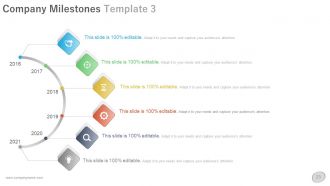
Template 3: Company Milestones
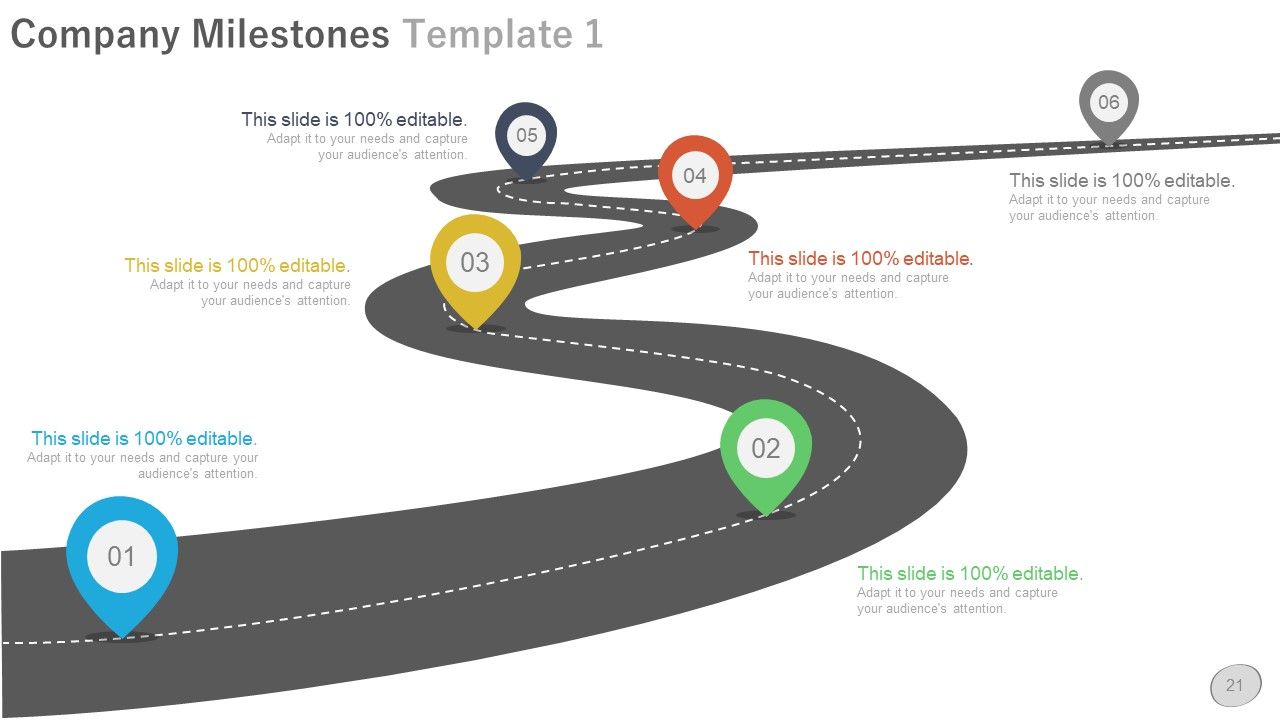
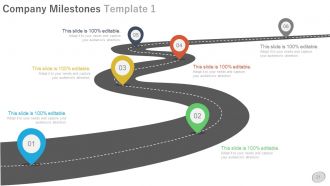
As stated before, your audience may be interested in knowing the history of the business. Another easy way to showcase the history is to list all the major milestones in the history of the organization. For this task, you can take the help of this slide which includes a pictographic road for milestones. You can add some text and relevant information related to each milestone in this template. For better representation, you can add the month and year of the milestone along with a suitable title.
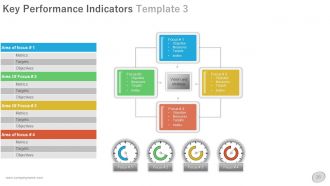
Template 4: Key Performance Indicators Template 3
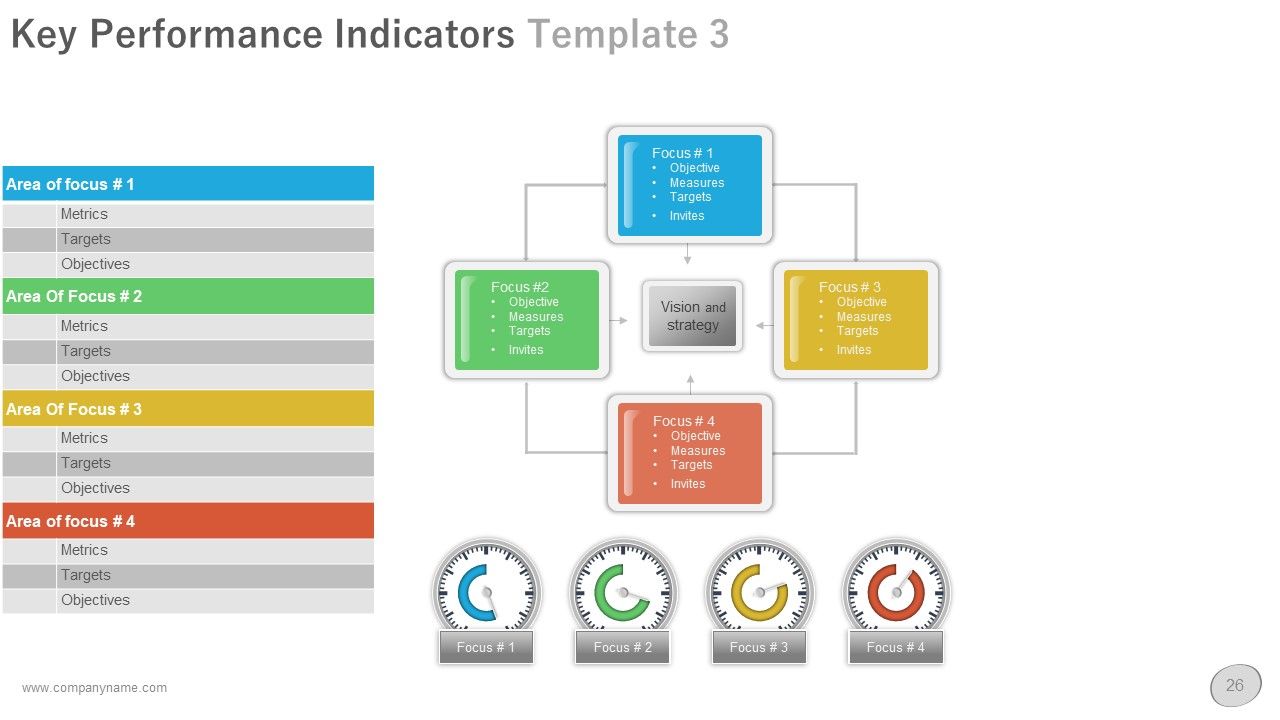
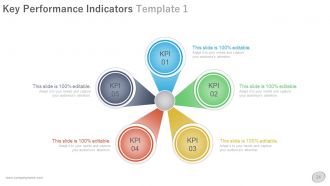
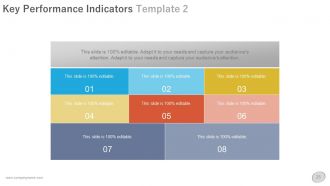
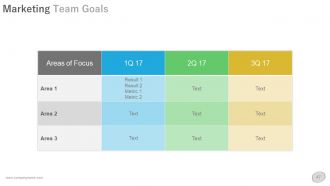
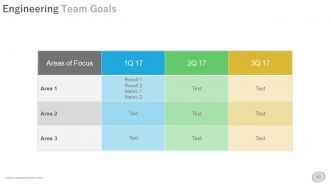
Key performance indicators help a business in achieving a goal easily. Hence, for a feasible flow of operational planning, the business should consider using the key performance indicators. This slide allows you to showcase the KPIs found after analysis of the business and its competitors. Here, you can showcase the area of focus for each KPI and how it will help in achieving the targets. For each Area of Focus, you can also add the Metrics, Targets, and Objectives assigned accordingly.
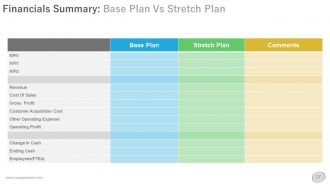
Template 5: Financials Summary: Base Plan vs Stretch Plan
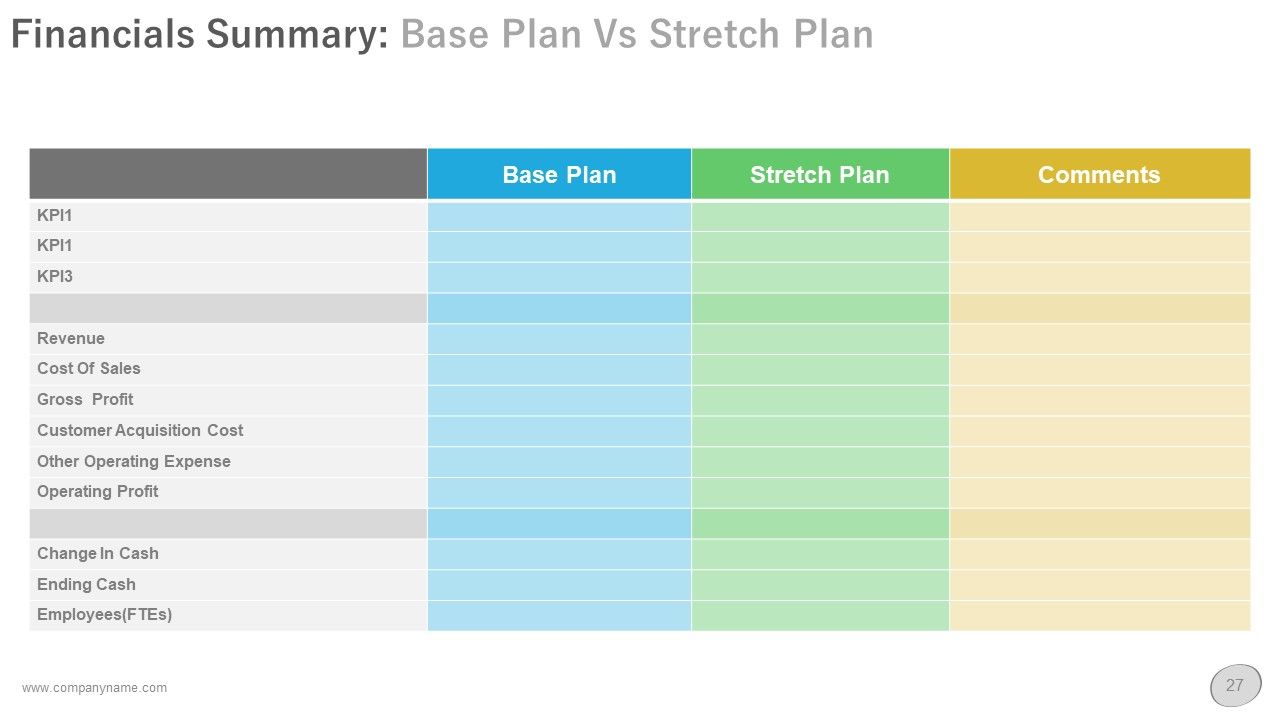
The stability of any business relies on achieving the targets set up in the base plan. However, the growth of the business is stimulated using the targets of the stretch plan. This slide allows you to define the matrices of both base and stretch plans. For a feasible comparison of the plans, you can take the help of various particulars like KPIs, Revenue, COGS, Gross Profit, Customer Acquisition Cost, and many other variables.
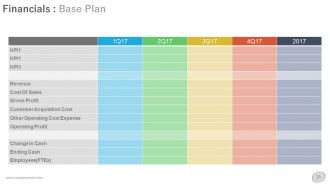
Template 6: Financials: Base Plan

If anyone in the audience wants to learn more about the facts and figures presented in the previously showcased summary, then they can take the help of this slide. This slide acts like a description of the previous one, but only partially as it lists the financial facts of the base plan only. Here, you can list the facts related to KPIs and figures related to Revenue, Cost of Goods Sold, Gross Profit, Operating Profit, Change in Cash, and various other variables.
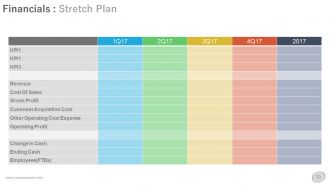
Template 7: Financials: Stretch Plan
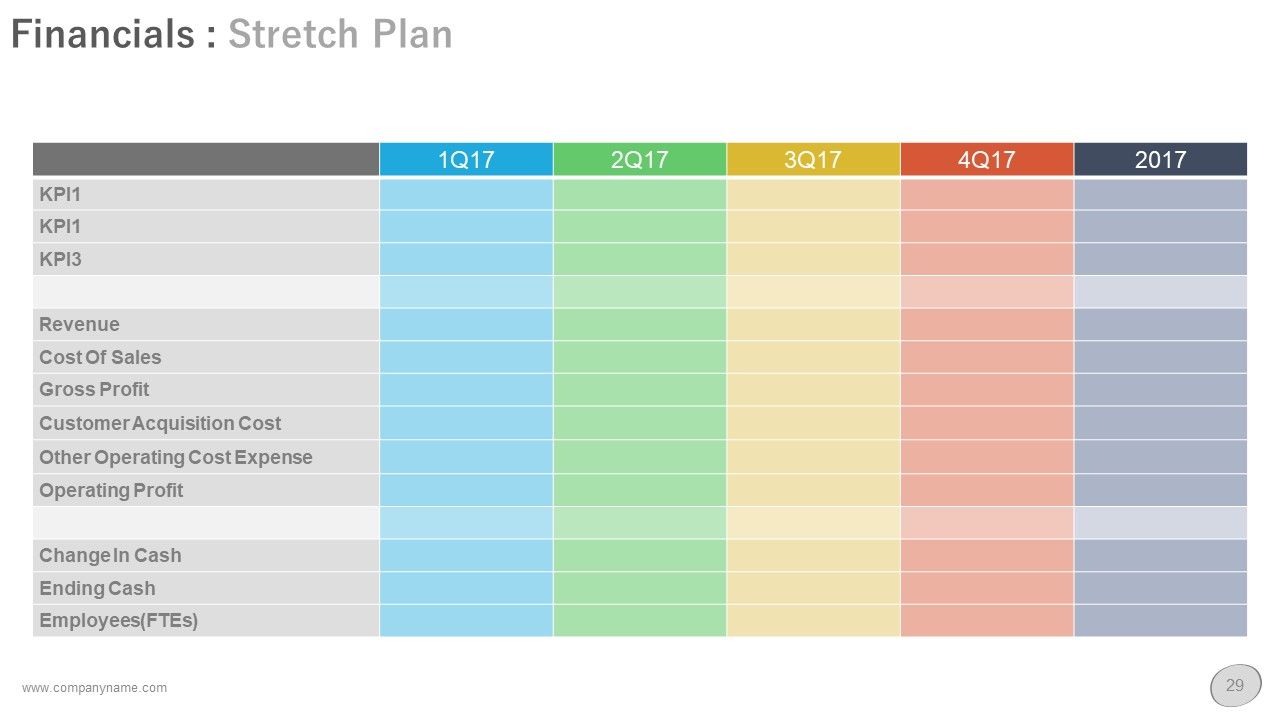
Just like the previous slide, this one also focuses on offering financial insights related to the business. However, the previous template focused on offering facts related to the base plan whereas this one focuses on the stretch plan. This is the only structural difference between the two slides. The particulars for financial projections are the same and include Employees (FTEs), Other Operating Costs, Customer Acquisition Costs, Cost of Goods Sold, KPI 1, KPI 2, KPI 3, and others as shown.
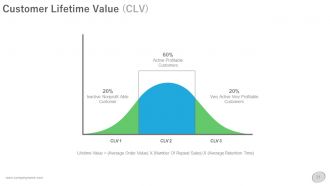
Template 8: Customer Lifetime Value (CLV)
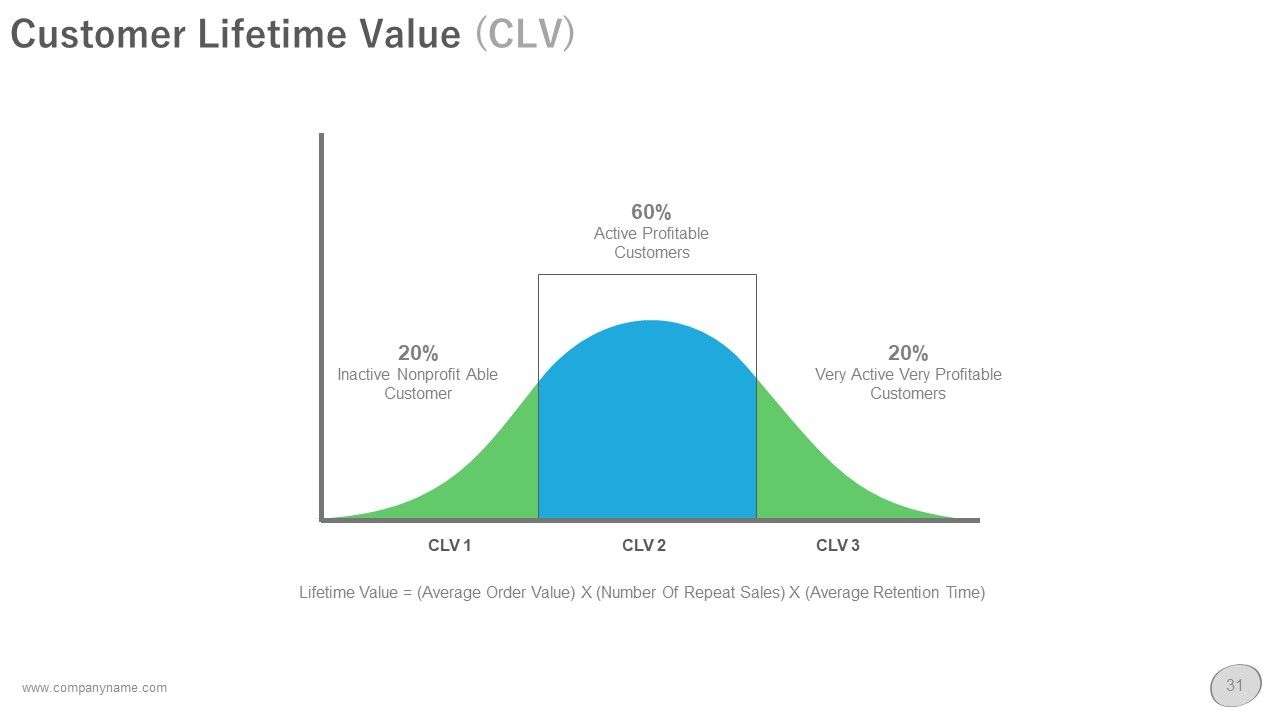
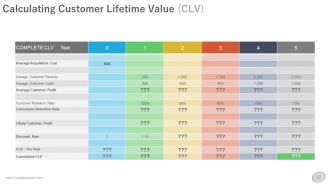
A customer lifetime value (CLV or CLTV) is a concept that’s used by businesses to ascertain the average revenue they can expect from each customer. This helps the business in making the customer-retainment and other necessary decisions. This slide allows your business to showcase the CLV to the audience using a parabolic graph. The entire parabola is divided into three parts viz. Inactive or non-profit making customers (20%), active and profitable customers (60%), and very active and very profitable customers (20%).
Template 9: Operating Plan
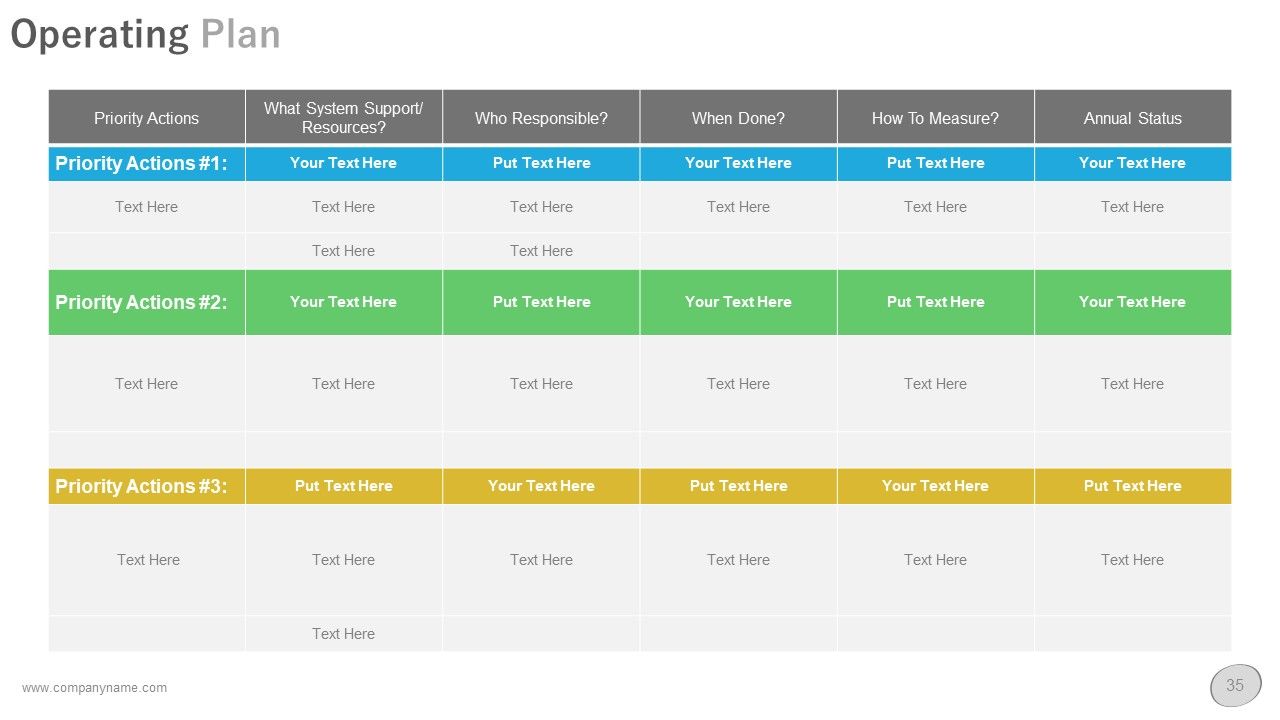
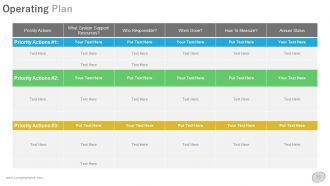
Now that every aspect related to the operations of the business is discussed and showcased, it is time to devise an operating plan according to the previous facts and figures. The operating plan is showcased using a table that defines what are the system support resources available to the organization; who is responsible for the task; when should the task be initiated and completed; how to measure the success of the task; and the annual status of the task.
Template 10: Product Roadmap: Product Launch Deliverables
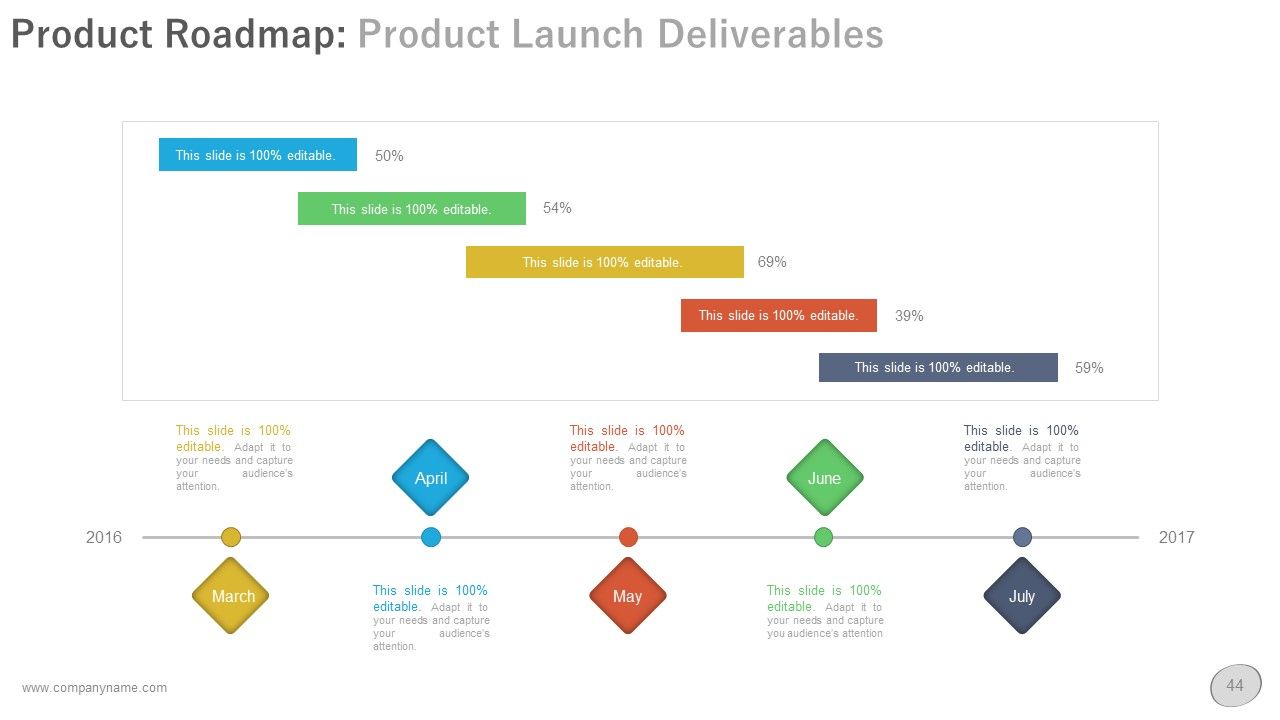
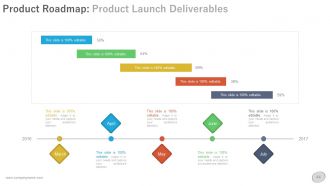
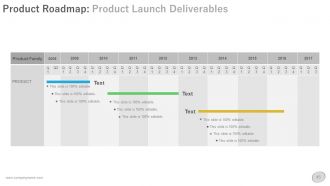
This slide showcases the product roadmap, right. The template can showcase data related to five products and more if necessary. If you think that a couple of months are important for the business with respect to the same product, then you can showcase changes seen or improvements recorded in these months at the bottom of the slide. You can also add some informative text to describe the change or improvement.
Showcase a brief image of your operational plan to your audience using this one-page business strategic plan report template available for you.
Execute Your Well-Planned Operational Plans with Ease
The template shared above covers a wide variety of aspects related to the operational plan, operational planning, execution, and more. The template alone is sufficient for your business to not only draft a plan but also ensure its timely execution along with factor checks and more. We think that the template can be of great help to any innovative business.
Do you have an extensive strategic business plan for years to come? Take the help of this 5-year plan template to showcase your insights, ideas, and more in an interactive way.
Business operational plan powerpoint presentation with slides with all 52 slides:
Our Business Operational Plan Complete Powerpoint Deck With Slides ensure a clarity of guidance. The directions to follow will appear clearly in front.

FAQs for Business operational plan powerpoint
So for your operational plan, you'll want to nail down who's doing what first - like the org chart stuff. Map out your main processes too, everything from making your product to dealing with customers. Oh and budget for people, equipment, all that. Honestly, most people skip the risk planning part but that's where things usually fall apart. What happens if your main supplier bails? Track some key metrics so you actually know if it's working. Just make sure someone owns each piece with real deadlines. Otherwise you'll have this beautiful plan that nobody follows.
Think of your operational plan as the step-by-step directions for your strategy's destination. Every process you map out should connect directly to your strategic goals - like if you're focused on customer retention, your ops need improved service protocols and feedback systems. Honestly, most people skip this connection part and wonder why nothing works. Measure what actually matters because you'll manage what you track. Short sentences work here. Review quarterly so you don't drift off course, and don't be afraid to pivot when something's not clicking.
Dude, you literally can't plan anything without knowing your market first. Who's gonna buy your stuff? What do they actually want? I made this mistake once - built way too much inventory assuming demand that wasn't there. Super painful lesson. Look at your competitors and see where they're screwing up - that's your operational advantage right there. The analysis shows you seasonal trends, pricing wars, supply chain headaches. All that directly hits your daily operations. Honestly, just start with how big your target market is, then figure out what capacity you'll actually need. Way easier than guessing.
Focus on what actually makes you money first - that's your bread and butter. Then check what's truly urgent vs what just feels that way (I swear half of "urgent" stuff isn't). Look at dependencies too because some tasks are basically useless until other ones get done first. Your team's bandwidth matters - don't pile on more than they can handle well. I like using a simple impact vs effort grid. High impact, low effort? Do those immediately. The real trick is getting comfortable saying no to busy work that seems important but doesn't actually move anything forward.
Honestly, just pick 5-7 metrics that actually matter to your goals - don't get crazy with tracking everything. I'd look at the basics: revenue growth, profit margins, maybe cycle times for efficiency stuff. Customer satisfaction scores are huge too. Quality metrics like defect rates help, and obviously employee productivity matters. The thing is, you want stuff that connects to your actual strategy, not just random numbers that look impressive. Oh and set up monthly check-ins to see what's really happening with trends. Too many metrics and you'll just confuse yourself - been there!
Honestly, I'd say quarterly reviews work well for most businesses, with bigger updates once a year. But don't be super strict about it - that's just asking for trouble. Major shifts happen all the time - new regulations drop, competitors do something crazy, or your team gets reorganized. When that stuff hits, update your plan right away instead of waiting around. The whole point is keeping it useful, not having some fancy document that nobody looks at. Set those calendar reminders for quarterly check-ins (trust me, you'll forget otherwise). Always ask yourself: does this actually match how we operate now?
So many options out there! I'd go with Asana or ClickUp for tracking tasks and deadlines - both are pretty intuitive. QuickBooks handles the money stuff well, though honestly Excel works fine if you're not too fancy. Microsoft Project is solid for complex timelines but kinda overkill unless you really need those Gantt charts. Slack keeps everyone talking without endless email chains. Oh, and don't go crazy with too many tools at once - your team will hate you for it. Start simple with maybe two max.
Don't wait until stuff hits the fan to think about risk management. Figure out what could mess up your operations first - supply chain issues, losing key people, equipment breaking down. Build actual plans for each scenario and make someone responsible for them. Honestly, most businesses wing this part and regret it later. Think of it like insurance - boring but necessary. Review everything quarterly since new risks pop up all the time. The whole point is making this routine instead of panicking when problems actually happen.
Honestly, most people mess up by being way too vague about what they actually want to accomplish. Like, "increase sales" isn't a goal - it's just wishful thinking. Also don't overcomplicate it! I've watched teams create these beautiful 50-page plans that nobody can follow. Get your key people involved from day one, not after you've already decided everything. Oh, and you need regular check-ins built in - otherwise you'll realize six months later that you're totally off track. Resources are always tighter than you think they'll be. Keep it simple, assign clear owners for everything, and set actual deadlines.
Honestly, cross-functional workshops are game-changers - get different departments in the same room instead of letting them stay in their bubbles. Tools like Miro help everyone visualize the whole process, which beats confusing email threads any day. Don't wait until the end for feedback either. Regular check-ins during planning let you actually pivot when needed. Oh, and assign clear owners for each part - nobody wants that "I thought you were handling it" moment. Figure out which teams you'll need right from the start of your next cycle.
Start by figuring out what you actually need to hit your goals - match your priorities to specific resources. Check your past spending patterns because I guarantee you've messed up somewhere before (we all have). Focus on the must-haves first: critical staff, equipment, whatever keeps the lights on. Nice-to-haves can wait. Don't forget about seasonal stuff and big projects coming up. Always add a 10-15% buffer though - something random will pop up that you didn't see coming. Oh, and tackle your biggest money-makers first since that's what pays the bills.
Dude, you absolutely need these people on board from the start. Think about it - employees and managers are the ones actually doing the work, so they'll spot problems you'd never see from your desk. Suppliers know their own limitations better than anyone. Even customers can give you reality checks on timing. The thing is, people hate having plans just thrown at them. But if they helped build it? Totally different story. You'll get way more realistic deadlines and catch issues early. Honestly, I'd just map out who matters most and set up regular chats throughout the whole process. Makes everything smoother later.
Honestly, you've got to bake flexibility into your plan from day one. Monthly check-ins work great - that's when you look at market changes and tweak your processes or timelines. We totally got burned last year during those supply chain issues because we weren't doing this! Set up automatic triggers, like if sales drop 15% or new competitors show up. That forces you to update things. Keep your metrics somewhere you can actually see them daily. Oh, and figure out which parts of your business are most at risk first - that's where you'll need the most wiggle room.
Your team knows where the real problems are - they're doing the work every day while you're looking at spreadsheets. Honestly, some of the best operational insights I've gotten came from just asking people what's actually broken. Set up regular check-ins or maybe anonymous surveys if people are hesitant to speak up. Don't make it a one-and-done thing though. Your frontline folks will catch stuff that looks perfect on paper but crashes in reality. Just make sure they feel safe being honest about what's not working.
Think of it like having GPS for your business instead of just winging it every day. You'll catch problems before they blow up, figure out smarter ways to use your resources, and actually build systems that work when people are out sick or whatever. Plus it stops you from that constant firefighting mode - honestly, that gets exhausting fast. The real win is spotting ways to cut waste and grow without everything falling apart. I'd start by writing down how you currently do things, then look for whatever's driving you crazy. That's usually where the best fixes are hiding.
-
Great designs, really helpful.
-
Topic best represented with attractive design.